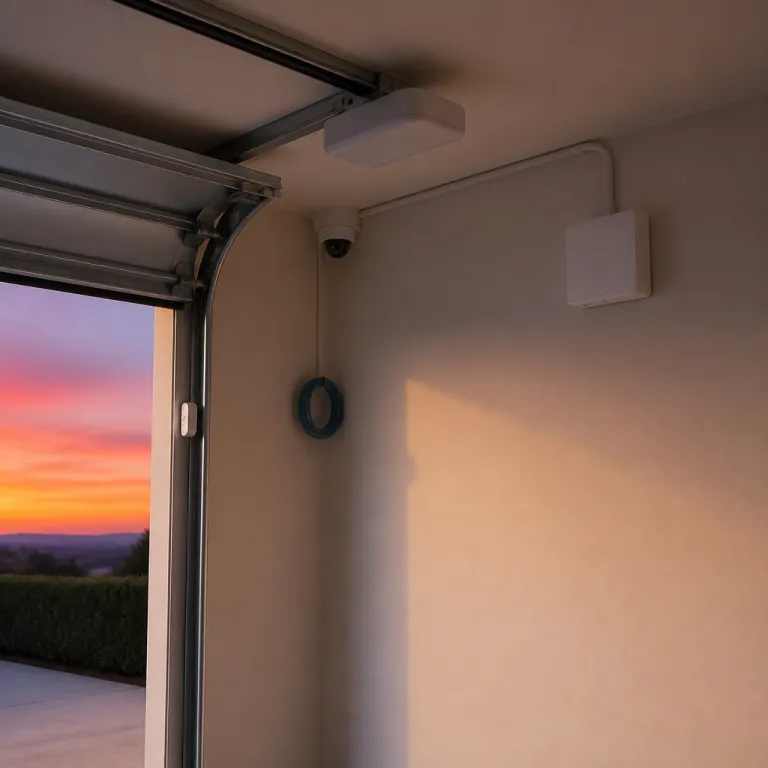

Why the LiftMaster Internet Gateway matters for home camera security
When you connect a LiftMaster Internet Gateway to your home network, your garage door becomes part of a wider security ecosystem instead of a stand‑alone device. This compact gateway links traditional door openers and gate operators with the internet, allowing you to integrate cameras, sensors, and lighting into one coordinated smart platform. For anyone trying to secure a garage, this bridge between physical hardware and cloud-based control is often the missing piece that turns a basic opener into a managed access point.
The LiftMaster Internet Gateway works with MyQ technology, which lets you monitor and control compatible LiftMaster garage door openers and gate operators from a MyQ app on a smartphone or computer. Once the setup is complete, you can check whether the garage door is open or closed in real time, then trigger cameras or lights when the door or gate moves. This real-time awareness is crucial for a secure garage, because many break-ins start with an unlocked or half-closed door that goes unnoticed for hours.
From a security perspective, the Internet Gateway turns the garage into a controlled access point rather than a weak spot. You can pair MyQ-enabled door openers with indoor and outdoor cameras, so every open/close event is recorded and easy to review later. When the LiftMaster Internet Gateway is combined with a reliable Wi‑Fi extender or hub, the signal to your cameras stays stable, which means fewer blind spots, fewer dropped connections, and more consistent security footage when you need it most.
How MyQ, cameras, and Wi Fi hubs work together at the garage door
Homeowners often underestimate how much traffic passes through a single garage door in a week. Every time a door opener moves, there is a chance for an unwanted visitor to slip in, which is why pairing MyQ technology with cameras, Wi‑Fi hubs, and a LiftMaster Internet Gateway is so powerful. The gateway lets you use the MyQ app to link openers, cameras, and even smart lighting into one coordinated security routine that responds automatically whenever the door or gate operates.
With a compatible LiftMaster opener and a MyQ-enabled camera, you can set rules so that each open/close cycle triggers recording and sends a notification to your smartphone or computer. If you also use Amazon Key for garage delivery, the LiftMaster Internet Gateway can coordinate with the MyQ app so that a courier can place a parcel inside while your camera records the entire delivery. This combination of controlled access and visual proof significantly strengthens security garage strategies for people who receive frequent packages and want a clear audit trail.
For more sensitive scenarios, such as when you want a silent way to call for help, pairing the gateway and cameras with a discreet duress button can be transformative. A duress button strategy, integrated with MyQ control and your camera system, allows you to trigger recording and alerts without drawing attention to yourself. You can read more about how a discreet duress button strategy transforms home camera security in a dedicated guide that focuses on panic workflows, escalation paths, and camera automation.
Wi Fi extenders, hubs, and the LiftMaster Internet Gateway as a control anchor
Smart cameras and a LiftMaster Internet Gateway are only as reliable as the Wi‑Fi signal that connects them. Many garages sit at the edge of a home network, where the internet connection is weak and cameras or MyQ devices struggle to stay online. This is where dedicated Wi‑Fi extenders and hubs, tuned for security devices, become essential accessories rather than optional extras, because they stabilize the wireless link that keeps your access control and video monitoring synchronized.
A well-placed Wi‑Fi hub can ensure that the Internet Gateway, door openers, and cameras all maintain a stable link, even when the garage doors are closed and the signal must pass through thick walls. When you install a hub near the garage, the LiftMaster Internet Gateway can communicate more reliably with MyQ-enabled devices, including gate operators and smart cameras. This stability means that every open/close event, every garage delivery, and every gate movement is logged in real time without gaps in your footage or unexplained offline periods.
In many homes, a DSC alarm panel or similar security controller acts as the central brain for sensors and sirens. When that alarm panel is integrated with reliable Wi‑Fi extenders and hubs for home cameras, the LiftMaster Internet Gateway becomes a key control point for both access and video. You can learn how a DSC alarm panel anchors reliable Wi‑Fi extenders and hubs for home cameras in a detailed technical overview that explains network layouts, device placement, and how to avoid interference from metal doors and structural walls.
Wi‑Fi hub and extender quick checklist
- Signal testing: Stand in the garage with your smartphone and run a speed or signal test before installing cameras or the gateway.
- Placement: Position the hub or extender roughly halfway between the main router and the garage, avoiding metal cabinets and large appliances.
- Channel and interference: If video drops, change Wi‑Fi channels on your router or mesh system to reduce overlap with neighboring networks.
- Backup power: Use a small battery backup or UPS for the router, Wi‑Fi hub, and LiftMaster Internet Gateway so alerts continue during short outages.
- Retesting: After moving equipment, repeat signal checks and confirm that MyQ commands and camera streams respond without noticeable lag.
Step by step: from learn button to full LiftMaster Internet Gateway setup
Setting up a LiftMaster Internet Gateway usually starts at the opener itself, with the small learn button that links the opener to MyQ technology. After you press the learn button on the compatible LiftMaster door opener or gate operator, you use the MyQ app to add the device and pair it with the Internet Gateway. This pairing process allows the gateway to translate radio signals from the opener into internet-based commands that your smartphone or computer can understand and act on instantly.
Once the basic setup is complete, you can install cameras and other smart devices around the garage door and gate. Many homeowners place one camera inside the secure garage, facing the door openers, and another outside to capture anyone approaching the garage doors or gate. When these devices are linked through the LiftMaster Internet Gateway, you can control MyQ routines that tie open/close actions to camera recording, lighting, and even voice alerts or chimes that let you know when someone has accessed the space.
During installation, pay close attention to where you mount the gateway and any Wi‑Fi extenders, because metal doors and concrete walls can block the internet signal. It often helps to install the gateway near the opener but still within strong Wi‑Fi coverage, then test the MyQ app from different spots in and around the garage. If you notice lag or missed events, adding another hub or extender between the router and the garage can restore reliable control and real-time notifications without having to move the opener or cameras.
Using Amazon, Amazon Key, and smart delivery workflows with garage cameras
Online shopping has turned the garage into a frontline delivery zone, especially for people using Amazon and similar services. When you combine Amazon Key for garage delivery with a LiftMaster Internet Gateway, you can allow vetted couriers to open the garage door briefly while your cameras and MyQ app monitor every movement. This approach reduces the risk of parcel theft on the doorstep and keeps the delivery inside a secure garage instead, where you retain both physical and digital control.
The MyQ app lets you control MyQ routines so that each authorized delivery triggers an open/close cycle on the door opener while cameras record in real time. You can later review the event log, which shows when the garage doors moved, which device sent the command, and how long the door remained open. For extra security, some homeowners add a secondary camera focused on the interior storage area, ensuring that the Internet Gateway and cameras together provide both access control and visual verification of where packages end up.
Because these workflows rely on the internet, a stable connection between the LiftMaster Internet Gateway, cameras, and any Wi‑Fi hubs is non-negotiable. If the connection drops during a garage delivery, the system may fail to record the event or send alerts to your smartphone or computer. To avoid this, many people pair the gateway with robust Wi‑Fi extenders and even power backup accessories, similar to the solar panels and extended batteries that keep cameras running year-round in more advanced setups and outdoor installations.
Choosing compatible LiftMaster devices and planning for long term security
Not every opener or camera will work seamlessly with a LiftMaster Internet Gateway, so checking for compatible LiftMaster models is the first step. Look for MyQ-enabled door openers and gate operators, because these devices can speak directly to the gateway and the MyQ app without extra hardware. Popular examples include LiftMaster models 8160WB, 8550W, 8500W, 8587W, 87504‑267, and 87802, along with MyQ Smart Garage Hub units such as MYQ‑G0401‑ES and MYQ‑G0301‑E. When your openers, cameras, and hubs all share the same ecosystem, you gain more reliable control and fewer integration headaches.
For households that already own older garage door openers, an upgrade to a MyQ-enabled opener can be a strategic security investment. The newer devices support real-time status updates, remote open/close commands, and tighter integration with smart cameras and lighting. Over time, this means fewer moments when you wonder whether the garage door is actually shut, and more moments when you can verify the door and gate status instantly from your smartphone or computer, even when you are away from home.
Long-term planning also includes thinking about power and connectivity resilience, especially if your security garage setup protects valuable tools or vehicles. Accessories such as solar panels, extended batteries, and always-on Wi‑Fi hubs can keep cameras and the LiftMaster Internet Gateway online during outages, as explained in depth in guides about the add-ons that keep cameras running year-round. By treating the gateway, cameras, and extenders as a unified security system rather than isolated devices, you build a more secure garage that remains under your control even when conditions are less than ideal.
Key statistics on smart garages, Wi Fi hubs, and connected security
- According to Chamberlain Group’s published MyQ usage data (MyQ smart garage usage insights, 2022), homes using MyQ technology for garage doors see up to 20% fewer instances of doors left open overnight, because real-time alerts prompt users to close them remotely.
- Market research from Parks Associates (Smart Home Tracker and device adoption studies, 2021–2023) reports that more than 30% of U.S. broadband households with smart home devices now include at least one smart garage door opener or controller, showing how quickly the garage is becoming a connected access point.
- Data from the Federal Bureau of Investigation (FBI, Uniform Crime Reporting Program and Crime in the United States tables, 2020) indicates that a significant share of residential burglaries involve entry through a garage or side door, which underscores the value of pairing a LiftMaster Internet Gateway with cameras and sensors at these locations.
- Wi‑Fi performance studies from vendors such as Netgear (mesh Wi‑Fi and range extender performance testing, 2021) show that placing a dedicated extender or hub within roughly 6 to 9 metres of a garage can improve signal strength to cameras and gateways by more than 50%, reducing video dropouts and missed alerts.
- Consumer surveys from J.D. Power (smart home and connected device satisfaction studies, 2022) have found that smart garage users who integrate their systems with delivery services such as Amazon Key report higher satisfaction with package security compared with those relying only on traditional doorstep delivery.
FAQ: LiftMaster Internet Gateway, Wi Fi hubs, and garage security
How does a LiftMaster Internet Gateway improve my garage security cameras ?
The LiftMaster Internet Gateway connects compatible LiftMaster openers and gate operators to the internet, allowing them to work with cameras and the MyQ app. When the garage door or gate moves, the gateway can trigger cameras to record and send real-time alerts. This coordination ensures that every access event is both controlled and visually documented, so you can quickly review what happened if something looks suspicious.
Do I need a Wi Fi extender or hub for my LiftMaster Internet Gateway ?
Many garages sit at the edge of a home Wi‑Fi network, where the signal is weak. A dedicated Wi‑Fi extender or hub near the garage helps the Internet Gateway, cameras, and MyQ devices maintain a stable connection. Without this support, you may experience missed notifications, offline cameras, or unreliable open/close commands that undermine the benefits of a connected security system.
Can I use Amazon Key and garage delivery with my existing LiftMaster opener ?
You can use Amazon Key for garage delivery only if your opener is a compatible LiftMaster model that supports MyQ technology and works with the LiftMaster Internet Gateway. Once confirmed, you link your MyQ account with Amazon, then manage access through the MyQ app. During each delivery, the system briefly opens the garage door while cameras record and the gateway logs the event so you can verify who entered and when.
What is the learn button on my opener, and why is it important ?
The learn button on a garage door opener or gate operator is used to pair the device with remotes, keypads, and the LiftMaster Internet Gateway. Pressing the learn button puts the opener into a mode where it can accept new connections from MyQ-enabled devices. This step is essential during setup, because it allows the gateway and MyQ app to control the opener securely and prevents unauthorized devices from gaining access.
How can I check if my LiftMaster devices are compatible with the Internet Gateway ?
To confirm compatibility, check the model number on your LiftMaster door opener or gate operator and compare it with the compatibility lists provided by Chamberlain Group. Look specifically for MyQ-enabled models, because these are designed to work with the LiftMaster Internet Gateway and the MyQ app. If your current opener is not compatible, upgrading to a newer model may unlock full smart control, camera integration, and support for services such as Amazon Key for garage delivery.
Real-world example: turning a vulnerable garage into a monitored entry point
Consider a household that frequently received packages while no one was home and often discovered the garage door left open in the evening. After installing a compatible LiftMaster opener, an Internet Gateway, a Wi‑Fi hub near the garage, and two MyQ-enabled cameras, they created simple routines in the MyQ app: every door movement triggered recording, alerts, and a check that the door closed again after deliveries. Within a few weeks, they saw fewer missed packages, no more forgotten open doors overnight, and a complete video history of every access event, all anchored by the LiftMaster Internet Gateway.