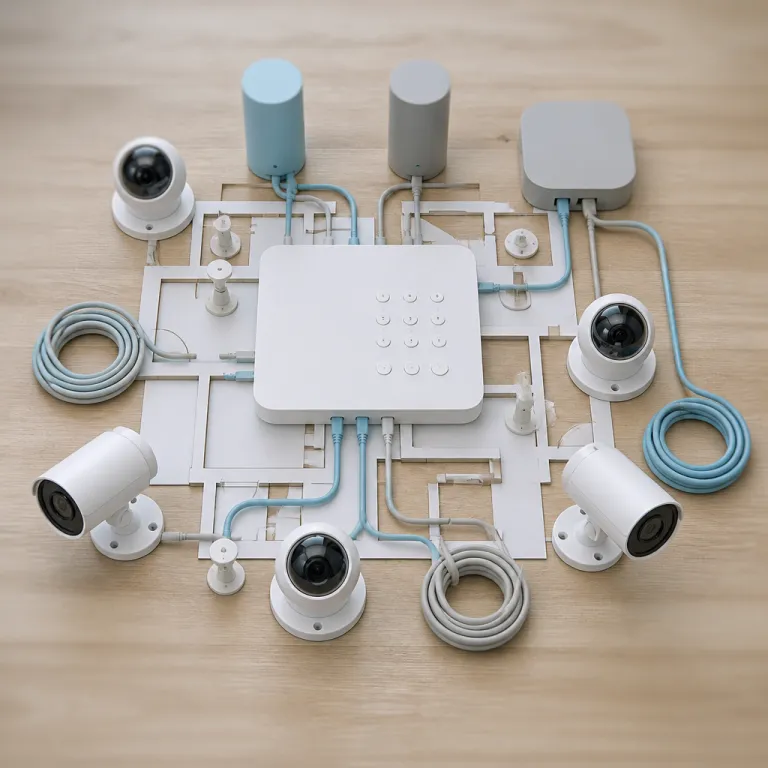

Why your DSC alarm panel still matters in a wireless camera era
Many homeowners focus on cameras and overlook the DSC alarm panel that quietly coordinates every security action. A properly configured DSC control panel becomes the brain that links your home security camera network, Wi‑Fi extenders, and hubs into one coherent intrusion alarm system. When the panel, cameras, and wireless accessories work together, you gain faster alerts, clearer full message logs, and fewer blind spots.
The classic DSC PowerSeries and newer DSC PowerSeries Neo panels were designed around reliable zone management, yet they now sit at the center of complex wireless ecosystems. Each zone on the panel can correspond to a motion detector, a glass break detector, or a camera monitored area, so your Wi‑Fi hubs and extenders must keep those paths stable. If the wireless link to a camera fails while the detector on the same zone still reports, you risk confusing events, inconsistent timestamps, and delayed responses.
Think of the DSC alarm panel as the referee between motion detectors, cameras, and your network hardware. The keypad and message LCD interface show which zone or detector triggered first, while the cameras provide visual confirmation over Wi‑Fi. This pairing of structured alarm data from the panel with live video from wireless cameras is what turns a basic alarm into a modern, evidence‑driven security system.
How Wi‑Fi extenders and hubs support DSC based camera paths
Home security cameras depend on stable wireless coverage, and so does any DSC alarm panel that integrates with IP modules or smart hubs. When you add Wi‑Fi extenders or mesh hubs, you are effectively building a parallel path alarm network that must not undermine the reliability of your existing DSC system. Poorly placed extenders can introduce electrical noise, congestion, or channel overlap that affects both wireless alarm peripherals and your cameras.
Many DSC PowerSeries Neo and DSC PowerSeries installations now include smart bridges that talk to cameras, voice assistants, and mobile apps through the same Wi‑Fi infrastructure. PowerG wireless technology used by DSC typically operates in the sub‑GHz band (around 900 MHz in North America and 868 MHz in parts of Europe), while Wi‑Fi cameras usually use 2.4 GHz or 5 GHz. If a hub or extender sits too close to a PowerG transceiver or an expansion module such as an HSM2HOST or HSM2108, you may still see intermittent wireless PowerG signal drops or delayed PIR motion camera alerts because of physical crowding, shared power strips, or poorly shielded cabling rather than direct RF overlap.
When troubleshooting cameras that will not connect, the process mirrors diagnosing a wireless alarm device that keeps dropping from the panel. Start by mapping signal strength with your phone or laptop, then test different access points or mesh nodes and confirm that the control panel or hub has a reliable path back to the router. For a practical walk through of this approach, use a step‑by‑step guide on fixing a camera that will not connect to Wi‑Fi, then apply the same logic to your DSC powered setup.
Placing DSC panels, cameras, and Wi‑Fi extenders for clean coverage
Physical placement of your DSC alarm panel, cameras, and Wi‑Fi extenders determines whether motion events travel cleanly through the system. A central location for the control panel reduces cable runs for the power supply and hardwired keypad while keeping expansion modules away from heavy electrical noise. Cameras and wireless alarm devices then rely on extenders or hubs to bridge the remaining distance without creating dead zones.
In multi storey homes, many installers mount the DSC PowerSeries Neo or other panels on the middle floor, then position Wi‑Fi extenders above and below to create overlapping coverage. As a rule of thumb, keep hubs at least 1 to 2 metres away from the alarm cabinet and avoid stacking them directly on top of the enclosure. This layout helps both wireless PowerG detectors and wireless cameras maintain a strong link, so a PIR motion event near the driveway reaches the panel and the cloud recording service simultaneously. If you push an extender into a far corner just to reach one camera, you may weaken the path alarm route for other devices and introduce latency into the system.
Dead zones and dropped feeds often appear where thick walls or metal structures block radio signals. When that happens, the DSC alarm panel might still receive a signal from a nearby motion detector while the camera feed freezes, or the reverse. A focused guide on eliminating Wi‑Fi dead zones for cameras can help you redesign coverage so both detectors and cameras share robust wireless paths. As you move devices, test again from each problem room and note where signal bars or connection quality improve.
Integrating PIR motion detectors and cameras with DSC control
Passive infrared or PIR motion detectors remain the most reliable way for a DSC alarm panel to know that someone is moving through a zone. Many modern home security cameras now include their own PIR motion sensors, yet the dedicated DSC motion detector connected to the panel still offers more predictable alarm behaviour. When you align camera fields of view with the zones defined on the control panel, you gain both structured alarm data and visual confirmation.
For example, a DSC PowerSeries Neo control panel might supervise a hallway PIR motion detector while a camera watches the same corridor from the ceiling. When the detector trips, the panel logs the zone, sends a full message to the monitoring station, and can trigger recording rules on the camera through a hub. If the camera’s own motion detection misfires because of light changes, the DSC system still relies on the stable detector hardware to decide whether to raise an alarm.
Glass break detectors follow a similar pattern, acting as precise ears for the DSC alarm panel while cameras provide context. A wireless alarm glass break detector using PowerG wireless technology can sit near a large window, with a camera covering the same area over Wi‑Fi. The combination of detectors, cameras, and a disciplined control panel gives you fewer false alarms and clearer evidence when a real intrusion occurs.
Choosing between PowerG wireless and hardwired options in mixed systems
Homeowners often ask whether they should favour PowerG wireless devices or stick with hardwired keypads and detectors on their DSC alarm panel. Wireless PowerG peripherals offer flexible placement and easier retrofits, while hardwired keypad lines and detectors still provide unmatched stability in noisy environments. The best systems usually mix both, using wireless where cabling is impractical and cables where reliability is paramount.
On a DSC PowerSeries or DSC PowerSeries Neo installation, a PowerG transceiver module allows the control panel to supervise wireless alarm devices across multiple floors and outbuildings. You might use wireless PowerG motion detectors in a detached garage while keeping a hardwired keypad and wired PIR motion detector in the main hallway. This approach keeps the critical control path alarm routes on copper while still extending coverage to areas where running cables would be disruptive or expensive.
Wi‑Fi extenders and hubs then support the camera side of the equation, not the core DSC signalling. Cameras can roam between access points as long as the network remains stable, but the alarm system should maintain a consistent link between the panel, keypads, and detectors. When planning upgrades, treat the DSC alarm panel and its control panels as the backbone, and let Wi‑Fi accessories flex around them.
Reading keypads, LCD messages, and prices when planning upgrades
The user interface on your DSC alarm panel, especially the keypad and LCD, reveals how well your system and cameras are working together. A full message LCD keypad can show which zone triggered, whether a motion detector or glass break detector caused the alarm, and how the system status changed. When you correlate those messages with camera clips, you quickly see whether Wi‑Fi extenders and hubs are supporting or undermining your security plan.
Older hardwired keypads without a message LCD still provide essential feedback, but they may not show detailed zone text or power supply warnings. Upgrading to a modern keypad on a DSC PowerSeries Neo or similar panel often costs less than many assume, especially compared with the price of multiple new cameras. When you evaluate panels, keypads, and expansion modules, compare not only the purchase price but also how clearly they present alarm system information during stressful events.
As you add cameras, Wi‑Fi extenders, and hubs, keep the DSC control panel documentation close and review how each new device interacts with existing zones. A well labelled zone list that distinguishes between motion detectors, glass break detectors, and camera covered areas makes troubleshooting far easier. For deeper context on how PIR motion sensing underpins both detectors and cameras, a technical explainer on how passive infrared sensors elevate home security cameras is a useful companion to your DSC manuals.
Key statistics on DSC panels, wireless coverage, and camera reliability
- According to manufacturer datasheets for PowerG wireless technology (for example, DSC PGx series specifications published by Johnson Controls), outdoor line‑of‑sight range can reach up to roughly 2 kilometres, while typical Wi‑Fi cameras operate reliably within about 30 to 50 metres indoors, highlighting why DSC panels often rely on PowerG for detectors and Wi‑Fi for video.
- Industry surveys from central monitoring stations and alarm associations such as The Monitoring Association indicate that more than half of nuisance alarms originate from user error or misconfigured motion detectors, which reinforces the value of clearly labelled zones and readable LCD keypads on DSC control panels.
- Mesh Wi‑Fi systems marketed for smart homes commonly claim coverage of roughly 350 to 550 square metres with three nodes, yet independent real‑world tests by networking reviewers at outlets like SmallNetBuilder and PCMag often show 20 to 30 percent less coverage, so careful placement around DSC panels and detectors remains essential.
- Independent testing of PIR motion detectors used with DSC alarm panels, including typical 10 to 15 metre detection ranges and 90 to 110 degree fields of view reported in product datasheets, shows that their coverage patterns align well with the viewing angles of many indoor security cameras.
- Monitoring providers that publish performance summaries report that systems combining traditional alarm panels with cameras see higher incident resolution rates than camera‑only setups, because DSC style zone data and time stamped keypad messages help operators interpret video faster and dispatch more accurately.
FAQ
How does a DSC alarm panel work with home security cameras ?
A DSC alarm panel manages detectors, zones, and keypads, while cameras connect through Wi‑Fi hubs or smart integrations that react to panel events. When a motion detector or glass break detector triggers, the panel logs the zone and can signal a hub to start or tag camera recordings. This separation keeps the alarm system reliable even if a camera or Wi‑Fi extender fails.
Do I need Wi‑Fi extenders if I already use PowerG wireless detectors ?
PowerG wireless technology serves DSC detectors and keypads, not your cameras, so it does not replace Wi‑Fi coverage. You still need Wi‑Fi extenders or mesh hubs to keep cameras online, especially in large homes or properties with outbuildings. The key is to place extenders so they help cameras without interfering with the PowerG transceiver or other alarm modules.
Should I upgrade from an older DSC PowerSeries panel to a PowerSeries Neo model ?
Upgrading from a DSC PowerSeries panel to a DSC PowerSeries Neo control panel can bring better support for modern keypads, PowerG wireless devices, and smart integrations. If you plan to add more cameras, hubs, and Wi‑Fi accessories, the newer platform often handles complex setups more gracefully. However, a well maintained older panel with good detectors and wiring can still perform reliably when paired with a carefully designed network.
Where should I mount my DSC panel relative to Wi‑Fi hubs and cameras ?
Installers usually place the DSC alarm panel in a central, protected location with a stable power supply and short cable runs to keypads. Wi‑Fi hubs and extenders then sit a few metres away to avoid radio interference while still providing strong coverage for cameras. This layout keeps the core alarm system shielded from network issues while giving cameras the bandwidth they need.
How do I read keypad messages when troubleshooting alarms and camera clips ?
A full message LCD keypad on a DSC panel shows which zone triggered, whether it was a motion detector, glass break detector, or another device, and the exact time of the event. By matching those keypad messages with camera timestamps, you can see whether Wi‑Fi problems delayed video or whether a detector misfired. This method helps you decide whether to adjust extenders, move detectors, or change camera settings.