
Summary
Editor's rating
Are two Arlo pan‑tilt 2K cams worth the money plus subscription?
Looks, build, and how they actually fit on your wall
No batteries here: the reality of running plug‑in cameras
Weather, motors, and how tough they really feel
Image quality, motion tracking, and how it behaves day and night
What you actually get with this Arlo 2‑camera kit
How well it actually protects your place day to day
Pros
- Clear 2K image with useful pan/tilt and auto‑tracking that can cover large areas with fewer cameras
- Always‑powered plug‑in design means no battery charging or swapping once installed
- Arlo app is polished with reliable motion alerts, smart detection (with subscription), and good smart home integration
Cons
- Many key features (smart detection, long video history, some alerts) depend on a paid Arlo Secure subscription
- Plastic build and exposed power cable feel less rugged than some fixed outdoor cameras
- Placement limited by access to power outlets; not ideal if you want totally flexible, battery‑powered mounting

Specifications
View full product page →| Brand | Arlo |
Two Arlo pan‑tilt cams watching the house: worth it or overkill?
I’ve been running this Arlo Essential Pan Tilt 2K twin-pack around my place for a little while now, one pointed at the driveway and one at the back yard. I’m not a pro installer, just someone who wants to see who’s at the door and what the dog is destroying. I picked this kit because I wanted proper 2K image quality, pan/tilt to cover a wide area, and I was tired of charging batteries on other cameras. So this plug-in, always-powered setup looked like the right mix on paper.
In practice, these cameras do most of what they promise: the image is sharp, motion alerts are pretty quick, and the automatic tracking is actually useful when someone walks across the frame. The app is fairly simple to use once you get used to Arlo’s way of doing things. The big catch is that a lot of the "smart" stuff depends on the Arlo Secure subscription after the one‑month trial, and that part is not cheap, especially if you’re only running a couple of cameras.
Another thing I noticed: while they’re sold as outdoor cameras with IP65 rating, they still feel more like indoor/porch cams than something I’d happily bolt high up on a completely exposed wall in a storm. They’re fine, but the plastic body and the plug-in cable mean you have to think a bit about where you put them so you’re not stressing the cable or leaving the connector in a puddle. If you’re expecting a heavy-duty metal bullet camera, this isn’t that.
Overall, my experience is positive but not blind praise. The hardware is pretty solid, the features are there, but Arlo leans heavily on the paid plan, and there are a few small annoyances around app region support and Wi‑Fi setup that you should know before buying. I’ll break down the main points so you can see if it fits what you actually need, not what the box promises.
Are two Arlo pan‑tilt 2K cams worth the money plus subscription?
On price, this kit sits in that mid‑range smart camera zone: not dirt cheap, not top‑shelf expensive either. For the money, you’re getting 2K resolution, full pan/tilt, color night vision, 2‑way audio, spotlight, siren, dual‑band Wi‑Fi, and a 1‑month trial of Arlo Secure. If you actually use the pan/tilt to replace multiple fixed cameras, the value looks decent because one camera can cover several angles. In my case, one front camera replaced what would have been two or three fixed ones, so that helped justify the price.
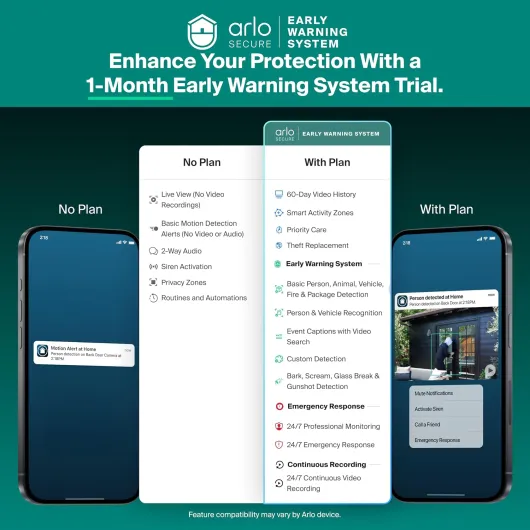
The catch is the ongoing cost. After the trial, Arlo Secure plans are not free, and the advertised starting price isn’t trivial if you only run one or two cameras. Without the plan, you lose 60‑day history, smart detection (people/vehicles/packages/animals), advanced audio detection, and some of the better notifications. The cameras still work, but more like basic IP cams. So the real cost of ownership is camera price plus subscription over the years. If you’re allergic to subscriptions, this will annoy you, and you might be better off with something that offers local storage or cheaper cloud options.
Compared to other brands I’ve used (like cheaper Wi‑Fi cams from lesser-known names), Arlo does bring a more polished app, better motion detection, and cleaner notifications. The cameras also integrate with Alexa, Google Home, SmartThings, and IFTTT, which is handy if you already have a smart home going. You can do stuff like turn on lights when motion is detected, or have a smart speaker announce someone at the door. If you care about that ecosystem integration, the value goes up; if you don’t, you’re paying partly for features you might not use.
Overall, I’d call the value "pretty solid" if you’re okay paying for the subscription and you actually need the pan/tilt coverage. If you just want one static view and basic recording, there are cheaper fixed 1080p cams that will do the job. This kit really makes sense for people who want flexible coverage, good software, and are fine with an ongoing fee in exchange for cloud storage and smarter alerts.
Looks, build, and how they actually fit on your wall
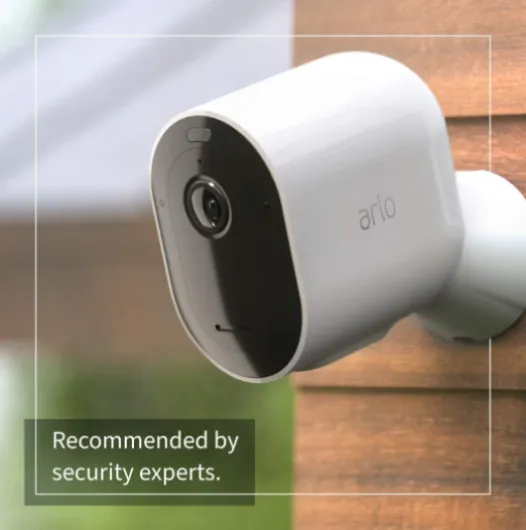
The design is pretty straightforward: glossy white plastic body, black camera face, and a rounded shape that looks more like an indoor cam than a rugged outdoor bullet. If you care about aesthetics, they’re discreet enough on a white wall or under an eave. They don’t scream "industrial security"; more like a slightly bigger smart home gadget. Personally, I liked that they didn’t look too aggressive, especially at the front door. My partner, who usually hates tech clutter, didn’t complain, which is a win in my book.
Build quality is decent but not premium. It’s all plastic, and while it doesn’t feel cheap to the point of breaking in your hand, it’s not the kind of thing you’d want to smack with a ladder either. The IP65 rating means it can handle rain and dust, but you still need to be smart about placement. I mounted one under a small roof overhang and another on a wall with a bit of shelter from direct sideways rain. I wouldn’t personally mount it completely exposed on a pole in an open field, mostly because the power connector and cable are the weak points if water starts running along them.
The pan and tilt mechanism feels smooth. When the camera tracks movement, you can hear a soft motor sound if you’re close, but it’s not loud. I didn’t notice any wobble in the head or weird grinding noises. Over time we’ll see how the motors hold up; so far, after regular motion tracking and me manually spinning them around through the app, nothing has loosened or started acting weird. The cameras do look a bit more vulnerable to being twisted or knocked compared to fixed bullet cams, though. If someone really wants to mess with them, they could probably grab the head and point it at a wall.
Mounting is basic: screw the base into the wall, clip the camera on, route the power cable. There’s no fancy cable management built into the mount, so you’ll have to improvise with clips or trunking if you want it tidy. I’d say the design is practical but not special. It gets the job done, looks fine on most houses, but it doesn’t feel like a tank. If you treat it as a smart home gadget rather than hardcore security hardware, you’ll have the right expectations.
No batteries here: the reality of running plug‑in cameras
These Arlo Essential Pan Tilt cameras are plug‑in only, so there’s no actual battery to review. That’s both a strength and a limitation. On the plus side, I never have to climb a ladder to swap or recharge a battery, which was honestly the main reason I moved away from fully wireless cams. The cameras stay powered 24/7, so you don’t get those gaps where the battery dies and you realize three days later. For a permanent setup on a house you own or a long‑term rental, always‑on power is just simpler once you’ve done the initial install.
The downside is installation flexibility. You’re basically limited to spots where you can safely run a power cable to an outlet. In my case, the front camera was easy: outlet in the garage, cable through a small hole, and then along the wall to the mount under the eave. The back camera was more annoying; I had to use outdoor‑rated cable clips and be careful not to leave the connector hanging in the rain. If you’re not comfortable drilling or dealing with cables outside, you might want to budget for a handyman or think twice.
Another thing to keep in mind: because they’re always powered, the cameras are always ready to record, which is good, but they also rely completely on your home’s power and Wi‑Fi. If the power goes out and you don’t have a UPS or backup system, these go down immediately. With battery‑powered cameras, you at least get some recording during short outages. So it’s a tradeoff: no maintenance vs. less resilience to power cuts. For my use, the convenience of never touching batteries wins, but it’s worth being aware of.
So if we talk "battery" in a broader sense – energy and uptime – these cams are basically hassle‑free as long as your power and Wi‑Fi are stable. Just don’t buy them expecting the flexibility of stick‑anywhere wireless models. They’re more like semi‑permanent fixtures that you install once and forget, which for many people is exactly what they want.
Weather, motors, and how tough they really feel
Durability-wise, I’d call these cameras decent but not bulletproof. The IP65 rating means they’re fine with rain and dust, and in my use they handled a few solid storms without any leaks or condensation inside the lens. Temperatures where I live swing from cool nights to pretty warm days, and I haven’t seen any fogging or weird behavior yet. The plastic housing hasn’t discolored or cracked, and the mounts are still tight. So for regular residential outdoor use under some kind of eave or light shelter, they seem well suited.
The part that worried me most before installing them was the pan/tilt motor over time. So far, after plenty of automatic tracking events and manual panning, there’s no sign of grinding, misalignment, or the camera losing its position. It still returns to saved viewpoints correctly. Of course, we’re not talking years of data here, but first impressions are positive. If something is going to fail long-term, my guess would be the motor or the power connector, not the shell itself.
One thing to be realistic about: if someone wants to tamper with them, they’re not hard to reach if you mount them low. They’re light plastic, not heavy metal domes. A determined person could turn them away, cover them, or rip them off. That’s not specific to Arlo; most consumer smart cams are like this. If you’re in a rough area, you might want to mount them higher or pair them with something more vandal‑resistant for critical spots.
Overall, I’d say the durability is fine for what they are: consumer‑grade smart cameras meant for typical homes. They hold up to weather, the motors seem reliable so far, and there’s no obvious weak point besides the fact that it’s plastic and powered by a cable. If you install them sensibly and don’t treat them like industrial hardware, they should last a good while.
Image quality, motion tracking, and how it behaves day and night
The main thing I cared about with these cameras was performance: does the 2K resolution actually help, and does the motion tracking do anything useful or is it just a gimmick? On the image side, I’d say it’s pretty solid. In daylight, the 2K video is sharp enough that you can see faces, license plates at reasonable distances, and small details like shirt color or package labels if the person is close. It’s not cinema‑level, but compared to older 1080p cams I’ve used, there’s a noticeable bump in clarity, especially when you zoom in using the 12x digital zoom. Just keep in mind that digital zoom always degrades quality a bit; it’s fine for checking details but not for watching everything zoomed all the way in.
At night, the color night vision works decently as long as there’s at least some ambient light (streetlight, porch light, whatever). In complete darkness, it flips to more classic IR‑style black and white. Either way, you can still make out faces and general features, but it won’t look as clean as during the day. The integrated spotlight helps a lot if you enable it, but that also means you’re lighting up the area every time motion is detected, which can be annoying for you or the neighbors. I ended up tuning the settings so the spotlight only kicks in during certain hours.
The automatic motion tracking is one of the more interesting features. When someone or something moves through the frame, the camera will follow them within its pan/tilt range. In practice, it works surprisingly well for people walking up the driveway or across the yard. The camera will smoothly rotate to keep them more or less centered. There are rare moments where it overshoots or lags a bit, especially if the Wi‑Fi is weak or there’s a lot of motion, but overall it’s useful. The downside is that if you’re expecting the camera to always be pointed at a specific spot (like your gate), tracking can leave it facing somewhere else after an event. I had to occasionally "recenter" the camera in the app.
Motion detection and alerts are fairly quick. On my setup, I usually get a notification within a couple of seconds of someone entering the zone. With Arlo Secure active, the smart detection for people, vehicles, and packages is accurate most of the time. It correctly flagged deliveries and didn’t freak out over every leaf moving. Without the subscription, you lose that granularity and get more generic motion alerts, which can mean more noise. So pure performance is good, but it clearly shines more with the paid features turned on.

What you actually get with this Arlo 2‑camera kit
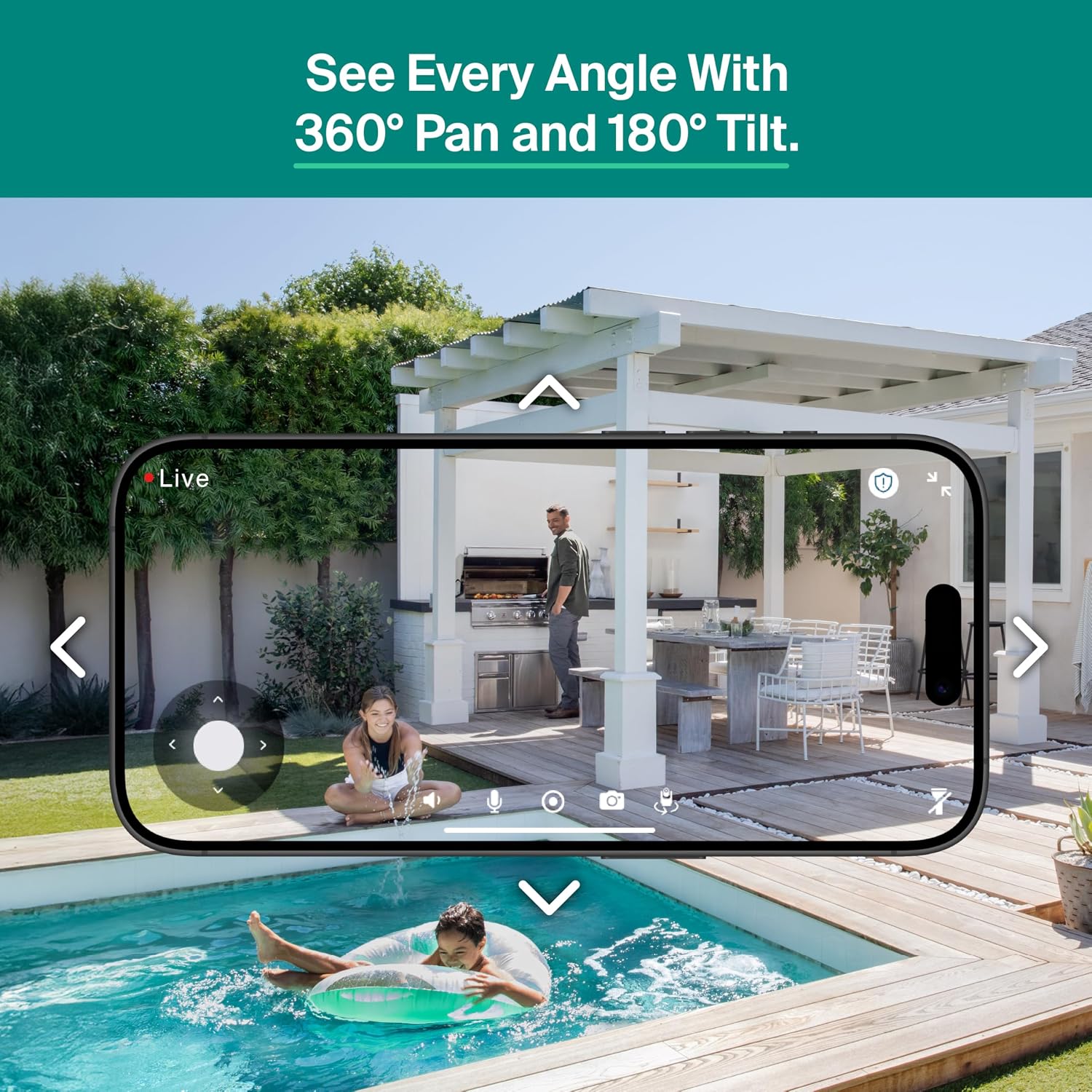
Out of the box, you’re getting two white Arlo Essential Pan Tilt 2K cameras, both plug‑in, plus the usual power adapters, cables, and mounting hardware. No base station here; they connect directly to your Wi‑Fi (2.4 GHz or 5 GHz), which is nice if you don’t want another hub on your shelf. Each camera is basically a little motorized dome on a stand that can spin 360° horizontally and tilt up to 180°, so you can cover a pretty wide area with a single unit. Arlo advertises 2K (1440p) resolution, 130° field of view, color night vision, 2‑way audio, integrated spotlight, and siren.
Feature-wise, there’s a long list: person, vehicle, package, and animal detection, motion alerts, animated previews, auto motion tracking, activity zones, and 60‑day video history – but most of those live behind the Arlo Secure subscription after the 1‑month trial. During the trial, you get the full experience: smart notifications that tell you if it’s a person or a car, quick video clips in the notification, and cloud recording you can scroll through easily. When the trial ends, the cameras still work, but you lose a lot of the smarter bits and the long video history.
In day‑to‑day use, the basic flow is: motion happens, your phone gets a push notification, you tap it, and you’re looking at live video with the option to pan, tilt, zoom, or speak through the camera. You can also open the app anytime and move the camera manually to check different corners of your yard. I found the controls reasonably responsive on a decent Wi‑Fi connection, with a small delay but nothing crazy. The siren and spotlight are there more as deterrents than anything; you can trigger them from the app or set some automation, but I mostly used them for testing and left them off to avoid annoying the neighbors.
So in summary, what you’re really paying for here is a pair of flexible, always‑powered pan‑tilt cams with decent software and a fairly polished app. The cameras themselves are capable, but a lot of the advertised intelligence depends on that monthly fee. If you’re okay with that, it’s a pretty complete package; if you hate subscriptions, you’ll probably feel like you’re leaving half the features on the table.
How well it actually protects your place day to day
In terms of real‑world security, these cameras do their job. After a few days of tweaking motion zones and sensitivity, I reached a point where I only got alerts when something that mattered happened: a person walking up, a car entering the driveway, a package drop. The combination of 2K video, pan/tilt, and smart alerts meant I could check my phone, see exactly what type of motion triggered it, and decide if I even needed to open the live view. That alone is a big quality-of-life improvement compared to older dumb motion cameras that ping you every time the wind blows.
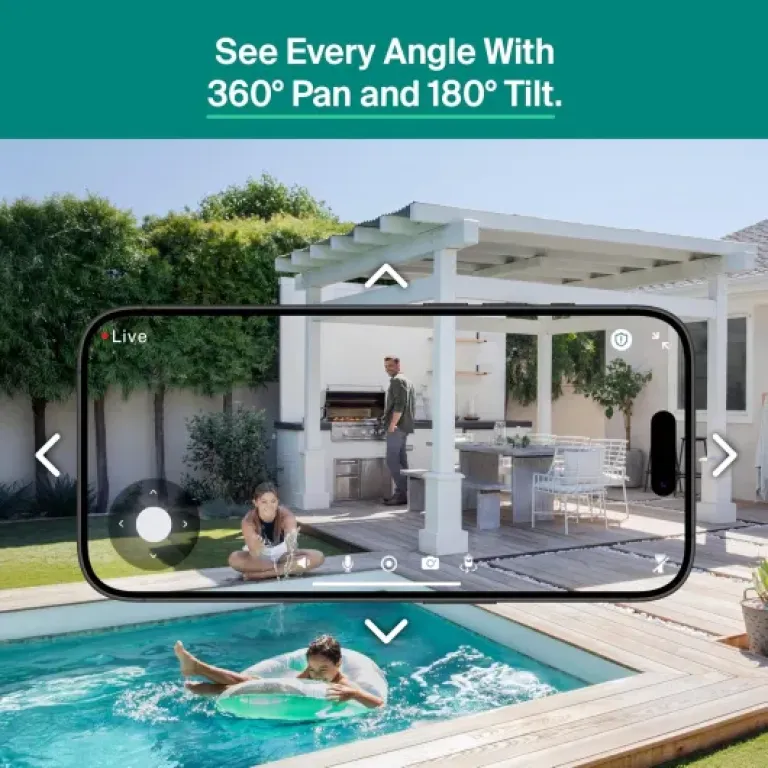
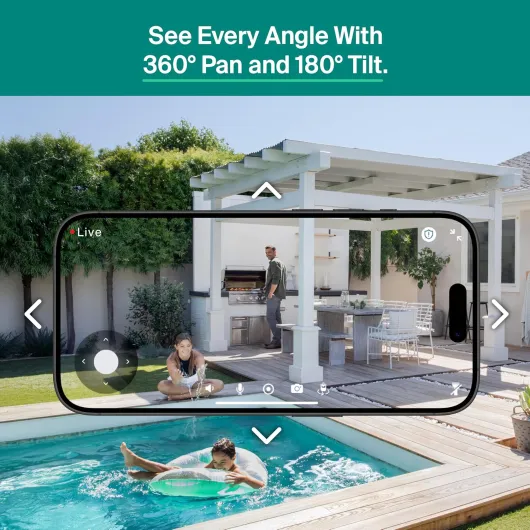
The 360° pan and 180° tilt make a big difference for coverage. Instead of buying 3 fixed cameras to cover the driveway, front door, and side area, I could more or less cover it with one well‑placed pan‑tilt unit. The second camera at the back watches the yard and the side gate. Being able to steer the camera manually is handy when you hear a noise but the default angle doesn’t catch it. I used that more often than I expected, especially at night when I’d hear something outside and just sweep the camera around from the couch.
The 2‑way audio and siren are decent add‑ons. The microphone picks up voices clearly enough, and the speaker is loud enough that people can hear you at the door. There’s a bit of delay, like any IP camera, but it’s usable. I used it a couple of times to tell delivery drivers where to leave a box and to yell at the dog for digging in the yard. The siren is loud and annoying (which is the point), but I wouldn’t rely on it as your primary deterrent. It’s more of a "hey, I see you" button you can hit if you catch someone snooping.
Where the effectiveness drops is if you decide not to pay for Arlo Secure after the free month. You still get live view and basic motion notifications, but you lose the smarter detection, long video history, and some of the nicer app features like activity zones and advanced audio detection. That doesn’t make the cameras useless, but it does turn them into more basic IP cams. So in my view, the hardware is effective, but the full protection experience is pretty tied to that ongoing subscription, which you should factor into the overall value.
Pros
- Clear 2K image with useful pan/tilt and auto‑tracking that can cover large areas with fewer cameras
- Always‑powered plug‑in design means no battery charging or swapping once installed
- Arlo app is polished with reliable motion alerts, smart detection (with subscription), and good smart home integration
Cons
- Many key features (smart detection, long video history, some alerts) depend on a paid Arlo Secure subscription
- Plastic build and exposed power cable feel less rugged than some fixed outdoor cameras
- Placement limited by access to power outlets; not ideal if you want totally flexible, battery‑powered mounting
Conclusion
Editor's rating
After using the Arlo Essential Pan Tilt 2K twin‑pack, my take is that it’s a solid choice if you want flexible coverage, don’t mind running power cables, and are okay with paying for a subscription to get the full feature set. The 2K image quality is clear enough to be genuinely useful, the pan/tilt plus auto‑tracking cover a lot of ground, and the app is mature compared to some cheaper brands. For everyday stuff like watching deliveries, checking on the yard, or keeping an eye on pets, it gets the job done without too much hassle once it’s set up.
It’s not perfect, though. The hardware is plastic and feels more like a smart home gadget than a hardcore security device, the plug‑in power limits where you can mount it, and the Arlo Secure subscription is basically required if you want smart detection and proper history. There are also region quirks, like the Indian user who couldn’t get the model recognized in their app, so I’d double‑check regional support before buying if you’re outside the US/EU. If you’re on a tight budget, hate subscriptions, or need something very rugged and tamper‑proof, this probably isn’t the best match.
If, on the other hand, you’re in a typical home, have decent Wi‑Fi, and want two cameras that you can steer around to cover big areas with good image quality and reliable alerts, this Arlo kit is a pretty good fit. Just go in knowing that the real cost includes that monthly fee, and plan your mounting spots so the power cables are safe and out of the way.