
Summary
Editor's rating
Good hardware value, but only if you accept the subscription
Discreet white bricks that blend in and are easy to mount
Battery life: 6 months is possible, but only in best-case conditions
Weather resistance and long-term reliability concerns
Image quality, motion alerts and night vision in real life
What you actually get and how it fits into a real home
Pros
- Easy wireless installation with no base station or cables needed
- Good 1080p image quality with effective colour night vision and spotlight
- Solid app with quick motion alerts and simple mode scheduling
Cons
- Most smart features and cloud storage locked behind paid subscription
- Real-world battery life in busy areas is shorter than "up to 6 months" claim
- No local storage option, fully dependent on Arlo’s cloud and app

Specifications
View full product page →| Brand | Arlo |
Wireless cameras that look great on paper… with a catch
I’ve been using this 3‑camera Arlo Essential HD kit around my house for a few weeks: one on the driveway, one in the back garden and one watching the front door. On paper, it ticks most of the boxes: wireless, battery‑powered, colour night vision, siren, 2‑way audio, works with Alexa and Google, and supposedly up to 6 months of battery. So I went in expecting something practical that I could mostly forget about once installed.
In day‑to‑day use, the cameras do what they’re supposed to do: they record movement, send alerts fairly quickly, and the picture is clear enough to actually see what happened. The spotlight and colour night vision are not just marketing; you really can see faces and number plates better than with basic black‑and‑white cameras, at least within a few metres. For basic home monitoring – parcels, people coming to the door, kids in the garden – it gets the job done.
Where it gets more complicated is the whole subscription and storage story. Out of the box, it feels like you’re getting a complete security system, but after about a month you realise that without the Arlo Secure plan, the cameras are basically just live‑view and notification machines. You still get alerts, but you can’t easily go back and check recordings unless you pay. That’s exactly the frustration one of the 1‑star reviews mentions, and I agree: this should be clearer before buying.
So my first impression in short: the hardware is pretty solid, installation is easy, the app is decent, but the long‑term cost and reliance on cloud storage drag the whole thing down. If you’re fine with paying a monthly fee, you’ll probably be happy. If you hate subscriptions, this will annoy you quickly.
Good hardware value, but only if you accept the subscription
Purely on hardware, three wireless 1080p cameras with colour night vision, spotlight, siren and 2‑way audio for this price is pretty solid value. If you compare with some big brands that sell a single camera for a similar price, this 3‑pack feels like a decent deal. The build quality is fine, image quality is good enough for home use, and the app is more polished than with most cheap brands. So for what you pay up front, you’re getting a competent kit.
The problem is that the real cost isn’t just the cameras. To get the features that are heavily advertised – AI detection (people, vehicles, packages), cloud storage, early warning system, SOS button, theft replacement – you need an Arlo Secure subscription. Without it, your cameras turn into live‑view devices with basic notifications and very limited recording options. That’s exactly what the angry 1‑star review is complaining about: after about a month, the "magic" disappears unless you start paying monthly.
Depending on the plan and number of cameras, you’re quickly adding a few pounds per month, which over a couple of years is a big chunk of the original purchase price again. For some people, that’s fine – you get reliable cloud storage, off‑site evidence if the camera is stolen, and better notifications. For others, it just feels like death by a thousand cuts: you already paid good money for the hardware and now you’re effectively renting the features you thought you bought.
So in terms of value, I’d say: if you are okay with a subscription and you actually use the features (multiple cameras, AI detection, cloud storage), then the Arlo system is good value for money over the first few years. If you hate ongoing fees or you just want a simple camera that records to a local card or NVR, this is not a great deal. You’ll be annoyed very quickly when you hit the paywall after the trial ends. There are cheaper brands that offer local storage and fewer smart features, which might be better if you’re cost‑sensitive and don’t care about AI alerts.
Discreet white bricks that blend in and are easy to mount
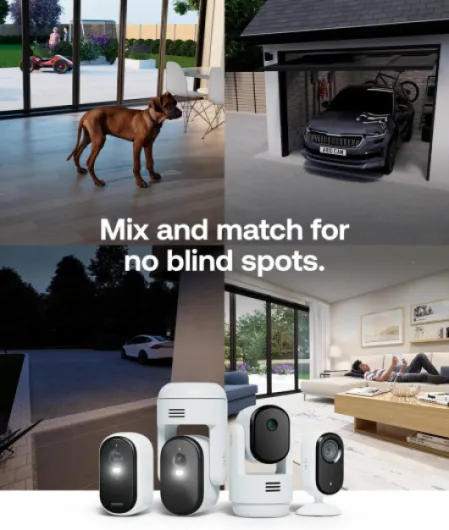
Design‑wise, the Arlo Essential 3 cameras are pretty simple: white polycarbonate shells with a black front where the lens, spotlight and sensors sit. They’re not stylish or anything, but for a security camera that’s fine. What I liked is that they’re compact and not too flashy, so they don’t make your house look like a bunker. Mounted under an eave or near a doorframe, they just look like small gadgets rather than industrial CCTV.
The supplied mounts are basic ball‑joint wall brackets. You screw the base into the wall, then slide and tighten the camera onto it. Adjusting the angle is easy and you can aim them precisely thanks to the 130° wide angle. For outdoor use, I’d recommend mounting them just high enough that someone can’t easily grab them, but still reachable with a small step ladder for charging. The plastic of the mounts feels okay, not super strong but good enough if you don’t keep re‑adjusting them every day.
One thing that stands out in practice is the all‑in‑one design. No cables, no separate spotlight, no external siren. Everything is inside this small body: camera, motion sensor, LED, speaker, mic, siren and battery. For rental homes or if you don’t want to drill big holes for cables, that’s a big plus. You only drill two little holes for each mount. If you move house, you just unscrew them and go. Compared to wired systems I’ve used before, it’s much less hassle.
On the downside, because everything is inside this compact unit, there’s nowhere to add local storage like an SD card. The design looks clean, but it locks you into the cloud approach. Also, the glossy front panel shows dust and water marks quite easily. After a few rainy days, I had to wipe the lens area on the driveway camera; otherwise, night footage started to get a bit foggy from dried droplets. Not a huge problem, but something you end up doing every couple of weeks if you want the best image.
Battery life: 6 months is possible, but only in best-case conditions
The cameras are sold as lasting "up to 6 months" on a single charge. In practice, it depends heavily on how often they trigger and how you configure them. On my setup, the driveway camera is quite busy (cars, people, deliveries), the garden one is medium activity, and the front‑door one is somewhere in between. After a few weeks of use with default settings, I can already see that the busy camera is draining noticeably faster than the others.
If you have a high‑traffic area and leave all the bells and whistles on (spotlight, frequent motion detection, long clips, high brightness), you’re not going to see 6 months. Realistically, I’d expect 2–3 months on a busy camera and maybe 4–5 months on a quieter one. The less they trigger, the longer they last. If you narrow the motion zones, reduce clip length and lower the brightness of the spotlight, you can stretch it. But if you bought these for a busy front area, plan for more regular charging.
Charging itself is simple but slightly annoying. You have to take the camera off its mount, bring it inside, plug in the indoor USB cable, and wait a couple of hours. There’s no removable battery, so you can’t just swap a spare one in. That means your camera location is "blind" while it’s charging unless you have a spare unit. With three cameras, I ended up rotating them so that at least two are always active, but it’s still a bit of a faff compared to systems with replaceable batteries or wired power.
On the positive side, the app gives you clear battery percentage and notifications when it’s getting low. You can also see which settings are heavy on battery and adjust. Compared to some ultra‑cheap cameras that lie about battery life, Arlo is at least honest: the "up to" is really best case, not average. If you know what you’re doing and fine‑tune your zones, you can get pretty decent battery performance. Just don’t expect to install them and forget about them for half a year in a busy area.
Weather resistance and long-term reliability concerns
The cameras are rated IP65, which means they’re fine with rain and dust, and that matches my experience so far. I’ve had one mounted fully exposed on a back wall and it’s taken heavy rain and wind without any obvious issues. No water inside, no fogging under the lens cover. The plastic housing feels decent and the seals look well finished. They don’t feel fragile in the hand, even though they’re not heavy.
The mounts are the weak point in terms of durability. They’re okay for normal use, but if you keep adjusting the angle or if someone hits them, I wouldn’t be shocked if the ball joint loosens over time. For now, mine are holding fine, but they don’t give that "this will last 10 years" feeling. On the upside, because the cameras are light, there isn’t a lot of strain on the mount, so for normal outdoor use they’re probably fine for years, just don’t treat them roughly.
One thing that worries me a bit is software and cloud dependence. The 1‑star review mentioning glitches and recordings stopping after a month lines up with what happens when the trial ends or if there’s a sync issue. The camera hardware itself may still be fine, but if the app or cloud service acts up, your "durability" suddenly depends on Arlo’s servers and subscription. I haven’t had major outages yet, but I did see a couple of short delays where recordings showed up late or the app threw an error before loading a clip.
Because Arlo is owned by Verisure and pushes the subscription model, I’m more worried about long‑term software support than the plastic cracking. If in 3–4 years they decide to change how plans work or limit features on older cameras, your still‑working hardware could become less useful. So physically, durability seems good for a consumer product; digitally, you’re trusting Arlo to keep things running and fairly priced. If that idea bothers you, this system may not be the best fit.
Image quality, motion alerts and night vision in real life
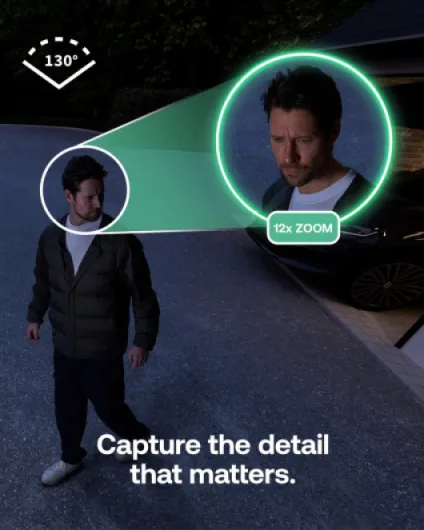
In daily use, the overall performance is pretty solid for a 1080p wireless system. During the day, the picture is clear and sharp enough to recognise faces and read number plates at a reasonable distance – I’d say up to 6–8 metres if the angle is right. It’s not super crisp like some 2K or 4K systems, but for checking who came to the door or what triggered an alert, it’s more than enough. The 130° field of view covers a decent chunk of driveway or garden without too much distortion on the edges.
Motion detection is reasonably fast. On my Wi‑Fi, I usually get alerts within a few seconds of someone entering the frame. There is a slight delay if you open a live view, which matches what one of the Amazon reviewers said: "few seconds delay, but hey, pretty good". For real‑time conversation with the delivery guy, it’s acceptable, but it’s not instant like a wired doorbell. You can tweak motion sensitivity to avoid constant triggers from trees or cars in the distance, and the activity zones help a lot if your camera sees part of the street.
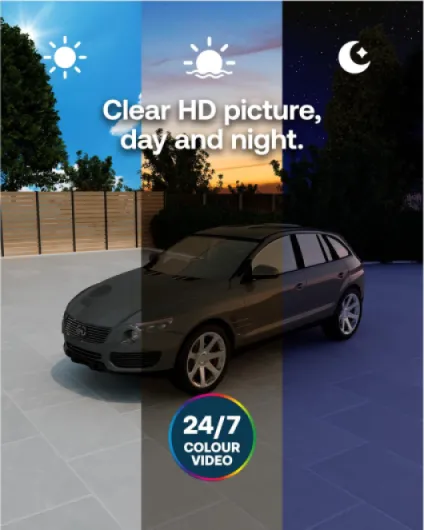
Night performance is where these cameras are clearly better than cheap no‑name options I’ve used. The built‑in spotlight and colour night vision actually make a difference. When motion is detected, the LED turns on and you get a colour image instead of the usual black‑and‑white infrared. You can still see colours of clothes, car paint, and sometimes even small details like logos. The night range is roughly 8 metres as advertised; beyond that, you still see shapes but not much detail. If you turn the spotlight off to save battery, it falls back to classic IR night vision, which is fine but less detailed.
The siren and 2‑way audio also work as advertised. The siren is loud enough to make someone jump if they’re near the camera, but it’s not going to scare the whole street. I triggered it once by mistake while testing and it’s definitely attention‑grabbing. The 2‑way audio is usable: you hear some background noise and a bit of compression, but you can clearly talk to a courier or tell someone to leave a parcel. Compared to cheaper cameras I’ve tried, the sound is clearer and less "tinny". Overall, performance is good, just keep in mind you’re paying a chunk of that for the cloud features.
What you actually get and how it fits into a real home
In the box you get three Arlo Essential HD cameras, three basic wall mounts with screws, one indoor charging cable (USB), a quick start guide and a little security sticker. No base station, no local storage hub – these connect straight to your Wi‑Fi. Each camera is small (about 6 x 5.3 x 9.3 cm, 199 g) and feels like a compact plastic block, nothing fancy but it doesn’t look cheap either. The IP65 rating means rain and dust aren’t a problem; mine sat through a couple of heavy showers without any issue.
Setup is done entirely through the Arlo Secure app. You scan a QR code, the camera beeps, and it joins your Wi‑Fi. I had all three cameras added and mounted in about an hour, including drilling holes. The app walks you through angle adjustment and shows signal strength so you can avoid dead zones. I didn’t need any extra hub for Alexa; I just linked the Arlo account and the cameras showed up as devices. For Google Home and Apple Home, you’ll likely need extra hubs depending on your setup, which is a bit of a pain.
The cameras record at 1080p, 24 fps, 130° field of view. It’s not cinema‑level, but for home security it’s fine. You can clearly see people’s faces at typical door or driveway distance. The app lets you set activity zones, adjust motion sensitivity, and choose between different modes (armed, disarmed, schedule, geofencing). That part is actually quite handy: I set mine to arm automatically when I leave the house with my phone. After a few days, I wasn’t thinking about it anymore, it just worked.
Where the presentation doesn’t match reality is the way the "AI recognition" and "cloud storage" are positioned. Yes, it can detect people, packages, vehicles and send specific alerts, but that’s locked behind the paid Arlo Secure plan after the trial. Without it, you basically lose the smart features that are heavily advertised. So the product as sold is slightly misleading if you expect full functionality without ongoing costs.
Pros
- Easy wireless installation with no base station or cables needed
- Good 1080p image quality with effective colour night vision and spotlight
- Solid app with quick motion alerts and simple mode scheduling
Cons
- Most smart features and cloud storage locked behind paid subscription
- Real-world battery life in busy areas is shorter than "up to 6 months" claim
- No local storage option, fully dependent on Arlo’s cloud and app
Conclusion
Editor's rating
Overall, the Arlo Essential 3 HD kit is a solid wireless security option if you want something easy to install, with decent image quality and proper night vision. The cameras are compact, weather‑resistant and genuinely simple to set up. Day and night footage is clear enough to be useful, motion alerts arrive quickly, and the spotlight plus siren give you real deterrence, not just passive recording. For renters or anyone who doesn’t want to run cables, the all‑in‑one battery design is very practical.
However, it’s hard to ignore the subscription side. A lot of what makes this system interesting – AI detection, cloud storage, early warning, SOS – depends on paying for Arlo Secure. Without that, the cameras still work, but you lose most of the smart stuff and a big part of the reason to buy Arlo over cheaper brands. Battery life is decent but not magic, especially in busy areas, and you have to take the cameras down to charge them, which gets old if you’re doing it often.
I’d recommend this kit to people who: want an easy, wireless system, are fine with a monthly fee for cloud storage and AI features, and prefer a polished app over tinkering. If you’re the kind of person who hates subscriptions, wants local storage, or doesn’t like relying on a cloud service, you should probably look at other brands with SD cards or NVRs instead. The hardware is good, but the overall package only really makes sense if you accept the ongoing costs.