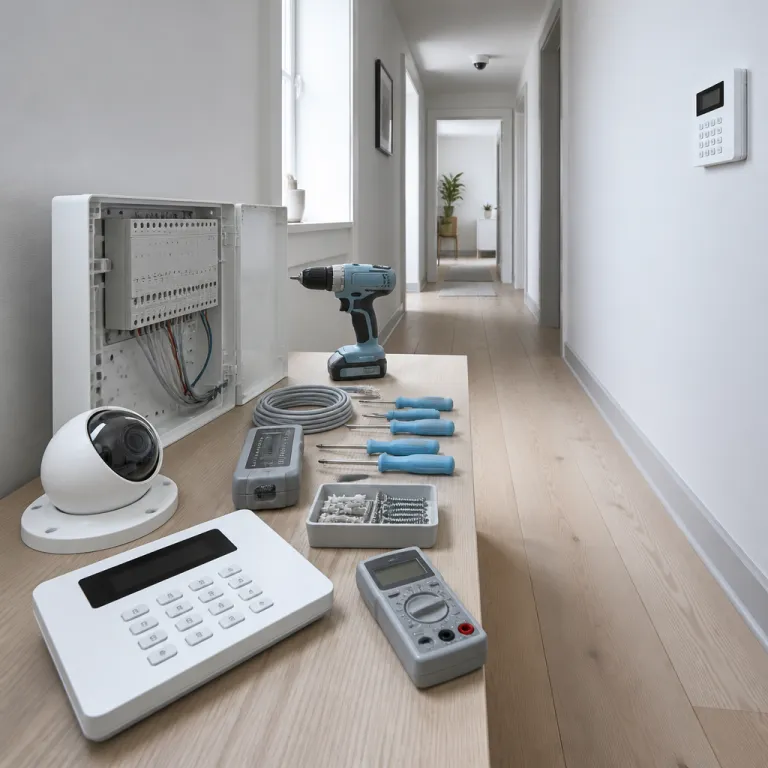

Understanding the Vista-20P as the heart of a modern alarm system
The Vista-20P control panel sits at the center of many reliable home alarm system installations. This Honeywell (now Resideo) Vista platform was designed as a feature-rich brain that coordinates sensors, sirens, keypads, Wi‑Fi extenders, and camera hubs into one coherent smart security ecosystem. For a person seeking information, the key question is how this single panel can manage both traditional wired zones and modern wireless accessories without sacrificing protection.
At its core, the Vista-20P is an Ademco Vista lineage product that offers strong capacity features for medium to large residential or light commercial properties. According to the official Honeywell/Resideo Vista-20P installation and setup guide, the control panel supports up to 48 zones in total (8 hardwired on-board zones plus up to 40 wireless zones with an RF receiver), 2 fully independent partitions, and 1 common lobby area. The main board provides supervised 12 VDC auxiliary power (typically up to 600 mA) for motion detectors, door contacts, glassbreak sensors, and similar devices, while a separate 12 V sealed lead-acid battery (commonly 4–7 Ah) maintains security during outages. External power supplies or PoE injectors must be used for network hardware such as Wi‑Fi camera hubs, but the panel still supervises critical alarm circuits and reports trouble conditions when power or wiring faults occur.
From a practical standpoint, the Honeywell Vista-20P platform gives the user a clear view of system status through both fixed and graphic keypad models. A standard alphanumeric keypad offers easy text prompts, while an advanced graphic keypad can show zone labels, trouble conditions, and even basic network accessory alerts in a more intuitive layout. These interface options deliver customers user benefits that go beyond simple beeps, especially when the alarm control must coordinate cameras, Wi‑Fi extenders, and smart plugs across several rooms.
The Vista alarm architecture was built to integrate with a wide range of products, including Wi‑Fi extenders and hubs that keep IP cameras online in distant corners of a property. When the control panel is paired with a robust router and mesh Wi‑Fi system, the home gains more consistent coverage for both alarm reporting and live video streaming. This combination of wired reliability and wireless flexibility is one of the most important benefits homeowners look for when evaluating price versus long-term protection.
Because the Vista-20P is a mature Ademco product, spare parts and compatible accessories remain widely available through professional distributors. That availability matters when a technician needs to replace a failed keypad or upgrade to a newer graphic keypad without changing the entire alarm system. For many households, this incremental upgrade path is a practical user advantage, allowing smart security improvements without the disruption of a full rip-and-replace project.
How Wi‑Fi extenders and hubs complement the Vista-20P in real homes
While the Vista-20P focuses on intrusion detection, Wi‑Fi extenders and hubs ensure that cameras and smart devices stay connected across the whole property. A single wireless router rarely provides enough power or coverage for every corner where you want a clear view from a security camera. That is why many homes rely on a mesh system or dedicated Wi‑Fi hubs to support dual bands and maintain stable links for both alarm communicators and video streams.
In a typical Honeywell Vista installation, the control panel sits near the main electrical service, while Wi‑Fi extenders are placed closer to exterior doors, garages, and upper floors. This layout allows the alarm control to handle sensors and sirens locally, while the network layer carries camera feeds and app notifications to the user’s phone. When extenders are positioned carefully, they deliver customers more consistent performance from smart security products, especially in homes with thick walls or multiple levels.
For readers comparing products, the price of a quality Wi‑Fi hub is often small compared with the user benefits of reliable video and remote access. A feature-rich hub with proper keypad support integration can prioritize traffic from alarm communicators and cameras, reducing lag during critical events. If you want to understand how network hardware shapes your protection strategy, a detailed guide on how an Axis splitter enhances your home security camera setup offers useful context about bandwidth and signal management.
The Vista alarm platform does not transmit video itself, yet it coordinates with hubs that manage camera streams and cloud storage. When the alarm system goes into an active state, many hubs can trigger recording rules, spotlight activation, or siren tones that match the panel status. This tight linkage between the control panel and network accessories turns separate products into a total system that feels easy to operate from a single app or keypad.
Homeowners often ask whether an Ademco Vista based system will replace the need for a separate smart home hub. In practice, the Vista-20P excels at intrusion and life safety, while Wi‑Fi hubs handle automation scenes, voice assistant links, and camera management. Treating each device as a specialized part of a larger architecture usually yields benefits robust enough for demanding users who expect professional-grade reliability.
Keypad options, user experience, and innovative user benefits with Vista-20P
The way you interact with a Vista-20P system depends heavily on the keypad model you choose. A basic Honeywell keypad offers simple text prompts and numeric entry, while an advanced graphic keypad presents a richer view of zones, partitions, and trouble messages. For many households, that visual clarity is what turns a complex control panel into an easy daily tool rather than an intimidating box on the wall.
Modern keypads designed for the Honeywell Vista family often include backlit keys, customizable labels, and chime features that alert the user when doors open. Some models provide keypad support for quick arming modes, panic keys, and one-touch functions that control stay or away settings for each partition. When dual partitions are enabled, a single graphic keypad can switch context between areas, giving the user precise control over which parts of the home are armed at any moment.
From an accessibility standpoint, the Vista control environment can be tailored to different users with varying comfort levels. Elderly residents may prefer large character displays and simple arming sequences, while tech-savvy occupants might use mobile apps that mirror keypad functions. In both cases, the underlying alarm control remains the same Ademco Vista hardware, but the user benefits come from interface choices that match real-life habits.
Keypads also play a role in managing power and system health, since they display low battery warnings, AC loss alerts, and communication troubles. When a Wi‑Fi hub or extender fails, the control panel may not see the cameras directly, yet the user will notice related notifications or missing automation responses. Pairing those alerts with a monitoring strategy that includes a wireless temperature sensor for your camera network can protect sensitive equipment in attics, garages, or network closets.
Because the Vista-20P is a feature-rich platform, installers can program custom function keys on the keypad to trigger specific actions. One key might arm only the exterior doors, another might activate a smart security scene that turns on lights and starts camera recording. These small configuration details transform a standard alarm system into an innovative user experience that feels tailored rather than generic.
Integrating Vista-20P with smart security cameras, hubs, and extenders
Bringing the Vista-20P into a modern camera-centric setup requires careful planning of both wiring and wireless coverage. The control panel handles traditional alarm zones, while hubs and Wi‑Fi extenders maintain the network paths that IP cameras need for high-resolution streaming. When these parts are aligned, the user gains a unified view of events, where an alarm from a door contact can automatically trigger camera clips and push alerts.
In many homes, the Honeywell Vista control panel connects to an IP communicator that sends signals over broadband or cellular networks. The Vista-20P is commonly paired with communicators such as AlarmNet IP and LTE modules, which provide primary or backup reporting paths to monitoring centers. That communicator often shares space with a Wi‑Fi hub, which in turn coordinates extenders placed near outdoor cameras, sheds, or perimeter gates. This layered architecture allows the alarm system to remain stable even if one network segment fails, preserving core protection while cameras reconnect through alternate routes.
From a design perspective, the price of extra extenders is usually justified by the robust coverage they bring to both alarm reporting and video reliability. Dead zones where cameras drop offline undermine the total security picture, especially in areas like driveways or back gardens where incidents often occur. A well-planned mesh network will support dual bands, separating camera traffic from general internet use so that the alarm control signals remain prioritized.
The Vista alarm hardware does not need to be replaced when you upgrade cameras or hubs, which is a major advantage over some closed ecosystem products. Instead, you can replace only the network accessories or IP communicators, keeping the Ademco Vista control panel and keypads intact. This modular approach delivers customers long-term value, because they can adopt new smart security technologies without discarding a proven alarm system backbone.
For households that want proactive risk management, resources on how proactive security transforms home security camera protection explain why layered defenses matter. When the Vista-20P supervises doors, windows, and motion, while cameras and hubs document events, you gain both immediate alerts and valuable evidence. That combination of control, view, and documentation is what turns a standard installation into a truly feature-rich protection strategy.
Evaluating price, parts, and long term value of a Vista-20P system
Choosing a Vista-20P based system is not only about upfront price, but about how the parts will serve you over many years. The control panel, keypads, Wi‑Fi extenders, and hubs form a modular architecture where individual products can be upgraded as technology evolves. This flexibility often makes a Honeywell Vista installation more economical over time than sealed smart security kits that require full replacement when standards change.
When comparing offers, ask for clear details about which Ademco Vista model is being proposed, how many zones it supports, and whether dual partitions are enabled. A larger home may need more capacity features, such as additional wired zones, wireless receivers, or keypad support for multiple entry points. Understanding these technical aspects helps the user judge whether the system will meet future expansion needs or become a limiting factor within a few years.
Serviceability is another critical dimension of value, because widely used platforms like the Vista-20P have abundant spare parts and technician expertise. If a keypad fails or a communicator becomes obsolete, a professional can usually swap that single product without touching the rest of the alarm control wiring. This reduces downtime and preserves your investment in sensors, cabling, and mounting work that would otherwise need to be redone.
From a risk management perspective, the robust reliability of a proven control panel often outweighs the appeal of the latest app-centric gadget. The Honeywell Vista family has a long track record in both residential and light commercial environments, which gives insurers and monitoring centers confidence. For the user, that history translates into predictable behavior, clear troubleshooting paths, and a wide ecosystem of compatible accessories.
Ultimately, the value of a Vista alarm configuration comes from how well it integrates with your daily routines and security expectations. A feature-rich system that feels too complex will not be armed consistently, while an easy interface with clear user benefits encourages regular use. Balancing price, performance, and usability is the hallmark of a thoughtful Vista control deployment that remains effective for many years.
Designing dual partitions and support dual networks for complex homes
Larger homes and mixed-use properties benefit greatly from the dual partitions capability of the Vista-20P. This feature allows the control panel to treat different areas as separate alarm system segments, each with its own arming schedule and user codes. For example, a home office or rental suite can be armed while the main living area remains disarmed, preserving both flexibility and protection.
When planners design such installations, they often pair dual partitions with support dual network paths for monitoring. One communicator might use broadband through a Wi‑Fi hub, while a secondary path relies on cellular data for redundancy. This layered approach ensures that even if one network or power source fails, the Ademco Vista control panel can still deliver customers critical alarm signals to the monitoring center.
Camera placement also benefits from this partitioned mindset, because different areas may require distinct recording rules and privacy settings. A graphic keypad near the main entrance can show the user which partitions are armed, while another keypad in a private office controls only that zone. These interface choices give occupants confidence that the system respects boundaries, an important user benefit in shared or multi-generational homes.
From a technical standpoint, the Vista-20P’s capacity features support a significant number of zones, keypads, and expansion modules. This scalability makes it suitable for homes that start small but may add outbuildings, workshops, or extended camera coverage later. As new products such as advanced Wi‑Fi extenders or smart hubs appear, they can be integrated without disturbing the core alarm control wiring.
In the context of home security cameras, this architecture enables a smart security environment where intrusion detection, video, and automation work together. The Vista alarm hardware focuses on reliable sensing and signaling, while network devices handle bandwidth-heavy tasks like streaming and cloud storage. When each part of the system plays to its strengths, the overall protection becomes more resilient, more transparent to the user, and genuinely feature-rich.
Key figures that frame Vista-20P and home camera security
- According to data from the European Union Agency for Cybersecurity (ENISA), more than 20 % of reported smart home incidents involve poorly secured or misconfigured network devices, which underscores why Wi‑Fi hubs and extenders must be configured with strong passwords and firmware updates when paired with a Vista-20P system.
- Studies from major insurers in Western Europe indicate that professionally monitored alarm systems can reduce burglary claims by around 30 %, a figure that reflects the deterrent effect of visible keypads, sirens, and cameras working together under a Honeywell Vista style control panel.
- Market research from firms such as Statista shows that the global smart home security market has grown at double digit annual rates over the past decade, driven by increased adoption of IP cameras, Wi‑Fi extenders, and integrated alarm control products like the Ademco Vista family.
- Energy efficiency analyses suggest that modern power supplies and standby modes in contemporary alarm system hardware can cut electricity consumption by up to 20 % compared with older generations, which matters when a Vista alarm installation runs continuously alongside multiple networked cameras and hubs.
- Field surveys of professional installers report that systems with modular parts and widely available spares, such as the Vista-20P ecosystem, can reduce average repair times by several hours per incident, improving uptime and user satisfaction in camera-heavy smart security deployments.
FAQ about Vista-20P, Wi‑Fi extenders, and home security cameras
How does a Vista-20P panel work with modern IP cameras ?
The Vista-20P does not process video directly, but it coordinates sensors, sirens, and communicators that trigger camera actions through hubs or network video recorders. When a zone on the control panel goes into alarm, compatible hubs can start recording, send push alerts, or activate lights near the affected area. This division of roles lets the alarm system handle reliable detection while network devices manage high-bandwidth video tasks.
Do I always need Wi‑Fi extenders with a Vista-20P based system ?
You only need Wi‑Fi extenders if your existing router cannot provide stable coverage to all camera and hub locations. In small apartments, a single router near the control panel may be enough, but larger homes with thick walls or multiple floors usually benefit from mesh systems. A site survey using a smartphone signal strength app can reveal where extenders will deliver customers the greatest improvement in reliability.
Can a Vista-20P replace my existing smart home hub ?
The Vista-20P is designed primarily as an intrusion and life safety control panel, not as a full smart home automation hub. It can integrate with certain automation interfaces, but devices like voice assistants, smart bulbs, and advanced scenes are typically managed by dedicated hubs. Most homeowners achieve the best results by letting the Ademco Vista hardware handle security while a separate hub manages convenience features.
What are the main user benefits of dual partitions on Vista-20P ?
Dual partitions allow you to arm and disarm different areas of your property independently, which is valuable for home offices, rental units, or detached garages. Each partition can have its own user codes, entry delays, and schedules, giving occupants tailored control without compromising overall protection. This flexibility turns a single Vista alarm installation into a feature-rich solution for complex living arrangements.
How should I plan power and backup for a Vista-20P and camera network ?
The control panel should be connected to a dedicated circuit with a properly sized backup battery, while key hubs, extenders, and recorders should sit on an uninterruptible power supply. This arrangement keeps both alarm signaling and camera recording active during short outages, which is when break-ins sometimes occur. Regular testing of batteries and UPS units is essential to maintain the total security posture of the system.