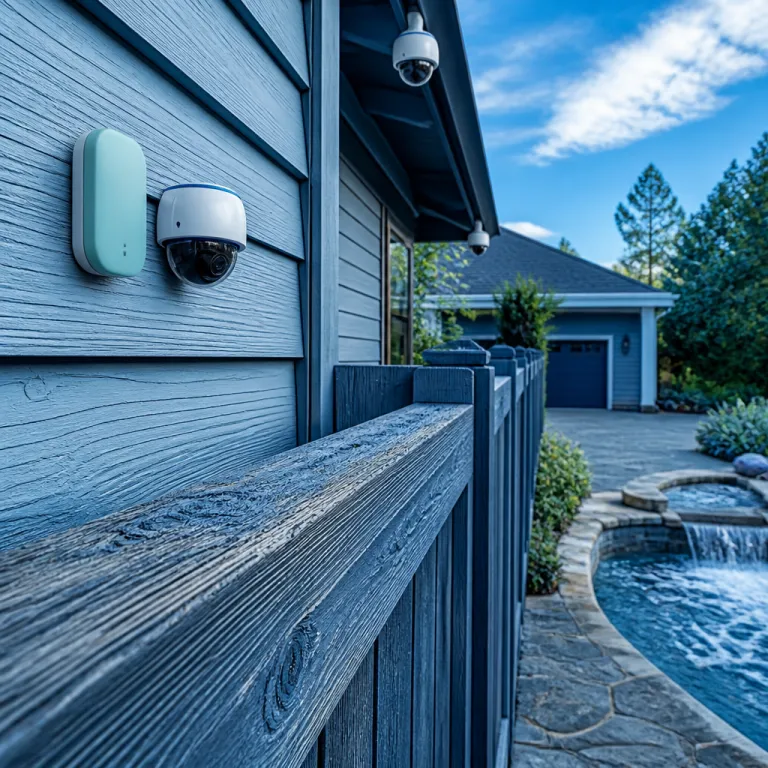
Why a wireless temperature sensor matters for home security cameras
Home security cameras often fail quietly when heat, cold, or humidity push them beyond their safe operating range. A carefully placed wireless temperature sensor gives you early alerts before a camera shuts down, freezes, or starts producing corrupted video data. By pairing environmental monitoring with your existing Wi‑Fi cameras, you turn a passive system into an active safety network that protects both image quality and hardware.
Every modern sensor in a home should do more than just measure temperature; it should feed readings into an app that you can scan at a glance, whether you are in the same room or on another continent. When you use several wireless temperature and humidity sensors around your property, you can compare patterns near indoor hubs, outdoor cameras, and attic cabling to learn where overheating or condensation might threaten your installation. This kind of remote insight is especially valuable in garages, lofts, and garden sheds, where industrial‑style power supplies and routers often run hot and remain unmonitored for months.
Think of each temperature sensor as a silent bodyguard for your most critical devices, from the main network video recorder to the smallest Wi‑Fi extender. If a reading spikes near a PoE injector or drops below freezing near an exterior camera, you receive alerts before the hardware fails and before a security gap opens. Over time, the detailed data from these wireless units helps you adjust placement, add insulation, or upgrade fans, which extends battery life for cameras and stabilises the entire system.
Choosing wifi extenders and hubs that respect temperature limits
Wi‑Fi extenders and smart hubs sit at the heart of any camera network, yet many homeowners ignore how temperature and humidity affect their reliability. A compact wireless temperature sensor placed beside each extender reveals whether the device operates within its specified temperature range or drifts into a danger zone during heatwaves. When you see consistently high readings, you know it is time to move the extender, improve airflow, or reduce load before video streams begin to drop.
When comparing extenders, look beyond Wi‑Fi speed and quoted MHz bands, and pay attention to operating temperature limits, enclosure design, and whether the housing is water resistant for lofts or semi‑outdoor spaces. For instance, many consumer Wi‑Fi hubs list typical operating ranges from about ‑10 °C to 40 °C (14 °F to 104 °F), while outdoor‑rated units often stretch to 50 °C (122 °F); a wireless sensor that can measure at least ‑20 °C to 60 °C gives you enough headroom to track these conditions accurately. Pairing each extender with one or more environmental sensors gives you continuous monitoring of both electronics and surrounding air, which is crucial when hubs sit near boilers, in cupboards, or close to industrial‑style dehumidifiers.
Readers planning a full upgrade should learn how an access point can stabilise camera feeds while working within safe sensor limits, and a detailed guide on how access point technology enhances a home security camera setup is available through this access point optimisation resource. By combining that kind of network design advice with precise sensor data, you can decide where to add extra hubs without creating new hot spots or dead zones. The result is a balanced mesh where every extender, hub, and camera operates within its ideal temperature envelope, preserving both performance and warranty coverage.
Placing wireless temperature sensors around cameras and wifi gear
Strategic placement of each wireless temperature sensor matters as much as the hardware specifications printed on the box. Position a probe within a few centimetres of each camera’s power supply or battery compartment, but avoid direct sunlight or contact with metal housings that can distort readings. This approach gives you realistic values that reflect the air your electronics actually experience, not the brief spikes on a sun‑baked surface.
For outdoor cameras, choose water‑resistant wireless units and mount them under eaves or within junction boxes that still allow airflow, so sensors can measure both ambient temperature and humidity without being drenched by rain. In basements or crawl spaces, where dew point and moisture levels often fluctuate, place sensors near cable runs and Wi‑Fi extenders to monitor conditions that might damage insulation or corrode connectors over time. If your property includes detached buildings, use long‑range Wi‑Fi temperature sensors or dedicated hubs to maintain a stable link and avoid blind spots in your monitoring network.
Homeowners who struggle with intermittent camera dropouts should learn how to stabilise Wi‑Fi links while keeping equipment within safe temperature limits, and a practical step‑by‑step guide to connecting a camera to Wi‑Fi can be found in this Wi‑Fi connection tutorial. Once the wireless link is reliable, adding sensors around routers and repeaters helps you separate pure connectivity issues from overheating problems. Over several weeks, the accumulated logs from each sensor will show whether failures correlate with high temperature peaks, low‑temperature dips, or sudden humidity changes.
Battery life, alerts, and the real cost of wireless monitoring
Battery life is often the weak point of any wireless temperature sensor, especially when it sends frequent alerts or operates at the edge of its Wi‑Fi range. To balance responsiveness and endurance, configure alert thresholds so that you receive notifications only when temperature or humidity crosses meaningful limits, not for every minor fluctuation. Many modern sensors allow you to adjust reporting intervals, and typical devices that send updates every 5 to 15 minutes can run anywhere from 6 months to 2 years on AA or coin‑cell batteries, while ultra‑low‑power models that report hourly may last even longer.
When evaluating the price of wireless devices, factor in both the initial sale price and the long‑term cost of replacement batteries or mains adaptors. A slightly higher price for a sensor with efficient radio design, robust firmware, and a clear warranty can be cheaper over the life of a home security system than a bargain model that fails early or drains batteries every few months. Pay attention to whether the manufacturer specifies typical battery life at different MHz bands and Wi‑Fi signal strengths, because poor range often forces radios to transmit at higher power and shortens endurance.
Smartphone apps that accompany wireless temperature sensors should present data in a way that lets you learn quickly which rooms or devices pose the greatest risk. Look for dashboards that group readings by zone, highlight extreme values, and show humidity or dew point alongside temperature graphs. With that level of detail, you can decide where to add extra insulation, move a router, or even upgrade to industrial‑grade hubs that tolerate higher temperatures without voiding the warranty.
From living rooms to industrial style garages : adapting to harsh environments
Not every home security camera lives in a climate‑controlled living room, and conditions in garages, attics, and workshops can resemble light industrial environments. In these spaces, a robust wireless temperature sensor with a cabled probe can sit near heaters, freezers, or metal doors while keeping the electronics safely away from extremes. This separation allows the reading at the probe tip to reflect the harshest conditions, while the radio and battery remain in a more stable microclimate.
For example, a camera watching a driveway in the northern United States might face sub‑zero temperatures and high humidity in winter, then intense heat in summer, all of which stress both optics and Wi‑Fi modules. Placing temperature and humidity sensors near the mounting bracket and inside the junction box gives you a full picture of swings that affect seals, gaskets, and cable glands. If the data shows frequent crossings of the dew point, you know condensation is forming and can add desiccant packs, improve ventilation, or choose water‑resistant housings for both cameras and sensors.
Homeowners who run small workshops with industrial tools or 3D printers should also monitor conditions around dust extraction units and power strips, because overheating there can threaten the entire property. In such mixed‑use spaces, combining remote temperature alerts with smoke detection and camera motion monitoring creates layered protection that reacts before a minor fault becomes a major incident. Over time, you will learn which machines, corners, or storage areas consistently trigger high‑temperature alerts, and you can rearrange equipment or add cooling to extend device life and maintain safety.
Integrating wireless temperature data into your wider security strategy
Once you deploy a network of wireless temperature sensors, the next step is to integrate their data into your broader home security strategy. Many smart home platforms allow you to add sensor readings as triggers for automation, such as turning on fans when temperature exceeds a limit near a rack of recorders or sending push alerts when values fall below freezing near exterior cameras. By linking environmental monitoring with camera status, you can receive a single, clear notification when both a threshold and a video outage occur in the same zone.
Some homeowners in the United States already treat temperature sensors as essential accessories, on par with surge protectors and uninterruptible power supplies for critical hubs. When you connect these wireless devices to your preferred platform, you can create rules that shut down non‑essential gear if readings climb dangerously high, preserving the life of your most expensive cameras and routers. This approach respects both the technical limits stated in each warranty and the practical realities of heatwaves, cold snaps, and unexpected humidity spikes.
As your system grows, review the sale price and specifications of new sensors with the same care you apply to cameras, paying attention to water‑resistant ratings, supported MHz bands, and stated operating range. A well‑curated mix of indoor and outdoor temperature sensors, some with cabled probe options, will give you granular visibility from living rooms to lofts and from basements to garden sheds. To round out your setup, consider pairing these sensors with cameras that integrate smoothly into voice‑controlled ecosystems, and a curated list of top security cameras compatible with Alexa is available through this Alexa compatible camera guide, which helps ensure that both visual and environmental monitoring work together seamlessly.
Key statistics on wireless temperature sensors and home security
- Industry research suggests that more than one fifth of households with broadband in the United States now own at least one smart environmental sensor, and adoption of temperature and humidity monitoring is growing faster than that of some traditional alarm accessories.
- Studies on electronics reliability indicate that many types of equipment experience significantly higher failure rates as operating temperature rises, which underlines why continuous monitoring near cameras and Wi‑Fi hubs can extend device life.
- Several major smart home platforms report that automation rules based on temperature or humidity account for a substantial share of all user‑created routines, showing that homeowners increasingly rely on wireless environmental data rather than manual checks.
- Independent lab testing has found that Wi‑Fi extenders placed in enclosures where temperature exceeds manufacturer limits can lose a notable share of throughput, while units monitored and kept within the recommended range maintain closer to their rated performance.
- Consumer surveys from organisations such as Consumer Reports indicate that buyers who actively track both sale price and warranty terms for sensors and cameras report fewer early failures, especially when they choose water‑resistant models for semi‑outdoor installations.
FAQ : wireless temperature sensors and home security cameras
Where should I place a wireless temperature sensor near my security camera ?
Place the sensor close to the camera’s power supply or body, but shielded from direct sun, rain, or metal surfaces that can distort readings. Aim for free airflow so the device measures ambient air, not just heat from the camera itself. In outdoor setups, mount a water‑resistant sensor under eaves or inside a ventilated junction box.
How often should a wireless temperature sensor send alerts ?
For most homes, alerts should trigger only when temperature or humidity crosses thresholds that could damage equipment or affect reliability. Configure the app so that minor fluctuations do not generate notifications, which preserves battery life and reduces alert fatigue. Many users find that combining daily summary reports with critical alerts for extreme conditions offers a good balance.
Can one wireless temperature sensor monitor several cameras at once ?
A single sensor can monitor the general environment for several nearby cameras if they share the same space and airflow. However, if cameras sit in different microclimates, such as one in a loft and another in a shaded porch, each area deserves its own temperature sensor. Separate devices provide more accurate monitoring and make it easier to pinpoint where problems originate.
What specifications matter most when buying a wireless temperature sensor for security gear ?
Focus on supported temperature range, humidity measurement, battery life, wireless range, and whether the housing is water resistant for your intended location. Check that the sensor integrates with your existing Wi‑Fi network and smart home platform, and review warranty terms carefully. A slightly higher price for robust construction and clear specifications often pays off through longer life and fewer failures.
Do I need industrial grade sensors for a typical home security setup ?
Most homes do not require full industrial‑grade sensors, but harsher spaces such as garages, attics, or workshops may benefit from models with extended temperature range and rugged housings. If your cameras or hubs operate near heaters, freezers, or heavy machinery, consider sensors with cabled probe options and higher tolerance to extremes. For standard indoor rooms, consumer‑grade wireless temperature sensors with reliable apps and good warranty coverage are usually sufficient.