
Summary
Editor's rating
Price, storage and whether it’s worth the money
Design and build: chunky but practical domes with solar hats
Solar and battery: does it really stay at 100%?
Build, weather resistance and long-term feel
Image quality, tracking and detection: good where it counts
What you actually get in the box and how it fits together
Pros
- 4K image and night vision are genuinely clear enough to read plates and see faces
- Solar panels and batteries work well when placed in decent light, so almost no manual charging
- Local encrypted storage on the aosuBase with no mandatory subscription and up to 1TB expansion
- Multi-camera tracking and AI detection cut down on useless alerts and make reviewing events easier
Cons
- Cameras are quite bulky and very visible once mounted
- Included 32GB storage is small if you fully use 4K and 4 cameras, extra card is basically required
- Auto tracking sometimes overshoots or hesitates, not always perfectly smooth

Specifications
View full product page →| Brand | aosu |
4 solar 4K cams and a base: overkill or just right?
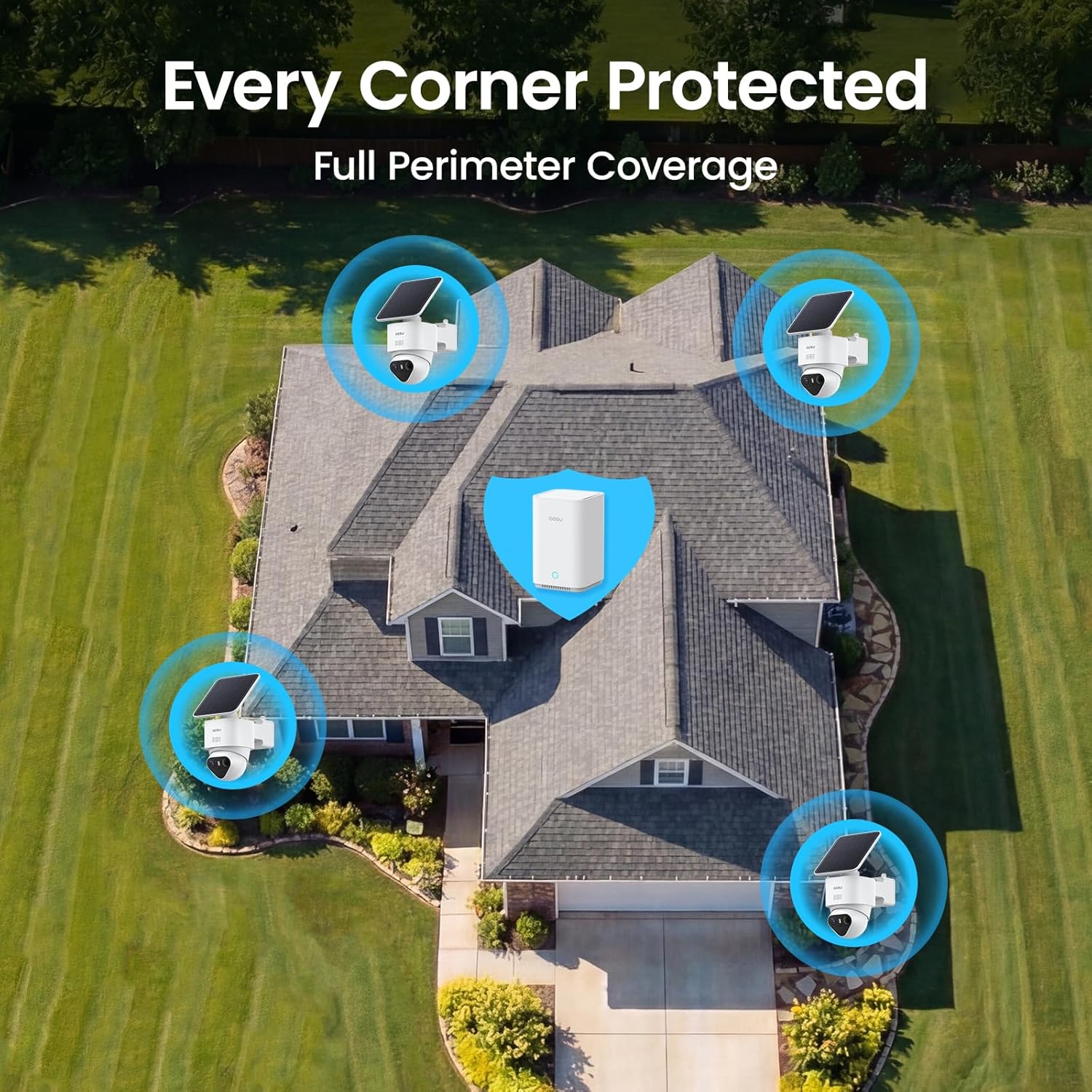
I’ve been running this aosu T2 Ultra 4K kit with 4 cameras and the aosuBase 2.0 for a bit now, on a pretty standard UK semi with front drive, back garden and a side alley. I swapped it in for a mix of older 1080p Wi‑Fi cameras and a cheap NVR system, so I had some stuff to compare against. I’m not an installer, just someone who got tired of dodgy motion alerts and dead batteries.
On paper, this kit does a lot: 4K, solar charging, 360° tracking, AI detection, local storage with no subscription, and that multi‑camera tracking thing that links clips together. It sounds almost too packed for the price, so I went in a bit skeptical. I wanted to see if the basics were actually solid: motion detection that makes sense, reliable notifications, and no constant fiddling in the app.
In daily use, I focused on a few things: how annoying or easy the install really is, how the solar panels hold up in typical grey weather, and whether the 4K and night vision are actually useful or just marketing. I also paid attention to Wi‑Fi range to the base, because my router is on one side of the house and one camera is basically at the opposite corner outside.
Overall, it’s a pretty solid setup with a couple of rough edges. It does a lot right, especially if you hate subscriptions and don’t want to run cables. But it’s not magic: you still need to spend time tuning zones, thinking where to mount the base, and accepting that 4K video eats storage even if the base supports up to 1TB. I’ll break down what actually worked for me and what annoyed me a bit.
Price, storage and whether it’s worth the money
In terms of value, this kit sits in that middle zone: not cheap, but not in the crazy-priced territory either, especially considering you get 4 cameras plus a base with local storage. If you compare it to some big-brand systems that charge you monthly for cloud storage per camera, this starts to look pretty decent over a couple of years. No mandatory subscription is a big plus for me – you pay once, add a bigger card if you want up to 1TB, and that’s it.
The built-in 32GB in the base is okay for light use, but if you leave all 4 cameras on high sensitivity, 4K recording and lots of motion, it fills up fairly fast. For a proper always-on setup, I’d budget for a larger card from the start. That’s an extra cost, but at least it’s a one-time thing. The fact that storage is encrypted and stays in your house is also reassuring if you don’t like the idea of your footage sitting on some random server.
Compared to my old mix of random cameras plus a budget NVR, this aosu kit is more polished and less of a headache to manage. The app is cleaner, the notifications make more sense, and the multi-camera tracking actually saves time. You do pay more upfront than a super cheap AliExpress setup, but in return you get better software and features that feel finished rather than experimental.
It’s not perfect value for everyone. If you only need one or two simple cameras and don’t care about 4K, this is probably overkill and you can find cheaper options that get the job done. But if you genuinely want to cover a whole property with 3–4 cameras, avoid monthly fees, and still have decent 4K quality and solar, the price starts to make sense. I’d call it good value for what it offers, as long as you actually use the features and not just one camera out of the four.
Design and build: chunky but practical domes with solar hats
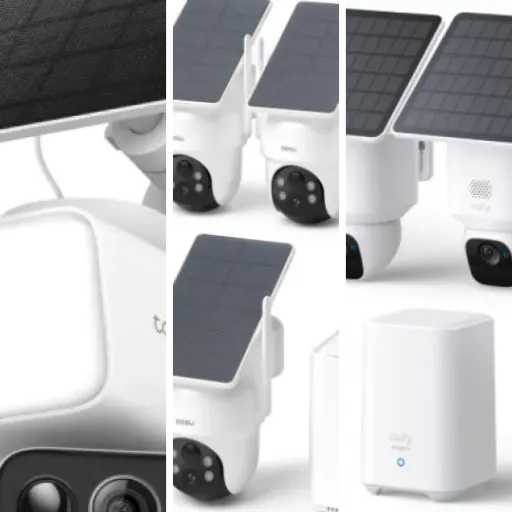
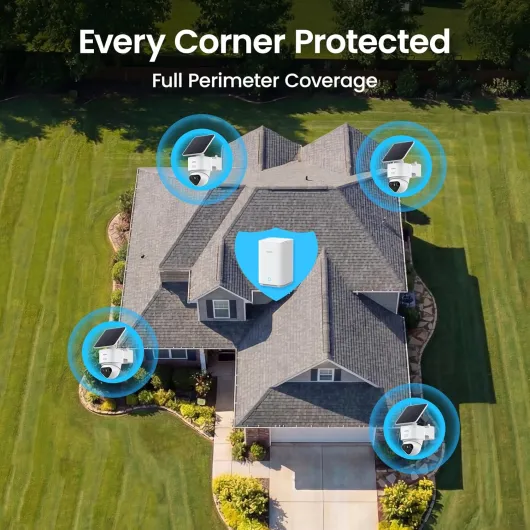
Design-wise, these are not tiny cameras. Each unit is a dome-style body with a built-in solar panel that looks like a little cap on top. On the wall, they’re noticeable but not ugly. If you’re hoping for super discreet cameras that blend into brick, this isn’t that. Personally I don’t mind – a visible camera is sometimes a deterrent by itself – but it’s something to know before you start drilling.
The nice part is the way the solar panel is done. You can either keep it attached on top of the camera and rotate it to catch the sun, or mount it separately with its own bracket and cable if the camera spot is shaded. I actually did both: one on the front of the house with the panel on top, and one in the back garden where the camera sits under an overhang but the panel is a bit higher up in direct light. That flexibility is genuinely useful and feels more thought-through than a lot of cheaper solar cameras I’ve tried.
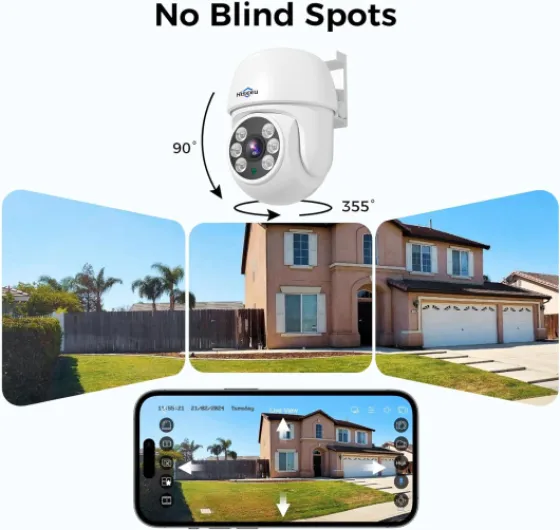
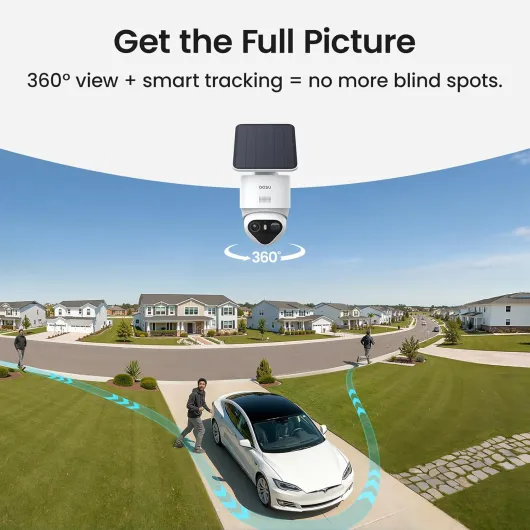
The pan-tilt dome itself gives you 360° horizontal and a generous vertical range, controlled from the app or automatically via tracking. The movement is not totally silent – you can hear a soft mechanical noise when it turns – but from outside it’s not disturbing. Indoors at night you’d notice it more. The body feels solid enough for outdoor use, with no flimsy joints, and the mounts lock in reasonably tight so the wind doesn’t wobble them.
From a practical point of view, the design is about function more than style. You get proper articulation, enough space to route the cable for the solar panel when separated, and a base station that looks like a simple white box you can hide near your router. It doesn’t feel premium in a fancy way, but it doesn’t feel cheap either. It’s just decent, practical hardware that looks like it was designed by someone who actually had to mount it on a wall at some point.
Solar and battery: does it really stay at 100%?
The whole point of this kit is that the cameras are wireless and solar-powered, so you don’t have to deal with charging them every few weeks. In practice, with decent placement, it works pretty well. On the two cameras that get a fair bit of daylight (front and back), the battery basically sits at or close to 100% all the time, just like one of the reviewers said. I watched the battery level in the app over a stretch of cloudy days, and it barely moved.
On the side alley camera, which is more shaded and only gets a bit of indirect light for part of the day, the battery did slowly drop over time. Nothing crazy, but after a week of a lot of motion events and not much sun, it had lost around 10–15%. So if you have a high-traffic area in the shade, you either need to mount the panel separately where it gets better sun or accept that it might not stay locked at 100% forever, especially in winter.
The good news is that the app gives you a clear view of battery status, and the solar panels actually seem to do their job when they’re not blocked. I like that the panels are detachable – you’re not stuck with a useless built-in panel pointing at a wall. Charging via cable isn’t something I had to do during my test, but it’s there as a backup if you really mess up the panel placement or go through a long dark period.
Overall, the battery and solar setup is one of the strong points of this kit, but it depends heavily on how you install it. If you just slap everything where it’s convenient without thinking about sun exposure, you’ll probably be disappointed. If you spend a bit of time getting the angle and location right, you can pretty much forget about charging and just let the system run.
Build, weather resistance and long-term feel
Durability is always hard to judge in a short test, but I can at least talk about the general build and how it handled a few rough days. The cameras feel solid enough for outdoor use. The plastic doesn’t flex, the joints for the pan-tilt feel firm, and the seals around the body look decent. I’ve had them out in a mix of rain, wind and a bit of frost at night, and there were no leaks, no fogging inside the lens and no weird behaviour.
The mount is simple but does the job: metal screws into the wall and a plastic bracket that holds the camera. Once tightened properly, I didn’t see any wobble even on a windy night. One thing I’d say is: don’t rush the mounting. If you half-tighten things, the weight of the camera plus solar panel can slowly sag. Take the time to get it right once and you won’t have to climb the ladder again.
The base station just sits indoors, so not much to say on weather there, but it stayed cool to the touch and didn’t drop connection randomly. I didn’t notice any overheating even when it was recording a lot of motion events during a busy day. Since storage is local and can go up to 1TB (via SD or similar), I’m more confident about it long-term than a cloud-only system that could change its pricing at any time.
If I compare it to some cheaper no-name Wi‑Fi cameras I used before, this feels more robust. It’s not industrial-grade gear, but I don’t get the sense it will fall apart after one winter. Still, it’s plastic, made in China like most of this stuff, and time will tell how the motors in the pan-tilt hold up. If one thing is likely to wear first, it’s probably the moving parts. For now though, everything feels tight and reliable.
Image quality, tracking and detection: good where it counts
On the performance side, the 4K image quality is genuinely useful, especially during the day and in decent light. You can zoom into recorded clips and actually read a number plate at a reasonable distance or see faces clearly, which is where my old 1080p cams always fell apart. The 8MP sensor does a good job of keeping things sharp as long as the subject isn’t sprinting across the frame. For regular driveway and garden monitoring, it’s more than enough.
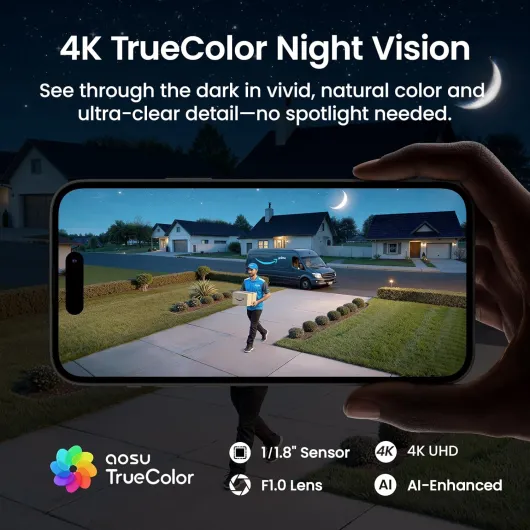
Night vision is one of the stronger points. The so-called TrueColor night mode, when there’s at least a bit of ambient light (street lights, porch light, etc.), gives you a colour image that’s surprisingly usable. In darker corners, it still holds detail better than the usual grainy black-and-white you get on budget systems. I tested it in a side alley that’s basically dark except for a bit of spill from a window, and I could still make out clothing colours and some background detail. It’s not magic, but definitely a step up from the usual mushy IR-only look.
The auto tracking and 360° coverage are handy, but you need to set your expectations. When someone walks across the yard, the camera tracks them pretty smoothly most of the time, following people, cars and even the neighbour’s cat. There are occasional moments where it over-rotates or hesitates, so the subject ends up near the edge of the frame for a second. It’s not perfect, but overall it does keep the action in view better than a fixed camera. For entrances and driveways, it’s genuinely useful because you don’t have to pick a single direction.
The AI detection for people/vehicles helps cut down on nonsense alerts. Out of the box, I was getting too many notifications from moving trees, but after tweaking detection zones and sensitivity, it calmed down a lot. The multi-camera tracking feature is also actually practical: when someone comes through the front, walks around the side and ends up in the back garden, the app links those clips together so you can watch the whole path. It’s not flawless, but compared to digging through four separate camera timelines, it’s a big quality-of-life improvement.
What you actually get in the box and how it fits together
When you open the box, the first thing that stands out is that it’s a proper kit, not a random mix of bits. You get 4 dome-style cameras with attached solar panels, the aosuBase 2.0 hub, power adapter and cables for the base, plus wall mounts, screws and a basic instruction manual. No SD card for the 1TB expansion, just the built-in 32GB in the base, so if you want big storage you’ll need to buy that separately.
The whole idea is: cameras talk to the aosuBase over Wi‑Fi, and the base connects to your router via Ethernet. So your cameras don’t hammer your main Wi‑Fi as much, and all the videos are stored locally on the base in MP4 format. In my case, I put the base in the hallway near the router, and the furthest camera is about 10–12 meters away through two brick walls. Signal stayed full in the app most of the time, similar to what other buyers mentioned. If your house is long or has a lot of thick walls, you’ll want to think carefully about where that base goes.
The cameras are marketed as 4K (8MP), 360° tracking, and solar-powered, which in practice means each one has a battery inside that the panel keeps topped up. They’re designed mainly for outdoor use, wall-mounted, but there’s nothing stopping you from using one indoors if you want. The kit supports up to 6 cameras in total, so you can add 2 more later as long as they’re compatible T2 models.
In daily use, the system behaves like a pretty modern smart security setup: the app sends alerts when it detects people, cars or motion, and you can tune which cameras do what. The multi-camera tracking feature is actually one of the more useful things: instead of four separate clips when someone walks around the house, it tries to stitch them into one timeline. It doesn’t always nail it perfectly, but when it works, it saves time scrolling through a pile of short clips.
Pros
- 4K image and night vision are genuinely clear enough to read plates and see faces
- Solar panels and batteries work well when placed in decent light, so almost no manual charging
- Local encrypted storage on the aosuBase with no mandatory subscription and up to 1TB expansion
- Multi-camera tracking and AI detection cut down on useless alerts and make reviewing events easier
Cons
- Cameras are quite bulky and very visible once mounted
- Included 32GB storage is small if you fully use 4K and 4 cameras, extra card is basically required
- Auto tracking sometimes overshoots or hesitates, not always perfectly smooth
Conclusion
Editor's rating
After using the aosu T2 Ultra 4K kit day-to-day, I’d sum it up like this: it’s a solid all-round home security package if you actually need multiple cameras and hate subscriptions. The 4K image quality and night vision are genuinely useful, the solar panels do keep the batteries topped up if you place them sensibly, and the base with local storage means you’re not locked into monthly fees. The multi-camera tracking and AI detection aren’t just buzzwords – they really do make it easier to see what happened without scrolling through dozens of random clips.
It’s not flawless though. The cameras are quite visible and a bit bulky, the tracking can occasionally be a bit slow or overshoot, and if you have shady mounting spots you’ll have to think carefully about where to put the solar panels. Also, if you’re going to run all four cameras at 4K with lots of motion, the included 32GB storage is on the small side and you’ll probably end up buying extra storage. And if you only need one or two basic cameras, this kit is probably more than you need, both in features and in price.
So who is this for? I’d say it suits someone with a small house or medium property who wants to cover front, back and sides properly, doesn’t want to drill for power everywhere, and prefers local storage over cloud. If you’re okay tweaking detection zones and thinking a bit about placement, you’ll get a lot of value out of it. If you’re on a tight budget or just want a single simple cam for the door, I’d look at something cheaper and more basic.