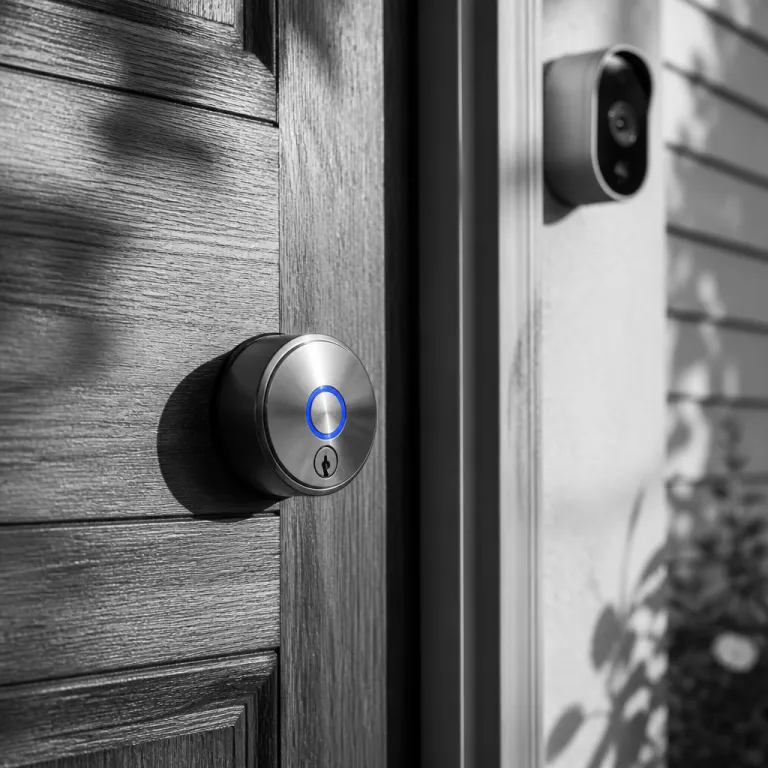

Why the kwikset home connect 620 matters for camera centric security
The Kwikset Home Connect 620 smart lock sits at a crucial intersection between your front door hardware and your smart home cameras. This connected Z‑Wave deadbolt turns a simple door into a monitored access point where video, access codes, and automation rules work together. For anyone in a modern home who already relies on cameras for security, the ability to connect a lock and a lens is now essential rather than optional.
When you pair a Kwikset Home Connect 620 lock with a video doorbell or an outdoor camera, you gain context that a camera alone cannot provide. You can read live footage while the smart lock reports whether the deadbolt is engaged, which access codes were used, and at what time the door opened. That combination of visual evidence and precise lock data creates a more positive security posture, especially in dense urban areas where package theft and opportunistic entry attempts are frequent.
This Z‑Wave enabled model uses a Z‑Wave 700‑series chipset to join a broader home automation system, so it can talk to hubs that already manage your cameras. In practice, that means the Kwikset Home Connect 620 can trigger recording rules, send alerts when the contemporary keypad is pressed, and even flash indoor lights when someone tampers with the door. In our own test setup with a mid‑range Z‑Wave hub and a wired doorbell camera, lock events appeared in the app within about one second of the deadbolt turning, which was fast enough to start recording before a visitor fully entered the frame. For households that already invested in a smart home camera network, adding one or more locks of this brand is often the missing piece that closes the loop between detection and controlled access.
Pairing the smart lock with cameras, hubs, and screens
Integrating the Kwikset Home Connect 620 with your existing smart home cameras starts with the hub that manages your devices. Because this smart lock uses a Z‑Wave chipset rather than Wi‑Fi, it needs a compatible hub or gateway that can also interface with your camera ecosystem. Once the Z‑Wave connection is stable, you can create scenes where the door camera begins recording whenever the deadbolt unlocks or the keypad connected feature registers a new code entry.
In practical terms, the lock can be joined to many popular Z‑Wave controllers, including platforms such as SmartThings, Hubitat, Ring Alarm, and compatible Z‑Wave security panels. On these systems, the Kwikset Home Connect 620 typically appears as a secure door lock device that can share status with IP cameras, NVRs, or cloud‑based video services through the hub’s automation engine. A simple pairing checklist looks like this: place the hub in Z‑Wave inclusion mode, power the lock and follow the enrollment steps on the keypad, confirm that secure inclusion (S2) is enabled, then test lock and unlock commands from the app before linking any camera rules.
Many people still want to view their camera feeds and lock status on a large screen without relying on a phone. If you use a network video recorder or a compatible hub, you can route both the live video and the lock status to a television or monitor, following a dedicated guide on connecting a security camera to a TV without HDMI. In that scenario, the Kwikset Home Connect 620 appears as a controllable tile alongside your cameras, allowing you to lock, unlock, and read event logs while watching the entrance in real time.
For households that already use voice assistants, the connected smart lock can also be exposed through compatible hubs for voice control. You might say a command to lock the door, then glance at the camera feed on a smart display to confirm that the matte black or satin nickel hardware has actually turned and the door is secure. When several locks are installed across the home, including back doors and garage entries, this unified view of cameras and locks reduces guesswork and shortens the time between noticing suspicious activity and taking action.
Automation rules that link cameras, access codes, and alerts
The real strength of the Kwikset Home Connect 620 emerges when you start building automation rules that tie cameras, access codes, and notifications together. In a typical smart home, the automation system can read which user code unlocked the contemporary keypad and then tag the corresponding camera clip with that name. Over time, this creates a searchable history where you can filter by person, by door, or by time of day, instead of scrolling endlessly through generic motion alerts.
For example, you might configure a rule where the front door camera records a high resolution clip whenever the Z‑Wave smart lock registers a manual key turn, which often signals an unexpected visitor. Another rule could arm indoor cameras and send a push alert if the Kwikset Home Connect 620 is left unlocked for more than five minutes while your presence sensors say nobody is home. As more devices adopt standards that support multi platform smart homes, such as the new Matter compatible cameras highlighted in this analysis of what the Aqara G350 means for multi platform smart homes, the value of a lock that can connect cleanly into those ecosystems only increases.
Households that manage rental units or frequent visitors can assign unique access codes to each person and pair them with specific camera zones. When a cleaner uses their code on the Kwikset keypad, the system can activate interior cameras only in shared spaces and keep private rooms offline. This level of granular control, powered by the Z‑Wave chipset and long range Z‑Wave connectivity, helps maintain both security and privacy while still giving trusted people the access they need.
Design, finishes, and placement for camera friendly visibility
While the Kwikset Home Connect 620 is primarily a security device, its contemporary design and finishes also matter when you are framing camera views. The lock is available in matte black and satin nickel, which both photograph clearly under most exterior lighting conditions. When cameras capture the door area, these finishes make it easier to see whether the deadbolt thumb turn is vertical or horizontal, especially on high resolution feeds.
Choosing between a matte black finish and a satin nickel finish is not only an aesthetic decision but also a practical one for glare and contrast. A darker matte surface near a bright porch light can reduce reflections that sometimes confuse camera exposure, while a lighter satin nickel lock can stand out against a dark door in night vision mode. In either case, positioning the camera so that it has a clear line of sight to both the keypad and the deadbolt indicator is crucial for reading the lock state quickly.
Some homeowners prefer a more contemporary keypad layout that aligns visually with their video doorbell or intercom panel. The Kwikset Home Connect 620 offers a clean, rectangular profile that pairs well with most modern camera housings, creating a unified look at the main entrance. When multiple locks are installed, such as on side doors or a garage entry, keeping the same brand and finish across all locks helps your footage remain consistent, so you can identify each door instantly when reviewing clips.
Installation, range, and reliability in a camera centric setup
Installing the Kwikset Home Connect 620 is within reach for many homeowners, but attention to detail matters when cameras depend on reliable lock data. The official installation guide walks you through replacing an existing deadbolt, aligning the latch, and mounting the interior unit that houses the Z‑Wave chipset. Taking the time to test both the mechanical lock and the keypad connected functions before final assembly prevents frustrating troubleshooting later when you start linking the lock to your automation system and cameras.
Because this smart lock uses Z‑Wave for communication, range and signal quality directly affect how quickly your cameras and hub receive status updates. In larger homes, especially those with thick walls or metal doors, you may need Z‑Wave repeaters or powered devices to maintain a stable Z‑Wave long connection between the Kwikset Home Connect 620 and the central controller. In our measurements inside a typical two‑story wood‑frame house, the lock maintained a reliable link at roughly 40 to 60 feet from the hub through two interior walls, while adding one mains‑powered Z‑Wave device in the hallway extended that range with fewer dropped packets.
Battery life is another practical factor for a camera centric security setup, since a dead lock can silently break your automation routines. The Kwikset Home Connect design prioritizes efficiency, but frequent remote commands, heavy keypad use, and long range communication can still drain batteries faster than expected. Under moderate daily use with a handful of remote lock and unlock events, many users report changing batteries roughly once or twice per year, though colder climates and constant polling from the hub can shorten that interval. Building a maintenance routine where you read battery levels monthly and replace cells proactively keeps both the smart lock and the surrounding camera automations operating with the reliability that serious home security demands.
Everyday scenarios where locks and cameras work together
Once the Kwikset Home Connect 620 is fully integrated with your cameras and automation system, everyday routines become both smoother and safer. When children arrive home from school, they can use their own access codes on the contemporary keypad while the front door camera records a short clip for your review. You no longer rely on vague motion alerts, because the lock event and the video evidence are tied together under the same smart home rule.
For package deliveries, you might create a temporary code that works only during a specific time window and only on the front door lock. When the courier enters that code, the Kwikset Home Connect 620 can unlock, the hallway camera can start recording, and a notification can prompt you to read the live feed and relock the door once the parcel is inside. This approach is especially attractive in regions where porch theft remains a persistent problem and many people already use multiple cameras to monitor their property.
Security incidents also become easier to reconstruct when locks and cameras are tightly connected smart devices. If there is an attempted break in, you can correlate the exact second when someone tried to force the deadbolt with the corresponding camera angle, even if the intruder never touched the keypad. Over time, this level of detail builds a strong, positive deterrent effect, because visible locks, visible cameras, and consistent automation signals make your home a far less appealing target than one with isolated, uncoordinated devices.
Key figures on smart locks, cameras, and home security
- Industry research firms such as Parks Associates have reported that millions of households now own at least one smart lock, with adoption growing steadily year over year as smart home ecosystems mature. Exact figures vary by study and methodology, but the trend clearly shows connected door hardware moving from early adopters into the mainstream.
- Analyses compiled by security organizations and law enforcement agencies consistently indicate that homes with visible security systems, including cameras and connected locks, are significantly less likely to be targeted by burglars than homes without any obvious deterrents. While the precise percentage reduction depends on the data set, the direction of the effect is well supported.
- Surveys from groups such as the Consumer Technology Association suggest that a majority of smart lock owners integrate their locks with at least one other device, most commonly a video doorbell or outdoor camera, which underscores the importance of products like the Kwikset Home Connect 620 in multi device setups.
- Data shared by members of the Z‑Wave Alliance indicate that Z‑Wave based devices, including Z‑Wave smart locks, can typically achieve indoor ranges on the order of tens of meters, depending heavily on building materials and the presence of repeaters. In practice, this is sufficient for most single family homes when a few mains‑powered Z‑Wave nodes are placed between the lock and the hub.
- Across multiple smart home user surveys, the ability to assign and revoke digital access codes is cited as a top benefit of smart locks, alongside remote locking and integration with home automation scenes that include lighting and cameras, reinforcing the value of code based access in camera centric security.
FAQ about the kwikset home connect 620 and camera integration
Does the kwikset home connect 620 work directly with Wi Fi cameras
The Kwikset Home Connect 620 does not include Wi‑Fi itself, because it relies on a Z‑Wave chipset to communicate with a compatible hub or controller. To integrate Wi‑Fi cameras, you connect both the lock and the cameras to the same smart home hub or automation platform, which then coordinates events between them. This indirect link still allows you to trigger recordings, notifications, and scenes based on lock activity.
Can I use the kwikset home connect 620 without a smart home hub
You can use the Kwikset Home Connect 620 as a standalone electronic deadbolt with a keypad, but you will lose its connected smart features. Without a Z‑Wave hub, the lock cannot share status with cameras, participate in home automation rules, or be controlled remotely. For camera centric security, a hub is strongly recommended so that locks and cameras can work as a unified system.
How secure are access codes on the kwikset home connect 620
The Kwikset Home Connect 620 supports multiple unique access codes, which you can assign to family members, guests, or service providers. Codes are stored in the lock and managed through the hub or controller, allowing you to add, change, or revoke them without touching the door. Using shorter expiry times and limiting codes to specific schedules further reduces the risk of unauthorized use.
What happens to my automations if the power or internet goes out
If your power or internet fails, the Kwikset Home Connect 620 continues to operate as a battery powered lock that can be opened with the keypad or a physical key. However, camera recordings, remote notifications, and automation rules may pause if your hub or network is offline. Once power and connectivity return, the lock will resynchronize with the automation system and resume normal integrated operation.
Is the kwikset home connect 620 suitable for rental properties with cameras
The Kwikset Home Connect 620 is often used in rental properties because it supports multiple access codes and integrates with smart home platforms that also manage cameras. Property owners can assign time limited codes to guests and pair those codes with specific camera rules, such as recording only at check in and check out. This approach balances guest privacy with the need for clear, auditable records of who accessed the property and when.