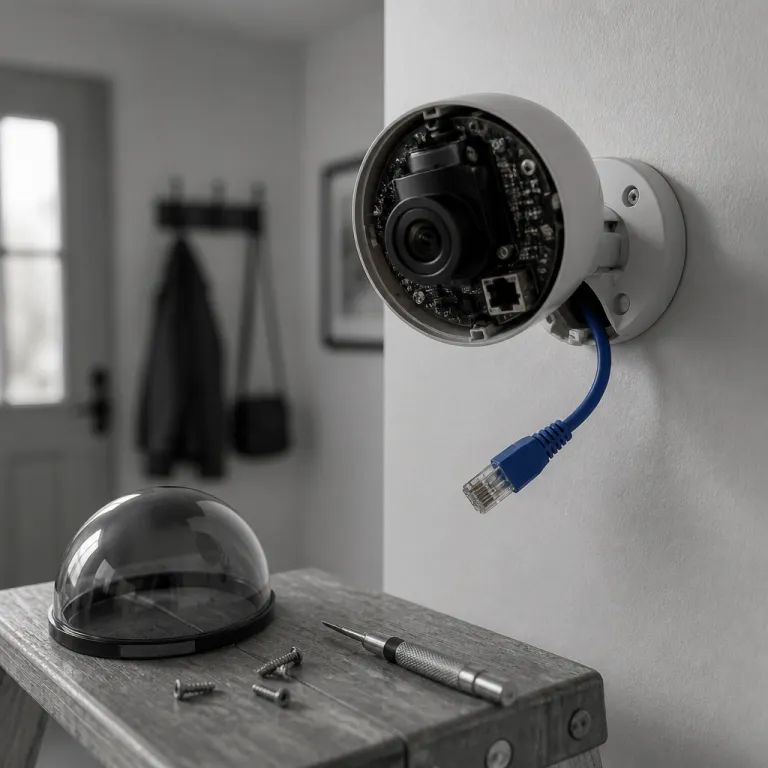
Gemini for Home on Nest cameras: AI brains, old bodies
Google Nest cameras after the Gemini update feel very different in daily use. The hardware for each wired Nest cam, the Nest Cam Indoor third generation, the Nest Cam Outdoor second generation, and the latest Nest Doorbell, still records familiar 2K HDR video, but the notifications now read more like a human security guard sending short reports than a motion sensor firing blindly. For anyone searching for a Google Nest camera Gemini review 2026 style analysis, the first thing to understand is that Gemini changes the way your phone talks to you, not the way the camera lens or microphones capture your home.
With Gemini enabled through a Google Home Premium subscription, the app no longer just says “motion detected at front door” when a nest cam sees movement. Instead, the google app can send a narrated alert such as “person with backpack approaching driveway” or “package left near nest doorbell” and that extra context cuts through the usual noise that security cameras generate when a tree moves or a car passes. In practice, this assistant gemini layer on top of the existing google nest hardware reduces notification fatigue for many users who previously muted alerts from their indoor wired and outdoor wired devices because they were tired of constant pings.
The smart part is that Gemini does this processing in the cloud, using your video history and current frames to learn patterns, but that also means you are locked into the google premium ecosystem if you want the full experience. Without the premium subscription, the wired gen nest cameras still function as competent 2K security cameras, yet you lose the richer descriptions, the Home Brief summaries, and the Ask Home natural language search that lets you say “hey Google, show me when the dog walker arrived yesterday” to a voice assistant speaker. This is the core tradeoff in any honest Google Nest camera Gemini review 2026 comparison ; you are paying not for sharper video, but for smarter interpretation of what that video actually shows.
What Gemini actually changes in your day to day alerts
Living with nest cameras before Gemini meant learning which alerts to ignore and which to respect. After the update, the google assistant and the broader voice assistant ecosystem around your smart displays can surface more meaningful clips, because the system now tags events with scene level descriptions instead of raw motion flags, and that makes it easier to scroll through video history when you are trying to reconstruct what happened during a noisy night. For a homeowner who has already burned out on Ring Stick Up Cam or Blink Outdoor 4 notifications, this shift in how each cam indoor or cam outdoor event is labeled matters more than another bump in resolution.
Gemini’s Ask Home feature lets you use natural language through the google app or a Nest Hub to search across multiple nest cams at once. You can say “hey Google, when did the kids get home from school” and the assistant gemini backend looks through your cameras and settings to surface the relevant clips, which is a very different experience from scrubbing a timeline manually on older security cameras. Home Brief then compiles a short daily recap of key events, which can be surprisingly effective if you travel often and want a quick sense of household security without watching every single video.
However, all of these features sit behind the Google Home Premium paywall, and that is where the Google Nest camera Gemini review 2026 math gets uncomfortable. If you stop paying for the premium subscription, your nest cam devices revert to more basic alerts and shorter cloud video history, and you lose the ability to ask the voice assistant for those rich summaries that initially sold you on the system. Anyone who has ever had to factory reset a Nest device or follow a step by step guide to resetting a Nest Cam knows that rebuilding routines and preferences in the app is tedious, so you should treat the Gemini features as an ongoing service commitment rather than a one time upgrade.
Hardware reality check: 2K Nest cams in a 4K world
Underneath the Gemini software, every current google nest wired camera still relies on a 2K HDR sensor and cloud only storage. That means the nest cam indoor wired gen model at around 100 dollars, the outdoor wired nest cam at around 150 dollars, and the latest wired nest doorbell at around 180 dollars all share similar video characteristics, with decent detail in good light but less room to crop in than a 4K Arlo Pro 5S or a Reolink PoE cam when you need to zoom on a face or license plate. For a security conscious upgrader comparing options, this is where a Google Nest camera Gemini review 2026 style evaluation has to be blunt ; you are not buying the sharpest cameras on the market.
There is also no local storage option on these nest cameras, unlike many Eufy or Reolink security cameras that offer microSD or NVR recording, and that matters when your internet connection drops or when you want to avoid sending every video frame to the cloud. If you have lived through Wi Fi hand off drops with a Blink Outdoor 4 or watched a Ring Stick Up Cam miss the first seconds of motion because it was waking from sleep, you know that reliable continuous recording can be more important than another layer of smart features. Google’s choice to keep everything cloud based means your video history and security events are always tied to your google account and the google app, which simplifies setup but reduces flexibility.
Battery powered options are also missing from the current wired gen lineup, so anyone wanting a wireless cam outdoor or cam indoor solution must either keep using older nest cams or mix in third party devices. That is a sharp contrast with the Nest Cam Battery from the previous generation, which could be used as both an indoor wired and outdoor wired camera depending on your mounting and cabling, and with competitors like Eufy SoloCam S340 that run entirely off solar panels. If you are considering a two pack of wireless units, you may want to read a detailed test of Nest Cam outdoor indoor battery models to understand how much flexibility you lose by committing to the new wired only range.
Subscriptions, ecosystems, and the Matter 1.5 irony
When you evaluate any Google Nest camera Gemini review 2026 breakdown, you need to run the subscription numbers alongside the hardware prices. Google Home Premium, which unlocks the full Gemini feature set for your nest cams, competes directly with Arlo Secure and Ring Protect, and all three services now gate extended video history, smart alerts, and some advanced settings behind monthly fees that add up over the lifetime of your security system. The difference is that google premium also controls access to the most headline grabbing Gemini features, so cancelling the premium subscription has a bigger impact on your daily experience than cancelling a basic Ring or Arlo plan.
There is another layer of lock in that matters for security cameras buyers who care about interoperability. Google co chairs the Matter standard, yet has not committed to Matter 1.5 camera support for nest cameras, which means your nest cam devices remain tightly bound to the google app and the Google Home ecosystem, while competitors like Eufy and Aqara experiment with more open approaches, even after incidents like the unencrypted thumbnail scandal that forced Eufy to rebuild trust and explain its security posture in detail on sites such as this deep dive on Eufy in 2026. If you ever decide to switch platforms, you will lose not only your Gemini features but also your accumulated video history, your smart routines, and your voice assistant integrations.
That ecosystem dependence extends to how you control your cameras with voice, because hey Google commands through a Nest Hub, a Pixel Tablet, or any google assistant speaker are tuned for nest cams first. You can still add other security cameras as generic devices, but they rarely get the same level of integration, and some advanced settings remain app only, which can be frustrating if you like to manage everything by voice. For buyers who prefer to mix brands, or who want to keep options open for future Matter compatible devices, this tight coupling between nest, gemini, and the broader google nest platform is both a strength and a long term risk.
Who should buy Nest after Gemini, and who should walk away
The clearest way to read any Google Nest camera Gemini review 2026 style assessment is to ask whether you value interpretation or raw footage more. If you are already deep into google nest with a Nest Hub on the kitchen counter, a few nest cams watching key rooms, and a nest doorbell on the porch, then Gemini’s narrated alerts, Ask Home search, and Home Brief summaries feel like a natural extension of how you already use the google assistant and your other smart devices. In that scenario, paying for a premium subscription can make sense, because the cameras, the app, and the voice assistant all work together to reduce noise and highlight real security events.
On the other hand, if you are the kind of security conscious upgrader who has already experimented with Arlo Pro 5S, Reolink PoE cameras, or Eufy SoloCam S340 to gain higher resolution and local storage, the current wired gen Nest lineup will probably feel constrained. You may appreciate the clean google app interface and the tight integration with google play services, but the lack of local recording, the absence of battery powered options, and the dependence on cloud video history for every cam indoor and cam outdoor unit will limit how you design your system. In that case, you might be better served by a mix of 4K security cameras with onboard storage and a lighter cloud layer, even if the smart features feel less polished.
For renters or homeowners who mainly want simple, reliable indoor wired monitoring with minimal tinkering, the Nest Cam Indoor third generation remains a solid choice, especially when paired with a single Nest Hub and a modest premium subscription tier. Families who travel often and rely on daily summaries may find that Gemini’s assistant gemini features justify the ongoing cost, because they turn a pile of raw video into a manageable security narrative. Just remember that home protection is not about the advertised resolution on the box, but about what your camera actually captures and surfaces at three in the morning when something moves where it should not.
FAQ
Do I need Google Home Premium for my Nest cameras to be useful ?
You do not strictly need Google Home Premium for nest cameras to function, because the devices will still stream live video, send basic motion alerts, and store a limited amount of cloud footage without a premium subscription. However, most Gemini features, including narrated alerts, Ask Home search, and Home Brief summaries, require the paid tier, so a Google Nest camera Gemini review 2026 style evaluation should treat those capabilities as part of the ongoing cost. If you are happy with simpler notifications and shorter video history, you can skip the subscription and still maintain core security coverage.
How does Gemini change notification fatigue compared with other brands ?
Gemini reduces notification fatigue by turning raw motion events into descriptive alerts that explain what the camera saw, such as a person, a package, or a vehicle. This contrasts with many Ring, Blink, or older nest cams that simply report motion, forcing you to open the app constantly to see whether an alert matters, and that difference becomes obvious after a few days of use. For people who have already muted other security cameras because of constant false alarms, the Gemini approach can make nest cams feel more manageable and less intrusive.
Are Nest cameras a good choice if I want local storage ?
Current wired gen Nest cameras do not offer local storage, so all video history is stored in the cloud through your google account. If you want microSD cards, NVRs, or fully offline recording, brands like Reolink or some Eufy models are better suited, though you should research their security track records carefully. Nest is designed around cloud convenience and tight integration with the google app, not around local only recording.
Will my Nest cameras work with Matter smart home systems ?
As of now, nest cameras do not support Matter 1.5 camera integration, even though Google helps lead the Matter standard. That means you cannot treat a nest cam as a generic Matter camera in a third party controller, and you must continue to use the Google Home ecosystem for full functionality. If broad interoperability is a priority, you may want to combine Nest with other security cameras that already support Matter or other open protocols.
Who is the ideal buyer for Nest after the Gemini update ?
The ideal buyer is someone already invested in google nest speakers, displays, and other smart devices, who values AI powered interpretation of events more than maximum resolution or local storage. If you like saying “hey Google” to check on your home, enjoy clean app design, and are comfortable paying for a premium subscription to unlock advanced features, the Gemini update makes nest cams more compelling. If you prefer hardware flexibility, local recording, and brand agnostic systems, you should probably look at Arlo, Reolink, or Eufy instead.