
Summary
Editor's rating
Value for money: where it really makes sense
Design: small plastic dome that blends in and just sits there
Durability and reliability after long-term use
Performance: picture, night vision, and the AI stuff
What the Tapo TC70 actually offers in real life
Effectiveness as a security cam, pet cam, and baby monitor
Pros
- Good 1080p image and night vision for the price
- Works with microSD card so you can record without a subscription
- Pan/tilt, motion zones, and app presets make it very practical for pets and room monitoring
Cons
- AI features (baby-cry and person detection) can be inconsistent at first
- Plastic build and indoor-only design, not suited for harsher environments

Specifications
View full product page →| Brand | Tapo |
A budget camera I actually keep using
I’ve been using the Tapo TC70 as a mix of security cam and pet monitor, and honestly, it’s one of those cheap gadgets that ends up staying plugged in instead of going in a drawer. I didn’t expect much at this price – mainly wanted to keep an eye on the dog and check the flat when I’m away – but after living with it, it’s become part of my daily routine. I open the Tapo app way more than I thought I would.
To be clear, this isn’t some high-end CCTV setup. It’s a simple 1080p indoor camera that pans and tilts, records to microSD if you want, and sends motion/person alerts. No base station, no PoE, no fancy 4K. But for a plug-into-the-wall, connect-to-Wi‑Fi camera, it covers the basics pretty well and throws in a few extras like baby-cry detection and tracking that you usually see on pricier models.
I’ve mainly used it in three ways: pointed at the front room as a security cam when I’m out, aimed at the dog’s bed to see what chaos he’s up to, and briefly as a baby monitor at a friend’s place. In each case it did the job, with a few small annoyances that you only notice after a week or two of use. Nothing deal‑breaking, but worth knowing before you buy.
If you’re expecting premium build and flawless AI, you’ll be a bit underwhelmed. If you just want something cheap that lets you open an app, move the camera around, talk through it and check recordings without being forced into a monthly subscription, it’s pretty solid. That’s basically where this camera sits for me: not fancy, but very usable for everyday home monitoring.
Value for money: where it really makes sense
For the price this thing usually sells at, the value is hard to argue with. You get 1080p video, pan/tilt, night vision, motion and person detection, tracking, baby‑cry detection, two‑way audio, and proper app support from a known brand. A lot of competitors in this price range either force a subscription, have clunky apps, or skip some of these features. Here, the big plus is that you can just buy a microSD card and have full-time recording without paying a monthly fee.
The Tapo cloud storage is there if you want extra backup, and it’s not outrageously priced compared to some others, but you don’t actually need it. I run mine with a 128 GB card and get days of recordings with motion-based clips without thinking about it. For a basic home setup, that’s plenty. If someone steals the camera, you’d lose the card, sure, but for indoor use that’s usually less of a concern than with outdoor cams. If that does worry you, then maybe the cloud plan is worth it for you.
Compared to some bigger brands (like Nest, Ring, etc.), you’re obviously sacrificing things like higher resolution, deeper integration with their ecosystems, and sometimes slightly better AI. But you’re also saving quite a bit of money and avoiding being locked into their subscription models. For most people who just want to see what’s happening at home and have some recordings, the TC70 covers the basics well enough that paying double or triple for a fancier cam doesn’t always make sense.
Overall, I’d say the TC70 is good value for money if your expectations are realistic: solid image, decent app, flexible storage, and enough smart features to be useful without feeling half-baked. It’s not the best camera on the market, but for the price bracket it sits in, it’s one of those “cheap but actually usable” devices that I’d be fine recommending to friends who just want something simple that gets the job done.

Design: small plastic dome that blends in and just sits there
Design-wise, the TC70 is a small white plastic dome – nothing fancy, nothing ugly. It’s light (around 200 g) and about the size of a big coffee mug. It doesn’t scream “security camera”, which I like. On a shelf or sideboard it just looks like another smart gadget. You can place it freestanding or mount it upside down on the ceiling using the included base and screws. I’ve only used it freestanding so far, and it’s stable enough as long as you’re not bumping into the furniture all the time.
The pan/tilt mechanism is fairly quiet. I’ve moved it while a baby was sleeping in the room and it didn’t wake them up, which is a big plus if you want to use it as a baby monitor. You do hear a soft motor noise if the room is totally silent, but in normal conditions it’s barely noticeable. The camera can rotate a full 360° horizontally and a bit over 100° vertically, so you can cover pretty much everything around it if it’s placed in a decent spot.
One thing I noticed: the power cable they include is actually long enough to be useful. A lot of cheap cameras come with a short, annoying cable that forces you to use extension leads. Here, I could place it on top of a wardrobe and still reach a wall socket without any drama. The downside is that the cable is still a standard white cable, so if you care about clean cable management, you’ll want clips or trunking to hide it a bit.
There’s no weather sealing or anything, and it’s clearly meant for indoor use only. The plastic doesn’t feel premium, but it doesn’t feel like it’s going to snap in your hands either. One user even mentioned dropping it, snapping it back together, and it kept working, which kind of matches how it feels in the hand: basic, but not super fragile. No fancy design tricks, just a simple dome that does what it’s supposed to do and doesn’t attract too much attention.
Durability and reliability after long-term use
In terms of build quality, it’s plastic and light, but it doesn’t feel like it’s going to fall apart from normal use. I’ve moved it around a lot, unplugged and replugged it, and it still pans and tilts smoothly. One user even mentioned dropping it, snapping it back together, and it kept working, which matches how it feels: not premium, but not fragile junk either. This is not a camera you baby; it just sits there and does its thing.
What matters more to me is reliability over time. I’ve had mine running for extended periods and it’s been stable: it reconnects to Wi‑Fi after router reboots, doesn’t randomly crash, and the app finds it quickly most of the time. There was one case reported where it basically stopped recording when the 30‑day cloud trial expired and needed a reset. I didn’t hit that exact bug, but I did notice that when the trial ends, the app nags you a bit about the subscription. Once you switch fully to SD card recording and ignore the cloud stuff, it’s fine.
Heat-wise, it gets slightly warm after hours of use, but nothing worrying. I’ve run it 24/7 without any obvious overheating or weird behaviour. The motor for the pan/tilt hasn’t gotten noisy over time either, which is good because that’s often where cheap cameras start to degrade – they begin to whine or grind when moving. So far, movement is still smooth and quiet.
Looking at other people’s experiences, there are folks who’ve had Tapo cameras (including the TC70) for a couple of years with no major failures, which is reassuring. It’s not built like industrial gear, but for indoor home use, it seems to hold up well. If you treat it as a low-cost device you might replace in a few years rather than a 10‑year investment, the durability is perfectly acceptable. I’d call it reliable enough for everyday home users who want something that just keeps working in the background.
Performance: picture, night vision, and the AI stuff
For a 1080p camera, the image quality is decent to good. In daylight or a well-lit room, you get a clear picture where you can easily recognise faces, read bigger text (like labels or posters), and see what your pets are doing. It’s not razor sharp like a 4K camera, but for checking in on a room or a pet, it’s more than enough. The digital zoom is okay for a quick closer look, but like any digital zoom, it gets grainy if you push it too far.
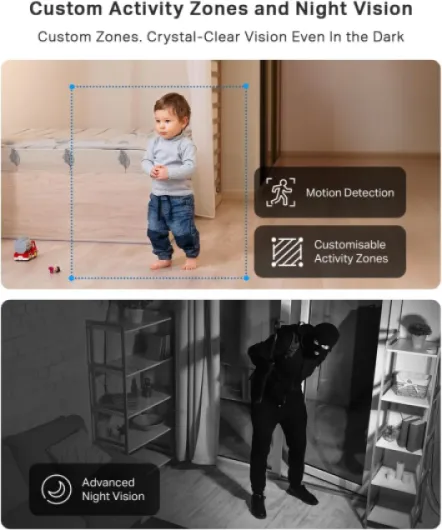
At night, the infrared night vision is surprisingly usable. The 10 m (about 30 ft) range they claim feels realistic in a normal-sized room. You get a black-and-white image, but it’s clear enough to see if someone is moving around, if the dog is on the sofa again, or if the baby is standing up in the cot. I didn’t notice any massive IR reflections or weird bright spots unless the camera was too close to a shiny surface. As long as it’s a bit back from walls and windows, it’s fine.
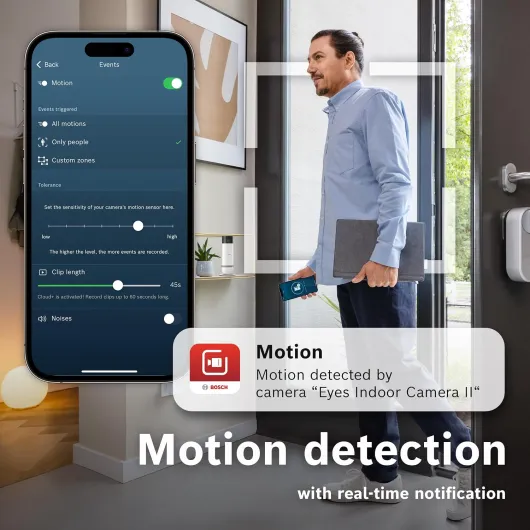
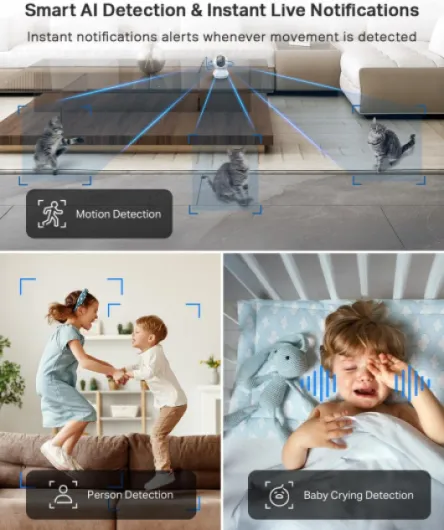
The motion and person detection is generally good. It’s sensitive and quite fast with notifications, especially if your Wi‑Fi is decent. You can draw motion zones in the app so it only reacts to certain areas (like just the door, not the TV). That helps cut down on pointless alerts. The person detection is okay but not perfect: sometimes it flags a person as generic motion, or vice versa. For security use, it’s still helpful, but don’t rely on it as some sort of perfect human detector.
Motion tracking is a fun one. When enabled, the camera tries to follow a moving object around the room. With a person walking through, it works fairly well. With a dog running around like a maniac, it can struggle and overshoot sometimes. For baby‑cry detection, my experience lines up with other users: at first it missed quite a few cries, but after a few days it started to pick them up more consistently. So the AI clearly needs a bit of time and maybe some background noise examples to settle. Overall, the performance is solid for the price, but if you expect flawless AI like on much pricier systems, you’ll notice the limits.
What the Tapo TC70 actually offers in real life
On paper, the Tapo TC70 is a 1080p indoor Wi‑Fi camera with pan/tilt, night vision, and a bunch of software tricks: person detection, motion tracking, baby‑cry detection, and two‑way audio. It works with Alexa and Google Assistant, and you can either use a microSD card (up to 512 GB) or pay for Tapo’s cloud storage. The big selling point for me was no mandatory subscription. You can stick in an SD card and get 24/7 recording or just motion clips for free, which is not always the case with other brands.
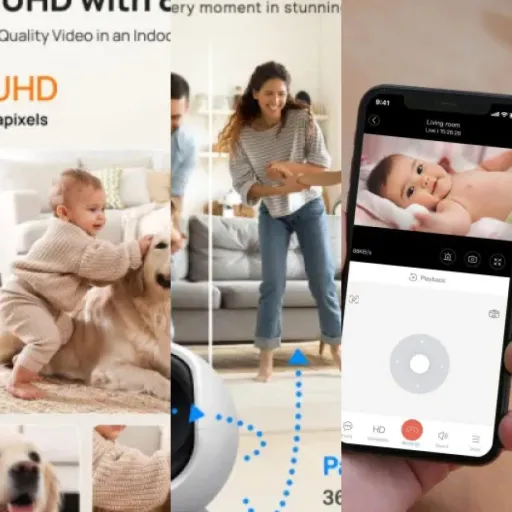
Setup is pretty simple: plug it in, open the Tapo app, add a new device, connect it to your Wi‑Fi, and that’s basically it. I had it running in under 10 minutes. The app lets you move the camera around, zoom in digitally, set motion zones, enable person detection, and tweak notifications. It’s not the prettiest app on earth, but it’s clear and I didn’t get lost in menus. Compared to some cheap no‑name cameras I’ve tried before, this feels more polished and less random.
In daily use, the camera offers a 360° horizontal and around 114° vertical coverage, so you can pretty much see the whole room with a bit of panning. I find myself using the presets: you can save positions (like “door”, “sofa”, “dog bed”) and jump between them in the app instead of manually dragging every time. It sounds like a small thing, but when you’re half‑asleep checking the camera at night, it’s handy.
Function-wise, it tries to be a security cam, a pet cam, and a baby monitor in one. It does okay at all three, but it’s not perfect at any single one. For security, the person detection and alerts are useful, but not 100% reliable. For pets, the pan/tilt and two‑way audio are great. For baby monitoring, the baby‑cry detection works, but it needs a bit of AI “learning time” before it becomes consistent. So it’s a good all-rounder rather than a specialist device.
Effectiveness as a security cam, pet cam, and baby monitor
As a simple home security camera, the TC70 does the job. You can check the live feed anytime from your phone, move the camera around the room, and look back at recordings on the SD card. I’ve used it while travelling to quickly scan the living room and entry area, and it’s reassuring to see everything is normal. Person/motion alerts pop up on the phone fairly quickly, and you can tap straight into the live view. It’s not a full alarm system, but as an extra eye on your place, it’s effective enough.
For pet monitoring, it’s actually one of the better cheap options I’ve tried. The pan/tilt is very handy when your pet doesn’t sit still. My dog has three main spots: sofa, bed, and window. I set camera presets for those, and I can jump between them with one tap. The two‑way audio also works well enough to shout “off the sofa” if needed. There is a bit of delay, but nothing crazy. The microphone picks up normal sounds fine, so you can hear barking, whining, or general chaos without issues.
As a baby monitor, it’s usable but not perfect. The video and night vision are good enough to see if the baby is awake, standing, or moving around. You can also leave the live view open on an old phone or tablet as a sort of monitor screen. The weak point is the baby‑cry detection at the beginning: it can miss cries until it “learns”. After a week or so, it improves, but if you want rock-solid cry alerts from day one, that might bother you. Personally, I would still keep a regular audio baby monitor for nights and use this as a visual backup.
One more thing: the privacy features are actually useful in practice. You can set privacy zones so certain parts of the image are never recorded, and there’s a full privacy mode that basically parks the camera and stops streaming. If you’re sharing the camera with a partner or family and don’t want it recording everything 24/7, these options help you not feel watched all the time. Overall, in terms of effectiveness, it covers most typical home use cases pretty well, with the main compromises on the AI side rather than video or core functions.
Pros
- Good 1080p image and night vision for the price
- Works with microSD card so you can record without a subscription
- Pan/tilt, motion zones, and app presets make it very practical for pets and room monitoring
Cons
- AI features (baby-cry and person detection) can be inconsistent at first
- Plastic build and indoor-only design, not suited for harsher environments
Conclusion
Editor's rating
The Tapo TC70 is a straightforward indoor camera that covers a lot of ground for not much money. You get 1080p video, solid night vision, pan/tilt control, motion and person detection, and the option to record everything locally on a microSD card without paying a subscription. The app is simple, the camera is easy to set up, and once it’s running, it mostly just works in the background. For checking in on pets, keeping an eye on a room while you’re away, or adding an extra layer of basic home security, it does its job without too much fuss.
It’s not perfect, though. The AI features like baby‑cry detection and person detection are useful but not flawless, especially in the first days of use. The build is plastic and clearly budget, and if you want rock-solid, professional‑grade security with ultra-reliable alerts, this isn’t that. But if you’re okay with the occasional missed or extra notification, and you mainly care about being able to see and hear what’s going on at home from your phone, it’s a pretty solid package.
I’d say this camera is for people who want a cheap, no-nonsense indoor cam that doesn’t lock them into a monthly fee. Good for pet owners, parents who want a backup baby cam, or anyone who travels and wants to check in on their place. If you’re chasing top-tier image quality, 2K/4K resolution, or enterprise-level reliability, you should look higher up the price ladder. For everyday home use on a budget, though, the TC70 is a sensible pick.