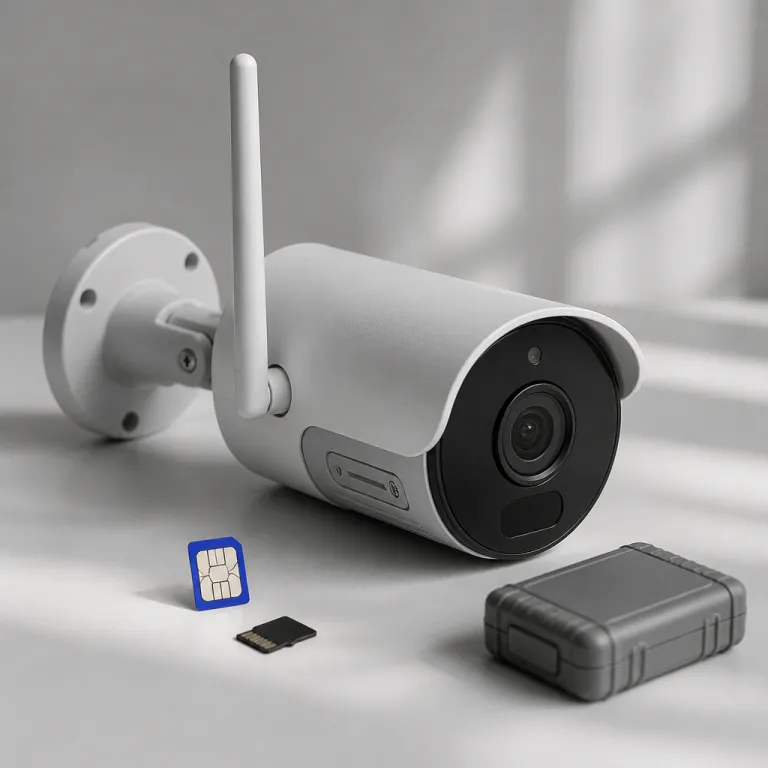
Why choose a security camera that works without Wi-Fi
A security camera that works without wifi exists for two main reasons. Some homes and outbuildings simply lack a reliable wireless network, while other owners deliberately keep surveillance systems offline to protect sensitive data and avoid cloud storage subscriptions. If you are privacy first and already skeptical about wireless cameras tied to big tech platforms, a carefully chosen security camera without wifi can give you real security rather than another internet connected gadget.
Traditional wireless security cameras lean heavily on a stable wifi network and constant internet access, which means your footage and video alerts often travel through remote servers you do not control. In contrast, wired PoE cameras, cellular cameras, and fully offline CCTV cameras can record local footage to an NVR or microSD card, keeping storage and data physically on your property and outside third party cloud storage ecosystems. This shift toward local storage and cameras without mandatory accounts aligns with the broader move to edge AI, where cameras work directly on the device to analyze motion and people without sending every frame over the network.
There are clear pros cons when you run a security camera without internet connectivity. You gain resilience against wifi outages, router failures, and provider downtime, but you lose some conveniences such as instant live streaming from anywhere and easy remote control through polished mobile apps. The right balance depends on whether you prioritize bulletproof recording and privacy, or whether you value remote access and smart notifications more than keeping every second of footage off the public internet.
| Type | Best for | Typical costs & trade offs |
|---|---|---|
| PoE / wired IP | Permanent home or shop installs | Higher upfront kit cost ($250–$600 for 4–8 cameras), low ongoing fees, very stable recording |
| Cellular LTE / 4G | Remote land, cabins, job sites | Moderate hardware cost ($150–$300 per camera), recurring data plan ($5–$25/month), flexible placement |
| Battery / solar wireless | Spots without power outlets | Easy DIY setup, must manage charging, shorter runtimes (2–6 months typical per charge) |
Wired and PoE cameras for fully local recording
For a fixed home or small business, wired PoE security cameras remain the most robust way to run a security camera without wifi. A single Ethernet cable carries both power and data, so each camera connects directly to your PoE switch or NVR, and the entire surveillance network can operate without internet access at all. If you want a ready made kit, a tested 5 MP PoE CCTV security camera system with NVR and preinstalled hard drive offers a strong baseline for local storage and long term footage retention.
In this kind of setup, the cameras work as pure IP CCTV cameras on your local network, writing video continuously to the NVR’s hard drive instead of any cloud storage platform. A typical 4K PoE camera at 8 Mbps uses around 3.5 GB per hour, so a 4 TB NVR can hold roughly three to four weeks of continuous recording from four channels before overwriting. You can still view live streaming and recorded footage from a laptop or phone inside the same local network, even when the system runs completely without internet connectivity.
The main pros of PoE cameras are predictable power, stable bitrates, and high quality video that does not depend on a congested wireless network. The cons are more involved installation, the need to pull Ethernet cables, and less flexible placement compared with wireless cameras that only need a power outlet. For a garage, workshop, or detached office where you can run a cable once and forget it, a wired security camera without wifi is usually better security than a wireless security camera that constantly fights for bandwidth.
Cellular cameras for remote and off grid locations
When you need a security camera without wifi in a field, on a construction site, or at a remote vacation cabin, a cellular camera using LTE or 4G becomes the practical option. These cameras work by using a sim card and a dedicated data plan, so the camera connects to the cellular network instead of any local wifi router. You still get remote access, live streaming, and remote control features, but they ride on cellular data rather than home broadband.
Cellular security cameras usually support specific carriers and require you to manage data plans carefully, because high bitrate video can burn through monthly data quickly. As a rough guide, a 1080p stream at 2 Mbps uses about 0.9 GB per hour, while a 4 Mbps stream uses around 1.8 GB per hour, so frequent live viewing can easily exceed a 10 GB plan. Many models cap live streaming resolution over cellular data while still recording full resolution footage to local storage on a microSD card, which is a deliberate compromise between bandwidth and evidence quality.
Battery life is the hidden trade off with cellular cameras, since the radio consumes more power than a standard wifi module. Independent tests of battery powered wireless cameras often show real world runtimes closer to 2–3 months with moderate motion, rather than the “up to 12 months” headline claims. For long term deployments, pairing a cellular security camera without wifi with a solar panel and generous local storage is usually smarter than expecting a tiny battery to handle continuous surveillance and constant remote access.
Hybrid and mesh approaches when Wi-Fi is weak, not absent
Sometimes you do not need a pure security camera without wifi, you just need cameras that work reliably at the edge of your property. A detached garage, metal sided barn, or backyard office might sit in a wifi dead zone where wireless cameras drop offline or cameras don’t reconnect after a brief outage. In these cases, extending your network intelligently can be better than jumping straight to cellular data and new data plans.
A mesh wifi system or dedicated outdoor access point can push a strong wireless network signal toward outbuildings, letting wireless security cameras behave as if they were close to the main router. You still keep all the pros of a connected system, such as easy remote control, live streaming from your phone, and optional cloud storage for critical footage, while avoiding the cons of recurring cellular data costs. For many homeowners, this hybrid approach means the cameras work without internet for core recording, because they write to local storage first, then sync event clips to the cloud only when the network is healthy.
Some NVR based kits combine wired cameras at the house with wireless cameras on a dedicated point to point bridge, so the surveillance traffic never touches the general household wifi. A dual lens wireless CCTV security camera system with integrated monitor and NVR can use wifi only inside its own closed network, effectively keeping your security cameras separate from the rest of your devices. In practice, this feels like running a security camera without wifi in the everyday sense, because your main router and internet provider are no longer single points of failure for your security footage.
Choosing the right offline first setup for your home
Before buying any security camera without wifi, map your property and decide where you truly need surveillance coverage. Rural driveways, tool sheds, and seasonal cabins often benefit from cellular cameras with sim card connectivity, while main doors and interior hallways are usually better served by PoE security cameras with generous local storage on an NVR. Think in terms of zones, not individual gadgets, so your cameras work together as a coherent security system rather than scattered wireless cameras with different apps and logins.
For a privacy first buyer, the biggest decision is where your video and data live over the long term. If you want maximum control, prioritize systems where footage is stored on a local hard drive or encrypted microSD card, and where core functions work without internet or cloud storage logins. You can still add optional cloud storage later for offsite backups, but your baseline security should not collapse just because your internet provider has an outage or a router firmware update breaks wifi for a night.
Battery powered cameras deserve special scrutiny, especially if you are tempted by fully wireless security options. Look for realistic battery life numbers under continuous motion, not just marketing claims, and consider pairing rechargeable cameras with the kind of models covered in independent tests of top rechargeable security cameras for more grounded expectations. The goal is simple but demanding, your security cameras should keep recording useful footage when the network is down, the power is flaky, and nobody is there to reboot anything, because what matters is not the advertised resolution but what the camera actually captures at three in the morning.
FAQ
Can a security camera record without any internet connection
Yes, many security cameras can record without internet access if they support local storage. PoE cameras connected to an NVR and standalone cameras with a microSD card can save footage directly to local media. You lose remote access and cloud storage features, but core recording and playback on the local network still work.
What is the difference between a PoE camera and a cellular camera
A PoE camera uses an Ethernet cable for both power and data, and usually records to an on site NVR on your local network. A cellular camera uses a sim card and data plan to send video over the mobile network, which is ideal for locations without broadband or wifi. PoE is better for permanent installations with stable power, while cellular is better for remote or temporary sites.
How much data does a cellular security camera use each month
Data usage depends on resolution, bitrate, and how often you view live streaming or upload clips. A camera that records locally and only uploads motion events may use a few gigabytes per month, while continuous cloud recording can consume tens of gigabytes. To control costs, choose cameras that let you tune bitrate, frame rate, and upload rules for cellular data.
Is local storage safer than cloud storage for security footage
Local storage keeps footage physically on your property, which reduces exposure to remote breaches and third party access. However, it is vulnerable to theft, fire, or hardware failure if you do not maintain backups. Many privacy focused owners combine local storage for day to day recording with selective encrypted backups for the most critical events.
Can I mix wired, wifi, and cellular cameras in one system
Yes, you can mix different camera types as long as you plan the network and recording strategy carefully. Some NVRs support both wired and wireless cameras, while cellular cameras often use their own apps but can still complement a wired backbone. The key is to ensure every critical area has at least one camera that can keep recording even when wifi or internet connectivity fails.