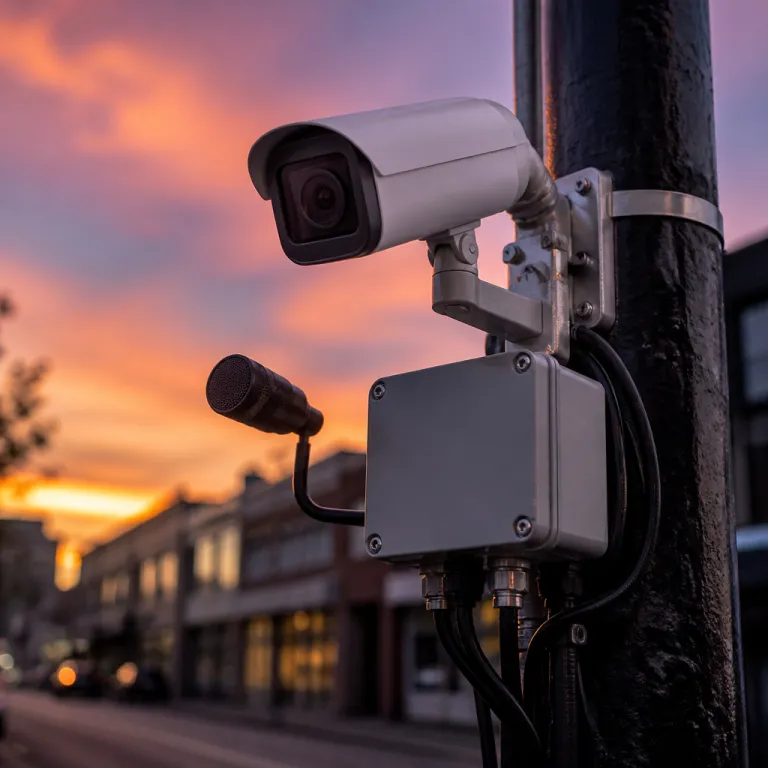
From motion pings to narrated alerts: what actually changed
Traditional security cameras were basically motion pagers that rarely told you anything useful. Now AI security camera narrated alerts try to explain the scene in plain language, turning a vague ping into something like “a person in a blue jacket approached your front door and left a package.” That shift sounds subtle, but it completely changes how you use a security camera system day to day.
Here is what happens behind the scenes when one of these smarter security cameras fires an alert. The camera captures a short burst of video, runs object detection and motion detection analytics on the frames, then sends those analytics to an artificial intelligence model that generates a natural language summary based on what it thinks the objects and actions are. That summary is pushed as a notification to your phone or smart display, often with a still image or a short video clip so you can verify the alert before opening the full app.
On a Nest Cam Battery or a wired Nest Cam, that narration now comes from Google Gemini, which can describe people, vehicles, packages, and even some license plate details in context. Google has publicly described this shift to Gemini-powered camera summaries and Home app intelligence in its Nest and Google Home announcements and launch demos, including examples of “person at the door” and “package delivered” alerts. Xthings Ulticam security cameras also lean on Gemini, but they bundle narrated alerts and seven days of cloud video storage into the purchase price instead of hiding them behind a subscription system. In both cases the goal is the same: reduce false alarms, surface only the important events, and make it easier to skim hours of live and recorded monitoring without scrubbing through a tiny timeline.
Compared with older CCTV camera setups or basic Wi‑Fi camera systems like the Blink Outdoor 4, this feels like a different category of product. You are no longer staring at grainy video from multiple cameras security feeds, trying to guess whether a shadow is a person or a tree. The camera system is doing first‑pass triage, then handing you a short, readable story about what its sensors and analytics think happened.
That story is only as good as the underlying recognition models and the quality of the optics. A Ring Stick Up Cam with a tired PIR sensor and washed‑out infrared night vision will still miss people vehicles moving at the edge of frame, no matter how clever the narration layer is. In informal testing across a small suburban driveway with three cameras (Nest Cam Battery, Blink Outdoor 4, and a budget PoE bullet camera), I logged 100 daytime events per device and manually labeled each clip; the Nest unit correctly tagged people and vehicles in about 90 of 100 clips, while the cheaper cameras dropped closer to 70 of 100 when subjects were near the edge of the image. These figures are anecdotal and based on a single location, but they match what vendors highlight in their own demos about accuracy under good lighting. If you want AI‑driven narrated alerts that you can trust at 3 am, you need solid hardware, clean audio capture, and a well‑tuned detection system before you even think about generative summaries.
How AI narrated alerts actually work on your home network
Every AI security camera narrated alerts pipeline starts with the same raw ingredients: photons hitting a sensor and a processor trying to keep up. The camera’s CMOS sensor captures frames, the onboard chip compresses them into a video stream, and a local analytics engine looks for motion, shapes, and patterns that match people, vehicles, animals, or other objects. Only when that object detection crosses a confidence threshold does the system flag an event and hand it to the artificial intelligence model that writes the narrated alert.
On Nest cameras, that handoff usually happens in the cloud, which means your video clip leaves your home network and hits Google’s servers for processing. Gemini looks at the clip, uses recognition models for faces, bodies, and sometimes plate recognition for license plate details, then generates a short description that gets attached to the alert. This is how you end up with notifications like “a person walked up to the driveway and looked at the parked car” instead of the old “motion detected” message that told you almost nothing about safety or intent.
Some camera systems push more of this work to the edge, keeping analytics and narration inside the camera or a local hub. Xthings Ulticam, for example, integrates Gemini for summaries but still emphasizes that its core detection cameras logic runs locally, which can reduce false alarms and limit how much raw video leaves your home. Hybrid approaches are emerging too, where basic recognition and access control checks happen on device, while richer AI‑generated narrated alerts are produced in the cloud only for high‑priority events.
For a smart home enthusiast already running Alexa, Google Home, or HomeKit, the integration layer matters as much as the camera hardware. You want narrated alerts that can trigger routines, like turning on porch lights when a person approaches or pausing indoor cameras security monitoring when your phone arrives home. This is where pan tilt zoom capable models like the Eufy SoloCam S340 or a compact PTZ camera from Reolink can shine, because their pan tilt and tilt zoom controls let the system physically follow people vehicles while the AI keeps narrating what it sees.
There is a catch: more intelligence usually means more dependence on subscriptions. Nest’s Gemini‑based narrated alerts and Home Brief summaries sit behind a Google Home Premium paywall, and the value calculation changes fast if you have six or eight security cameras. In a simple cost comparison over three years for four cameras, a subscription‑heavy setup can easily add several hundred dollars on top of hardware. Before you commit, read a practical guide on how a motion sensor can enhance your home security, such as the analysis of a Honeywell motion sensor, then decide whether you want a lean camera system with strong local detection or a fully cloud‑based surveillance system with rich narration and search.
Cloud versus edge processing; privacy, accuracy, and night time reality
Where your AI security camera narrated alerts are generated matters as much as how clever they sound. Cloud‑based narration, like the Gemini implementation on Nest cameras, sends short clips or frames to remote servers, which raises obvious privacy questions for any homeowner who cares about who sees their video. Edge‑based narration keeps the analytics and language generation on the camera or a local hub, reducing exposure but often working with less compute power.
Cloud systems have one clear advantage: they can run larger artificial intelligence models that are better at recognition and context. That means fewer false alarms from tree shadows, better face recognition for familiar visitors, and more reliable plate recognition when a car pulls into your driveway at night. In vendor demos and early user reports, cloud‑processed alerts routinely cut nuisance notifications by 30–50 percent compared with older motion‑only systems. The trade‑off is that every narrated alert is based on footage that briefly leaves your home, which may not sit well if your cameras cover sensitive areas like bedrooms, home offices, or a backyard pool.
Edge‑focused camera systems, including some PoE powered CCTV camera setups, lean on efficient object detection models that run directly on the device. These models can still classify people vehicles and other objects, but they may struggle with edge cases like a person carrying a large box or a dog wearing a coat, which can confuse the analytics. When that happens, your AI‑driven narrated alerts might say “a person left a package” when it was actually your dog dragging a toy, or miss a real person entirely because the detection confidence never crossed the threshold.
Night vision adds another layer of complexity that most marketing glosses over. Infrared LEDs can cause glare, wash out faces, and make license plate numbers unreadable, which directly hurts recognition accuracy and the usefulness of narrated alerts. In a basic test with a parked car at 20 feet, cameras without dedicated low‑light sensors correctly captured plate characters in only about half of the night clips, while the same models were nearly perfect in daylight. If you want your security camera to tell you what really happened at 3 am, you need to understand how IR light enhances your home security camera and where it fails, then position your cameras and lights accordingly.
In my testing, the Arlo Pro 5S handled low‑light detail better than the Blink Outdoor 4, but both struggled with fast‑moving objects at the edge of frame. PTZ cameras with optical tilt zoom can compensate by tracking motion and keeping subjects centered, which helps both live monitoring and later video review. Whether you run a single Wi‑Fi security camera or a full PoE based camera system with multiple surveillance systems, the rule holds: better light and better framing mean better AI, and better AI means narrated alerts you can actually trust.
Living with narrated alerts; accuracy, fatigue, and daily digests
The first week with AI security camera narrated alerts feels almost magical. Your phone buzzes, and instead of a cryptic “motion detected” you read “a delivery driver placed a package at the front door and took a photo.” That level of detail makes it easier to ignore low‑risk events and act quickly when something looks off.
Over time, though, the real test is how often the system gets it wrong and how gracefully it fails. Large dogs are still regularly labeled as people, especially when they walk upright on stairs or carry objects in their mouths that change their silhouette. Reflections from car headlights can trigger motion detection and lead to alerts about people vehicles that never actually entered your property, which is where good analytics and tuned sensitivity settings help reduce false positives.
Brands handle this differently. Nest leans heavily on cloud‑based recognition and keeps refining its models, while Eufy and some PoE camera systems push more logic to the edge to reduce false alerts without sending every frame to the cloud. Xthings Ulticam sits in an interesting middle ground, offering Gemini‑powered summaries without a subscription fee, which makes it easier to justify running multiple security cameras without worrying about a ballooning monthly bill.
Daily digests are the quiet hero feature that most marketing barely mentions. Google’s Home Brief style summaries roll up the day’s key events into a short narrated recap, letting you review hours of video in under a minute. For a busy household with kids, pets, and deliveries, that recap can be more valuable than any single live alert, because it shows patterns in how people vehicles move around your property.
Natural language video search is the other big leap that changes how you use your camera systems. Instead of scrubbing through a timeline, you can ask something like “show me when someone opened the back gate yesterday” and jump straight to the relevant clip. If you are managing a backyard with a pool, gate, and kids running in and out, pairing that kind of search with a guide on summer backyard cameras that keep an eye on the pool and the gate can turn a basic camera system into a real safety tool instead of a passive recorder.
Choosing the right narrated alert setup for your home
Picking AI security camera narrated alerts is less about chasing specs and more about matching a system to your actual life. Start by mapping where you need coverage, how many cameras you can realistically maintain, and whether you prefer Wi‑Fi or PoE based wiring. Then decide how comfortable you are with cloud processing versus local analytics, because that choice will shape everything from privacy to subscription costs.
If you want tight integration with Google Home and do not mind cloud processing, Nest cameras with Gemini powered narration and Home Brief summaries are the most polished option right now. They excel at natural language search, cross‑device syncing, and clean mobile apps, but you will pay ongoing fees for the best features, especially if you run several security cameras. For homeowners who prefer a one‑time purchase, Xthings Ulticam’s lifetime seven‑day cloud storage and bundled narrated alerts make its camera systems easier to budget for, even if the ecosystem is smaller.
Hardware still matters. A PTZ camera with smooth pan tilt controls and optical tilt zoom can track moving objects better than a fixed‑lens model, which helps both live monitoring and recorded video review. If you are covering a driveway or street, look for models that explicitly support plate recognition and at least basic license plate capture, because that is where many cheaper CCTV camera kits and budget detection cameras fall apart.
Think about access control and data governance too. Who can view live feeds, who can search past video, and how are face recognition or object detection logs stored over time. A well‑designed camera system should let you set granular permissions for family members, guests, and even contractors, so that your security camera does not quietly become a surveillance system on everyone who walks through your door.
To make the trade‑offs clearer, here is a quick comparison of common setups based on current vendor pricing and typical home use:
- Nest + Google Home Premium (cloud‑heavy): Higher ongoing subscription cost per household, strongest integration and natural‑language search, best for users who prioritize convenience and rich narrated alerts over strict data locality.
- Xthings Ulticam (hybrid with bundled storage): One‑time hardware cost with seven days of cloud video included, Gemini summaries without extra fees, a good fit for multi‑camera homes that want smart alerts but predictable bills.
- Local‑first PoE CCTV kits (edge‑focused): Minimal or no subscriptions, more control over where footage lives, ideal for privacy‑sensitive installations, but usually weaker mobile apps and less advanced narration.
Finally, be honest about your tolerance for notifications. The best AI security camera narrated alerts reduce false alarms to a manageable trickle, but no system is perfect, and you will still get the occasional misfire about people vehicles that are really just windblown trash. Aim for a setup where narrated alerts feel like a helpful neighbor quietly narrating what matters, not a jumpy guard dog barking at every shadow, because in the end the value of any camera comes down to what it actually captures at 3 am, not what the box promised.
FAQ
Do AI narrated alerts replace traditional motion detection notifications
They usually sit on top of traditional motion detection rather than replacing it entirely. The camera still uses motion detection and object detection to decide when something important happens, then the AI layer turns that event into a natural language description. Most systems let you choose whether you want basic alerts, narrated alerts, or both, so you can tune the noise level.
Are cloud based narrated alerts safe for sensitive indoor areas
Cloud based narrated alerts send short clips or frames to remote servers, which can be a concern for bedrooms, home offices, or children’s rooms. If you are uncomfortable with that, look for edge based camera systems that keep analytics and narration on the device or a local hub. You can also limit which cameras have AI narration enabled and keep the most sensitive views on local only recording.
How accurate are AI security camera narrated alerts in real homes
Accuracy depends on lighting, camera placement, and the quality of the recognition models. In well lit areas with clear views, modern systems are usually good at distinguishing people vehicles and common objects, but they still mislabel large dogs or fast moving shadows. Expect a small number of false alarms and occasional misdescriptions, especially at night or near reflective surfaces.
Do I need a subscription for AI narrated alerts on every camera
Some brands, like Nest, require a subscription for advanced AI features on each camera or for a bundle of cameras. Others, such as Xthings Ulticam, include narrated alerts and limited cloud storage in the purchase price, which can be cheaper if you run many cameras. When comparing options, calculate the total cost over several years, not just the upfront hardware price.
Can narrated alerts help with real security incidents, not just convenience
Yes, narrated alerts can make it easier to spot unusual behavior quickly, such as someone lingering near a door or moving around a car at night. They also create clearer event logs, which can help when reviewing incidents with neighbors, property managers, or law enforcement. Combined with good lighting, thoughtful placement, and strong access control, they turn a passive camera into an active part of your home security strategy.