
Summary
Editor's rating
Is the Tapo C210 good value for money?
Small plastic dome that blends in, with one annoying tilt quirk
Reliability, heat, and long-term use
Image quality, motion tracking and night vision: the real story
What this camera actually does in real life
As a pet cam, baby monitor and indoor security cam, does it actually help?
Pros
- Clear 2K image with good night vision for typical room sizes
- No mandatory subscription – SD card recording works fine for most people
- Pan/tilt with motion tracking and activity zones is genuinely useful for pets and indoor monitoring
Cons
- Limited downward tilt when placed high unless you mount it upside down or at an angle
- Audio quality and SD clip management are basic and a bit frustrating if you record a lot

Specifications
View full product page →| Brand | Tapo |
A cheap indoor cam that does more than I expected
I’ve been using the Tapo C210 for a while now as a general “keep an eye on the house” camera – part pet cam, part baby monitor, part basic security. I didn’t buy it to build a full CCTV system, just to check on the dog when I’m out and to get motion alerts at night. For the price, I honestly expected something a bit janky and annoying to use. It turned out to be more capable than that, with a few quirks you should know about.
Setup was pretty straightforward: plug it in, open the Tapo app, connect to Wi‑Fi, and that’s about it. No hub, no weird extra box. I already had Tapo plugs and bulbs, so it slotted into the app easily. If you don’t have anything from them yet, it’s still simple enough – it’s the usual QR-code / Wi‑Fi setup you see on a lot of smart devices. Took me maybe 5–10 minutes including a firmware update.
Day-to-day, I’ve been using it mainly in the hallway and sometimes in the living room. It’s done three jobs for me: watching the dog when we go out, acting as a poor man’s motion sensor at night, and occasionally checking if parcels have been dumped inside the front door. The 2K picture is genuinely clear enough to see what’s going on, including at night, and the motion alerts are pretty quick. Not instant every single time, but fast enough that I’m not staring at my phone waiting.
It’s not perfect though. The tilt angle is a bit limited if you put it high up, the audio is usable but not great, and the whole SD card recording system feels a bit basic in how it handles clips. But for what it costs, it’s a pretty solid little camera that gets the job done for most indoor uses. If you expect pro-grade CCTV quality or super polished software, you might end up a bit annoyed. If you just want a cheap, reliable eye in the room, it makes sense.
Is the Tapo C210 good value for money?
Price-wise, the Tapo C210 sits in that “budget but not junk” range. You’re not paying premium-brand money, but you’re also not in the ultra-cheap no-name territory. For what you get – 2K resolution, pan/tilt, night vision, motion tracking, AI detection, two-way audio, SD storage, and integration with Alexa/Google – the value is hard to argue with. Several Amazon reviewers basically said it outperformed what they expected at this price point, and I’m in the same camp. It’s not fancy, but it does a lot for the money.
The big value point for me is that you don’t need a subscription for basic use. You can just throw in a microSD card and you’re done. The cloud service is there if you want offsite backup or easier access to clips, but you’re not forced into a monthly fee just to see recordings. Compared to brands that lock most features behind a paywall, that’s a big plus. The downside is that the SD recording management is a bit crude – you can’t fine-tune recording length much or delete specific videos easily – but for most people, “it just records stuff and overwrites old footage” is enough.
Where the value drops a bit is if you start stacking up cameras or comparing it to slightly more expensive models. If you want perfect audio, more flexible mounting options, or better tilt range without hacks, you might end up looking at higher-end Tapo models or other brands. Also, if you’re going to rely heavily on cloud storage for security reasons, the ongoing subscription adds up over time and eats into the initial “cheap” feeling.
Overall though, for a single indoor camera to watch pets, kids, or a room in your house, the C210 is good value for money. It’s not the best camera on the market, but for the price bracket it’s in, it brings a lot of features and pretty reliable performance. If you’re on a budget and want something that mostly just works without constant upsells, it’s a sensible choice. If you’re very picky about image compression, audio quality, or perfect ergonomics, you might want to spend more.
Small plastic dome that blends in, with one annoying tilt quirk
The C210 is a small white plastic dome camera with a rounded base. It’s not pretty, but it doesn’t look ridiculous either. I’d call it “generic smart camera” design. It’s light (about 190g), and it’s compact enough to sit on a shelf without drawing too much attention unless the IR LEDs kick in at night, which are quite visible as little red dots. If you’re trying to hide it, you’ll want to think about placement, especially in dark rooms.
Build quality is what you’d expect for the price: all plastic, but nothing feels like it’s about to break. The pan and tilt motors are smooth enough; you can hear a slight whirring when it moves, but it’s not loud. It rotates around 360° horizontally and has a decent vertical range, but here’s where the design shows a weak spot. Several users (and I agree) complain that the downward tilt is limited if you simply put it on a high shelf. If you mount it above shoulder height pointing straight out, it struggles to see the floor close to the shelf. You end up missing what’s happening right under it.
The workaround people mention (and I’ve done this too) is mounting it upside down on the ceiling or at an angle using the included bracket. When it’s upside down, the tilt range effectively works better for seeing the floor. The app lets you flip the image, so it’s fine functionally, but it feels like the hardware design wasn’t fully thought through for typical “on a tall shelf” use. A simple angled mount in the box would have solved a lot of that.
Cable-wise, it’s a basic power adapter with a fairly standard length cable. It’s not USB-powered, which is a bit of a shame because it limits how flexible you can be if you already have USB power in certain spots. Still, for a simple indoor cam, the design is mostly practical: light, easy to place, wall/ceiling mount included, and it doesn’t scream “industrial CCTV” in your living room. Just be aware of that tilt limitation and plan your mounting spot around it.
Reliability, heat, and long-term use
In terms of durability and reliability, this is where cheap smart gear often shows its limits, but the C210 has held up reasonably well so far. It’s all plastic, but nothing feels wobbly or loose after repeated pan/tilt movements. I’ve moved it between rooms, mounted it both upright and upside down, and the base and joints haven’t given me any trouble. It’s light enough that if you knock it, it might shift position, but it hasn’t broken or done anything weird.
Heat-wise, the C210 runs warm but not worrying. One Amazon reviewer mentioned returning the supposedly “better” C225 partly because of heat concerns and said the C200/C210 felt more stable in that regard. I haven’t noticed it getting more than mildly warm, even when recording a lot at night or streaming live for a while. No random shutdowns, no reboots, no error messages so far. That’s more than I can say for some no-name cameras I’ve tried before that would freeze or drop off Wi‑Fi every couple of days.
On the software side, the Tapo app has been stable. The camera reconnects automatically after power cuts and Wi‑Fi drops, which is important. I’ve had it lose connection once or twice when my router was having a bad day, but it came back on its own without me needing to re-pair it. Firmware updates come through the app and install in a few minutes. That’s about as much as you can ask for from a cheap indoor camera: it just keeps chugging along in the background without babysitting.
The main durability risk is the SD card, not the camera itself. Because the camera writes a lot of small clips, cheaper SD cards may wear out faster over time. That’s not really the camera’s fault, but it’s worth using a decent-quality microSD if you’re planning to record 24/7. Physically, as long as you keep it indoors and don’t drop it, I don’t see any major weak point. The plastic shell is basic but fine, and the motors haven’t started grinding or skipping. For a low-cost device, I’d say durability and reliability are pretty solid, especially compared to the ultra-cheap random brands.
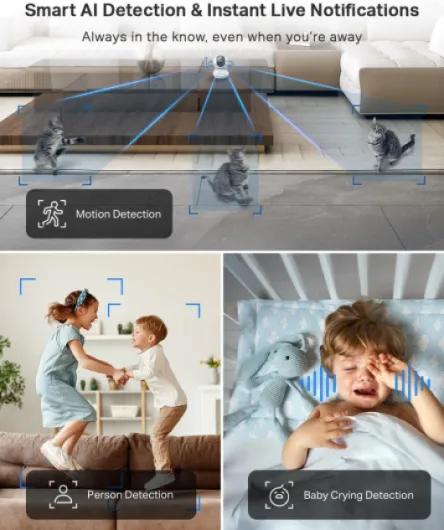
Image quality, motion tracking and night vision: the real story
In day-to-day use, the video quality is the main strong point of this camera. The 2K 3MP feed is clear enough that you can see facial expressions, what the dog is chewing, or if the baby is actually awake or just rolling around. Compared to older 1080p cheap cams I’ve used, the extra detail is noticeable when you zoom in a bit. That said, the bitrate is not super high, so during fast movement or when there’s a lot going on in the frame, you do see some compression and pixelation. It’s not unusable, just not “crystal clear” in every situation.
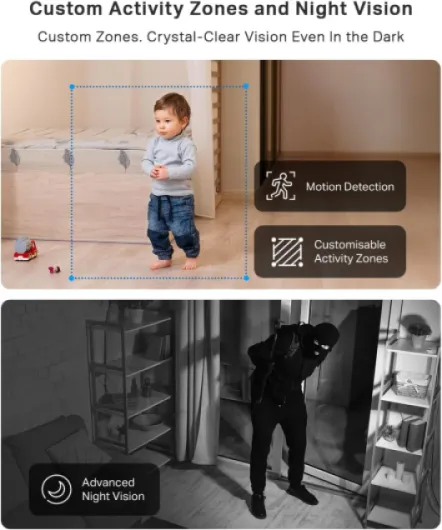
Night vision is genuinely decent. The spec says up to 10m/30ft, and in my living room (around 5m long) I can see the whole space clearly in total darkness. One user mentioned using it in a loft for mice, and I’ve had a similar experience in a hallway: black and white image, but sharp enough to see small movements. The catch is that if something is very close to the camera, it can blow out the exposure and make the rest of the room darker. Same with light from windows – sometimes it delays the switch to night mode or makes parts of the scene harder to see.
Motion detection and tracking are better than I expected for the price. The camera can follow a person or a pet moving around, and then return to the starting position. It’s not perfect – if movement is too fast or too close, it can lose track or over-rotate a bit. But for watching a dog walking around or someone passing through a hallway, it does the job. The alerts arrive on the phone fairly quickly, and you can tweak sensitivity and set zones to reduce false alarms. One Amazon user said it even alerts for moths in the loft, which matches my experience: at higher sensitivity, it picks up almost everything.
On the downside, the audio is mediocre. The built-in mic and speaker are fine for basic communication (“hey, get off the sofa”) but the sound quality is a bit muffled and slightly delayed. Don’t expect clean, natural audio. Also, the SD recording logic is basic: it tends to record a full minute once motion is detected, even if the actual movement was only a few seconds. Over time that fills the card with a lot of half-empty clips. You also can’t easily delete specific clips without reformatting. So performance-wise: video and detection are strong, night vision is good, motion tracking is useful, but audio and recording management are weak points.
What this camera actually does in real life
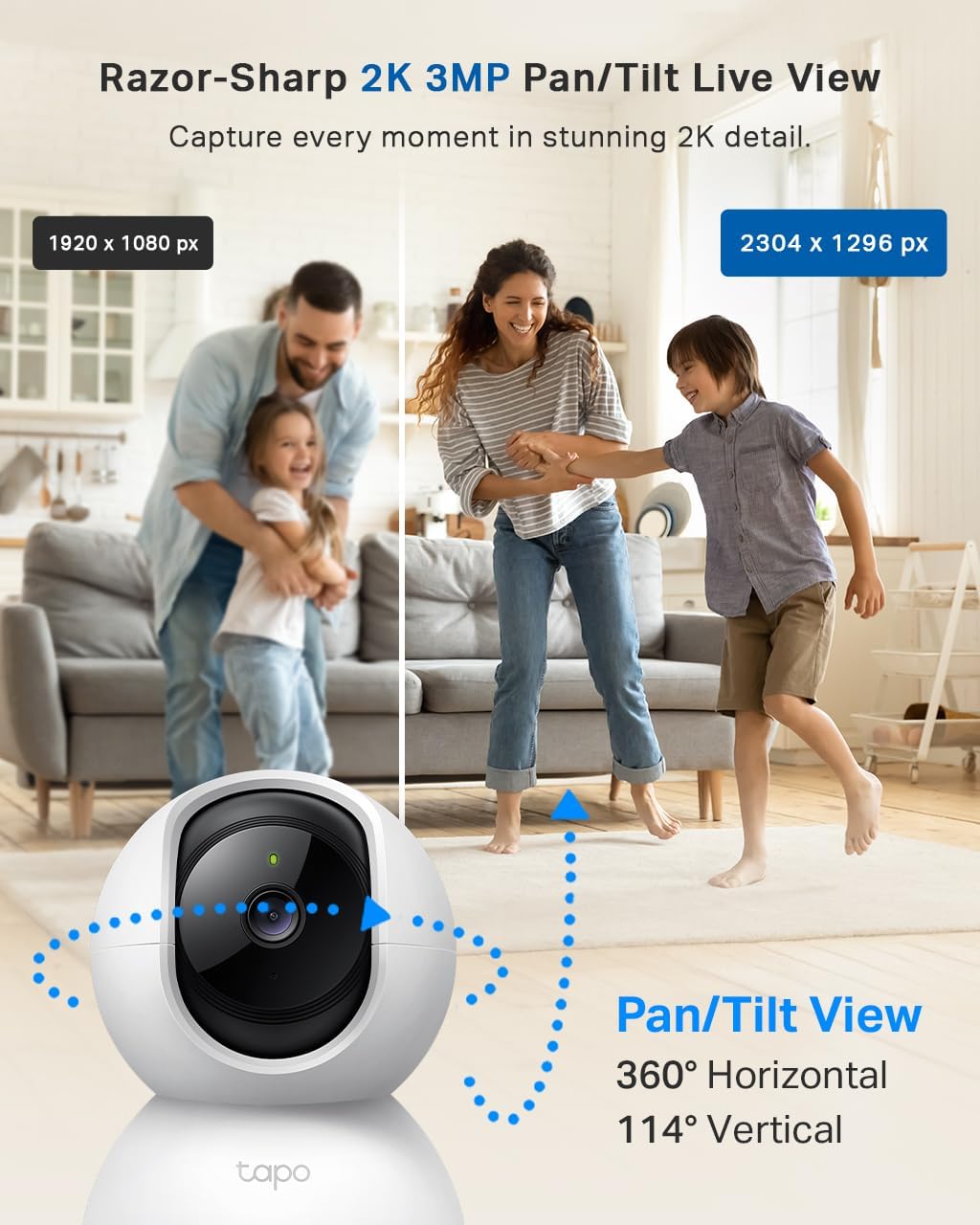
On paper, the Tapo C210 is a 2K (3MP) indoor Wi‑Fi camera with pan/tilt, night vision, motion tracking, AI detection (human and baby crying), two-way audio, and no forced subscription. In practice, here’s what that means: you can drop it in a room, see a clear live feed on your phone, swipe to move the camera left/right/up/down, talk through it like an intercom, and get notifications when something moves. It supports microSD cards up to 512GB, or you can pay for their cloud service if you care about offsite backups.
The 2K resolution is a noticeable step up from the old 1080p budget cams I’ve used. You can clearly see faces, read some text on boxes, and generally tell what’s going on without squinting. Night vision is black and white but sharp enough to see across a medium-sized room. One Amazon user mentioned using it in the loft to catch mice, and honestly I get it – the IR performance in total darkness is pretty solid for the price.
Function-wise, the camera can do a few things automatically: it can track motion (it physically pans to follow movement), it can send alerts based on motion or human detection, and you can set up “activity zones” so only part of the image triggers alerts. That last one matters if you’ve got windows or a TV in view, so you don’t get spammed whenever a car drives past outside. The tracking is not sci-fi-level precise, but for following a dog or a person walking through the room, it works fine most of the time.
One thing I appreciate is that local storage is actually usable. Stick a microSD card in and you can record continuously or on motion, and you don’t have to subscribe to anything. The cloud option exists, but it’s optional, which is rare these days. The downside is that managing recordings on the SD card is basic – you can’t really fine-tune clip length or clean up individual clips easily, which becomes annoying if you have lots of tiny motion events. Still, for a cheap indoor cam that ranks high on Amazon and has a ton of reviews, the feature set lines up pretty well with what normal people actually need.
As a pet cam, baby monitor and indoor security cam, does it actually help?
I’ve used this thing in three main roles: pet camera, basic baby monitor, and a light indoor security camera. For pets, it’s honestly one of the better budget options I’ve tried. The motion tracking works well enough to follow a dog around a room, and the 360° pan is handy if your pet likes to wander. One Amazon reviewer uses it in the hallway to watch their puppy and even set up smart actions so motion at night turns on a Tapo light. I tried a similar setup: motion after a certain time triggers a light for a few minutes. It works, and it’s surprisingly practical for late-night trips to the garden.
As a baby monitor, it’s decent but not perfect. The baby crying detection is a nice touch and does trigger when there’s a clear cry rather than just random noise. The night vision lets you see the crib clearly if you place the camera well. The two-way audio is okay for saying a quick word, but it’s not the warmest or clearest sound. Also, there’s no battery, so you’re tied to a plug, and it’s not a dedicated baby monitor with its own screen – you rely on your phone. If you’re fine with that and just want to check in visually and get alerts, it works. If you want rock-solid audio monitoring all night, a dedicated baby monitor might still be better.
For security, it’s a solid starter cam, but I wouldn’t rely on it as the only line of defense. It’s good for: seeing if someone is inside, checking on a pet sitter, and getting motion alerts when you’re away. The human detection helps filter out some nonsense alerts, but it’s still not perfect. Also, an intruder can just grab or smash the camera and your SD card is gone, unless you’re paying for cloud storage. So yes, it helps you keep an eye on things and might act as a deterrent, but it’s not a full security system. Think of it more as a cheap extra eye rather than a professional setup.
Overall, in terms of effectiveness, it gets the basic jobs done: you can see what’s happening, you get usable alerts, you can talk through it, and it works well with other Tapo gear for simple automations. If you go in with realistic expectations and treat it as a multi-purpose indoor cam rather than some high-end surveillance tool, you’ll probably be satisfied with how it performs across these different roles.
Pros
- Clear 2K image with good night vision for typical room sizes
- No mandatory subscription – SD card recording works fine for most people
- Pan/tilt with motion tracking and activity zones is genuinely useful for pets and indoor monitoring
Cons
- Limited downward tilt when placed high unless you mount it upside down or at an angle
- Audio quality and SD clip management are basic and a bit frustrating if you record a lot
Conclusion
Editor's rating
The Tapo C210 is a practical, low-cost indoor camera that does the basics well and throws in a few extras like motion tracking and AI detection. The 2K image is clear enough to be genuinely useful, night vision is strong for typical room sizes, and the motion alerts and tracking work well for pets and people. Setup is simple, the Tapo app is straightforward, and you don’t get forced into a subscription if you’re happy using a microSD card for storage.
It’s not flawless: the tilt angle is annoying if you want it high up and pointing down without flipping it, the audio is just okay, and SD recording management is pretty basic. It’s also not a full-blown security system – if someone smashes or steals the camera, your local footage is gone unless you pay for the cloud option. But as an everyday tool to check on your dog, watch the baby’s room, or keep an eye on a hallway or living room, it gets the job done without much hassle.
If you want a cheap, reliable indoor cam that integrates with Alexa/Google and maybe other Tapo devices, this is a good pick. If you’re chasing top-tier audio, advanced clip management, or pro-level security features, you’ll need to look higher up the price range. For most home users who just want a simple eye on things, it’s a solid, sensible buy.