
Summary
Editor's rating
Value for money: where it shines and where it cuts corners
Small plastic dome that blends in, with some practical touches
Build quality and reliability after ongoing use
Image quality, tracking and alerts: how it actually behaves
What this camera actually offers in real life
As a pet / baby / home camera, does it actually help?
Pros
- Good 2K image quality in both day and night for the price
- Local SD card recording without forcing a cloud subscription
- Pan/tilt covers a whole room and tracking is handy for pets
Cons
- App is clunky for downloading and managing recordings
- Initial Wi‑Fi setup can take several attempts and feels fussy
- Motor noise is clearly audible when panning/tilting and picked up by the mic

Specifications
View full product page →| Brand | wansview |
A budget pet cam I actually kept using
I picked up the Wansview Q5 mainly to keep an eye on my dog when I’m out and to double it up as a basic indoor security camera. I’ve tried a couple of cheap no-name Wi‑Fi cameras before, and most of them ended up in a drawer after a week because the apps were painful or the connection kept dropping. With this one, I’ve actually kept it plugged in and running, which already says a lot for a budget cam.
In daily use, the camera sits on a shelf in my living room, pointing towards the sofa and the main door. I’ve also moved it to the bedroom a few nights just to see how it behaves in low light and how annoying (or not) the night vision is. I’ve tested it on Android, with both live viewing and SD card recording, and I’ve played around with motion alerts, tracking and two‑way audio.
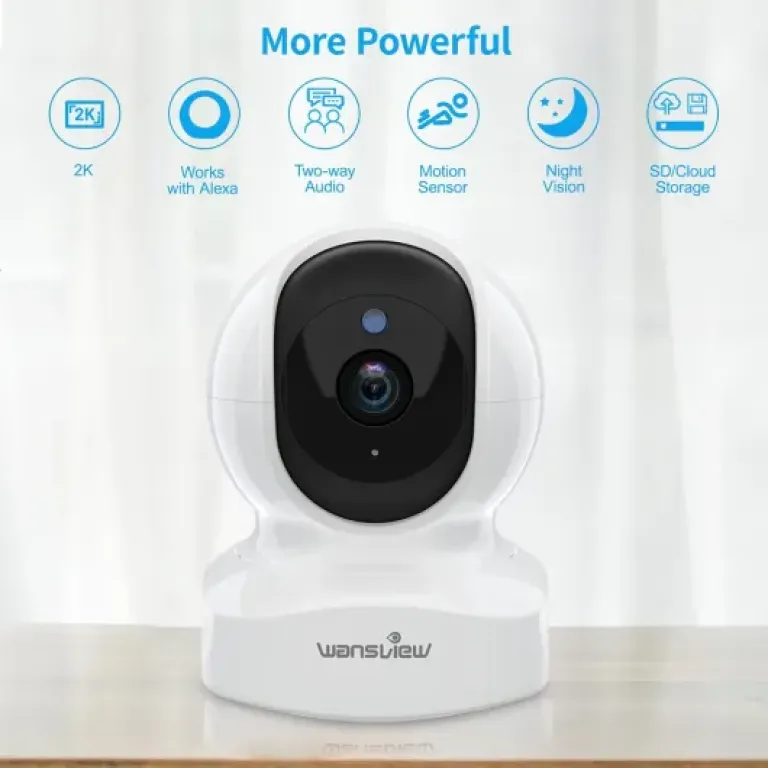
From a practical point of view, the Q5 tries to tick a lot of boxes: 2K resolution, pan/tilt, night vision, local storage, optional cloud, Alexa/Google support, motion tracking… all for a low price. Obviously, at this price, it’s not perfect. The app has a few clunky bits, and there are small things that could be better thought out, especially around notifications and video management.
But if you just want to know whether your pet is wrecking the house or whether the kids are back from school, it basically works. The real question is whether the compromises are acceptable for you: setup, app experience, and some noise from the motor when it moves. I’ll break all that down in the sections below, in plain terms, like I’d explain it to a friend thinking about buying one.
Value for money: where it shines and where it cuts corners
For the price this thing usually sells at (often under £30 and sometimes closer to £20), the value is honestly good. You get 2K resolution, pan/tilt, night vision, local SD storage, optional cloud, two‑way audio, and app control. A lot of similarly priced cameras either lock key features behind a subscription or have much weaker apps. Here, you can run it fully on local storage and never touch the cloud, which is a big plus if you hate subscriptions.
Compared to more expensive brands like Arlo, Nest or Ring, you obviously lose some stuff: no advanced AI detection, no tight integration with big ecosystems, and the app is clearly less polished. But those systems can cost several times more and often pretty much require a subscription to be useful. If your expectations are “cheap, functional indoor cam I can check from my phone,” the Wansview Q5 makes sense. If you’re looking for a full smart home security platform, it’s not that.
Where the low price shows is mainly in software and user experience. The app works, but things like downloading clips, managing timelines, and fine control over notifications are a bit rough. You can’t batch download videos, the internal gallery system is a bit confusing at first, and some options are not where you’d expect them. It’s the kind of app you get used to after a week, but it will annoy you a bit the first days. The hardware trade‑offs (plastic body, audible motor, basic speaker) are expected at this budget and, in my opinion, easier to accept than a messy app.
If I compare it to some random no‑name cameras I’ve tried in the same price range, the Q5 feels like a safer bet. The brand at least offers updates and support, and several people mention decent customer service when something went wrong. For a low‑cost camera you might want to repeat around the house, that matters. So overall, in terms of value, I’d say: strong if you want cheap but capable indoor coverage, weaker if you’re picky about software polish or need more professional features.
Small plastic dome that blends in, with some practical touches
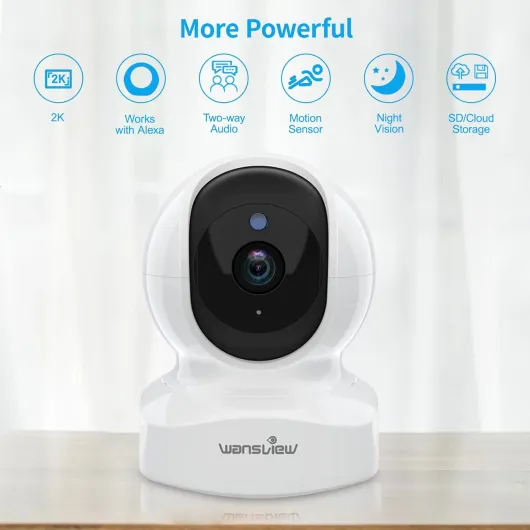
The design is pretty standard for an indoor pet/baby cam: a white plastic dome on a small base, with the lens sitting in a black inner sphere that rotates. It’s not fancy, but it doesn’t scream “industrial CCTV” either. On a shelf, it just looks like a little gadget next to a speaker or a router. If you’re picky about decor, it’s neutral enough that it doesn’t ruin the room. The footprint is small (roughly the size of a big coffee mug), so you can easily hide it behind a plant or a picture frame if you want it less visible.
One thing I liked is the flexibility in mounting. Out of the box, you can just stick it on a flat surface, but it also comes with a wall/ceiling mount and a bendable arm. You can mount it upside down under a shelf or on a wall and then tell the app that the image is reversed, and it corrects it. That’s handy if you want a higher angle or to look over a larger area like a living room. The mount isn’t heavy‑duty, but for a light plastic cam like this, it’s enough. It’s also standard tripod‑style threading, so you can get creative and put it on other mounts if you have them.
The pan/tilt controls are all done through the app. The camera can rotate horizontally to basically cover 360° and tilt up and down enough to see from floor to ceiling in a normal room. In practice, that means you don’t need two or three fixed cameras; one of these in a central spot can do the job. The only minor annoyance is that when you move it, you hear the little motor inside. It’s not super loud, but in a quiet room you do notice it, and the built‑in mic picks it up, so on the live stream you hear this small buzzing while you pan/tilt.
Overall, the design is practical and discreet, not pretty or premium. The cable is a basic white USB power lead with a plug, long enough for most setups but not crazy long, so you might still need an extension lead depending on where your sockets are. No battery inside: it needs to be plugged in all the time. For an indoor cam that just sits there, that’s fine, but don’t expect to move it around wire‑free. If you want something that looks fancy or metal, this isn’t it; if you just need a small unobtrusive camera, it does the job.
Build quality and reliability after ongoing use
In terms of build, the Wansview Q5 is clearly a budget plastic device, but nothing about it feels like it’s going to fall apart in a week. The housing is light, the joints for pan/tilt feel reasonably solid, and the base is stable enough as long as you don’t yank the cable. I wouldn’t let kids play with it, but for a static camera sitting on a shelf or mounted on a wall, it feels fine. It’s indoor‑only, so don’t put it outside or in a very humid area; the water resistance rating is basically none, despite what some generic specs might suggest.
I’ve run it for long stretches (several days in a row) without turning it off, and it didn’t overheat or start acting weird. The body gets slightly warm, which is normal for a powered camera. The motor for pan/tilt is the main moving part, and while you can hear it, it doesn’t sound like it’s grinding or struggling. Time will tell how it behaves after a year or two of daily movement, but given the price, I’m not expecting industrial‑grade durability. That said, there are plenty of user reviews from people running them long term without major issues, which is reassuring.
The electronics side seems stable once you get through the initial setup. The camera holds the Wi‑Fi connection well; I didn’t have random disconnects as long as the router signal was decent. A few users mention setup taking multiple attempts, and I had the same: the first pairing to Wi‑Fi took several tries even with the camera right next to the router. Once it’s paired though, it stays paired. I also had one small glitch with day/night switching once, which went away after a reset. Nothing dramatic, but it shows you’re not dealing with a premium ecosystem.
There’s a 2‑year manufacturer warranty, which is decent for this price bracket. Still, I’d treat this as a camera you buy expecting 2–3 years of use, not something you want to keep for a decade. The SD card slot is inside the camera head and feels okay; just don’t swap cards every day, the plastic tab isn’t meant for constant abuse. Overall, I’d call the durability acceptable for a cheap indoor cam: not fragile, not tank‑like, just middle of the road. If you’re gentle with it and don’t move it around constantly, it should hold up fine.
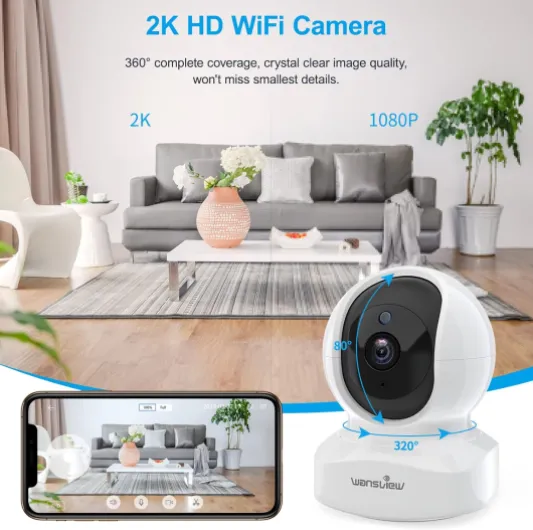
Image quality, tracking and alerts: how it actually behaves
On the performance side, I’d say the Q5 is pretty solid for the price, with a few quirks you need to know. Daytime image quality is clean and sharp enough to clearly see faces, read big labels and see what pets are doing. The 2K resolution gives you a bit more room to zoom in compared to older 1080p cams. On my phone, the stream loads in a couple of seconds on Wi‑Fi and maybe 3–5 seconds on 4G/5G. There’s a tiny delay, but nothing dramatic; you can more or less follow what’s happening in real time.
At night, the infrared kicks in automatically when the room gets dark. The black‑and‑white image is quite clear up to the advertised 8 metres, at least in my flat. You can easily see a person walking around or a pet moving on the floor. The IR LEDs are not super bright to the eye, so you don’t get that strong red glow some older cameras had. If you point the camera through a window, you’ll want to turn off the IR in the app, otherwise the reflection will mess up the picture. In a normal indoor setup, it’s fine. Some users said the night mode sometimes switches on a bit early; I’ve seen it once or twice when the room was still fairly bright, but you can tweak this in the settings.
Motion detection works, but you need to tune the sensitivity. On the default setting, it picked up my dog walking around (which is intended) but also reflections from the TV and light changes from the window. Once I lowered the sensitivity, it was more reasonable. The intelligent tracking is actually quite handy with pets: when my dog moved across the room, the camera followed him decently most of the time. The weak point is that if the camera loses the subject (e.g. dog goes behind furniture), it just stops at the last position and doesn’t return to a “home” position automatically. I’d really like a setting to tell it to go back to a favourite position after a while.
Alerts on the phone come through reliably, but if you set it too sensitive you’ll get spammed, especially if you point it at a TV or a window with a lot of movement outside. There’s no person detection vs pet detection at this price; it’s just motion. The audio performance is mixed: the microphone is very sensitive, it picks up keyboard clicks and small noises from several metres away, which is good. The speaker is decent but a bit tinny, fine for saying “hey, get off the sofa” to the dog, but don’t expect clear conversations over it. Also, when the camera pans or tilts, the mic clearly picks up the motor noise. Not a deal‑breaker, but you hear it.
What this camera actually offers in real life
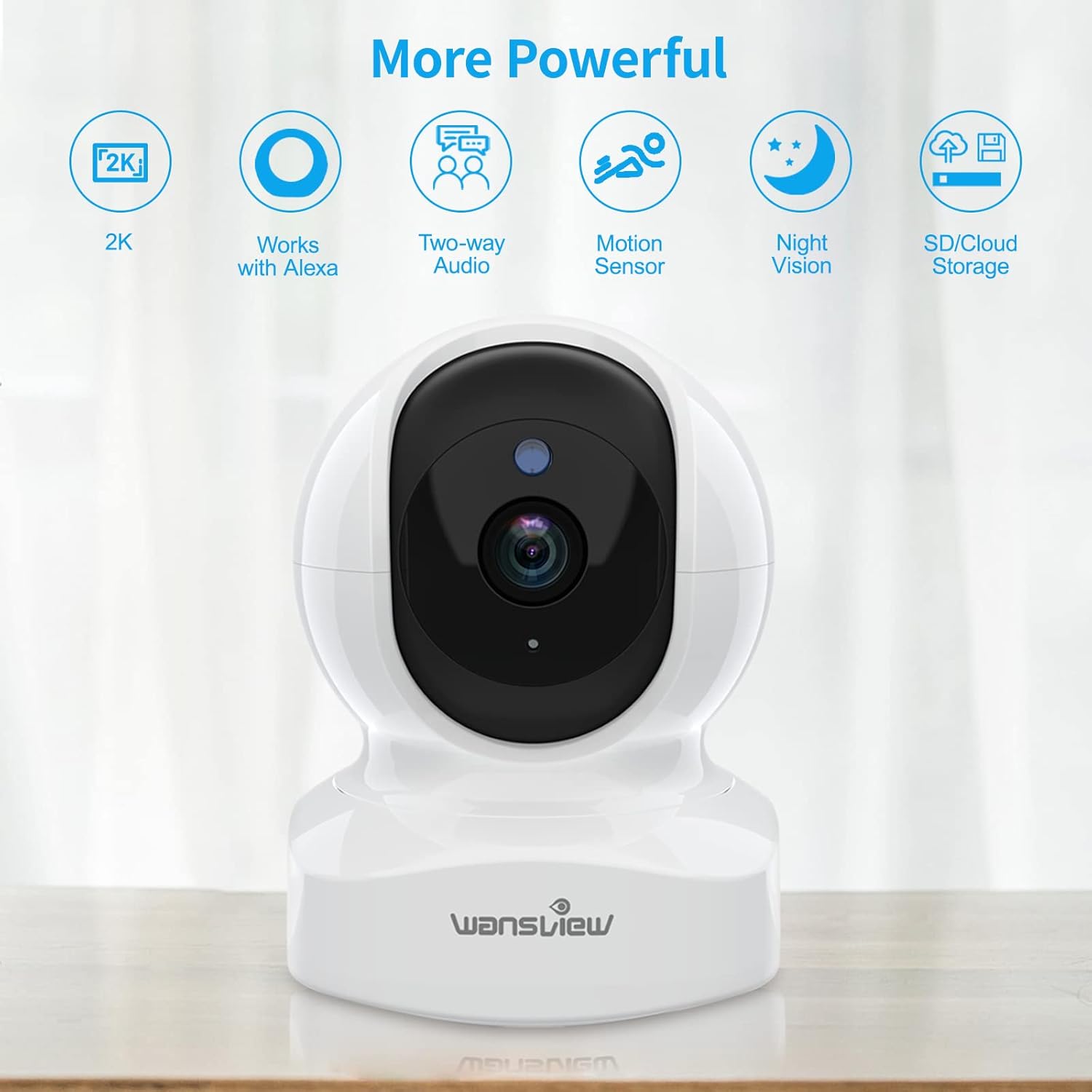
On paper, the Wansview Q5 is a 2K indoor dome camera with Wi‑Fi (2.4 GHz only), pan and tilt, night vision, motion detection with tracking, and two‑way audio. In real life, that translates to a small ball‑shaped camera you plug into the wall, connect to your Wi‑Fi through the app, and then you basically use your phone as the remote control and screen. It records either on a microSD card (up to 128 GB) or in the cloud if you pay for their service, but you can also just use it live with no recording if you prefer.
The image resolution is 1296p (so roughly 2K), which is a step up from the classic 1080p cheap cams. You notice it mostly when you zoom in on the image: faces, pet details, and small objects are a bit clearer and less mushy than on basic Full HD cameras. It’s not some crazy ultra‑sharp thing, but for checking if your dog is chewing the sofa or if a door is open, it’s more than enough. The field of view is wide (about 125°), and with the pan/tilt you basically cover a whole room if you place it halfway decently.
In terms of features, the camera tries to be fairly complete: you get motion alerts on your phone, intelligent tracking where the camera follows movement, and two‑way audio so you can speak from your phone and your voice comes out of the camera. It also integrates with Alexa and Google Assistant if you want to pull up the stream on a smart display. Personally, I mostly used the app only and didn’t bother linking it to a voice assistant, but the option is there.
What stands out for this price range is that you’re not forced into cloud storage. You can throw in an SD card and let it record on motion, which is what I did. Cloud is there if you want it, but it’s not shoved down your throat like some brands do. On the downside, the app around all these features is usable but not perfect: some menus are a bit hidden, and downloading footage to your phone or PC is more tedious than it should be. Still, once you understand where things are, it’s manageable, just not very polished.
As a pet / baby / home camera, does it actually help?
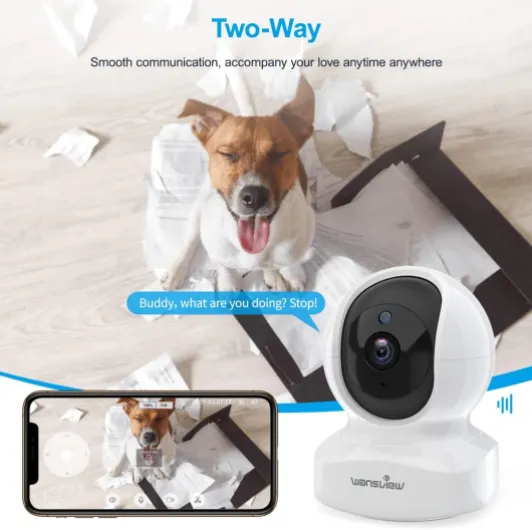
Functionally, the Q5 does what most people want from this kind of camera: it lets you check what’s going on at home quickly, talk through it if needed, and review motion clips if something happened. For pet monitoring, it’s honestly quite handy. I used it to see if my dog was barking or pacing when I left, and to check if he was actually on his bed or sneaking onto the sofa. The tracking helps because the camera will follow him across the room instead of pointing at one static spot. Being able to shout a quick “down!” through the speaker is a nice bonus, even if the sound quality is not perfect.
As a basic baby monitor or elder‑care cam, it can work, but you need to be okay with using your phone as the screen and relying on Wi‑Fi. It’s not a dedicated baby monitor with its own handheld unit. If your internet or Wi‑Fi is flaky, you’ll feel it. For my testing, the connection was stable once set up, but setup itself took me a few tries the first time. After that, reconnecting after power cuts or unplugging the camera was smooth: it came back online by itself and showed up in the app.
For home security, I’d call it a decent indoor layer but nothing more. You get motion clips on the SD card or cloud, and the real‑time alerts are useful if someone walks into a room when you’re away. However, there’s no siren, no integration with door sensors, and the app isn’t built like a full alarm system. It’s more: “I want to see if someone is in my living room” than “I want to arm a full security system.” The image quality is good enough to identify a person in the room, especially if they’re not too far from the camera.
Where it’s less effective is around footage management. If you want to download and keep clips, the process is a bit clumsy. You have to go into the app, find the clip, save it inside the app’s own gallery, then export it to your phone, one by one. On Android, the files end up in a Wansview folder that you then have to dig through. It works, but if you’re the type who wants to regularly archive videos on a PC, it gets old fast. For just occasional use (pulling a few clips per month), it’s acceptable. Overall, as a general monitoring camera, it’s effective; as a tool for heavy video management, it’s less fun.
Pros
- Good 2K image quality in both day and night for the price
- Local SD card recording without forcing a cloud subscription
- Pan/tilt covers a whole room and tracking is handy for pets
Cons
- App is clunky for downloading and managing recordings
- Initial Wi‑Fi setup can take several attempts and feels fussy
- Motor noise is clearly audible when panning/tilting and picked up by the mic
Conclusion
Editor's rating
The Wansview Q5 is a straightforward, budget‑friendly indoor camera that mostly focuses on doing the basics right: clear enough 2K image, solid night vision, pan/tilt that actually covers a whole room, and the option to record everything locally on an SD card without paying a monthly fee. For watching pets, checking in on kids, or adding a simple extra eye in the living room, it gets the job done with minimal fuss once you’ve set it up. The tracking is useful for moving pets, and the two‑way audio, while not hi‑fi, is good enough to quickly talk through the camera.
On the downside, you clearly feel the price in the software and small details. The app works but feels a bit clunky, especially when you want to download and manage clips. Setup can be a bit stubborn the first time, and the camera’s motor noise is noticeable when it moves. There’s no advanced smart detection or proper security system integration; it’s just a simple motion‑based indoor cam. If you want deep smart home features or a super polished experience, you’ll probably be happier paying more for a higher‑end brand.
If you’re after a cheap, practical camera for indoor monitoring and you’re okay with a slightly rough app, this is a solid option. It’s good value for money and easy to recommend to someone who just wants to keep an eye on their pet or living room from their phone. If you’re building a full security setup or you hate any kind of software friction, you might want to look at more expensive alternatives with better ecosystems.