
Summary
Editor's rating
Is it worth the money compared to other cams?
Cute plastic UFO with optional ears – but practical
Power: no battery, picky about chargers
Build quality and long-term feel
Image quality, tracking and AI: how it actually behaves
What this camera actually does in real life
As an actual security tool, does it do the job?
Pros
- Sharp 4K dual-lens image with useful 9x hybrid zoom and full 360° pan/tilt
- Acts as a Matter bridge and Zigbee/Thread hub for Aqara devices, reducing the need for extra hubs
- Local AI detections (face, pet, sounds) and physical privacy mode that hides the lens
Cons
- No power adapter included and picky with some USB‑C chargers
- Full PTZ and best zoom quality only available through the Aqara app, limited in Apple Home and other platforms
- App is a bit cluttered and has a learning curve for automations and advanced settings

Specifications
View full product page →| Brand | Aqara |
A 4K security cam that’s also your smart home hub
I’ve been using the Aqara 4K UHD Dual-Lens Camera Hub G350 for a few weeks as my main indoor camera in the living room. I bought it mostly for two reasons: the 4K image with zoom, and the fact it acts as a hub for other Aqara / Matter gear. I already have some Aqara sensors, so it made sense to try a camera that could also centralise everything instead of adding yet another separate hub.
In day-to-day use, it’s not a magic product, but it’s pretty solid overall. The image quality is clearly above the cheap 1080p cams I had before, and the pan/tilt with auto-tracking actually gets used, instead of being a gimmick I forget about. The catch is that you really need to use the Aqara app to get the best out of it; Apple Home, Alexa, Google etc. only give you part of the features right now.
What surprised me the most is how much is done locally: face/pet detection, sound detection, gesture control… all that runs on the camera itself. In practice, this means notifications are fairly quick and you’re not forced into a cloud subscription, which I appreciate. On the flip side, the app is a bit busy and there’s a learning curve to find all the settings and automations.
If you’re just after a simple plug-and-play camera, this might feel overkill and slightly fiddly at setup, especially with the two QR codes (Aqara vs Matter) and the missing power adapter. But if you’re already a bit into smart home stuff, or you want a camera plus a hub in one box, it starts to look like decent value. It’s not perfect, but it gets the job done and feels like it has room to grow with updates.
Is it worth the money compared to other cams?
From a value perspective, the G350 sits in that mid-to-upper range of indoor cameras. It’s not as cheap as basic 1080p cams from Wyze or generic brands, but it also offers more: 4K dual-lens, proper 360° pan/tilt, local AI, and the whole Matter/Zigbee/Thread hub function. If you only need a simple fixed-view cam to watch a door, then yes, this is probably overkill and you’d be paying for features you won’t use.
Where it starts to make sense is if you already have or plan to have Aqara sensors (door, motion, temp, switches) and you want one device to act as both camera and hub. Instead of buying a separate Aqara hub plus a separate camera, you get both in one. For me, that was the main selling point and it does pay off: I use it as the central bridge for several Zigbee devices and expose them to Apple Home via Matter, which would normally require another box.
Another plus in terms of value is the storage policy. You’re not forced into a subscription to unlock basic features. Local SD recording, NAS backup, and local AI detections all work without monthly fees. You can add Aqara’s cloud if you want, or use Apple’s iCloud with HomeKit, but it’s optional. Compared to brands that lock person detection or longer history behind a paywall, that’s a clear advantage.
On the downside, you have to factor in: no included power adapter, slightly messy app, and limited PTZ control from third-party platforms. If you live in Apple Home and hate using vendor apps, you’ll be paying for a lot of features that are basically trapped inside the Aqara app. So in my opinion, value is good but not mind-blowing. It’s a strong choice for Aqara users or people who want a 4K PTZ cam with local AI and hub functions. For someone who just wants a simple HomeKit cam with rock-solid Apple integration and doesn’t care about PTZ, there are cheaper and simpler options.
Cute plastic UFO with optional ears – but practical
The design is pretty straightforward: a white, rounded camera that rotates on its base, with a removable silicone cover that gives it little “ears”. Out of the box, it honestly looks a bit like a toy, especially with the ears on. I ended up taking the silicone cover off after a few days because I prefer something more neutral on a shelf. Without the ears, it looks like a regular smart cam and blends in better with other gear.
Size-wise, it’s not huge: about 8.5 x 6.6 x 12.4 cm and roughly half a kilo. It feels dense enough that it doesn’t slide around when it pans quickly. The base has mounting options for wall or ceiling, and you can hang it upside down if needed, then flip the image in the app. I tried it both on a TV stand and mounted high up near the ceiling; the 360° pan and tilt meant I could cover the whole room in both cases without blind spots.
One design choice I really liked is the physical privacy mode. When you activate it, the lens literally retracts inside the body, so you can see it’s not filming. It’s not just a software “privacy” toggle where you have to trust the app. I ended up putting this on an automation: when I’m home, lens hides; when I leave, it opens. It’s a simple thing, but it makes it easier to accept having a camera in the living room.
On the downside, there’s no built-in power adapter, just a USB‑C to USB‑C cable. The camera is picky with some “smart” chargers (like some Apple ones that negotiate power), which is annoying. I had to try two adapters before finding a simple 5V one that worked reliably. For a device at this price, I would have preferred a basic, known‑compatible adapter in the box. Also, don’t expect fancy materials: it’s all plastic. It doesn’t feel cheap or fragile, but it’s clearly a functional design, not some premium object you show off.
Power: no battery, picky about chargers
Let’s be clear: this camera has no internal battery. It needs to be plugged in 24/7 via USB‑C, and it draws around 2.2 W at 5 V. For most people, that’s fine – it’s meant to sit on a shelf or be mounted on a wall, not carried around. But if you were hoping to run it on battery or move it from room to room without cables, that’s not going to happen. It’s a fixed installation device.
The more annoying bit is the lack of power adapter in the box and the fact that it can be picky with some chargers. Aqara gives you a USB‑C to USB‑C cable, but no plug. One Amazon reviewer mentioned it doesn’t accept some “intelligent” Apple chargers, and I had a similar issue with a multi-port GaN charger: sometimes the camera just wouldn’t power on or would reboot randomly when the charger tried to negotiate power for other ports. When I switched to a simple 5V/2A USB‑C adapter, everything was stable.
This is the kind of thing that’s not a big deal for tech-savvy users with a drawer full of chargers, but it’s a pain if you just want to plug and forget. Aqara doesn’t clearly state in big letters what exact type of adapter you should use, which leads to confusion. A simple 5V USB‑C wall wart in the box would have saved everyone some time. So budget for a basic adapter if you don’t already have one that’s known to be dumb and stable.
Once you have the right adapter, power-wise there’s nothing special to report: it runs cool, I haven’t had overheating or random shutdowns with the proper charger. Energy consumption is low enough that leaving it on 24/7 isn’t going to blow up your electricity bill. But again, no battery backup: if the power goes out, the camera is dead, and so is the hub function for your Aqara devices. If you need resilience, you’ll want to plug the whole thing (router + camera + hub) into a small UPS.
Build quality and long-term feel
In terms of build, the G350 feels solid enough for indoor use. It’s all plastic, but the parts fit well, nothing creaks when you move it, and the pan/tilt mechanism doesn’t feel flimsy. I’ve had cheaper cameras where the head wobbles slightly or the motor sounds like it’s grinding. Here, movement is smooth and the noise is present but not excessive – you can hear it if the room is quiet, but it’s not loud or annoying.
After a few weeks of daily use, with plenty of manual pan/tilt and some auto-tracking, I haven’t noticed any play in the mechanism or misalignment. It still returns accurately to its presets. That’s a good sign, but of course I can’t speak for years of use yet. Aqara offers a 2‑year manufacturer warranty, which is at least some reassurance they expect it to last more than a few months.
The removable silicone “ears” cover seems durable too, but it’s purely cosmetic. I took it off early on and tossed it in a drawer. The main body is easy to wipe clean with a cloth; the matte plastic doesn’t show fingerprints much. It’s an indoor-only device, so don’t even think about putting it outside on a balcony or in a humid environment – it’s not rated for that, and I doubt it would handle moisture or dust very well over time.
The SD card slot is inside the camera head, and you don’t need to force anything to open it. I’ve swapped cards a couple of times without any problem. The USB‑C port feels okay, not loose, but I wouldn’t plug and unplug it ten times a day either. My main concern long term would be the motor and gears for pan/tilt, since that’s what usually dies first on moving cameras. So far, no signs of strain, and it doesn’t get hot, which is a good sign. Overall, I’d call the durability decent for the price, but it’s still a plastic indoor gadget, not an industrial piece of gear.
Image quality, tracking and AI: how it actually behaves
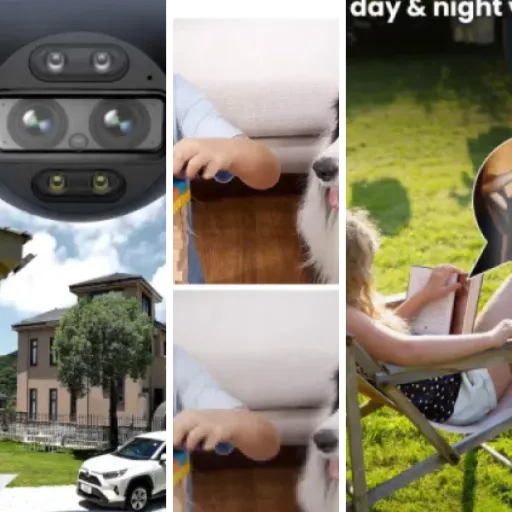
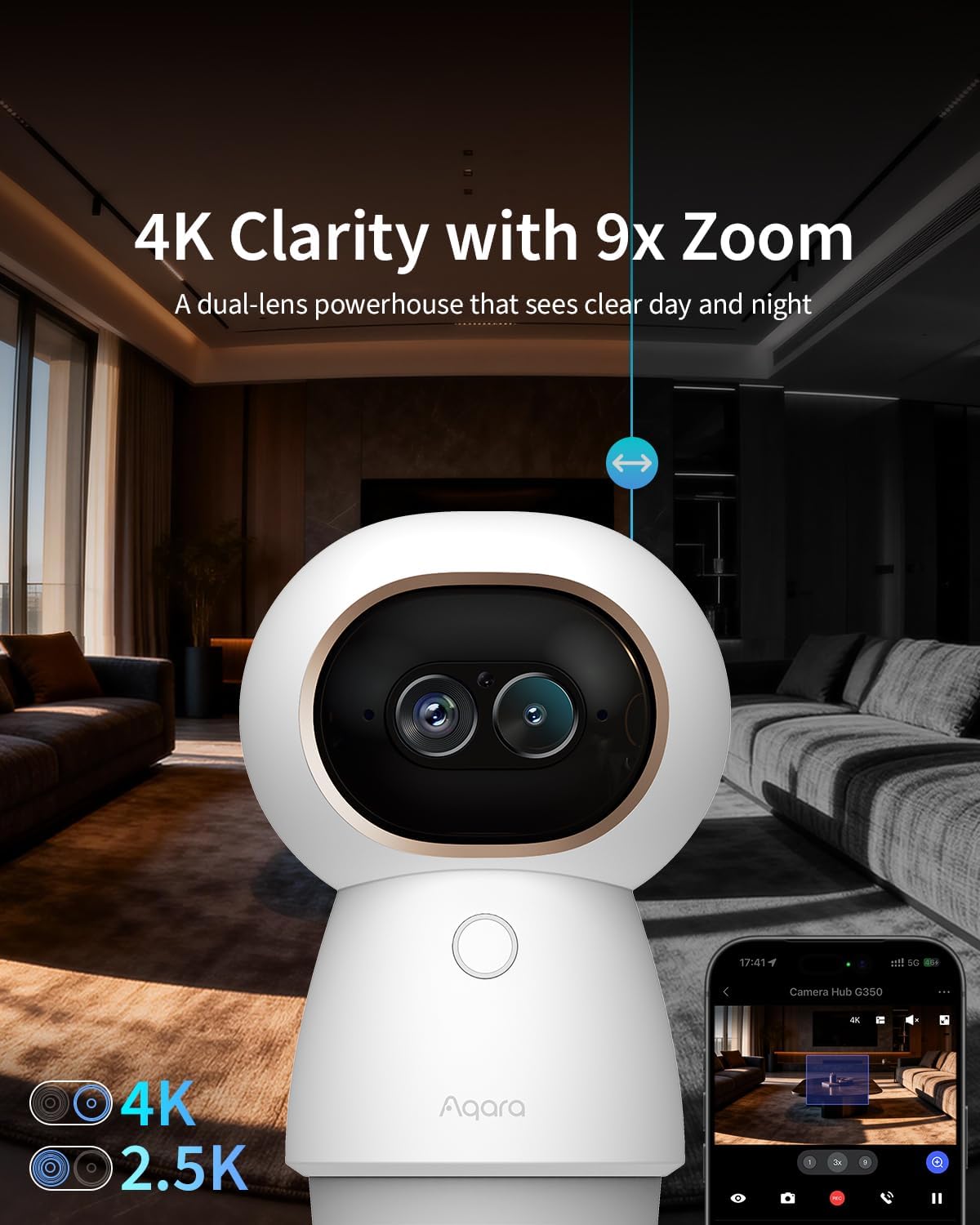
In terms of pure image quality, the G350 is clearly a step up from the usual 1080p cams. The 4K wide lens and 2.5K telephoto combo give you a sharp picture in daylight, and even at night the f/1.6 aperture plus 940 nm IR LEDs keep things readable without that bright red glow some cameras have. I did a similar test as one of the Amazon reviewers: A4 sheet with letters on the wall about 4 meters away. With the Aqara app and 9x zoom, I could still read the larger letters without too much effort. It’s not crystal clear like a DSLR, but for a security cam, it’s decent.
Where it falls a bit short is when you view it through Apple Home. Apple compresses and resizes the feed, so zooming in from the Home app looks much blurrier compared to zooming from the Aqara app. A workaround is to set the zoom from Aqara, then look at it in Apple Home; in that case, the quality is better. But that’s a bit of a hack and shows that integration still isn’t perfect. Also, Apple Home currently doesn’t support pan/tilt or zoom controls for this camera, so you’re stuck with a static view unless you open the Aqara app.
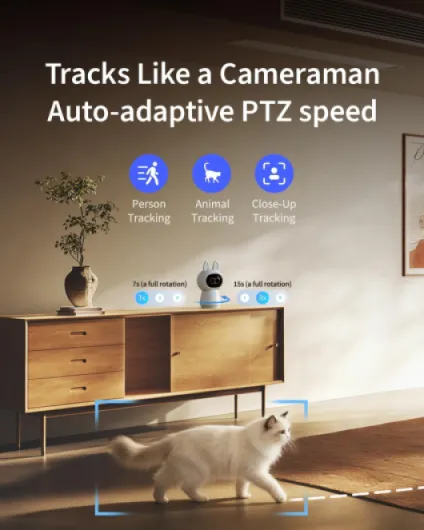
The AI auto-tracking actually works fairly well. I used it as a “cat cam” and as a general living room cam. When someone walks into the room, the camera usually picks them up and keeps them in the centre of the frame. Same with my cat, although it occasionally loses her when she hides behind furniture or moves very fast. The close-up tracking is interesting: when it zooms in, the pan/tilt movement slows down to avoid motion blur, so you get a stable shot instead of a shaky mess. It’s not flawless, but it’s much more usable than the basic tracking I’ve seen on cheaper cams.
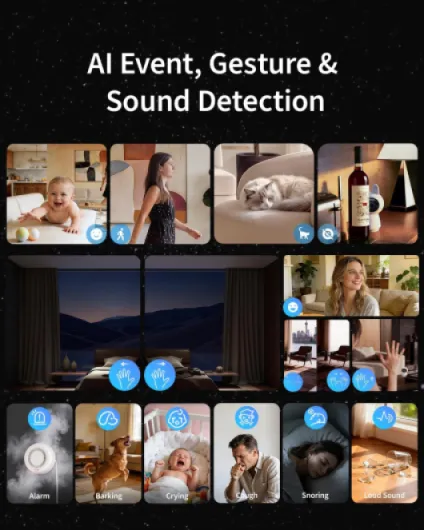
The AI detections (face, pet, baby crying, dog barking, coughing, etc.) are done locally, and I found notifications to be reasonably fast. I tested baby crying detection with a YouTube video and it triggered almost instantly. Gesture recognition (OK sign, waving) is more of a party trick in my case; it works, but I don’t really use it beyond testing. Overall, the performance is good, but you only really feel the benefit if you stay inside the Aqara ecosystem. Once you step into HomeKit, Alexa, or Home Assistant, you mostly get the video feed and basic motion detection, and you lose some of the smarter bits, at least for now.
What this camera actually does in real life
On paper, the G350 is a 4K dual-lens indoor camera with 360° pan/tilt, 9x hybrid zoom, AI tracking, and it doubles as a Matter bridge and Zigbee/Thread hub. In real life, the main thing you notice is: you can see a lot and you can move the view quickly from the app. I’ve used it to watch the whole living room, then zoom in on the front door or the sofa with a couple of taps. The dual-lens setup (wide + telephoto) means zooming doesn’t instantly turn into a pixel soup like cheaper cams.
The camera supports several storage options: microSD up to 512 GB (not included), NAS via SD upload, or Aqara’s cloud. I went with a 128 GB SD card and continuous recording, and it’s been fine so far. No forced subscription, no “trial that auto-renews” nonsense. If you want Apple HomeKit Secure Video, you can also record to iCloud, but then you’re limited by Apple’s usual camera count and storage rules. It’s flexible, but you need to know what you want before you dive into all the options.
The hub side is where this thing is different from a regular camera. It can connect Aqara Zigbee devices (up to 80 total, or 40 Zigbee + 40 Thread) and expose them to Matter platforms like Apple Home, Google Home, Alexa, SmartThings. I hooked up a couple of Aqara door sensors and a temperature sensor to it, and they showed up in HomeKit through Matter. That part worked as advertised, but don’t expect every third-party Zigbee gadget to work: it’s really meant for Aqara stuff only.
Function-wise, the G350 is quite packed: local AI for face/pet detection, baby crying/dog barking/coughing sound detection, gesture recognition (OK sign or wave), AI auto-tracking, privacy mode that hides the lens inside the body. Most of this is handled locally on the camera, which is nice from a privacy point of view, but it also means you really need the Aqara app to set it up and tweak everything. If you just add it to Apple Home and ignore the Aqara app, you’ll only see a fraction of what it can do.
As an actual security tool, does it do the job?
As a practical indoor security camera, I’d say the G350 does the job quite well, with some caveats. The 360° pan and tilt plus presets and cruise modes let you cover a whole room without needing multiple cameras. I set up a few presets in the Aqara app: front door, sofa, balcony door. With one tap, the camera jumps to that angle, and the motor is quick enough that you don’t feel like you’re waiting forever. You can also schedule “cruises” where it scans several zones automatically, which is handy if you want it to patrol while you’re away.
Motion and sound alerts are fairly reliable. I get push notifications on my phone within a couple of seconds when someone enters the room or when there’s a louder sound (like something falling or the cat meowing loudly). The local AI helps reduce random false alerts from shadows or car lights, but it’s not perfect. I had to tweak the sensitivity a bit to avoid getting spammed every time the sun moves. Compared to a basic Wyze or cheap no-name cam I had before, I get fewer useless alerts and more “real” events, which is what I want from a security device.
The privacy mode Where it’s less effective is if you want everything to run only through Apple Home or Home Assistant. PTZ (pan/tilt/zoom) control is basically locked to the Aqara app for now, and HomeKit downgrades the zoom quality. Home Assistant can grab the RTSP stream for local viewing, which is nice, but again, no PTZ yet. So if your plan is to ignore the Aqara app entirely, you’re not really using the camera to its full potential. As a security tool inside the Aqara ecosystem, it’s strong. As a purely “open” camera for third-party platforms, it’s decent but not amazing.
Pros
- Sharp 4K dual-lens image with useful 9x hybrid zoom and full 360° pan/tilt
- Acts as a Matter bridge and Zigbee/Thread hub for Aqara devices, reducing the need for extra hubs
- Local AI detections (face, pet, sounds) and physical privacy mode that hides the lens
Cons
- No power adapter included and picky with some USB‑C chargers
- Full PTZ and best zoom quality only available through the Aqara app, limited in Apple Home and other platforms
- App is a bit cluttered and has a learning curve for automations and advanced settings
Conclusion
Editor's rating
Overall, the Aqara 4K UHD Dual-Lens Camera Hub G350 is a pretty solid indoor camera if you’re okay living in the Aqara ecosystem. The image quality is good, the 360° pan/tilt with 9x zoom is actually useful, and the local AI for faces, pets, and sounds makes alerts more relevant. The physical privacy mode is a real plus if you don’t like feeling watched at home. The fact that it doubles as a Matter/Zigbee/Thread hub adds real value if you have or plan to buy Aqara sensors.
It’s not without issues. No power adapter in the box and some fussiness with chargers are annoying. The Aqara app is powerful but a bit cluttered, and if you rely only on Apple Home, Alexa, Google Home, or Home Assistant, you lose PTZ control and some of the smart features. Apple Home also reduces zoom quality unless you play tricks by setting zoom in the Aqara app first. So if you want a simple, fully polished HomeKit-only experience, this isn’t the cleanest option.
If you’re a tinkerer or already invested in Aqara gear, I’d say it’s a good buy that can centralise your smart home and give you a capable indoor cam at the same time. If you just want a basic static camera with clean third‑party integration and you don’t care about pan/tilt or hub stuff, you can probably save money with something simpler.