
Summary
Editor's rating
Value for money: strong if you hate subscriptions
Simple design, clearly built to hit a price point
Battery life: can be good, but very dependent on settings and luck
Build quality, weather resistance and long-term worries
Video, motion detection and app: good enough, with a few quirks
What you actually get and how it’s supposed to work
Pros
- No monthly subscription needed thanks to local microSD or HomeBase storage
- 2K video quality is clear enough to recognise faces day and night
- Easy installation with included chime, wedge mount and simple app setup
Cons
- Battery life and battery percentage readings can be inconsistent between units
- Indoor chime volume is limited for larger homes or partially deaf users
- Customer service is slow and can be frustrating if you get a faulty unit

Specifications
View full product page →| Brand | eufy Security |
A cheap way to get a smart doorbell without monthly fees
I picked up the Eufy Video Doorbell Camera Wireless C30 mainly because I was tired of subscription traps. I’d tried other brands where the hardware was fairly priced but you basically had to pay a monthly fee just to see your own recordings properly. With this one, the pitch is simple: local storage on a microSD or HomeBase, no subscription. That was the main hook for me.
I’ve been using it for a few weeks on a typical UK semi-detached house: door right on the street, Wi‑Fi router in the hallway, usual mix of deliveries, neighbours, and kids pressing the bell for fun. I mounted it by the door with the supplied bracket and 15° wedge, added the included chime inside, and linked it to the Eufy app plus Alexa. So this isn’t lab testing, just day‑to‑day use in a normal home.
Overall, my feeling is that it’s a pretty solid budget doorbell if you care about avoiding subscriptions and don’t mind a few quirks. The video quality is good enough to clearly see faces, the app is usable, and installation is straightforward even if you’re not very handy. But it’s not flawless: battery life depends heavily on your settings, the live view can be a bit choppy, and the chime volume and compatibility are not perfect.
If you’re expecting something polished like the top Ring or Nest models with super slick cloud features, this isn’t that. It’s more of a practical, "does the basics well" option. I’ll break down what worked, what annoyed me, and where I think Eufy cut corners to hit the price.
Value for money: strong if you hate subscriptions
In terms of value, this is where the Eufy C30 makes the most sense. You pay once for the hardware and that’s it. No monthly fee to unlock video history, no extra charge for basic detection. You do need to add a microSD card or a HomeBase S380 if you want storage, but even with a 64 or 128 GB card, the total cost is still lower than many doorbells plus a year of subscription. If you’re planning to keep it for several years, skipping the subscription adds up quite a bit.
For the price range it sits in, you’re getting 2K video, motion and human detection, two‑way audio, a separate indoor chime, and smart assistant integration. That’s fairly complete. The tradeoffs are: slightly rough app, inconsistent battery life, chime volume that’s just okay, and support that several people describe as slow and frustrating. If you’re unlucky and need to use warranty heavily, your "value" goes down fast in time and nerves spent emailing back and forth.
Compared to Ring or Nest: those usually have smoother apps and often better ecosystem integration, but you end up paying monthly if you want proper recording history or extra features. If you’re fine with that and want the polished experience, they’re better. If you’re stubborn like me about not paying a subscription just to check who stole a parcel, the Eufy approach makes more sense. You accept a few quirks to keep your data local and your monthly costs at zero.
So, is it good value? For small to medium homes where one chime is enough and you’re okay charging it every few weeks, yes, I’d say it’s good value. For big houses, people with hearing issues, or anyone who hates dealing with slow customer service, it’s less attractive. You might be better off spending more upfront on a wired system or a model with better support. But as a reasonably priced, no‑subscription wireless doorbell, it gets the job done and doesn’t feel overpriced for what you get.
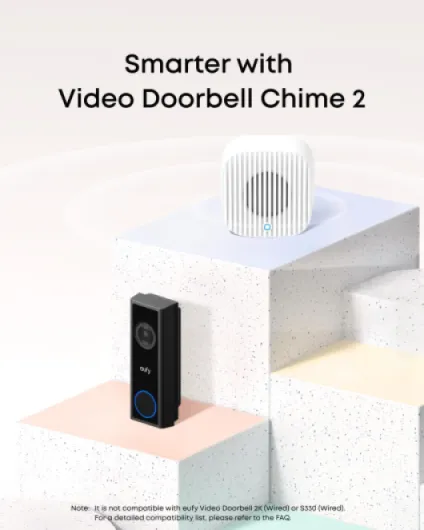
Simple design, clearly built to hit a price point
Design-wise, the C30 is pretty straightforward. It’s a black and white plastic unit, tall and narrow (about 14.6 x 5.2 x 3.1 cm). On the wall it doesn’t look fancy, but it also doesn’t look cheap from a distance. If you’re expecting some stylish piece of tech to show off, this isn’t it. It just looks like a modern doorbell with a camera on top and a round button at the bottom.
The build feels light, and you can tell it’s mostly plastic, but once it’s mounted it feels secure enough. The button has a decent click and people immediately know where to press; no confusion there. The included 15° wedge is actually useful: if your door frame is recessed or your street is at an angle, you can angle it towards where people stand. I ended up using the wedge to avoid filming straight into the neighbour’s drive and to catch people walking up from the pavement.
There’s no real metal or premium finish here, but the joints and seams look tight, and it has a water‑resistant rating. Mine has already seen some rain and wind and it’s been fine so far. I wouldn’t call it bombproof, but for normal UK weather it seems okay. I’d avoid mounting it where it gets absolutely hammered by sideways rain if you can help it, just as common sense. The black-and-white colour combo is neutral enough to fit most doors without clashing.
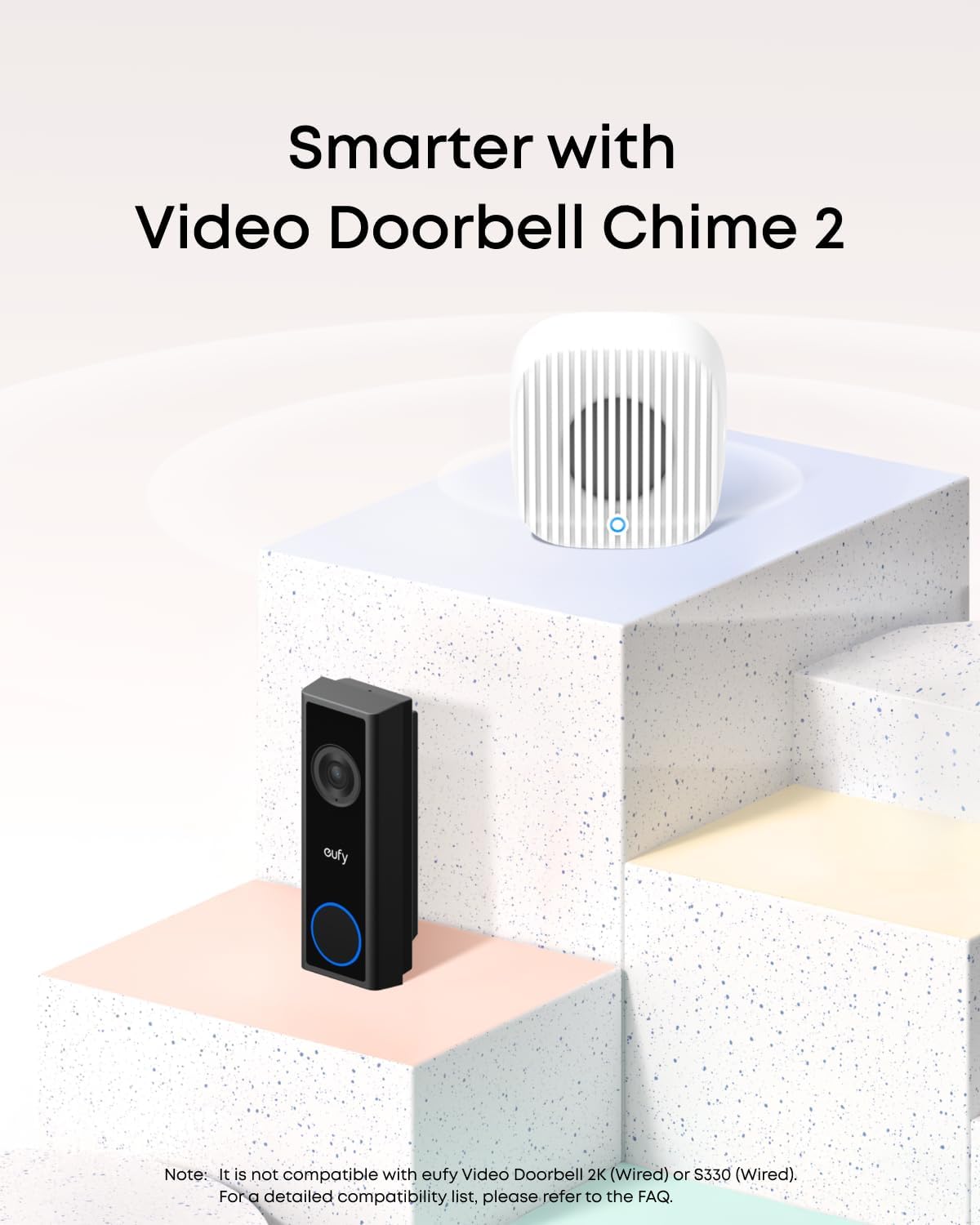
The indoor Chime 2 / MiniBase is a small white plastic block that plugs into a socket. It’s not pretty, but it’s small enough that you stop noticing it. One complaint: the physical controls on the chime (volume and tone) are quite basic, and volume max is not as loud as some people would like, especially for bigger houses or partially deaf users. You can change tones and volume, but it tops out at "okay" rather than "very loud". Overall, the design is functional and discreet, but clearly focused on cost rather than looking high-end.
Battery life: can be good, but very dependent on settings and luck
Battery is where experiences really seem to vary. On my setup, with medium detection sensitivity, person detection on, and a fair number of motions per day (busy street, deliveries, kids), I got around 4–6 weeks before the battery dropped to about 25–30%. That’s acceptable for a wireless doorbell in my opinion, but it’s not the "several months" that some brands like to hint at in their marketing. If you turn down sensitivity and reduce recording length, you can probably stretch it further. If you live somewhere very busy, expect less.
Some Amazon reviews mention very poor battery life (around 10 days) and even a unit that turned out to be faulty. That doesn’t surprise me: if motion is constantly triggering, or Wi‑Fi is bad and the doorbell keeps trying to connect, the battery will drain fast. It’s also clear that not all units behave the same, which is a bit worrying. Once you get a good one, it seems fine, but if you get a dodgy battery, you’ll be recharging constantly and arguing with support. So there’s a bit of lottery there.
Charging is done via USB‑C, which is a relief. You just unclip the doorbell from its mount and bring it inside. A full charge overnight took me from roughly 20% to 100%. I didn’t fully trust the battery percentage readings in the app; they sometimes dropped faster than they should right after charging and then stabilised. Another user also said they saw the percentage fall from 100% to 75% in an hour, which suggests the indicator isn’t very accurate. In practice, I just kept an eye on the low‑battery warning instead of obsessing over the exact percentage.
If you want to avoid climbing up a ladder every few weeks, a wired doorbell or a model with a proper base station that powers it will be better. But if you’re okay with unmounting it every month or so for a USB‑C top‑up, this is manageable. My tip: once you’ve found settings that balance detection and battery, don’t keep fiddling. Set it, forget it, and recharge on a rough schedule (for example, one night every month) rather than waiting for it to die mid‑week.

Build quality, weather resistance and long-term worries
Short term, the durability feels acceptable. The housing is solid enough once on the wall, and the unit doesn’t creak or flex when you press the button. The weather resistance rating isn’t spelled out in big letters on the listing, but it is listed as water-resistant and meant for outdoor use. Mine has already taken a bit of rain and wind without any problems: no fogging in the lens, no random reboots, no water marks in the image. So in normal UK weather it seems fine so far.
The plastic is fairly standard: not premium, but not toy‑level cheap either. I’d say it’s on par with other mid‑range smart doorbells. Where I do have some doubts is long‑term UV exposure and how the white parts will look after a couple of years in direct sun. I’ve seen similar plastics yellow over time. If your doorway is shaded, probably not a big deal. If it’s in full sun all day, expect some cosmetic ageing. For the camera lens, as long as you clean it occasionally with a soft cloth and don’t scratch it, it should stay clear enough.
The more serious long-term question is actually battery and electronics reliability. There’s at least one review describing a unit whose battery degraded quickly and another replacement unit that wouldn’t pair at all. That suggests quality control is not perfect. Once you get a stable unit, I don’t see a big reason it would suddenly fail, but if you’re unlucky and get a dud, you might spend weeks emailing support. So durability here is less about the shell cracking and more about whether you get a good batch.
I wouldn’t use this in extremely harsh conditions (coastal salt spray, very exposed walls) without some extra protection, but for a normal front door it’s fine. Just be realistic: this is a budget wireless doorbell, not an industrial CCTV camera. If you want something that you can mount and forget for 5–10 years with zero fuss, I’d lean towards a wired unit or a more robust system with a proper HomeBase and better support. For the price though, the durability feels acceptable as long as you’re prepared to chase warranty if you get unlucky.
Video, motion detection and app: good enough, with a few quirks
On the video side, the 2K resolution is genuinely decent. During the day, faces and number plates at short distance are clear. You can easily recognise who’s at the door and what package they’re holding. The 16:9 aspect ratio is handy: you see both the person and a good chunk of the surrounding area. At night, it switches to night vision. You lose colour in most cases, but shapes and faces are still usable. One known issue: high‑vis jackets (delivery drivers, workmen) can bloom in night vision and blur details a bit. It’s not unique to Eufy, but it’s noticeable here if someone is very close to the camera.
Live view is where you feel the budget side: several users mentioned, and I noticed too, that live video can be a bit stuttery depending on Wi‑Fi quality. Saved clips, though, look smoother and more stable, so it’s more about live streaming than recording. If your router is far from the door or your Wi‑Fi is weak, expect some lag. In my case, with the router in the hallway and decent signal, there was a tiny delay when opening live view, but overall it was usable. Just don’t expect perfectly instant response every time like on a wired setup.
Motion detection is pretty good once you dial it in. You can set activity zones so it ignores people walking past on the pavement and only triggers when they step into your drive or front path. That cut down the spam alerts a lot. Person detection is there and works, but like most budget systems, it’s not flawless; sometimes it flags a car or a big object as motion. For normal home use, it’s fine. When someone presses the bell, the phone call-style alert is genuinely useful: it forces your attention more than a standard notification, and it’s easy to talk back through two‑way audio. Audio quality is clear enough on both sides, nothing special but perfectly understandable.
The app itself is functional but not fancy. It let me review clips, download them, tweak settings, and set up quick replies. I didn’t have major bugs, but you can tell this isn’t Apple‑level polish. It works, but some menus are a bit buried. Integration with Alexa and Google is a plus: I linked it to Alexa, and my Echo devices announce "Someone is at the door" when the bell rings. It doesn’t play the chime sound on Alexa, just the spoken alert, but that’s actually handy if your phone isn’t nearby. Overall, performance is solid for the price, as long as you accept that live view and detection aren’t perfect.

What you actually get and how it’s supposed to work
Out of the box, you get the C30 wireless doorbell, the small Chime 2 / MiniBase, a USB‑C cable for charging, a wall mount, a 15° wedge, screws, and a drilling template. No microSD card is included, so if you want recordings without a HomeBase S380, you need to buy your own card (up to 128 GB). That’s a bit annoying but expected at this price. I used a 64 GB card I already had and it was fine.
The idea is simple: the doorbell connects to your Wi‑Fi, talks to the MiniBase chime indoors, and sends notifications to your phone. You can also pair it with a HomeBase S380 if you want more storage and integration with other Eufy gear. I only tested it with the included chime and an SD card, no HomeBase. Setup is done through the Eufy Security app: scan a QR code, connect to Wi‑Fi, then link the chime via Bluetooth auto‑pairing. In practice, that took me about 10–15 minutes including a firmware update.
There’s 2K video, motion detection, person detection, two‑way audio, and a “video call” style pop‑up when someone presses the bell. The phone call-style alert is actually useful: instead of just a push notification that you might miss, your phone rings like a call with a preview of who’s at the door. You can also set quick replies and let people leave voice messages if you don’t answer. It’s not fancy, but it covers the main use cases: deliveries, visitors, and basic security.
Where it’s worth being clear: this is not a high‑end system. You don’t get advanced AI packages or a slick multi‑camera dashboard like some ecosystems. But for the price, you get enough features to monitor your front door, talk to people, and have recordings stored locally without ongoing costs. That’s basically what I bought it for, and in that sense, it does what it says, with a few rough edges I’ll get into.
Pros
- No monthly subscription needed thanks to local microSD or HomeBase storage
- 2K video quality is clear enough to recognise faces day and night
- Easy installation with included chime, wedge mount and simple app setup
Cons
- Battery life and battery percentage readings can be inconsistent between units
- Indoor chime volume is limited for larger homes or partially deaf users
- Customer service is slow and can be frustrating if you get a faulty unit
Conclusion
Editor's rating
Overall, the Eufy Video Doorbell C30 is a practical, budget-friendly option if your priorities are: no subscription, decent video quality, and simple installation. The 2K footage is clear enough to recognise faces and see what’s going on, the phone call-style alerts work well, and local storage on a microSD card or HomeBase keeps ongoing costs at zero. For a normal house where you just want to see who’s at the door, talk to delivery drivers, and have basic recordings, it does the job.
On the flip side, it’s not perfect. Live video can stutter, night vision struggles with high‑vis jackets, the indoor chime isn’t very loud at max, and battery life depends heavily on your settings and how busy your street is. The biggest real weakness, in my opinion, is customer service: several users report very slow responses, confusing advice, and a painful warranty process when something is faulty. If you get a good unit, you’ll probably be happy. If you get a bad one, expect some hassle.
I’d recommend this doorbell to people who: live in a small to medium home, don’t want subscriptions, are okay with charging the battery every month or so, and don’t mind a slightly rough app. If you have a large house, need very loud chimes or extenders, or absolutely want top-tier support and rock-solid reliability, you should probably look at a wired model or a more premium ecosystem. For the price though, and as a straightforward wireless doorbell, it’s good value and decent in daily use, as long as you go in with realistic expectations.