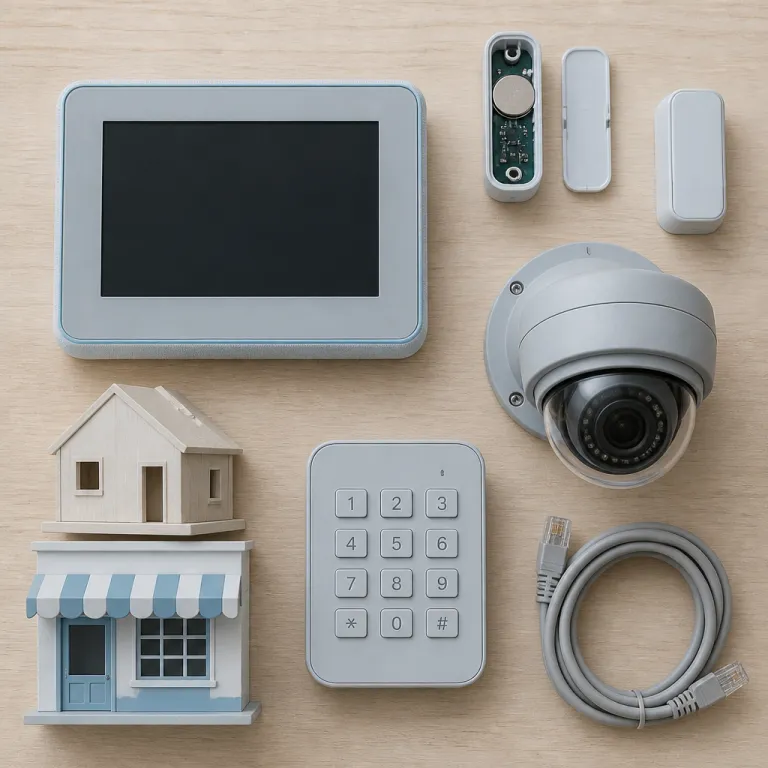

How Qolsys panels connect with Eufy Security cameras
Qolsys panels sit at the center of many modern alarm systems, acting as the brain that quietly coordinates every sensor and automation rule. When you pair a Qolsys panel with Eufy Security cameras, you create a layered security setup where the panel manages intrusion alerts while the cameras capture detailed video evidence. This combination gives you a single, loosely integrated smart security ecosystem that can scale from a small flat to a larger business site.
The Qolsys security panel typically supports wireless sensors for doors, windows, motion and glass break detection, while Eufy Security cameras handle continuous or motion based video recording with local storage. In practice, that means a door contact or glass break sensor can trigger the alarm panel and, via automation, simultaneously prompt nearby security cameras to start recording or send a push alert. Used together, these devices form security systems that are more resilient than a standalone camera kit or a basic alarm panel with no video context.
Many Qolsys security system installations now include a mix of indoor and outdoor cameras, with Eufy Security often chosen for its microSD or HomeBase storage and strong image quality. You can mount Eufy wireless cameras at entry points, then let the Qolsys hub manage arming, disarming and alarm sirens from a central control panel or companion app. For people comparing brands through professional installers or online retailers, the ability to integrate cameras, sensors and a smart panel into one coherent system is often more important than any single star rating.
Understanding the Qolsys hub, control panel and PowerG wireless sensors
The Qolsys hub is usually a touchscreen control panel that combines alarm controls, basic video viewing and smart home functions in one device. Behind that clean interface sits a radio board that talks to PowerG wireless sensors, legacy 319 MHz or 433 MHz devices and sometimes Z Wave or Zigbee modules. This multi radio design lets a single Qolsys panel manage both new PowerG wireless sensors and older wireless alarm contacts in the same security system without replacing every device at once.
For a homeowner adding Eufy Security cameras, the Qolsys control panel becomes the daily touch point for arming, disarming and checking system status. You might use the panel to see whether all sensors are closed, then open the Eufy app to view live video from a solar powered outdoor kit such as the EufyCam E40 2 Cam Kit with HomeBase 2, which offers 2K resolution and multi month battery life in typical use. Over time, this split workflow encourages people to think of Qolsys security as the alarm backbone and Eufy as the visual layer that documents what really happened.
PowerG wireless sensors are particularly relevant for business security because they offer long range, strong encryption and long battery life; manufacturer data often cites ranges up to roughly 2 km line of sight and batteries lasting five to eight years under normal conditions. A small warehouse can use dozens of PowerG motion sensors and glass break detectors, all supervised by the alarm panel while Eufy Security cameras cover loading bays and entrances. When you evaluate the list price of each sensor and camera, it helps to consider how many years of service you expect from the overall system rather than focusing only on the initial price Qolsys installers quote.
Connectivity, LTE options and remote login view for Qolsys security
Reliable connectivity is the quiet hero of any smart security system, because alarms and video are useless if alerts never leave the building. Qolsys panels typically support Wi Fi and Ethernet, but many professional installations add at&t LTE or verizon LTE modules for cellular backup. This dual path design means that if your broadband fails, the alarm panel can still send signals and maintain remote login view access for critical events through the monitoring platform.
When you use a Qolsys security app, the login view usually shows system status, recent alarms and sometimes thumbnails from linked security cameras on the same platform. Eufy Security cameras still stream through the Eufy app, yet the Qolsys hub can trigger those cameras to record when sensors trip or when the alarm changes state if you connect both systems to a compatible automation service. In practice, this usually relies on indirect methods such as using a third party bridge, a smart relay or a cloud based automation platform that reacts to Qolsys sensor events and then sends a command to start Eufy recording. For many users, this separation keeps the alarm panel focused on life safety while cameras handle high bandwidth video tasks more efficiently.
Example: off grid and rural installations
Off grid or rural properties often rely on 4G connectivity, where a dedicated Eufy Security 4G camera such as the model reviewed in this off grid Eufy 4G LTE camera review can complement a Qolsys panel with LTE backup. In that scenario, the Qolsys security system sends alarm events over at&t LTE or verizon LTE, while the Eufy camera uploads video clips through its own mobile connection and onboard storage. This separation of paths reduces single points of failure and gives business security managers more confidence that both alarms and video will be available after an incident.
How Qolsys pricing compares with Eufy Security camera costs
People often focus on the headline price Qolsys dealers advertise, but the real cost picture includes sensors, cameras and ongoing monitoring. A typical Qolsys panel bundle might include an alarm panel, several door sensors, a motion detector and professional monitoring, while Eufy Security cameras are usually purchased separately as one off devices or multi camera kits. When you calculate the total price of a complete smart security system, you need to add the list price of each sensor, the cost of any LTE modules and the number of cameras required for full coverage of entrances, driveways and interior choke points.
Eufy Security cameras appeal to many homeowners because they avoid monthly cloud fees by using local storage, which can offset the higher upfront price of some models over a three to five year period. In contrast, Qolsys security systems are usually sold through professional installers who bundle the control panel, sensors and monitoring into a recurring contract that may include service visits. If you compare systems on Amazon or other marketplaces, you might see Eufy cameras with strong star ratings and transparent view price listings, while Qolsys equipment appears mainly through dealer channels with less obvious pricing and more customised quotes.
A practical approach is to treat the Qolsys hub and panel as a long term infrastructure investment, then treat Eufy Security cameras as modular add ons that you can upgrade over time. That way, you can start with a solid alarm backbone and gradually expand your video coverage as budget allows, always checking the current view price of new cameras before buying. For small business security, this staged strategy keeps cash flow manageable while still building a robust security system that blends alarms, sensors and high quality video in a way that can evolve with your risk profile.
Daily use of Qolsys panels with Eufy Security cameras at home and in business
Living with a Qolsys panel day to day is mostly about routine, such as arming the system at night and disarming it in the morning. The touchscreen control panel shows which sensors are open, whether any wireless alarm devices have low batteries and whether the alarm is ready to arm. Many users appreciate that they can quickly silence a beeping alarm panel during a false trigger while still relying on Eufy Security cameras to record what happened around the same time for later review.
In a small business, the Qolsys hub often sits near the main entrance, where staff use codes or badges to arm and disarm the security system. One independent retailer described placing a Qolsys panel by the till and pairing it with Eufy cameras over the stockroom door and rear alley, so managers can verify deliveries and lock up remotely. Managers can then use remote login view to check whether the system is armed after closing, while a separate app shows live video from Eufy Security cameras covering tills, stockrooms and loading areas. This separation of duties keeps the alarm panel focused on intrusion and life safety, while cameras provide operational oversight and evidence for investigations.
For households, the user guide that comes with a Qolsys panel usually explains how to bypass sensors, set entry delays and manage user codes, which are all essential for smooth daily operation. Parents might use smart security features to receive alerts when children arrive home, then quickly view video clips from Eufy cameras to confirm everything looks normal at the front door or garden. Over time, this routine builds trust in both the Qolsys security backbone and the camera layer that documents real world events.
Strategic choices: when to prioritise Qolsys alarms or Eufy Security cameras
Choosing between investing more in Qolsys alarms or in Eufy Security cameras depends on your specific risk profile and property layout. If you live in an area with frequent break ins, a robust Qolsys security system with many door contacts, motion sensors and glass break detectors should come first. Those sensors trigger loud alarms and fast notifications, while cameras provide supporting video rather than primary protection.
For properties where vandalism, package theft or neighbour disputes are more common, Eufy Security cameras may deserve a larger share of the budget. High resolution video, wide angle lenses and good night vision can capture faces, licence plates and detailed behaviour that an alarm panel alone cannot document. In such cases, the Qolsys hub still plays a vital role by coordinating sensors and providing a reliable control panel, but the visual evidence from cameras often drives real world outcomes such as insurance claims or police reports.
Quick decision checklist
Readers comparing ecosystems such as Ring, Arlo and Eufy can benefit from this detailed analysis of three major camera platforms and their trade offs. Once you understand how each camera ecosystem behaves, you can decide how best to pair it with a Qolsys panel and alarm system that matches your tolerance for risk and your budget. In every scenario, the goal is a balanced smart security design where alarms, sensors and cameras work together rather than competing for attention.
Key statistics and market context for Qolsys and Eufy Security
- According to Omdia’s “Smart Home and Security Devices 2023” research, professionally monitored security systems account for roughly half of new residential security installations worldwide, which aligns with the Qolsys focus on dealer based alarm panels and hubs. Their connected home reports highlight how professionally installed systems continue to dominate higher value projects and multi device deployments.
- Research from Parks Associates, including its “Home Security: Market Sizing and Forecasts 2023” study, shows that households with professionally monitored alarms are significantly more likely to add security cameras later, which supports the pattern of pairing Qolsys panels with Eufy Security cameras as budgets grow. Their smart home tracker series frequently notes this upgrade path from alarms to video.
- Strategy Analytics, in its “Smart Home Surveillance Camera Market Forecast 2022–2027”, has reported that battery powered wireless security cameras now represent a large majority of new consumer camera sales, which explains the popularity of Eufy wireless cameras alongside PowerG wireless sensors in modern systems. Their home security device forecasts emphasise the shift away from wired CCTV.
- Industry surveys from multiple analyst firms indicate that small business security buyers increasingly demand remote access and mobile control, which matches the Qolsys emphasis on app based login view and LTE backup modules for alarm communication. These studies consistently show that remote management is now a baseline expectation rather than a premium feature.
FAQ about Qolsys panels and Eufy Security cameras
Can a Qolsys panel directly control Eufy Security cameras ?
A Qolsys panel does not usually control Eufy Security cameras directly, because they belong to separate ecosystems with different apps and cloud services. In most setups, the Qolsys hub manages sensors and alarms, while the Eufy app handles live view, playback and camera settings. You can still coordinate them by using sensors on the alarm panel to trigger notifications that prompt you to check camera footage, or by using a compatible third party bridge that reacts to Qolsys events and then starts Eufy recording.
Is a Qolsys security system necessary if I already have Eufy cameras ?
Eufy Security cameras can provide strong visual coverage, but they do not replace the functions of a dedicated alarm panel. A Qolsys security system adds supervised sensors, loud sirens and professional monitoring options that cameras alone cannot match. Many people start with cameras and later add a Qolsys panel when they want more reliable intrusion detection and insurance friendly monitoring.
How do PowerG wireless sensors benefit a mixed camera and alarm setup ?
PowerG wireless sensors offer long range, strong encryption and long battery life, which makes them ideal for larger homes or small businesses. When paired with a Qolsys panel, they provide reliable detection that complements the visual coverage from Eufy Security cameras. This combination reduces blind spots and ensures that both alarms and video evidence are available during incidents.
What should I check in the user guide before using a Qolsys panel ?
The Qolsys user guide usually explains how to arm and disarm the system, manage user codes, bypass sensors and interpret alarm panel beeps. Reading these sections carefully helps you avoid false alarms and ensures that your security system behaves as expected. Once you are comfortable with the panel, you can focus on fine tuning camera placement and recording settings to match your daily routine.
How do I evaluate the price of a full Qolsys and Eufy Security setup ?
To evaluate the price of a combined setup, list the Qolsys panel, all required sensors, any LTE modules and the number of Eufy Security cameras you need. Compare the list price of each item with any bundled offers from installers, and factor in monitoring fees if you choose professional services. This total cost view gives a more accurate picture than looking at the price Qolsys dealers or camera vendors advertise for single devices.