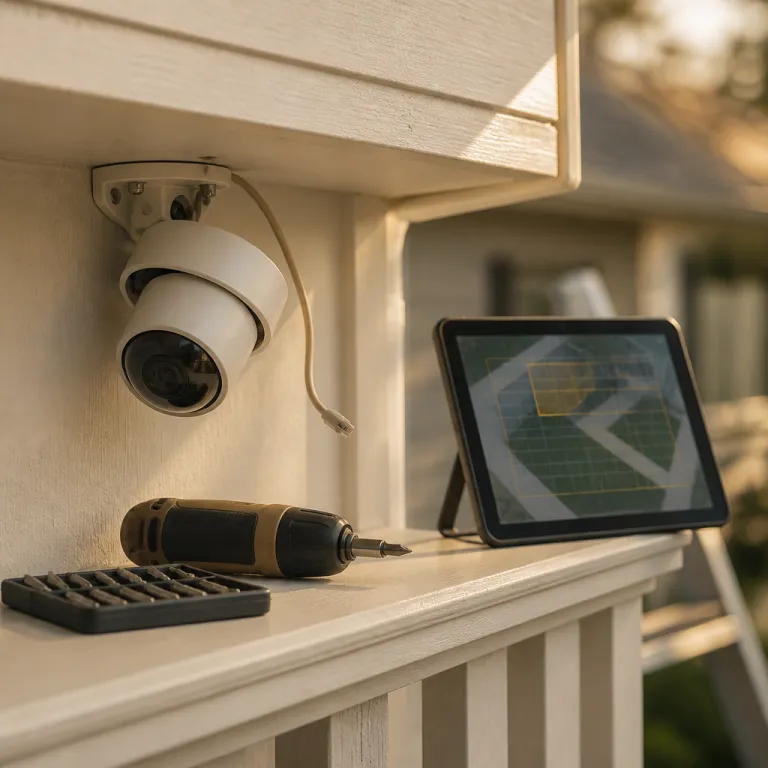
Why your security cameras keep crying wolf
Most people install a security camera to feel calmer, not constantly interrupted. Yet within a week, many homeowners mute alerts because the system spams their phone with every shadow, insect, or passing car. When that happens, the monitoring setup is technically working, but it is failing you in practice.
To stop false alerts security camera problems, you first need to understand how motion detection actually works. Most modern security cameras combine pixel based video detection with passive infrared (PIR) sensors that react to heat changes. When either the video surveillance image shifts or the sensors see a warm object move, the device triggers alarms and sends alerts to your phone.
The trouble is that these camera systems are not very smart out of the box. Headlights sweeping across your driveway, tree branches moving in the wind, or a cat crossing the garden all look like potential intruders to a basic camera system. That is why the goal is not to make the camera more sensitive, but to reduce false alarms while still catching real events.
Think of your home surveillance system as a digital guard that needs training. You tune detection sensitivity, draw smarter zones, and schedule when the alarms security features should be active. Done right, you can reduce false alerts dramatically without ever missing a person at the door or a car entering your driveway.
Universal fixes to reduce false alarms on any camera system
Before diving into brand specific tweaks, fix the basics that trip up almost every security camera. Start with placement, because no amount of software tuning will save a badly positioned device that stares straight at a busy road. If your camera security setup watches the street, you are asking for constant motion alerts and a tired brain.
Angle each camera system slightly down so it focuses on your property, not the horizon. Try to keep public pavements and roads out of the frame, because video motion detection treats every passing cyclist as a potential alarm. For driveway coverage, mount security cameras around 2.5 m (about 8 ft) high and tilt them so the bottom third of the digital video frame shows the ground near your car.
Next, draw tight detection zones inside the app for your surveillance system. Exclude trees, tall bushes, and reflective surfaces like parked cars or windows, because these cause many false alarms when light changes quickly. On most security systems, you can create multiple detection zones and only enable the ones that cover doors, gates, and paths people actually use.
Then adjust detection sensitivity in small steps instead of dragging the slider from high to low in one go. As a starting point, many cameras work well with sensitivity in the 40–60 % range, but you should test your own setup. Set the sensitivity just high enough that a person walking across the yard always triggers the alarm, but a cat or swaying branch does not. Test in real time by walking through the zones yourself and checking which alerts arrive and which false alerts you can safely ignore.
Do not forget the hardware side of video surveillance either. Clean lenses and sensors monthly, because spider webs and dust close to the camera can look huge on digital video and constantly trigger motion detection. If your device has infrared LEDs for night vision, a quick wipe can also reduce the halo effect that makes insects and rain look like intruders.
Finally, use time based schedules to reduce false triggers when you know conditions are bad. On windy nights, for example, you can lower detection sensitivity on garden cameras while keeping front door alarms fully active. Smart scheduling is one of the easiest ways to reduce false alerts without touching the core security system rules.
For more advanced tuning of answering machine style filtering and how it interacts with a home security system, you can read this detailed guide on how answering machine detection enhances your home security camera system. It explains how digital analysis can separate real visitors from background noise in a way that complements your existing surveillance system.
Brand by brand: Ring, Arlo, Nest, Blink, and Eufy
Ring cameras are everywhere on suburban streets, and their defaults are noisy. To stop false alerts security camera owners with Ring devices should start with Motion Zones in the Ring app, drawing shapes that include only your path, porch, and driveway. In the Ring app, go to Menu → Devices → [Your Camera] → Motion Settings → Motion Zones, then avoid including the street and use the advanced motion detection toggle to focus on people rather than general movement.
If you pay for Ring Protect, enable People Only mode to reduce false alarms from cars and animals. Then lower motion sensitivity one notch at a time until you stop getting alerts for every passing dog, but still receive an alarm when someone walks up your steps. If your Ring camera is not detecting motion reliably after these changes, this troubleshooting article on why a Ring camera is not detecting motion walks through Wi Fi, power, and sensor checks.
Arlo Pro 5S and newer models like the Arlo Pro 6 lean heavily on AI based motion detection. In the Arlo app, open Devices → [Camera] → Settings → Activity Zones to set up Activity Zones that exclude roads and trees, then enable Smart Alerts for people and vehicles while turning off generic motion alerts. This combination uses the camera system intelligence to reduce false notifications from shadows, insects, and rain.
Nest Cam Battery and Nest wired cameras use Google’s familiar interface but still need tuning. Use the Home app and go to Settings → Events → Seen Events → Zones to define zones around doors and gates, then enable event based recording so the digital video only saves clips when the sensors detect a person, animal, or vehicle. This approach keeps your video surveillance timeline clean and makes it easier to review real incidents in less time.
Blink Outdoor 4 is popular with budget conscious homeowners, but its default detection sensitivity is high. In the Blink app, open Camera Settings → Motion Settings, shrink the detection zone to the area closest to your house and drop sensitivity a few points, testing until pets no longer trigger alarms. Because Blink relies heavily on batteries, reducing false alarms also extends battery life and keeps the system security features running longer between charges.
Eufy SoloCam S340 and other Eufy security cameras offer on device AI without mandatory subscriptions. In the Eufy Security app, go to Devices → [Camera] → Motion Detection, set detection sensitivity on the 1 to 100 scale to a mid range value (around 40–60), then enable human only detection to filter out animals and moving branches. If your model supports pan tilt, limit the patrol range so the camera does not constantly chase irrelevant motion at the edge of the frame.
Advanced tuning: Reolink, PoE setups, and multi camera systems
Reolink cameras sit in a sweet spot for homeowners who want more control without going full professional. Their apps and clients let you define detection zones, adjust sensitivity, and choose which object types should trigger an alarm. For a typical driveway, enable person and vehicle detection while disabling generic motion alerts to reduce false triggers from rain or insects.
If you run a wired Power over Ethernet system security setup with Reolink or similar brands, use the network video recorder interface for deeper tuning. In the NVR menu, open Channel → Detection so you can set different detection sensitivity levels per channel, letting a front door camera system stay highly sensitive while a garden camera runs at a lower level. This per camera control is one of the biggest advantages of a wired surveillance system over simpler Wi Fi devices.
On any multi camera security system, think in roles rather than treating all cameras the same. Front door cameras should prioritize person detection and send immediate alerts, while side yard cameras might only record video without pushing notifications. By assigning each device a clear job, you reduce false alerts and keep your attention focused on the feeds that matter most.
For older CCTV style installations that feed into a digital video recorder, you may only have basic pixel based motion detection. In that case, draw the smallest possible detection zones and keep sensitivity in the middle range to avoid constant false alarms. If the recorder supports detection cameras with different profiles by time of day, use a calmer profile at night when headlights and shadows are more common.
Some homeowners mix brands, running a Ring doorbell, a Reolink PoE camera security setup for the driveway, and a Blink camera for the garden. When you do this, align schedules across all systems so you are not flooded with overlapping alerts from three different apps at the same time. It is better to have one primary security system for urgent alarms and let the others focus on recording video surveillance for later review.
If you rent and cannot rewire or drill, a focused guide like the renter friendly playbook on monitoring a front door you are not allowed to modify can help. It explains how to place wireless cameras, manage motion detection, and respect building rules while still maintaining effective home security. Even in small flats, careful tuning of detection sensitivity and zones can dramatically reduce false alarms without sacrificing coverage.
Hardware fixes: when the problem is not in the app
Sometimes the only way to stop false alerts security camera issues is to move the hardware. If your camera faces directly into the path of car headlights, no amount of software tuning will fully solve the problem. Reposition the device so lights hit at an angle, or mount it slightly higher to keep the brightest beams out of the frame.
Sunlight is another silent killer of reliable motion detection. A camera that looks east or west may suffer from harsh glare at certain times of day, which confuses both the video system and the infrared sensors. Adding a small sun shield or adjusting the pan tilt angle a few degrees can dramatically reduce false alarms during those peak hours.
Pay attention to what is close to the lens, not just what is in the distance. Spider webs, hanging decorations, and even tall grass near the camera security housing can trigger constant motion alerts as they sway. Clearing a clean bubble around each device is one of the cheapest ways to reduce false triggers in any surveillance system.
For outdoor cameras with infrared night vision, insects are a notorious source of false alerts. The IR LEDs attract bugs, which then fly close to the lens and appear huge on digital video, setting off motion detection repeatedly. Cleaning the housing and occasionally switching to a lower intensity night mode can help reduce false alarms from this kind of activity.
Do not ignore power and connectivity either, because unstable power can cause a camera system to reboot and misbehave. A camera that keeps dropping off Wi Fi may miss real events while still sending random alerts when it reconnects. For critical security cameras, consider wired Ethernet or at least a strong mesh Wi Fi node nearby to keep the system security functions stable.
Finally, check whether your alarms security devices share circuits with heavy appliances. A fridge or pump turning on can create electrical noise that affects older CCTV or digital video recorders. If you see patterns where false alerts cluster around certain times, such as when heating kicks in, that timing clue can point you toward a hardware or power issue rather than a software setting.
Scheduling, profiles, and when to move a camera instead
Once the basics are tuned, scheduling becomes your best tool for sanity. Most modern security systems let you create profiles that change detection sensitivity and alert rules by time of day. Use this to your advantage rather than running one aggressive profile around the clock.
For example, you might want full motion detection and instant alerts on your driveway camera during the day, when deliveries and visitors are common. At night, the same camera could switch to recording only, with alerts limited to the front door security camera that watches your entrance. This split keeps your phone quiet while still ensuring the system records useful digital video for any incident.
Indoor cameras benefit even more from time based rules. Many people point cameras at living rooms or kitchens, then drown in false alerts whenever family members move around. Set those cameras to arm only when you are away, or use geofencing so the system disarms automatically when your phone returns home.
There is also a point where you should stop fighting the settings and move the device. If a camera has to include a busy road in its frame to see your gate, consider adding a second, cheaper camera system closer to the gate instead. Two well placed cameras with moderate detection sensitivity will usually produce fewer false alarms than one badly placed camera trying to do everything.
Think about vertical angles as well as horizontal coverage. A camera mounted too low will see every pet and garden movement as a potential alarm, while one mounted too high may miss faces and trigger on distant motion. Aim for a height where the camera security lens looks slightly down at human chest level around 5 to 10 m (roughly 16 to 33 ft) away.
When you adjust schedules and profiles, keep a simple log for a week. Note when false alerts happen, what the weather was like, and which camera systems were involved. This small habit turns vague frustration into clear data you can use to refine your surveillance system without guesswork.
When to upgrade: radar, AI, and smarter detection cameras
Sometimes you hit the limits of what a basic motion detection system can do. If you have tuned zones, adjusted detection sensitivity, cleaned lenses, and still drown in false alerts, the hardware may simply be too primitive. In that case, upgrading one or two key cameras can transform the whole security system.
Radar assisted models like Ring Spotlight Cam Pro use radar to map movement in three dimensions, not just in the video frame. This extra sensor data lets the device distinguish between a car on the street and a person walking toward your door, which helps reduce false alarms dramatically. You still draw zones in the app, but the radar layer gives the camera system a better sense of depth and intent.
AI powered detection cameras from Arlo, Eufy, and Reolink use on device processing to classify people, vehicles, and animals. When you enable only person and vehicle alerts, the system security logic ignores most irrelevant motion like trees and rain. This kind of digital video analysis used to require subscriptions, but more brands now include it free on mid range security cameras.
If you run an older CCTV or basic IP camera security setup, consider adding a modern smart camera just for the most important angle, such as the front door. Let that device handle critical alerts while the legacy camera systems continue recording wide angle video surveillance for context. This hybrid approach gives you smarter alarms security without replacing every device at once.
Upgrading is also about storage and review, not just detection. A security system with clear timelines, labelled events, and easy scrubbing makes it far easier to verify whether a false alarm was truly harmless. When you can check a clip in five seconds, you are more willing to keep alerts enabled and let the surveillance system do its job.
In the end, the goal is simple but demanding. You want a camera system that stays quiet 95 % of the time, then shouts only when something genuinely needs your attention. That is the difference between a home that is merely watched and a home that actually feels secure when the street is dark and the only thing that matters is not the advertised 1080p, but what it actually captures at 3am.
Key statistics on false alarms and home security cameras
- Studies from several municipal police departments have found that between 90 % and 99 % of traditional burglar alarms are false alarms, often caused by user error or environmental factors, which shows how critical proper tuning is for any security system (for example, see summary data from the International Association of Chiefs of Police and city level false alarm reduction reports such as the IACP False Alarm Reduction initiative and municipal police department annual summaries).
- Industry surveys of smart home users report that more than half of homeowners silence motion alerts on at least one camera within the first month, usually because of constant false alerts from pets, trees, or passing cars (as reflected in recurring findings from consumer smart home adoption surveys by major research firms and vendor sponsored usage studies).
- Vendors that have rolled out person and vehicle specific AI detection report reductions of up to 80 % in irrelevant notifications, especially on driveway and front door cameras that previously triggered on every movement (based on published case studies and product launch data from major camera manufacturers, including Arlo, Ring, Eufy, and Reolink).
- Field tests comparing radar assisted cameras to standard motion detection models have shown that radar based devices can cut headlight and shadow related false alarms by more than half on busy streets (according to vendor test reports and independent reviewer benchmarks that measure notification accuracy before and after radar is enabled).
- Battery powered cameras like Blink Outdoor and Eufy SoloCam often see battery life improve by several weeks when users tighten detection zones and lower sensitivity, because the device spends less time waking up and recording unnecessary digital video clips (a pattern noted in manufacturer guidance, support documentation, and long term user reviews).
FAQ about stopping false motion alerts on security cameras
How do I quickly reduce false alerts without breaking my setup ?
Start by shrinking motion zones to cover only doors, gates, and paths, then lower detection sensitivity one step at a time. Test by walking through the zones yourself and checking which alerts arrive. This simple process often cuts false alarms in half without touching advanced settings.
Should I turn off motion alerts completely if they annoy me ?
Turning off alerts defeats the purpose of a security camera, because you will not know when something important happens. Instead, keep alerts on for one or two critical cameras, such as the front door, and set the rest to record only. Over time, refine zones and schedules until the remaining alerts all feel useful.
Is AI person detection worth paying for on my camera system ?
AI person and vehicle detection is one of the most effective ways to reduce false alerts from trees, pets, and headlights. If your camera watches a busy area like a driveway or pavement, paying for this feature or choosing a model that includes it free is usually worthwhile. For quiet back gardens, careful zone drawing and moderate sensitivity may be enough without extra AI.
When should I move a camera instead of changing settings again ?
If a camera must include a busy road, bright lights, or dense trees in its frame to see your property, settings alone will never fully solve false alarms. In that case, moving the device a few metres, changing its height, or adding a second cheaper camera closer to the target area is often more effective. Hardware changes that remove problem triggers from the view usually bring the biggest improvements.
Do wired CCTV or PoE systems have fewer false alarms than Wi Fi cameras ?
Wired CCTV and PoE systems are usually more stable in terms of power and connectivity, but they still rely on motion detection that can be fooled by shadows and movement. Their main advantage is deeper per camera control and reliable recording, not automatic reduction of false alerts. You still need to tune zones, sensitivity, and schedules carefully to get clean, trustworthy notifications.