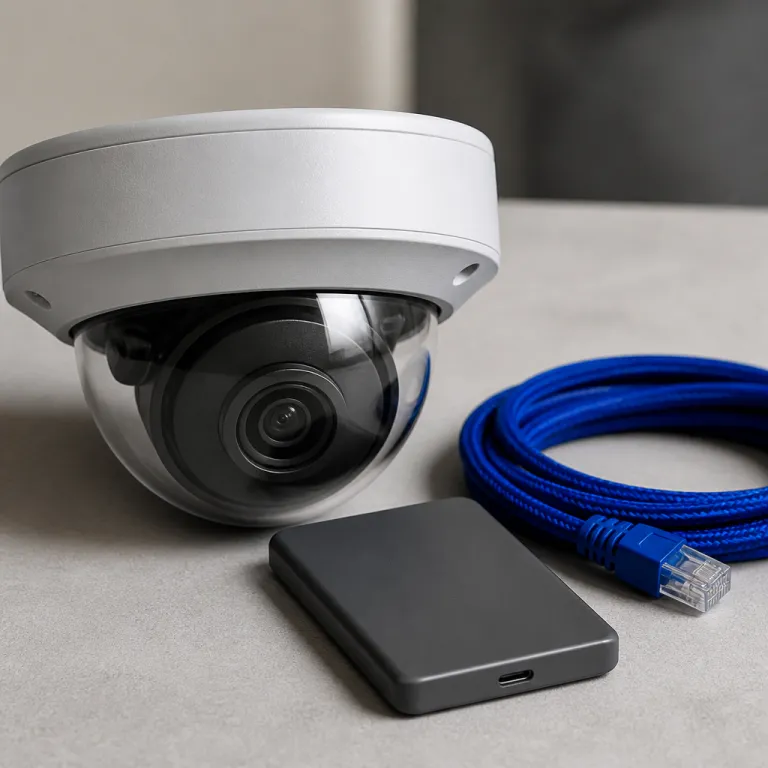
Why AI camera video summary search changes how you use home cameras
Most home cameras record endless video, but almost nobody reviews the footage. When something happens, you scrub through hours of video surveillance recordings, hoping to find the specific ten seconds that actually matter for your security. Generative artificial intelligence finally attacks that pain directly, turning raw video content into searchable text summaries instead of just motion alerts.
Traditional object detection looks for predefined objects such as people, pets, or vehicles in the video footage. It runs simple video analytics to tag those objects in real time, but it does not really understand the story inside your videos or why an event might be important. AI camera video summary search adds a second layer of intelligence that reads those tagged events, analyzes patterns over time, and produces a natural language video summary you can skim like an email.
Think about how you use a youtube video or several youtube videos when you jump straight to key points using chapters. Generative video intelligence tries to do something similar for home security, but with your own surveillance data and without you manually marking timestamps. Instead of scrolling through powered video timelines, you type a video search like “show me every time someone opened the side gate after midnight” and the system uses machine learning and video analysis to find those clips automatically.
That shift from simple detection to narrative summary matters more than any extra pixels in a 4K sensor. It turns your cameras from passive recorders of digital evidence into active assistants that help you find evidence, review incidents, and understand patterns in your home’s activity. For a smart home enthusiast who already links lights, locks, and speakers, this is the missing layer that finally makes cameras feel integrated rather than just more screens to check.
Ulticam IQ V2: what generative summaries and natural language search really do
The Ulticam IQ V2 is the first mainstream home camera that bakes AI camera video summary search directly into its subscription free offer. Basic person, vehicle, pet, and package detection runs on device, so the camera can still trigger security alerts and local automations even if your internet drops. For anything more complex, Ulticam sends the relevant footage to Google Gemini, which processes the video content and returns a written summary of the key points from your day.
In practice, those summaries read like a short incident log for your home rather than a technical report. You might see something like “A delivery driver left a package at 14:32, a neighbour walked past the driveway at 18:05, and your car left the garage at 19:12,” which compresses hours of video surveillance into a few lines. That video summary is generated by artificial intelligence that has already done the heavy video analysis and object detection work in the background, so you only see the distilled events.
The second piece is natural language video search, which feels closer to chatting with a person than scrubbing a timeline. You can type “find every time a white car stopped outside after 22:00” or “show me when someone rang the doorbell while we were away” and the system searches across days of videos to surface specific clips. Because the camera keeps a seven day rolling cloud archive without a subscription, you can run that video search across an entire week of video footage without worrying about extra storage fees or hidden costs.
This is where Ulticam’s powered video approach differs from something like a Ring Stick Up Cam or Blink Outdoor 4, which still rely heavily on simple motion clips and basic thumbnails. Those cameras capture plenty of footage, but you remain the video summarizer, manually scanning for objects and events. With Ulticam IQ V2, the intelligence layer does the tedious review work, and you step in only when you need to check a specific piece of digital evidence or refine your security automations.
Before you buy, compare this model with more traditional subscription plans such as Ring’s, which are explained clearly in this guide to Ring camera subscription costs. You will see that Ulticam’s lifetime seven day storage and built in AI camera video summary search change the usual math around monthly fees. For many homes, that shift from recurring payments to a one time purchase is as important as the new intelligence features.
How generative AI differs from classic detection and why it matters for subscriptions
Most current cameras, including the Arlo Pro 5S, Nest Cam Battery, and Eufy SoloCam S340, already use some form of machine learning for object detection. They can label objects such as people, cars, and packages in real time, then send push notifications when those objects appear in the frame. That level of intelligence is useful for basic security, but it still leaves you with a pile of short videos and no clear story about what actually happened over time.
Generative models such as Gemini work differently because they do not just classify objects, they generate new content in the form of text summaries. They ingest your surveillance data, look at sequences of events, and then produce a narrative video summary that highlights key points and patterns. Instead of one alert per motion event, you get a single powered video digest that tells you what mattered across the whole day, which is far easier to review when you are busy.
This difference has real implications for subscription plans and ownership models. If your camera can compress hours of video footage into a few paragraphs and let you run flexible video search queries, you may not need thirty days of storage or advanced analytics locked behind a paywall. That is why many new models, including Ulticam IQ V2, are aligning with the trend described in this analysis of how four out of five new cameras now skip mandatory subscriptions.
For a smart home enthusiast, the practical question becomes simple. Would you rather pay monthly for more raw videos, or invest once in better video intelligence that helps you find specific events quickly. In most homes with two or three cameras, AI camera video summary search offers more day to day value than another tier of cloud storage, especially when you already feel overwhelmed by notifications and endless clips.
Privacy, security, and the trade offs of sending footage to Gemini
There is a hard truth behind AI camera video summary search that every buyer should face. To generate those natural language summaries and answer flexible video search questions, at least some of your footage must leave the camera and reach Gemini’s cloud. That transfer raises legitimate security and privacy questions, especially when your cameras watch entrances, children’s play areas, or sensitive home offices full of personal data.
Ulticam’s design tries to balance intelligence with privacy by keeping basic detection on device and sending only relevant clips for deeper analysis. Person, vehicle, and package detection run locally, so routine security automations do not require constant cloud access. When you ask a complex question such as “find every time someone opened the back door while we were away,” the camera uploads only the necessary video content for Gemini to perform video analytics and return a text based video summary.
That still means your digital evidence passes through a third party system, which some homeowners will never accept. If you want maximum control, you might prefer a PoE camera with local network video recorder storage and no external video intelligence at all, even if that means manually reviewing hours of video footage. Others will accept the trade off because the ability to search videos by natural language queries saves enormous time and can even help law enforcement reconstruct events more quickly when a crime occurs.
Before deciding, read the privacy policy carefully and check how long the provider retains your data. You should also understand whether your video surveillance clips are used to train broader artificial intelligence models or kept strictly as isolated digital evidence for your account. For a deeper dive into how on device processing and cloud analysis interact in modern cameras, this explainer on on device AI replacing the cloud offers a clear technical overview without marketing spin.
Where AI video intelligence is heading and how to choose your next camera
Once you have used AI camera video summary search for a week, going back to manual scrubbing feels like rewinding VHS tapes. The real power shows up in multi camera homes, where reviewing a full day of video surveillance from three or four cameras would normally take hours. With generative intelligence, you can ask one question such as “show me every time someone approached the house while we were away” and get a unified video summary across all devices.
Expect other brands to follow Ulticam’s lead, especially those already tied into large language model ecosystems. Google Nest cameras are the obvious candidates because Gemini already powers many of Google’s consumer products, and the same artificial intelligence could extend to video analytics and video search across Nest Aware archives. Once that happens, features such as cross camera object detection, timeline clustering, and automatic incident reports for law enforcement will likely become standard rather than premium extras.
When you shop, focus less on marketing terms and more on how the camera handles your time. Ask whether it offers natural language video search, whether summaries cover all cameras, and how quickly you can jump from a text description to the exact video footage you need. Test the system by asking for specific events, such as “find the youtube video like clip where the courier left a package at the side door,” and see how accurately it identifies the right objects and moments.
Also pay attention to the basics that still make or break a camera in real use. A Ring Stick Up Cam with a dying PIR sensor or a Blink Outdoor 4 with unreliable Wi Fi hand off will miss events no matter how advanced the video summarizer might be. What matters is not the advertised resolution or the promise of powered video features, but what the camera actually captures and turns into usable evidence at three in the morning.
How AI summaries reshape your daily security routine
Once AI camera video summary search is running, your relationship with your cameras changes quietly but completely. Instead of opening three different apps and scrolling through timelines, you start your day by reading a short video summary that highlights key points from the night. That shift from raw footage to structured content makes home security feel more like checking messages than managing a surveillance system.
For example, a multi camera setup might generate a single digest that says “Front door: package delivered at 09:12, neighbour visited at 11:45; driveway: car left at 08:03, returned at 18:27; backyard: no unusual activity detected.” Behind that simple text, the system has already run object detection, video analysis, and pattern recognition across many hours of video footage. You only step in when something looks off, such as an unexpected visitor or repeated motion at a specific time, which you can then review in detail.
This workflow also changes how you handle incidents and potential digital evidence. If a bike goes missing from your garage, you no longer need to watch every clip from the previous day or search manually through dozens of short videos. Instead, you ask a natural language question such as “find when someone entered the garage without a car” and let the video intelligence engine surface the relevant moments for closer review.
Over time, that kind of powered video assistance can reduce alert fatigue and help you tune your system more precisely. You might notice from the summaries that motion alerts at a certain camera are always harmless, so you adjust zones or schedules instead of just enduring noise. The end goal is simple but powerful, your cameras should not just watch your home, they should help you understand it quickly enough to act when it matters.
FAQ
Does AI camera video summary search replace traditional motion alerts
AI camera video summary search does not replace basic motion alerts, it adds a second layer on top. You still receive real time notifications when the camera detects motion or specific objects such as people or vehicles. The summaries then condense those events into a daily or hourly digest so you can review patterns without opening every single clip.
Can I use AI video summaries without sending footage to the cloud
Today, most generative video summarization relies on cloud based artificial intelligence, so at least some footage must leave the camera. Basic on device detection can run locally, but natural language video search and full text summaries usually require more processing power than a small camera can provide. If you want everything to stay local, you will likely need to accept more manual review and fewer advanced analytics features.
How accurate are AI generated summaries for security incidents
Accuracy is generally good for clear events such as deliveries, visitors, or cars entering a driveway, but no system is perfect. Complex situations, overlapping objects, or poor lighting can cause the model to miss minor details or misinterpret context. For serious incidents or law enforcement use, you should always review the underlying video footage rather than relying only on the text summary.
Will AI video intelligence increase my camera subscription costs
In some ecosystems, advanced video intelligence features are locked behind higher subscription tiers, which can raise ongoing costs. However, cameras such as the Ulticam IQ V2 bundle AI camera video summary search with a lifetime seven day cloud archive at no extra fee. Over several years, that model can be cheaper than paying monthly for extended storage on more traditional cameras.
Is AI camera video summary search useful if I only have one camera
Even with a single camera, AI summaries can save time by highlighting only meaningful events from many hours of recordings. The benefits grow as you add more cameras, because the system can correlate activity across different views and present one unified digest. If you plan to expand your setup, choosing a camera with strong video intelligence now can future proof your system for a multi camera home.