
Summary
Editor's rating
Price vs features: where this 2‑pack really makes sense
Design and installation: simple but with a few catches
Build quality and weather resistance after some rough weather
Video quality, motion detection and tracking in real life
What you actually get with this NiCola 2‑pack
Day-to-day use: does it actually make you feel more secure?
Pros
- Very good price for a 2‑pack of 2K PTZ outdoor cameras
- Decent day and night image quality with color night vision option
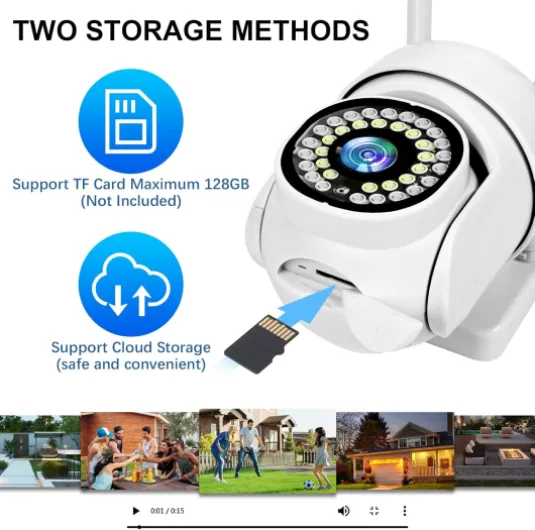
- Local SD card recording up to 128 GB plus optional cloud, no forced subscription
- Pan/tilt with auto‑tracking and default position gives wide area coverage
Cons
- App (iCSee) is clunky with occasional connection issues and rough translations
- Power cable is permanently attached and awkward to route through walls
- Some quirks like upside‑down image on one unit and occasional false motion alerts

Specifications
View full product page →| Brand | NiCola |
Two cheap outdoor cams that try to do everything
I put this NiCola 2‑pack of outdoor security cameras up around my house for a couple of weeks to see if a budget, unknown brand could actually handle day‑to‑day home security. I’ve used Reolink and TP‑Link/Tapo cams before, so I wasn’t going in blind. I wanted to see if these could replace a more expensive setup or at least cover a couple of extra blind spots without costing much.
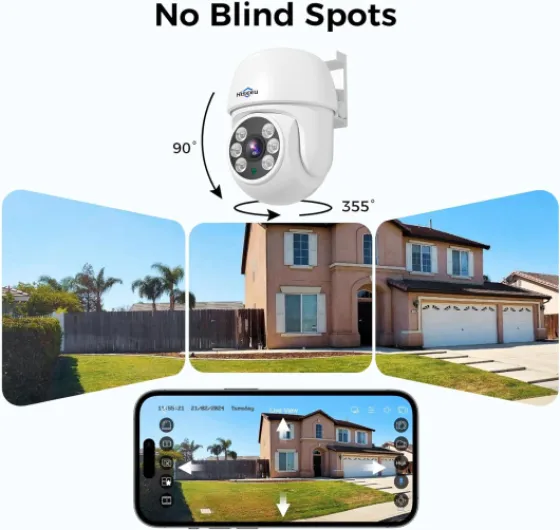
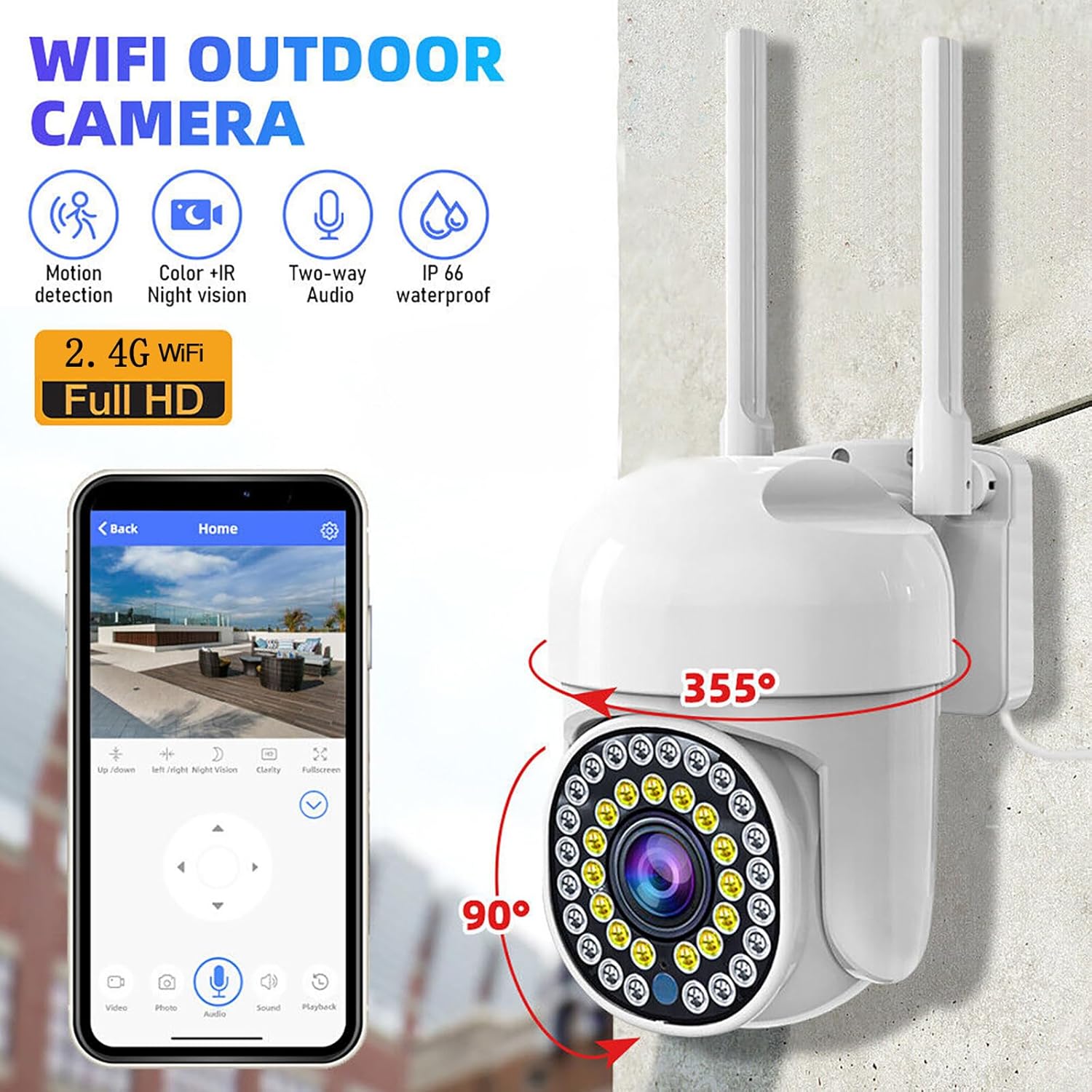
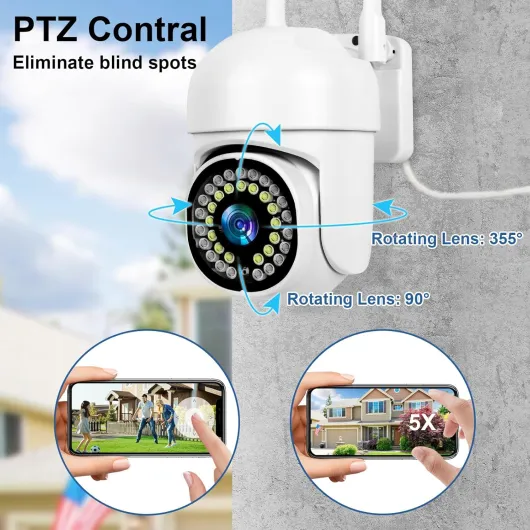
On paper, it looks pretty stacked: 2K resolution, pan/tilt (about 355° horizontally and 90° vertically), color night vision with a pile of LEDs, motion and person detection, auto‑tracking, two‑way audio, SD card and cloud options, and they’re IP66 rated. For the price of the 2‑pack, that’s a lot of promises. The app they use is iCSee, which I already knew from other no‑name cameras, so I kind of expected the usual quirks.
In practice, the cameras work, but it’s not a polished, premium experience. Setup is mostly straightforward, but you’ll need to be a bit patient with the app and Wi‑Fi pairing. Once installed, they do give you decent coverage, especially with the motorized pan/tilt and auto‑tracking. The picture is better than I expected during the day, and the night image is usable, though not as clean as what you get from bigger brands.
Overall, after living with them for a bit, my feeling is: good value if you’re on a budget and don’t mind some rough edges, especially on software and small design details. If you want something you never have to fiddle with, you’ll probably want to spend more on a better‑known brand. But for basic home monitoring, especially with two units in the box, they get the job done.
Price vs features: where this 2‑pack really makes sense
For me, the strongest argument for this NiCola kit is simple: two pan/tilt 2K outdoor cameras for roughly the price of one mid‑range branded cam. If you have a couple of blind spots to cover – like a driveway and a garden, or front and back doors – this is a cheap way to get full coverage with motion alerts and recording. You’re not getting top‑tier software, but you are getting a lot of hardware features for the money.
Compared to something like a TP‑Link/Tapo or Reolink outdoor cam, you’re saving cash but sacrificing polish. Those brands usually have nicer apps, better support, and more consistent firmware updates. On the other hand, most of them will charge you more per camera, and sometimes extra for cloud features. Here, you can just throw in a 64–128 GB SD card and be done. Cloud storage is optional via the app, but I personally stuck to local storage to avoid subscriptions.
If you’re the kind of person who wants to set it once and never think about it again, I’d say stretch your budget and get a more established brand. If you don’t mind a slightly clunky app and the occasional reboot or setting tweak, this NiCola pack is good value for basic home security, especially for renters or people who just want some visible deterrence and recordings in case something happens.
Bottom line: you’re paying budget money and getting budget software, but the core functions – decent video, night vision, motion alerts, two‑way audio, and wide coverage thanks to PTZ – are all there and usable. For me, it sits firmly in the “good value for money” category, with the clear condition that you accept the compromises that come with an unknown brand and a generic app.
Design and installation: simple but with a few catches
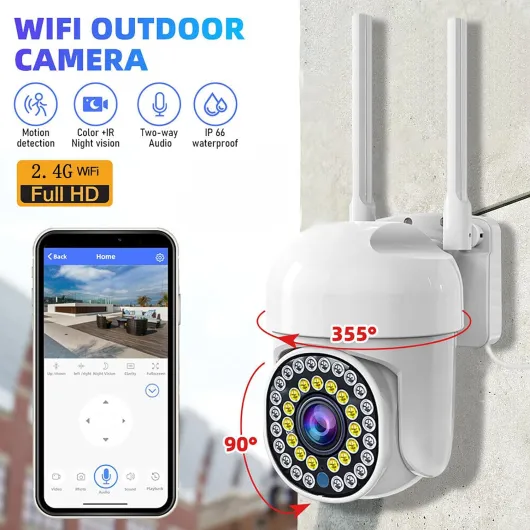
The design is very typical of cheap outdoor PTZ cameras: a round motorized head with the lens in front, and a base you screw into the wall. It’s not small, but it doesn’t look ridiculous either. The plastic feels decent, not premium, but nothing that makes you think it will fall apart in a week. The white color helps it blend into most exterior walls, but it’s clearly visible, which can be good as a deterrent.
Mounting is straightforward: two screw holes, about 20 mm apart, M6 screws, and you’re done. One thing to keep in mind: the power cable is tethered inside the camera, and you have to pass the USB plug through the wall if you want a clean install with the adapter inside the house. The plug is fairly chunky (around 20 mm wide), so you’ll probably need to drill a bigger hole than for a simple cable. If you’re not handy with tools, this might be the most annoying part of the whole setup.
Once mounted, the pan/tilt range is good: about 355° horizontally and 90° vertically. That gives you almost full coverage of an area, as long as you place the camera thoughtfully. I liked that you can set a default position in the app, so after auto‑tracking a person or car, it goes back to your chosen view. For monitoring a driveway or garden, this is actually quite practical. The movement is not silent; you do hear the motors when it rotates, but outside it’s not a big deal.
On the downside, cable management is not great. There’s no nice channel or cover to hide the cable; it just hangs out the back. If you’re picky about looks, you’ll probably want to add some trunking or clips. Also, one of my units had a weird issue where the live view showed everything upside down at first, even though I hadn’t mounted it inverted. I had to go into the app and play with the image flip/rotate settings to fix it. It’s a small thing, but it tells you the quality control and software polish are not on the same level as bigger brands.
Build quality and weather resistance after some rough weather
The cameras are rated IP66, which basically means they should handle heavy rain and dust without complaining. I mounted one under a small overhang and the other fully exposed on a side wall. Over a couple of weeks, we had typical mixed weather: rain, wind, a bit of cold at night. Both units kept working fine, no fogging inside the lens, no water in the housing, and the motors still moved smoothly. That’s a good sign, even if it’s still early days for a long‑term verdict.
The plastic body doesn’t feel fragile, but it also doesn’t feel like industrial hardware. If someone throws something at it or tries to yank it off the wall, it’ll probably break like most consumer cameras. That’s pretty standard. I did like that there were no obvious open gaps around the joints where the head rotates. It looks decently sealed, and I didn’t see any condensation on colder mornings, which is usually the first sign of a poor seal.
One point to note: because the power cable is permanently attached, if the cable gets damaged (for example, chewed by an animal or nicked during installation), you’re basically done; there’s no easy way to swap it. I added some cheap cable trunking to protect the exposed part outside. I’d recommend doing the same if the cable is reachable, just to avoid future headaches. The power adapters themselves stay indoors in my setup, so they’re protected from weather, which should help longevity.
Given the price, I’m not expecting these to last 10 years, but after some rain and temperature changes they haven’t shown any obvious weakness. If you live somewhere with very harsh winters or extreme heat, I’d be a bit cautious, but for a typical UK/European climate they seem good enough to survive outside for a few seasons. Long term, the moving parts (pan/tilt motors) are usually the first to fail on cheap PTZ cams, so that’s something I’d keep in mind if you plan to use them constantly rotating all day.
Video quality, motion detection and tracking in real life
On the performance side, these cameras are better than I expected for the price, but clearly budget gear. The 2K resolution is good enough to see faces clearly at typical driveway or garden distances (say 5–10 meters). During the day, the image is sharp, colors are a bit on the saturated side, but totally fine for security use. It’s not as crisp as a higher‑end Reolink 4K cam I have, but for a mid‑range budget 2K, it’s decent.
At night, you get two modes: standard black‑and‑white IR and color night vision using the white LEDs. In full darkness, the IR mode gives a clear view up to around 20–25 meters, which matches the specs more or less. The color mode kicks the white LEDs on, and you get a brighter, more detailed image, but it’s not cinema quality. It’s very usable for seeing what’s going on in your yard or driveway, and it’s helpful if you want to identify clothing colors or a car color. Just keep in mind: those LEDs are bright, so if the camera is low and near windows, it can be a bit intrusive.
Motion detection and auto‑tracking are where things get both interesting and slightly annoying. The PIR sensor plus software detection does a decent job with people and cars. When someone walks into the frame, the camera usually picks them up within a second or two, sends a notification, and starts following them. In my tests, it followed people across the driveway pretty reliably, then returned to the default position after a short delay. However, it does sometimes react to big moving shadows or small trees in windy weather, even with sensitivity turned down. Not constantly, but enough that I had to tweak zones and sensitivity to reduce false alerts.
As for the siren and spotlight alarm, they work, but I wouldn’t rely on them as your main security layer. The siren is loud enough to startle someone close by, and the spotlight draws attention, but a determined intruder will probably just ignore it. I see it more as a deterrent for casual trespassers. Overall, performance is solid for basic home monitoring, especially given you get two cameras in the pack, but don’t expect the smoothness and reliability of a premium system with smarter AI detection.
What you actually get with this NiCola 2‑pack
Out of the box, you get two cameras, two power adapters with about a 2‑meter cable, some mounting screws, and a basic manual. No SD cards are included, so if you want local recording you’ll need to grab at least a 32 GB card (they say up to 128 GB is supported, I tested with 64 GB and 128 GB and both worked fine). The cameras are white, plastic, and clearly meant to be wall‑mounted outdoors. They use 2.4 GHz Wi‑Fi only, despite one Amazon review claiming 5 GHz – I tried 5 GHz on my dual‑band router, and it simply doesn’t see that network.
The setup flow goes through the iCSee app. It’s the typical cheap‑cam app: not pretty, translation is a bit rough in places, but it works once you understand the menus. You add the camera, connect it to your 2.4 GHz Wi‑Fi, then you can set motion detection, alerts, recording mode, and so on. It took me about 10–15 minutes per camera including drilling and mounting, and another 5–10 minutes to play with settings.
Feature‑wise, NiCola throws a lot at you: 2K resolution (roughly 1920p), PTZ with auto‑tracking, color and IR night vision, PIR motion sensor with spotlight and siren, two‑way audio, and cloud or TF card storage. For this price range, most brands give you either a fixed camera or drop some of those features, so on paper it looks pretty generous. But obviously, the big question is how well each feature actually works.
After using them for a while, I’d say the cameras deliver on most of the spec sheet, just not at a premium level. The 2K video is clear enough to recognize faces and read number plates at close range, the night vision is decent, and the motion alerts generally trigger when someone walks into frame. There are some annoyances, like one unit occasionally showing the image upside down until I re‑tweaked the orientation settings, and the app isn’t the friendliest. But if you just want basic, functional outdoor coverage with pan/tilt and recording, the overall package is pretty solid for the money.
Day-to-day use: does it actually make you feel more secure?
In daily use, the big question for me is always: does this setup actually help me keep an eye on my place without driving me nuts? With these NiCola cameras, I’d say yes, mostly, as long as you spend a bit of time tuning the settings. After about a week of tweaking motion zones, notification rules, and night mode, I reached a point where I only got alerts when someone walked up the driveway or into the garden, not every time a cat wandered by.
The two‑way audio is handy but not perfect. I could clearly hear people talking near the camera, even from about 6–8 meters away, though wind noise can be strong. When speaking through the app to the camera, there’s a slight delay and the voice sounds a bit tinny, but it’s totally enough to tell a delivery driver where to leave a parcel or to tell someone you can see them. Don’t expect smooth, natural conversation, but as a security feature it works.
What I liked is being able to check the live feed quickly from my phone when I heard a noise outside at night. The app opens the stream in a few seconds on a decent connection, and the color night vision made it easier to see what was going on than plain black‑and‑white. I also tested pulling recorded clips from the SD card via the app; it’s not lightning fast, but it’s usable. If you want to back up important clips, it’s easier to use the PC app or pull the SD card and copy files directly.
On the downside, the app is clearly the weak point. Menus are not always clear, some labels are badly translated, and a couple of times the live view just refused to load until I killed and reopened the app. It’s not constant, but it happens enough to remind you this is budget software. Still, once I got past that and set everything the way I wanted, the system honestly did its job: I got notified when people came near the house, I could review footage, and I felt more aware of what was happening outside, especially at night when I’m usually half asleep and can’t be bothered to go check the window.
Pros
- Very good price for a 2‑pack of 2K PTZ outdoor cameras
- Decent day and night image quality with color night vision option
- Local SD card recording up to 128 GB plus optional cloud, no forced subscription
- Pan/tilt with auto‑tracking and default position gives wide area coverage
Cons
- App (iCSee) is clunky with occasional connection issues and rough translations
- Power cable is permanently attached and awkward to route through walls
- Some quirks like upside‑down image on one unit and occasional false motion alerts
Conclusion
Editor's rating
After using the NiCola outdoor cameras for a bit, my overall takeaway is that they’re cheap, fairly capable, but a bit rough around the edges. The hardware is decent for the price: 2K image, pan/tilt with auto‑tracking, usable color night vision, SD card recording, and two‑way audio. They survived some rain and temperature changes without any drama, and once I’d tuned the motion settings, they did a solid job of alerting me when someone came near the house.
The downsides are mainly on the software and small details. The iCSee app works but feels clunky, with some translation issues and occasional connection hiccups. One of my units had an upside‑down image until I fixed it in settings, which shows quality control isn’t perfect. The permanently attached power cable and basic cable management also mean you have to think a bit about installation and protection.
I’d recommend this 2‑pack to people who want affordable outdoor coverage and don’t mind spending some time configuring things and living with a slightly awkward app. It’s good for renters, garages, driveways, or as extra coverage where you don’t want to spend a lot. If you’re picky about user experience, want rock‑solid reliability, or plan to build a bigger system, you’re better off paying more for a brand with stronger software and support.