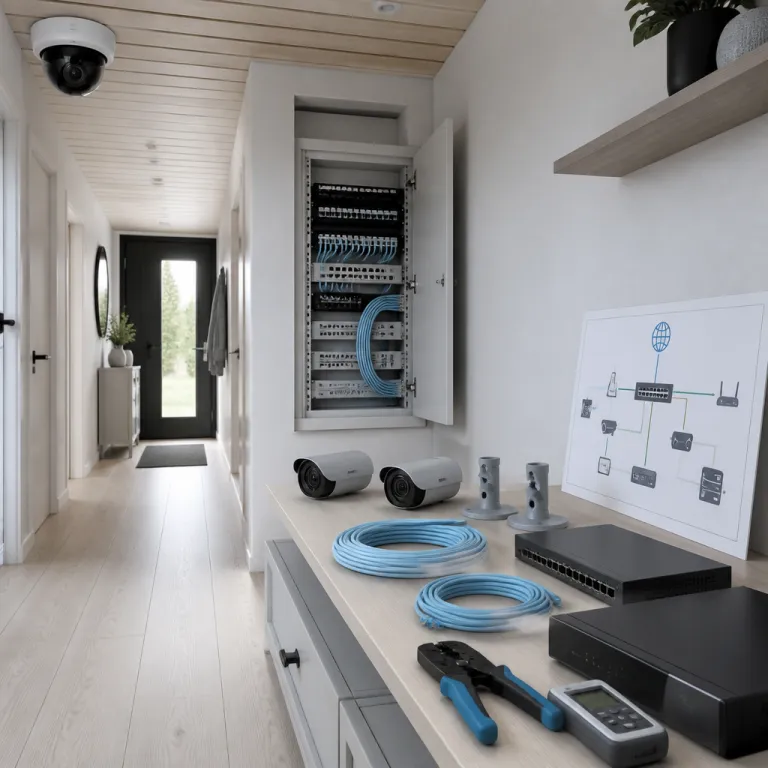
Why elk IDS thinking matters for smart home cameras
Home security cameras are no longer just silent witnesses. When you apply elk IDS thinking, you treat every camera as a sensor feeding a broader security system that can react in real time. This shift turns passive recording into active protection for your family and property.
In cybersecurity, an ELK Stack intrusion detection setup combines Elasticsearch, Logstash and Kibana to centralize logs and perform threat detection across complex networks. Borrowing this ELK-style IDS mindset for home security means you stop looking only at isolated motion detection alerts and start correlating camera events, access control logs and even router data as one coherent security event stream. That approach lets you see threats real enough to matter, instead of drowning in random notifications that you eventually ignore.
Think of your home as a small but important network where every camera, lock and sensor generates logs that you should be able to read and interpret. A modern smart home security strategy benefits from the same layered security that professionals use, where each layer from the front door camera to the backyard sensor contributes to a unified analysis. When you design your home setup with elk IDS principles, you prepare for monitoring and detecting suspicious behaviour instead of reacting after an incident has already happened.
Building a layered home security system with elk style monitoring
Most people start with a single camera pointed at the front door. To reach elk IDS level protection, you gradually build a layered system where cameras, alarms and access control devices share information and support each other. This layered strategy mirrors how intrusion detection and security event management tools protect corporate networks.
Begin with clear roles for each device in your home security system so that every camera, sensor and siren contributes a specific layer of detection. One layer might focus on perimeter monitoring, detecting movement at gates and driveways with an outdoor camera, while another layer watches interior corridors and critical rooms where valuables are stored. A final layer can track digital access, such as smart locks and Wi‑Fi routers, whose logs often reveal the first sign of a threat before a burglar even reaches a window.
To make this practical, follow a simple checklist: first, map your entry points and place at least one camera or sensor on each; second, connect those devices to a single app or hub that can show all alerts in one view; third, create basic rules such as “if the door opens after midnight, record from the hallway camera and send a push alert”; fourth, set a retention policy that automatically deletes routine footage after a reasonable period while keeping flagged clips longer; fifth, test your rules monthly by opening a door at night and confirming that recording, alerts and log entries behave as expected. When you integrate panic alarms with your cameras, you move closer to a full SIEM-style approach at home. A well configured panic button can trigger camera recording, send a concise report to your phone and even highlight the relevant footage on a simple dashboard.
From motion alerts to elk style threat detection at home
Standard motion alerts from a camera rarely qualify as real threat detection. To reach elk IDS quality, you need a system that can distinguish between a passing car, a neighbour’s cat and a person loitering near a window at night. That requires better analysis of context, time and network traffic between your devices.
Many consumer cameras already generate detailed logs that include timestamps, device identifiers and sometimes even basic behaviour labels such as person, vehicle or package. When you centralize these logs into a simple home dashboard, you start to mimic the way a professional ELK Stack correlates events from multiple sources for security event management. Over time, patterns emerge, such as repeated motion at the same hour or a new sign of probing behaviour near a side entrance that previously stayed quiet.
Some advanced users route camera alerts through open source tools that resemble a lightweight SIEM, allowing them to tag events, add a short comment and build a personal hunting strategy for suspicious activity. Even without coding skills, you can approximate elk IDS style monitoring by exporting camera reports, reviewing them weekly and adjusting detection zones and schedules based on your own analysis. A minimal home pipeline might simply forward motion alerts as JSON to a log collector, store them with timestamps and labels, and then display them on a basic chart so that unusual spikes stand out. If you rely on a TV rather than a smartphone, you can still maintain this structured approach by connecting your camera feed to a monitor and then layering elk style monitoring on top.
Using elk style dashboards and reports for everyday homeowners
Professionals use Kibana dashboards to visualize ELK Stack data from large networks. You can borrow the same elk IDS logic at home by creating simple dashboards inside your camera app or smart home hub that highlight what truly matters. The goal is not fancy graphics but fast understanding of whether your home is safe right now.
Start by deciding which metrics you want to see first whenever you open your app, such as the number of motion events in the last hour, the status of each access control device and any failed login attempts to your Wi‑Fi router. This mirrors how a SIEM dashboard surfaces critical security event information for analysts who must react in real time. Many consumer platforms let you pin tiles, reorder camera feeds and filter notifications so that your main content reflects elk IDS priorities rather than marketing features.
Whenever you review your dashboard, treat it as a mini threat hunting session where you scan for anomalies instead of passively scrolling through video clips. If you notice a pattern, write a short post or private note to yourself describing the behaviour, then adjust your detection zones or schedules as part of a continuous strategy. Over months, this habit turns raw logs into meaningful analysis and helps you maintain a calm, informed view of threats real enough to warrant action.
Integrating elk style intrusion detection with smart home platforms
Smart home platforms promise seamless integration, yet many households still run cameras, locks and alarms as separate islands. Applying elk IDS principles means insisting that your devices share data so that one system’s alert can trigger another system’s response. This is where the concept of intrusion detection from cybersecurity becomes directly useful for everyday homeowners.
Look for camera brands and hubs that support open source integrations or at least publish clear APIs, because these features allow more flexible event management. When your door sensor, living room camera and smart light can all react to the same security event, you effectively build a home scale SIEM that coordinates multiple layers of defence. For renters or people who cannot drill into walls, combining such integrations with non invasive mounting options is essential, and a careful approach to temporary mounts and adhesive brackets can be paired with elk IDS thinking to keep both your landlord and your security needs satisfied.
Some advanced enthusiasts even mirror the Suricata‑ELK model from enterprise networks by using router level monitoring, detecting unusual network traffic from cameras themselves. If a camera suddenly starts sending data at odd times or to unfamiliar servers, that can be a sign of compromise that matters as much as a stranger at your door. Treating both physical and digital anomalies as part of one integrated system is the essence of elk IDS for smart homes.
Privacy, rights and practical routines in an elk style home setup
Any powerful security system must respect privacy and legal boundaries. When you bring elk IDS concepts into your home, you also take responsibility for how you store, share and read the data generated by your cameras. That includes thinking carefully about who can access your dashboard, logs and reports.
Always check local regulations about filming public spaces, recording audio and retaining footage, because a strong security strategy should never conflict with neighbours’ rights. Many camera apps include settings that let you mask certain zones, limit audio recording or automatically delete old footage after a set time, which aligns elk style monitoring with reasonable data retention. When you review your main content feeds, ask whether each layer of detection is proportionate to the actual threat and whether any family member feels over monitored.
From a practical standpoint, set a weekly routine to skim your alerts, read key events and adjust rules, just as a professional analyst would maintain a SIEM. If your app interface includes options such as skip main menu or skip content sections, configure them so that you jump straight to the most relevant security event views instead of wasting time. A simple retention baseline for many homes is to keep routine footage for 7 to 30 days, store important clips for several months and delete anything older unless it relates to an ongoing issue. Remember that while many platforms state that all rights are reserved in their terms, you still control how elk IDS style insights shape your daily habits and long term sense of safety.
Key figures that shape smart home camera and elk style security
- Public reports from the European Union Agency for Cybersecurity describe frequent incidents involving insecure consumer IoT devices, including home cameras, which underlines why treating cameras as part of an intrusion detection system rather than isolated gadgets is essential.
- Insurance industry briefings often note that households with integrated camera and access control systems tend to experience fewer successful break ins, suggesting that layered elk style strategies have measurable real world impact on physical security even if exact percentages vary by region and provider.
- Studies from large network equipment vendors regularly show that suspicious home network traffic often peaks during evening hours, which supports the practice of scheduling more aggressive detection rules and manual log reviews during those high risk time windows.
- Market analyses of open source security tools report steady growth in home user adoption, with millions of downloads for lightweight SIEM and log analysis software, demonstrating that ELK Stack style thinking is moving from corporate environments into private living rooms.
FAQ about elk IDS thinking for home security cameras
How does elk IDS thinking differ from normal camera use at home ?
Normal camera use focuses on watching live feeds or checking recordings after something happens, while elk IDS thinking treats every alert as part of a broader pattern that you analyse over time. You centralize logs, correlate events from multiple devices and adjust rules based on recurring behaviour. This approach turns your cameras into an integrated intrusion detection layer rather than simple video recorders.
Do I need technical skills to apply elk IDS ideas to my home ?
You do not need to be a cybersecurity expert to benefit from elk IDS concepts, because many consumer apps already include basic dashboards, logs and filtering tools. The key is to use these features intentionally by reviewing patterns, refining detection zones and linking camera alerts with other smart devices. More advanced integrations with open source tools are optional and can be added gradually if your confidence grows.
Can elk style monitoring work in a small apartment ?
Elk IDS principles apply just as well in a studio apartment as in a large house, because the core idea is correlation rather than scale. Even two cameras and a smart lock can form a meaningful layered system when their alerts are reviewed together and adjusted over time. Renters can combine non invasive mounting options with careful access control settings to achieve strong protection without structural changes.
How often should I review my camera logs and dashboards ?
A weekly review is a practical baseline for most households, with extra checks after any unusual event such as a false alarm or neighbourhood incident. During these sessions, you should read key alerts, update schedules and refine detection zones based on what you learned. High risk periods, such as holidays or extended travel, may justify daily reviews that mirror professional threat hunting routines.
Are open source tools safe for managing home security data ?
Reputable open source tools can be very safe when downloaded from official project sites and kept updated, and they often provide transparency about how your data is handled. For many homeowners, the main risk lies not in the software itself but in weak passwords, exposed ports or misconfigured remote access. If you adopt ELK Stack style tools, combine them with strong authentication and regular updates to maintain both security and privacy.