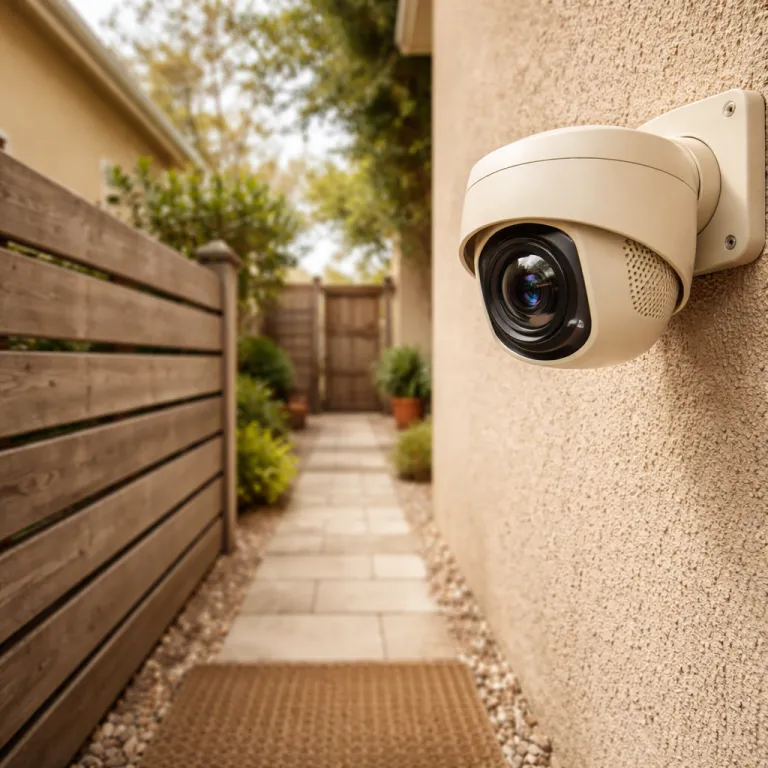
From cloud dependent cameras to on-device intelligence
Most people still buy a home security camera that streams every clip to the cloud. That classic cloud based model underpins how many Wi-Fi security cameras work today, and it quietly shapes your privacy, your subscription costs, and how often you get woken by useless alerts. When you compare older cloud dependent camera systems with a modern on-device AI security camera, the difference is less about resolution and more about where the video analytics and intelligence actually live.
Here is the usual cloud workflow: the camera records a short video clip, uploads it to a remote server, and waits while artificial intelligence models decide whether it saw a person, a pet, or just a tree shadow. Only after that remote detection step does the service send push alerts back to your phone, which means your view of what happened is never truly in real time and always depends on someone else’s infrastructure. That architecture also explains why many brands lock basic features such as object detection and longer storage behind monthly fees, because every clip costs them bandwidth and server time.
With an on-device AI security camera, the flow flips and the network becomes optional. The camera’s own chip handles object detection locally, so it can run person, package, vehicle, and pet recognition directly on the device without shipping raw video to the cloud. That local intelligence cuts false alarms dramatically, because the system can learn from your settings, your typical view camera angles, and your specific environment instead of relying on generic cloud profiles.
Look at how this plays out with real products you may already know. A Ring Stick Up Cam or Blink Outdoor 4 still leans heavily on cloud video security for smart alerts, while a Eufy SoloCam S340 or newer Reolink models push more powered security features onto the device itself. Independent reviewers such as Wirecutter and PCMag have repeatedly found that these on-device models deliver faster alerts, more private operation, and fewer recurring fees, especially when motion triggers recording throughout the day.
Cloud based security systems are not useless, but they are misaligned with what many homeowners actually want. You probably care more about best security for your family and your data than about yet another AI powered upsell screen. That is why the shift to local storage, on-device artificial intelligence, and smarter camera systems is not a niche upgrade; it is a structural change in how home security and CCTV style monitoring can work.
How on-device AI actually works on your security cameras
Think of an on-device AI security camera as a tiny, specialised computer with a lens. Inside that compact body sits a dedicated chip optimised for artificial intelligence tasks such as object detection, facial recognition, and behaviour analysis. Instead of sending every frame to the cloud, the camera analyses the video stream locally and only sends alerts or short metadata when something important happens.
In practice, that means your smart security camera can spot a person approaching the door, classify a package on the step, or ignore a passing car in real time without waiting for a server. The best implementations now handle people, vehicles, pets, and parcels, and some even attempt fall detection for elder care scenarios, though that still generates occasional false alarms when someone simply bends to tie shoes. When you view camera feeds from these smart systems, you see bounding boxes and labels generated on the fly by the same chip that is encoding the footage.
Vendors are starting to layer more advanced intelligence on top of this local processing. XThings Ulticam, for example, uses Google Gemini to generate natural language video summaries directly on the device, turning raw clips into short descriptions you can skim instead of scrubbing through hours of footage. Ring’s new app store model runs third party AI modules on the camera itself, keeping video on your network while still allowing extra features such as licence plate recognition or custom access control logic.
On-device AI does have limits, and you should understand them before you rewire your whole security system. Complex multi camera tracking across several CCTV cameras, or long term pattern analysis across weeks of storage, still tends to require a more powerful hub or server. That is where devices such as the Reolink AI Box come in; they sit alongside your existing PoE cameras and add object detection, people and vehicle filters, and smarter alerts without forcing you to replace every camera at once, which is especially useful if you already run a Blue Iris setup with something like a Reolink Duo 3 WiFi for wide angle coverage.
For a smart home enthusiast, the real win is how these powered security features plug into automations. Because the intelligence lives on the camera, your security systems can trigger lights, lock doors, or arm panic alarms the instant a person is detected, without waiting for a round trip to the cloud. If you already use Alexa, Google Home, or HomeKit, an on-device AI security camera becomes another fast, reliable sensor in your scenes rather than just a passive recorder.
Privacy, storage, and why local intelligence changes the rules
When AI runs on the camera, your privacy story changes from the ground up. Raw video no longer has to leave your home network for basic detection, which means fewer copies of your life sitting on remote servers you do not control. For many readers, that single shift is more meaningful than any bump from 1080p to 4K.
Local storage is the quiet hero in this transition, because it lets your on-device AI security camera keep high bitrate footage close while only sharing what is necessary. Instead of uploading every second of video security footage, the camera can store full resolution clips on a microSD card or NVR and send only short thumbnails or event logs to your phone. If you run wired camera systems over a 50 ft Cat5e Ethernet cable or longer, you can maintain stable power and data for multiple cameras without relying on flaky Wi-Fi that often causes gaps in recordings.
From a privacy and data protection angle, this architecture also reduces your exposure to breaches. Fewer cloud uploads mean fewer opportunities for misconfigured buckets, weak passwords, or compromised security teams to leak sensitive footage of your family, your routines, or your valuables. For people in apartments or shared housing, where a single view camera might capture neighbours’ doors or shared spaces, keeping footage local can also ease legitimate concerns about surveillance creep.
On-device intelligence also lets you tune what the camera pays attention to, which matters more than many spec sheets admit. You can configure object detection zones to ignore public pavements, adjust sensitivity so trees do not trigger false alarms, and even use facial recognition to prioritise alerts when an unknown face appears at the door. That level of control is hard to achieve when every decision is made in a distant data centre optimised for scale rather than your specific hallway.
There is still a role for the cloud, especially for offsite backups and remote access when you travel. The key is to treat cloud storage as a complement to local storage, not the default dumping ground for every frame your security cameras capture. If you want a deeper look at how panic alarms and integrated sensors can enhance your home security camera system, this guide on using panic alarms with a home security camera system is a useful next step.
Choosing the right on-device AI security camera for your home
Shopping for an on-device AI security camera means looking past the marketing slogans. You need to interrogate how the camera handles detection, what kind of storage it supports, and which features are locked behind subscriptions. The goal is simple: pay once for hardware that keeps working, even if the cloud service disappears tomorrow.
Start by checking whether person, package, vehicle, and pet detection run locally or in the cloud. Brands are not always clear, so you may need to read spec sheets carefully or learn from independent tests that compare models such as Arlo Pro 5S, Nest Cam Battery, and Eufy SoloCam S340 under the same conditions. Pay attention to how quickly alerts arrive, how often you see false notifications, and whether the camera still offers best security features when your internet connection drops.
Next, evaluate storage and access control options with the same scrutiny you would apply to a bank account. A strong on-device AI security camera should offer local storage via microSD or NVR, support encrypted remote access, and give you clear controls over who can view camera feeds and download clips. If you are wiring multiple CCTV cameras or PTZ models, consider how your network infrastructure, including any long Ethernet runs, will handle the sustained video load without introducing latency or dropped frames.
Do not ignore the ecosystem, especially if you already run smart speakers, lights, or locks. A camera that integrates cleanly with Alexa, Google Home, or HomeKit can feed its intelligence into broader security systems, triggering scenes when specific events occur rather than just sending another notification. For more technical readers, products like the Reolink AI Box show how you can bolt modern AI onto older PoE cameras, turning a basic CCTV array into a more capable pro style system without starting from scratch.
Finally, be wary of buzzwords that promise intelligence but deliver little control. If a vendor cannot explain how its artificial intelligence models handle facial recognition, licence plate reading, or event classification, you should treat that opacity as a security risk, not a feature. When in doubt, contact sales and ask pointed questions about on-device processing, data retention, and how their camera systems behave when the internet cable is quietly unplugged at 3 a.m. — because that is when you learn what your security camera really protects.
Key figures on on-device AI security cameras and privacy
- Industry reporting from firms such as IDC and Strategy Analytics suggests that a clear majority of new consumer security cameras launched in the last few years now handle smart detection on-device instead of routing everything through the cloud, signalling a rapid shift toward local intelligence.
- Vendors that move person and package detection from cloud servers to on-device chips report significantly lower ongoing bandwidth and compute costs per camera, which is one reason subscription free or low fee models are becoming more viable.
- Independent latency tests on modern on-device AI cameras, including trials of the Eufy SoloCam S340 and comparable Reolink models on typical home Wi-Fi networks, often show alert times under one second from motion to notification, compared with several seconds for cloud processed systems under similar conditions.
- Consumer surveys from major privacy advocacy groups such as the Electronic Frontier Foundation and national data protection authorities consistently find that more than half of respondents are uncomfortable with continuous cloud recording inside the home, yet are significantly more accepting of local only recording with explicit access control and encryption.
- Vendors that offer robust local storage options, such as microSD or NVR based recording, frequently report higher customer retention for their security systems, because users feel less locked into recurring cloud fees and more in control of their own footage.