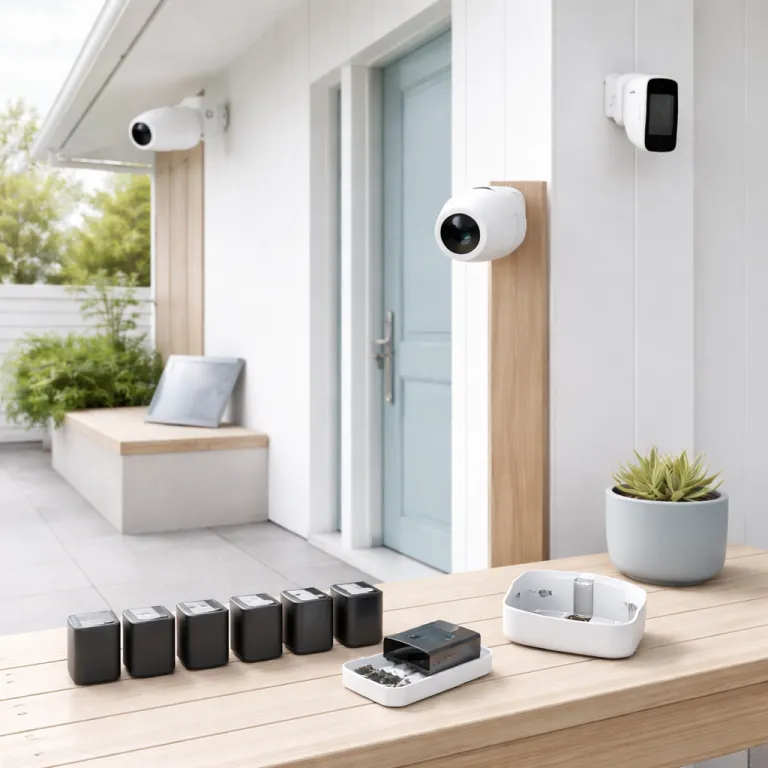
Why “longest lasting battery security camera” claims rarely match real life
Manufacturers love to market the longest lasting battery security camera as if it runs forever. In practice, every battery powered security camera lives or dies on how often it wakes for motion, how long you stream live video, how cold your winters get, and how aggressive its night vision LEDs are. If you expect a wire free camera to hit the advertised 200 days of battery life in a busy front yard, you will be disappointed.
Take the Tapo C460 camera as a concrete example of this gap. On paper, its 10 000 mAh battery promises up to 200 days, yet real users with moderate outdoor security traffic report closer to 90–120 days before they need to recharge the battery. That is still respectable for wireless security cameras, but it shows why spec sheets are optimistic rather than realistic.
The same pattern appears across brands like Arlo, Reolink, Nest, Blink Outdoor and other smart security cameras sold on Amazon. An Arlo Pro series wireless camera with frequent motion alerts and long live views can burn through even the best battery in a few weeks during a busy holiday season. A Nest Cam Battery or Blink Outdoor camera mounted in a quiet side yard, with tight motion zones and fewer notifications, can stretch the same battery operated design for months.
Several technical factors quietly drain every powered security device. High resolution video, especially 4K or dual lens designs like the Reolink Argus 4 Pro, pushes more data through Wi-Fi and forces the camera to run hotter, which shortens battery life compared with simpler 2K cameras. Constant use of infrared night vision or color night vision spotlights, plus heavy cloud recording uploads, can turn a “set and forget” wireless security promise into a regular charging chore.
Even the smartest security camera cannot cheat physics. Cold weather thickens the battery’s internal chemistry, so a battery powered outdoor camera that lasts 90 days in mild temperatures might last only 45 days in freezing conditions. If you want the best balance between security and convenience, you need to match the right security cameras, settings and power options to your specific home rather than chasing the boldest marketing claim.
What really drains a battery in outdoor security cameras
Every time your security camera wakes, records video and pushes a clip to the cloud, it spends a chunk of its battery budget. The biggest drain on any battery powered or battery operated security camera is not standby time but motion events, especially when the camera sits beside a busy road or a shared driveway. If your outdoor security setup sees 100 motion triggers a day, no amount of clever marketing about the longest lasting battery security camera will save you from frequent recharges.
Live view is the second silent killer of battery life. Opening the app to check your wireless security cameras for a few minutes several times a day keeps the Wi-Fi radio and image sensor awake, which drains the battery faster than short motion clips. When you add two way audio, higher bitrate video and long downloads from cloud storage, even the best battery in a Nest Cam Battery or Arlo Pro camera can feel surprisingly small.
Lighting conditions matter as much as usage patterns. At night, infrared LEDs for standard night vision or white LEDs for color night vision consume far more power than daytime recording, especially on outdoor cameras that sit in very dark corners. A camera like Blink Outdoor or a Reolink wireless model that spends most of its time in night vision mode will always have shorter battery life than the same camera mounted where streetlights help.
Temperature is the third major factor that owners underestimate. Lithium batteries inside a wire free security camera lose capacity in cold weather and degrade faster in extreme heat, so an outdoor Nest Cam or Arlo camera on a south facing wall will age more quickly than an indoor camera in a hallway. If you want a deeper technical dive into how power supply choices affect security, this guide on understanding the essentials of surveillance camera power supply is a useful companion.
Finally, software settings can quietly sabotage even the best battery powered security cameras. Overly wide motion zones, maximum sensitivity, and continuous cloud recording will keep your smart camera awake almost constantly, especially in busy urban environments. Tightening those settings, or using schedules that arm only when you are away, can double the effective battery life of many wireless security cameras without sacrificing essential security.
Real world run times: how top battery cameras actually perform
Marketing departments talk about months, but homeowners talk about weeks. When you look at real world reports for the longest lasting battery security camera contenders, a pattern emerges across brands like Arlo, Reolink, Tapo, Nest and Blink Outdoor. Under moderate motion and mixed day night use, most battery powered outdoor cameras land between one and four months per charge, not the six to ten months often printed on the box.
The Tapo C460 camera, with its 10 000 mAh battery, is a good benchmark for midrange wireless security. In a typical suburban driveway with 20–40 motion events per day, users commonly report 90–120 days of battery life, especially when they tune motion zones and avoid constant live viewing. Pairing the C460 with a compatible solar panel can push that effective battery life close to continuous operation, as long as the panel gets several hours of direct sun.
Reolink’s Argus 4 Pro camera shows the trade off between image quality and endurance. Its dual lens 4K video system offers impressive coverage and color night vision, but that extra processing and data throughput drains the battery faster than Reolink’s simpler 2K cameras. By contrast, Reolink OMVI series cameras use a Qualcomm Micro Power Wi-Fi QCC730 chip that the company claims delivers up to 96 % longer battery life than the industry average for similar wireless security cameras.
On the mainstream side, Nest Cam Battery and Blink Outdoor cameras sit in the middle of the pack. A Nest Cam used as an outdoor security camera with frequent motion and rich notifications often needs charging every four to eight weeks, especially if you lean on cloud recording and high resolution video. Blink Outdoor cameras, which are more conservative with motion and video bitrate, can stretch their battery operated design for several months, but heavy live view and poor Wi-Fi signal still cut that down.
If you want a structured way to think about these trade offs, treat every camera’s spec sheet as a best case scenario. Then mentally cut the claimed battery life in half for a busy front door, or by a third for a quieter side yard, and compare those numbers across cameras. For a deeper background on how batteries behave in security devices, this explainer on the importance of camera batteries for home security is worth reading before you buy.
Solar panels, PoE and when to stop chasing batteries
At some point, the longest lasting battery security camera is the one you never have to touch. That is where solar panels and Power over Ethernet (PoE) come in, especially for outdoor security cameras that watch high traffic areas like driveways and garden gates. If your camera is sending video clips to the cloud all day, a small solar panel or a wired PoE connection can be more practical than endlessly hunting for the best battery.
Solar panels make the most sense when your camera has clear sky exposure. The Tapo C460 solar kit, often sold around 100 €, can keep a single wireless camera topped up in most European climates if it gets three to four hours of direct sun. Reolink’s solar panel options pair well with their Argus and OMVI series cameras, and in real use they can offset the heavier battery drain from high resolution video and frequent motion alerts.
Economically, a solar panel pays for itself in saved time rather than saved electricity. If you have to climb a ladder every month to recharge a Nest Cam, Arlo Pro or Blink Outdoor camera, the value of a solar panel or a switch to PoE becomes obvious after a single winter. For cameras mounted at reachable height near a power outlet, a simple powered security adapter or USB cable can be cheaper and more reliable than any solar solution.
PoE is the point where you stop compromising on power. A PoE camera uses a single Ethernet cable for both data and power, which eliminates battery life anxiety and Wi-Fi instability at the same time, though it does require more installation effort. For homeowners who want a mix, one strategy is to keep wire free battery operated cameras for flexible spots and use PoE or powered security cameras for the most critical views.
If you are renting or cannot drill into walls, you still have options. A guide to top no drill security cameras can help you combine adhesive mounts, magnetic bases and solar panels without damaging the property. The key is to be honest about how much motion your cameras see and whether a purely battery powered setup can realistically keep up.
Settings that stretch battery life without missing key events
Software settings can turn an average battery into the best battery for your situation. The same security camera can last twice as long when you trim motion zones, reduce sensitivity and limit unnecessary notifications, especially on busy streets. Instead of chasing the absolute longest lasting battery security camera, it often makes more sense to tune the cameras you already own.
Start with motion zones and activity areas. On Arlo, Nest Cam, Tapo, Reolink and Blink Outdoor apps, you can usually draw shapes on the video frame to ignore pavements, trees and passing cars, which sharply reduces motion triggers. This single change can transform a wire free outdoor security camera from a two week headache into a two month workhorse.
Next, adjust motion sensitivity and clip length. Many smart security cameras default to high sensitivity and long video clips, which means every cat, branch and headlight drains your battery powered camera for 20–30 seconds at a time. Shortening clips to 10–15 seconds and lowering sensitivity a notch or two often preserves important security events while cutting the number of recordings in half.
Notification settings also matter more than most people realise. If your phone pings for every minor motion event, you are more likely to open live view, which keeps the camera awake and burns battery life quickly. Switching to summary notifications or only alerting for people, vehicles or packages can keep both your attention and your battery focused on what matters.
Finally, use schedules and modes intelligently. Many security cameras let you arm only at night or when you are away, which reduces motion events during quiet daytime hours at home. Combined with sensible use of night vision, color night spotlights and cloud recording, these settings can make even modest battery operated cameras feel like the longest lasting options for your particular home.
Smart ecosystems, subscriptions and choosing the right mix of cameras
Battery life is only one part of choosing the right security camera system. You also need to think about smart home integration, subscription costs and how different cameras behave inside ecosystems like Amazon Alexa, Google Nest and Apple Home. A camera that lasts slightly less on a charge but works smoothly with your existing smart speakers can be the better choice overall.
For many first time homeowners, Amazon Alexa and Google Nest compatibility are non negotiable. Arlo Pro, Nest Cam Battery, Tapo, Reolink and Blink Outdoor cameras all offer varying levels of integration with Amazon Alexa and Google Assistant, from simple voice control to live video feeds on smart displays. When you add these integrations, remember that frequent casting of live video to a smart display can drain the battery faster than app only use.
Subscription models also affect how you use your cameras. Some brands lock advanced motion detection, cloud recording and rich notifications behind monthly fees, which can push you to rely more on live view and local storage, indirectly changing your battery usage patterns. Others offer more generous free tiers, but may compress video more aggressively, which affects night vision clarity and fine detail in security footage.
Camera features like pan tilt, color night vision and high resolution video are tempting, yet each one has a power cost. A pan tilt camera that constantly tracks motion will use more battery than a fixed lens model, and color night spotlights draw more power than simple infrared LEDs. When you compare cameras on Amazon or in local shops, look beyond the headline features and ask how often you will really use them.
In the end, the best security cameras for a typical home are usually a mix. You might pair a long lasting battery powered camera with a solar panel for the back garden, a wired or PoE camera for the front door, and a compact indoor camera for the hallway. That combination gives you resilience, better coverage and fewer unpleasant surprises than betting everything on a single “longest lasting battery security camera” claim.
When to upgrade, when to reconfigure and when to go wired
Sometimes the problem is not that you chose the wrong camera, but that your life changed. A once quiet cul de sac can turn into a busy cut through, and suddenly your longest lasting battery security camera is waking for every passing scooter. Before you replace cameras, it is worth asking whether a smarter configuration could restore the battery life you expected.
Revisit your mounting positions and angles. A small shift in where a camera points can move a busy pavement out of the frame, which dramatically reduces motion events and extends battery life for both single cameras and multi camera setups. For outdoor security, consider mounting slightly higher and angling down so that the camera focuses on your property rather than the street.
If you have already optimised zones, sensitivity and schedules, then it may be time to change hardware. Upgrading from an older camera to a newer Reolink OMVI model with the Qualcomm Micro Power Wi-Fi QCC730 chip, for example, can deliver much better efficiency without sacrificing video quality. Likewise, adding a solar panel to a power hungry camera like the Reolink Argus 4 Pro or a Nest Cam Battery can turn a frustrating two week cycle into a near continuous setup.
There is also a point where going wired is simply more honest. If you find yourself charging a key camera every fortnight despite all tweaks, a PoE or mains powered security camera will give you stability that no battery can match. For many homeowners, a hybrid system that keeps a few wire free cameras for flexibility and relies on wired cameras for critical views is the most resilient approach.
Whatever path you choose, remember that security is about reliability, not just visibility. A slightly less flashy camera that records every important event is worth more than a feature packed model that dies quietly on a cold night. The real test is not the advertised 1080p, but what your camera actually captures at 3 am.
Key figures on battery life and power for security cameras
- Tapo C460’s 10 000 mAh battery is marketed for up to 200 days, yet real world users with moderate motion typically report 90–120 days per charge, which is roughly 40–60 % of the claimed figure.
- Reolink states that its OMVI series using the Qualcomm Micro Power Wi-Fi QCC730 chip can achieve up to 96 % longer battery life than the industry average for comparable wireless security cameras, effectively almost doubling runtime in similar conditions.
- Dual lens 4K cameras such as the Reolink Argus 4 Pro generally consume 20–40 % more power than single lens 2K models in the same locations, due to higher processing load and increased video bitrate.
- In cold climates where winter temperatures regularly fall below 0 °C, lithium batteries in outdoor security cameras can lose 20–30 % of their effective capacity, cutting practical battery life by roughly a quarter compared with mild weather.
- Solar panels that receive at least three to four hours of direct sunlight per day can offset most of the daily power use of a typical 2K battery powered outdoor camera, effectively turning a one to three month charge cycle into near continuous operation.
FAQ about longest lasting battery security cameras
How long do battery powered security cameras really last on a single charge ?
In real homes, most battery powered security cameras last between one and four months per charge, depending on motion frequency, live view use, night vision time and temperature. Quiet locations with well tuned motion zones can stretch toward the upper end of that range. Busy front doors or driveways with constant motion often land closer to four to six weeks.
Is a solar panel worth it for an outdoor battery camera ?
A solar panel is worth it when your camera has clear sun exposure and sits in a high traffic area. In those conditions, a modest solar panel can offset daily power use and keep the battery topped up, saving you from frequent ladder climbs. For shaded locations or low traffic spots, a simple wired power adapter may be more reliable and cost effective.
Which settings have the biggest impact on battery life ?
Motion zones, sensitivity and clip length have the largest impact on battery life. Narrowing zones to focus on your property, lowering sensitivity slightly and shortening clips from 30 seconds to around 10–15 seconds can cut battery drain dramatically. Reducing unnecessary live view checks and limiting night vision spotlight use also helps.
When should I switch from battery cameras to PoE or wired power ?
You should consider PoE or wired power when a critical camera needs charging more often than once a month, even after optimising settings and placement. High traffic entrances, driveways and shared access paths are typical candidates for wired power. A hybrid system that mixes wired cameras for key views and battery cameras for flexible spots often gives the best balance.
Do higher resolution cameras always have worse battery life ?
Higher resolution cameras usually consume more power because they process and transmit more data, especially at 4K. However, efficient chips like the Qualcomm Micro Power Wi-Fi QCC730 in some Reolink OMVI models can offset part of that penalty. For most homeowners, a well tuned 2K camera offers a good compromise between detail, battery life and storage use.