
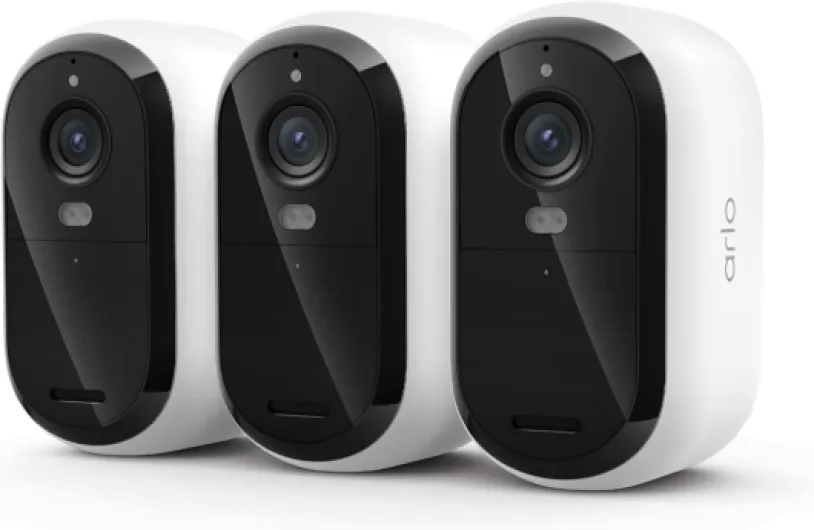
Understanding the need for 24/7 recording in home security cameras
Why 24/7 Video Recording Matters for Home Security
When it comes to protecting your home, having security cameras that offer continuous recording can make a real difference. Unlike cameras that only record when motion is detected, 24/7 video recording ensures every moment is captured, whether it’s day or night. This is especially important if you want a complete record of events, not just clips triggered by movement. With more people seeking peace of mind, the demand for reliable, always-on recording cameras is growing.
Benefits of Continuous Security Camera Recording
- Comprehensive coverage: Continuous recording captures everything, so you don’t miss incidents that motion detection might overlook.
- Evidence collection: If something happens, you have a full timeline to review, which can be crucial for investigations or insurance claims.
- Deterrence: The presence of visible, always-recording cameras can discourage unwanted visitors.
- Peace of mind: Whether you’re using an indoor camera, outdoor camera, or a smart wifi indoor system, knowing your property is always monitored can help you feel secure.
Types of Cameras Suitable for 24/7 Recording
Not all security cameras are built for continuous recording. Some, like battery powered models, may struggle to keep up without frequent recharging. Wired security cameras, or those with solar powered options, are better suited for non-stop operation. Many modern cameras, such as dual lens or dual band models, offer advanced features like color night vision and easy set up, making them ideal for both indoor security and outdoor monitoring.
Matching Camera Features to Your Needs
Choosing the right camera pack or recording camera depends on your specific needs. For example, if you want to monitor entrances, a camera with night vision and motion detection is essential. For larger properties, outdoor cameras with wide coverage and continuous recording mode are recommended. Some brands, like Tapo, offer smart app integration, allowing you to save and review footage easily. Indoor security cameras often come with wifi indoor support, making installation straightforward.
Understanding the Technology Behind 24/7 Recording
Continuous video recording relies on robust storage solutions and reliable power. Wired cameras or those with solar powered backup are more dependable for uninterrupted recording. Features like dual band connectivity ensure stable video streaming, while color night vision and motion detection enhance security during low-light hours. For a deeper dive into the technical aspects, check out this practical guide for home security camera seekers.
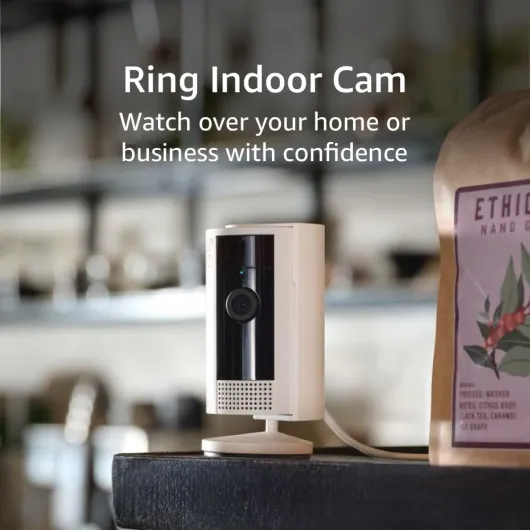
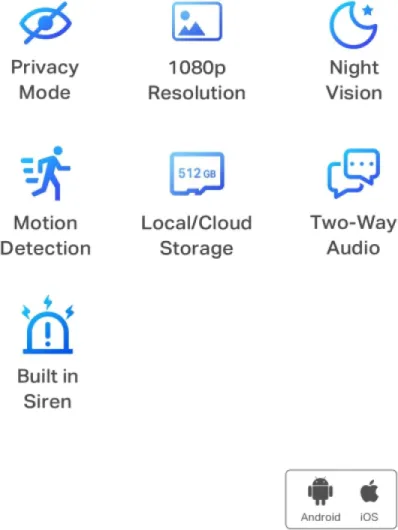
- + High Definition video at 1080p
- + Indoor use for homes and businesses
- + Compact white design
- + Easy to install and set up

Key features to look for in cameras that record 24/7
Essential Capabilities for Reliable 24/7 Security
When selecting a security camera for continuous recording, it’s important to focus on features that guarantee round-the-clock protection. Not all cameras are built for non-stop video recording, so understanding what sets the best models apart can help you make a confident choice for your home.
- Continuous Recording Mode: Look for cameras that offer a dedicated continuous recording mode. This ensures the camera captures everything, not just motion-triggered events. Some wifi indoor cameras and outdoor models, like those in the Tapo range, allow you to set this mode easily through their app.
- Night Vision and Color Night Vision: Security doesn’t stop when the sun goes down. Choose cameras with strong night vision or color night vision capabilities. These features help you see clear details in low light, making both indoor security and outdoor camera monitoring effective at all hours.
- Reliable Power Source: For uninterrupted recording, wired security cameras or solar powered options are more dependable than battery powered models, which may require frequent recharging. Easy set wired packs are especially suited for continuous video recording.
- Smart Detection Features: While continuous recording is key, smart motion detection can help you quickly review important events. Cameras with dual lens or dual band wifi can offer better coverage and faster alerts, making it easier to save and review critical footage.
- App Integration: A user-friendly app is essential for managing your security camera. It should allow you to tap into live feeds, adjust settings, and review stored video from anywhere. This is especially important for wifi indoor and outdoor cameras.
- High-Quality Video: Look for cameras that record in at least 1080p HD. Higher resolution video recording ensures you capture important details, whether you’re monitoring an indoor camera or an outdoor security camera.
Additional Considerations for Continuous Recording Cameras
- Storage Options: Continuous recording generates a lot of video data. Cameras that support local storage (microSD cards) or cloud storage make it easier to manage and save footage. Some packs offer expandable storage, which is ideal for long-term recording.
- Weather Resistance: For outdoor security, make sure your camera is rated for weather resistance. Outdoor cameras should withstand rain, dust, and temperature changes to ensure reliable 24/7 operation.
- Privacy Controls: As you balance security and privacy, look for cameras that allow you to customize recording zones or temporarily pause recording through the app. This helps you manage privacy concerns without sacrificing safety.
For a deeper dive into integrating your security cameras with a comprehensive alarm system, check out this guide on choosing the right alarm system panel for your home security needs.
Managing storage for continuous video footage
How to Handle the Storage Demands of 24/7 Video Recording
Continuous recording security cameras, whether indoor or outdoor, generate a massive amount of video data. Managing this storage efficiently is crucial to keep your security system running smoothly and to ensure you never miss important footage. Here’s what you need to know about storage options and best practices for cameras that record 24/7.- Local Storage: Many security cameras offer microSD card slots or support external hard drives. Local storage is reliable and keeps your footage private, but it can fill up quickly with continuous recording. Look for cameras that support high-capacity cards or drives, and check if they offer easy set-up for swapping storage devices.
- Cloud Storage: Some smart cameras and apps provide cloud storage options. This can be convenient for accessing footage remotely, but it often comes with monthly fees and may have limits on how much video you can save. Make sure to review the retention period and privacy policies before committing.
- Network Video Recorders (NVRs): For wired or wifi indoor and outdoor camera packs, NVRs can centralize video recording from multiple cameras. They’re ideal for larger homes or when you want to manage several security cameras in one place. Dual band and dual lens cameras often integrate well with NVRs for seamless continuous recording.
| Storage Type | Pros | Cons |
|---|---|---|
| Local (microSD, HDD) | Private, no monthly fees, easy access | Limited capacity, risk of loss if device is stolen |
| Cloud | Remote access, offsite backup | Ongoing cost, privacy concerns, bandwidth usage |
| NVR | Centralized, scalable, supports multiple cameras | Higher upfront cost, more complex setup |
Optimizing Storage with Smart Features
Modern security cameras often include smart features like motion detection, dual lens, and color night vision. These can help save storage by only recording when activity is detected, instead of 24/7. However, for true continuous recording, make sure your camera’s recording mode is set accordingly and that your storage solution can handle the load. Battery powered and solar powered cameras may have limited storage or recording time, so check the specs if you want uninterrupted video. For wifi indoor cameras, ensure your network can handle the data transfer, especially if you use high-resolution video recording. If you’re concerned about power outages or battery life, consider reading this guide on how to choose and maintain your security alarm battery for home cameras.Practical Tips for Managing Continuous Video Storage
- Regularly back up important footage to an external drive or cloud service.
- Set up automatic overwrite so your camera saves the most recent video and deletes the oldest when storage is full.
- Use the app or software provided by your camera brand, like Tapo or Tap, to monitor storage usage and adjust settings.
- For night vision and color night security cameras, higher resolution means larger files, so plan storage accordingly.
Balancing privacy with constant surveillance
Finding the Right Balance Between Security and Privacy
Continuous recording with security cameras brings peace of mind, but it also raises important privacy questions. When your camera is always on—whether it’s an indoor camera in the living room or an outdoor camera watching the driveway—there’s a risk of capturing more than just potential threats. It’s crucial to think about who can access your video footage, how long it’s stored, and what happens if someone else gets access.- Camera placement matters: Position indoor security cameras in common areas, not private spaces like bedrooms or bathrooms. For outdoor cameras, aim them at entry points rather than neighbors’ properties to avoid privacy complaints.
- Use privacy zones and recording modes: Many smart security cameras, including models with dual lens or color night vision, let you mask certain areas in the camera’s field of view. This helps prevent recording sensitive spots.
- Control access with secure apps: Choose a security camera app that supports two-factor authentication and lets you manage who can view live or recorded video. Regularly update passwords and review app permissions.
- Set up motion detection alerts: Even with continuous recording, using motion detection can help you focus on important events. Some cameras, like Tapo or dual band wifi indoor models, let you customize detection zones and sensitivity.
- Inform household members and guests: Make sure everyone at home knows where cameras are placed and when they’re recording. This is especially important for indoor security and battery powered cameras that might be moved around.
Protecting Your Video Data
Continuous video recording means a lot of footage is stored, whether on a local SD card, a network video recorder, or in the cloud. To keep your data safe:- Encrypt your storage: Look for security cameras that offer encrypted storage, both for local and cloud options. This protects your video even if someone gains access to your storage device.
- Regularly review and delete old footage: Set up automatic deletion schedules to save only what’s necessary. This helps manage storage and reduces the risk of sensitive video being exposed.
- Check your camera’s privacy policy: Before buying a pack of cameras or a new recording camera, review the manufacturer’s privacy practices. Some brands are more transparent about how they handle your data.
Practical installation tips for uninterrupted recording
Placement strategies for maximum coverage
Getting the most out of your security camera system starts with smart placement. For continuous recording, position cameras to cover all main entry points, driveways, and common areas. Outdoor cameras should be mounted high enough to avoid tampering, but low enough for clear facial recognition. Indoor security cameras work best in corners, giving a wide field of view. Consider dual lens or wide-angle models for larger spaces. If your pack includes both indoor and outdoor cameras, coordinate their fields of vision to avoid blind spots.
Ensuring reliable power and connectivity
Continuous 24/7 recording demands a stable power source. Wired security cameras are ideal for uninterrupted video recording, but make sure cables are protected from weather and tampering. For areas where wiring is difficult, battery powered or solar powered cameras can be a solution, though you’ll need to monitor battery levels and sunlight exposure. Dual band wifi indoor cameras offer more reliable connections, reducing the risk of dropped footage. Always check your wifi signal strength at each camera location before final installation.
Optimizing night vision and motion detection
Night vision is essential for round-the-clock security. Place cameras away from direct light sources to avoid glare and ensure the infrared or color night vision features work effectively. For outdoor cameras, avoid pointing them directly at busy streets to reduce false motion detection alerts. Many smart cameras let you customize motion detection zones in their app, so take time to set these up to focus on real threats and save storage space.
Easy set up and ongoing maintenance
Choose cameras and packs that offer easy set up, especially if you’re installing multiple units. Many brands, like Tapo, provide step-by-step guides in their app. After installation, regularly check camera lenses for dirt or spider webs, especially on outdoor models. Test your recording mode and review saved video to confirm everything is working as expected. For continuous recording cameras, schedule periodic checks of your storage device to ensure it’s saving footage correctly and hasn’t reached capacity.
Troubleshooting common issues with 24/7 recording cameras
What to Do When Your Camera Stops Recording
If your security camera suddenly stops recording, it can be frustrating—especially if you rely on continuous 24/7 video coverage. Here are some practical steps to help you get your recording camera back on track:- Check the power supply: For wired security cameras, make sure the power adapter is plugged in and the outlet is working. For battery powered or solar powered models, confirm the battery is charged or the solar panel is receiving enough sunlight.
- Inspect your network connection: Many wifi indoor and outdoor cameras require a stable internet connection. Dual band cameras can switch between 2.4GHz and 5GHz networks, so try reconnecting or moving your router closer to the camera.
- Review storage settings: If your storage is full, the camera may stop recording. Check your SD card or cloud storage limits. Some smart cameras automatically overwrite old footage, but others may need manual intervention to save space.
- Update firmware and app: Outdated firmware or app versions can cause recording issues. Open your camera’s app and look for updates for both the camera and the app itself.
- Test motion detection and recording mode: If you use motion detection or a specific recording mode, verify that these settings are enabled. Sometimes, cameras switch from continuous recording to motion-based recording after a reset.
Solving Night Vision and Image Quality Problems
Night vision is crucial for 24/7 security, but sometimes you might notice blurry or dark footage at night. Here’s what you can do:- Clean the lens: Dust or smudges can affect both day and night vision. Gently wipe the lens with a microfiber cloth.
- Adjust camera placement: For outdoor cameras, avoid pointing directly at bright lights or reflective surfaces. For indoor security, make sure the camera isn’t facing a window at night.
- Check infrared (IR) settings: Some cameras let you manually enable or disable IR LEDs for night vision. Make sure these are turned on for clear night images.
- Consider color night vision: If your camera supports color night vision, ensure this feature is enabled in the app for better nighttime detail.
App and Notification Troubleshooting
If you’re not receiving alerts or can’t access your video feed, try these steps:- Restart the app and camera: Sometimes, a simple restart can resolve connectivity issues.
- Check notification settings: Make sure notifications are enabled for your security camera app and that your phone’s settings allow alerts.
- Reconnect the camera: Remove the camera from the app and add it again. This can fix many connection or detection issues.