
Summary
Editor's rating
Is it good value compared to subscriptions and full NVRs?
Small white tower that disappears in a corner
Build quality, heat, and how confident I feel long term
Wi‑Fi 6, 4K playback, and how it actually behaves day to day
What the Reolink Home Hub actually does (and doesn’t do)
Does it actually make your home security easier?
Pros
- No monthly cloud fees thanks to local encrypted SD storage
- Centralises up to 8 Reolink cameras with 4K live view and playback
- Compact, quiet device with low power use and decent Wi‑Fi 6 performance
Cons
- Included 64 GB SD card is too small for serious 4K or multi-camera recording
- App interface and settings can be confusing for beginners
- Limited to SD card capacity and 8 cameras, so not ideal for large or long-retention setups

Specifications
View full product page →| Brand | Reolink |
Local storage without a subscription: worth the hassle?
I’ve been using the Reolink Home Hub for a bit now with a mix of Reolink Wi‑Fi and PoE cameras, and I’ll be straight: this is not some magic box that makes home security effortless, but it does a decent job of centralising everything and killing off monthly cloud fees. If you already live in the Reolink ecosystem or plan to, it makes more sense than trying to juggle SD cards in every camera or paying subscriptions for each device.
In practice, this hub sits in a corner by my router, plugged into power and Ethernet, and just records away quietly. I mainly use it to get longer history in 4K and to avoid messing with cloud services. Compared to my old cloud-only setup (around £8/month for one brand, then more for extra cameras), I can see how this will pay for itself after a year or so, assuming it holds up.
The flip side: it’s not the most user-friendly thing if you’re not used to security gear. The app is powerful but a bit busy, and the way Reolink splits camera settings between the camera and the hub can be confusing the first week. Also, the included 64 GB SD card is too small if you want continuous 4K recording from multiple cameras. It works, but it fills up fast.
So, if you’re expecting a plug‑and‑forget gadget that magically manages everything for you, you might be a bit underwhelmed. If you’re okay tweaking a few settings and you want local storage with no monthly bill, it starts to look pretty solid. That’s more or less where I landed after using it daily.
Is it good value compared to subscriptions and full NVRs?
Value-wise, this hub sits in a middle zone. It’s cheaper than going all-in on a full NVR with hard drives, but more expensive than just slapping SD cards in each camera and calling it a day. Where it starts to make sense is if you’re already paying for cloud storage with another brand or you’re planning to cover a whole house with several cameras. I used to pay around £8 a month for one cloud setup; over a couple of years that adds up fast. Here, you pay once for the hub, add decent SD cards, and that’s it. No monthly bill hanging over you.
The downside is that the included 64 GB SD card is honestly too small for what the product is capable of. If you’re recording in 4K or have several cameras, you’ll burn through that space in a few days, maybe even less. Realistically, you’ll want to budget for two 256 GB or 512 GB cards. That pushes the total cost up, especially if you stick to reliable brands. So the “no monthly fee” line is true, but there’s still an upfront hit that you need to keep in mind.
Compared to a full Reolink NVR with a hard drive, the Home Hub is more compact and uses less power, and it’s easier to tuck away. But you lose the huge storage potential of a multi‑terabyte HDD, and you’re limited to 8 cameras. For a typical home with 3–6 cameras, that’s fine. For a big property covered in cameras, you might outgrow this and wish you’d gone straight to a proper NVR. On the flip side, if you’re mainly on Wi‑Fi cams and want something small and simple, the hub is less overkill than a full rack-style NVR.
So is it good value? I’d say it’s pretty solid if you: 1) already like Reolink cameras, 2) want local storage instead of cloud, and 3) don’t need more than 8 cameras or weeks and weeks of 24/7 4K history. If you fall outside that, you should probably look at either a true NVR or just stick to camera-level SD cards and accept the shorter history. The hub isn’t cheap, but it does what it says and can save you money versus subscriptions in the long run.
Small white tower that disappears in a corner
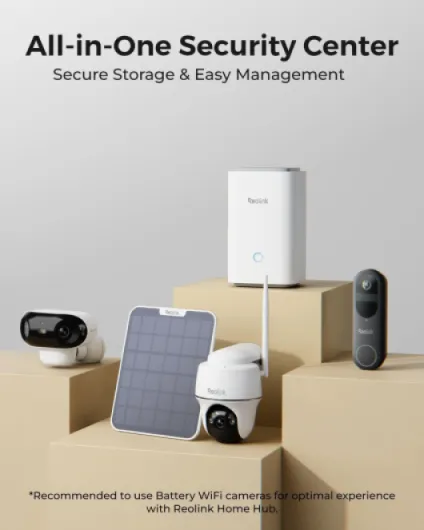
Design-wise, the Reolink Home Hub is pretty low-key. It’s a small white tower, about 9.5 x 9.5 x 16.2 cm, so roughly the size of a chunky smart speaker or a small router standing upright. No giant antennas sticking out, no flashy LEDs that light up your living room at night. It’s the kind of box you drop next to your router and forget about, which is exactly what I did. The plastic feels decent enough – not premium, not cheap toy-level either. Just standard consumer electronics plastic.
On the front you’ve got a simple status light, and on the back there’s the power input, Ethernet port, and SD card slots. The SD card situation is the only place where design and practicality clash a bit. To swap or upgrade the cards, you do have to handle the unit and fiddle a bit. It’s not a nightmare, but it’s not as simple as plugging a USB drive into the front. Given this is meant as a storage hub, I’d have liked slightly more accessible card slots, especially if you’re experimenting with different card sizes at the start.
The hub runs quietly. There’s no fan noise, just a very slight warmth if you touch it after a day of recording. I stuck mine in a TV cabinet at first, then moved it to an open shelf because I didn’t want heat build-up over time. Even out in the open, it doesn’t really draw attention. If you care about aesthetics, it’s neutral enough that it won’t clash with anything. Just don’t expect anything fancy – it’s basically a white box that does its job and stays out of the way.
From a usability angle, the physical design is fine but not special. The device is light, stable enough not to tip over with normal cable tension, and the included 1 m Ethernet cable is short but usable if your router is close. If your gear is further away, plan on buying a longer cable. Overall, the design doesn’t sell the product, but it also doesn’t cause any real problems. It’s functional, discreet, and that’s about it.
Build quality, heat, and how confident I feel long term
Durability is always tricky to judge early, but there are a few signs that give you a feel for how long something might last. The Reolink Home Hub is a simple device: no moving parts, no battery, just a solid-state box doing basic NVR-like work. That’s already a good start. In my use, it runs 24/7, slightly warm to the touch but never hot. I’ve had some cheap DVRs in the past that cooked themselves after a few months; this doesn’t give me that vibe at all. The heat output feels more like a normal router.
The casing and ports seem decent. The power connector is firm, Ethernet port clicks in cleanly, and the SD card slots hold cards snugly. I swapped SD cards a couple of times when testing capacities and brands, and nothing felt loose or flimsy. It’s made in China, like most of this stuff, but it doesn’t feel like the bargain-bin kind of product. The 2-year replacement warranty and 30-day return policy are reassuring – at least you’re not stuck if it dies in the first year.
One thing you do need to think about is SD card durability. Continuous 24/7 4K recording is rough on SD cards in general, not just with Reolink. The Amazon review mentioning cheap no-name cards dying within a week is believable; I’ve had similar issues with other devices. With branded cards (SanDisk, Samsung, etc.), you’re usually fine, but even then, they’re consumables. So if you plan to hammer this hub with constant recording, factor in that you might replace cards every couple of years, maybe sooner if you’re unlucky.
Given the low power draw and simple design, I’m fairly confident the hub itself will last a while if you don’t cook it in a closed cupboard. It’s not some delicate gadget; it’s a plain plastic box doing a steady job. If Reolink keeps firmware updates coming and doesn’t abandon it, I don’t see a big reason why it wouldn’t keep chugging along for years. So on durability, I’d say: looks solid enough, with the main wear point being the SD cards you choose, not the hub itself.
Wi‑Fi 6, 4K playback, and how it actually behaves day to day
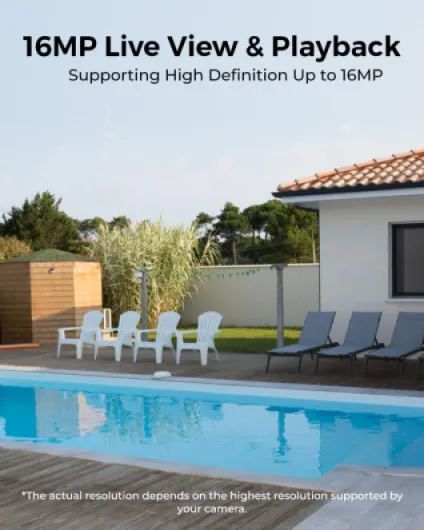
Let’s talk performance, because that’s where this thing either makes sense or becomes just another box on your shelf. With Wi‑Fi 6 and dual-band 2.4/5 GHz, the hub handles 4K live view and playback pretty well as long as your network isn’t already overloaded. In my setup with a Wi‑Fi 6 router, I can stream a 4K camera live while scrubbing through past events, and the app only stutters occasionally. When I tested it on an older Wi‑Fi 5 router, the difference was noticeable – more buffering and slower loading, especially with multiple cameras open at once.
One thing I appreciated is that recording keeps going even if the cameras temporarily lose internet. As long as the hub and cameras are still on the local network, or reconnect shortly after, it keeps pulling footage. I simulated a network drop by unplugging my internet line but keeping the router on, and the hub happily kept storing clips. That’s exactly the sort of behavior you want from a security system: it doesn’t just give up because the broadband line is down.
The app experience is where opinions differ. Personally, I find it functional but a bit cluttered. You have lots of options: motion zones, sensitivity, notifications, siren triggers, summaries, etc. But things aren’t always where you expect them, and some settings are on the camera level while others are on the hub level. I can see why some Amazon reviewers say the interface is confusing. After a week of use, I got used to it, but I wouldn’t hand this to a non-techy relative and expect them to set it up without guidance.
Stability-wise, it’s been pretty solid. No random reboots, no major crashes. Once I had to power cycle it after a firmware update because the app couldn’t see the hub, but that was a one-off. The weekly summaries feature – where it gathers detection events so you can quickly scan what happened – is actually useful. It’s not perfect, but it saves you from scrolling through hours of timeline. If I had to rate performance in one sentence: it gets the job done well enough, but the software polish is a step behind the hardware capabilities.
What the Reolink Home Hub actually does (and doesn’t do)
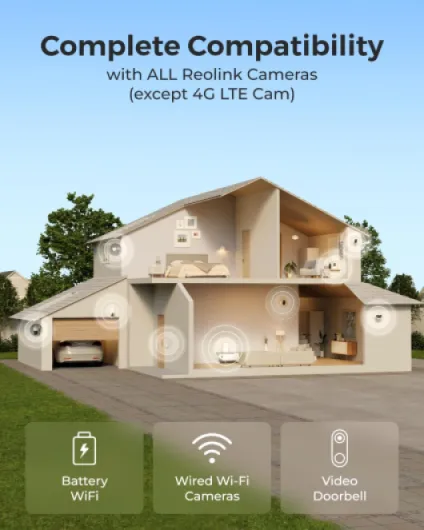
The Reolink Home Hub is basically a small box that acts as a central brain for your Reolink cameras and alarm stuff. Think of it as a lightweight NVR with Wi‑Fi 6, SD card storage, and some extra features like weekly security summaries and siren alerts. You can hook up to 8 Reolink cameras to it (battery Wi‑Fi, wired Wi‑Fi, PoE, and video doorbells – just not the 4G models). Once they’re added, the hub pulls in their recordings and events so you don’t have to log into each camera separately.
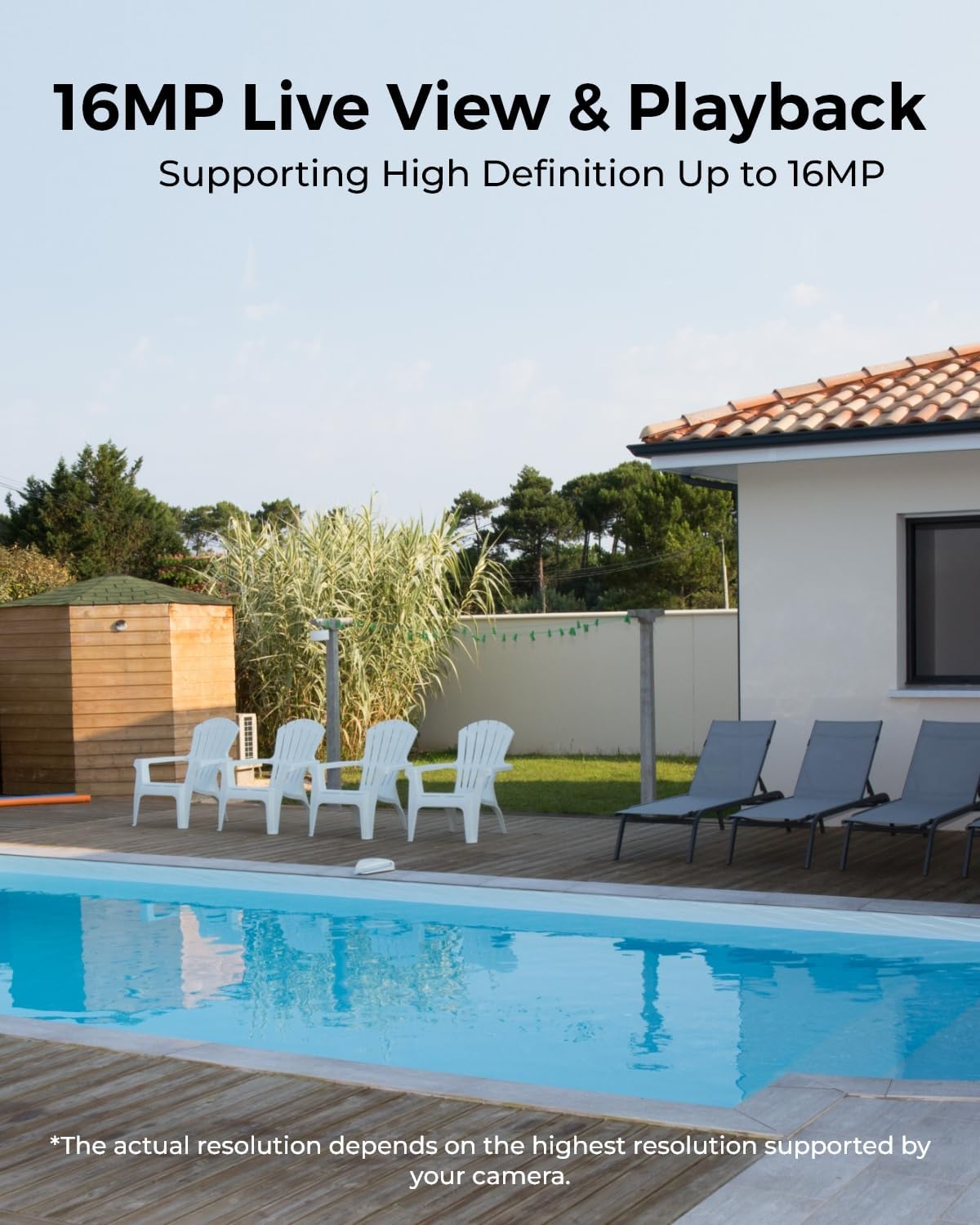
In daily use, the main thing it changes is how you access footage. Instead of opening a camera, scrolling through SD card timelines, and hoping the clip is still there, you just go into the hub view and see everything in one place. It supports up to 4K playback, and on Wi‑Fi 6 the streams are pretty smooth as long as your network isn’t trash. I’ve watched multi‑camera playback on my phone and on a tablet, and lag was minor unless my Wi‑Fi was already hammered by other stuff.
One thing that isn’t obvious from the product page: this isn’t a full-blown NVR with a big hard drive. Out of the box it’s just a 64 GB SD card, and you can add up to two 512 GB cards (so 1 TB total). That’s fine for a few cameras on motion-triggered recording, but if you’re doing full 24/7 4K recording on several cameras, don’t expect months of history. With two 512 GB cards and one 4K cam recording 24/7, people report about a month of storage before overwrite. Add more cameras or higher bitrates and that shrinks.
On the feature list, Reolink pushes the privacy angle: on-device AES128 and their own encryption so that even if someone nicks the hub, they can’t read the footage. I can’t personally test the encryption quality, but I did try resetting the hub and pulling the SD card; you don’t just plug it into a PC and browse video files, which is good from a security point of view. So, in short: it’s a compact, SD-based hub with decent privacy features, better suited to people who want control and local storage than those who just want a super simple, cloud-only camera.
Does it actually make your home security easier?
Effectiveness for me boils down to one thing: does this hub actually make managing cameras, alerts, and recordings simpler than just using each camera on its own? In my case, yes, but with a few caveats. The biggest gain is having all your recordings centralised and accessible from one place. When I get a motion alert, I just open the Reolink app, jump to the hub, and I can see all the relevant clips from different cameras without hopping between devices. If you’re running more than two cameras, that alone is worth something.
The siren and alarm side is decent but depends heavily on your camera placement and settings. You can set it so that if a camera detects a person (or just motion, depending on the model), the siren goes off. I tested this on my driveway camera: walked into frame, waited a couple of seconds, and the siren kicked in. It’s loud enough to be annoying, which is kind of the point. But you do need to tune motion zones and sensitivity, otherwise you’ll be that neighbor whose alarm screams every time a cat walks past.
The security summaries are a nice touch. Once a week you get a digest of events, and you can quickly jump into the interesting bits. It’s not as fancy as some cloud-based smart timelines, but it’s good enough to catch patterns: same person walking past at the same time, repeated motion in a certain area, that sort of thing. For me, that’s more useful than getting spammed with individual push notifications all day.
Where it’s less effective is for absolute beginners. If you’re expecting a super simple, one-button experience, this might feel like work. You’ll need to invest a bit of time in the first days to set up detection rules, tweak notifications, and get the storage and quality balance right. Once that’s done, it mostly runs itself. So yes, it does what it’s supposed to do, and for people who care about local storage and privacy it’s pretty solid. Just don’t expect it to be magic – you still have to set it up properly for it to really help.
Pros
- No monthly cloud fees thanks to local encrypted SD storage
- Centralises up to 8 Reolink cameras with 4K live view and playback
- Compact, quiet device with low power use and decent Wi‑Fi 6 performance
Cons
- Included 64 GB SD card is too small for serious 4K or multi-camera recording
- App interface and settings can be confusing for beginners
- Limited to SD card capacity and 8 cameras, so not ideal for large or long-retention setups
Conclusion
Editor's rating
Overall, the Reolink Home Hub is a pretty solid option if you’re already in the Reolink world and want to centralise your security without paying monthly fees. It gives you local, encrypted storage, a single place to manage up to 8 cameras, and decent 4K live view and playback thanks to Wi‑Fi 6. Once it’s set up, it just sits there recording quietly, and the weekly summaries plus siren options add a bit of real security value rather than just being a fancy viewer.
It’s not perfect, though. The included 64 GB card is too small for heavy use, the app interface can feel confusing at first, and this isn’t the most beginner-friendly product. You also need to budget for good quality SD cards if you want real retention in 4K, and accept that SD-based storage will never match a full NVR with a big hard drive. If you’re the kind of person who wants to plug something in and never touch a setting, you might find it a bit “meh” and underwhelming.
If you like tinkering a little, care about privacy and local storage, and you’re either sick of subscriptions or migrating from other systems, then this hub makes sense. For small to medium home setups with a handful of Reolink cameras, it’s good value and gets the job done. For large installs or people who want super long history, I’d skip it and go straight to a proper NVR with HDDs.