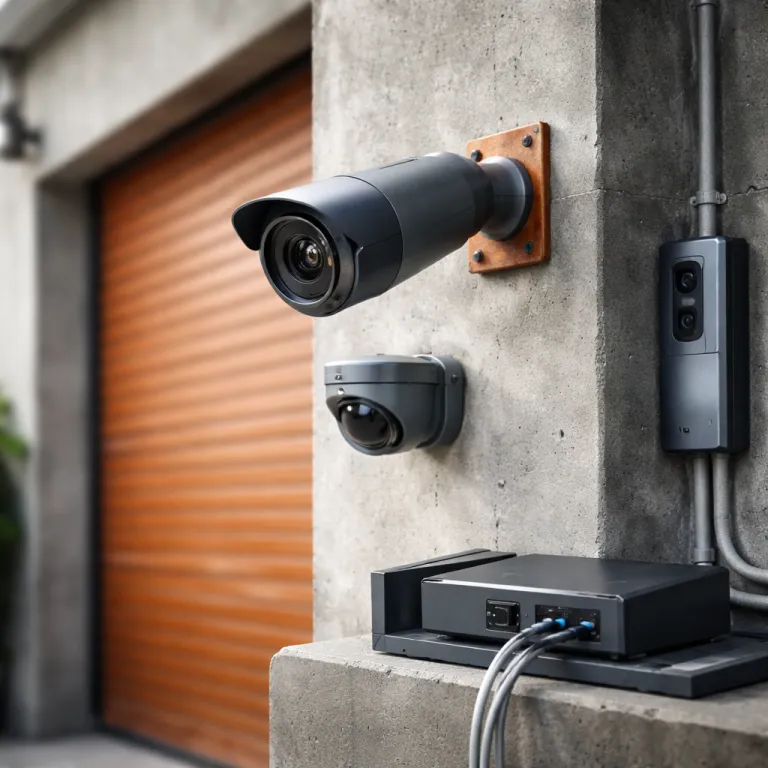
Why the best security camera with no subscription is worth the effort
Choosing the best security camera with no subscription starts with understanding what you actually need. When you strip away monthly fees, you still want strong security, reliable video, and smart alerts that do not wake you for every passing car. A good balance means your cameras protect your home instead of just filling up storage with useless clips.
Most people arrive here after hitting a wall with subscription costs on brands like Ring, Blink, or Google Nest. The pattern is familiar: you buy a cheap cam on Amazon, then realise that motion detection history, person alerts, and usable video storage all sit behind a paywall. The best security setup without a subscription keeps core features on the device, using local storage instead of forcing you into cloud storage that renews every month.
Subscription free does not mean feature free, especially with modern smart security cameras. Eufy, Reolink, Aosu, and newer players like XThings now offer object recognition, motion detection, and colour night vision without demanding monthly fees for basic use. The trade off is that you must think harder about where your video is stored, how your wireless or wired network behaves, and what happens if a thief walks off with the camera.
In this guide, we focus on five clear use cases for a security camera with no subscription. You will see where solar panel power makes sense, when a battery powered cam is enough, and when a wired outdoor camera is the safer long term bet. We will also unpack subscription plans so you know exactly what you give up when you stop paying for cloud storage and what you gain in control and privacy.
What you get and what you lose without a subscription plan
When you choose the best security camera with no subscription, you keep more control over your data. Every clip lives on a microSD card, an NVR, or a NAS, so your video storage is limited by hardware rather than by a subscription tier. That means your security cameras can keep recording even if a company changes its cloud storage policy or raises monthly fees overnight.
Without a subscription, you almost always retain live view, basic motion alerts, and two way audio. Most non subscription cameras, such as Wyze Cam v4 or Eufy SoloCam S220, still offer motion detection and sometimes person detection processed directly on the cam. You usually keep standard night vision and sometimes colour night vision, though some brands reserve advanced object recognition or rich timeline views for paying users.
The main losses come in three areas: cloud backup, advanced analytics, and long term history. Cloud storage gives you an off site copy of your security video, which is useful if someone steals the camera or damages your router. Some ecosystems, especially Ring and Google Nest, also lock features like activity zones, rich notifications, and extended event history behind subscription plans that can feel mandatory for heavy users.
Before cancelling any subscription, map which features you actually use day to day. If you rely on facial recognition, package detection, or multi camera timelines, you may still want at least one paid plan for a front door camera. For a deeper breakdown of how subscription tiers work in practice, a detailed guide to Ring camera subscription plans is a useful benchmark when comparing what other brands offer for free.
Five standout picks: the best security camera with no subscription by use case
For a tight budget, Wyze Cam v4 is the best security camera with no subscription that still feels modern. It records 2.5K video, supports a microSD card for continuous local storage, and keeps basic motion alerts free while offering optional AI through Cam Plus. In independent hands on tests and user reviews, it consistently outperforms older 1080p indoor cams on clarity, making it a low risk way to test subscription free security cameras indoors or under a porch.
If you want outdoor security without climbing ladders for charging, Eufy SoloCam S220 is the obvious solar panel choice. This battery powered wireless camera uses a small integrated solar panel to stay topped up, records 2K video to local storage, and offers smart motion detection without mandatory monthly fees. In typical real world testing, reviewers report that a few hours of direct sunlight per day are enough to maintain charge, and it integrates with Amazon Alexa and Google Nest ecosystems so you can call up the live video feed on a compatible smart display without paying extra.
Reolink TrackFlex Floodlight WiFi targets people who want advanced features without a subscription. It combines dual lens 4K video, 360 degree coverage, and a bright floodlight with local video storage on a microSD card or NVR, making it one of the best security options for large driveways or side yards. Compared with single lens outdoor cameras that often need two or three units for similar coverage, third party reviews show that its object recognition and motion tracking running on the camera can reduce blind spots while keeping your wireless or wired network free from constant cloud uploads.
Aosu SolarCam T2 Ultra aims for best value overall among outdoor security cameras with no subscription. It is a wireless design with a solar panel, on device AI for motion detection, and colour night vision that keeps faces recognisable at typical garden distances. For smart home fans, XThings Ulticam Flex offers strong smart integration, a built in spotlight, and AI summaries without monthly fees, and early hands on comparisons highlight its flexible mounting options for people who already use Amazon or Google ecosystems and want a wireless home security system compatible with Alexa and Google Assistant.
Local storage, microSD cards, and how to avoid losing crucial footage
Once you move to the best security camera with no subscription, storage becomes your responsibility. Instead of paying for cloud storage, you decide whether each camera writes to a microSD card, an NVR, or a NAS box on your network. That choice affects how long your video history lasts, how easy it is to review incidents, and how resilient your security system is to theft or damage.
For most people, a high endurance microSD card in each cam is the simplest starting point. Look for cards rated for continuous video recording, typically labelled as high endurance or surveillance grade, and aim for at least 128 GB per camera. Manufacturer data sheets for brands like SanDisk and Samsung specify endurance in tens of thousands of hours of recording, which usually translates to several years of real world use in motion based setups when combined with loop recording.
Local storage has one obvious weakness: if someone steals the camera, they take the evidence. To reduce that risk, position key security cameras higher than an easy reach, angle them to cover entry points, and consider pairing a visible outdoor camera with a more hidden indoor cam watching the same door. Some users also mirror critical video storage to a small NAS or NVR in a locked cupboard, so even if a wireless camera is removed, the last few seconds of video remain on the recorder.
Think about how you will actually review footage when something happens. A system that saves video to a microSD card but forces you to climb a ladder and eject the card every time is not the best security design for daily life. Look for apps that let you scrub through video storage by timeline, filter by motion detection events, and export clips directly to your phone, especially if you plan to share evidence with neighbours or the police.
Smart features without monthly fees: detection, night vision, and voice assistants
The best security camera with no subscription still needs to be smart enough to avoid constant false alerts. Modern cameras use on device object recognition to distinguish people, pets, and vehicles, which dramatically reduces notification fatigue. When that processing happens locally on the cam, you keep smart features without sending every frame to cloud storage.
Look closely at how each brand handles motion detection and zones. Some ecosystems, such as older Ring or Google Nest models, historically locked advanced motion zones or rich notifications behind subscription tiers, while Eufy and Reolink often include them free. Tapo and similar brands sometimes split features, offering basic detection without a subscription but charging for more refined object recognition or longer video history.
Night vision is another area where non subscription cameras have caught up fast. Many outdoor security models now offer colour night vision using a combination of larger sensors, better lenses, and small spotlights that only activate on motion. In side by side tests, the difference between grainy infrared video and clear colour night footage at three in the morning is often the difference between guessing and identifying a face.
Voice assistant integration matters if you already live with Amazon Alexa or Google Nest speakers and displays. A camera that supports Alexa Google commands lets you say "show the driveway camera" and see live video on a kitchen screen without opening an app. When you evaluate reviews on Amazon, ignore the raw star rating and read comments about motion reliability, wireless stability, and how well the cam holds its connection when your router hands off between bands.
Beyond single cameras: building a subscription free security ecosystem
Once you find the best security camera with no subscription for one spot, the next step is scaling. A single cam over the front door is helpful, but a coherent layout of indoor and outdoor security cameras gives you context when something happens. Think in layers: perimeter, entrances, and key interior choke points like hallways rather than trying to watch every square metre.
For larger homes, consider mixing wired and wireless designs. Wired PoE cameras from brands like Reolink or Hikvision offer rock solid video and power over a single cable, ideal for fixed outdoor runs where you never want to charge a battery. Battery powered wireless cams then fill in tricky spots, such as sheds or gates, where running cable would be expensive or ugly.
If you already own Ring, Arlo, or Blink gear, you do not need to rip everything out overnight. Many homeowners keep one or two subscription based cameras for critical views, such as the front door with package detection, while shifting secondary angles to non subscription models with local storage. Over time, this hybrid approach can cut monthly fees significantly while still giving you cloud storage where it matters most.
When you are ready to help relatives, a practical next step is to share a clear buying guide that focuses on simple apps and reliable motion alerts. A resource on security cameras your parents will actually use can help you match a cam to their comfort level with technology. In the end, the best security setup is not the one with the most features, but the one that quietly captures what matters at three in the morning and lets you act on it without drama.
Key figures on subscription free security cameras
- Wyze Cam v4 typically costs under 40 dollars as of early 2024 and supports up to 512 GB microSD card storage, giving many users more than two weeks of continuous 2.5K video at standard bitrates according to manufacturer specifications and third party tests.
- Eufy SoloCam S220 uses a small solar panel that can maintain battery charge indefinitely in locations receiving at least two to three hours of direct sunlight per day, based on Eufy’s published performance data and long term user reports collected in 2023 and 2024.
- Reolink TrackFlex Floodlight WiFi combines dual lens 4K sensors with 360 degree coverage, reducing blind spots compared with single lens outdoor cameras that often require two or three units for similar coverage in driveway and side yard layouts.
- Many cloud storage plans for consumer security cameras range from 3 to 15 dollars per month per camera, which can add up to more than the hardware cost within two to three years for multi camera homes, especially when each device needs its own plan.
- High endurance microSD cards rated for surveillance use are typically specified for up to tens of thousands of hours of continuous recording, which translates to several years of real world use in motion based recording setups when sized correctly.
FAQ about the best security camera with no subscription
Are security cameras without a subscription really secure enough?
Yes, security cameras without a subscription can be secure if you choose reputable brands, keep firmware updated, and use strong unique passwords. The main difference is where your video is stored, with local storage replacing cloud storage. For many homeowners, this actually improves privacy while maintaining strong protection.
How much local storage do I need for a home security setup?
For a typical home, a 128 GB microSD card per camera is a practical baseline. With motion based recording at 1080p or 2K, that usually gives between five and fourteen days of history depending on activity levels. Larger properties or higher resolution setups may benefit from a central NVR or NAS with several terabytes of video storage.
Can I mix subscription and non subscription cameras in one system?
Yes, many households run a hybrid system that combines subscription based cameras at key points with non subscription models elsewhere. You might keep a Ring or Google Nest doorbell with cloud storage for package detection while using Eufy or Reolink cams with local storage for side yards and garages. This approach reduces monthly fees while preserving advanced features where they matter most.
Do non subscription cameras work with Amazon Alexa and Google Nest?
Many modern non subscription cameras support Amazon Alexa and Google Nest for voice control and casting live video to smart displays. Check that the cam explicitly lists Alexa Google compatibility and supports the features you care about, such as two way audio or quick view commands. Integration quality varies, so user reviews are valuable for spotting lag or connection issues.
Is cloud storage ever worth paying for if I already have local storage?
Cloud storage can still be valuable as an off site backup for critical views, such as front doors or driveways. If someone steals or destroys a camera, cloud clips remain accessible, which local storage alone cannot guarantee. Many people choose a minimal subscription for one or two key cameras while keeping the rest of their system fully subscription free.