Start your security camera privacy audit with the defaults
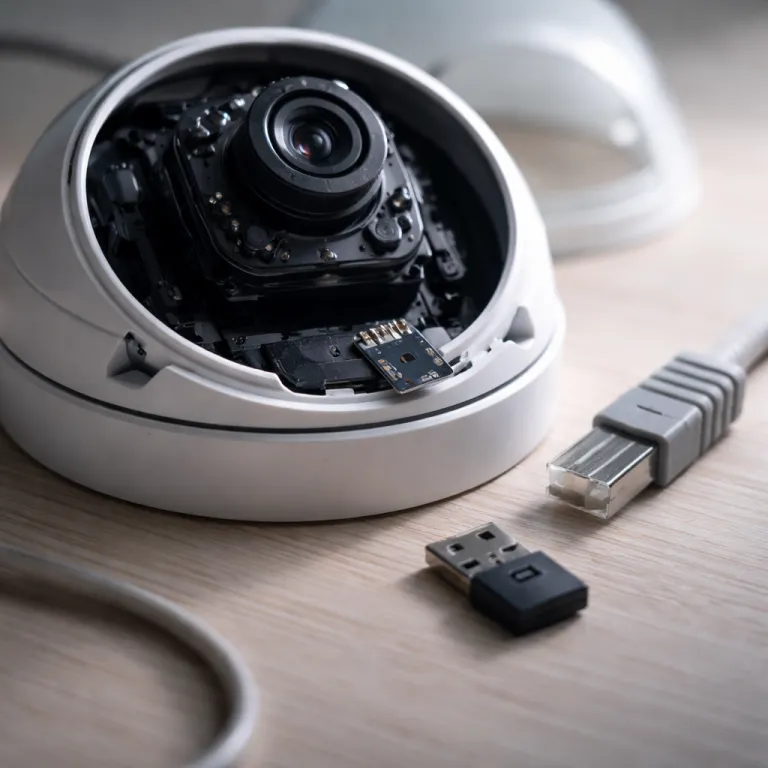
Your security camera privacy risk usually starts the moment you plug it in. Most smart security cameras ship with cloud storage, remote access and broad data sharing enabled by default, which quietly exposes your home before you even tweak a single setting. The camera feels like a lock on your door, yet its video and audio can behave more like an open window for companies, attackers and sometimes law enforcement.
Begin by listing every camera and cam in your home, including that forgotten indoor camera over the garage. Check whether each security camera is wired or battery powered, because wired cameras often sit on your router permanently while battery models may hop between access points and guest networks. For every device, open the app and look for sections labelled privacy, security, video settings or data management, then screenshot the current configuration before you change anything.
Cloud upload is the first setting to interrogate on any surveillance camera. Ring, Arlo and many other security cameras enable cloud storage and a storage subscription by default, which means every clip is sent to remote servers before you have even watched it once. Nest Cam models and the latest Google Nest cameras lean heavily on cloud storage as well, so your video storage and video quality settings are tightly coupled with how much data you are willing to send to Google Cloud.
Pay attention to how your cameras describe smart features such as person detection, package alerts or familiar face recognition. These smart analytics often require sending video or still frames to the cloud for processing, which can undermine the privacy benefit of any local storage or microsd card you have installed. If your goal is best security with minimal data exposure, prefer models that can run smart features on device and keep raw footage on a local recorder or encrypted card.
Voice assistants are another quiet leak in many surveillance cameras. When you link a security camera to Amazon Alexa, Google Assistant or a similar platform, you extend the chain of companies that can potentially access your live video and metadata. A camera that works with Alexa or Google Nest displays is convenient, but every integration should be a conscious choice rather than a default you accept without reading the privacy policy.
Doorstep monitoring deserves special scrutiny because a video doorbell often captures neighbours, pedestrians and licence plates. A wired doorbell cam from Ring or a battery powered video doorbell from Eufy or Tapo may record far beyond your property line, which raises questions about local privacy laws and expectations. In some regions, surveillance cameras that capture public areas must display signage or limit audio recording, so check your national and regional laws before you angle that camera toward the street.
Brands that market themselves as privacy friendly still require verification. Eufy, for example, promotes local storage through its HomeBase and on device encryption, yet it faced a controversy when unencrypted cloud thumbnails were briefly accessible without proper authentication, as documented by independent security researchers and technology journalists in late 2022. That incident is a reminder that security camera privacy is not a slogan but a set of verifiable practices, including how video storage is handled during outages, migrations and feature rollouts.
As you move through each app, toggle off any sharing options that send clips to social feeds or community surveillance networks. Some platforms encourage you to share video from your surveillance cameras with neighbours or police portals, which can normalise constant surveillance while eroding your control over where the footage ends up. A careful homeowner treats every extra share button as another potential copy of their life leaving the house forever.
Lock down access: authentication, updates and law enforcement policies
Once you understand what your cameras are doing by default, the next step is to decide who can reach them. Weak passwords and missing two factor authentication turn even the best security hardware into a soft target for attackers who never need to set foot on your property. A camera that streams crisp video at night is useless if anyone on the internet can quietly log in and watch.
Turn on two factor authentication for every security camera account you own, even if the brand does not push it aggressively. Many major platforms still ship without two factor enabled by default, which leaves your cameras and surveillance camera feeds protected only by a reused password from an old shopping site. Use an authenticator app rather than SMS where possible, because text messages can be intercepted or SIM swapped more easily than app based codes.
Firmware updates are the second pillar of access control for security cameras. Attackers routinely scan the internet for outdated surveillance cameras with known vulnerabilities, then use automated tools to take over the video stream or pivot deeper into your home network. Check how often your chosen brands release firmware updates, and schedule a monthly reminder to confirm that every indoor camera, outdoor cam and video doorbell is running the latest version.
Cloud connected models from Ring, Arlo, Nest Cam and similar brands usually update themselves, but do not assume that automation always works. Open each app and verify the firmware number at least a few times per year, especially for wired cameras that sit in awkward locations and may have been skipped during previous update cycles. For example, in the Ring app you can open Menu > Devices > [Camera] > Device Health to see the current firmware status, while in the Google Home app you can tap the camera, open Settings > Device information and scroll to the firmware version field.
Law enforcement access is the third, often ignored, leg of your security camera privacy audit. Some companies have historically shared video data with police without user consent, while others require a warrant or subpoena before releasing footage from their cloud storage. Read the law enforcement guidelines for your brand and note whether they will hand over video storage content from their servers even if you object.
Cloud heavy ecosystems such as Google Nest, Ring and SimpliSafe typically store video on infrastructure like AWS or Google Cloud, which makes it technically straightforward to respond to legal requests. Local storage focused setups, such as a wired PoE system connected to an NVR in your home, keep the raw data under your physical control and out of third party cloud storage by default. An article on how an NVR camera system transforms wired home security explains why centralised local recording can dramatically reduce your exposure to remote breaches and broad subpoenas.
Privacy first buyers often gravitate toward brands like Eufy, Reolink or UniFi Protect because they offer more robust local storage options. Yet even these systems may still send thumbnails, metadata or diagnostic logs to the cloud, so your audit should include every category of data, not just full resolution video. Ask whether your cameras support end to end encryption between the device and your recorder, and whether any cloud features can be fully disabled without breaking basic functionality.
Remember that every integration you enable creates another potential path for access. When you connect cameras to Amazon Alexa, Google Assistant or a smart home hub, you are trusting that platform with authentication, logging and sometimes even video relay. A careful homeowner keeps a short list of integrations that genuinely improve safety, and resists the temptation to link every camera to every smart feature just because the app offers it.
Reduce your cloud footprint: local storage, wiring and network hygiene
After tightening access controls, the most powerful privacy move is to reduce how much leaves your house at all. Every clip that stays on a local recorder or microsd card is one less piece of evidence sitting on a corporate server, waiting for a breach, a subpoena or a misconfigured access control list. The goal is not zero cloud usage, but a deliberate balance between convenience and exposure.
Start by mapping where each camera stores its footage and for how long. Some security cameras rely entirely on cloud storage and a paid storage subscription, while others offer hybrid options that combine local storage with optional cloud backups. A privacy first setup usually treats the cloud as a last resort for critical events, not as the default destination for every second of video.
PoE systems with an NVR remain the gold standard for homeowners who want strong security camera privacy without monthly fees. A wired camera that sends encrypted video directly to an NVR on your local network never needs to touch the public internet, which sharply limits the attack surface. If you are planning a new installation, a guide to a Cat 6 cable termination diagram for reliable home security camera networks can help you design a robust backbone that supports high bitrate video quality and future upgrades.
Battery powered cameras have their place, especially for renters or hard to reach spots, but they often lean more heavily on cloud storage. Because battery devices must conserve power, they may offload processing to the cloud and compress video aggressively, which can hurt both privacy and video quality at night. When possible, reserve battery cameras for low risk areas and keep your most sensitive views on wired surveillance cameras with local recording.
Brands like Eufy and Tapo illustrate the trade offs clearly. Eufy promotes local storage through HomeBase and microsd card options in some cameras, while Tapo offers both cloud storage plans and local recording via cards or NVRs when you use the correct link Tapo integration. In both ecosystems, you can usually disable automatic cloud upload and rely on local storage for continuous recording, then selectively enable cloud clips only for critical alerts.
Smart features such as color night vision, person detection and package alerts can often run locally on modern hardware. When you evaluate cameras, ask whether these smart features require cloud processing or can operate entirely on device, because the latter dramatically improves security camera privacy. A Nest Cam or Nest Cam Battery, for example, may offer excellent night vision and integration with Google Nest displays, but much of its intelligence still depends on sending data to Google servers.
Network hygiene is the quiet foundation under all these choices. Place your cameras and NVR on a separate VLAN or guest network where possible, and avoid exposing the NVR interface directly to the internet with port forwarding. If you need remote access, use a reputable VPN instead of opening raw ports, because a single misconfigured rule can turn your best security system into an entry point for attackers.
Even if you still rely on some cloud services, you can limit their reach. Configure shorter retention periods for cloud video storage, disable unnecessary sharing features and regularly purge old clips from both cloud and local devices. As a practical baseline, many privacy conscious households keep only 7–30 days of routine footage and archive truly important incidents offline. A privacy audit is not a one time project but a habit, and the more you trim your data exhaust, the less there is to leak.
Real world gaps: brand promises, night vision reality and your next steps
Marketing pages for cameras rarely talk about privacy gaps, yet those gaps show up quickly in real homes. When you watch footage from a Nest Cam, Ring Stick Up Cam or Blink Outdoor 4 at three in the morning, you see the difference between advertised features and what your security cameras actually capture under pressure. Security camera privacy is not just about encryption and policies, but about whether the system behaves predictably when the light is bad, the network is flaky and you are half asleep.
Night vision is a perfect example of this reality check. Many surveillance cameras promise crystal clear night vision or even color night vision, but in practice infrared LEDs can wash out faces at close range or fail to illuminate the edges of your driveway. A privacy first buyer should test each camera at night, in rain and with motion near the lens, then adjust angles and exposure so that the video is both usable and no more invasive than necessary.
Subscription models introduce another subtle gap between expectation and control. A storage subscription can unlock higher resolution video, longer retention and advanced analytics, yet it also incentivises the vendor to keep as much of your data in their cloud as possible. Before you commit, ask whether you can still access essential footage, smart features and alerts if you cancel the subscription, or whether the camera becomes little more than a live view toy.
Voice assistant integration deserves a second look during this final pass. When you stream a camera feed to an Amazon Alexa screen or a Google Nest Hub, that video may transit through additional services and logs beyond the core camera platform. Limit which cameras are exposed to Amazon Alexa or Google Assistant devices, and avoid linking indoor cameras in bedrooms or private spaces to any shared smart display.
Even brands that position themselves as privacy champions can stumble. The Eufy thumbnail incident showed how a single overlooked pathway in a cloud architecture can undermine a broader promise of local storage and on device encryption. Treat every vendor claim about best security or privacy first design as a starting point for your own verification, not as a guarantee.
Your audit should end with a concrete action list, not just a sense of unease. Maybe that means replacing a cloud only video doorbell with a wired PoE model that records to your own NVR, or moving an indoor cam from the bedroom to the hallway where it still provides security without constant intimate surveillance. You might also decide to keep one or two cloud connected cameras for convenience, while shifting the rest of your surveillance cameras to a local first architecture.
If you are unsure how to integrate these systems cleanly, focus on one upgrade at a time. Start with the most sensitive views, such as indoor living spaces and entrances, then move outward to driveways and gardens once you have a solid pattern for storage, access and retention. For some households, a simple guide on how to connect a security camera to a TV monitor screen without HDMI can be the bridge between abstract privacy concerns and a tangible, local only viewing setup.
In the end, a camera that respects your privacy is not the one with the loudest marketing, but the one whose behaviour you can explain in plain language from lens to storage. You want to know exactly where each second of video goes, who can request it and how quickly you can cut off that flow if something changes. The real measure of your system is not the advertised 1080p, but what it actually captures at three in the morning and who, beyond you, can see it.
Key figures that frame the security camera privacy risk
- Smart home households face an average of around 30 cyber attack attempts per day against connected devices, according to aggregated telemetry from large security vendors such as Kaspersky and Bitdefender, which means that poorly secured cameras are probed for weaknesses almost continuously rather than occasionally.
- Dozens of jurisdictions now enforce comprehensive privacy laws that affect how companies can store and share your video data, yet enforcement and compliance vary widely between brands and regions.
- Cloud storage plans for consumer security cameras can add the equivalent of several hundred euros over a typical five year ownership period, often exceeding the original hardware cost while keeping your footage on third party servers.
- Independent testing and traffic analysis by security researchers and journalists have shown that some popular cameras transmit metadata and diagnostic information to multiple analytics and advertising endpoints, even when users disable optional sharing features in the app.
- Local only PoE and NVR based systems can reduce exposure to remote breaches and broad law enforcement data requests, because the footage remains under the homeowner’s physical control rather than on large shared cloud infrastructures.
To turn these figures into action, create a short checklist: confirm two factor authentication on every account, verify firmware versions in each app, map where every camera stores footage, set a 7–30 day retention target for routine clips and review your vendor’s law enforcement policy once a year. With that routine in place, your security cameras become tools you control rather than sensors that quietly report on your life.