
Summary
Editor's rating
Is it worth the money compared to other options?
Design and installation: chunky but practical
Solar panel and battery: does it really stay at 100%?
Build quality and long‑term use
Video quality, AI detection, and real‑world performance
What this camera actually does (beyond the buzzwords)
4G, Wi‑Fi, and data usage in real life
Pros
- True off‑grid use with solar power and 4G LTE, plus Wi‑Fi as an option
- Sharp 4K daytime video and useful pan/tilt coverage for large areas
- Battery and solar combo keep it near 100% charge in normal outdoor conditions
Cons
- Setup and app can be frustrating for less tech‑savvy users (QR code, 2.4 GHz only, OS requirements)
- Night detail at longer distances is limited, especially for identifying vehicles or faces
- Ongoing data costs can climb if you leave it constantly active on 4K over 4G

Specifications
View full product page →| Brand | eufy Security |
A camera for when you have no power and no Wi‑Fi
I picked up the eufy 4G LTE Cam S330 for one simple reason: I needed eyes on a spot with no electricity and no Wi‑Fi. Think construction site, remote shed, or chicken coop in the back 40. That’s exactly the kind of situation this thing is built for, with its solar panel and 4G SIM. On paper it ticks all the boxes: 4K video, pan/tilt, solar power, and 4G plus Wi‑Fi. In reality, it’s good, but not magic.
I’ve been using it in two setups: first at a small off‑grid area on my property (basically a storage shed and tools), then at a renovation site where there’s no power yet. So this is not a quick unbox-and-review situation; I’ve had it running through cold nights, cloudy days, and a few data plan surprises. I also compared it mentally to cheaper trail cameras and some older battery Wi‑Fi cams I already own.
The main thing that stood out right away: when it works, it really does feel like a wired camera in terms of reliability. The solar panel keeps it topped up, and the 4G connection means I’m not begging neighbors for Wi‑Fi passwords. But you do pay for that in two ways: the upfront price and ongoing data costs. If you leave everything on max quality and constant notifications, your data balance will melt.
Overall, my feeling is that this camera is pretty solid for remote locations where theft or animal damage would cost you way more than the camera. It’s not the easiest thing to set up for everyone, and there are some annoying limits with distance and night detail, but if you really need off‑grid monitoring, it gets the job done better than most of the random no‑name cellular cams I’ve tried.
Is it worth the money compared to other options?
Price‑wise, the Eufy 4G LTE Cam S330 sits in the upper mid‑range for a single camera. It’s not cheap, especially compared to simple battery‑only Wi‑Fi cams or basic trail cameras. But you’re paying for a few things that a lot of cheaper options don’t combine: 4K resolution, pan/tilt, solar power, and dual‑mode 4G/Wi‑Fi. If you actually need all of that, the price makes sense. If you just want a camera for your porch with good Wi‑Fi, there are cheaper Eufy models or competitors that will do the job for less.
Where it can really pay for itself is in scenarios like the user who caught someone trying to steal wiring from a construction site. They spent about $250 on the camera and avoided $1,500 in losses. In my case, just having a reliable eye on tools and materials in a remote spot is worth quite a bit of peace of mind. Compared to no‑name cellular cams I’ve tried (with clunky apps and random disconnects), this feels more polished, even if the setup and support aren’t perfect.
You also have to factor in the ongoing data cost. If you plan to use 4G heavily—constant monitoring, lots of live views, high‑res clips—you’ll be paying monthly for data, either through EIOTCLUB or your own carrier. If you only check in occasionally and let the camera sleep most of the time, the data cost is very manageable. So the value really depends on your usage pattern. Heavy users pay more but get strong coverage; light users get a pretty flexible off‑grid camera for a reasonable running cost.
Overall, I’d call the value "good but not mind‑blowing". It’s not a bargain, but it’s also not overpriced for what it offers. If you have a real use case for an off‑grid solar 4G camera with pan/tilt, it’s a sensible buy. If you’re just curious or think it looks cool, you’re probably overspending compared to simpler setups.
Design and installation: chunky but practical
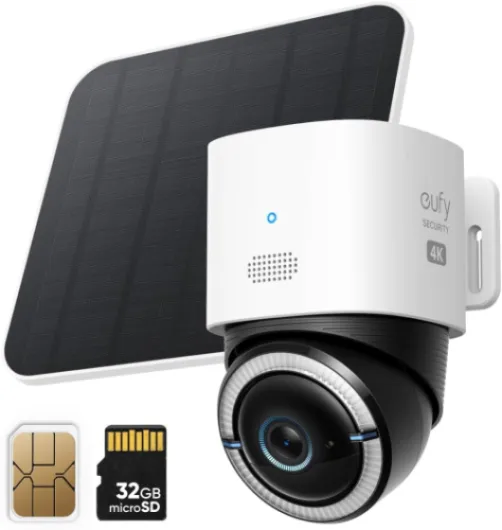
Design‑wise, the S330 is a fairly chunky dome‑style camera with a separate solar panel. It’s not tiny or discreet; if you mount this on a pole or wall, people will notice it. Personally, I don’t mind that. For a construction site or a remote coop, I actually prefer something that looks obvious so it acts as a deterrent. The white plastic body looks fine but nothing fancy, and for outdoor gear that’s exactly what I want: something I won’t cry over if it gets dirty or dinged.
Installation is pretty straightforward if you’ve ever mounted any outdoor camera. You get a wall mount for the camera, a bracket for the solar panel, screws, and even straps so you can attach it to a pole if you don’t have a flat surface. One Amazon reviewer mentioned rigging it to a telescoping flagpole with wire through the mounting holes; I did something similar on a metal post, and it held up just fine. It would be nice if Eufy sold a proper round‑pole mount as an accessory, but you can improvise if you’re a bit handy.
The camera has an IP55 rating, so it’s made for outdoors but I wouldn’t blast it directly with a pressure washer. Mine sat through rain, wind, and a few freezing nights without any obvious issues. The overall feel is more "solid plastic gadget" than "industrial hardware", but for home and small site use that’s acceptable. The pan/tilt movement is smooth and not too loud; you can hear it faintly if you’re nearby at night, but it’s not obnoxious.
One thing to flag: setup isn’t as polished as it should be. You have to scan a QR code on your phone screen with the camera, and some people (and at least one angry review) had the camera just refusing to read it. If your phone brightness is low or there’s glare, it can be annoying. Also, the instructions are printed in tiny font, which is useless if your eyesight isn’t great. The app walks you through most of it, but this is not plug‑and‑play for everyone, especially if you’re not comfortable with 2.4 GHz Wi‑Fi and app permissions.
Solar panel and battery: does it really stay at 100%?
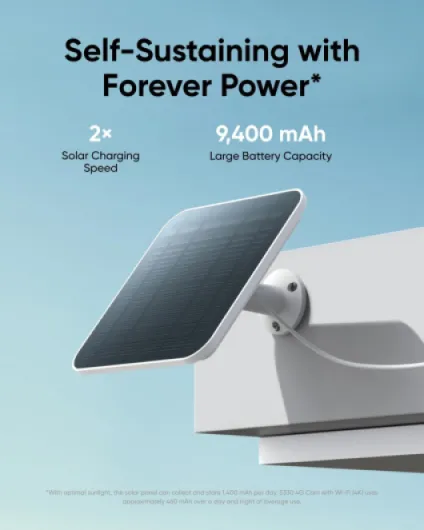
The power side is where this camera actually impressed me the most. It has a 9,400 mAh battery and comes with a dedicated solar panel. In my use (and based on several Amazon reviews), the combo works well enough that the battery often just sits at or near 100%. Even through a cold Wisconsin winter, one reviewer said their camera stayed fully charged, which lines up with my experience in colder weather: the charge might dip a bit after a few very cloudy days, but it bounces back once the sun shows up.
Of course, this assumes you mount the solar panel somewhere that actually gets sun. If you stick it under an overhang or in full shade, don’t be surprised if the battery slowly drains. For my shed, I put the panel on the south‑facing side and angled it slightly up. For the construction site, I used the included bracket on a post with full exposure. In both cases, I didn’t have to manually charge the camera at all after the initial setup.
Power consumption also depends on your settings. If you keep the live view running a lot, crank the brightness, and set the camera to record constantly or on every tiny motion, you’ll use more energy. That’s where the solar panel really helps: even with fairly frequent events and some live viewing each day, the battery stayed above 80–90% for me. If you’re in a very low‑sun area or winter with short days, I’d avoid setting it to over‑record and maybe tweak the motion sensitivity down a bit.
Overall, compared to older battery‑only cameras I’ve used that needed a ladder recharge every month or two, this setup is a big step up in convenience. As long as you respect the basic rules—good sun, reasonable settings—it genuinely feels like "install and forget" from a power standpoint. If the battery ever did drop, you can still charge via cable, but in normal use I never had to bother.
Build quality and long‑term use
In terms of durability, the S330 feels like a decent but not bulletproof piece of gear. It’s IP55 rated, so it handles rain and dust, but it’s still plastic and not some heavy metal housing. For home use, farms, and job sites where it’s mounted out of reach, that’s fine. I wouldn’t mount it low enough for people to smack it around, because a solid hit would probably crack the housing or knock the mount loose.
Real‑world feedback is mixed but generally positive. One reviewer ran it through a cold Wisconsin winter with the solar panel and had no issues with charging or function, which is a good sign. Mine has handled temperature swings and some nasty rain without water getting in or the lens fogging up. The pan/tilt motors still feel smooth after weeks, and there’s no grinding or sticking. As with any motorized camera, if you constantly sweep it around 24/7, you’ll probably wear it faster, but for normal use it seems fine.
Where durability is a bit weaker is on the software and support side. One buyer had a nightmare just getting it set up: QR code wouldn’t scan, Eufy support was slow, and they spent hours going in circles. Another reviewer had an issue where one of their cameras stopped saving events; in that case, support was actually good and replaced the unit after troubleshooting. So it’s a bit of a lottery: the hardware itself is mostly reliable, but if you’re unlucky and hit a bug or a faulty unit, getting it resolved can be annoying.
I’d say: if you’re comfortable troubleshooting apps, routers, and SIM cards, you’ll probably be fine and won’t need support much. If you expect a 10‑minute setup and hand‑holding from customer service, this product might frustrate you. Physically, it seems built to last a few seasons outdoors; just don’t treat it like industrial CCTV gear that’s meant to survive vandalism and abuse.
Video quality, AI detection, and real‑world performance
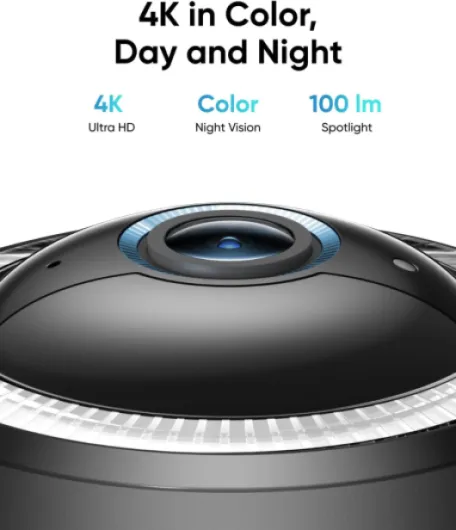
On performance, the camera is pretty solid overall, but you need to understand its limits. In daylight, the 4K video is genuinely sharp. On my construction site, I could zoom into recordings and clearly see faces and read plates within about 30 feet, which matches Eufy’s claim. Beyond that, it’s still usable, but don’t expect miracles. Compared to a 1080p battery cam I used before, the extra detail is noticeable when you actually need to identify someone or a vehicle.
At night, things are more mixed. With the built‑in spotlight turned on, you get color video with decent detail up to maybe 20–25 feet. After that, you can still see shapes and movement, but reading a plate or seeing small details is hit or miss. One reviewer mentioned that if a truck parked a bit further away, the camera wouldn’t have picked up enough to identify much, and I agree. The sensor just doesn’t magically see through darkness at long range. For a medium area (driveway, small yard, coop), it’s fine. For a huge open lot, you’d probably want more than one camera.
The AI detection for people and vehicles is helpful but not perfect. It does a decent job of catching humans and cars, and it definitely beats basic motion detection that triggers on every branch. That said, fast‑moving things like birds or hawks are harder for it to classify properly, which one coop owner mentioned. You still get the alert, but you might not see a clear image if the animal zips through the frame. For my use, it caught a guy walking into the site and recorded enough to show to the contractor, so I count that as a win.
Remote live view over 4G is generally smooth enough, but it depends heavily on your signal and data settings. On a strong LTE signal, I could pan and tilt with only a small delay. On weaker signal, the app lagged and sometimes dropped to lower quality. That’s normal for cellular cameras, but if you expect instant response like on your home Wi‑Fi, you’ll be a bit disappointed in fringe coverage areas.
What this camera actually does (beyond the buzzwords)
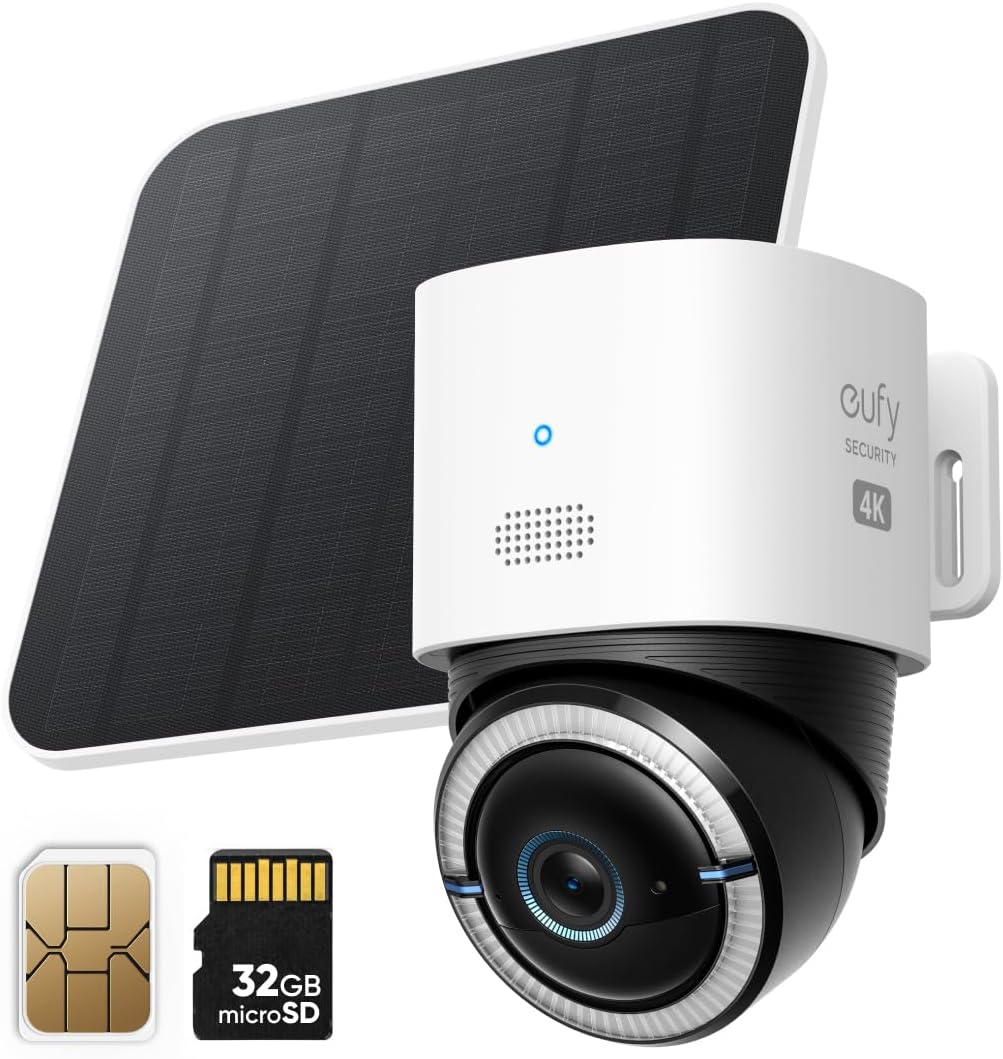
Stripped of all the marketing language, here’s what the 4G LTE Cam S330 is: a solar‑powered, pan/tilt 4K security camera that can connect either to your home Wi‑Fi or to 4G LTE using the included EIOTCLUB SIM card. It comes with a 32 GB SD card in most current bundles, so you can record locally without paying a monthly cloud fee if you don’t want to. The pan/tilt gives you 360° coverage horizontally and a good vertical range, so one camera can cover a decent area if you place it well.
The standout feature for me is the dual‑mode connectivity. You can run it on Wi‑Fi when it’s close enough to the house, and if that drops or you move it somewhere with no Wi‑Fi, it can switch to 4G. That’s more flexible than most standalone cellular cams that only do LTE. Just be aware: 4G requires a data plan, either with the EIOTCLUB service they push in the app or a compatible data‑only SIM from AT&T, T‑Mobile, or Verizon.
Video is advertised as 4K, and in good daylight, it really is sharp enough to read license plates at short distances (around 30 ft if the car isn’t flying by). At night with the spotlight on, you still get color up to a certain distance, but don’t expect CSI‑level detail at 60–80 ft. It also has AI detection that tries to separate people, vehicles, and general motion, so you’re not getting bombarded with alerts for every leaf movement. That part is decent but not perfect, especially at longer distances or at night.
In short, think of this as a more polished alternative to a cellular trail cam: you get an app with live view, pan/tilt control, event notifications, and solar power. But you also get a bit more setup complexity and the usual app quirks, especially if you’re not comfortable messing with QR codes, Wi‑Fi bands, or SIM activation.
4G, Wi‑Fi, and data usage in real life
The connectivity story is both the best and the most annoying part of this camera. Best, because having 4G and Wi‑Fi in one device is genuinely useful. Annoying, because if you don’t manage the data side, you can burn through your allowance faster than you expect. Out of the box, you get an EIOTCLUB SIM card that can roam on AT&T, T‑Mobile, and Verizon. That’s nice because it’ll usually latch onto the strongest signal in your area without you having to think about carriers.
One user shared that they burned through the initial data in about three days because they left the camera basically on and active all the time, without tweaking settings. I had a similar surprise the first week: if you keep live view open a lot, record at full 4K quality, and allow constant notifications, the data use shoots up. When they switched to turning the camera off in the app and only checking occasionally, their 2 GB plan lasted the whole month. That’s exactly how I ended up using it at the remote site: mostly off, then on when I wanted to check progress or see if anyone was around.
On the Wi‑Fi side, it only works on 2.4 GHz, which is pretty standard for these devices but still trips people up. If your router is set to 5 GHz only or uses combined bands with some weird settings, you may struggle until you separate the 2.4 GHz network or adjust your router. The angry 1‑star review mentions this plus Eufy’s app demanding a newer iOS version, which is a fair complaint if you’re on older hardware. This camera is not friendly to very old phones or people who hate messing with routers.
Once set up, though, the actual connection is stable. I ran it on Wi‑Fi at the far edge of my property and it held the signal better than I expected. When I used 4G at the construction site, I rarely had dropouts as long as there was at least a decent LTE signal on my phone in the same spot. Just keep in mind you’re basically operating a small data‑hungry CCTV camera over mobile, so you have to choose between high quality and data savings. Luckily the app lets you tweak video quality, recording frequency, and notifications to find a balance that works for your wallet.
Pros
- True off‑grid use with solar power and 4G LTE, plus Wi‑Fi as an option
- Sharp 4K daytime video and useful pan/tilt coverage for large areas
- Battery and solar combo keep it near 100% charge in normal outdoor conditions
Cons
- Setup and app can be frustrating for less tech‑savvy users (QR code, 2.4 GHz only, OS requirements)
- Night detail at longer distances is limited, especially for identifying vehicles or faces
- Ongoing data costs can climb if you leave it constantly active on 4K over 4G
Conclusion
Editor's rating
After using the Eufy 4G LTE Cam S330 in real off‑grid situations, my take is pretty clear: it’s a practical, capable camera for places where you have no power and no Wi‑Fi. The solar panel and big battery mean you can mount it and mostly forget about charging. The 4G option, especially with the roaming EIOTCLUB SIM, gives you coverage in spots where traditional Wi‑Fi cams are useless. Daytime 4K video is sharp enough to identify people and plates at reasonable distances, and the pan/tilt lets one camera cover a wide area.
It’s not perfect. Night detail at longer distances is only okay, not great. Setup can be a headache if you’re not comfortable with QR codes, 2.4 GHz Wi‑Fi, and app quirks. Customer service is hit or miss based on user reports, and you do need to manage data usage or you’ll burn through your plan quickly. But when you dial in the settings and place the solar panel properly, it’s a reliable tool that does what it says: it watches your remote spot and records the important stuff.
I’d recommend this camera to people with construction sites, remote sheds, barns, coops, or properties without power where theft or damage would cost real money. It also suits folks who want backup 4G on a far corner of their property where Wi‑Fi is weak. If you just need a simple home camera on your porch, or you hate dealing with tech setup and subscriptions, you should probably look at a simpler Wi‑Fi‑only model instead. For the right use case, though, the S330 is a solid workhorse rather than a flashy gadget.