
Summary
Editor's rating
Value for money: better than fighting with a PC, but not the cheapest route
Design and usability: small, light, a bit plasticky but practical
Packaging and first setup experience
Build quality and long-term feel
Performance and recording quality: good enough for old tapes, with a few quirks
What’s in the box and what this thing actually does
Does it actually make digitizing easier?
Pros
- Standalone recording to USB/TF, no PC, software, or drivers needed
- Stable long recordings with good audio/video sync and simple MP4/MP3 files
- Supports multiple analog inputs (RCA, S-Video, AUX) and both NTSC and PAL formats
Cons
- Manual and menus are not very clear, especially for audio input and volume settings
- Remote feels cheap and AAA batteries are not included

Specifications
View full product page →| Brand | Portta |
Why I bought this little box instead of another USB dongle
I picked up the Portta VHS to Digital Converter because I was tired of fighting with those cheap USB capture sticks on my PC. Drivers, weird software, audio out of sync… I’ve been there. I just wanted a box I could plug my old VCR and camcorder into, hit record, and end up with files on a USB stick. No laptop, no codec packs, no random crashes in the middle of a family video. This Portta box promised exactly that: standalone recording straight to MP4 or MP3.
Over a couple of weekends I used it with an old Panasonic VCR, a Hi8 camcorder, and even tested it with a PS2 just to see how it handled a console. I used both a 128 GB USB drive and a 64 GB microSD (TF) card with an adapter. My goal wasn’t to get cinema-grade quality, just to save a bunch of tapes before they die completely. I focused on how easy it is to set up, whether the recordings are watchable, and if it’s stable over long captures.
Right away, the big difference compared to PC capture gear is the built-in 3.0" screen and the fact it runs on its own. You see what you’re recording, you navigate menus with a remote, and the files are all on the USB/SD at the end. No software to install. For someone who’s not very techy or doesn’t want to babysit a computer for hours, that’s a big plus. I mainly used the AV/RCA inputs (yellow/red/white) and tried S-Video once with the camcorder to see if there was any visible gain.
Overall, it does what it says, but it’s not magic. The quality is basically as good as your original analog source, maybe a bit cleaner thanks to digital capture, but it won’t fix bad tapes. There are also some quirks in the menus, and the audio settings can be confusing at first. If you’re expecting plug and play with zero reading of the manual, you’ll probably swear a bit at the start. But once I understood the logic, it became a fairly straightforward tool that just sits there and records.
Value for money: better than fighting with a PC, but not the cheapest route
On value, you have to compare this Portta box to two things: those super cheap USB capture sticks, and the more serious capture cards that need a PC and software. The USB sticks are cheaper, no question, but in my experience they are a pain: driver issues, weird software, and more chance of audio sync problems. If you’re patient and tech-savvy, they can be fine, but for someone who just wants to plug a VCR and record, this standalone box just makes life easier. You pay more, but you save time and headaches.
Compared to proper capture cards from bigger brands, the Portta is actually decent value. Those cards often cost similar or more, and you still need a reasonably good PC and storage space. Here, you don’t need a computer at all, and you can use whatever USB drive or TF card you have lying around. The fact that there’s no capacity limit is nice — you can throw in a big drive and capture a whole collection of tapes without juggling space constantly. For families who just want to archive old stuff once and be done, that simplicity is worth some extra money.
It’s not perfect value, though. For the price, I would have liked a slightly better manual, maybe clearer on the audio settings, and possibly a more solid remote. Also, it’s not ideal if you’re trying to do serious editing or restoration. You can edit the MP4 files later on a PC, of course, but you don’t get the same control as capturing straight into a video editor. So if you’re a hobby filmmaker or very picky about quality, you might be better off with a dedicated capture card and software, even if it’s more work up front.
For the average person with a pile of VHS, Hi8, or Mini DV tapes, I’d say the value is pretty solid. It’s not the cheapest digitizing solution, but it’s one of the least annoying ones I’ve used. You plug it in, learn the menus once, and then it just does its job. If you spread the cost over the number of tapes you’re saving, it feels reasonable. If you only have two tapes to convert, honestly, you might be better off paying a local service to do it for you instead of buying any hardware at all.
Design and usability: small, light, a bit plasticky but practical
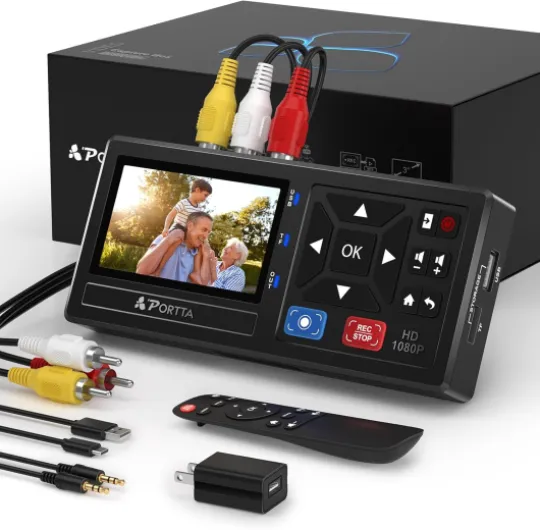
The box itself is compact: roughly 6.22 x 2.97 x 1.07 inches and very light at about 6.5 ounces. It’s all black plastic, nothing fancy, but it doesn’t feel like it’s going to fall apart immediately. It’s the kind of device you can leave next to a VCR without taking up half the shelf. On top you get the 3.0" LCD screen, a few basic buttons, and status indicators. Most of the time I used the remote, but the physical buttons are useful if you lose the remote or haven’t bought AAA batteries yet.
On the back and sides you have the ports: HDMI output, RCA inputs, S-Video, AUX, USB, and TF slot. The layout is logical enough that you don’t need to stare at the manual after the first day. Cables plug in firmly; I didn’t have any loose connections or weird wiggling. It’s powered via USB-C with the included adapter, so it’s not drawing power from the USB storage, which is good. For large external drives, Portta recommends using their own power, and I agree — I tried a bus-powered 2.5" hard drive and it was flaky until I gave it its own power.
The screen is small but usable. You’re not watching movies on this; it’s just for preview and menu navigation. The viewing angles are average, but you see enough to check framing and see if the tape is playing correctly. The built-in speaker is tiny and a bit tinny, but again, it’s just a monitor. For proper checking, I connected the HDMI output to my TV and watched the signal there. That combo works well: you use the box to record and the TV as the big preview screen.
In terms of user experience, the menus are a bit old-school. Think basic blue/gray interface, not some modern UI. It’s not pretty, but it’s functional. The main annoyance is that some settings, like input volume, are buried a bit deeper than they should be, and the device doesn’t always make it obvious which input is active. Once you get used to where “Video-IN-Volume” and “AUX-IN-Volume” live in the HOME → Settings menu, it’s fine. But the first evening I spent a good 20 minutes wondering why I had picture but no sound, until I realized the relevant input volume was muted by default.
Packaging and first setup experience
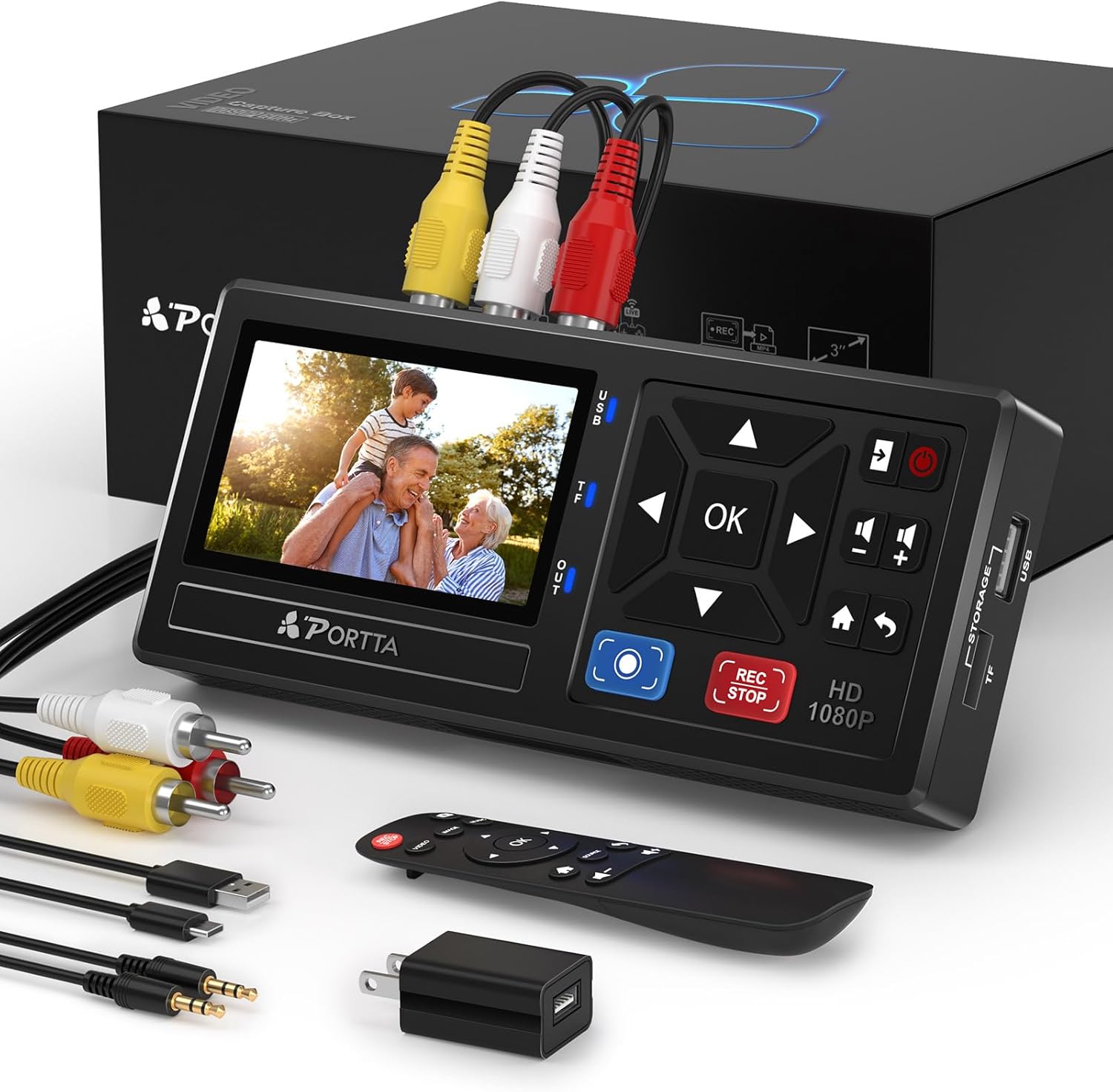
The packaging is pretty standard, nothing fancy. The device comes in a simple box with foam to keep it from bouncing around. Everything was well protected, and there were no scratches or loose parts when I opened it. Inside, the layout is clear: the recorder, power adapter, remote, AV cable, 3.5 mm audio cable, and the manual are all in their own spots. It feels more like a practical electronics product than some premium gadget, which is fine for what it is.
My main gripe at unboxing was the manual. It’s short and covers the basics, but it doesn’t really walk you through a first capture step by step. It mentions the features and menus, but the part about audio input and volume settings is a bit vague. For example, it doesn’t clearly explain that you might have to go into HOME → Settings and unmute the specific input volume (Video-IN-Volume or AUX-IN-Volume) depending on how you connected your source. That led to my first test having silent video, which was annoying but fixable once I poked around.
Setup physically is easy: plug power into the USB-C port, connect your VCR or camcorder using the RCA or S-Video cable, plug a USB stick or TF card in, and you’re basically ready. The box boots up quickly and you see the menu on the small screen or on your TV via HDMI. Choosing the right input is a matter of a couple of clicks with the remote. For someone who has connected a DVD player to a TV before, this part is straightforward.
Overall, the packaging and first setup experience are decent but not polished. Everything you need (except AAA batteries and storage media) is in the box, but you do have to be willing to poke through menus and maybe re-read a couple of manual lines to get the audio right. If they improved the manual with a simple “first recording” checklist and clearer screenshots, the initial experience would be smoother. As it stands, it’s okay: not frustrating enough to return the product, but not as idiot-proof as it could be.

Build quality and long-term feel
I’ve only had it for a few weeks, so I can’t pretend I know how it will behave in five years, but I can comment on how it feels and behaves with heavy use over short time. During two weekends of long recordings — several sessions of 1–2 hours each — it stayed stable. No random reboots, no corrupted files, and no weird overheating behavior. For a device that’s basically doing continuous encoding, that’s reassuring. Some cheap capture boxes tend to lock up or produce broken files on long runs; I didn’t see that here.
The casing is simple plastic, and it doesn’t scream premium, but it doesn’t creak or flex much either. The ports feel solid when plugging and unplugging cables repeatedly. I swapped between RCA and S-Video a few times, and the connectors still feel tight. The buttons on the device are basic but responsive. The remote is the weak point in terms of feel: light plastic, very standard, and it needs two AAA batteries that aren’t included. That said, it worked reliably from across the room, so I can live with the cheap feel.
One thing I always look at is how a device handles power cuts or accidental stops. I purposely yanked the power once mid-recording (after a few minutes) to see what would happen. The file that was being recorded didn’t play properly, which is expected, but the device booted back up fine and the previous files were intact. So if you lose power during a long tape, you’ll probably lose that recording, but you won’t ruin the drive or all your other captures. That’s the minimum I expect, and it passes that test.
Given the 2-year warranty and the fact that it’s a fairly simple piece of hardware (no moving parts, no battery inside), I’m not too worried about durability. The most likely failure point over time is probably the buttons or ports if you’re rough with them. For normal home use — digitizing a box of tapes over a few months and then occasional use later — I’d say it’s good enough. It doesn’t feel like pro studio gear, but it also doesn’t feel like a disposable toy.
Performance and recording quality: good enough for old tapes, with a few quirks
On performance, I focused on three things: stability during long recordings, audio/video sync, and overall image quality. I did several 1–2 hour captures from VHS and Hi8, plus some shorter tests from a DVD player and a PS2. The box handled long sessions without crashing or overheating. It got warm but never hot. Once a recording starts, it just plods along until you stop it or the source stops. That’s honestly the main thing I wanted: hit record and not worry about it dying halfway through a wedding video.
Image quality is basically what you’d expect from a 1080p capture of low-res analog sources. It upscales to 1080p 30 Hz, but that doesn’t magically sharpen the tape. What you get is a clean digital copy of whatever is coming out of your VCR or camcorder. Compared to a cheap USB grabber I used before on PC, the Portta gave me slightly less noise and fewer random dropped frames. Motion looked smoother, and I didn’t see obvious stuttering. On really damaged tapes with tracking issues, you still see glitches, of course. The box doesn’t have advanced time-base correction or tape repair magic, so if your source is rough, the file will be rough too.
Audio performance is decent once you set it up correctly. Out of the box, I had a couple of recordings with no sound because the input volume was muted in the settings. Once I fixed that, audio was clear and in sync. I didn’t notice any drift between audio and video, even on 2-hour recordings, which is something I’ve definitely seen with cheap PC capture sticks. The 48 kHz LPCM audio is overkill for VHS, but it means you’re not losing anything during capture. Background hiss from the tapes is still there, obviously, but that’s the tape, not the box.
Latency through HDMI is low enough that you can watch while recording without feeling out of sync, but I wouldn’t use this as a serious gaming capture device. I tried a PS2 just for fun and it was okay, but the box is clearly designed for archiving, not streaming or speed-sensitive gameplay. For that, a dedicated HDMI capture card is better. For what it’s built for — recording analog sources to MP4 — I’d say the performance is pretty solid. Not mind-blowing, but reliable, which is what matters here.
What’s in the box and what this thing actually does
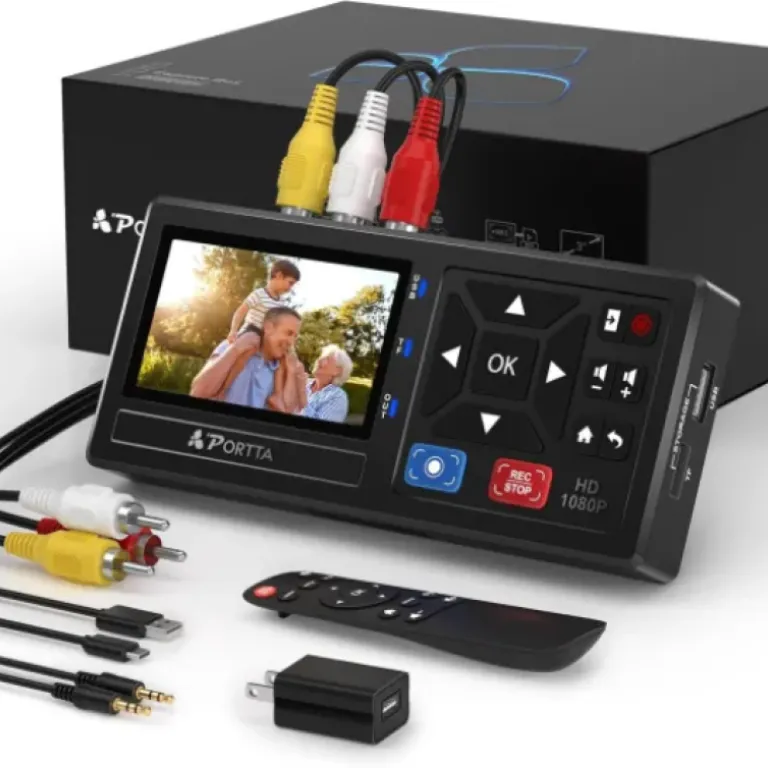
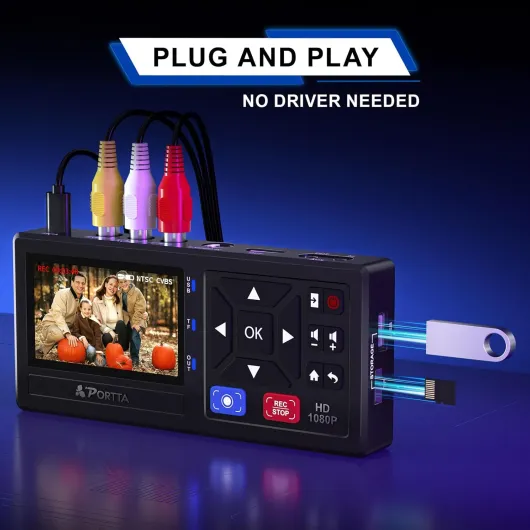
The Portta VHS to Digital Converter is basically a small capture box that records analog video and audio to digital files without needing a computer. In the box, you get the recorder itself, a power adapter with a USB-A to USB-C cable, a remote (no batteries), an AV cable (RCA), a 3.5 mm audio cable, and a short manual. No VHS player, no camcorder, no tapes — you have to bring your own source. It supports AV/RCA, S-Video, and a 3.5 mm AUX input, and it outputs over HDMI mainly for preview on a TV. The recordings themselves go to a USB drive or TF card in MP4 (for video) or MP3 (for audio-only).
In practice, the workflow is simple on paper: connect your VCR/camcorder/game console to the appropriate input, insert a USB stick or TF card, select the input in the menu, and hit record. The box will digitize up to 1080p 30 Hz, but keep in mind the sources like VHS are low resolution anyway (standard definition). It supports NTSC and PAL formats (NTSC-M/J 3.58, NTSC 4.43, PAL B/G/H/I/D and PAL/N), which is handy if you have tapes from different regions. I tested NTSC only, and it detected the signal fine.
One detail I appreciated: there’s no official limit on USB/TF capacity, so big drives work as long as they’re powered properly. I used a 128 GB USB 3.0 stick and a 64 GB TF card with no issues. The files are standard MP4/MP3, which played fine on my PC, my TV, and even on my phone. No weird proprietary format. The audio is recorded as uncompressed 2-channel LPCM inside the MP4, with up to 48 kHz sampling rate, which is more than enough for old home movies.
Functionally, this is not a player. That’s important. It doesn’t accept tapes or discs directly. It just captures whatever signal you feed it. So you still need a working VCR, DVD player, camcorder, or console. If your VCR is dying or eats tapes, this box won’t fix that. It only handles the conversion part. Once you accept that, it’s a pretty focused tool: convert analog in to digital files out, without involving a computer.
Does it actually make digitizing easier?
In terms of pure effectiveness, this thing does what I bought it for: it turns old tapes and analog sources into MP4 files without dragging a laptop into the mix. That alone made my life easier. I set it up on a small table with the VCR, plugged in a USB stick, and spent an afternoon just feeding tapes one after another. Hit play on the VCR, hit record on the Portta, walk away. For family archiving, that workflow is way less painful than babysitting capture software on a PC.
The built-in screen and speaker sound like a gimmick, but they’re actually useful. I caught a couple of tapes that weren’t rewound or had nothing important on them just by glancing at the little screen before committing to a full recording. You can also play back what you just recorded right on the box to check if the file is okay. It’s not the nicest viewing experience, but as a quick sanity check, it’s handy. I did this after my first few tapes just to make sure I had both audio and video.
Where it’s less effective is in the initial configuration. The manual is short and not very detailed, and the audio input/mute logic is not super intuitive. The device can record from CVBS R/L (RCA) or AUX-IN (3.5 mm), but you have to make sure the right one is enabled and not muted in the settings. If you’re not comfortable poking around menus, you might get frustrated. Once I understood that rule, though, I didn’t run into problems again. So there’s a small learning curve, but it’s not horrible.
Another point: it doesn’t fix bad sources. If your VCR has tracking issues or your tapes are moldy and warped, the Portta will faithfully record those problems. There’s no built-in noise reduction or fancy correction. For most people digitizing home movies, that’s fine — you just want a copy before the tape dies. But if you expect this box to clean everything up, you’ll be disappointed. As a straightforward capture tool, it’s effective. As a restoration tool, it’s basically neutral — it doesn’t help or hurt much beyond just doing a clean digital grab.
Pros
- Standalone recording to USB/TF, no PC, software, or drivers needed
- Stable long recordings with good audio/video sync and simple MP4/MP3 files
- Supports multiple analog inputs (RCA, S-Video, AUX) and both NTSC and PAL formats
Cons
- Manual and menus are not very clear, especially for audio input and volume settings
- Remote feels cheap and AAA batteries are not included
Conclusion
Editor's rating
After using the Portta VHS to Digital Converter for several long recording sessions, my opinion is that it’s a pretty solid tool if your goal is simple: get old tapes and analog sources into digital form with as little computer drama as possible. It doesn’t try to be fancy, it doesn’t magically improve bad footage, but it does record stable MP4 files with decent image and audio quality. The built-in 3.0" screen and speaker, plus HDMI output, make it easy to check what you’re doing without juggling extra gear. Once you understand the menu structure and the audio input settings, it becomes a reliable little workhorse.
It’s not perfect. The manual is vague, the remote feels cheap, and the interface could be clearer, especially around input volumes and mute states. If you’re very picky about image quality, or if you want deep control over codecs and bitrates, a PC-based capture setup will give you more options. But that comes with more hassle. This Portta box hits a nice middle ground: better and less annoying than the bargain USB dongles, simpler and more self-contained than a full capture card setup. I’d recommend it to anyone with a stack of VHS/Hi8/Mini DV tapes who just wants to archive them at home. If you only have one or two tapes, or you’re planning pro-level restoration, you might want a different solution.