
Summary
Editor's rating
Value for money: worth it if you actually use RAID properly
Design and noise: not pretty, just practical
Packaging and delivery: nothing fancy, just be careful
Durability, temps and 24/7 use
Performance in real NAS use: steady and predictable
What you actually get with this 10TB WD Red Plus
Pros
- CMR recording and NAS-focused firmware, much more stable than SMR drives in RAID/ZFS
- Solid 7200 RPM performance with consistent speeds during big writes and rebuilds
- Designed for 24/7 use in up to 8-bay NAS systems with a 180 TB/year workload rating
Cons
- Only a 3-year warranty for a relatively expensive NAS drive
- 7200 RPM means more noise and heat than slower NAS drives, needs decent cooling

Specifications
View full product page →| Brand | Western Digital |
10TB of "please don’t die on me" storage
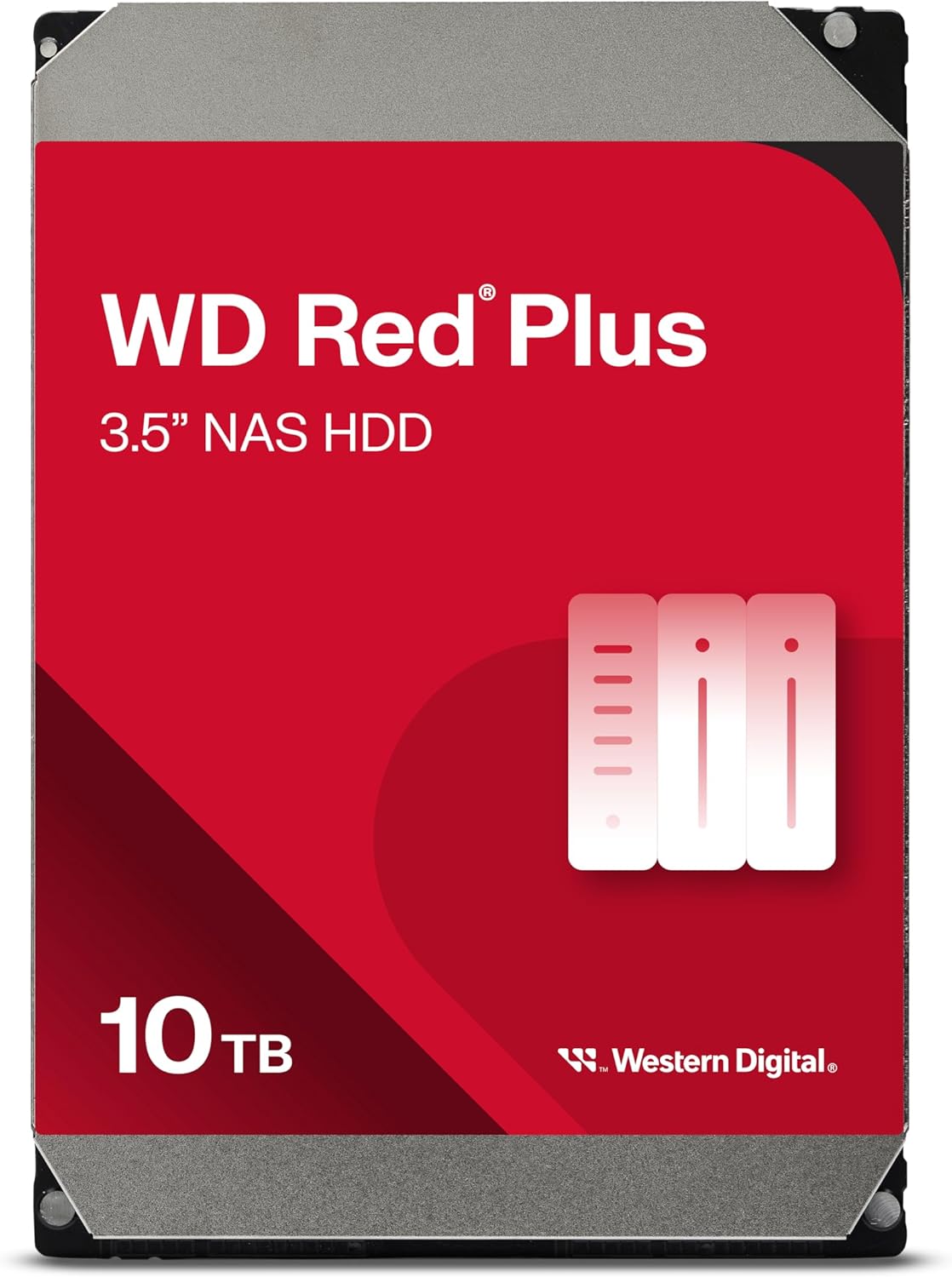
I’ve been running the 10TB WD Red Plus (model WD100EFGX) in a small home lab NAS for a while now, in a 4-bay setup with ZFS and RAIDZ. Before this, I used a mix of desktop drives and a couple of cheaper WD Red (the SMR ones). The goal with this drive was simple: more space, less drama during rebuilds, and something that can stay on 24/7 without making me nervous every time I hear a click.
In practice, this drive feels like what the Red line should have been from the start: CMR, 7200 RPM, NAS-focused firmware, and no weird SMR slowdown surprises. I’ve done a full resilver (rebuild) on ZFS, a couple of scrub cycles, and a few big backup jobs over 1–2 TB at a time. It behaved predictably, which is pretty much all I’m asking from a NAS drive.
The main thing I noticed compared to older desktop drives is how much more stable it is during long writes and rebuilds. With desktop HDDs, I’d often see drives drop from the pool or trigger SMART warnings way earlier. With the Red Plus, temps stayed under control, no random dropouts, and the NAS stayed responsive enough to still stream media and do normal file access while a scrub was running in the background.
It’s not perfect: it’s not cheap, the warranty is only 3 years, and at 7200 RPM it’s not the quietest thing in a silent room. But as a "set it up in a NAS and forget about it" drive, it’s pretty solid. If you just want a cheap big disk for cold storage in a USB enclosure, this is probably overkill. If you care about RAID and uptime, it starts to make more sense.
Value for money: worth it if you actually use RAID properly
Price-wise, the WD Red Plus 10TB usually costs more than a basic 10TB desktop HDD, and sometimes not far from some enterprise-ish refurbs. So the question is: is the extra money justified? In my view, if you’re running RAID (especially ZFS, mdadm, or a hardware RAID card) and care about uptime, yeah, it makes sense. You’re paying for CMR, NAS-focused firmware, and a workload rating aimed at 24/7 use in multi-bay enclosures.
If you compare it to the cheaper SMR-based WD drives, the difference shows up during heavy writes and rebuilds. I’ve had SMR disks in the past choke during ZFS scrubs and drop from the pool. That’s the kind of headache I’m willing to pay a bit more to avoid. The Red Plus line avoids that by sticking with CMR, and in real use, that translates to fewer surprises and more consistent performance.
On the downside, the 3-year warranty feels a bit stingy at this price point. Some competing NAS drives or higher-tier lines offer 5 years, which gives more peace of mind if you’re building a long-term setup. Also, if you just want cheap bulk storage for cold backups, plugging into a USB dock once a month, this drive is probably overkill. A cheaper desktop 10TB will do that job fine, and you can buy two for redundancy instead of paying NAS-drive prices.
Overall, I’d call the value "good but not mind-blowing." It’s not a bargain, but for what it’s built to do—sit in a NAS, run 24/7, handle RAID properly, and avoid SMR weirdness—the price is reasonable. If your data matters and you don’t want to fight with drives dropping from arrays, paying the premium for Red Plus over generic desktop drives is, in my opinion, justified.
Design and noise: not pretty, just practical
Visually, it’s a standard 3.5" HDD with the usual WD Red label. Nothing fancy, and honestly, you’ll probably never see it again once it’s in a NAS. The casing feels sturdy enough, the usual metal shell with exposed PCB on the bottom. Mounting holes line up fine in standard trays and desktop cases. I tried it in a Fractal Design desktop case and in a generic NAS caddy; no alignment issues, no weird screw problems.
What matters more here is noise and vibration. This is a 7200 RPM drive, so don’t expect it to be whisper-quiet like some 5400 RPM NAS drives. In a closed NAS box on a shelf, it’s totally acceptable: a low hum and a bit of chatter during heavy writes, but nothing crazy. In an open desktop case on a desk, you do hear it seek, especially during random I/O or SMART tests. Compared to older 7200 RPM desktop drives I have, I’d say it’s slightly quieter but still not "silent PC" friendly if the case is right next to you.
Vibration-wise, it’s okay but you’ll want a half-decent case or NAS with rubber grommets or solid trays. In my cheap metal 4-bay enclosure, four 7200 RPM drives together do create a bit of resonance, but once I tightened all screws and added some foam under the chassis, it calmed down. On its own in a desktop, it didn’t cause any annoying rattling, so the balance seems fine.
So in terms of design, it’s straightforward: it’s built to live inside a box, powered on 24/7, not to look pretty on a desk. If you’re expecting ultra-quiet operation for a bedroom setup, I’d lean toward lower-RPM NAS drives instead. If your NAS is in a closet, office, or rack, the noise level of this 10TB Red Plus is perfectly acceptable.
Packaging and delivery: nothing fancy, just be careful
The unit I got came as a bare drive in standard OEM-style packaging. No cables, no screws, no printed manual worth mentioning. Just the drive in an anti-static bag, with some padding around it. That’s normal for this kind of product, but if you’re not used to buying bare drives, keep in mind you’ll need your own SATA cable and mounting screws from your case or NAS trays.
The protection depends heavily on the seller. When I got mine, it was in a cardboard box with air cushions, and the drive itself had the usual plastic side rails and foam. It arrived without any visible damage, no bent connectors, no rattling. SMART didn’t show any crazy load/unload counts or power cycles that would suggest it had been abused or heavily used before, so it looked like a fresh unit.
I’ve also seen cases (not with this specific drive, but similar WD models) where sellers ship HDDs in thin envelopes or with minimal padding, and that’s just asking for trouble. If you’re buying this, I’d stick to reputable sellers and, when it arrives, run a long SMART test and maybe a full surface scan before trusting it with real data. It takes time, but it’s better than finding out during your first RAID rebuild that the disk has hidden problems.
So, packaging is basically “good enough if the seller isn’t cutting corners.” Nothing premium, nothing luxurious, but if it shows up with proper padding and passes initial health checks, you’re fine. Just don’t skip the testing step before you throw it into a RAID array.
Durability, temps and 24/7 use
Obviously I can’t pretend I’ve used this thing for 5 years yet, but I can share how it behaves in a 24/7 setup. Mine has been running non-stop in a 4-bay NAS, with periodic scrub jobs and nightly backups. SMART stats look clean: no reallocated sectors, no pending sectors, and no weird spikes in error counts so far. Power-on hours are already into the thousands, and nothing suspicious has shown up.
Temperature-wise, in a small NAS enclosure with just two 120 mm fans on low, it usually sits between 34–40°C under normal load and goes up to around 42–44°C during long scrubs or rebuilds. That’s perfectly acceptable for a spinning disk. I did one test with the fans turned down more than I should have, and it creeped up towards 48°C, so you still need some airflow. It’s not a magic cool-running drive, but it’s not a toaster either.
The workload rating is 180 TB/year, which for a home or small office NAS is quite reasonable. To hit that limit, you’d have to be pushing a lot of data every single day. For typical use (backups, media, file sync, maybe some light VM storage), you’re likely well under that. I’ve also done several full-surface tests (badblocks style passes and long SMART tests), and the drive handled them without throwing any health warnings.
My only gripe on the durability side is the 3-year warranty. For a drive sold as NAS/24x7, I’d prefer 5 years. WD clearly keeps that for their higher-end lines. Does that mean this drive will die at 3 years? No. But if you’re building a serious business NAS and want peace of mind, that shorter warranty is something to factor in. For a home lab or small office where you already plan for RAID and backups, it’s acceptable but not ideal.
Performance in real NAS use: steady and predictable
On paper, you get 7200 RPM, SATA 6 Gb/s, and a 512 MB cache, which already tells you it’s not some slow archive drive. In practice, in a ZFS pool with four of these, I was seeing ~200–230 MB/s sequential reads and writes per drive when testing individually over SATA in a desktop. In the NAS over 1 GbE, the bottleneck was clearly the network, not the disk. I could max out gigabit easily on large file transfers, even with other background activity going on.
Where this drive stands out for NAS use is during RAID rebuilds and scrubs. I did a full resilver of about 6 TB of data after simulating a disk replacement. The pool stayed responsive, media streams didn’t stutter, and SMB file access was still usable. Rebuild speeds stayed fairly consistent instead of suddenly tanking like I’ve seen with SMR drives after lots of random writes. That consistency is more important to me than peak benchmark numbers.
Random I/O is fine for what it is: a spinning disk. If you’re expecting SSD-level snappiness for VMs or databases, you’re in the wrong category of storage. But for typical NAS stuff—backups, Plex, file shares, Time Machine, snapshots—it gets the job done without drama. Latency stayed reasonable, and I didn’t see excessive retries or long pauses in SMART logs.
Overall, performance feels "boring" in a good way: no surprises, no weird slowdowns, no random dropouts. It’s not blazing fast compared to an enterprise SAS drive or SSDs, but for a home or small office NAS with up to 8 bays, it’s exactly the level of performance I’d expect and want. Steady, predictable, and good enough to saturate a 1 GbE or even 2.5 GbE link in the right setup.
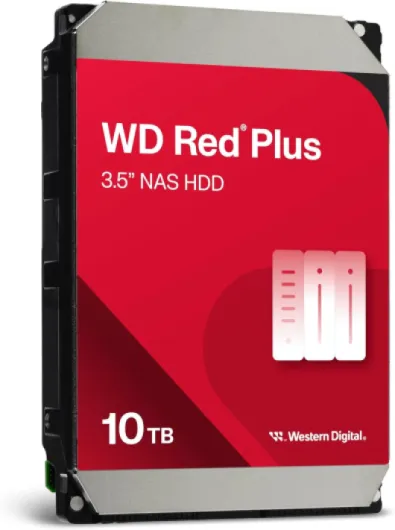
What you actually get with this 10TB WD Red Plus
This is a 10TB, 3.5" internal HDD, 7200 RPM, SATA 6 Gb/s, with a big 512 MB cache and CMR recording. It’s part of the WD Red Plus line, which is basically Western Digital’s way of saying: “this is the NAS-friendly one, not the cheap SMR one.” It’s rated for up to 180 TB/year workload and up to 8-bay NAS use, so we’re clearly in the small-business / home-lab territory, not huge data center stuff.
Out of the box, it’s just the bare drive. No cables, no screws, no manual worth talking about, which is normal for this kind of product. I dropped it into a 4-bay NAS chassis and also briefly tested it in a desktop with Windows to check noise and speed. It was detected instantly in both cases, no firmware drama, no weird compatibility issues. WD’s NASware firmware is supposed to help with RAID controllers and error handling, and at least with ZFS and a cheap 4-bay enclosure, I didn’t hit any odd behavior.
One key point: this model is CMR, not SMR. That matters a lot if you’re using ZFS or doing frequent RAID rebuilds. I’ve had SMR drives in the past that slowed to a crawl on big writes and even dropped out of pools under heavy load. With this 10TB Red Plus, rebuild and scrub speeds stayed consistent. No crazy write cliffs after a few hundred GB, which is exactly what I wanted.
Overall, as a product, it’s positioned clearly: NAS drive, 24/7 usage, multiple bays, and decent workload rating. If you just need a one-off drive for random storage, a cheaper desktop 10TB will probably do the job. But if you’re running RAID (especially ZFS or mdadm) and don’t want to babysit your storage, this one makes more sense despite the higher price.
Pros
- CMR recording and NAS-focused firmware, much more stable than SMR drives in RAID/ZFS
- Solid 7200 RPM performance with consistent speeds during big writes and rebuilds
- Designed for 24/7 use in up to 8-bay NAS systems with a 180 TB/year workload rating
Cons
- Only a 3-year warranty for a relatively expensive NAS drive
- 7200 RPM means more noise and heat than slower NAS drives, needs decent cooling
Conclusion
Editor's rating
The 10TB WD Red Plus (WD100EFGX) is basically a "no drama" NAS drive. It’s CMR, 7200 RPM, and built for 24/7 use in up to 8-bay systems, and in real use it behaves exactly like that. Rebuilds and scrubs are stable, large backups run at solid speeds, and the drive doesn’t randomly vanish from the array like some desktop or SMR models tend to do under pressure. Noise and heat are reasonable for a 7200 RPM disk, as long as your NAS has halfway decent cooling.
It’s not perfect: the 3-year warranty is a bit short for the price, and if you just want a cheap big disk for occasional backups, this is probably more than you need. But if you’re running ZFS, RAID1/5/6/10, or anything similar and you actually care about not losing a pool during a rebuild, the extra cost over a basic desktop drive makes sense. I’d recommend it for home labs, small offices, and anyone building a serious NAS for family photos, media, and work files. If you’re on a tight budget or your NAS is just a casual backup box you power on once in a while, you can save money with simpler drives and accept the trade-offs.