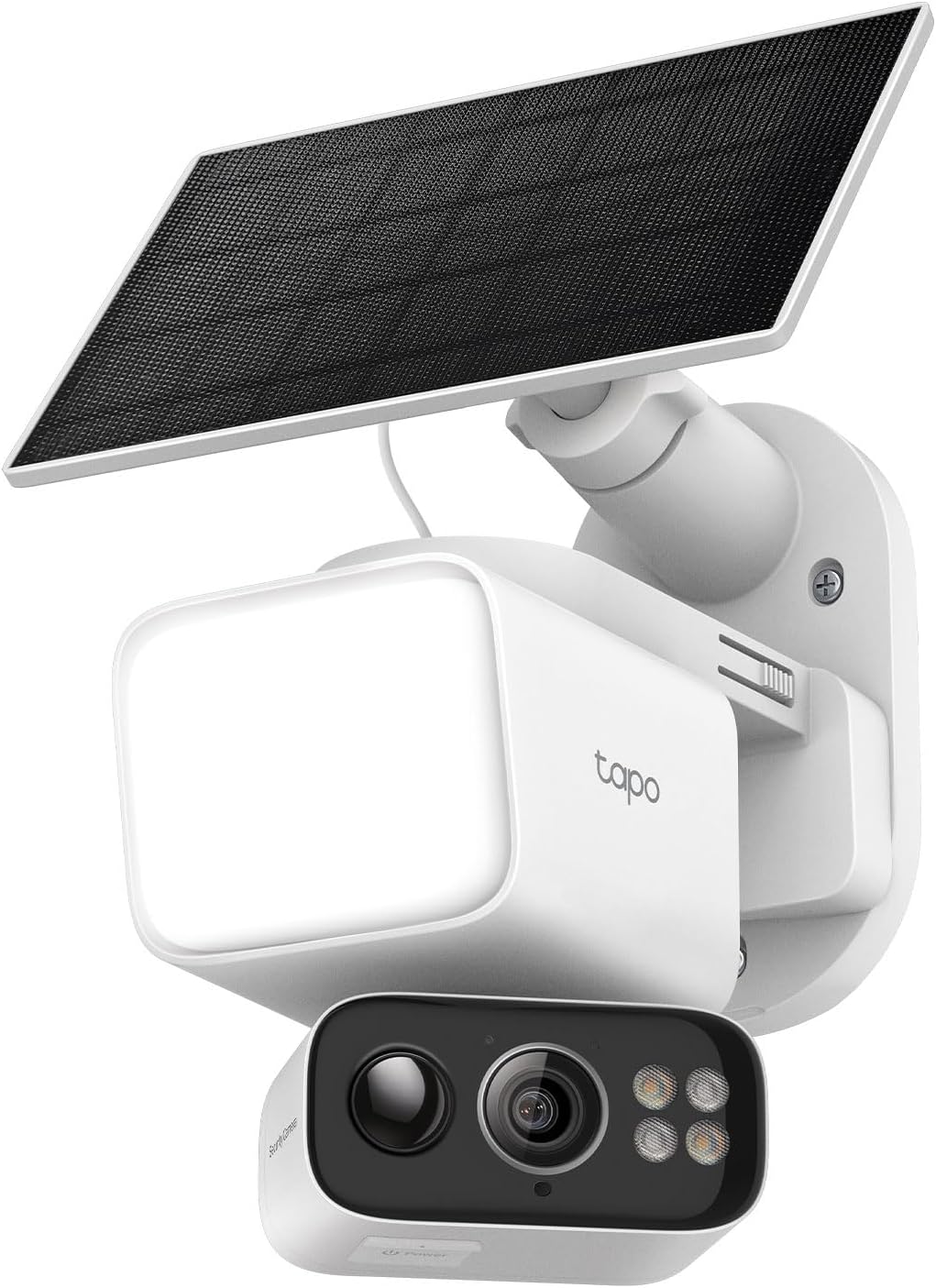

Summary
Editor's rating
Value: strong price for a no-subscription floodlight cam, with a few trade-offs
Design: practical, a bit bulky, and not exactly pretty
Battery and solar: good if you get sun, just okay if you don’t
Durability and weather resistance: fine so far, but seal it properly
Performance: good video, solid floodlight, AI that’s decent but not perfect
What this Tapo kit actually gives you
Pros
- No mandatory subscription: microSD recording and basic AI detection work fine without paying
- Solar + 10,400 mAh battery gives real cable-free flexibility if you have decent sun
- Good 2K video and bright, dimmable 800-lumen floodlight with plenty of app controls
Cons
- AI detection and notifications can be noisy, with repeated alerts for the same object
- Design is bulky and not very discreet, and install really benefits from extra sealing against water

Specifications
View full product page →| Brand | Tapo |
A floodlight cam that tries to do everything at once
I’ve been using the Tapo C615F KIT (the one with the solar panel and pan/tilt floodlight) for a little over three weeks on my driveway. I swapped it in for an older wired floodlight plus a basic camera, so I had a good before/after comparison. I’m not a pro installer, just a regular homeowner who wants to see who’s in front of the house and get alerts that actually make sense.
The basic promise of this thing is pretty clear: one device that lights up the area, records in 2K, runs off solar, and doesn’t force a subscription. On paper that’s exactly what I wanted. In practice, it mostly does what it says, but there are a few quirks that you only notice after several days of real use, especially with the motion alerts and the way the tracking works.
During the first week I played a lot with the settings: brightness, motion zones, AI detection (people/vehicles/pets), and how aggressive the floodlight should be. The app gives you a decent amount of control, and once I dialed things in, it felt pretty stable. The Wi‑Fi connection on 2.4 GHz has been fine for me, but I do have a decent router fairly close.
Overall, I’d say it’s a pretty solid all‑in‑one camera for the price, especially if you hate subscriptions. It’s not perfect: the smart detection still misses the mark sometimes, and the constant notifications can get annoying if you don’t tune them. But if you want a single unit that lights, records, and doesn’t need wiring or battery swaps, it gets the job done.
Value: strong price for a no-subscription floodlight cam, with a few trade-offs
For what it costs (around $120, often less on sale), this kit gives you quite a bit: 2K camera, pan/tilt, 800‑lumen floodlight, solar panel, and no required subscription. Compared to something like the Nest Floodlight Cam, which costs more and then pushes you into monthly fees, this feels like good value for money if you’re okay living in the Tapo ecosystem and don’t need the fanciest app experience.
The biggest money saver is the microSD card recording instead of mandatory cloud storage. Once you buy a card, you’re done. You still get AI detection (people, pets, vehicles) even without paying for Tapo Care, which is honestly what more brands should be doing. Cloud is optional, and I never felt forced into it. For basic home security, local storage plus notifications is enough for most people.
Of course, there are trade‑offs. The AI isn’t as polished as what you get on more expensive systems, and the repeated notifications can get annoying if you have lots of activity. The design also isn’t as clean as some of the pricier brands, and the fact that you might want to add sealant to avoid water issues is a small extra hassle. But none of that breaks the product for me; it just keeps it in the “good but not perfect” category.
If you compare it to running separate devices (a dumb floodlight plus a separate wired camera) and maybe paying cloud fees, this kit ends up cheaper and simpler over time. If you want rock‑solid AI, super crisp faces at 30+ feet, and fancy integration with a specific ecosystem, you might want to spend more elsewhere. But if you just want a practical, mostly self‑sufficient outdoor cam with light and no monthly bill, this is a pretty solid deal.
Design: practical, a bit bulky, and not exactly pretty
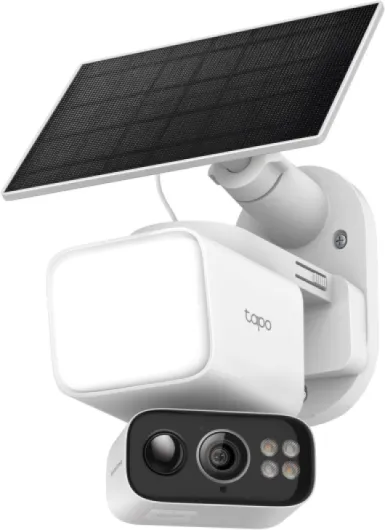
Visually, this thing is more functional than nice-looking. It’s a white plastic body with a dome‑style camera in the middle and the floodlight section around it. Compared to something like the Nest Floodlight, this one looks bulkier and more “gadgety”. One of the Amazon reviewers mentioned the design and I agree: it’s not going to win any style points on your front porch, but it’s fine if you care more about coverage than aesthetics.
The camera can pan about 338° and tilt 97°, which in practice gives you full coverage of a wide driveway or yard. I have it mounted above the garage, and I can see from almost edge to edge of the front of the house. The pan/tilt is motorized and you can control it from the app, or let the AI tracking move it automatically when it detects motion. The movement is smooth enough, and you can hear a faint motor noise when it turns, but from outside it’s not loud enough to matter.
Build quality feels decent for the price. The whole unit is rated IP65, and after a couple of rainy days it hasn’t shown any problems. That said, I paid attention to that Amazon review about water ingress around the mounting plate, so I added a thin bead of exterior sealant around the base when I installed it. I’d honestly recommend doing that by default, especially if it’s going on a wall that gets a lot of direct rain.
The solar panel is a flat black rectangle with a simple adjustable bracket. It’s not huge, which is nice visually, but that also means you need to be a bit careful with placement to get enough sun. The included cable is long enough to put the panel up to about 13 feet away, so you can hide the camera in a better spot and still aim the panel toward the sun. Overall, design is more about function than looks, and as long as you’re okay with that, it’s fine.
Battery and solar: good if you get sun, just okay if you don’t
This kit lives or dies on whether the solar + battery setup can actually keep it running. The internal battery is rated at 10,400 mAh, which is decent for a security cam with a floodlight and pan/tilt. In my case, mounted facing roughly south‑east with a few hours of direct sun in the morning and early afternoon, the battery has stayed between 70% and 100% most days. I’m not hammering it with constant live viewing, but I do get regular motion events in the evening.
The claim that 45 minutes of direct sunlight keeps it going for a day feels optimistic, but not completely crazy if you keep the floodlight usage moderate and don’t have constant motion. On a fully overcast day, I saw the battery drop about 10–15% with my usual settings (medium floodlight brightness, AI detection on, a fair number of notifications). On two back‑to‑back rainy days, it went from 95% down to around 60%. So it can handle some bad weather, but if you live somewhere with long stretches of grey skies and a busy street, you might see it drift down over time.
If you completely kill the battery, you can recharge via the USB cable, but that means getting a ladder out and dealing with it, which kind of defeats the point of a solar kit. So placement of the panel really matters. If you stick it under an eave where it barely gets any direct light, don’t be surprised if the camera starts to struggle after a while. Also, heavy floodlight usage (like leaving it on for long periods instead of motion‑based) will eat into the battery pretty fast.
Overall, I’d say the battery and solar setup is good as long as your location is decent for sun and your settings aren’t maxed out. It’s not magic: if you treat it like a wired floodlight and blast the light all night, you’ll run it down. But for motion‑based lighting, normal notifications, and a few live views per day, it holds up well and really does save you from climbing up to swap batteries every month.
Durability and weather resistance: fine so far, but seal it properly
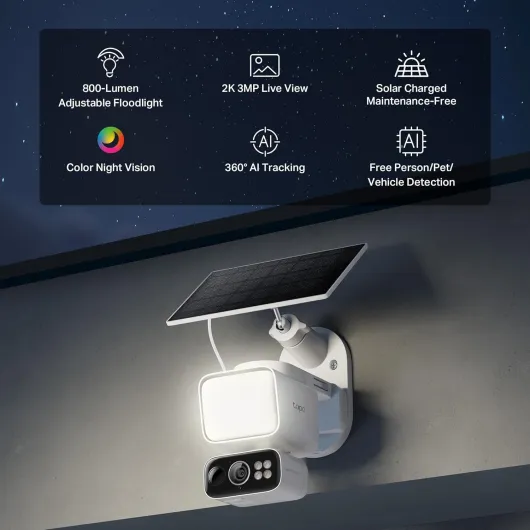
The camera is rated IP65, which means it’s supposed to handle dust and water jets. In normal language: it should be okay in rain, but you shouldn’t dunk it. I’ve had it through a couple of decent rainfalls and some cold nights down around freezing, and it’s been stable. No random shutdowns or water inside the lens so far. The plastic housing doesn’t feel premium, but it also doesn’t feel flimsy. For the price, I’d call it decent.
That said, I paid attention to the Amazon review about water ingress around the mounting plate causing shutdowns. The user mentioned the camera cutting out after rainy days and only coming back after everything dried, likely from a short. To avoid that, I took an extra step: after mounting the base, I ran a small bead of exterior sealant around the edges where the plate meets the wall. It’s not in the manual, but honestly it should be. That’s basic outdoor fixture practice, and it probably saves you a lot of headaches later.
The pan/tilt mechanism also seems robust enough. I’ve been moving it around quite a bit in the app and letting the AI tracking do its thing, and there’s no grinding or weird behaviour. There is a small motor noise, but it’s normal. Time will tell if it holds up over a couple of winters, but at least in the first few weeks there are no signs of weakness or wobble.
One thing to keep in mind: Tapo support apparently makes you pay shipping if you send it back, based on that same user review. So if you’re in a place with heavy rain and wind, do yourself a favour and over‑engineer the install: seal around the base, make sure the cable joints are tucked away or taped, and don’t mount it in a spot where water will pool behind it. With that kind of basic prep, I don’t see any obvious durability red flags yet.
Performance: good video, solid floodlight, AI that’s decent but not perfect
In daily use, video quality is pretty solid for a 3 MP (2K) camera. During the day, faces and license plates are clear enough within about 15–20 feet. Beyond that, you’ll see what people are wearing and general shapes, but don’t expect perfect facial detail at 30+ feet. At night, with the floodlight on, it stays in full color and you can easily make out people walking up the driveway. The night boost mode definitely improves detail, but it also uses more power and can be a bit harsh if you set the brightness too high.
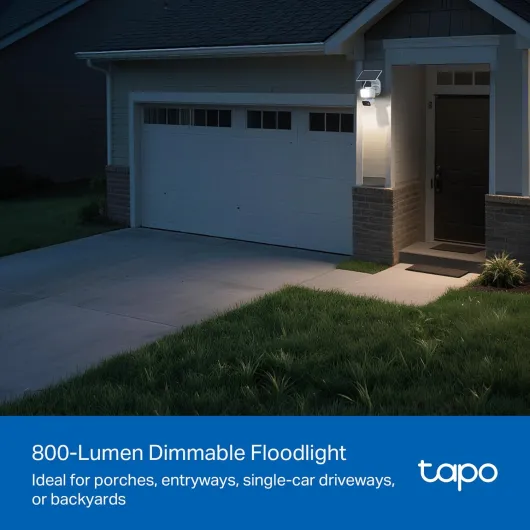
The floodlight itself is bright enough for a driveway or small yard. 800 lumens isn’t crazy bright like big hardwired units, but for a battery/solar cam it’s good. I like that you can dim it and even make it ramp up slowly instead of blasting full power instantly. I ended up setting it to a medium level with a soft start so it doesn’t blind people walking up. The motion‑activated light responds quickly; by the time someone gets halfway up my driveway, it’s already on.
On the smart side, the AI detection is hit‑and‑miss but usable. Person and vehicle detection work most of the time, but like other reviewers said, birds, cats, and random shadows still trigger it sometimes, even when you think you’ve dialed it in. The biggest annoyance is the repeated notifications: if something stays in the frame, it’ll keep pinging you over and over. I had this happen with a neighbour’s cat that likes to nap in front of the garage. You can reduce the spam by tweaking the cool‑down and sensitivity, but it’s still not ideal.
The 360° tracking is a nice idea and does work, but in practice I turned it down a bit. If someone walks across the driveway, the camera will follow them, which is good. But if there’s a lot of movement (cars, people, pets), it spends a lot of time swinging around. For a fixed area like a driveway, I actually prefer limiting the pan range so it doesn’t constantly chase every little thing. Overall, performance is solid enough for home use, but don’t expect perfect AI or pro‑level clarity at long distances.
What this Tapo kit actually gives you
In the box you get the Tapo C615F camera/floodlight unit, the Tapo A201 solar panel with its bracket, a solar extension cable, screws/anchors, a USB charging cable, and some mounting templates. No microSD card, so if you want local storage you need to buy that separately (it supports up to 512 GB). The camera itself is a 2K (3 MP) pan/tilt unit with an 800‑lumen floodlight and two smaller spotlights built in.
The camera connects over 2.4 GHz Wi‑Fi only, so if you’re hoping for 5 GHz, no luck. You control everything via the Tapo app, which is the same app they use for their other cams and smart plugs. The app lets you set motion zones, AI filters (person, pet, vehicle), floodlight brightness and behaviour, and how the pan/tilt tracking reacts when something moves in the field of view. It also works with Alexa and Google Assistant, mainly for viewing the stream on smart displays or turning the light on/off with voice.
The big selling point for me was no forced subscription. You can record to microSD card and still get motion notifications without paying Tapo Care. Cloud storage is optional. I dropped in a 128 GB card and at default settings it chews through roughly 15–20 GB per day, depending on how much motion there is, then auto‑overwrites the oldest clips. That’s perfectly fine for a few days of history.
On paper, the combo of solar panel + 10,400 mAh internal battery + pan/tilt + floodlight sounds like a lot to cram into one product, but it’s mostly well thought out. The only catch is that all these features mean a lot of settings to tweak, and if you just set it up and never touch the app again, you’ll probably either get too many alerts or a floodlight that behaves in a way you don’t like.
Pros
- No mandatory subscription: microSD recording and basic AI detection work fine without paying
- Solar + 10,400 mAh battery gives real cable-free flexibility if you have decent sun
- Good 2K video and bright, dimmable 800-lumen floodlight with plenty of app controls
Cons
- AI detection and notifications can be noisy, with repeated alerts for the same object
- Design is bulky and not very discreet, and install really benefits from extra sealing against water
Conclusion
Editor's rating
After a few weeks with the Tapo C615F KIT on my driveway, I’d sum it up like this: it does what most people actually need, at a fair price, without locking you into a subscription. The 2K video is clear enough at normal distances, the floodlight is bright and configurable, and the solar + battery setup means you can put it where running power would be a pain. The app gives you enough control to tune motion zones, AI filters, and light behaviour, even if you need to spend a bit of time getting it right.
It’s not perfect. The AI detection still lets in some false alerts, and the repeated notifications for the same object can get on your nerves until you tweak settings. The design is more functional than nice, and you really should seal around the mounting plate to avoid potential water issues. But for the price, and especially with the local microSD storage and subscription‑free AI, it’s hard to complain too much.
I’d say this camera is for people who want an all‑in‑one floodlight cam that just quietly does its job without a monthly bill, and who are okay spending a little time in the app to tune it. It’s a good fit for driveways, front yards, and side entrances where you want light plus video and don’t want to touch it every month. If you live in a very low‑sun area, need perfect AI, or care a lot about having a sleek, discreet design, you might want to look at wired alternatives or higher‑end brands. But if you just want something practical, fairly priced, and mostly hassle‑free, this one is worth considering.