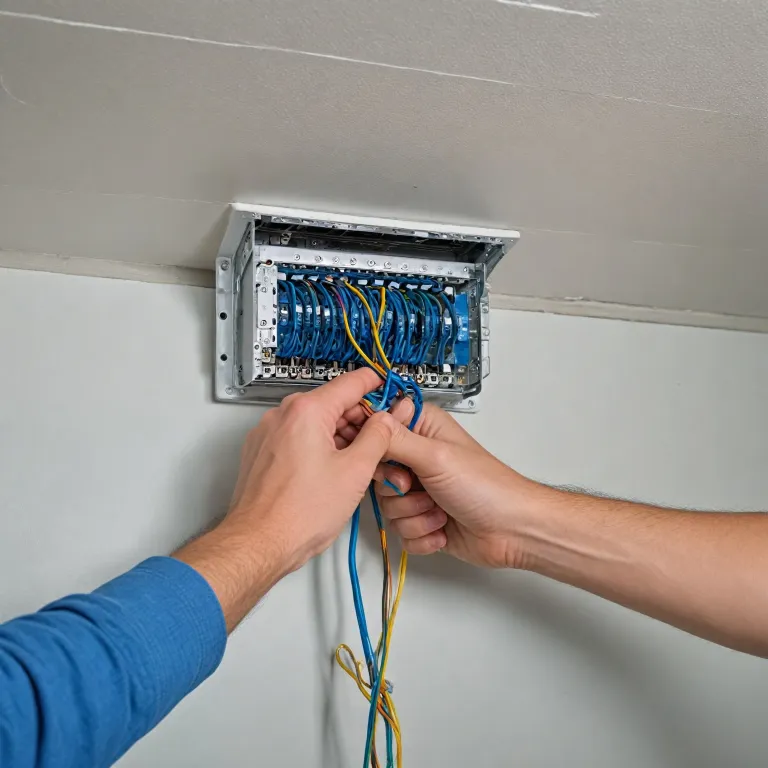

Why cat5 wiring still matters for modern home security cameras
Many homeowners assume wireless security cameras are always enough for safety. In practice, a carefully planned cat5 wiring layout often delivers more stable data and power for each camera. This matters when a single failed wire can leave a blind spot at a critical moment.
Cat5 wiring uses structured ethernet cables to link every security camera to the home network. These cables carry both data and, with the right systems, power for the cameras through Power over Ethernet solutions. Compared with improvised wire runs, a standard cat cable installation follows clear wiring standards that reduce interference and signal loss.
Inside each ethernet cable, four twisted pair wire sets protect data transmission from electrical noise. These wire pairs are arranged according to a color code that defines the wiring scheme at both ends. When the same standards are respected on all cables, camera systems behave predictably and troubleshooting becomes far easier.
For home security cameras, cat wiring supports long cable runs that Wi Fi often cannot handle reliably. A single cable cat route from the router to an outdoor security camera can reach several dozen metres without active boosters. This makes wired camera systems especially attractive for large properties or thick walled houses where wireless signals struggle.
Homeowners should also understand the difference between a straight through patch cable and a crossover cable. Modern network systems usually auto sense crossover, yet respecting the correct cable wiring practice avoids compatibility surprises with older equipment. A modest investment in quality cat cables and a basic crimping tool already raises the overall security of the property.
Understanding cable types, wiring standards, and color codes
Before pulling any wire through walls, it is essential to understand the different ethernet cables used in home security. Cat5 wiring and newer categories share similar twisted pair structures but differ in performance and shielding. For most residential security cameras, a well installed cat cable still offers excellent value and reliability.
Each ethernet cable contains four pairs of copper wires, and each pair is twisted to reduce electromagnetic interference. These twisted pair structures are grouped and identified by a universal color code that installers must follow at both ends. When the same wiring scheme is respected, data transmission remains stable and camera images stay clear.
Two main wiring standards dominate low voltage network systems in homes. T568A and T568B define how each wire in the cable connects to the plug pins. As long as both ends of a patch cable use the same standard, the camera and recorder will communicate correctly.
A crossover cable intentionally swaps specific wire pairs to connect two network devices directly. Although many modern camera systems and routers can auto correct, using a crossover cable unintentionally can still cause intermittent security issues. For this reason, most homeowners should stick to straight through patch cables for security camera connections.
When planning outdoor security cameras with night vision and advanced motion detection, cable quality becomes even more important. A robust ethernet cable with correct cable wiring reduces the risk of power drops and pixelated video during storms. For a deeper look at hardware choices, you can review this guide on top outdoor security cameras with night vision and match the recommended camera models with suitable cables.
Planning a cat5 wiring layout for whole home camera coverage
Thoughtful planning of cat5 wiring is the foundation of any reliable home security system. Start by mapping where each security camera should be placed to cover entrances, driveways, and vulnerable windows. Then design cable routes that keep ethernet cables away from mains power lines and sources of interference.
Each camera requires at least one ethernet cable run back to a central network point. This point may be a network video recorder, a PoE switch, or a router that manages data transmission for all camera systems. Grouping cables in this way simplifies maintenance and allows future upgrades without opening walls again.
When routing cables, avoid tight bends that can damage internal wire pairs and degrade performance. Use gentle curves and proper clips to support the cables, especially near exterior walls where temperature changes can stress the wire. Where several cables share a path, label each cat cable clearly to identify the corresponding security camera.
Homeowners should also consider spare cables for future cameras or additional data devices. Pulling extra patch cables during the initial installation costs little compared with reopening finished walls later. These additional cables can support new security cameras, access points, or other network systems as needs evolve.
For motion based protection, pairing cat5 wiring with dedicated sensors can further strengthen security. A guide on how the 5800PIR motion sensor enhances your home security shows how camera coverage and motion detection complement each other. Integrating both technologies over a structured network of cables and wires provides layered defence against intrusions.
Power, PoE, and safe cable wiring for security cameras
One of the main advantages of cat5 wiring for security cameras is the ability to carry both power and data over a single cable. Power over Ethernet technology allows a PoE switch or injector to send power along the same wire pairs that handle data transmission. This reduces the need for separate power cables and simplifies installation around the home.
In a typical PoE setup, two or four wire pairs inside the ethernet cable are used depending on the standard. Modern PoE standards can support multiple cameras on a single switch, provided the total power budget is respected. Homeowners should check the power requirements of each security camera and compare them with the switch specifications.
Safe cable wiring also means respecting distance limits for each cable run. Exceeding recommended lengths can cause voltage drops and unstable camera behaviour, especially when several cameras share the same systems. Keeping each cable under the usual 90 metre structured wiring limit helps maintain both image quality and reliable power delivery.
Where PoE is not available, a separate power wire may run alongside the ethernet cables. In this case, maintain a small gap between power and data cables to reduce interference on the twisted pair structures. Use proper junction boxes and weatherproof fittings for any exterior power connections near outdoor cameras.
For homeowners comparing wired and wireless options, a well designed PoE network often offers superior reliability. A single ethernet cable per camera reduces clutter while ensuring consistent power and data flow. When combined with a quality crimping tool and adherence to wiring standards, this approach delivers professional level security at residential scale.
Terminating cat cables and avoiding common wiring mistakes
Even the best cat5 wiring plan can fail if cable terminations are poorly executed. Each ethernet cable must be carefully stripped, arranged by color code, and inserted into the connector before crimping. Rushing this process often leads to misaligned wires, weak contacts, or unreliable camera connections.
A quality crimping tool is essential for producing durable terminations on cat cables. After arranging the wire pairs according to the chosen wiring scheme, ensure all wires reach the end of the plug before crimping. A gentle pull test on each finished patch cable helps confirm that the connector grips the wires securely.
One frequent mistake is mixing wiring standards between ends of the same cable. If one end follows T568A and the other T568B, the result is effectively a crossover cable. While some network systems tolerate this, security cameras may show intermittent data transmission issues that are difficult to diagnose.
Another common error is untwisting the wire pairs too far back from the connector. Excessive untwisting reduces the noise cancelling effect of the twisted pair design and can introduce interference. Keeping the twists as close as possible to the plug preserves signal integrity for high resolution camera feeds.
After terminating several cables, homeowners should test each ethernet cable with a basic network tester. This simple step verifies continuity, correct pin order, and the absence of shorted wires before connecting any security camera. Investing a few extra minutes in testing every cable wiring run can prevent hours of troubleshooting later.
Integrating cat5 wiring with advanced home security camera systems
Modern camera systems combine cat5 wiring with analytics, motion detection, and remote access features. A robust network of ethernet cables ensures that each security camera can stream high definition video without interruption. This stable backbone is essential when multiple cameras, recorders, and mobile devices share the same network.
When integrating several security cameras, consider segmenting the network logically. Dedicated switches and patch panels for camera systems help isolate surveillance data from everyday household traffic. This approach reduces congestion and protects sensitive security footage from accidental interference by other devices.
Some homeowners still use older crossover cable connections between recorders and routers. While these can function, replacing them with standard patch cables simplifies future upgrades and avoids compatibility issues. Consistent use of straight through cat cables and adherence to wiring standards create a predictable environment for all devices.
For properties requiring extended coverage, additional access points can be powered over the same cat wiring infrastructure. Each ethernet cable can support not only a security camera but also other low power network devices. Careful planning of power budgets and wire pairs allocation keeps the systems stable as new equipment is added.
To enhance detection capabilities, many homeowners pair wired cameras with advanced sensors and shock detection technologies. Resources such as this guide on how sensor shock technology elevates modern home security cameras explain how physical impact sensing complements visual monitoring. When these technologies operate over a structured network of cables, wires, and patch cables, the overall security posture of the home improves significantly.
Maintaining, upgrading, and future proofing your cat wiring infrastructure
Once cat5 wiring is installed for home security cameras, ongoing maintenance keeps the system reliable. Periodically inspect visible cables, connectors, and junction boxes for signs of wear, moisture, or physical damage. Early detection of a frayed wire or loose plug can prevent sudden loss of coverage in critical areas.
As technology evolves, homeowners may wish to upgrade certain components while keeping the existing cable wiring. Many newer camera systems remain compatible with cat5 wiring for moderate distances and resolutions. When higher bandwidth is required, selected runs can be replaced with newer ethernet cables while preserving the overall wiring scheme.
Labelled patch cables at the central network point make future changes far easier. Clear tags indicating which security camera each cat cable serves help technicians or homeowners perform upgrades without guesswork. This simple organisational step supports both day to day troubleshooting and long term system evolution.
Future proofing also involves leaving spare wire pairs and unused cables in strategic locations. These reserves can later support additional security cameras, access control devices, or other network systems without major construction. By thinking ahead during the initial installation, homeowners create flexibility for changing security needs.
For independent verification and deeper technical guidance on cabling and home surveillance, readers may consult trusted organisations and standards bodies. Reliable starting points include the Electronic Security Association, the Telecommunications Industry Association, and the International Electrotechnical Commission. Their publications and recommendations help ensure that every cable, connector, and device in a home security network meets recognised safety and performance benchmarks.
Key statistics about wired home security and network cabling
- Up to 90 metres of structured ethernet cable is typically recommended for stable PoE camera connections in residential settings.
- Four twisted pairs inside each cat cable significantly reduce electromagnetic interference compared with untwisted wires.
- Using consistent T568A or T568B wiring standards on all patch cables can cut troubleshooting time by more than half during installations.
- Basic continuity testing of every ethernet cable before deployment can prevent a large share of connection failures in new camera systems.
Frequently asked questions about cat5 wiring for home security cameras
Is cat5 wiring still good enough for modern home security cameras ?
Cat5 wiring remains suitable for many residential security cameras, especially at standard resolutions and moderate distances. When installed with correct wiring standards and quality patch cables, it can reliably handle both data and PoE power. Homeowners with very high resolution or long distance needs may consider newer categories for selected runs.
Do I need a crossover cable for my security camera system ?
Most modern camera systems and network devices no longer require a crossover cable for direct connections. Straight through patch cables wired to the same standard at both ends are usually sufficient. Crossover cables are mainly relevant for older equipment that lacks auto sensing ports.
How far can I run an ethernet cable to a security camera ?
For typical PoE camera installations, the recommended maximum length for an ethernet cable is about 90 metres. Staying within this limit helps maintain both power delivery and stable data transmission. Longer distances may require extenders, repeaters, or alternative cabling solutions.
Can one cable carry both power and data to my camera ?
Yes, with Power over Ethernet technology a single cat cable can carry both power and data to a compatible security camera. The PoE switch or injector sends power along specific wire pairs inside the cable. This approach simplifies installation and reduces the need for separate power wiring.
What tools do I need to terminate my own cat cables ?
To terminate your own cat cables, you typically need a cable stripper, a crimping tool, RJ45 connectors, and a basic network tester. Following the correct color code and wiring scheme at both ends is essential. Testing each finished cable before connecting cameras helps avoid hidden faults in the system.