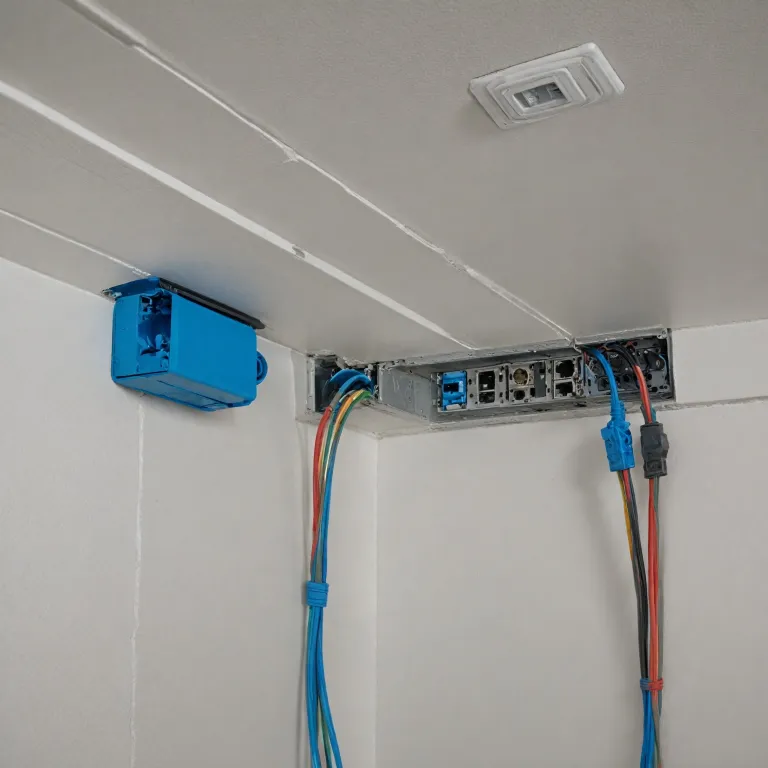
Why a cat 6 wiring diagram matters for home security cameras
Reliable home security cameras depend on a stable ethernet network, and that starts with the right cable. A clear cat 6 wiring diagram helps you plan cable wiring so every camera receives consistent power and data, even when several devices stream simultaneously. When you understand how each wire and connector works, you reduce installation errors and long term performance problems.
Most modern IP cameras use ethernet cables rather than older coaxial cables, because a single cat cable can carry both data and power through Power over Ethernet. A structured diagram cat layout shows how twisted pairs inside the cable should terminate at each connector, which is essential when you run wires through walls or ceilings. By following recognized standards, you ensure that every camera, recorder, and router shares the same language on the network.
For home users, the difference between a neat wiring diagram and improvised wiring can mean the difference between smooth video and constant dropouts. A proper cat 6 wiring diagram clarifies where each ethernet cable starts and ends, how many pairs you need for each run, and which connector wiring scheme you follow. This level of planning is especially important when you mix indoor cameras, outdoor cameras, and video doorbells on the same network.
Because cat cables use twisted pairs to reduce interference, the exact color code and pin order matter more than many people realize. If you terminate connectors inconsistently, you may accidentally create a crossover cable where you wanted a straight through link, which can break communication between devices. A precise guide to ethernet wiring and diagram wiring helps you avoid these subtle but frustrating mistakes.
Understanding cat 6 standards, color codes, and connectors
Cat 6 cables follow strict standards that define their performance, shielding, and maximum length. Inside each ethernet cable you will find four twisted pairs of wires, and each pair has a specific color code that must be preserved from end to end. When you follow a cat 6 wiring diagram correctly, you keep those pairs intact and maintain the cable’s rated bandwidth for your security cameras.
Two main wiring standards exist for connector wiring on RJ45 plugs, known as T568A and T568B. Both standards use the same twisted pairs and the same eight wires, but they assign the color order differently on the connector pins. For a typical home security camera installation, you choose one standard and apply it consistently to every cable, patch panel, and wall jack in the network.
Problems arise when one end of a cable uses T568A and the other end uses T568B, because that combination creates a crossover cable. Crossover cables and crossover cable variants are useful in some legacy network setups, but they are rarely needed for modern cameras and routers. If you unintentionally mix standards, your diagram ethernet plan will not match the physical wiring, and some cameras may fail to connect.
Each cat connector must clamp firmly onto the cable jacket while keeping the twisted pairs as close as possible to the contacts. Excessive untwisting of wires near connectors increases crosstalk and can degrade ethernet performance, especially on longer runs to outdoor cameras. When you terminate multiple cat cables for a multi camera system, use a detailed wiring diagram and a quality crimping tool to keep every connector reliable over time.
For readers comparing different hardware, a review of a simple wireless camera kit can highlight how wired and wireless approaches differ in reliability and maintenance. Even if you choose some wireless units, a robust wired backbone using cat ethernet cables often supports recorders and key fixed cameras. This hybrid approach still relies on a solid cat 6 wiring diagram to coordinate all wired segments of the system.
Designing a home camera layout with cat 6 cable wiring
Planning your home security layout begins with mapping camera positions and the central network equipment. A cat 6 wiring diagram lets you visualize each ethernet cable route from the router or switch to every camera, including any intermediate patch panels. By sketching the diagram wiring first, you can estimate cable lengths, count connectors, and avoid unnecessary bends or tight spaces that might damage the cable jacket.
For most homes, it is wise to run dedicated cat cables from a central switch to each camera rather than daisy chaining devices. This star shaped network diagram simplifies troubleshooting, because each cable wiring run is independent and easy to test with a basic cable tester. When a camera fails, you can quickly verify whether the problem lies in the wire, the connectors, or the device itself.
Homeowners often underestimate how many ethernet cables they will eventually need for cameras, video doorbells, and network video recorders. Leaving spare wires or empty conduits in your wiring diagram gives you flexibility to add more cameras later without opening walls again. If you plan to use PoE, confirm that your switch supports the required power budget for all devices on the network.
Outdoor cameras and doorbells demand special attention to cable cat routing and weather protection. Use exterior rated cat cables and grommets where wires pass through walls, and keep connectors sheltered from direct rain whenever possible. For example, if you install a dual camera doorbell similar in concept to those reviewed in this in depth doorbell camera analysis, your cat wiring plan should include both power and data redundancy.
When cameras are mounted high under eaves, secure ethernet cables along structural elements to prevent strain on connectors. Label both ends of every wire according to your diagram cat plan, so future maintenance or upgrades remain straightforward. If you ever need to reset or reconfigure smart cameras, a clear map of ethernet wiring will save time and reduce the risk of accidental disconnections, much like following a structured process when you reset a camera for optimal performance.
Straight through versus crossover cables in camera networks
In a typical home security camera setup, straight through ethernet cables are the default choice. A straight through cat cable uses the same wiring standard, either T568A or T568B, at both connectors, which keeps all twisted pairs aligned. This configuration matches how most routers, switches, and IP cameras expect wires to be arranged for reliable communication.
Crossover cables intentionally swap the transmit and receive pairs between ends, using T568A on one connector and T568B on the other. Historically, crossover cables and crossover cables variants allowed direct connections between similar devices, such as two computers without a switch. Modern network equipment often supports auto MDI X, which can adapt to either straight through or crossover wiring, but relying on that feature for security cameras is not ideal.
For home surveillance, using a crossover cable by mistake can introduce intermittent connectivity that is difficult to diagnose. If your cat 6 wiring diagram calls for straight through links, ensure that every ethernet cable follows the same standard from end to end. A simple guide that compares wiring diagram examples for straight through and crossover configurations can help you verify each connector visually before crimping.
When testing wires, use a cable tester that shows the order of all eight wires and pairs. If the tester indicates crossed pairs or split pairs, the cable wiring does not match your diagram ethernet plan and should be reterminated. Maintaining consistent standards across all cat cables protects the overall performance of your camera network and reduces packet loss or video artifacts.
Some advanced users may still keep a labeled crossover cable in their toolkit for special troubleshooting tasks. However, that cable should never be mixed with production ethernet cables that serve cameras, recorders, or routers in daily use. Clear labeling on both the physical wire and the wiring diagram prevents confusion and keeps your home security infrastructure predictable and stable.
Optimizing performance and reliability of cat 6 camera cabling
Performance in a home security network depends on more than just choosing cat 6 on the box. The way you route cables, preserve twisted pairs, and terminate connectors all influence the final bandwidth and stability your cameras experience. A carefully prepared cat 6 wiring diagram acts as a checklist to ensure each wire run respects distance limits and installation best practices.
Cat 6 cables are typically rated for up to 100 metres per run, including patch cords and in wall segments. Exceeding that length can reduce ethernet performance, especially when multiple high resolution cameras stream simultaneously to a recorder or cloud service. If your diagram cat layout requires longer distances, consider adding an intermediate switch or using higher grade cabling where appropriate.
Electromagnetic interference is another factor that can degrade network performance for cameras. Keep ethernet cables away from mains power wires, fluorescent lighting ballasts, and large motors, because these sources can disrupt the twisted pairs inside the cable. When you must cross power wires, do so at right angles and document those crossings in your wiring diagram for future reference.
Proper strain relief at each cat connector prevents long term damage from tension or movement. Use cable ties sparingly and avoid crushing the cable jacket, which can disturb the geometry of twisted pairs and reduce noise immunity. In structured wiring closets, group cat cables neatly and label them according to the guide you created during planning.
Regular inspection and testing of ethernet cables help maintain reliability as your home security system ages. If a camera begins to show intermittent connectivity, test the associated wire and connectors before assuming the device has failed. By keeping your wiring diagram updated with any changes, you create a living document that supports ongoing maintenance and upgrades without guesswork.
Balancing wired and wireless cameras using a structured cat 6 backbone
Many homeowners combine wired and wireless cameras, but the backbone of the system still benefits from structured cat 6 cabling. A central switch or router connected by high quality ethernet cables to key devices, such as network video recorders and access points, stabilizes the entire network. Your cat 6 wiring diagram should therefore include not only camera runs but also the links that support Wi Fi coverage.
When access points connect via cat cables rather than wireless mesh, they can deliver more consistent bandwidth to nearby cameras. This approach reduces congestion on the airwaves and reserves wireless capacity for locations where running wires is impractical. In your diagram wiring plan, mark each access point, its cable wiring path, and the port it uses on the switch.
Even if some cameras connect over Wi Fi, PoE powered wired cameras often handle critical views such as entrances, driveways, and safes. These priority cameras rely on robust cat ethernet links with correctly terminated connectors and preserved twisted pairs. Documenting these runs in a detailed guide ensures that any future technician or homeowner can service the system without guesswork.
As you expand the system, keep track of how many ports on your switch are occupied by cameras, access points, and other network devices. An accurate diagram ethernet overview helps you plan upgrades, such as adding another switch or increasing PoE capacity. When you add new cat cables, update the color code legend and label each new wire to match the existing scheme.
Ultimately, a well designed cat 6 wiring diagram turns a collection of devices into a coherent security infrastructure. By respecting standards, managing wires carefully, and planning for growth, you create a network that supports both present and future home security needs. This structured approach enhances reliability, simplifies troubleshooting, and provides a solid foundation for any mix of wired and wireless cameras you choose.
Key statistics about home security camera networking
- Up to 100 metres is the typical maximum recommended length for a single cat 6 ethernet cable run in residential installations.
- Four twisted pairs inside each cat 6 cable carry data and PoE power for IP cameras.
- Eight individual wires terminate on each RJ45 connector, following either T568A or T568B standards.
- Most consumer PoE switches can power between 4 and 16 cameras, depending on total watt budget and camera draw.
- Structured cabling with labeled cat cables can reduce troubleshooting time by more than half compared with ad hoc wiring.
Common questions about cat 6 wiring for home security cameras
Is cat 6 necessary for home security cameras, or is cat 5e enough ?
Cat 5e can support many 1080p cameras, but cat 6 offers better headroom for higher bitrates and future upgrades. The improved performance margin of cat 6 helps maintain stable streams when several cameras record simultaneously. For new installations, most professionals recommend cat 6 as the minimum standard for long term reliability.
Should I use T568A or T568B for my camera network ?
Both standards work equally well as long as you apply one consistently across all connectors, patch panels, and wall jacks. Many installers choose T568B because it is common in commercial environments, which simplifies mixing home and office equipment. The critical point is to avoid mixing T568A and T568B on the same cable unless you intentionally need a crossover cable.
Can I run power and data for cameras on the same cat 6 cable ?
Yes, Power over Ethernet allows a single cat 6 cable to carry both power and data to compatible cameras. You need either a PoE capable switch or individual PoE injectors that meet the camera’s voltage and wattage requirements. Always verify that the total PoE budget of your switch can support all connected cameras simultaneously.
How many cameras can I connect to one ethernet switch ?
The number depends on the switch’s port count and PoE power budget, not just the cat 6 cabling. For example, an 8 port PoE switch might power 6 cameras and still reserve ports for a router and recorder. Check each camera’s power draw and the switch’s total watt rating to avoid overloading the system.
What is the best way to protect outdoor camera cables ?
Use exterior rated cat 6 cables, weather resistant junction boxes, and proper grommets where wires pass through walls. Keep connectors sheltered from direct rain and UV exposure, and avoid tight bends that could damage the cable jacket. Document these protective measures in your wiring diagram so any future repairs maintain the same level of protection.