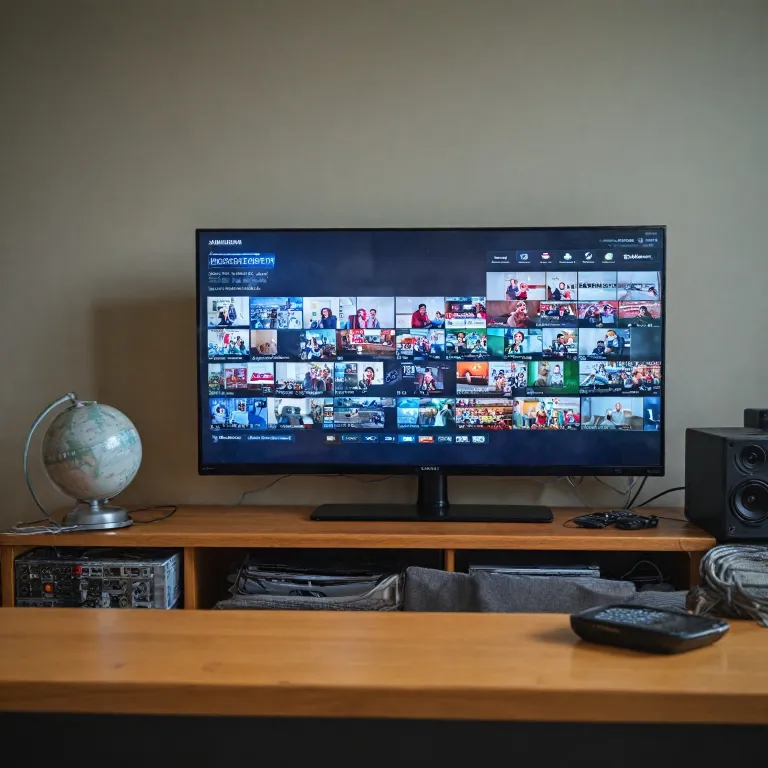
Understanding options for connecting a security camera to a TV without HDMI
Connecting a security camera to a TV monitor screen without HDMI can seem confusing at first. Many home security cameras still rely on analog video systems, so you must understand how these older outputs interact with modern displays. When you know the basic signal types, you can connect camera video safely and avoid damaging equipment.
Most traditional security cameras use a BNC connector that carries composite video over coax cable. These camera systems were designed long before HDMI output existed, yet they still provide reliable live video for continuous monitoring. To connect camera feeds to a flat screen monitor, you need to translate that analog output into a format your display accepts.
Some televisions and monitors still include a direct composite video input, which allows you to connect camera video using a simple BNC to RCA adapter. In that case, the camera directly sends its signal through a single coax line, and the TV handles the display without any hdmi converter. If your camera system includes audio, you must run a separate audio cable from the camera or recorder to the TV’s audio input.
When no composite input exists, you will need an intermediary device between the security camera and the monitor. A common approach uses a video multiplexer or DVR / NVR that accepts multiple cameras and then offers a compatible output. Even if the recorder has only hdmi output, you can still adapt that signal to older displays using a dedicated converter box.
Using analog connections, BNC, and coax to reach your TV monitor
For many households, connecting security camera to TV monitor screen without HDMI starts with understanding BNC and coax. A single coax cable can carry stable video over long distances, which is why so many security cameras rely on this standard. When paired with a suitable power supply, a siamese cable combines power and coax in one run to simplify installation.
On a typical bullet or dome camera, the BNC connector provides the video output that feeds your camera monitor or recorder. You can use a BNC to RCA adapter to connect camera signals directly to a TV’s composite input, as long as the display supports analog video. This method keeps the camera system simple, with no need for an NVR or network configuration.
Homeowners who manage multiple security cameras often route every camera video feed into a DVR or video multiplexer. These devices accept several BNC inputs, then create a single combined display that shows multiple cameras on one screen. If the recorder offers both BNC and hdmi output, you can choose whichever matches your monitor or use a bnc hdmi adapter when necessary.
When your TV lacks composite or BNC style inputs, you can still use analog camera systems with a converter. A small hdmi converter can take composite video from a DVR and present it as hdmi input for a modern television. This approach keeps your existing coax infrastructure while allowing a clean live view on a newer flat panel monitor.
Leveraging DVRs, NVRs, and camera systems for flexible live viewing
Many homeowners prefer to avoid connecting a security camera directly to a TV and instead use a recorder. A DVR or NVR sits at the center of the camera system, collecting live video from every camera and managing storage. This architecture makes connecting security camera to TV monitor screen without HDMI more flexible, because the recorder can adapt to different display types.
In a DVR based setup, analog security cameras send camera video over coax to the recorder’s BNC inputs. The DVR then provides a main video output, often through both BNC and hdmi output, which you can adapt to almost any monitor. Some advanced camera systems also include a built in camera monitor, but you can still add an external TV for a larger view.
NVR based systems rely on network cameras that transmit video over Ethernet rather than coax. These IP security cameras connect to the NVR through a network switch or directly via PoE ports, and the NVR aggregates every live stream. Even if the NVR’s primary connection to a display uses hdmi cable, you can route the signal through a converter to reach older monitors without hdmi input.
When evaluating complete camera systems, look for models that support multiple cameras and flexible outputs. For example, some expandable wireless kits with integrated LCD screens still allow you to add an external TV as a secondary camera monitor. Reviewing a detailed test of a 16 channel expandable wireless pro security camera system with LCD monitor and one way audio can help you understand how these hybrid solutions handle live display options.
Adapting signals with converters, multiplexers, and USB capture devices
When your TV or monitor lacks compatible inputs, signal adaptation becomes essential. A common scenario involves connecting security camera to TV monitor screen without HDMI when the recorder only offers hdmi output. In that case, you can use an hdmi converter that transforms the hdmi cable signal into composite video for an older display.
Some households still rely on CRT televisions that accept only analog video and audio through RCA connectors. By placing a small converter between the DVR’s hdmi output and the TV’s composite input, you maintain a stable live view without replacing the monitor. This approach also works when you want to feed multiple security displays from a single camera system.
Video multiplexer units provide another option for handling multiple cameras on one screen. They accept several BNC inputs from different security cameras, then output a combined signal that can be sent to a TV or dedicated camera monitor. When paired with a bnc hdmi adapter or converter, a video multiplexer can bridge older coax infrastructure with newer flat panel displays.
In some cases, you may want to route camera video through a computer rather than a traditional TV. A USB capture device can accept composite or hdmi input and present it as a webcam style feed to your PC, allowing flexible recording and remote viewing. While this method adds complexity, it can integrate your camera system with software tools and a mobile app for broader monitoring.
Integrating networks, mobile apps, and non HDMI displays
Modern camera systems increasingly rely on network connectivity, even when the main viewing screen is a simple TV. An NVR connects to your router, allowing security cameras to send live video over Ethernet instead of coax. This network architecture supports both local display on a monitor and remote access through a mobile app.
When connecting security camera to TV monitor screen without HDMI in a network environment, you often have several options. The NVR may provide a VGA or BNC output alongside hdmi output, which you can adapt to older monitors using inexpensive converters. At the same time, the same camera system can stream live video to smartphones, tablets, and PCs through the network.
Homeowners with multiple cameras should pay attention to how the NVR or DVR handles simultaneous outputs. Some recorders allow one display to show a full screen view while another presents a grid of multiple security feeds. This flexibility means you can dedicate one camera monitor to the front door while another screen shows the driveway and garden.
When planning cabling, consider whether you will use coax, Ethernet, or a mix of both. A siamese cable can simplify power and video for analog cameras, while Cat 6 cabling strengthens network based camera systems and supports future upgrades. For a deeper look at structured cabling and home surveillance, a guide on how a Cat 6 wiring diagram can strengthen your home security camera network provides useful context.
Practical setup tips, safety checks, and troubleshooting steps
Before connecting security camera to TV monitor screen without HDMI, verify every connector and cable type. Confirm whether your camera uses BNC, whether the TV accepts composite video, and whether any hdmi converter is required. Labeling each coax run and power supply helps you manage multiple cameras more easily.
When you connect camera outputs, always power down the TV, recorder, and security cameras first. This simple precaution reduces the risk of short circuits, especially when working with siamese cable and exposed BNC connectors. After everything is wired, power the camera system, then the recorder or video multiplexer, and finally the monitor.
If you see no live view, check the input selection on the TV or camera monitor. Many displays offer several AV inputs, and the correct one must match the cable you used for the camera video. On DVRs and NVRs, confirm that each channel is enabled and that the system recognizes every connected security camera.
Image quality problems often trace back to poor coax terminations or low quality adapters. Ensure that each BNC connector is firmly crimped and that any bnc hdmi or RCA adapter fits snugly without wobble. When using a mobile app alongside a local TV display, remember that network bandwidth and Wi Fi strength can affect live video performance even if the coax based output looks perfect.
Choosing equipment and planning for future upgrades
When selecting equipment, think beyond the immediate goal of connecting security camera to TV monitor screen without HDMI. Consider how many cameras you might add later and whether you will transition from coax to network based systems. A flexible camera system with both BNC and hdmi output, plus network connectivity, offers more options for future displays.
For outdoor areas, choose robust security cameras that match your climate and lighting conditions. Detailed reviews of top outdoor security cameras can help you compare night vision performance, weather resistance, and audio capabilities. If you plan to monitor entrances and gardens on the same screen, ensure your recorder or video multiplexer supports multiple cameras with clear layout controls.
Power planning is just as important as video planning. Centralized power supply units can feed several security cameras over siamese cable, reducing clutter and simplifying maintenance. When using PoE for network cameras, verify that your switch or NVR provides enough power for every camera directly connected.
As display technology evolves, you may eventually replace an older TV with a newer monitor that supports hdmi input and higher resolutions. By choosing adaptable recorders and converters today, you can maintain compatibility with both legacy and modern screens. This forward looking approach ensures that your camera monitor setup remains reliable, secure, and easy to manage as your home and family needs change.
Key statistics about home security camera connectivity
- Placeholder statistic 1 about adoption of security cameras and TV based monitoring.
- Placeholder statistic 2 about percentage of homes using coax or BNC connections.
- Placeholder statistic 3 about growth of NVR and network based camera systems.
- Placeholder statistic 4 about usage of mobile app viewing alongside local monitors.
Common questions about connecting security cameras to TV monitors
Can I connect a single security camera directly to my TV?
Yes, you can often connect a single security camera directly to a TV if the television has a composite video input. Use a BNC to RCA adapter and coax cable from the camera’s BNC connector to the TV’s AV input. Select the correct input on the TV to see the live view.
What if my TV has no composite or BNC input available?
If your TV lacks composite or BNC inputs, you can use a converter. A small box can take composite video from a DVR, video multiplexer, or camera and convert it to hdmi. Then you connect that hdmi output to the TV’s hdmi input with a standard hdmi cable.
Do I need a DVR or NVR to view multiple cameras on one screen?
To view multiple cameras on one screen, a DVR, NVR, or video multiplexer is usually required. These devices accept several camera inputs and combine them into a single display layout. Without such a device, each camera would need its own dedicated monitor.
Can I watch my security cameras on both a TV and a mobile app?
Many modern camera systems allow simultaneous viewing on a TV and a mobile app. The DVR or NVR connects to your TV or monitor for local display and to your router for network access. With the manufacturer’s mobile app, you can then see live video remotely while still using the local screen.
Is coax still a good choice for new security camera installations?
Coax remains a solid option for many homes, especially when reusing existing cabling. It supports long runs and works well with analog and some HD over coax systems. However, if you want easier integration with networks and higher flexibility, Ethernet and IP cameras may be better for new projects.