
Summary
Editor's rating
Is the Tapo C220 good value for money?
Chubby little dome that blends in but feels very plastic
Build quality, connection stability, and long-term feel
Image quality, AI detection, and how it behaves in real life
What you actually get with the Tapo C220
Does it actually work as a pet cam, baby monitor, and security cam?
Pros
- Sharp 2K 4MP image with clear detail compared to basic 1080p cams
- Local microSD storage up to 512 GB with no mandatory subscription
- Pan/tilt and AI person/pet detection make it versatile for pets, kids, and general security
Cons
- Very plastic build and indoor-only design despite confusing IP66 mention
- Motion tracking can get stuck pointing away from the main area and there’s no auto-return-to-home timer
- Depends heavily on WiFi quality; weak networks mean lag and occasional glitches

Specifications
View full product page →| Brand | Tapo |
A cheap indoor cam that’s actually usable day-to-day
I’ve been using the Tapo C220 for a few weeks as a mix of pet cam and general indoor security, mainly in my living room and sometimes pointed out of a window at the driveway. I’m not a security nerd, I just wanted something that lets me quickly check what’s going on at home, record clips to an SD card, and not get hammered by mandatory subscriptions. On paper, the C220 ticks all those boxes: 2K resolution, pan/tilt, AI detection, night vision, and local storage up to 512 GB.
In practice, it’s a pretty straightforward product. You plug it in, add it to the Tapo app, throw in a microSD card if you want local recording, and that’s it. The first thing I noticed is that the image is clearly sharper than the usual cheap 1080p cameras I’ve tried. You can actually read small details, like labels on boxes or number plates if you aim it out the window with enough light. It’s not cinema-level, but for seeing who’s in the room, it’s more than fine.
I mainly compare it to cheaper basic cams and to Blink/Ring-style stuff friends use. The big difference is the pan/tilt and the AI detections. Being able to move the camera around remotely is genuinely useful when you’re trying to find where the dog is sleeping, or check multiple parts of a room with one device. The AI person/pet detection is also more useful than I expected, especially for filtering notifications.
It’s not perfect. The app sometimes has a small delay, and the tracking logic can be a bit dumb in long corridors or stairs. Also, you’re still dealing with a wired power supply and WiFi, so if your router is flaky, you’ll feel it. But overall, for the price, it’s a solid little camera that does what you buy it for without too much drama.
Is the Tapo C220 good value for money?
For what it costs, the Tapo C220 sits in a sweet spot. You’re getting 2K resolution, pan/tilt, decent night vision, AI detections, local SD storage up to 512 GB, and integration with Alexa/Google. That’s a lot of features for a camera in this price bracket. You can absolutely find cheaper 1080p fixed cams, but once you add up the pan/tilt and the better resolution, the C220 feels like a better long-term buy if you want flexibility.
The big money saver is local storage with no forced subscription. If you toss in a 128 GB or 256 GB microSD card, you can record continuously or on motion without paying monthly fees. Tapo does push their cloud service a bit in the app, but it’s optional. Compared to brands like Ring or Blink where the hardware is sometimes cheaper but you basically need a subscription to make full use of it, this Tapo approach is more budget-friendly over time.
That said, it’s not perfect value for every scenario. If you only need a simple baby monitor with a dedicated screen and zero reliance on WiFi, then a traditional monitor might still make more sense. If you want a rugged outdoor security system, you’d be better off paying more for proper weatherproof cameras. The C220 is clearly aimed at indoor users who want one camera that can rotate, detect people/pets, and record locally without much hassle.
Overall, I’d call the value very decent. You’re not paying for a premium metal build or ultra-advanced smart home integration. You’re paying for a solid set of core functions that actually work: clear 2K image, reliable app, useful AI filters, and no mandatory subscription. For most home users who just want to check in on pets, kids, or a living room while away, it’s hard to argue with what you get for the price.
Chubby little dome that blends in but feels very plastic
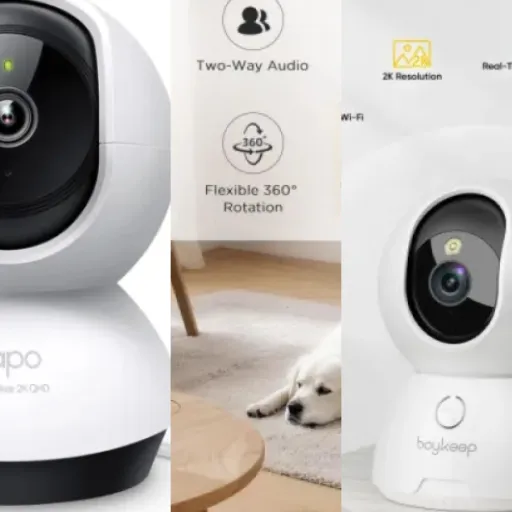
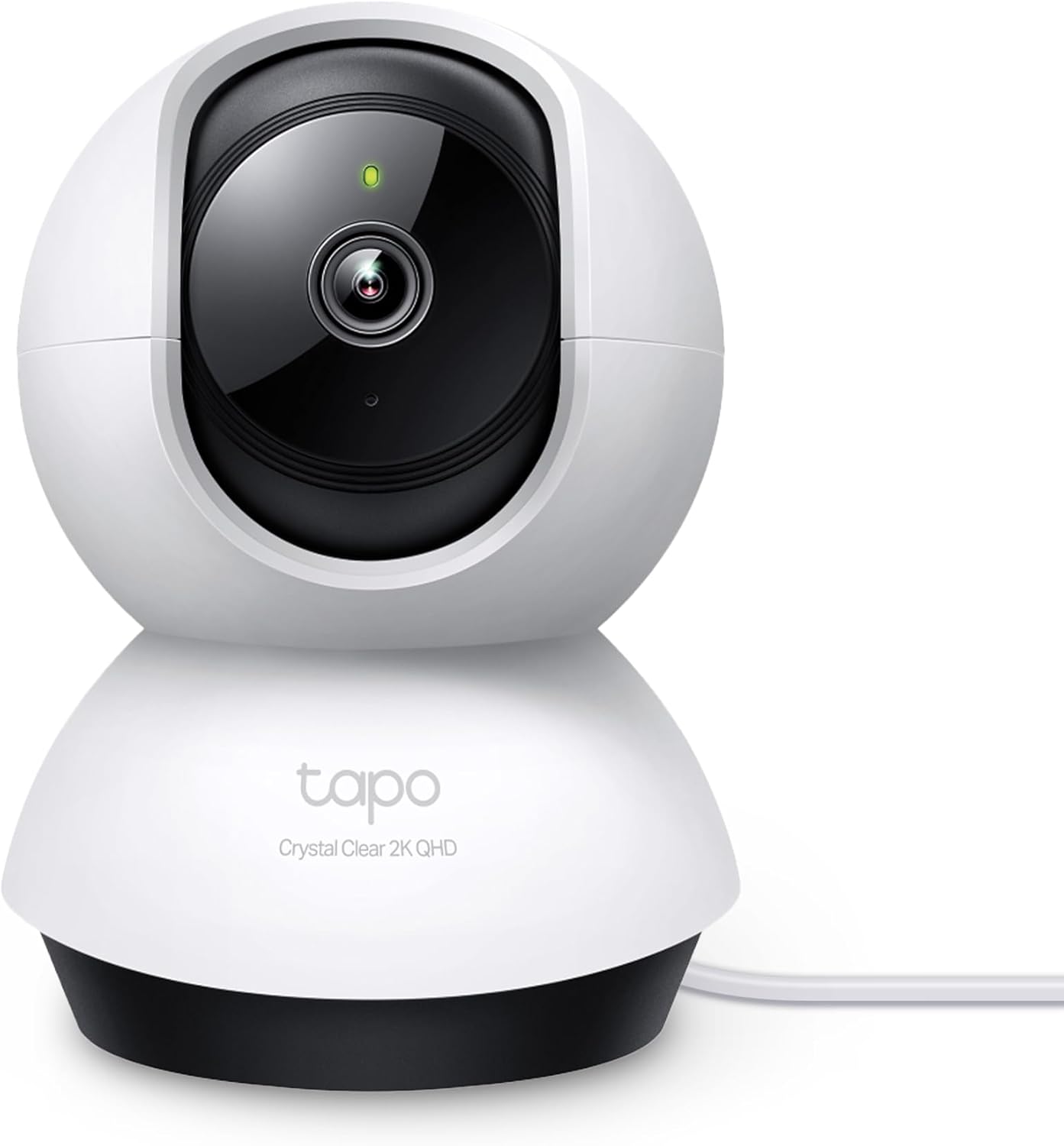
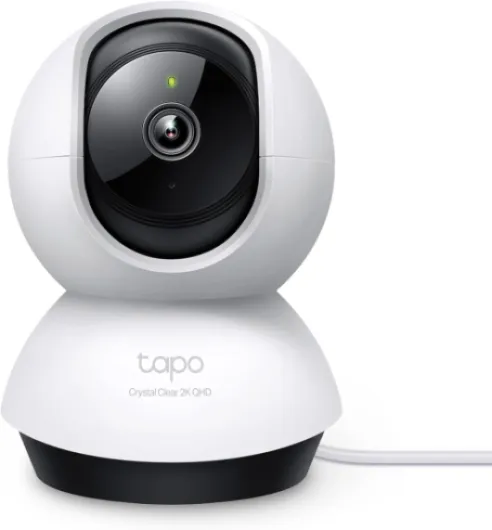
Design-wise, the Tapo C220 is that classic small dome-on-a-base style. Ivory white plastic, rounded shape, nothing fancy. It doesn’t scream “security camera” in a living room, which I liked. It just looks like a small gadget on a shelf. The camera head sits inside a kind of shell and rotates around smoothly when you pan or tilt it from the app. You can mount it on a wall or ceiling, but I just left it on a TV unit and on a window ledge most of the time.
The build is clearly budget. Everything is plastic, and if you tap it or move it around, it feels light and a bit toy-like. That said, nothing rattles and the movement is not jerky. The pan/tilt motors are relatively quiet – you can hear a soft mechanical noise in a silent room, but it’s not loud enough to wake a baby on its own. For a pet cam, the noise is a non-issue; my dog didn’t care at all. The unit is compact enough (around 8.5 x 8.7 x 11.8 cm) that it fits easily on narrow shelves.
There’s a visible lens at the front and infrared LEDs for night vision. When night mode kicks in, you get the usual tiny red glow from the IR LEDs. If you’re super picky about having zero visible light in a baby’s room, that might bother you. It’s not a bright beacon, but it’s there. Compared to more expensive models with invisible IR, this is one of those corners they clearly cut to keep the price down.
Cable management is basic. The power cable exits from the bottom of the base; no fancy channels or covers. If you care about a super tidy look, you’ll be taping or clipping the cable along the wall yourself. Overall, the design is functional and discreet, not premium. It fits fine into most rooms without drawing attention, but it definitely feels like a budget camera in the hand.
Build quality, connection stability, and long-term feel
Durability on a camera like this is mostly about two things: how the hardware holds up physically, and how stable the connection and software are over time. Physically, the C220 is light plastic, but after moving it around rooms, plugging/unplugging a few times, and adjusting angles, nothing has loosened or broken. The pan/tilt mechanism still feels as smooth as on day one, and there’s no grinding or weird noises yet.
The camera is clearly meant to live indoors and not be messed with too much. There’s no serious weather sealing, and the spec sheet calling out IP66 is misleading when the rest of the info says indoor use only and “not water resistant”. I wouldn’t risk this outside, even under a roof. As long as you keep it dry, away from direct sunlight and from being knocked off shelves, it should be fine. If you have kids or big pets that like to bump into things, mount it on a wall or ceiling instead of leaving it on a low table.
On the software side, stability depends a lot on your WiFi. In my case, with a mid-range router and a decent signal where the camera sits, it has stayed connected without random dropouts. I did notice that if my network was busy (big downloads or streaming on multiple devices), the live view could take a few seconds to load or briefly drop from 2K to a lower quality stream, but it always recovered on its own. Some users mention fixing random disconnects by changing their router’s WiFi channel to avoid interference, which makes sense if you live in a crowded apartment block.
Long term, Tapo as a brand seems to keep their app updated – I’ve seen a couple of updates during my use that improved minor UI stuff. That’s good for security patches too. Overall, the C220 feels like a typical budget device that’s fine if you treat it decently. It doesn’t feel bulletproof, but it also doesn’t feel fragile to the point where you’re scared to move it.
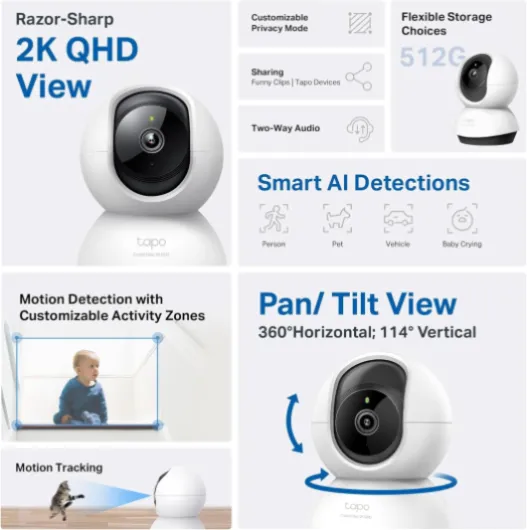
Image quality, AI detection, and how it behaves in real life
In terms of performance, the C220 is pretty solid for the price. The 2K 4MP video is the main plus. During the day, the image is sharp enough that you can clearly see faces, read small text on objects, and check details like what your pet is chewing on. Compared to older 1080p cams I’ve used, you notice the extra detail, especially when you zoom in digitally. It’s still digital zoom, so don’t expect miracles, but it’s usable instead of turning into a pixel mess.
At night, the infrared night vision is decent. In a dark room, you can see the whole area within a typical living room size, and movement is clear enough to identify people and pets. It’s not super bright, so if you’ve got a huge open-plan space, the far corners can get a bit muddy, but for normal rooms and hallways, it does the job. Looking through double-glazed windows at night is hit-and-miss because the IR can reflect on the glass, so if you plan to monitor outside through a window, you’ll want some external light and to disable IR.
The AI detection is where it gets interesting. Person and pet detection worked quite well for me. I set it to only alert on people and pets, and it cut down on false notifications from tree shadows and light flickers. Pet detection in particular surprised me: it correctly picked up my dog walking around and didn’t spam me when the curtains moved. It’s not perfect – you’ll still get the occasional random detection – but it’s much better than dumb motion-only alerts.
Pan/tilt responsiveness is fine on WiFi. On my home network, the camera reacts almost instantly when I swipe in the app. Over 4G away from home, there’s a small delay, maybe half a second or so, but still usable. Tracking is where you start to see the limits. In a normal room, it follows movement fairly well. In long corridors or stair landings, it can end up stuck pointing at where the last motion happened and just stay there, which means it misses new events elsewhere. There’s currently no built-in “return to home position after X minutes” option, which is annoying. I ended up turning tracking off and just using fixed views plus manual pan/tilt when I check in.
What you actually get with the Tapo C220
Out of the box, the Tapo C220 is pretty barebones: you get the camera, a power adapter with a long-enough cable for most rooms, wall/ceiling mounting bits (screws, anchors, template), and a short paper quick start guide. No microSD card included, so if you want local recording (which is kind of the whole point for many people), you need to buy one separately. It supports up to 512 GB, which is generous for a cheap indoor cam.
Specs-wise, the headline points are: 2K 4MP resolution (2560×1440), pan/tilt with full 360° horizontal and 114° vertical range, night vision up to about 9 m (30 ft), two-way audio, AI detections (person, pet, vehicle, baby crying), and both cloud and local storage options. It works over WiFi and integrates with Alexa and Google Assistant, mainly for viewing the feed on smart displays or turning it on/off with voice.
The Tapo app is where you control everything. That’s where you set motion zones, define privacy mode, choose what AI events to detect, and configure recording schedules. Setup took me under 10 minutes: plug in, scan QR code, connect to WiFi, done. No weird account hoops, just email and password. Compared to some other brands that push you hard into subscriptions right away, Tapo is less aggressive. They offer Tapo Care cloud storage with a free trial, but you can totally ignore it and just use an SD card.
In day-to-day use, the combination of 2K video and AI filters is what makes it usable. You can tell the app to only alert on people or pets, and ignore random light changes or shadows. If you use it as a baby or pet monitor, those baby-crying and pet/bark detections are genuinely handy. Just be aware: this is an indoor-only camera despite the spec list throwing around IP66; the housing and general build are not made for rain or outdoor abuse. Treat it as an indoor cam that can look through a window, not something to bolt on your fence.

Does it actually work as a pet cam, baby monitor, and security cam?
I used the C220 in three ways: as a pet cam in the living room, as a baby-style monitor in a bedroom for a few evenings, and pointed out the window as a basic security camera for the driveway. It’s good enough in all three roles, but with some caveats you should know about before buying.
As a pet cam, it’s great. The combination of pet detection and pan/tilt means you can roughly follow where your dog or cat is wandering. I like that I get alerts specifically tagged as “pet” in the timeline, so I can quickly jump to those clips later. Bark detection worked well in my case: when my dog barked at the postman, I got a notification within a couple of seconds. The two-way audio is handy here; I could shout a quick “hey” and usually that was enough to interrupt whatever chaos was about to happen. Audio quality is not hi-fi, but it’s clear enough for simple voice commands.
As a baby monitor, it’s usable, but you have to accept the WiFi/app delay and the red IR glow at night. The baby-crying detection is a nice touch and mostly accurate – it triggered when the baby actually cried, not when someone just spoke in the room. Still, this setup depends on your WiFi being stable. If your router is sketchy or overloaded, you’ll see buffering and maybe short disconnects. It’s not a fully closed, dedicated baby monitor system with its own screen, so keep that in mind if you’re anxious about constant uptime.
For basic security, especially indoors or looking through a window, it’s fine. Person detection plus motion zones let you reduce useless alerts. I set it to only trigger when someone crosses a specific area near the door, and it worked reasonably well. The sound and light alarm is more of a gimmick for me, but it could scare off someone if they’re not expecting a camera. Just don’t confuse this with a proper outdoor IP66 bullet cam; it’s not built for rain and temperature extremes, so keep it inside.
Overall, the C220 is effective as a general-purpose indoor camera. It does multiple jobs at once: pet watcher, baby watcher, and home checker. It’s not specialized enough to be perfect for any single role, but if you want one device that covers several uses without costing a fortune, it gets the job done.
Pros
- Sharp 2K 4MP image with clear detail compared to basic 1080p cams
- Local microSD storage up to 512 GB with no mandatory subscription
- Pan/tilt and AI person/pet detection make it versatile for pets, kids, and general security
Cons
- Very plastic build and indoor-only design despite confusing IP66 mention
- Motion tracking can get stuck pointing away from the main area and there’s no auto-return-to-home timer
- Depends heavily on WiFi quality; weak networks mean lag and occasional glitches
Conclusion
Editor's rating
After using the Tapo C220 as a daily indoor camera, I’d sum it up like this: it’s a practical, no-nonsense 2K pan/tilt cam that does most of what people actually need without locking you into monthly fees. The image quality is clearly better than basic 1080p models, the pan/tilt is responsive, and the AI detection for people and pets works well enough to cut down the notification spam. Night vision is good for normal rooms, and the two-way audio is perfectly fine for quick chats or telling the dog to get off the sofa.
It’s not all perfect. The build is very plastic, tracking can be dumb in long corridors or stairs, and you’re still at the mercy of your WiFi. The visible red IR lights might annoy some people in a baby room, and if your network is crowded, you’ll see some lag. But considering the price, the ability to record everything locally to a microSD card, and the fact you can run it fully without a subscription, it ends up being a strong option for most indoor use cases.
If you want a flexible indoor camera to watch pets, keep an eye on kids, or just check your home while you’re out, the C220 is a good fit. If you need a hardcore outdoor security system or a fully offline baby monitor with its own dedicated screen, look elsewhere. For everyday home use on a normal budget, though, it gets the job done and feels like money reasonably well spent.