
Summary
Editor's rating
Price vs what you actually get (and save)
Chunky box, simple look, very much a set‑and‑forget device
No battery inside, but it matters for your battery cameras
Build quality and long‑term use concerns
AI, alerts, and Wi‑Fi: how it actually performs
What the HomeBase S380 actually does day to day
Does it actually make your home feel more secure?
Pros
- Local expandable storage up to 16TB with no monthly cloud fees
- Effective AI motion and facial recognition that cuts down on useless alerts
- Simple, quiet hardware that runs in the background without much fuss
Cons
- Built‑in 16GB storage is small, a separate hard drive is almost mandatory for multiple cameras
- No internal battery backup, so power cuts take the whole system offline
- Ecosystem lock‑in: works best only if you stick to compatible eufy devices

Specifications
View full product page →| Brand | eufy Security |
A security hub for people tired of subscriptions
I picked up the eufy HomeBase S380 (HomeBase 3) because I was getting tired of cloud subscriptions for cameras. I already had a mix of Wi‑Fi cams from other brands, and the monthly fees were starting to add up. The promise here is pretty simple: local storage up to 16TB, no monthly fee, and everything managed from one box. On paper, that checked almost all my boxes.
After a couple of weeks of use, I’d say it does what it says, but it’s not magic. It’s a solid hub if you’re willing to mostly live in the eufy ecosystem. The AI stuff (their BionicMind facial recognition and motion detection) is better than I expected, but the setup and compatibility side can be a bit confusing, especially if you’re coming from older eufy gear or you’re mixing models.
I used it with two eufy cams, a doorbell, and the app on both Android and a Windows PC. I didn’t go crazy with 16TB – I just added a 1TB SATA drive I had lying around to see how the expandable storage worked. My use case is pretty typical: front door, backyard, and driveway coverage, with notifications on my phone and occasional remote checks when I’m away.
Overall, the HomeBase S380 feels like a good answer if you want local recording and you hate subscriptions. It’s not the cheapest box out there, and some people will find the ecosystem lock‑in annoying, but if you’re already invested in eufy or planning to be, it’s a pretty solid core for a home setup. Just don’t expect it to magically fix bad Wi‑Fi or poorly placed cameras.
Price vs what you actually get (and save)
From a value for money angle, the HomeBase S380 sits in a weird middle ground. The hardware itself isn’t dirt cheap, especially considering it only includes 16GB built‑in, which fills up quickly with multiple cameras. But the whole point is the long‑term savings: you’re not paying monthly subscription fees for cloud storage. If you’re currently paying, say, $5–$15 a month for another brand’s cloud plan, this thing pays for itself over time.
You do need to factor in the cost of a hard drive if you want to take advantage of the 16TB capacity. A decent 2–4TB drive will add a noticeable chunk to the bill. For a small setup with one or two cams, you might be fine with the built‑in 16GB plus some tight recording settings (like event‑only, not continuous). But realistically, most people will end up adding a drive sooner or later. So the real price is the HomeBase plus storage.
Compared to cloud‑first systems, the big financial win here is the no monthly fee and local control. Over a couple of years, that’s a clear saving, especially if you have several cameras. On the other hand, you’re mostly locking yourself into the eufy ecosystem. If you already have some eufy gear, it’s easier to justify. If you’re starting from scratch, it’s worth comparing what you’d pay for a competitor’s cameras plus cloud plans over 2–3 years.
Overall, I’d call the value pretty solid if you’re committed to local storage and multiple cameras. If you just want one camera by the door and don’t care about subscriptions, this might be overkill. But for someone building a small to medium home setup who hates ongoing fees, the math starts to look pretty good after the first year or so.
Chunky box, simple look, very much a set‑and‑forget device
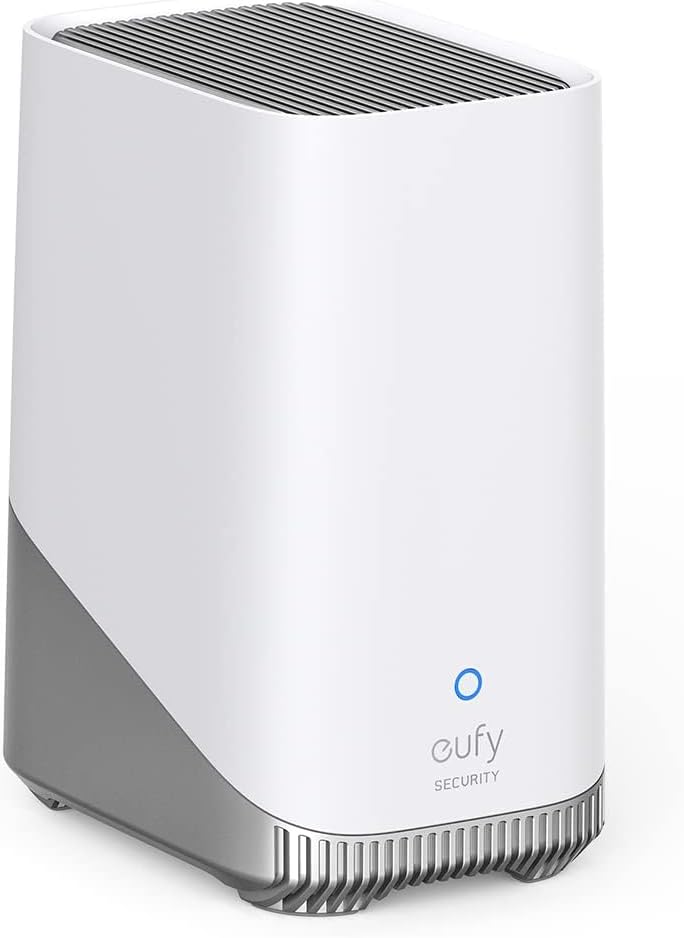
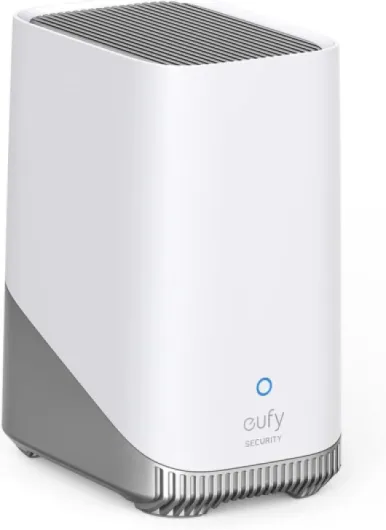
Design‑wise, the HomeBase S380 is pretty plain. It’s a medium‑sized plastic box, roughly like a small router or a compact NAS. Nothing flashy, which is fine for something that’s going to sit on a shelf next to your modem. The casing is light but doesn’t feel flimsy. There are vent holes, status LEDs on the front, and ports on the back (power, Ethernet, and the slot for the drive). You’re not buying this for looks, and that’s obvious as soon as you unbox it.
One thing I liked is that the status LEDs are not blinding. Some hubs and routers light up your whole living room at night; this one is pretty discreet. You can still see if it’s online or syncing, but it’s not a mini Christmas tree. The sound of the device itself is basically nothing without a drive. Once I put a 1TB HDD in it, there was a slight hum when it spun up, but it’s quieter than a typical desktop PC. If noise bothers you, you might want to use an SSD instead of a spinning drive, but that’s a cost trade‑off.
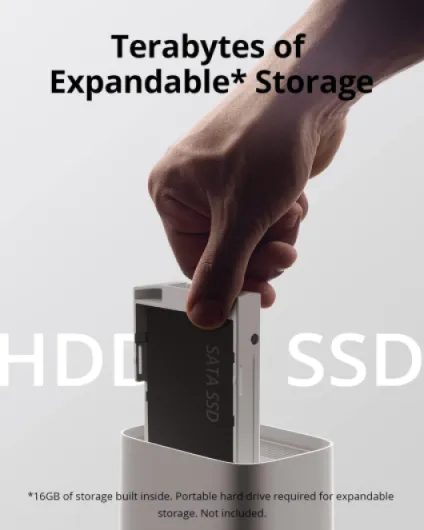
Accessing the drive bay is straightforward. You don’t need to be a PC builder to manage it; it’s a simple screw and slide mechanism. You don’t see the drive once it’s closed, so you don’t have some ugly hanging cable or anything like that. For a home user who just wants to throw in storage and move on, it’s about as painless as it gets.
In short, the design is practical and low‑profile. It doesn’t try to be stylish, and frankly, it doesn’t need to. You plug it in, hide it near your router or in a media cabinet, and you forget it’s there. The only thing I wish is that there were maybe rubber feet with a bit more grip, because it slides a bit too easily when you’re moving cables around, but that’s minor.
No battery inside, but it matters for your battery cameras
Just to be clear, the HomeBase S380 itself does not have a built‑in battery. It’s not a UPS and it won’t keep recording if the power goes out. It needs to be plugged into the wall like a normal router or NAS. That means if your power is shaky or you live somewhere with frequent outages, you might want to plug both your router and the HomeBase into a small UPS. Without that, a power cut means your whole system is offline, even if your cameras have their own batteries.
Where the S380 does matter for battery is with battery‑powered eufy cameras. Because it handles AI and storage on the hub side, the cameras don’t have to constantly push full streams or do all the processing themselves. In practice, that can help battery life a bit compared to fully cloud‑driven systems. On my battery cam at the back, I didn’t see a huge jump, but the drain felt pretty normal even with AI features on. It’s not like it doubled the battery life, but it also didn’t tank it.
One thing I noticed: when I set the system to be very aggressive with events and high‑quality recording, the battery cameras obviously drained quicker. That’s not the HomeBase’s fault, just a reminder that more recordings = more power used. The upside is that the hub lets you fine‑tune detection zones and event types, which can indirectly help battery life by not recording every squirrel and leaf.
So, from a battery perspective, the verdict is simple: the S380 doesn’t bring backup power itself, but it helps your wireless cameras run in a more efficient way than if everything were processed and stored in the cloud. If power cuts are a concern, pair it with a small UPS and you’ll have a more reliable setup.
Build quality and long‑term use concerns
The HomeBase S380 feels decently built, but it’s clearly meant to live indoors in a safe corner, not be handled all the time. The plastic shell is sturdy enough, and I didn’t notice any flex or creaking when plugging in cables or opening the drive bay. I wouldn’t toss it around, but for normal use on a shelf or in a cabinet, it feels like it’ll hold up just fine. After a couple of weeks, it stayed cool to the touch, only slightly warm around the vents, even with a spinning HDD inside.
On the inside, the big durability question is the drive you choose. The built‑in 16GB is solid‑state, so no moving parts. Once you add a hard drive, the long‑term lifespan will depend on the quality of that drive. That’s not really on eufy, but worth keeping in mind: if you’re planning 24/7 recording with lots of cameras, it might be worth paying extra for a drive rated for surveillance or NAS use. I threw in a basic 1TB desktop HDD as a test, and so far it’s fine, but I wouldn’t trust that for 5+ years of continuous use.
In terms of software durability, this is where things can go either way depending on how well eufy keeps up with updates. During my test, the firmware updated once and didn’t break anything, which is reassuring. But I’ve seen stories online about older HomeBase models getting slower feature updates or compatibility quirks with new devices. So I’d say the hardware will probably outlast the typical router, but the experience will depend on how long eufy decides to support this model actively.
Physically, there’s no obvious weak point besides maybe the Ethernet port if you’re constantly unplugging and replugging it. Once it’s set, you’re not really touching it, so wear and tear should be minimal. As long as it’s kept in a dry, ventilated spot and not stacked under a pile of hot gear, I don’t see any major durability red flags. Just remember this: the box is only half the story – the drive and the software support are the real long‑term factors.
AI, alerts, and Wi‑Fi: how it actually performs
Performance is where the HomeBase S380 actually feels like a step up from simpler camera hubs. The AI motion detection is noticeably better than the basic motion zones you get on cheaper systems. I set it to focus on people and ignore general movement, and it did a decent job of cutting out my tree branches and passing cars. There were still occasional false alerts, especially at night when headlights hit the driveway, but the volume of useless notifications dropped a lot compared to my old cloud‑only setup.
The facial recognition (BionicMind) is the other big feature. After a week of tagging, it was able to tell me when a known person was at the door versus an unknown one. For example, it correctly flagged my neighbor as a recurring visitor after a few visits. I’d say the accuracy is high enough that I actually look at the labels instead of ignoring them. It’s not magic – hats, masks, and weird lighting can throw it off – but for a home device, it’s pretty solid. I wouldn’t rely on it for anything like access control, but for filtering notifications, it’s useful.
In terms of speed, clips show up in the app fairly quickly after an event. On my network (average fiber, decent Wi‑Fi 5 router), I usually saw events in the timeline within 10–20 seconds. Live view has a bit of delay, but that’s more about the cameras than the HomeBase. Scrubbing through recorded video stored on the S380 is smooth once it buffers a bit. There were occasional hiccups when I was on mobile data far from home, but that’s expected.
The weak spot is that everything still depends heavily on your Wi‑Fi quality and camera placement. The S380 isn’t a magic cure for weak signals. One of my cameras at the far end of the yard still had lag and occasional disconnects. The HomeBase could see it, but the stream quality dropped. If your house has thick walls or your router is in a bad spot, you’ll either need extenders/mesh or move things around. So performance of the box itself is solid, but the overall experience will match the quality of your network.
What the HomeBase S380 actually does day to day
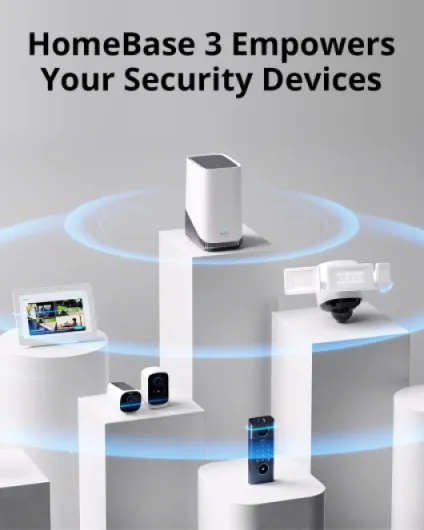
Functionally, the HomeBase S380 is the brain of your eufy security system. It plugs into your router via Ethernet, connects to your eufy cameras and doorbells over 2.4 GHz Wi‑Fi, and stores the footage locally. Out of the box, you get 16GB of built‑in storage, which is honestly not huge if you have several 2K or 4K cameras, but it’s fine to start. The real point is you can add a hard drive (up to 16TB) and just forget about storage for a long time.
The thing that stands out in daily use is the AI handling of motion and faces. Instead of getting pinged every time a car drives by or a branch moves, it learns who’s who. After a few days of tagging faces in the app, it started recognizing me, my partner, and a couple of regular visitors. That helped cut down on useless notifications. It’s not perfect – it mis‑tagged my brother as me once – but I’d say it gets it right most of the time. Their 99.9% claim feels optimistic, but it’s good enough to be actually useful.
Another big piece is the 100 dB siren. You can set it to trigger when certain events happen (like a stranger loitering or a door forced). I tested it once from inside the house, and it’s loud enough to be annoying and clearly heard outside, but it’s not car‑alarm level painful. For a small house or apartment, it’s plenty. I wouldn’t rely on it as the only deterrent, but as part of the overall setup, it adds some pressure on anyone messing around near your cameras or doors.
Day to day, you mostly interact with it through the eufy Security app. The box itself just sits near the router and blinks. The app shows your devices, events, and lets you scrub through recordings stored on the HomeBase. When it works, it feels pretty smooth. When your Wi‑Fi is weak or a camera is on the edge of range, you get lag and loading circles, which obviously isn’t the HomeBase’s fault alone, but it’s part of the experience. Bottom line: the S380 is a central hub that does the storage and AI work so your cameras aren’t constantly pushing everything to the cloud.
Does it actually make your home feel more secure?
From a pure effectiveness standpoint, the HomeBase S380 does what I wanted: it records reliably, cuts down on junk alerts, and gives me quick access to footage without dealing with cloud logins or subscription limits. The fact that footage is stored locally gave me some peace of mind. I know that if my internet goes down, I’m still getting recordings as long as the power stays on. When I tested by cutting the internet (but keeping power), the cameras kept recording to the HomeBase and the app showed older clips once I reconnected, which is exactly how I want it to behave.
The 100 dB siren is more of a bonus than a core feature for me. I set it to trigger only on certain high‑priority events (like a forced door scenario). When I tested it, it was loud enough that my neighbor asked what was going on, so it’s not just a toy sound. But you have to be careful with the settings, otherwise you’ll end up with it blaring for false positives, which is more annoying than helpful. Used sparingly and with tight rules, it’s a decent deterrent layer.
The AI classification (person, pet, vehicle) worked fairly well. My dog was correctly tagged as a pet most of the time, but occasionally got flagged as a person when he was too close to the camera. Cars on the street were usually ignored unless I expanded the activity zone. So yes, it’s effective, but you still need to spend some time tuning zones and sensitivity. If you just plug it in and never tweak anything, you’ll probably be less happy with the results.
Overall, it reduces noise and keeps the important stuff. Compared to the scatter of apps and cloud accounts I had before, this setup feels more controlled. Still, it’s not bulletproof: if someone steals the HomeBase itself and the drive with it, your local recordings are gone (even if they’re encrypted). So placement matters – don’t leave it right by the main entry where a burglar can just grab it.
Pros
- Local expandable storage up to 16TB with no monthly cloud fees
- Effective AI motion and facial recognition that cuts down on useless alerts
- Simple, quiet hardware that runs in the background without much fuss
Cons
- Built‑in 16GB storage is small, a separate hard drive is almost mandatory for multiple cameras
- No internal battery backup, so power cuts take the whole system offline
- Ecosystem lock‑in: works best only if you stick to compatible eufy devices
Conclusion
Editor's rating
The eufy HomeBase S380 (HomeBase 3) is a solid hub for people who want local storage, decent AI features, and no monthly fees. It does the core job well: records reliably, stores footage locally (up to 16TB if you add a drive), and uses its AI to cut down on useless notifications. The 100 dB siren and encryption are nice extras, and the overall experience through the eufy Security app is straightforward once everything is set up. It’s not flashy, but it quietly does what you bought it for.
It’s not perfect, though. You still need good Wi‑Fi and decent camera placement, the built‑in 16GB is small, and you’ll probably end up buying a hard drive to really benefit from it. You’re also pretty much committing to the eufy ecosystem, which is fine if you’re already in it, less so if you like mixing brands. And remember: no internal battery, so if the power goes out and you don’t have a UPS, everything stops.
I’d recommend the HomeBase S380 to anyone who: has or plans to have several eufy cameras, hates subscription fees, and likes the idea of keeping footage at home instead of the cloud. If you just need one simple camera or you’re happy paying for cloud storage and not worrying about hardware, you can skip this and go with a simpler, cloud‑only setup. For everyone else, it’s a practical, no‑nonsense base station that gets the job done without trying to be fancy.