
Summary
Editor's rating
Is it good value? Depends how much you care about subscriptions
Chunky but clean, with the solar panel built right in
Solar charging: great in sun, average in shade or heavy traffic spots
Outdoor build feels solid, but software reliability is hit and miss
4K image is good, motion delay is the annoying part
What this thing actually is (and what you need to use it)
Pros
- Integrated solar panel keeps the battery topped up in decent sun, very low maintenance once placed right
- 4K daytime image quality is clear enough to recognize faces and read plates at reasonable distances
- Local storage on HomeBase with optional expansion up to 16 TB and no monthly subscription fees
Cons
- Noticeable delay (around 2–5 seconds) between motion detection and recording start, so you can miss the beginning of events
- App and motion settings can feel limited and require a lot of tweaking to cut down false alerts
- Nighttime and zoom clarity are only decent, not great, especially in low light without the spotlight or extra lighting

Specifications
View full product page →| Brand | eufy Security |
A 4K solar cam that you mostly forget about
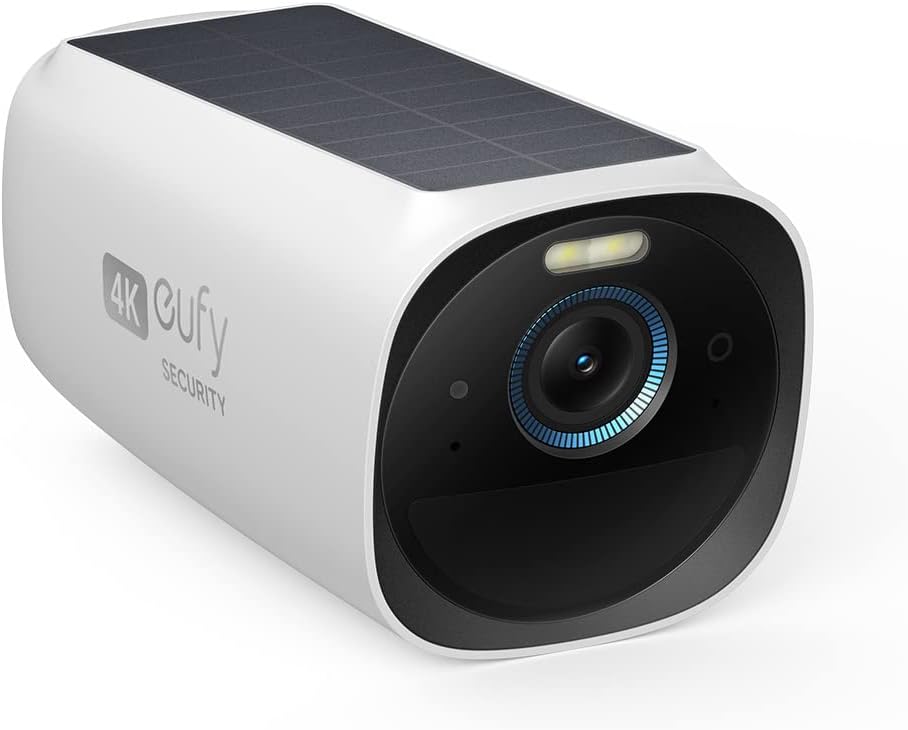
I’ve been using the EufyCam S330 (also called eufyCam 3) as an add-on camera to a HomeBase for a while now, and I’ll be straight: I picked it mainly because I hate subscription fees and I’m lazy about charging batteries. This one checks both boxes on paper: local storage on the base, built-in solar panel on the camera, and no monthly fee. That was the whole pitch that got my attention.
In daily use, the general feeling is: it mostly just does its thing in the background, which is what you want from a security camera. The app sends alerts, the camera records clips, and I don’t really think about it unless I get a notification or I’m tweaking some settings. When it works as intended, it’s pretty solid: good detail, decent detection, and no cloud bills hitting your card every month.
But it’s not perfect. There are a few annoying quirks you notice after a couple of weeks. Motion detection has a slight delay, so sometimes you get the tail end of someone walking by instead of the full approach. The AI and zones also need a bit of tuning to avoid false alerts from plants or spiders. And if you’re expecting flawless 4K clarity for zooming in on faces at night from far away, you’ll probably be a little disappointed.
Overall, my impression is: good concept, solid base, some rough edges. It’s a nice fit if you care more about no subscription and long-term battery/solar convenience than having the most polished motion capture and app experience out there. If you want perfect responsiveness and crystal-clear zoom in all conditions, this won’t be that, but for general home monitoring it gets the job done.
Is it good value? Depends how much you care about subscriptions
Price-wise, the S330 sits in that mid-to-high range for home security cameras, especially once you factor in that you need a HomeBase if you don’t already have one. If you compare it to something like a Ring or Nest setup with similar resolution and features, the initial cost is roughly in the same ballpark or slightly higher. But where it starts to make sense is over time: Eufy doesn’t charge a monthly fee for recording and storing video, since it’s all local.
If you’re the kind of person who hates ongoing subscriptions, the math is simple: pay more upfront, pay nothing later. Over a couple of years, that can make the S330 + HomeBase combo feel like good value for money, especially if you add multiple cameras and fill up that local storage. The ability to expand storage up to 16 TB with your own drive is also nice if you want to keep footage for a long time without thinking about plans or tiers.
However, for the price, it’s not flawless. You do have to accept some trade-offs: motion delay, occasional false triggers, a slightly clunky app in places, and some reports of random glitches. If you want absolutely top-tier motion responsiveness and super-polished cloud features, you might be happier with other brands even if they cost you a few bucks every month. Eufy’s value really kicks in if you’re okay with “good but not perfect” performance in exchange for long-term savings and local control of your data.
So my take: if you already own a HomeBase and you’re expanding your system, this add-on camera is easier to justify and the value is pretty decent. If you’re starting from zero, you need to count the base station too, and then ask yourself: do I prefer paying more now and nothing later, or a cheaper camera with a permanent subscription? If you lean strongly toward the first option, the S330 starts to make sense even with its flaws.
Chunky but clean, with the solar panel built right in
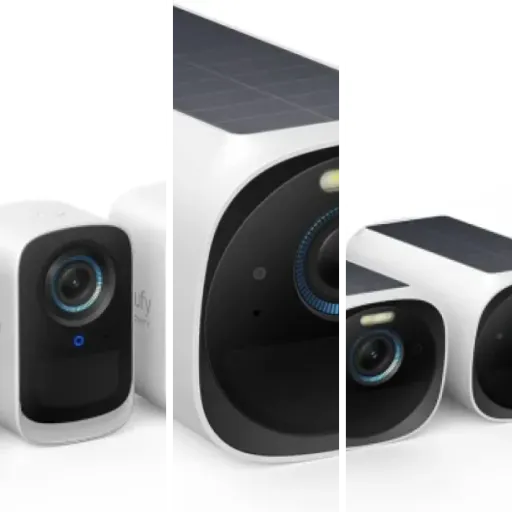
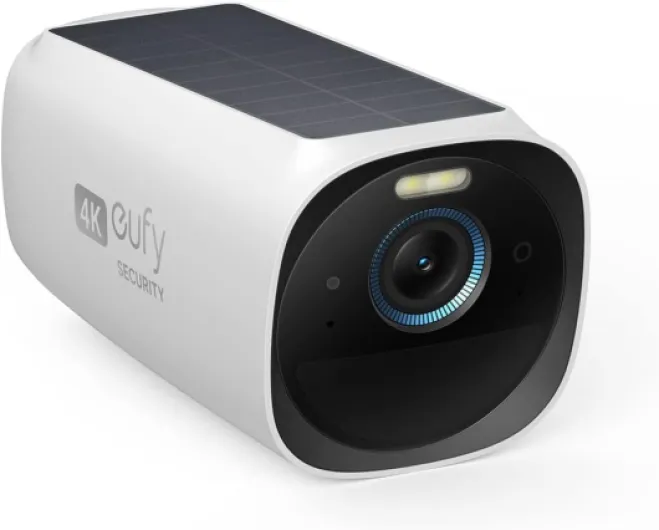
Design-wise, the S330 looks like a compact white bullet camera with a solar panel slapped on top, but in a fairly clean way. It’s not tiny, but it’s not a giant eyesore either. The dimensions are around 5.12 x 2.56 x 2.56 inches and under a pound, so it’s manageable on most walls or eaves. Once it’s up, it blends in enough that you forget about it, but it’s still clearly a security camera, which can be a plus if you want a visible deterrent.
The integrated solar panel is the main design highlight. Compared to setups where you have a separate panel with an extra cable, this is much simpler: one unit, one mount, no extra wiring. For spots like a driveway or gutter line where you don’t want to mess with routing cables or drilling more holes, this is really convenient. The trade-off is that you need to place the whole camera where it can actually get sun. If you want the perfect viewing angle but that spot is in the shade all day, you’re going to compromise either on angle or charging.
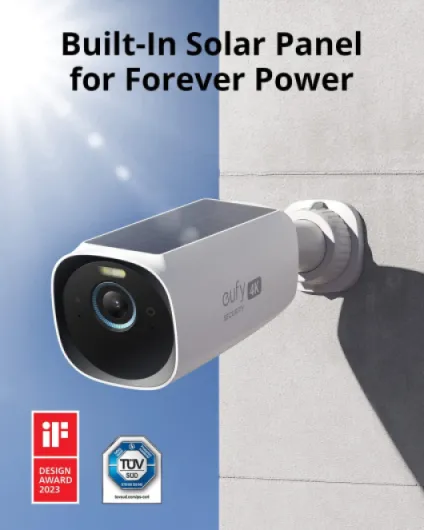
The mounting system is straightforward: a wall mount that lets you aim the camera and panel. It’s not some super flexible ball-joint miracle, but it’s enough to dial in a decent view and still give the solar panel some sky. Once tightened, it feels secure; it doesn’t sag or drift. I didn’t feel like I had to baby it or worry it would move every time there’s a bit of wind. It’s rated IP65, so it’s fine for regular rain and dust – I wouldn’t spray it directly with a pressure washer, but for typical outdoor use it feels solid enough.
Overall, the design is practical rather than fancy. It’s a clean white camera that looks like what it is: a modern security cam with a solar panel. If you’re looking for something super discreet or stylish, this isn’t that. If you just want something that mounts easily, stays put, and gets sun without extra cables, it does the job pretty well.
Solar charging: great in sun, average in shade or heavy traffic spots
The whole selling point of this camera for me was “Forever Power” via the integrated solar panel. In real life, if you place it in a good sunny spot, it’s actually pretty close to that promise. On a south-facing wall with a few hours of direct sun a day, the battery basically hovers around 95–100% and you forget the thing even has a battery. People in sunny areas (like Arizona) report the same: it just stays topped up and you never touch it.
Where it gets less perfect is in winter or high-traffic areas. One user mentioned a camera dropping to around 25% after a couple of months when mounted in a busy area during winter, even with the solar panel. That lines up with what you’d expect: lots of motion events + less sunlight = battery slowly draining. Once the sun comes back more consistently, it recovers, but if your camera is on a shaded wall and recording all day long, don’t expect magic. You may need to tweak sensitivity, recording length, and notifications to keep the energy use reasonable.
The good part is that the battery behavior is predictable. When the sun is out and the panel sees it, the percentage climbs and stabilizes. When it’s overcast or your angle is bad, it slowly drops. At least it doesn’t do weird stuff like random shutdowns in normal conditions; when it does go low, and then gets sunlight again, it just comes back online automatically without you climbing up there to reset it. That’s a big plus compared to some cheaper cams that bug out when the battery dips.
Overall, I’d say: solar works well if you respect its limits. Put the camera somewhere that gets real sun, not just a bit of indirect light, and don’t crank every setting to max in a super busy area. If you do that, you’ll likely never plug it in. If you ignore those basics, you’ll still have to think about the battery once in a while, but it’s still less hassle than regular non-solar wireless cams.
Outdoor build feels solid, but software reliability is hit and miss
Physically, the S330 feels sturdy enough for typical outdoor use. It’s rated IP65, so it handles rain, dust, and temperature swings fine in normal climates. I haven’t seen complaints about the housing cracking or water getting in, and my own unit has been through rain and some heat without any drama. The mount holds its angle, and it doesn’t feel like something that will fall apart in a year as long as you don’t abuse it.
The more questionable part of durability is actually software and connectivity reliability. Most users seem to have stable setups once everything is configured, but there are some worrying reports. One reviewer with a ton of Eufy gear (27 devices) said this particular camera kept dropping off the app and basically disappearing, while all their other Eufy cams were fine. That’s the kind of random issue that makes you nervous, because if it happens to you, it’s a pain to troubleshoot, and you start wondering if you got a bad unit or there’s a firmware bug.
On the flip side, some people praised how well everything came back after power cuts. After a blackout, the cameras reconnected cleanly to the HomeBase without needing to take them down, which is exactly what you want. That’s the good side of Eufy’s ecosystem: once it works, it tends to stay working, and you’re not climbing ladders every time the power flickers.
So in terms of durability, I’d split it like this: hardware and weather resistance feel solid for long-term outdoor use, but software reliability is “usually fine with occasional horror stories.” If you’re unlucky and get a buggy unit, you might end up dealing with support. If you’re lucky, you’ll probably just forget the camera is there and let it run for years with only the odd firmware update.
4K image is good, motion delay is the annoying part
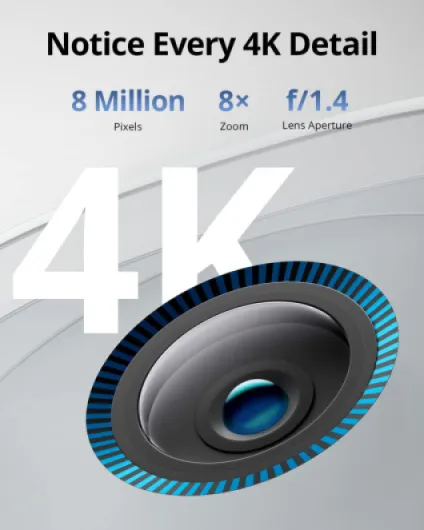
On pure image quality, the S330 is pretty solid for a consumer outdoor cam. In daylight, the 4K feed gives you nice detail: you can see license plates at reasonable distances, facial features are clear enough to recognize people you know, and small things like packages on the ground are easy to make out. It’s not like watching a 4K movie, but compared to basic 1080p cameras, you do notice that extra sharpness when you pause and zoom in a bit.
At night, it’s a bit more mixed. The starlight sensor and spotlight help, so you can get color night footage when there’s at least some ambient light or when the spotlight kicks in. If the area is really dark and you rely on infrared only, detail is okay but not great once you zoom. A few people mentioned “ghosting” or blur when there isn’t enough light, and I’ve seen some of that too if someone moves quickly across the frame. If you want the best nighttime results, you pretty much need either the built-in spotlight on for motion, or a bit of extra external lighting.
The main weak point in performance is motion detection speed. Several users reported, and I can confirm, that there’s often a 2–5 second delay between motion being detected and the recording actually starting. In practice, this means you sometimes only catch someone halfway through the frame or even just their back leaving. For a driveway or yard, it’s usually still useful, but if you want clear shots of someone approaching the door from the first step, this delay will annoy you. This isn’t unique to Eufy, but it’s definitely noticeable.
On the positive side, once clips are recorded, playback through the app is generally smooth, and the AI detection (human/pet/vehicle) is surprisingly accurate once tuned. The face recognition also works better than I expected after a bit of training – it can tell family members from strangers most of the time. But again, the core issue is if the camera starts recording too late, even the best AI doesn’t help much. So I’d rate the performance as: good image quality, good AI, slightly sluggish trigger behavior that holds it back from being great.
What this thing actually is (and what you need to use it)
The S330 on its own is basically one wireless 4K outdoor camera with an integrated solar panel. Important point: this is an add-on camera, so you need a compatible Eufy HomeBase (like the S380 / HomeBase 3) for it to work properly. If you thought you could just buy this single camera and be done, no, you’ll need the base station for storage and management. The camera connects over 2.4 GHz Wi‑Fi through the base, not directly to your regular Wi‑Fi like a cheap standalone cam.
On paper, the feature list is packed: 4K resolution, color night vision (with starlight sensor), spotlight, two-way audio, face recognition (BionicMind AI), motion detection with zones, and solar charging. Storage is handled on the HomeBase: 16 GB built in, expandable up to 16 TB with an external drive. So if you’re paranoid about cloud storage or just hate ongoing costs, this setup is clearly aimed at you. Just remember: the local storage is not on the camera itself, it’s on the base unit inside your house.
In daily use, most of the hype features are there but not magical. 4K gives you better detail than the usual 1080p cams, but once you zoom in heavily, clarity is decent, not mind-blowing, especially at night. The face recognition is pretty good once it learns your regulars, but it takes a bit of time and you still get the odd mislabel. The app is okay but could really use some polish and options; a few users said it feels limited, and I agree – it works, but there are times you wish for more flexible schedules and smarter motion controls.
So in simple terms: it’s a mid-to-high-end camera for people who want local storage, solar power, and no subscription, and who are fine with living inside Eufy’s ecosystem. It’s not a plug-and-play toy like a super cheap cam, and it’s not as full-featured cloud-wise as something like Nest, but it hits a decent middle ground for home owners who want something that feels a bit more "set it and forget it" once dialed in.
Pros
- Integrated solar panel keeps the battery topped up in decent sun, very low maintenance once placed right
- 4K daytime image quality is clear enough to recognize faces and read plates at reasonable distances
- Local storage on HomeBase with optional expansion up to 16 TB and no monthly subscription fees
Cons
- Noticeable delay (around 2–5 seconds) between motion detection and recording start, so you can miss the beginning of events
- App and motion settings can feel limited and require a lot of tweaking to cut down false alerts
- Nighttime and zoom clarity are only decent, not great, especially in low light without the spotlight or extra lighting
Conclusion
Editor's rating
Overall, the EufyCam S330 is a solid but imperfect option if you want a wireless outdoor camera that runs on solar, records in 4K, and doesn’t hit you with subscription fees. When it’s set up in a good sunny spot and tuned properly, it mostly just works in the background: the battery stays high, the picture looks good, and the AI does a decent job of telling people, pets, and cars apart. For general home monitoring – driveways, yards, entrances – it covers the basics well enough.
The downsides are mostly on the software and behavior side: motion detection can be late by a couple of seconds, which means you sometimes miss the start of the action. The app is usable but feels a bit limited and sometimes finicky to dial in just right. Nighttime quality is okay but not magic, especially when you zoom in or don’t have much light. And like with any ecosystem product, you’re betting on Eufy’s reliability; most users are fine, but there are some reports of buggy units dropping offline.
I’d say this camera is for people who care more about no subscription, local storage, and solar convenience than having absolutely perfect motion capture and cloud features. If you already own a HomeBase, it’s a logical add-on. If you’re starting from scratch and want the most polished experience possible, or you absolutely need instant, reliable motion capture every time, you might want to look at competitors or be ready to live with some quirks. It’s good, it gets the job done, but it’s not flawless for the price.