
Summary
Editor's rating
Is it good value for the money?
Old-school look, basic interface, but it works
Power setup and what you need to know (no batteries here)
Weather resistance and long-term reliability
Image quality, AI detection, and remote access in real life
What you actually get in the box and how it fits together
Pros
- Good price for 4x 1080p cameras, 8‑channel DVR, and 1TB hard drive included
- Solid 24/7 recording with decent day and night image quality and no monthly fees
- Weatherproof cameras that handle real outdoor conditions and can be expanded with more channels
Cons
- Setup and software are confusing, weak instructions and clunky interface
- Power supplies and long cables can cause issues (especially with night vision) over time

Specifications
View full product page →| Brand | ZOSI |
A budget camera kit that actually records 24/7
I’ve been running this ZOSI 3K Lite system as a basic home setup: driveway, front door, backyard, and one camera inside the garage. If you’re expecting a slick, modern, app‑first smart camera system like Nest or Ring, this is not that. This is an old‑school DVR with BNC cables and a hard drive that just records everything. In practice, that’s exactly what some people want: no cloud fees, footage stored at home, and cameras that just sit there and do their job.
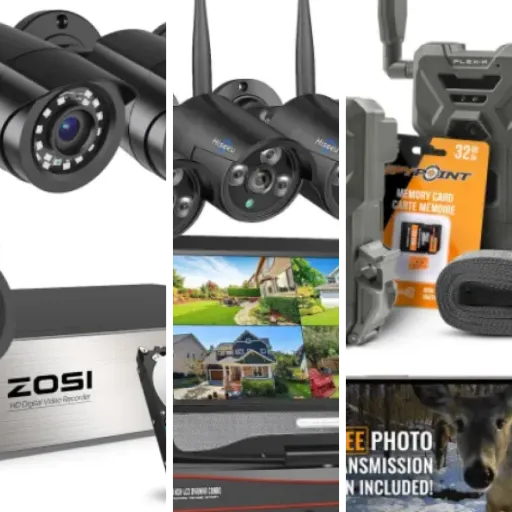
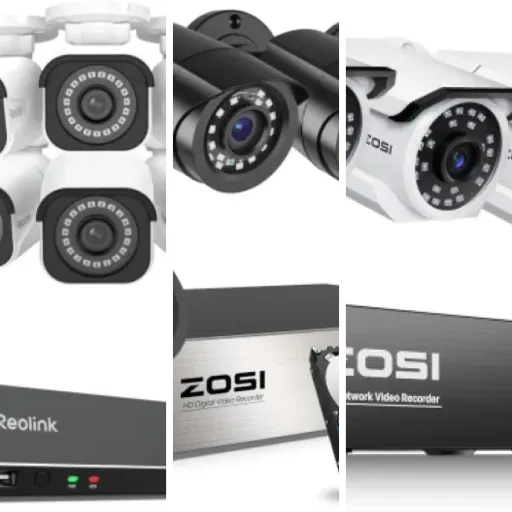
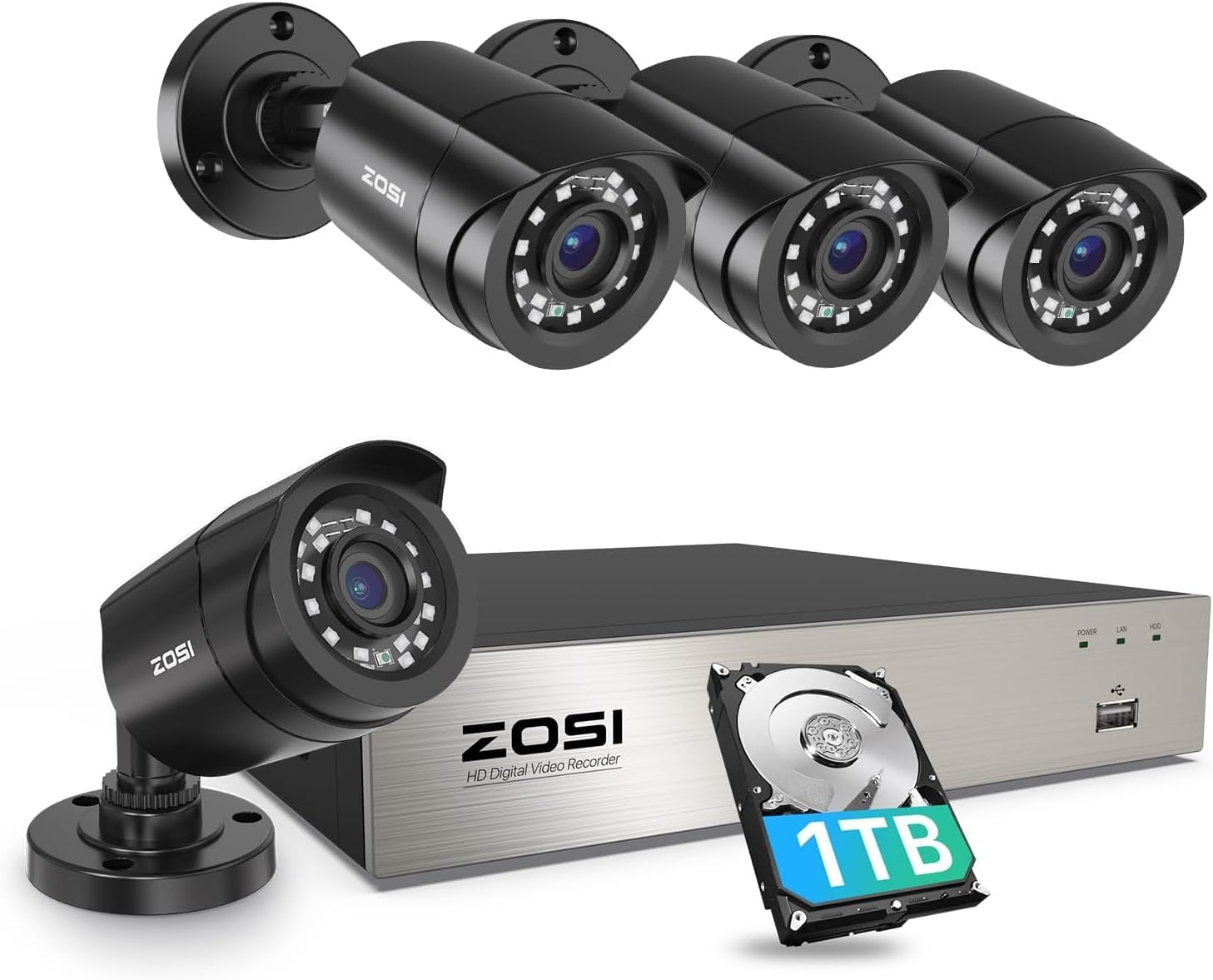
Out of the box, you get the DVR, 4 wired 1080p cameras, the pre‑made cables, a mouse, power supplies, and a 1TB hard drive already installed. So you really can plug it in and see a picture… as long as you’re okay with doing a bit of trial and error on the software side. The hardware feels decent for the price; the weak spot is clearly the interface and instructions.
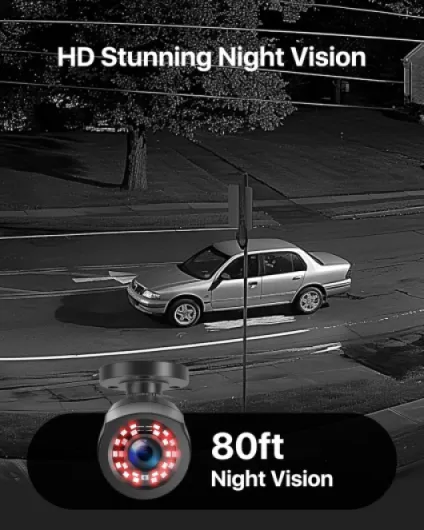
In day‑to‑day use, the system is pretty straightforward: it powers on, records to the hard drive, and you can scrub back through recordings by time. Image quality is not cinematic, but I can clearly see faces walking up to the door and license plates if the car stops in the driveway. The night vision is usable up to the advertised 80 feet as long as the area isn’t totally open and pitch black.
If I had to sum it up: it’s a fairly old‑school, wired security kit that feels a bit rough around the edges but basically does what it says, especially for the price. Just don’t buy it expecting plug‑and‑play setup or a super friendly app. You’ll need a bit of patience and probably a ladder.
Is it good value for the money?
For what you pay, this kit is honestly pretty solid value, as long as you know what you’re getting into. You’re getting 4 wired 1080p cameras, an 8‑channel DVR, and a 1TB hard drive pre‑installed. If you price that out separately from other brands, you often hit a higher total, especially once you add the hard drive. The big selling point for me is that there are no monthly fees. Once it’s set up, you can record 24/7, overwrite old footage, and access it remotely without any subscription nonsense.
Where the value drops a bit is on the software and user experience. The instructions are weak, the app is serviceable but not great, and getting things like email alerts or PC viewing set up can take time. Some people had to contact support on Facebook and let them remote into their PC via TeamViewer just to get the client software working. That’s not ideal. If your time and frustration level are worth a lot to you, you might prefer spending more on a more polished NVR/IP camera system.
On the other hand, once it’s running, it just does its thing. The hard drive can store several days (or more, depending on settings) of continuous recording from all 4 channels. If you add more cameras later, you can still make it work by adjusting resolution and frame rates. Compared to cloud cameras where you’re paying every month for storage and limited history, this feels cheaper long term, even if the initial setup is rougher.
So in terms of value: if you’re okay with wired installation, a clunky interface, and maybe talking to support once or twice, it’s good bang for your buck. If you want something totally painless with a polished app and smart features that just work out of the box, you probably need to look higher up the price ladder or at the bigger brands that focus more on software than pure hardware.
Old-school look, basic interface, but it works
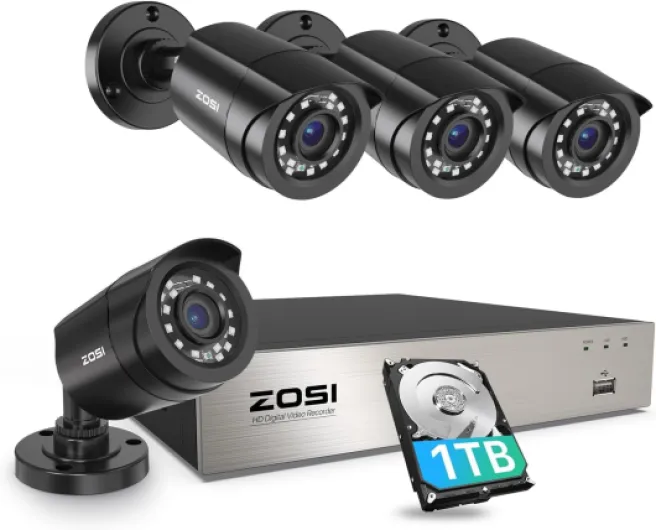
Design‑wise, this thing screams "classic CCTV" rather than modern smart gadget. The DVR is a plain black box, no touchscreen, no fancy lights, just a power LED and HDD light. Honestly, for a system that’s going to live in a closet or under a TV, that’s fine. It doesn’t run hot, there’s a small fan noise but nothing crazy, about what you’d expect from a cheap DVR with a spinning drive inside.
The cameras themselves are fixed‑lens bullet cameras with a 90° viewing angle. They’re not tiny, but they’re not huge either. Once mounted under an eave or on a wall they don’t stand out too much. You can tilt and rotate them enough to cover pretty much any angle you need. The white ABS housing looks generic but not cheap to the point of feeling like a toy. It’s more “practical contractor gear” than “pretty gadget.”
The on‑screen menu is where the age shows. It’s a Linux‑based interface with a simple grid layout, right‑click to bring up menus, and a lot of options hidden behind sub‑menus. Once you get the hang of it, it’s okay. But compared to the clean interfaces on newer IP camera NVRs, this feels dated. The good part is that most settings are there: you can tweak resolution, frame rate, motion zones, recording schedules, and so on. The bad part is that some of the wording is confusing, and a few options don’t match what you see in the online manual.
On the mobile side, the design is better but still a bit clunky. The ZOSI Smart app gets the job done for live view and playback, but don’t expect a polished experience. Icons are small, some menus feel buried, and initial pairing with the DVR is not intuitive. Once it’s set, though, I can open the app and check my cameras quickly, which is all I really care about. Overall, the design is basic, slightly dated, but functional enough if you’re not picky about modern UI style.
Power setup and what you need to know (no batteries here)
Just to be clear: this system has no internal batteries. Everything is powered by wall outlets. The DVR uses its own power supply, and the cameras are powered over the included 2‑in‑1 BNC+power cables from a separate adapter. So if you’re looking for something that keeps working in a power outage without extra gear, this isn’t it. You’d need a UPS (battery backup) for the DVR and camera power adapter if you want it to ride through outages.
In practice, this means planning where you’ll plug in things. I ended up putting the DVR near my router and a power strip, then running all the camera cables back to that spot. It’s not wireless in any way, so you’re dealing with real cable runs. If you’re not comfortable with drilling and crawling around in an attic or basement, factor in either some labor or a simpler Wi‑Fi camera solution. Once it’s wired, power is stable and you don’t have to worry about recharging anything, which is nice compared to battery cameras.
One thing worth paying attention to is the quality and length of the cables and the power adapter. The included cables are fine for most small houses, but when you start pushing long distances and corners, voltage drop can cause weird behavior: cameras cutting out, night vision not activating, or flickering images. There are user reports where replacing the power adapter with a better one or swapping to better‑quality cables fixed night vision issues completely. So while there’s no battery to worry about, the power side still matters a lot.
If you want backup power, a simple solution is to plug the DVR and the camera power supply into a small UPS. That way if the power blinks, you don’t lose footage or corrupt recordings. Without that, the system just reboots when power comes back, and the hard drive might click or make some noise, which is normal but not ideal long term. So, no battery headaches, but you do need to plan your power and maybe invest in a UPS if continuous uptime is important to you.
Weather resistance and long-term reliability
Durability is actually where this system surprised me a bit. The cameras are rated IP66 and made from ABS plastic. That sounded a bit cheap on paper, but in practice they handle weather better than I expected. People have run them in Minnesota winters at -29°F without issues, and I’ve had them through heavy rain, summer heat, and some dust storms. No water ingress, no condensation behind the lens, and no weird fogging at night so far.
The weak link in a lot of these kits isn’t the camera body, it’s the power supply and the long combo cables. I ran one camera on a longer extension and noticed that the night vision started acting weird: IR would flicker or cut out. There are also user reviews mentioning that when their night vision died on all cameras, the culprit ended up being the power adapter, not the cameras themselves. I had a similar experience with another cheap system, so I’m not shocked. With this kit, I’d keep in mind that if things start failing across multiple cameras at once, check the power brick first before assuming all cameras are dead.
The DVR itself has a standard 1TB hard drive inside. Like any spinning disk, it can make some noise on boot and after power outages. That’s normal, but if you’re putting it in a bedroom or quiet living room, you’ll hear it a bit when it restarts. Longevity‑wise, a lot of people have been running these for years, and the only real failure points tend to be the HDD (which you can replace cheaply) and power supplies. The main board and connectors seem to hold up okay, as long as you don’t constantly plug/unplug BNCs like crazy.
Overall, I’d say the durability is decent for the price: the housings and seals do their job outdoors, the DVR runs 24/7 without overheating, and the main annoyance is more the cheap power bricks and cables than the core hardware. If you want to be safe, I’d budget for a spare power adapter and be prepared to swap the hard drive after a few years if you hear it getting noisy or see recording errors.
Image quality, AI detection, and remote access in real life
Let’s talk about what matters: how it actually performs day to day. The cameras are 1080p (1920 TVL in analog terms), and for a wired TVI system at this price, the image is pretty solid. During the day, I can clearly see faces at my front door and read license plates if the car is within maybe 20–25 feet and not flying past. It’s not IP‑camera sharp, but for a DVR system, it’s more than usable. Colors are a bit washed out compared to more expensive brands, but nothing crazy.
At night, the IR LEDs kick in and you get black‑and‑white footage. ZOSI claims 80 feet of night vision, and that’s roughly what I see in my driveway and backyard, especially if there’s some ambient light from streetlights or neighbors. In total darkness, the first 40–50 feet are clear enough to identify a person. Beyond that, you see shapes more than details. If you mount the cameras too high and point them too far out into a dark yard, the IR reflection drops and you lose detail, so placement matters a lot.
The AI human/vehicle detection is a mixed bag. It’s better than pure motion detection (which triggers on every leaf and shadow), but it’s not magic. It does a good job flagging actual people walking up to the door or cars pulling into the driveway. It still misses or mislabels a few events, especially at the edge of the frame or in heavy rain. I wouldn’t rely on it as a perfect alert system, but it helps cut down on a lot of useless notifications. Personally, I ended up setting it to record continuously and just use the AI tags as a shortcut when reviewing footage.
Remote access through the ZOSI Smart app works, but it took a bit of wrestling. Once I got the DVR on the network and scanned the right QR code, live view came up fine on Wi‑Fi and 4G. There’s a slight delay, and sometimes one or two channels fail to load on the first try, but tapping reload usually fixes it. Playback over the app is slower and a bit clunky, but still usable. On a PC, it’s more painful: you need their client software, and some users had to get support to remote in via TeamViewer to make it work. So, performance of the core recording and viewing is good; the network side is okay once set up, but definitely not plug‑and‑play.

What you actually get in the box and how it fits together
The kit is pretty complete, which I liked. You get an 8‑channel DVR (so room for 4 more cameras later), 4 bullet cameras, a pre‑installed 1TB hard drive, power adapters, a basic USB mouse, and the BNC+power combo cables for each camera. No HDMI cable for your TV/monitor, so you need to provide that yourself, but that’s not a big deal. Everything is clearly labeled, and the cameras come with screws and anchors, so you’re not hunting around for hardware.
The DVR is a small metal box, roughly the size of a standard consumer DVR or cable box. On the back you’ve got 8 BNC inputs, audio in/out, HDMI and VGA, Ethernet, and two USB ports (one for the mouse, one for backups or a Wi‑Fi dongle if you use one). It’s not fancy, but it’s functional. The front has some status LEDs and basic buttons, though you’ll mostly use the mouse on the on‑screen menu once it’s hooked to a monitor.
What’s worth noting is that this is a hybrid DVR: it supports TVI, AHD, CVI, and analog cameras. That means if you already have some older wired cameras lying around, there’s a decent chance you can reuse them. I tested it with one older 720p camera and it worked fine. The system recognized it and recorded without much fuss. That flexibility is handy if you’re slowly upgrading an existing wired setup.
My main complaint in terms of presentation is the documentation. The little leaflet in the box barely scratches the surface. It tells you how to plug in cables but pretty much skips the whole login/password situation and how to get the app working. If you’ve never touched a DVR before, you’re going to be confused. Once it’s running, the menus are fairly self‑explanatory, but the first 30–60 minutes feel like guesswork unless you go search for guides or message their support.
Pros
- Good price for 4x 1080p cameras, 8‑channel DVR, and 1TB hard drive included
- Solid 24/7 recording with decent day and night image quality and no monthly fees
- Weatherproof cameras that handle real outdoor conditions and can be expanded with more channels
Cons
- Setup and software are confusing, weak instructions and clunky interface
- Power supplies and long cables can cause issues (especially with night vision) over time
Conclusion
Editor's rating
Overall, the ZOSI 3K Lite system is a decent wired CCTV kit that focuses on the basics: 24/7 recording to a local hard drive, 1080p cameras that are good enough to identify faces and cars, and no recurring fees. The hardware is better than I expected for the price, especially the outdoor durability and the fact that you get an 8‑channel DVR with a 1TB drive included. The AI human/vehicle detection helps reduce some of the usual motion spam, even if it’s not perfect.
Where it falls short is user-friendliness. The instructions are thin, the password setup and QR code stuff is confusing, and the PC software in particular can be a hassle. The mobile app works fine once it’s paired, but the whole experience feels dated compared to more modern smart camera ecosystems. If you’re not scared of menus, cables, and maybe messaging support at odd hours, you’ll probably be satisfied with what you get for the money.
I’d say this is a good fit if you want a low‑cost, wired, no‑subscription security setup for home or a small business, and you care more about constant recording than fancy features. If you want slick apps, super simple setup, and top‑tier image quality, or if you hate troubleshooting, you’re better off paying more for a higher‑end NVR system or going with IP cameras from a more software‑focused brand.