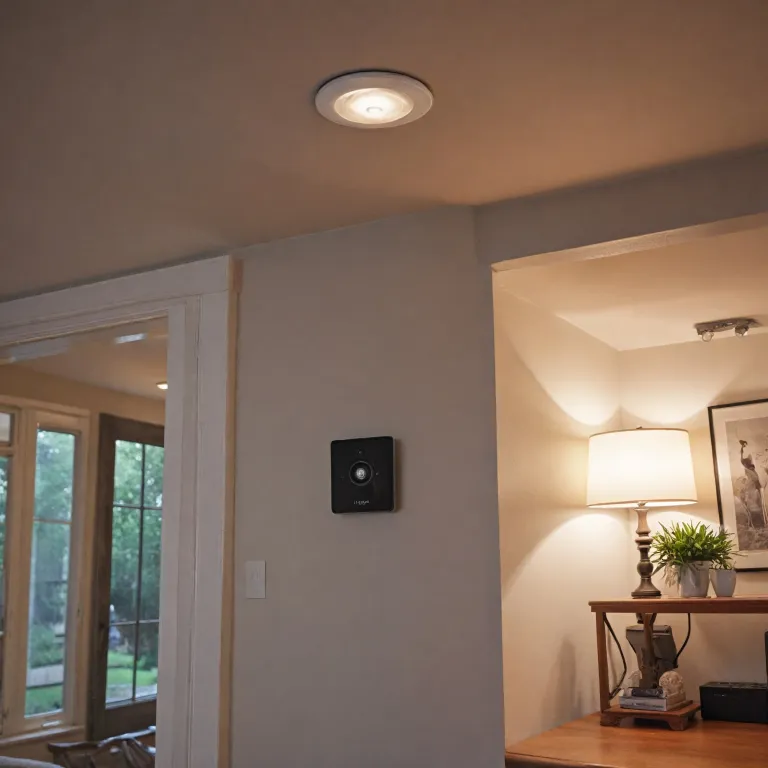

Understanding the role of panic alarms in home security
The importance of immediate response in home security
When it comes to protecting your home, every second counts. Panic alarms play a crucial role in ensuring a quick response during emergencies. Whether you are at home, running a small business, or managing a shop, having a panic button within reach can make a significant difference. These systems are designed to alert you and others instantly when help is needed, sending a clear signal through a loud siren or a flashing strobe light. This immediate alert can deter intruders and notify authorities or loved ones, enhancing your overall safety alarm strategy.
- Personal safety: Panic alarms are not just for businesses or large facilities. Homeowners, caregivers, and families benefit from the added layer of security these alarms provide.
- Wireless convenience: Modern panic buttons are often wireless, making them easy to install in multiple locations around your home or business. This flexibility means you can place a button panic device in bedrooms, entryways, or even discreetly under a desk.
- Integration with security systems: Panic alarms work best when integrated with your existing security system. Many setups allow the alarm system to trigger a strobe or siren, and even send alerts to a pager or smartphone, ensuring you are always informed.
- Business security: For years, businesses and facilities have relied on panic alarms to protect employees and assets. Today, these same technologies are available for home use, offering peace of mind for families and small business owners alike.
Choosing the right panic alarm system can be overwhelming, especially with so many options available. If you are interested in learning how a comprehensive security system can enhance your home security camera setup, you may want to read more about integrating advanced alarm systems with your cameras.
Understanding the role of panic alarms is just the first step. In the next section, we will explore how these alarms can work together with live video feeds and other security devices to create a robust home security solution.
How panic alarms integrate with security cameras
Connecting Panic Buttons and Cameras for Faster Response
Integrating panic alarms with your home security camera system creates a powerful safety net. When a panic button is pressed, the system can instantly trigger your security cameras to start recording live video. This immediate action helps capture crucial footage of the situation, whether it’s at home, in a small business, or even in larger facilities. The combination of panic alarms and cameras is not just about sounding a siren or flashing a strobe light—it’s about providing real-time evidence and alerting help quickly.
How Wireless Panic Alarms Work with Security Systems
Modern wireless panic alarms are designed for seamless integration with most security systems. When activated, a wireless panic button can send a signal to your alarm system, which then communicates with your cameras and other connected devices. This integration allows for features like:
- Automatic camera activation and recording
- Triggering strobe lights and sirens to deter intruders
- Sending instant alerts to your phone or a monitoring service
- Notifying staff or family members via pager or mobile notifications
For businesses and shops, this setup means that pressing a panic button can both alert authorities and provide them with live video, improving the chances of a quick response. In care facilities, wireless panic alarms can help staff monitor and respond to emergencies more efficiently, enhancing personal safety for everyone involved.
Multiple Panic Buttons for Comprehensive Coverage
Many security systems allow you to install multiple panic buttons throughout your property. This is especially useful for larger homes, businesses, or facilities where threats might occur in different areas. Each button panic device can be linked to the same alarm system, ensuring that no matter where an incident happens, the security cameras and alarms will activate together. This layered approach increases overall safety and ensures help is always within reach.
To learn more about how additional security devices can work with your camera system, check out this guide on overhead door contacts and home security cameras.
Key features to look for in panic alarms
Essential Panic Alarm Features for Reliable Security
When evaluating panic alarms for your home or small business, it's crucial to focus on features that boost both safety and ease of use. The right panic button or alarm system can make a real difference in emergencies, ensuring help is summoned quickly and efficiently. Here are some key features to consider:
- Wireless connectivity: Modern wireless panic alarms are easier to install and can be placed anywhere in your home, shop, or business. This flexibility is especially helpful for facilities panic setups or when you need to cover multiple areas.
- Multiple activation options: Look for systems that offer both fixed and portable panic buttons. Some alarms include wearable buttons or pagers, which are ideal for personal safety or for staff in businesses and care facilities.
- Audible and visual alerts: A loud siren will draw attention, while a strobe light can provide a clear visual signal. These features are vital in both home and business security settings, ensuring that a panic alarm is noticed immediately.
- Integration with security cameras: The best panic alarm systems work seamlessly with your security cameras, triggering live video recording or alerts when a panic button is pressed. This integration can provide valuable evidence and real-time monitoring during an incident. For more details on advanced integration, see this guide on IQ Panel home security camera integration.
- Quick response capability: The system should be able to send instant notifications to your phone, a monitoring center, or other emergency contacts. Fast communication is key to effective help in a panic situation.
- Durability and reliability: Choose alarms and buttons that are built to last, especially if they will be used in busy businesses or outdoor areas. Years ago, many systems lacked this reliability, but today's options are much improved.
- Scalability: If you manage a business, shop, or larger facility, consider whether the panic alarm system can support multiple buttons and zones. This allows for tailored coverage and better overall safety.
Whether you're seeking a safety alarm for your home, a wireless panic solution for your business, or a comprehensive security system, these features will help you choose a panic alarm that truly enhances your security. Don't hesitate to request a free quote from reputable providers to compare options and find the best fit for your needs.
Benefits of combining panic alarms with home security cameras
Why Pairing Panic Alarms with Cameras Makes Sense
Combining panic alarms with your home security camera system brings a new level of safety and responsiveness. When a panic button is pressed, the system can instantly trigger a security alarm, activate a strobe light or siren, and alert you or emergency services. This immediate response is crucial for personal safety, especially in situations where every second counts.Enhanced Real-Time Awareness
A major benefit is the ability to link panic alarms with live video feeds. When someone activates a panic button, your security system can automatically pull up the relevant camera footage. This helps you, your family, or even a monitoring center to see what’s happening in real time, making it easier to assess the situation and provide help quickly.Deterrence and Rapid Response
The combination of a loud siren, flashing strobe, and visible camera can deter intruders or unwanted visitors. For businesses, shops, and small business facilities, this setup not only protects assets but also reassures staff and customers that safety is a priority. In care environments, wireless panic alarms give vulnerable individuals a quick way to call for help while the security system records everything for review.Flexibility for Different Needs
Panic buttons come in various forms—wired, wireless, wearable, or wall-mounted. This flexibility means you can place them in multiple locations throughout your home or business, ensuring that help is always within reach. Wireless panic alarms are especially useful for larger properties or facilities where running cables is not practical.- Immediate activation of siren and strobe light for attention
- Live video access for quick assessment
- Integration with pagers or mobile alerts for remote notification
- Multiple panic buttons can be installed for comprehensive coverage
Supporting Business Security and Personal Safety
For years, businesses and care facilities have relied on panic alarms to enhance their security systems. Today’s wireless panic alarm solutions are more reliable and easier to install than ever. Whether you run a shop, manage a business, or want extra peace of mind at home, integrating panic alarms with your security camera system is a smart move for safety and rapid response. If you’re considering an upgrade, many providers offer a free quote to help you find the right alarm system for your needs.Common challenges and how to overcome them
Addressing Integration and Usability Issues
When adding panic alarms to your home security system, a few common challenges can arise. Understanding these issues and how to manage them will help you get the most out of your alarm system and ensure your safety.- Compatibility with existing security systems: Not all panic buttons or wireless panic alarms work seamlessly with every security camera or alarm system. Before purchasing, check if the panic alarm supports integration with your current security system. Some businesses and small business owners find it helpful to consult with a professional for a free quote to ensure compatibility.
- False alarms: Accidental presses of panic buttons can trigger unnecessary alerts, sirens, or strobe lights. To reduce false alarms, choose panic buttons with covers or recessed designs, and educate everyone in your home or business on proper use.
- Wireless signal interference: Wireless panic alarms are convenient, but interference from other devices or thick walls can affect performance. Place wireless panic buttons strategically and test them regularly to confirm reliable operation throughout your facilities or shop.
- Power and maintenance: Wireless panic systems and alarms rely on batteries. Regularly check battery levels and replace them as needed. Some systems offer low-battery alerts for added peace of mind.
- Multiple users and locations: In larger homes, businesses, or care facilities, you may need several panic buttons or pagers. Make sure your alarm system supports multiple devices and that each button panic location is easy to access in an emergency.
- Notification delays: For maximum safety, your panic alarm should trigger instant alerts, sirens, or strobe lights and send notifications to your phone or monitoring service. Test your system to ensure quick response times and reliable communication.
Best Practices for Reliable Panic Alarm Performance
- Regularly test all panic buttons, sirens, and strobe lights to ensure they work as intended.
- Train everyone in your home or business on how and when to use the panic alarm for personal safety.
- Keep your alarm system software up to date to avoid glitches or security vulnerabilities.
- Consider professional installation for complex systems or when integrating with live video feeds and other security features.
Tips for choosing and installing panic alarms at home
Choosing the Right Panic Alarm for Your Needs
When selecting a panic alarm for your home or small business, it’s important to consider your unique environment and security needs. Panic buttons come in various forms, including wireless panic buttons, wall-mounted alarms, and portable devices. For businesses or facilities, multiple panic buttons may be necessary to cover different areas, such as entrances, offices, or shop floors. Wireless panic alarms are especially useful for quick installation and flexibility, allowing you to place them wherever immediate help might be needed.
- Wireless vs. Wired: Wireless panic alarms offer easier installation and can be moved as your needs change. Wired systems may provide more reliability in some settings but require more effort to install.
- Integration: Make sure your panic alarm system can connect with your existing security system and cameras. This ensures that when a panic button is pressed, your security alarm, strobe light, or siren will activate, and live video can be reviewed instantly.
- Features: Look for alarms with clear strobe lights and loud sirens for maximum deterrence. Some systems include pagers or notifications to alert you or security personnel quickly.
- Coverage: For larger homes or businesses, consider a system that supports multiple panic buttons. This ensures that help is always within reach, no matter where an incident occurs.
Installation Tips for Maximum Safety
Proper installation of your panic alarm is crucial for personal safety and effective business security. Place panic buttons in easily accessible locations, such as near entry points, under desks, or in high-traffic areas. For facilities panic solutions, ensure that staff are trained on how and when to use the alarm system. Regularly test your alarms and security systems to confirm they are working as intended. Years ago, many systems required professional installation, but today’s wireless panic alarms are often designed for easy DIY setup.
- Mount strobe lights and sirens in visible locations to maximize their deterrent effect.
- Consider backup power options to keep your security alarm active during outages.
- For businesses, provide clear instructions and training for employees on using panic buttons and responding to alarms.
- If you’re unsure about installation, many providers offer a free quote or professional assistance to ensure your system is set up correctly.
Taking these steps will help you create a safer environment at home or in your business, ensuring that help is always just a button press away.