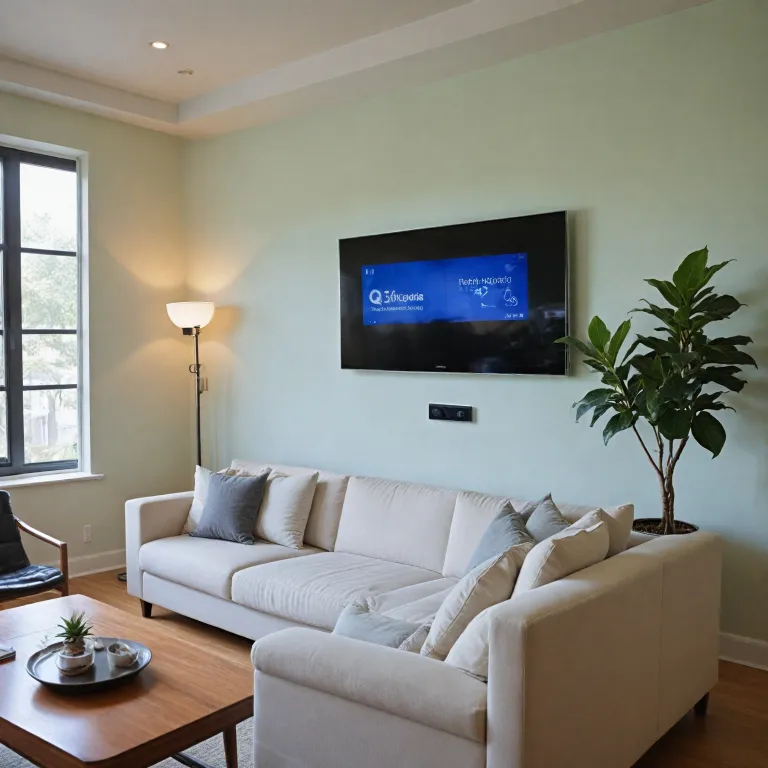

Understanding the qolsys iq panel 2 and its main features
What Makes the Qolsys IQ Panel 2 Stand Out?
The Qolsys IQ Panel 2 is a modern control panel designed for home security, offering a combination of advanced technology and user-friendly features. At its core, the panel includes a 7-inch HD touchscreen, making it easy to navigate and control your security system. The built-in camera, touchless disarming, and intuitive interface help users manage their home’s safety with minimal effort.
Key Features and Technology
- Wireless Connectivity: The Qolsys panel supports both Wi-Fi and cellular connections, including Verizon LTE and AT&T LTE, ensuring dual path connectivity for reliable alarm communication.
- PowerG Technology: With PowerG MHz wireless sensors, the system offers long-range, encrypted communication for motion sensors, glass break detectors, and wireless contacts. This means fewer false alarms and better security coverage.
- Smart Home Integration: The panel works with a wide list of smart devices, allowing you to control lights, locks, and thermostats directly from the touchscreen.
- Compatibility: It supports legacy DSC sensors and PowerG MHz devices, making it easier to upgrade existing systems without replacing every sensor.
- Built-in Camera: The panel’s camera captures images during alarm events or disarming, adding an extra layer of security and accountability.
Product Availability and Price Considerations
When considering the Qolsys IQ Panel 2, it’s important to check stock availability and compare prices from authorized dealers. The product is often bundled with sensors and accessories, so review what the panel includes before purchasing. Installation manuals are available for free online, helping with both DIY and professional panel installation.
Why Choose the Qolsys IQ Panel 2?
This control panel is designed for users who want a smart, wireless, and reliable home security system. Its dual path connectivity, support for PowerG legacy devices, and robust alarm features make it a strong choice for modern homes. If you’re interested in learning how the Qolsys panel works with smart doorbell cameras, check out this guide on integrating SkyBell with your security system for a deeper look at connected home security.
How the qolsys iq panel 2 improves daily home security
Everyday Benefits of a Modern Security Panel
The Qolsys IQ Panel 2 brings practical improvements to daily home security routines. Its touchscreen control panel makes it easy to arm or disarm your system alarm, check the status of sensors motion, and receive instant alerts. The panel includes support for both PowerG MHz and legacy DSC wireless contact sensors, giving you flexibility in choosing compatible devices. With dual path connectivity, the panel uses both Wi-Fi and LTE (including Verizon LTE and AT&T LTE options) for reliable communication, so you’re always connected even if one path fails.
Smart Features That Save Time and Add Convenience
- Touchless Disarming: The built-in camera and Bluetooth capability allow for touchless disarming, so you can enter your home without fumbling for codes.
- Glass Break and Motion Sensors: The system supports a wide list of sensors, including glass break detectors and motion sensors, enhancing your home’s protection.
- Remote Control: You can manage your security from anywhere using the Alarm.com mobile app, which integrates seamlessly with the Qolsys panel. For more on this, check out how the Alarm.com mobile app transforms your home security camera experience.
Reliable Performance and Flexible Options
The Qolsys IQ Panel 2 is designed for reliability and adaptability. Whether you choose the Verizon or AT&T LTE model, you get strong cellular backup. The panel’s wireless design and comprehensive installation manual make setup straightforward, even for those new to home security. Stock availability and price can vary, but the product’s features—like PowerG MHz compatibility and free software updates—make it a strong value over time.
With its smart control features, built-in camera, and support for a wide range of sensors, the Qolsys panel stands out as a modern solution for daily home security needs.
Integration with cameras and smart home devices
Connecting Cameras and Smart Devices with the Qolsys IQ Panel 2
The Qolsys IQ Panel 2 stands out for its seamless integration with a wide range of cameras and smart home devices. This control panel is designed to work with both wireless and PowerG MHz sensors, making it compatible with many security products on the market. Whether you are using a panel with Verizon LTE or AT&T LTE connectivity, the dual path connectivity ensures reliable communication between your devices and the system alarm.
- Camera Integration: The panel includes support for built-in cameras and external wireless cameras. This allows you to monitor live video feeds directly from the panel’s touchscreen or through a connected mobile app. The built camera feature is especially useful for capturing snapshots during alarm events or when the system is disarmed using touchless disarming.
- Smart Home Compatibility: The Qolsys panel works with a list of smart devices, such as wireless contacts, glass break sensors, and motion sensors. It also supports Z-Wave devices, enabling you to control lights, locks, and thermostats from the same interface.
- Path Connectivity: Dual path connectivity (Wi-Fi and LTE) ensures that your security and camera feeds remain accessible even if one connection fails. This is crucial for maintaining real-time monitoring and control.
When considering price and stock, it’s important to note that the Qolsys IQ Panel 2 offers a competitive product with advanced features, often found in higher-priced systems. The panel installation process is straightforward, especially with the help of the installation manual provided by Qolsys. For those using DSC or PowerG legacy sensors, the panel’s compatibility with 319.5 MHz and PowerG MHz frequencies makes upgrading your system easier without replacing all existing sensors.
For homeowners seeking reliable alarm and camera integration, the Qolsys panel provides a robust solution. If you ever encounter issues with your system or need to repair your security alarm setup, you can find practical advice in this security alarm system repair guide.
Overall, the Qolsys IQ Panel 2’s ability to unify cameras, sensors, and smart devices under one control panel makes it a smart investment for anyone looking to enhance their home security with modern, wireless technology.
Tips for installing the qolsys iq panel 2 in your home
Preparing for a Smooth Panel Installation
Before starting the installation of your Qolsys IQ Panel 2, it’s important to check that you have all the necessary components in stock. The panel includes the main touchscreen control panel, power supply, mounting hardware, and a quick start guide. Review the installation manual for a complete list of what’s in the box and recommended tools. Make sure your chosen location has access to power and is central for optimal wireless connectivity with sensors and smart devices.
Key Steps for Setting Up Your Qolsys Panel
- Power Up: Connect the panel to its power supply. The panel supports both Verizon LTE and AT&T LTE options, so select the right model for your area’s coverage.
- Network Connection: Use dual path connectivity—Wi-Fi and LTE—for reliable alarm communication. This ensures your system alarm signals reach monitoring services even if one path fails.
- Add Sensors: Pair wireless contact sensors, glass break detectors, and motion sensors. The Qolsys panel supports PowerG MHz and legacy DSC sensors, offering flexibility for both new and existing devices.
- Configure Smart Features: Enable touchless disarming and connect compatible smart home products. The built-in camera can be set up for disarm photos, adding an extra layer of security.
- Test the System: After installation, test all sensors and the alarm to confirm proper operation. The touchscreen interface makes it easy to review status and make adjustments in real time.
Installation Tips for Best Performance
- Mount the control panel at eye level for easy access and visibility.
- Avoid placing the panel near large metal objects or appliances that may interfere with wireless signals.
- Keep the panel and sensors within the recommended wireless range, especially for PowerG MHz devices.
- Update the panel firmware regularly to benefit from the latest security and smart features.
- Consult the installation manual for troubleshooting common issues, such as sensor pairing or connectivity problems.
Taking the time to follow these steps will help you get the most out of your Qolsys IQ Panel 2, ensuring reliable control and security for your home. Consider the price and features when comparing this product to others, and remember that professional installation is available if you prefer expert setup.
Common challenges and troubleshooting advice
Troubleshooting Common Setup Issues
Setting up the Qolsys IQ Panel 2 can be straightforward, but sometimes users encounter challenges. One frequent issue is wireless contact sensor pairing. If sensors motion or glass break detectors are not recognized, double-check the panel’s wireless frequency compatibility. The Qolsys panel supports PowerG MHz and legacy DSC sensors, but mismatched frequencies can cause connection failures. Always confirm your product’s MHz PowerG or legacy status before installation.
Connectivity and Network Problems
Reliable dual path connectivity is a key feature, using both Wi-Fi and LTE (Verizon LTE or AT&T LTE) for alarm signals. If you notice delays or failures in alarm notifications, check your Wi-Fi network and cellular signal strength. The panel includes diagnostic tools to test path connectivity. For LTE issues, verify your SIM card is active and that your panel Verizon or panel AT&T model matches your service provider. If you recently changed your internet provider, update your panel’s Wi-Fi settings promptly.
Power and Battery Concerns
Unexpected shutdowns or frequent reboots can be linked to power supply issues. Ensure the control panel is connected to a stable power source and that the backup battery is charged. Refer to the installation manual for battery replacement steps. If your panel is out of stock or you need a replacement part, check the manufacturer’s list of authorized dealers for genuine components.
Touchscreen and User Interface Glitches
The Qolsys IQ Panel 2 features a responsive touchscreen for easy control. If the screen becomes unresponsive, try a soft reset by holding the power button for ten seconds. Persistent issues may require a factory reset, but be aware this will erase custom settings. Always back up your system alarm configurations before performing a reset.
Sensor and Camera Integration Issues
Integrating wireless cameras or smart devices sometimes presents challenges. If your built camera or smart home device isn’t showing up on the control panel, confirm both are on the same network and compatible with the Qolsys system. For PowerG legacy sensors, ensure they are within range and not obstructed by thick walls or metal objects. If you’re adding a new product, follow the panel installation steps in the manual for proper pairing.
- Check for firmware updates regularly to maintain compatibility with new devices.
- Use touchless disarming features to avoid keypad wear and improve security.
- For free technical support, contact the manufacturer or your security provider.
Remember, the Qolsys IQ Panel 2 is designed for user-friendly installation, but consulting the installation manual and keeping your system updated will save you time and help avoid common pitfalls.
Privacy and data security considerations
Protecting Your Personal Data with the Qolsys IQ Panel 2
When choosing a smart security system like the Qolsys IQ Panel 2, privacy and data security are essential. The panel combines wireless contact sensors, built camera features, and dual path connectivity (LTE and Wi-Fi), which means your home’s information is constantly transmitted and stored. Here’s what you need to know about keeping your data safe:- Encrypted Communication: The Qolsys panel uses PowerG MHz technology for secure, encrypted signals between sensors motion, glass break detectors, and the control panel. This helps prevent unauthorized access to your alarm system.
- LTE Network Security: Whether you choose Verizon LTE or AT&T LTE for your panel, both networks offer strong encryption protocols. Dual path connectivity ensures that if one path is compromised, the other maintains your system’s connection to monitoring services.
- Touchscreen and Built Camera: The touchscreen interface and built-in camera add convenience, but also require careful management. Always set strong, unique passwords for your control panel and update them regularly. Use the panel’s privacy settings to control when the built camera is active.
- Firmware Updates: Qolsys regularly releases updates to address vulnerabilities. Check the installation manual or product documentation to ensure your panel includes the latest firmware. Enable automatic updates if possible.
- Cloud Storage and Access: Many features, such as touchless disarming and remote control, rely on cloud services. Review the privacy policy of your provider to understand how your data is stored and who can access it. Limit access to trusted users only.
- Physical Security: Secure the panel itself in a location that is not easily accessible to intruders. This reduces the risk of tampering and protects your system alarm settings.
Balancing Convenience and Security
The Qolsys IQ Panel 2 offers smart integration with other devices, but each connection—whether it’s a wireless contact, PowerG legacy sensor, or a new camera—adds another layer to manage. Take time to review the list of connected devices in your control panel and remove any that are not in use. This reduces potential entry points for cyber threats. If you’re concerned about the price or stock availability, remember that investing in a secure system now can save time and money in the long run by preventing breaches. Always purchase from authorized dealers to ensure you receive a genuine product with full security features.Best Practices for Ongoing Security
- Regularly review your system’s access logs and settings.
- Update passwords and user permissions after any staff or household changes.
- Consult the panel installation manual for specific security recommendations.
- Stay informed about new threats and Qolsys updates by subscribing to official channels.