

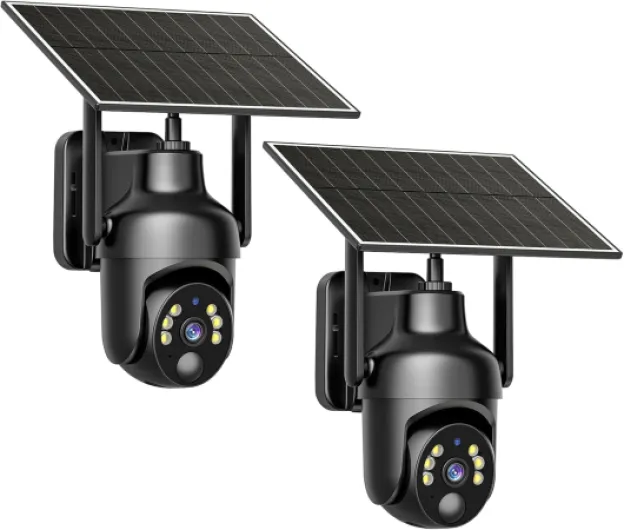
Understanding the need for surveillance cameras without wifi
Why Consider Cameras That Work Without Wifi?
Many homeowners are looking for a security camera system that does not rely on wifi. There are several reasons for this trend. Some homes have unreliable internet connections, while others are concerned about privacy and want to avoid cloud storage. In rural areas, wifi coverage can be spotty, making wireless cameras less effective. Additionally, some people simply prefer the stability of wired security cameras and local storage options.
Common Concerns With Wifi Security Cameras
- Privacy: Wifi cameras often use cloud storage, raising concerns about who can access your footage.
- Reliability: If your wifi goes down, your security system may stop recording or sending alerts in real time.
- Data Usage: Continuous video recording can quickly use up bandwidth, especially with high-resolution cameras.
- Price: Some smart security cameras require monthly fees for cloud storage or advanced features.
Benefits of Cameras Without Wifi
Cameras that work without wifi, such as those from Lorex or Reolink, offer local storage options like SD cards or hard drives. This means your footage stays on-site, and you are not dependent on an internet connection. These cameras often provide features like motion detection, night vision, and high-quality video recording, all without the need for wireless connectivity. Wired security cameras can also be more secure against hacking attempts, since they are not accessible over the internet.
Who Should Choose Non-Wifi Security Cameras?
If you value privacy, have unreliable internet, or want to avoid ongoing cloud storage fees, cameras without wifi may be the right choice. These systems are also ideal for remote properties, garages, or any area where wifi coverage is weak. For more on troubleshooting and maintaining non-wifi cameras, check out these simple steps to reset your Spypoint camera for reliable home security.
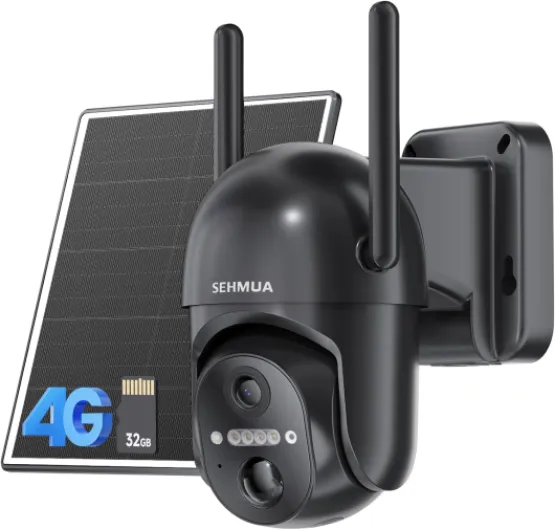
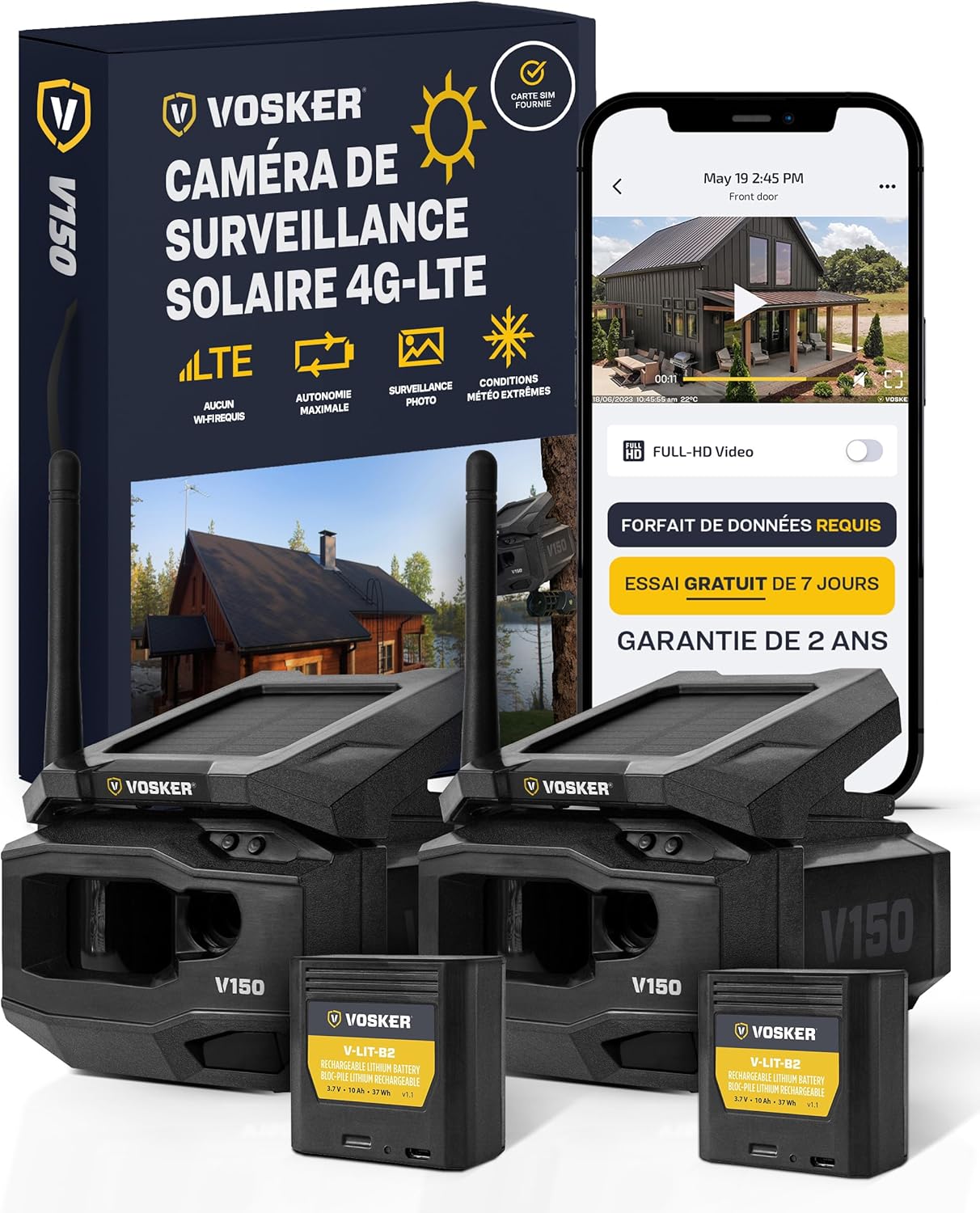
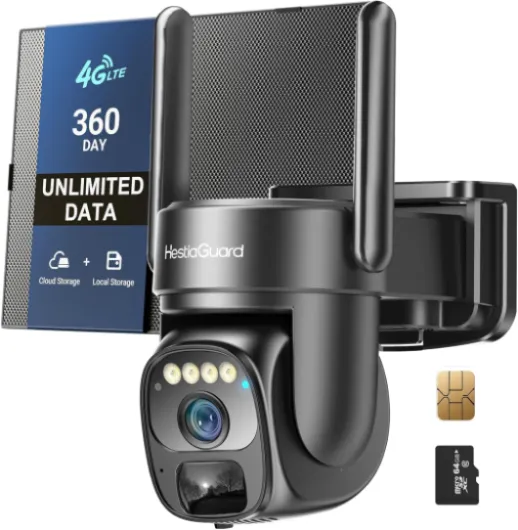
- + 4G LTE connectivity enables usage without WiFi
- + Solar powered for continuous operation
- + 360° live view for comprehensive coverage
- + 2K color night vision for clear images at night
- + PIR motion sensor for accurate detection

Key features to look for in non-wifi surveillance cameras
Essential Elements for Reliable Offline Security Cameras
When choosing cameras that work without wifi, it’s important to focus on features that guarantee security and usability. Unlike wifi security cameras, these models rely on local storage and wired or wireless connections that do not depend on an internet network. Here are the main aspects to consider:
- Local Storage Options: Look for cameras with SD card slots or built-in hard drives. This allows footage to be saved directly on the device, ensuring you have access to video even if there’s no internet. Some series, like those from Lorex and Reolink, offer robust local storage solutions.
- Video Quality: High-definition recording is key for clear footage. Many cameras without wifi now offer 1080p or even 4K resolution, making it easier to identify details in real time or during playback.
- Night Vision and Color Night Capabilities: Security doesn’t stop when the sun goes down. Choose a camera with infrared or color night vision to capture clear images in low-light conditions.
- Motion Detection: Smart motion detection helps reduce unnecessary recording and alerts you to real activity. Some models allow you to customize detection zones, so you only get notified about what matters.
- Power Source: Decide between wired and wireless options. Wired cameras offer consistent power but require more installation effort. Wireless cameras, especially those with battery power, are easier to place but need regular charging or battery replacement.
- Durability and Weather Resistance: For outdoor use, make sure the camera is rated for weather resistance. This ensures your security system works reliably in all conditions.
- Price and Value: Compare regular price and sale price across brands. While some smart security features may increase the price, they can also add significant value to your home security system.
For those interested in battery-powered options that work without wifi, you can learn more about their benefits and considerations in this guide to battery-powered Ring cameras.
| Feature | Why It Matters | Common Brands |
|---|---|---|
| Local Storage | Ensures footage is accessible without cloud storage or wifi | Lorex, Reolink |
| Motion Detection | Reduces false alarms, saves storage space | Reolink, Lorex |
| Night Vision | Captures clear video in darkness | Lorex, Reolink |
| Power Source | Determines installation flexibility and maintenance | Various brands |
Choosing the right security camera without wifi means balancing your needs for storage, video quality, and ease of use. The right combination of features will help you build a security system that works reliably, even without an internet connection.
Types of surveillance cameras that work without wifi
Popular Offline Security Camera Options
When looking for cameras that work without wifi, you’ll find several types designed for reliable home security. These cameras offer flexibility in installation and storage, making them suitable for areas with limited or no internet access. Here’s a breakdown of the main types and their key characteristics:
- Wired Security Cameras: These cameras connect directly to a digital video recorder (DVR) or network video recorder (NVR) using cables. Brands like Lorex and Reolink offer robust wired systems known for stable video quality and real-time monitoring. Wired cameras are ideal for continuous recording, and they often support local storage, reducing reliance on cloud storage or wifi security networks.
- Wireless Cameras with Local Storage: While many wireless cameras require wifi, some models can operate offline by saving footage to a microSD card. These cameras are easy to install and can be moved around as needed. Look for features like motion detection, night vision, and smart security alerts. However, without wifi, remote access to footage is limited.
- Battery-Powered Cameras: Battery-operated cameras are a flexible choice for areas without power outlets or wifi. They typically record video to a local card and use motion detection to conserve battery life. Some series from Reolink and other brands offer color night vision and smart detection even without a network connection.
- Standalone DVR/NVR Systems: These systems connect multiple cameras to a central recorder, storing footage locally. They are suitable for larger properties or users who want a comprehensive security system without relying on cloud storage or wifi. Many DVR/NVR kits come with a regular price and sale price options, depending on storage capacity and camera features.
- Dome Cameras: Dome cameras are a popular choice for discreet indoor and outdoor surveillance. Their design helps protect against tampering and offers a wide field of view. For more on the advantages of dome cameras, check out this guide to dome security cameras.
Comparing Features and Price
| Type | Storage | Motion Detection | Night Vision | Price Range |
|---|---|---|---|---|
| Wired | DVR/NVR, local | Yes | Color/IR | $$–$$$ |
| Wireless (local card) | MicroSD card | Yes | IR | $–$$ |
| Battery-powered | MicroSD card | Yes | Color/IR | $–$$ |
| Dome | DVR/NVR, local | Yes | Color/IR | $$–$$$ |
When choosing a security camera, consider your storage needs, the importance of features like motion detection and night vision, and your budget. Cameras without wifi can offer strong security and privacy, especially when paired with local storage and smart detection capabilities. Brands such as Lorex and Reolink provide a range of options, from entry-level to advanced, so you can find the right fit for your home’s security system.
Installation tips for offline security cameras
Preparing for a Smooth Installation
Installing security cameras that work without wifi requires a bit of planning. Since these cameras don’t rely on a wireless connection, you’ll need to consider power sources, storage options, and the best locations for coverage. Here are some practical tips to help you get started:
- Choose the right location: Place your cameras where they cover entry points, driveways, or other vulnerable areas. Make sure the camera has a clear field of view and is not easily tampered with.
- Power supply: Most cameras without wifi are wired and need a stable power source. Plan your installation near electrical outlets, or consider models that support battery or solar power for more flexibility.
- Storage setup: Since these cameras don’t use cloud storage, check if they support local storage options like SD cards or external hard drives. Some brands, like Lorex and Reolink, offer DVR or NVR systems for continuous recording and easy footage access.
- Weatherproofing: For outdoor cameras, ensure the model is rated for weather resistance. Look for features like IP66 or IP67 ratings to protect against rain and dust.
- Mounting hardware: Use the mounting kits provided by the manufacturer. Secure the camera firmly to prevent movement, which can affect video quality and motion detection accuracy.
Optimizing Camera Performance
To get the most out of your security system, pay attention to these details:
- Angle and height: Mount cameras at least 8-10 feet above the ground. This helps capture faces clearly and keeps the camera out of easy reach.
- Lighting conditions: Take advantage of features like color night vision and infrared LEDs. Avoid pointing cameras directly at bright lights or reflective surfaces to prevent glare in your footage.
- Motion detection settings: Adjust sensitivity to reduce false alerts from pets or passing cars. Some camera smart models allow you to set motion zones for more precise detection.
Testing and Regular Checks
Once your cameras are installed, test the video feed and motion detection. Make sure the storage is working and that you can access recorded footage easily. Schedule regular checks to clean the lens, verify connections, and confirm that the camera is recording as expected. This helps maintain reliable security and ensures your investment in cameras without wifi continues to deliver value at the regular price or sale price you paid.
Pros and cons of using surveillance cameras without wifi
Advantages and Limitations of Non-Wifi Security Cameras
When considering cameras that work without wifi, it’s important to weigh both the benefits and the drawbacks. Here’s a closer look at what you can expect from these security solutions. Benefits- Reliable Recording: Wired security cameras or those using local storage (like an SD card) are not affected by wifi outages. Your footage remains secure and accessible, even during internet disruptions.
- Enhanced Privacy: Cameras without wifi are less vulnerable to hacking or remote access, offering peace of mind for those concerned about data privacy.
- No Monthly Fees: Since these cameras don’t rely on cloud storage, you avoid recurring costs. Footage is stored locally, so there’s no need for a subscription.
- Stable Performance: Wired systems or standalone units (like some Lorex or Reolink series) deliver consistent video quality and real-time motion detection without lag from network issues.
- Flexible Placement: Without the need for a strong wifi signal, you can install cameras in remote areas, garages, or outdoor spots where wireless coverage is weak.
- Limited Remote Access: Without wifi, you can’t view footage in real time from your smartphone or receive instant alerts. Accessing video often means physically retrieving the storage card or connecting to the camera directly.
- Storage Constraints: Local storage (SD card or DVR) has finite capacity. When full, the camera may overwrite old footage or stop recording, so regular checks are needed.
- Installation Complexity: Wired cameras may require more effort to install, especially if you need to run cables through walls or ceilings. This can affect the regular price or sale price if professional help is needed.
- Fewer Smart Features: Many smart security functions, like cloud-based video analytics or remote smart detection, are limited or unavailable without wifi connectivity.
- Potential for Theft or Damage: Since footage is stored locally, if the camera or storage device is stolen or damaged, you could lose important evidence.
| Feature | Non-Wifi Cameras | Wifi Security Cameras |
|---|---|---|
| Remote Access | Not available | Available via app |
| Storage | Local storage (SD card, DVR) | Cloud storage or local |
| Installation | Often wired, more complex | Usually wireless, easier |
| Price | One-time cost, no monthly fees | May include subscription fees |
| Smart Features | Limited | Extensive (motion alerts, smart detection) |
| Night Vision | Available (color night in some models) | Available |
Best practices for maintaining and accessing footage
How to Keep Your Footage Safe and Accessible
Maintaining and accessing video footage from cameras that work without wifi requires a bit more attention compared to wireless or cloud-based systems. Here are some practical tips to help you get the most out of your security camera setup:- Regularly check your local storage: Most cameras without wifi rely on SD cards or hard drives for storage. Make it a habit to check the available space and replace or back up the card when it gets full. Overwriting old footage can happen automatically, but manual checks prevent losing important recordings.
- Organize your footage: Create a system for labeling and storing video files, especially if you use multiple cameras or have a large security system. This makes it easier to find specific events, such as motion detection alerts or incidents captured during night vision recording.
- Protect your storage devices: Keep SD cards and hard drives in a secure, dry place. Consider using lockboxes or hidden compartments for extra security, especially if your cameras are in vulnerable locations.
- Schedule regular maintenance: Clean your cameras and check for dust or debris that could affect video quality. Test the recording and playback functions to ensure your cameras work as expected, especially after power outages or storms.
- Update firmware when possible: Some wired or smart security cameras offer firmware updates via USB or local connection. Keeping your camera’s software up to date can improve detection accuracy and overall performance.
- Plan for power backup: If your cameras are not battery-powered, consider a backup power source. This ensures continuous recording during outages and protects your investment, especially for brands like Lorex or Reolink that offer robust wired solutions.
Accessing Footage Without Wifi or Cloud Storage
- Direct connection: Most cameras without wifi allow you to access footage by connecting the SD card or hard drive directly to a computer. Some models offer HDMI or USB ports for real time viewing on a monitor.
- Use compatible apps or software: Certain smart security cameras, even those that work without wifi, may provide local network access through proprietary apps. Check your camera’s manual for details on accessing recordings.
- Keep backup copies: For important events, transfer video files to another device or external storage. This adds an extra layer of security in case the original storage is damaged or stolen.
Best Practices for Longevity and Reliability
- Monitor the regular price and sale price of SD cards and storage devices to keep your system cost-effective.
- Choose storage with enough capacity for your recording needs, especially if you use high-resolution cameras or require long-term footage retention.
- Test motion detection and night vision features regularly to ensure your security cameras capture all necessary details, day or night.