
Understanding the basics of closed circuit television cameras
What is a Closed Circuit Television Camera?
When people talk about home security, the term closed circuit television (CCTV) comes up a lot. A CCTV camera is a type of video surveillance system designed to monitor and record activity in and around your property. Unlike broadcast television, CCTV systems transmit video signals to a specific set of monitors or recording devices, making them a closed system for security purposes.
How CCTV Cameras Work in Home Security
CCTV cameras capture video footage and send it to a DVR (digital video recorder), NVR (network video recorder), or directly to your smartphone or computer. These systems can be wired or wireless, depending on your needs and budget. Wired systems often use coaxial cables and require a hard drive for storage, while wireless options may use cloud storage or SD cards.
- Analog CCTV systems use traditional cameras and DVRs. They are reliable and often more affordable in terms of price sale.
- IP cameras (network cameras) connect over your home network and offer higher resolution video surveillance.
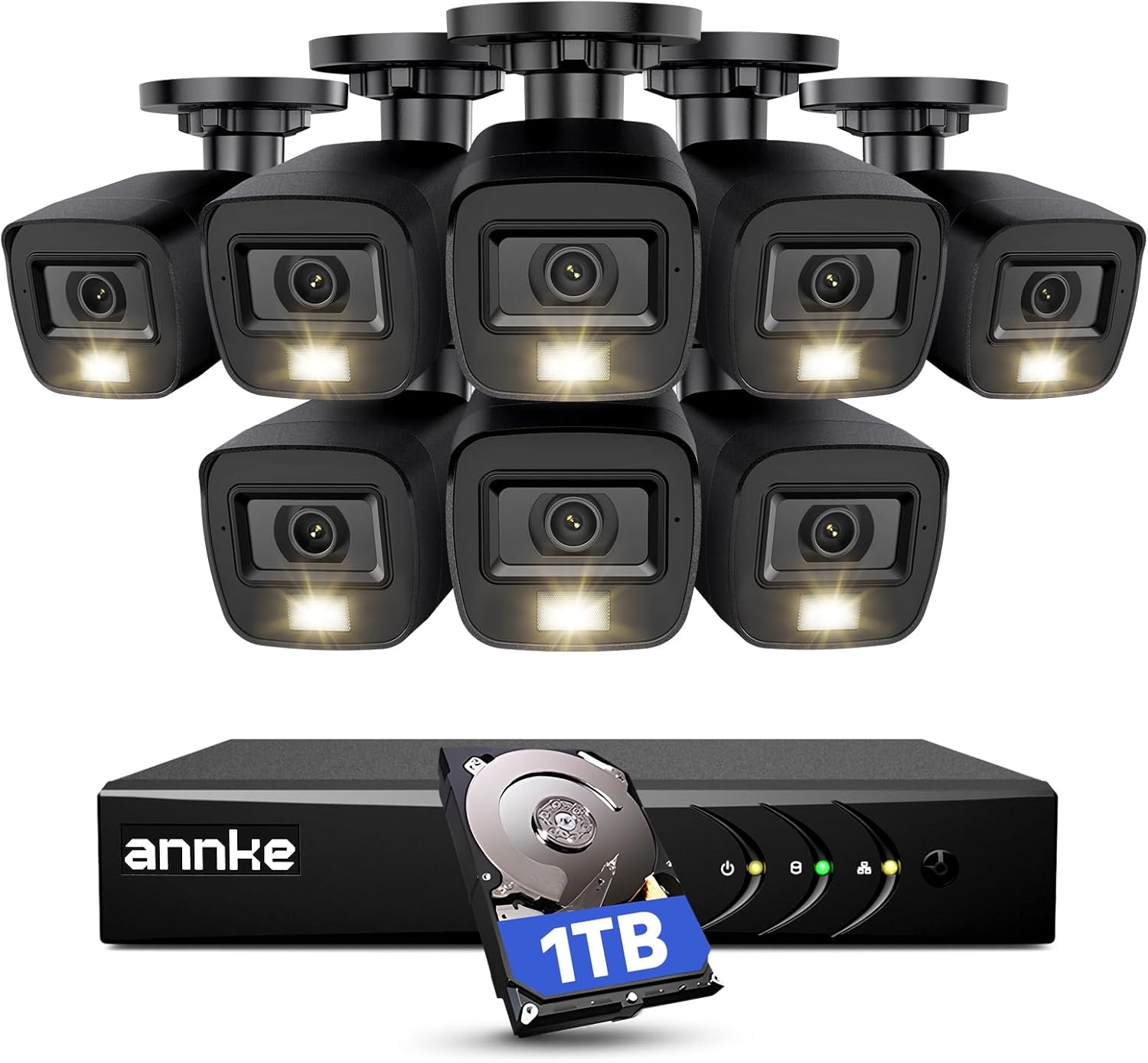
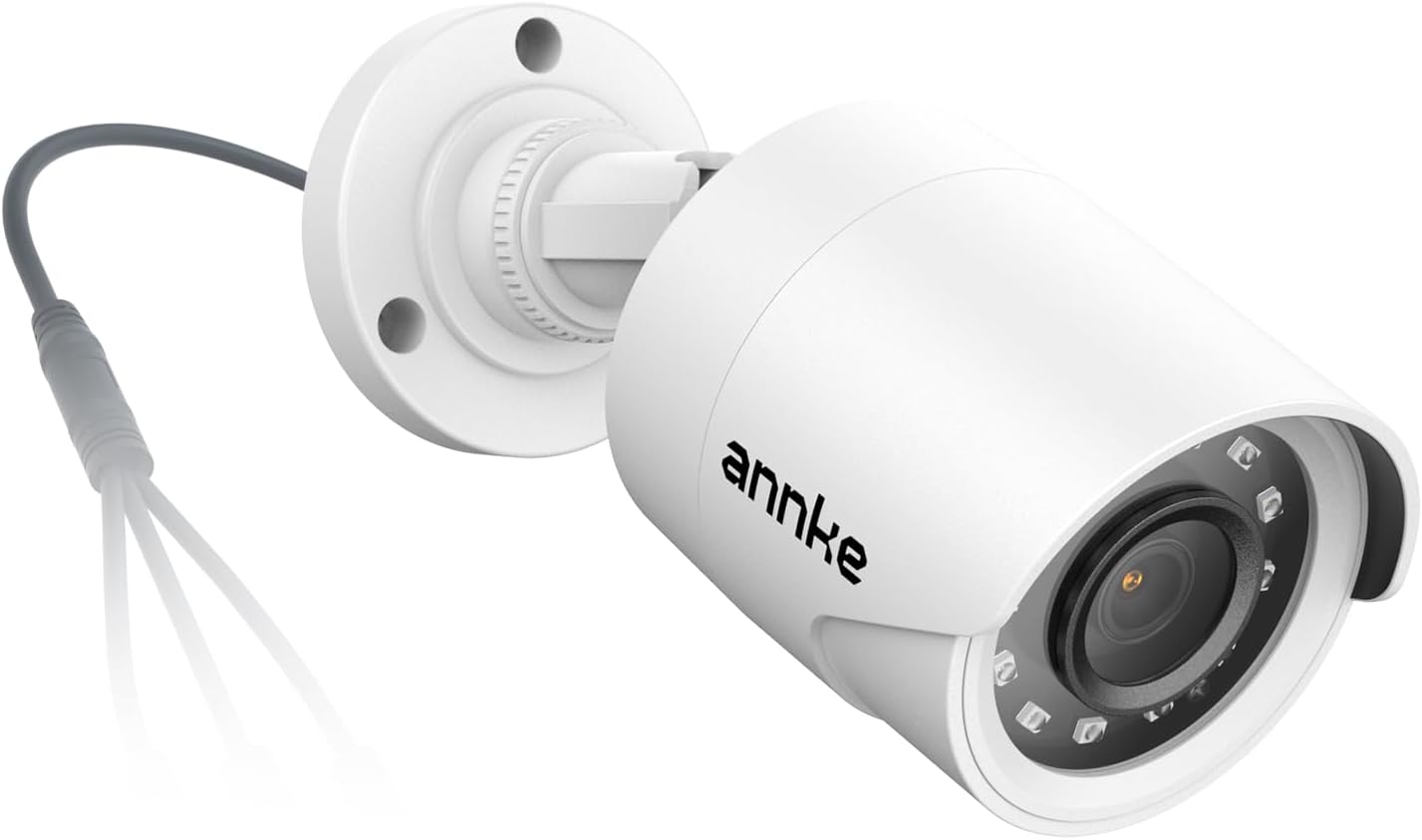
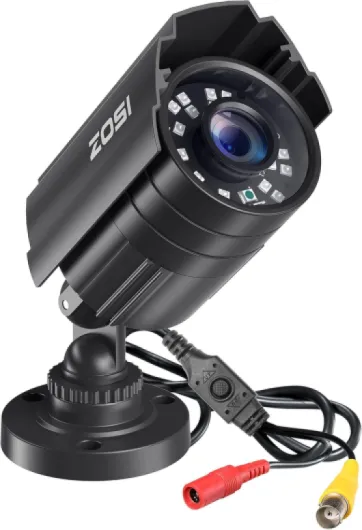
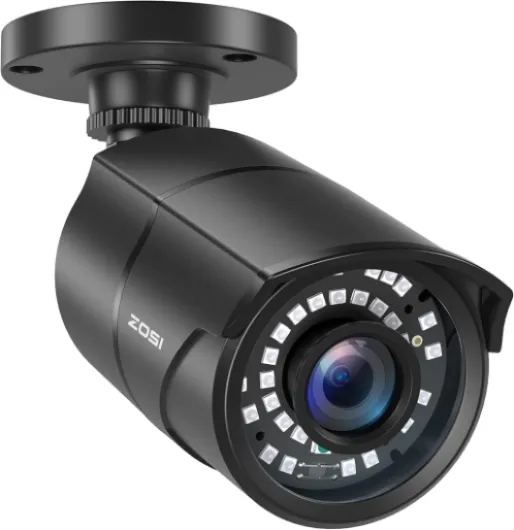
- Dome cameras and bullet cameras are two common shapes, each offering different deterrence and coverage options.
Why Choose CCTV for Home Surveillance?
Installing a CCTV camera system can serve as a strong deterrence to potential intruders. Visible security cameras can discourage break-ins, while recorded footage provides valuable evidence in case of incidents. Many modern systems also support audio recording and advanced features like license plate recognition, making them versatile for different security needs.
Types of CCTV Cameras and Systems
| Type | Main Use | Key Feature |
|---|---|---|
| Dome Cameras | Indoor/outdoor, discreet surveillance | Wide angle, vandal-resistant |
| Bullet Cameras | Outdoor, focused areas | Long range, visible deterrence |
| Deterrence Cameras | Entry points, visible security | Flashing lights, audio warnings |
| Channel NVR/DVR Systems | Multi-camera setups | Supports multiple channels, hard drive storage |
What to Expect in Terms of Price and Sale Options
The price of CCTV camera systems varies widely. Factors include the number of cameras, whether you choose wired or wireless, the size of the hard drive, and advanced features like audio or license plate capture. Many retailers offer sale price bundles, especially for multi-camera systems. It's important to compare options and consider long-term reliability and support.
For a deeper look at how advanced camera technology can boost your home protection, check out this guide on how a dual lens security camera can enhance your home protection.

Key features to look for in a home CCTV system
Essential Elements for Effective Home Surveillance
When selecting a home CCTV system, understanding the features that matter most can make a big difference in your security and peace of mind. The market offers a wide range of cameras and systems, each with its own set of capabilities and price points. Here are the key aspects to consider before making a purchase:
- Resolution and Video Quality: Higher resolution cameras provide clearer images, which is crucial for identifying faces or license plates. Look for HD or 4K video surveillance options for the best results.
- Camera Types: Dome cameras are discreet and resistant to tampering, while bullet cameras offer a visible deterrence and are ideal for covering long distances. Consider a mix of both for comprehensive coverage.
- Night Vision and Low Light Performance: Infrared or low-light capable CCTV cameras ensure your security system works around the clock, not just during the day.
- Audio Capabilities: Some security cameras include audio recording or two-way audio, adding another layer of surveillance and deterrence.
- Wired vs. Wireless: Wired systems, often using DVR hard drives, are reliable and less prone to interference, while wireless options offer easier installation and flexibility.
- Storage Solutions: Decide between local storage (hard drive, DVR, or NVR) and cloud-based options. The size of the hard drive or channel NVR will determine how much footage you can store before it’s overwritten.
- Power Supply: Some cameras require a direct power source, while others can run on batteries or solar power. Make sure your chosen system fits your home’s infrastructure.
- Remote Access and Mobile Alerts: Modern CCTV systems often allow you to view video feeds remotely via smartphone apps, providing instant alerts for suspicious activity.
- Deterrence Features: Security cameras with visible deterrence elements like blinking lights or warning stickers can discourage intruders before they act.
- System Scalability: Consider how many channels your DVR or NVR supports, especially if you plan to expand your surveillance cameras in the future.
- Price and Sale Offers: Compare price sale options and look for bundles that include multiple cameras, DVRs, or hard drives for better value.
For a deeper dive into how specific models and advanced features can enhance your setup, check out this guide on optimizing your home security camera system.
Choosing the right combination of CCTV cameras, storage, and features will help you build a security system tailored to your needs. The next step is to think about where to place your cameras for the best coverage and deterrence.
Placement strategies for optimal coverage
Choosing the Right Spots for Maximum Surveillance
When setting up your home CCTV system, where you place your cameras is just as important as the type of cameras you select. Strategic placement not only improves video surveillance coverage but also acts as a strong deterrence against unwanted visitors. Here are some practical tips to help you get the most out of your security system:
- Entry Points: Focus on main doors, back doors, and ground-floor windows. These are the most common access points for intruders. Dome cameras or bullet cameras work well here, depending on your preference for visibility and deterrence.
- Driveways and Garages: Monitoring your drive and garage helps protect vehicles and tools. A camera with a clear view of the driveway can also capture license plate details, especially if you use higher-resolution CCTV cameras.
- Perimeter Coverage: Place cameras along fences or property lines. Wired systems with a DVR hard drive can store continuous footage, making it easier to review any suspicious activity around your property.
- Common Areas: Indoors, consider placing cameras in hallways or main living spaces. This helps track movement within your home and supports video and audio monitoring if your system allows.
Balancing Visibility and Discretion
Visible cameras can discourage intruders, but sometimes a more discreet approach is needed. Dome cameras are less noticeable and can blend into ceilings, while bullet cameras are more obvious and signal active surveillance. The choice depends on whether you want overt deterrence or subtle monitoring.
Technical Considerations for Reliable Operation
- Power and Connectivity: Ensure each camera has reliable power and, for wired systems, secure cable connections. For outdoor installations, using reliable RJ45 waterproof connectors helps protect your network cables from weather damage.
- Field of View: Adjust the angle and height of each camera to maximize coverage and minimize blind spots. Wide-angle lenses are useful for large areas, while narrow lenses are better for focused monitoring.
- Lighting: Avoid pointing cameras directly at bright lights or reflective surfaces. Consider infrared or low-light cameras for areas with poor lighting.
- Storage and Channels: Make sure your DVR or channel NVR has enough capacity and channels to support all your cameras. A hard drive with ample space ensures you can store high-quality footage for longer periods, especially if you have multiple surveillance cameras in your system.
Proper placement and setup of your closed circuit television cameras can make a significant difference in the effectiveness of your home security system. By considering these strategies, you can maximize deterrence, improve video quality, and ensure your investment in CCTV cameras delivers the best value for the price sale.
Privacy considerations and legal aspects
Balancing Surveillance and Privacy at Home
When installing CCTV cameras and surveillance systems, it’s essential to consider privacy laws and ethical boundaries. While the goal is to enhance security and deterrence, homeowners must respect the privacy of others, including neighbors and visitors. Modern security cameras, whether dome cameras, bullet cameras, or analog CCTV, can capture high-definition video and audio, making it even more important to understand what is legally acceptable.
- Legal Boundaries: In many regions, it’s illegal to record audio without consent or to point cameras at areas outside your property, such as public sidewalks or neighboring homes. Always check local regulations before installing any CCTV system.
- Notification: Inform household members and visitors about the presence of surveillance cameras. Visible signage can help with transparency and may even boost deterrence.
- Data Protection: Video footage and audio recordings stored on DVR hard drives or NVR systems should be protected with strong passwords and encryption. Regularly update your security system’s firmware to prevent unauthorized access.
- Retention Policies: Decide how long you will keep surveillance footage. Storing video for longer than necessary can increase privacy risks and may violate data protection laws in some areas.
Responsible Use of Advanced Features
Many modern camera systems offer features like license plate recognition, motion alerts, and remote access. While these can improve security, misuse can lead to privacy violations. For example, using channel NVR systems to monitor areas not owned by you, or sharing footage without consent, can result in legal consequences.
When considering a new security system for sale, compare the price, features, and privacy controls. Some systems offer privacy masking, allowing you to block out sensitive areas from the video feed. Wired and wireless options, as well as dome and bullet cameras, all have different implications for privacy and coverage. Always prioritize systems that give you control over what is recorded and who can access the footage.
Ultimately, a well-chosen CCTV camera system can provide peace of mind and effective deterrence, but only when used responsibly and within the law. For more information on choosing the right system and features, see earlier sections on key features and placement strategies.
Integrating CCTV with other smart home devices
Making Your CCTV System Smarter with Home Automation
Integrating your closed circuit television cameras with other smart home devices can take your home security to the next level. Modern security systems are no longer just about video surveillance. They now connect with a range of devices to provide a seamless and responsive security experience.- Smart Locks and Alarms: When your CCTV cameras detect movement, they can trigger smart locks or alarms. This adds an extra layer of deterrence and ensures your home is protected even if you’re not there.
- Lighting Integration: Many camera systems can be linked to smart lighting. If a camera or motion sensor is triggered, lights can turn on automatically, increasing visibility and deterring unwanted visitors.
- Voice Assistants: Some security cameras and DVR or NVR systems are compatible with voice assistants. This allows you to check live video feeds or receive alerts using simple voice commands.
- Mobile Notifications: Integrated systems send real-time alerts to your phone when cameras or surveillance cameras detect unusual activity. This lets you act quickly, whether you’re at home or away.
- Automated Recording: With smart integration, your system can start recording video or audio only when specific events occur, saving hard drive space and making it easier to review footage.
Compatibility and Choosing the Right System
When shopping for a security camera system, check compatibility with your existing smart home devices. Not all analog CCTV or wired systems support integration with smart platforms. Many modern dome cameras, bullet cameras, and channel NVR systems offer better connectivity options. Look for features like Wi-Fi, app support, and third-party integrations.| Device | Integration Benefit | Typical Price Range |
|---|---|---|
| Security Cameras (dome, bullet) | Live video, motion alerts | Varies by features and sale price |
| DVR/NVR Systems | Centralized video storage, remote access | Depends on channel count and hard drive size |
| Smart Locks | Automatic locking/unlocking with camera triggers | Mid to high price |
| Smart Lights | Deterrence through automated lighting | Affordable to moderate |
Tips for Effective Integration
- Choose systems with open protocols for easier integration.
- Regularly update firmware to ensure compatibility and security.
- Consider future expansion—select a system that supports additional cameras or devices.
- Check the power requirements for wired and wireless devices to avoid connectivity issues.
Troubleshooting common issues with home CCTV systems
Common Problems and Quick Fixes
When using home CCTV systems, a few issues tend to come up often. Here’s how to address them without needing a technician right away:- No video feed: Check the power supply to your cameras and DVR or NVR. Make sure all cables are connected securely. If you use wired systems, inspect the cables for visible damage. For wireless cameras, confirm the Wi-Fi connection is stable.
- Poor image quality: Clean the camera lens with a soft cloth. Adjust the focus ring if your camera has one. For analog CCTV cameras, check if the video cables are properly shielded and not running near power lines, which can cause interference.
- Recording issues: If your DVR hard drive or NVR storage is full, older footage may be overwritten or recording may stop. Check storage settings and consider upgrading to a larger hard drive for more video surveillance capacity.
- No audio: Not all cameras support audio. If yours does, ensure the microphone is enabled in the system settings and that the audio cable is connected if it’s a wired system.
- Remote viewing problems: Confirm your internet connection is active. Update your camera system’s app and firmware. Double-check port forwarding settings if you access your security system remotely.
When to Seek Professional Help
If you’ve tried these steps and your system still isn’t working, it may be time to contact a professional. Issues like repeated power loss, DVR or NVR failure, or persistent network problems can require specialized tools and expertise. Also, if your surveillance cameras are not capturing license plate details or the deterrence cameras aren’t triggering alerts, a technician can help optimize placement and settings.Maintaining Your CCTV System
Regular maintenance helps prevent many common problems. Here are some tips:- Check camera housings (dome cameras, bullet cameras) for dust or moisture.
- Review footage regularly to ensure video and audio are being recorded as expected.
- Test backup power sources to keep your security cameras running during outages.
- Update firmware for your DVR, NVR, and camera systems to patch security vulnerabilities.