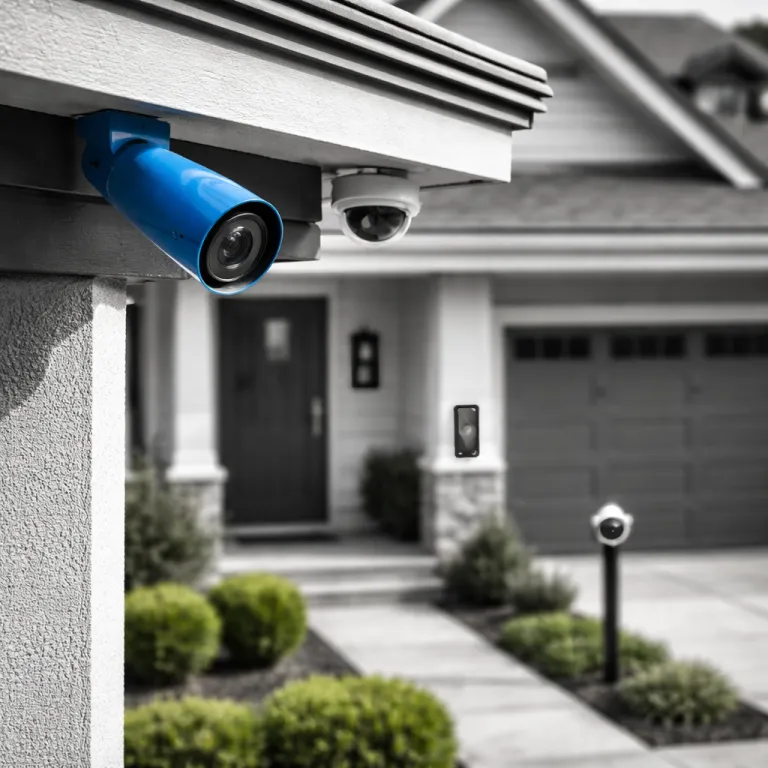

The four philosophies behind the best home security camera
The best home security camera for you depends less on megapixels and more on philosophy. Every buyer now falls into one of four camps – cloud subscriber, local storage purist, wireless solar convert, or wired PoE builder. Decide which camp fits your home and habits before you compare individual cameras.
Cloud first security cameras lean on remote servers for video storage, AI detection, and easy sharing. Brands like Ring, Arlo, Blink, and Google Nest push this model hard because the subscription turns a cheap camera into a long term revenue stream. You pay less upfront for each security camera or video doorbell, then commit to monthly fees for cloud recording, extended history, and smart motion alerts.
Local storage purists want a camera or full security system that keeps footage on a microSD card, Network Video Recorder (NVR), or Network Video Recorder system in the house. Lorex, Reolink, and some Eufy models offer wired security cameras and bullet cameras that record directly to an NVR system or hub, avoiding recurring subscription costs. This approach suits homeowners who see home security as critical infrastructure, not another app with a paywall.
Wireless solar converts chase flexibility and low maintenance for outdoor home coverage. A solar powered smart security camera such as Eufy SoloCam S340 or Arlo Pro 5S cuts battery swaps and lets you place cameras where power outlets do not reach. These wireless systems still offer cloud storage options, but many now support on device storage and smart motion analysis without a subscription.
Wired PoE builders treat home security cameras like a small business installation. They run Ethernet to each PoE camera, connect everything to a central NVR, and get reliable power plus stable video recording over one cable. If you are comfortable drilling through walls and planning a wired gen layout, a PoE system with Lorex Fusion compatible cameras and active deterrence features can be the most robust long term security system.
Start with your home, not the spec sheet
Before you compare the best home security camera models, map your actual home. Stand at your front door, driveway, and back garden, then imagine where an intruder would walk and where you need clear video. This exercise reveals how many cameras you need, which must be indoor versus outdoor, and whether a wired or wireless system makes sense.
Apartment dwellers usually start with one security camera or a video doorbell, then add one or two indoor cameras for hallways or living rooms. A compact security system that integrates with Google Home or Alexa Google voice assistants keeps things simple, especially if you already use a smart speaker. In this scenario, a Nest Cam Battery, Blink Indoor, or Ring Stick Up Cam can cover key angles without drilling or complex wiring.
First time homeowners in houses often underestimate how many security cameras they need for full home security. Front door, driveway, side gate, and back garden usually mean at least three outdoor cameras plus one indoor camera watching the main entry. If you also want a floodlight cam over the driveway and a video doorbell at the front, you are effectively building a small but complete security system.
Think about your tolerance for subscriptions before you buy any smart security camera. Cloud storage offers convenience, but subscription fees for multiple cameras add up quickly over three years. If you are buying for older relatives, a simple system with minimal apps and one bill – such as a Google Nest setup or a basic Lorex NVR kit – is easier to manage, and guides like this security cameras your parents will actually use can help you match complexity to comfort.
Cloud subscriber vs local storage purist
Cloud subscribers want the best home security camera that just works from a phone, even if it means paying every month. With Ring Stick Up Cam, Arlo Pro 5S, or Blink Outdoor 4, you scan a QR code, join Wi Fi, and video recording starts streaming to the cloud. These cameras integrate tightly with Alexa Google ecosystems, and some also talk to Google Home for basic voice control.
The upside of cloud based security cameras is simple remote access, easy clip sharing, and off site backup if someone steals the camera. The downside is that many brands lock crucial features like extended recording history, smart motion zones, and rich notifications behind a subscription. Over three years, the combined cost of a camera, subscription, and optional accessories such as solar panels or extra batteries can exceed a more serious wired security system.
Local storage purists prefer a camera or full system that records to a microSD card, USB drive, or NVR system in the home. A Lorex Fusion kit with PoE bullet cameras, active deterrence sirens, and a central NVR offers continuous recording without monthly fees. You manage storage by choosing larger hard drives, adjusting recording quality, and setting smart motion rules to avoid filling disks with useless clips.
Hybrid approaches are growing, where a smart security camera records locally but mirrors key events to the cloud. Eufy and some Google Nest models offer limited cloud backup without forcing a subscription for basic use. If two way audio matters for talking to visitors, focus on models tested for clear microphones and speakers, and consider specialist roundups such as this guide to top security cameras with two way audio when you compare options.
Wireless solar convert vs wired PoE builder
Wireless solar converts want the best home security camera that avoids ladders and cable runs. A battery powered camera with an optional solar panel, such as Arlo Pro 5S or Eufy SoloCam S340, can sit on a fence, shed, or tree without nearby power. This flexibility is ideal for renters or homeowners who cannot easily modify walls but still want reliable outdoor security cameras.
Battery powered cameras rely on Wi Fi, so placement and router quality matter as much as resolution. Many complaints about wireless security cameras come from Wi Fi hand off drops, where the camera loses connection as someone walks between access points. When that happens, your video recording stutters, audio cuts out, and the smart motion detection that should trigger alerts fails at the worst moment.
Wired PoE builders accept some DIY work upfront in exchange for rock solid reliability. A PoE system sends power and data over one Ethernet cable to each camera, so you avoid separate power bricks and reduce failure points. Lorex, Reolink, and other brands offer PoE bullet cameras with night vision, active deterrence lights, and integrated microphones that plug directly into an NVR system for continuous recording.
Compared with wireless solar setups, PoE security systems demand more planning but less ongoing maintenance. Once you run cables and mount cameras, you rarely worry about dead batteries, weak Wi Fi, or cloud subscription changes. For a first time homeowner who plans to stay put, a wired gen PoE build with a Lorex Fusion compatible NVR can be the most cost effective long term home security investment.
Specs that actually matter at 3 am
Spec sheets for the best home security camera shout about 4K resolution, but pixels alone do not protect your home. What matters is what the camera captures at 3 am when someone walks up your driveway in the rain. A well placed 2K camera with good night vision, a decent bitrate, and reliable smart motion alerts often beats a cheap 4K sensor with poor optics.
For outdoor security cameras, look for at least 1080p resolution, but treat 2K or 2.5K as the real baseline. Models like Wyze Cam v4 offer 2.5K video at a budget price, yet the real test is whether you can read a number plate or recognise a face under street lighting. Colour night vision from a floodlight cam or spotlight camera can help, but too much light can wash out details and annoy neighbours.
Field of view, weather rating, and storage options matter as much as resolution. A 130 degree lens on a single camera might cover your entire front garden, while a narrow lens forces you to buy extra cameras or accept blind spots. For weather, aim for at least IP65 on outdoor cameras, and check that any wired connections or PoE injectors are sheltered from rain.
Audio quality is often overlooked, yet clear two way audio can defuse a situation before it escalates. If you plan to talk to couriers or warn off loiterers, prioritise cameras with tested microphones, echo cancellation, and minimal lag. For a deeper dive into models that excel here, consult focused reviews such as this list of top 1080p security cameras and compare how each handles both video and audio in real conditions.
Hidden costs and concrete recommendations by camp
When you choose the best home security camera, think in three year totals, not sticker prices. Add the cost of each camera, any required subscription, accessories like solar panels or extra batteries, and the electricity for wired systems. This hidden cost matrix often flips which security system is actually cheaper over time.
For cloud subscribers, a Ring Stick Up Cam or Blink Outdoor 4 looks inexpensive until you multiply the subscription by three cameras and thirty six months. Over that period, you might pay more in cloud storage fees than the price of a full Lorex NVR kit with four wired cameras and local recording. If you value simplicity and already live in an Alexa Google or Google Home ecosystem, this trade off may still be worth it.
Local storage purists should consider a PoE system with an NVR, especially if they own their home and can run cables. A four channel Lorex Fusion compatible NVR system with bullet cameras, night vision, and active deterrence sirens can cover most small houses without ongoing fees. For indoor coverage, add one or two compact cameras with microSD storage to watch key rooms without sending every clip to the cloud.
Wireless solar converts will find strong value in Arlo Pro 5S or Eufy SoloCam S340, which offer smart motion detection, flexible mounting, and optional cloud backup. Wired PoE builders should look at Reolink 4K PoE kits or Lorex wired gen bundles that combine robust recording, PoE power, and expandable storage. Whatever camp you choose, remember that the best home security camera is not the advertised 1080p, but what it actually captures at 3 am.
Indoor vs outdoor: where each camera really belongs
Indoor and outdoor cameras face different threats, so treat them as different tools within one home security system. Indoors, you care more about privacy controls, flexible mounting, and discreet design than extreme weather resistance. Outdoors, you need durable housings, reliable night vision, and secure mounting that resists tampering.
An indoor security camera such as Nest Cam Battery, Wyze Cam v4, or Blink Mini works best in shared spaces like hallways and living rooms. Look for physical privacy shutters, clear status lights, and easy ways to pause recording when you are home. Integration with Google Nest, Google Home, or Alexa Google routines lets you arm indoor cameras automatically when you leave.
Outdoor security cameras must handle rain, dust, and temperature swings while still delivering usable video. A floodlight cam over the driveway can combine bright lighting, active deterrence sirens, and smart motion alerts to scare off intruders before they reach the door. For side alleys or back gardens, bullet cameras with PoE power and wired connections to an NVR system provide stable recording and reduce the risk of Wi Fi dropouts.
Doorway coverage deserves special attention because it is where you interact with strangers. A reliable video doorbell such as Google Nest Doorbell, Ring Video Doorbell, or Eufy wired security doorbell lets you see and talk to visitors without opening the door. Pairing a video doorbell with one or two overlapping outdoor cameras creates a layered security system that protects both your entry and the wider home perimeter.
Key figures about home security cameras
- According to The Gadgeteer, four out of five new consumer security cameras launched recently are subscription free, solar capable, and include on device AI, showing a clear shift away from mandatory cloud fees.
- Tom's Guide testing found that Arlo Pro 5S, at around 200 US dollars, offers one of the best balances of wireless convenience, image quality, and smart features among mainstream home security cameras.
- Consumer Reports has highlighted Wyze Cam v4, priced under 36 US dollars, as a budget camera delivering 2.5K resolution, which challenges the idea that higher resolution always requires premium pricing.
- Industry surveys indicate growing homeowner interest in PoE systems, with many buyers citing frustration with battery maintenance and Wi Fi instability as reasons to choose wired security cameras.
- Security professionals often recommend at least IP65 weather resistance for outdoor cameras, because this rating ensures protection against low pressure water jets and dust, which are common in exposed home installations.
FAQ about choosing the best home security camera
How many security cameras does a typical house need?
A typical detached house usually needs three to five cameras for solid coverage. One camera or video doorbell should watch the front door, another should cover the driveway, and a third should monitor the back garden or main rear entrance. Larger homes or properties with side alleys and outbuildings may require additional bullet cameras or a more comprehensive PoE system.
Is a subscription required for effective home security?
A subscription is not strictly required, but it changes how you use your system. Cloud plans add convenient remote access, longer video history, and advanced smart motion features, yet they increase total cost over time. Local storage on microSD cards or an NVR can be just as effective if you are willing to manage storage and accept less polished apps.
Are wired PoE systems better than wireless cameras?
PoE systems are usually more reliable than Wi Fi cameras because they combine power and data in one cable and avoid wireless interference. They suit homeowners who can run cables and want continuous recording to an NVR without worrying about batteries. Wireless cameras remain better for renters, small apartments, or spots where drilling and wiring are impractical.
What resolution should I look for in a home security camera?
For most homes, 1080p is the minimum acceptable resolution, while 2K or 2.5K offers noticeably sharper detail. Higher resolution helps with identifying faces and number plates, especially when you zoom in on recordings. However, lens quality, night vision performance, and camera placement often matter more than chasing 4K on a tight budget.
Can one brand cover my entire home security system?
Using one brand for all cameras, doorbells, and hubs simplifies apps, updates, and automation. A single ecosystem such as Google Nest, Ring, or Lorex Fusion makes it easier to manage recording, storage, and smart routines across your home. Mixing brands can work, but you may juggle multiple apps and lose some integration with Google Home or Alexa Google devices.