

Understanding the basics of wireless security systems
What Makes Wireless Security Systems Different?
Wireless security systems have changed how homeowners protect their property. Unlike traditional wired setups, these systems use Wi-Fi or other wireless signals to connect cameras, sensors, and the main hub. This means installation is often much easier and less invasive, making them a popular choice for DIY security enthusiasts and renters alike. Many leading brands, such as SimpliSafe, Abode, and ADT, offer wireless alarm systems with a range of equipment and monitoring options.
Key Components of a Wireless Security System
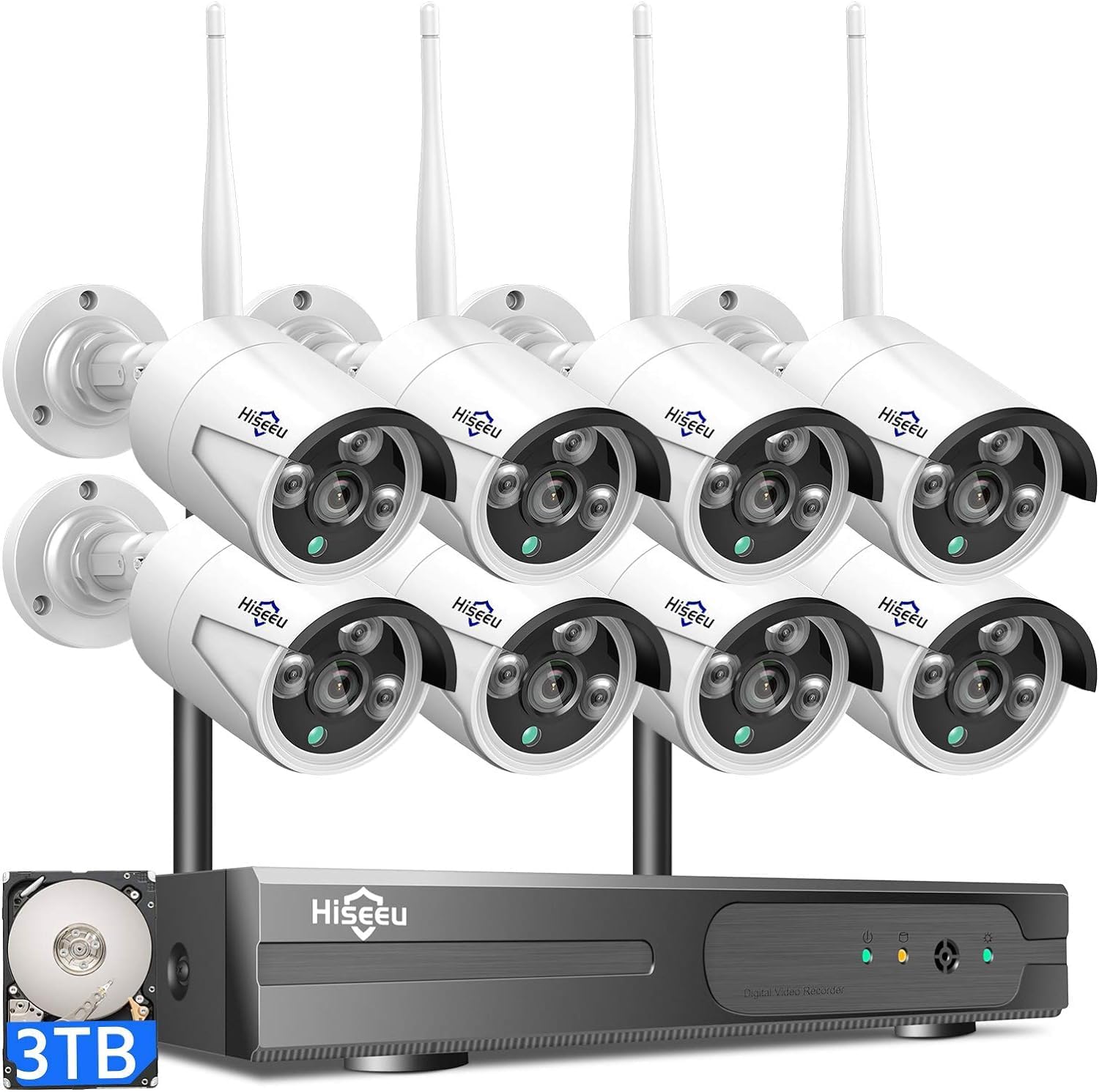
- Security cameras: These capture video footage and can be placed inside or outside your home. Wireless security cameras are easy to move and set up, and many offer features like night vision and two-way audio.
- Sensors: Door and window sensors detect when an entry point is opened. Motion sensors can alert you to movement in specific areas.
- Hub or base station: This is the brain of your system, connecting all your equipment and often linking to your smartphone or smart home devices like Alexa or Google Assistant.
- Alarm: A loud siren or alert that sounds if the system detects a breach, helping deter intruders.
Benefits and Limitations
Wireless systems are known for their easy setup and flexibility. You can expand your system with additional cameras or sensors as your needs change. Many systems offer professional monitoring, so you can choose between self-monitoring or having a team respond to alerts. However, wireless systems rely on your home Wi-Fi and power supply, so reliable connectivity is crucial. Some products, like SimpliSafe and Abode, are often reviewed as the best DIY security systems, while ADT is known for its professional installation and customer service.
For those interested in a deeper dive into the differences between wireless and wired options, including the pros and cons of each, check out this guide to wired intruder alarms.
Smart Features and Integration
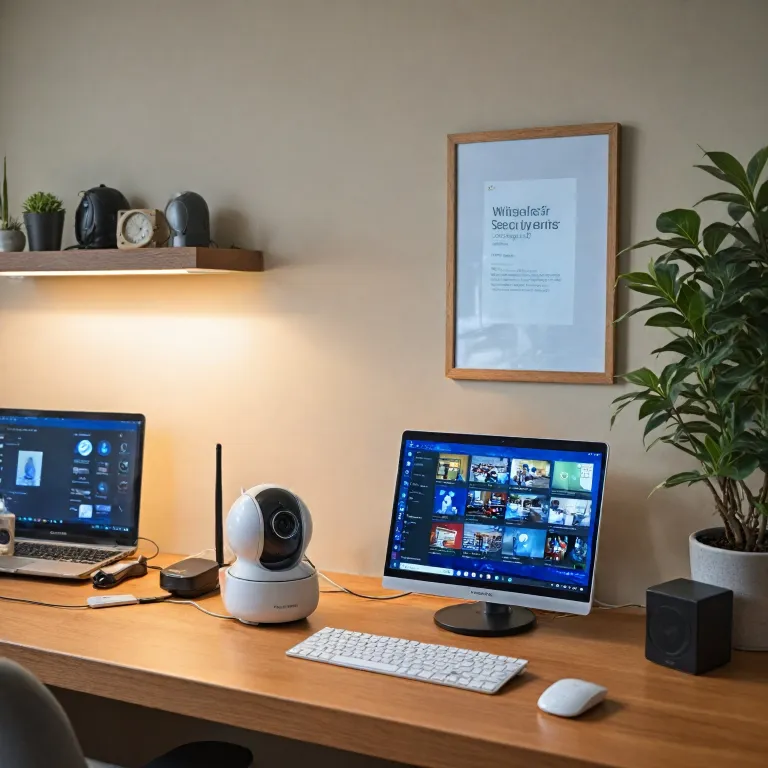
Modern wireless security systems often support integration with smart home platforms. Many products are compatible with Alexa, Google Assistant, or both, allowing you to arm or disarm your system with voice commands. Some systems also offer video storage in the cloud, mobile alerts, and easy access to live camera feeds, making monitoring your home more convenient than ever.
As you move forward with your setup, you’ll want to consider which cameras and sensors best fit your needs, as well as how to plan their placement for maximum coverage. Understanding these basics will help you make informed decisions as you build your home security system.
Choosing the right cameras for your needs
Key factors when selecting your cameras
Choosing the right security cameras is a crucial step in building a reliable home security system. The market offers a wide range of products, from simple DIY security cameras to advanced smart security systems with professional monitoring. Here are some important aspects to consider when evaluating your options:
- Video quality: Look for cameras that offer at least 1080p HD video for clear footage. Higher resolution helps with identifying details in case of an incident.
- Field of view: A wider angle allows a single camera to cover more area, reducing the number of cameras you need for full coverage.
- Night vision: Ensure your cameras have infrared or color night vision for effective monitoring after dark.
- Wireless connectivity: Most modern systems, like SimpliSafe and Abode, offer wireless cameras that are easy to set up and move as needed.
- Integration with other equipment: Check if the camera works with your chosen hub or smart home assistants like Alexa or Google Assistant. This makes it easier to manage your security system and view packages or footage remotely.
- Power options: Some cameras run on batteries, while others require a wired connection. Battery-powered cameras are easy to install but need regular charging or battery replacement.
- Storage and monitoring: Decide if you want local storage, cloud storage, or both. Some systems offer professional monitoring, while others are designed for DIY security.
Comparing popular camera brands and systems
Several brands stand out in the home security market. SimpliSafe, Abode, and ADT are known for their flexible equipment options and reliable customer service. SimpliSafe is often rated as the best DIY security system for its easy setup and affordable monitoring options. Abode offers strong integration with smart home devices and sensors, making it a good choice for those who want a connected system. ADT is a leader in professionally installed systems, but also provides DIY options and robust alarm system features.
When reviewing products, pay attention to the included sensors, alarm capabilities, and whether the system supports expansion with additional cameras or equipment. Some systems, like SimpliSafe and Abode, allow you to add more cameras or sensors as your needs change.
Smart features and future-proofing your setup
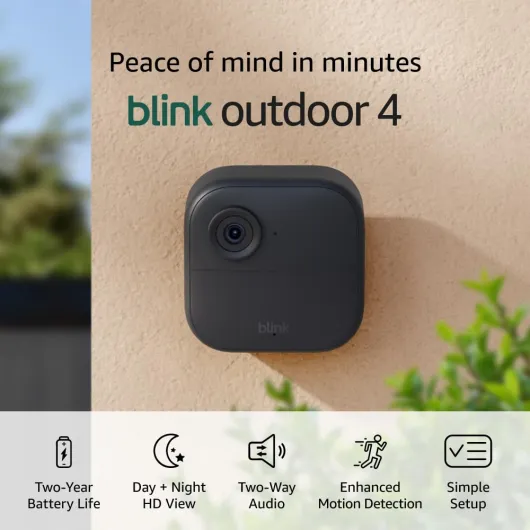
Modern security cameras often come with smart features such as motion detection, two-way audio, and mobile alerts. These features enhance your monitoring experience and make it easier to respond to potential threats. Consider if the camera supports integration with Alexa, Google Assistant, or other smart home platforms for added convenience.
For more details on how wireless cameras and monitors can enhance your home security, check out this guide on enhancing home security with wireless cameras and monitors.
Ultimately, the best security camera for your home will depend on your specific needs, budget, and whether you prefer a professionally installed system or a DIY approach. Take time to review your options and consider how each product fits into your overall security system setup.
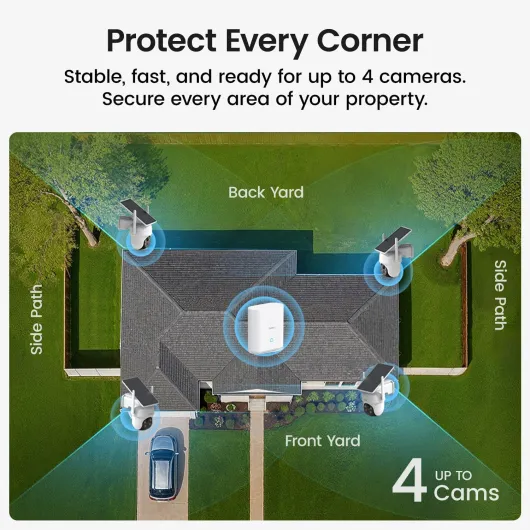
- + No subscription required — use locally without recurring fees
- + Solar-powered for extended, cable-free operation
- + Wireless design allows flexible placement and easy installation
- + 360° pan & tilt with auto-tracking for broad coverage
- + 2K color night vision improves low-light detail compared with basic IR

Planning camera placement for maximum coverage
Key Considerations for Camera Placement
Getting the most out of your security system starts with smart camera placement. The right setup helps you monitor your property effectively, whether you’re using a DIY security system like SimpliSafe, Abode, or a professionally installed solution from ADT. Here’s what to keep in mind as you plan your camera locations:
- Entry Points: Place cameras at main entrances, back doors, and garage doors. These are common access points for intruders and should be a top priority for any alarm system.
- High-Traffic Areas: Monitor hallways, staircases, and living rooms. These spots often connect different parts of your home and can help track movement.
- Outdoor Coverage: Position cameras to cover driveways, yards, and gates. Weather-resistant equipment is essential for outdoor monitoring, so check product specs before setup.
- Blind Spots: Walk around your property and look for areas hidden from view. Adjust camera angles or add extra sensors to cover these spots.
- Privacy: Avoid pointing cameras at neighbors’ windows or private spaces. Respecting privacy is important for legal and ethical reasons.
Balancing Visibility and Discretion
Visible cameras can deter intruders, but some homeowners prefer a more discreet setup. Wireless alarm systems and smart security cameras offer flexible mounting options, making it easy to blend cameras with your home’s design. Consider your goals: do you want to make cameras obvious, or keep them hidden for stealth monitoring?
Integrating With Your Security Hub
For the best security, ensure your cameras are within range of your system’s hub or base station. Products like SimpliSafe and Abode offer wireless connectivity, but signal strength can be affected by walls or distance. Test your setup before finalizing placement to avoid dead zones. If you use Alexa or Google integration, check that your devices communicate smoothly with your security system.
Choosing the Right Number and Type of Cameras
The number of cameras you need depends on your home’s size and layout. Some systems, like those from ADT or SimpliSafe, offer packages with multiple cameras and sensors. For a deeper dive into selecting the right mix of cameras for comprehensive coverage, check out this guide to choosing the right cameras for home security.
Tips for Easy Setup and Maintenance
- Mount cameras at least eight feet high to reduce tampering risks.
- Angle cameras slightly downward for a wider field of view.
- Keep cameras accessible for cleaning and battery changes if they’re not hardwired.
- Test video feeds and alarm triggers after installation to ensure reliable monitoring.
Whether you’re going for the best DIY security system or a professionally installed option, thoughtful camera placement is key to effective home monitoring. Good planning now means fewer blind spots and better peace of mind later.
Setting up your wireless security system
Step-by-step guide to connecting your cameras and hub
Setting up your wireless security system can feel overwhelming, but most modern systems are designed for easy installation. Whether you’re using a DIY security kit like SimpliSafe, Abode, or a professionally installed system such as ADT, the process usually follows similar steps.- Unpack your equipment: Lay out all your cameras, sensors, hub, and any included accessories. Check the product manual for a list of what should be in the box.
- Download the app: Most security systems, including SimpliSafe and Abode, require you to download their mobile app. This app will guide you through the setup and let you monitor your system remotely.
- Connect the hub: Plug in your hub or base station. This device acts as the brain of your security system, linking all your cameras and sensors. Follow the app instructions to connect the hub to your Wi-Fi network. For best reliability, place the hub centrally in your home.
- Add cameras and sensors: Using the app, add each security camera and sensor to your system. Most products will prompt you to scan a QR code or press a pairing button. Place your cameras in the locations you planned earlier for maximum coverage.
- Test your setup: Once all devices are connected, test each camera and sensor. Check the video feed, motion detection, and alarm notifications. Adjust placement if you notice any blind spots or weak signals.
Integrating with smart home devices
Many security systems now support voice assistants like Alexa and Google Assistant. Linking your security cameras and alarm system to Alexa or Google can make arming, disarming, and monitoring easier. Check your product’s compatibility and follow the app’s instructions to connect.Choosing monitoring options
You can opt for professional monitoring or self-monitoring. Professional monitoring services, available with systems like ADT and SimpliSafe, alert emergency services if your alarm is triggered. DIY security systems often offer both options, so you can choose what fits your needs and budget. Review the available packages and customer service ratings before making a decision.Tips for a smooth setup
- Keep your Wi-Fi password handy for quick setup.
- Charge or insert batteries in wireless cameras and sensors before starting.
- Label each device as you install it for easier troubleshooting later.
- Refer to the manufacturer’s support or customer service if you run into issues.
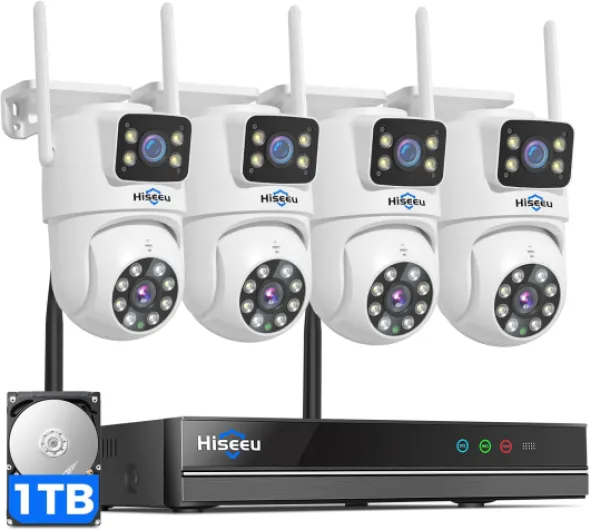
- + Dual Lens for enhanced imaging
- + 360° Pan & Tilt for flexible monitoring
- + Auto Tracking capabilities for dynamic scenes
- + Color Night Vision for clear night footage
- + 1TB HDD storage with no subscription required
Ensuring reliable connectivity and power
Keeping Your Cameras Online and Powered Up
A wireless security system is only as good as its connectivity and power. If your cameras or sensors lose connection, your monitoring and alarm features won’t work as intended. Here’s what you need to know to keep your system running smoothly:- Wi-Fi Strength Matters: Place your cameras and hub within strong Wi-Fi range. Thick walls or long distances can weaken the signal, affecting video quality and real-time alerts. Consider a mesh Wi-Fi system if you have a larger home or dead zones.
- Backup Power Options: Power outages can disable your security cameras and alarm system. Many best diy security systems, like SimpliSafe or Abode, offer battery backup for their hubs and sensors. Check your product’s specifications and keep spare batteries on hand.
- Router Placement: Position your router centrally to maximize coverage for all your equipment. Avoid placing it near microwaves or cordless phones, which can cause interference.
- Smart Integrations: If you use Alexa, Google, or other smart home assistants, ensure your security system is compatible. This makes it easy to arm, disarm, or view camera feeds using voice commands.
- Professional Monitoring Reliability: If you opt for professional monitoring, confirm that your system can communicate with the monitoring center during outages. Some systems use cellular backup for this reason.
- Regular Testing: Test your cameras, sensors, and alarm regularly. Most systems, including ADT and SimpliSafe, have built-in testing modes. This helps you catch any connectivity or power issues before they become a problem.
Choosing the Right Power Source
- Wired vs. Battery-Powered Cameras: Wired cameras offer continuous power but require installation near outlets. Battery-powered cameras are easier to set up and move, but you’ll need to recharge or replace batteries periodically.
- Solar Options: Some security cameras now offer solar panels as an accessory. This can be a great solution for outdoor cameras where running power cables is difficult.
Connectivity Tips for Reliable Monitoring
- Update your system’s firmware regularly to benefit from security patches and improved connectivity.
- Check your internet speed—most security cameras need at least 2 Mbps upload per camera for smooth video streaming.
- If you experience frequent disconnects, review your router’s settings or consider upgrading to a newer model designed for smart security systems.
Maintaining and upgrading your system over time
Keeping Your Security System in Top Shape
Regular attention to your home security system is essential for long-term reliability. Even the best security cameras and sensors need periodic checks to ensure they’re working as intended. Here’s how you can keep your setup running smoothly:- Test your equipment regularly: Schedule monthly tests for your alarm, sensors, and cameras. Most systems, like SimpliSafe or Abode, offer easy-to-follow testing modes. This helps catch issues before they become real problems.
- Update firmware and apps: Security camera manufacturers frequently release updates to fix bugs and improve features. Whether you use a DIY security system or a professionally installed hub, always keep your system and mobile apps updated for the best performance and security.
- Check batteries and power sources: Wireless alarm sensors and cameras often rely on batteries. Set reminders to replace them as recommended by the product manual. For wired equipment, inspect cables and connections to avoid unexpected outages.
- Review video storage and monitoring options: Make sure your video footage is being stored securely, whether on the cloud or a local device. If you use professional monitoring or self-monitoring, confirm that alerts and notifications are reaching you or your monitoring provider.
- Clean your cameras and sensors: Dust, spider webs, or rain spots can affect video quality and sensor accuracy. Gently wipe lenses and sensor surfaces with a soft cloth every few months.
- Evaluate your system as your needs change: If you add new smart home devices like Alexa or Google Assistant, check compatibility with your security system. Upgrading to the best DIY security cameras or expanding your system with additional sensors can improve coverage and peace of mind.
- Contact customer service when needed: If you notice persistent issues or need help with your setup, reach out to your provider’s customer support. Brands like ADT, SimpliSafe, and Abode are known for responsive service and can guide you through troubleshooting or upgrades.