

Understanding the role of the alarm system keypad
Why the Alarm System Keypad Matters in Home Security
The keypad is the main control point for your home alarm system. Whether you’re arming your security system before leaving for work or disarming it for a delivery, the keypad is where you interact with your security solutions every day. It connects you to the rest of your security system, including sensors, control panels, and even security cameras. Choosing the right keypad can make a real difference in how secure and convenient your home feels.
- Central Access: The keypad lets you control your alarm, manage sensors, and access different features of your security system.
- Compatibility: Not all keypads work with every system. Some are designed for specific brands like Honeywell or Vista, while others are more universal.
- Types: You’ll find both hardwired alarm keypads and wireless options. Wireless security keypads are easier to install and move, while hardwired alarm keypads can offer more reliability.
- User Experience: Touchscreen panels and fixed English displays offer different levels of usability. Some keypads are simple, while others offer advanced features like touchscreen control or integration with professional monitoring.
When comparing products, you’ll notice a wide range of prices, features, and brands. Some keypads are basic, while others offer advanced touchscreen interfaces and wireless connectivity. It’s important to consider your needs, the type of security system you have, and your budget. For a deeper dive into local options and how different alarm keypads fit into broader security systems, check out this guide to alarm security providers.
In the next sections, we’ll look at the essential features to look for, how keypads interact with security cameras, and tips for installation and maintenance. Understanding the role of your alarm system keypad is the first step to building a safer, more convenient home.
Key features to look for in an alarm system keypad
Essential Elements to Consider in a Keypad
When selecting an alarm system keypad for your home, it’s important to focus on features that enhance both security and usability. The right keypad can make a significant difference in how you interact with your security system daily. Here’s a list of key aspects to evaluate:
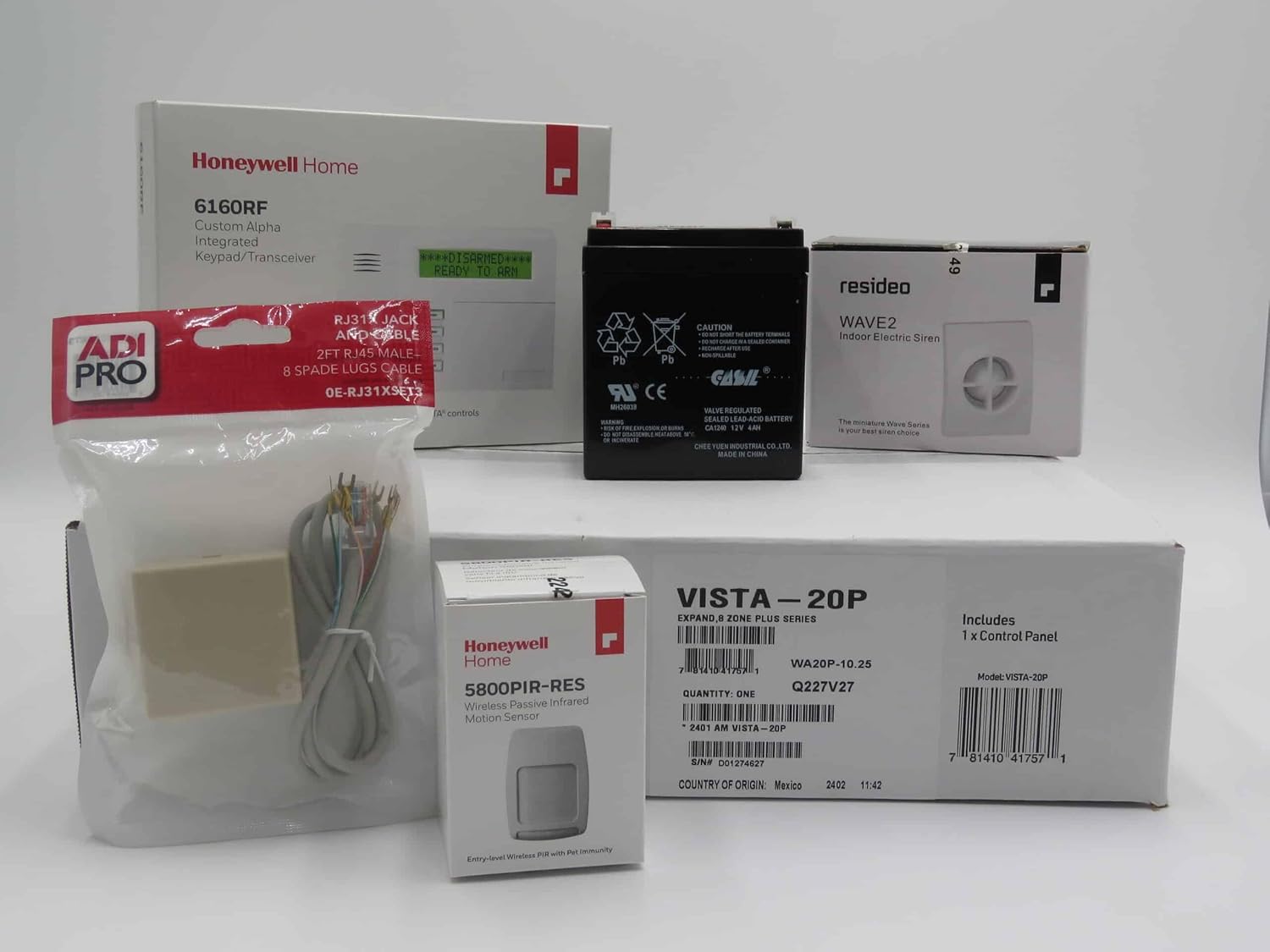
- Compatibility: Ensure the keypad works with your existing security system, such as Honeywell Vista or other popular brands. Some keypads are designed for specific control panels or sensors, while others offer broader compatibility.
- Wired or Wireless: Decide if you prefer a hardwired alarm keypad or a wireless security solution. Wireless keypads offer more flexibility for placement and are easier to install, while hardwired options may provide a more stable connection.
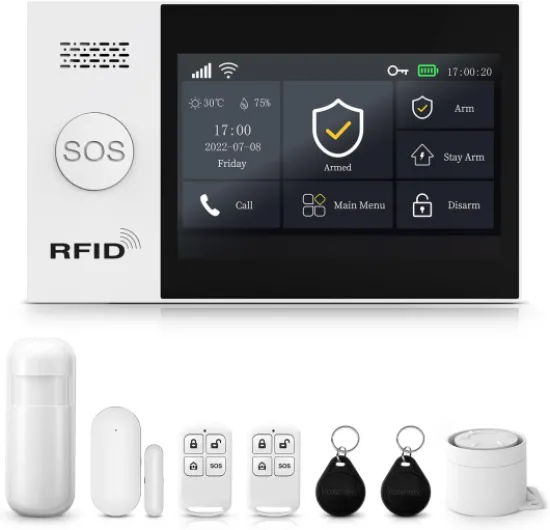
- Touchscreen vs. Fixed English: Touchscreen panels offer a modern, intuitive interface and can display more information at once. Fixed English keypads use simple text displays, which can be easier for some users to operate but may lack advanced features.
- User Access and Control: Look for keypads that allow multiple user codes and customizable access levels. This is especially useful for households with several members or for granting temporary access to delivery personnel or service providers.
- Integration with Security Cameras: Some keypads can display camera feeds or work seamlessly with your home security cameras, providing a more unified security experience.
- Professional Monitoring Options: If you’re considering optional professional monitoring, check that your keypad supports this feature. Some systems require specific keypads for remote monitoring and control.
- Price and Value: Compare the list price of different keypads and consider what features are included. Sometimes, a higher price reflects advanced capabilities like touchscreen controls or wireless connectivity.
- Brand Reputation: Established brands like Honeywell often offer reliable products and better support. Review keypad lists from trusted manufacturers to find solutions custom-tailored to your needs.
Additional Features Worth Noting
- Backlit Keys: Essential for nighttime use or low-light areas.
- Panic Buttons: Quick access to emergency services can be a lifesaver in critical situations.
- Voice Prompts: Some advanced keypads provide audio guidance for easier operation.
- Mobile App Integration: Wireless alarm keypads may offer remote access through mobile apps, adding another layer of convenience and control.
For a deeper understanding of how specific products, like the DS-2CD2143G2-IS, can fit into your home security setup, check out this practical guide for home security.
Choosing the right alarm keypad is about balancing features, price, and compatibility with your overall security system. As you move forward, consider how these features will impact your daily use and the overall effectiveness of your home security.
How alarm system keypads interact with home security cameras
Integrating Keypads with Security Cameras for Enhanced Protection
Modern security systems are designed to work as a unified solution, and the connection between your alarm system keypad and home security cameras is a great example of this integration. When you enter your code on the keypad or use a touchscreen panel, the system can trigger cameras to record or send real-time alerts. This is especially useful for monitoring deliveries, unexpected access, or alarm events.- Event-triggered recording: Many wireless and hardwired alarm keypads can be programmed to activate security cameras when an alarm is armed, disarmed, or triggered. This helps capture footage of anyone entering or leaving your home.
- Remote access and control: With wireless security systems and Honeywell wireless keypads, you can often control both your alarm and cameras from a single app or control panel. This makes it easier to check live feeds or review footage if you receive an alert.
- Professional monitoring integration: If you choose optional professional monitoring, the monitoring center can access camera feeds during an alarm event, providing faster and more accurate responses.
User experience and accessibility
Everyday Use and Accessibility Factors
When selecting an alarm system keypad, the daily experience matters just as much as technical features. The right keypad should make it easy for everyone in your household to arm or disarm your security system, whether it’s a simple fixed English keypad or an advanced touchscreen panel. Accessibility goes beyond just the look—it’s about how quickly and reliably you can control your security systems in real life.
- Touchscreen vs. Button Keypads: Touchscreen panels offer a modern, intuitive interface, often with customizable controls and clear status updates. Traditional button keypads, like those found on many Honeywell and Vista systems, are valued for their reliability and tactile feedback.
- Wireless and Hardwired Options: Wireless security keypads are easier to install and move, making them a popular choice for renters or those seeking flexible solutions. Hardwired alarm keypads, on the other hand, offer robust performance and are less susceptible to interference.
- Accessibility Features: Look for keypads with backlit displays, large buttons, and audible feedback. These features help users of all ages and abilities interact with the system, especially in low-light conditions or emergencies.
- Remote Access: Many modern security systems allow you to control your alarm keypad through a mobile app. This means you can check system status, receive delivery notifications, or manage sensors and control panels even when you’re not at home.
Some brands offer keypads with customizable user codes, making it easier to track who accesses your system and when. This is especially useful for families, roommates, or for managing access during service or delivery orders. Optional professional monitoring can add another layer of security, ensuring that your system is always watched over, even if you miss an alert.
When comparing products, consider the price, list price, and the range of brands and models available. A keypad alarm that fits your lifestyle and integrates smoothly with your security cameras and sensors will provide the best user experience. Wireless alarm solutions custom-tailored to your needs can offer both convenience and peace of mind.
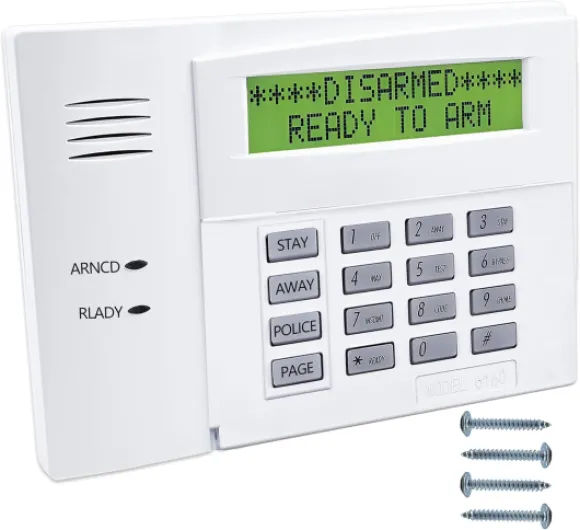
- + Reliable fixed-display keypad
- + Compatible with many Ademco/Honeywell alarm control panels
- + Simple and intuitive numeric interface
- + Clear LED indicators and audible tones for status feedback
- + Sturdy construction for long-term use

Installation tips and common challenges
Practical Steps for Installing Your Alarm Keypad
Setting up a new alarm system keypad can seem daunting, but with the right approach, you can avoid common pitfalls and ensure your security system works smoothly. Whether you choose a wireless alarm keypad or a hardwired alarm system, following a clear process helps you get the most from your investment.
- Choose the right location: Place your keypad near main entry points for easy access. Avoid spots exposed to direct sunlight or moisture, which can damage the product and sensors.
- Check compatibility: Make sure your keypad matches your control panels and is compatible with your security system brand, such as Honeywell or other popular brands. Some keypads, like Honeywell wireless models, offer more flexibility in placement.
- Follow manufacturer instructions: Each system has its own installation steps. Read the manual carefully, especially for touchscreen panels and wireless security keypads.
- Secure wiring for hardwired systems: If you use a hardwired alarm, run wires discreetly and safely. Avoid sharp bends and keep wires away from high-traffic areas.
- Test before finalizing: After connecting your keypad, test all functions. Make sure it communicates with sensors, control panels, and, if applicable, integrates with security cameras and professional monitoring.
Common Challenges and How to Overcome Them
- Wireless interference: Wireless security systems can face signal issues. Keep your wireless alarm keypad away from large metal objects and Wi-Fi routers to reduce interference.
- Power supply problems: For both wireless and hardwired alarm keypads, a stable power source is crucial. Use backup batteries where possible to ensure continuous operation during outages.
- Complex programming: Some advanced keypads, especially touchscreen models, require detailed programming. Take your time with setup and consult the product manual or customer support if needed.
- Integration with other systems: Connecting your keypad to other security solutions, like sensors or security cameras, can be tricky. Double-check compatibility and follow the keypad list provided by your manufacturer.
When to Consider Professional Help
If you’re unsure about installing your alarm keypad, or if your system includes multiple access points, sensors, and wireless security cameras, consider optional professional installation. Many brands offer free or paid installation services with your orders. This ensures your security systems are set up correctly and reduces the risk of errors that could compromise your home’s safety.
Remember, a well-installed keypad is essential for reliable control of your alarm system and seamless integration with your home’s security solutions custom to your needs.