Summary
Editor's rating
Is it worth the money compared to other options?
Chunky, obvious, and actually feels like it will survive outdoors
Build quality and long‑term feel
Image quality and tracking: strong hardware, a few software quirks
What this thing actually does in real life
How well it actually works as a security camera day to day
Pros
- Very sharp 4K image with useful dual‑lens wide + zoom view on one screen
- Solid build quality and full PTZ coverage for large areas
- Continuous local recording to microSD or PC, no forced cloud subscription
Cons
- App and motion detection need tuning and feel a bit clunky
- Installation is more involved than small battery or stick‑on cameras
- No cloud storage option yet for off‑site backups
Specifications
View full product page →| Brand | Reolink |
| Recommended uses for product | Outdoor Security |
| Model name | Reolink TrackMix WiFi |
| Connectivity technology | Wireless |
| Special feature | PTZ Technology |
| Other Special Features of the Product | PTZ Technology |
| Indoor Outdoor Usage | Outdoor |
| Mount Type | Wall Mount |
A serious camera for people who are done with toy‑level security
I’ve been using the Reolink TrackMix WiFi (the grey spotlight version) as my main front‑of‑house camera for a while now. I put it up to watch the driveway, the front gate and deliveries, basically to replace a mix of an older 1080p camera and a battery cam that missed half the action. If you’re expecting a tiny, discreet gadget, this is not it. It’s a chunky, wired camera that clearly means business, with dual lenses, pan/tilt/zoom and 4K.
Installation for me wasn’t “plug it in and forget it” simple. I had to get up a ladder, drill a decent sized hole, and mess around with routing the power cable safely. It’s more like installing a light fixture than sticking a Wi‑Fi gadget to the wall. But once it was up and powered, the first impression was clear: the image quality is on another level compared to the cheap stuff I’d been using before.
The big promise here is a mix of 4K wide view + telephoto zoom + auto tracking. On paper that sounds a bit like overkill, but in practice it means you see the whole scene and also get a close‑up of what matters, like someone at the gate or a car on the drive. Add smart detection (people, vehicles, pets) and continuous recording to SD or a PC, and it looks like a solid home security setup if you don’t want cloud subscriptions.
That said, it’s not perfect. The camera hardware feels ahead of the app and software. The picture is strong, the build feels solid, but you can feel the rough edges in the notifications, motion tuning and general app polish. So this review is basically: hardware mostly great, software decent but a bit annoying, and overall a good fit if you’re okay tweaking settings instead of just slapping it up and forgetting about it.
Is it worth the money compared to other options?
Price‑wise, the TrackMix WiFi usually sits a bit above Reolink’s simpler models like the Lumus or the E1 Outdoor, but not into silly territory, especially when it’s on sale. For the money, you’re getting 4K resolution, dual lenses, PTZ, smart detection, Wi‑Fi 6 and local storage up to 512 GB. If you add up what you’d pay for two separate fixed cameras to cover wide + zoomed views, it doesn’t look bad at all.
Compared to battery cameras from other brands, this is a different category. You lose the convenience of no wires, but you gain continuous recording and far better detail. One user review summed it up pretty well: they were fed up with battery cams missing important moments. I’m in the same boat. For security, I’d rather deal with running a power cable once and then have always‑on footage, instead of praying the motion trigger woke up in time. So if you’re moving from battery cams, the value is in the reliability and image quality, not in slick installation.
Where the value takes a small hit is the software experience. The hardware feels like it belongs in a higher price range, but the app and general UX feel more mid‑range. That’s fine if you’re patient and don’t mind tweaking, but if you’re used to very polished ecosystems (like the big smart home brands with cloud everything), you may find Reolink a bit clunky. On the flip side, you’re not locked into monthly cloud fees here, which, over a couple of years, easily balances the purchase price.
If I had to sum it up: good value for people who care about video quality and local storage, average value for someone who just wants a simple camera and doesn’t care about dual lenses or PTZ. There are cheaper options if you just want basic motion clips, and there are pricier, more polished ecosystems if you want deep smart home integration. This one sits nicely in the middle: strong hardware, fair price, a bit of DIY attitude required.
Chunky, obvious, and actually feels like it will survive outdoors
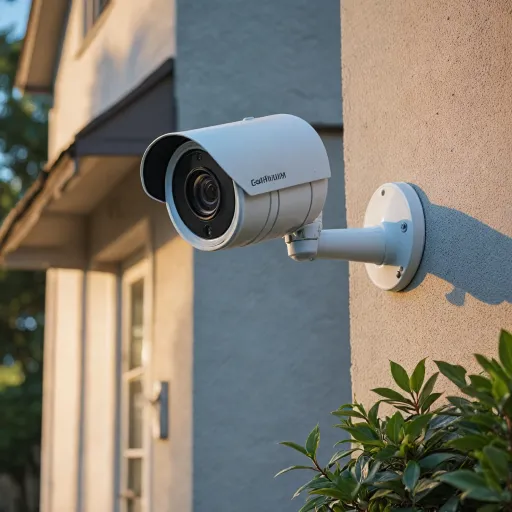
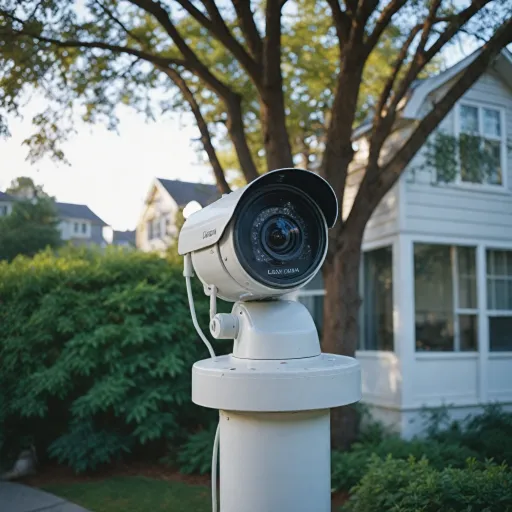
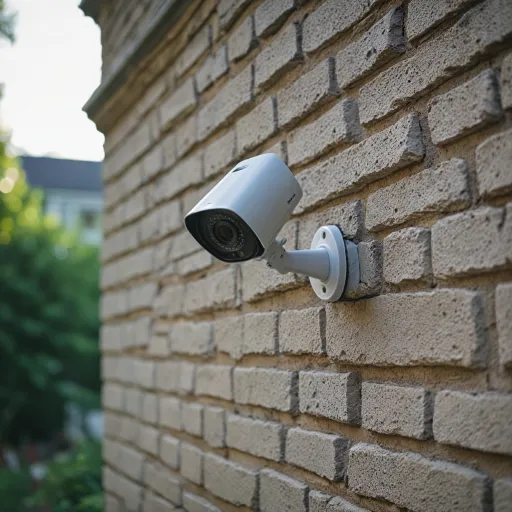
Design‑wise, this is not a small, cute camera you hide under the gutter. The TrackMix is fairly big and solid, with the classic Reolink dome‑style body and two visible lenses on the front. When you hold it in your hand, it feels closer to a small outdoor light fixture than a typical lightweight plastic webcam. One Amazon reviewer joked it’s sturdy enough to use as a blunt weapon, and honestly, I kind of get it – it has that dense, solid feel.
The grey‑spotlight version I have blends fine with darker soffits and brick, but it’s still very visible. For security, I don’t mind that; a big obvious camera is a deterrent. If you want something discreet that neighbours barely notice, this is the wrong product. The pan/tilt mechanism moves smoothly but you can hear a faint motor sound when it tracks movement. It’s not loud, but in a quiet yard at night you’ll notice it if you’re standing nearby.
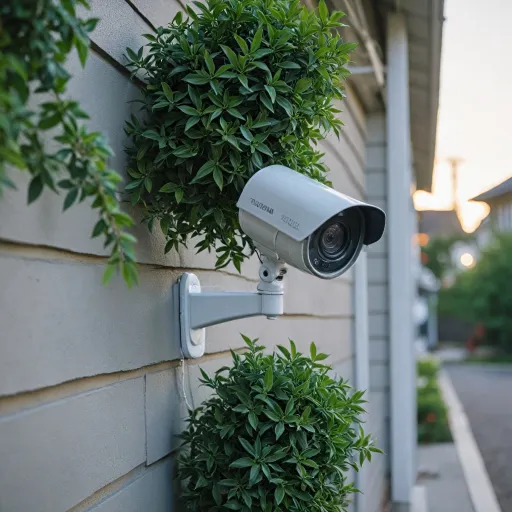
One thing to keep in mind is the mounting. It’s wall‑mount by default, and you have to think about where it can rotate without hitting anything. It can tilt straight down, which is nice if it’s under an overhang or on a high soffit pointing at the doorstep. But the size and shape mean you need a flat, solid surface and enough space for the cables. It’s not as flexible as a tiny ball‑joint camera you can cram in a corner.
Overall, I’d say the design is functional and tough rather than pretty. It looks like a proper security camera, it feels like it can handle weather and some abuse, and the moving parts don’t feel flimsy. The downside is the bulk and visibility. If you’re okay with a big obvious unit that screams “you’re on camera”, this fits. If your priority is subtle, you’ll probably find it a bit much.
Build quality and long‑term feel
In terms of build quality, this is one of the more solid feeling consumer cameras I’ve handled. The casing feels dense, the joints don’t creak, and the moving head doesn’t feel wobbly when you try to nudge it. Mounted outside, it gives the impression it can handle rain and wind without drama. I’ve had it through a few heavy showers and some gusty days already, and nothing rattled, no condensation, no weird behaviour. It just kept recording.
The plastics are more on the “practical” side than pretty, but they don’t feel cheap. The white parts wipe clean easily; the grey front around the lenses hasn’t faded or discolored so far. The antennas are a bit of a weak point visually – they look like typical Wi‑Fi sticks – but they haven’t loosened or moved in the wind for me. Cable strain relief is decent as long as you don’t leave the cable hanging loose; I used clips to secure it along the wall, which I’d recommend to avoid the connector taking all the weight.
Mechanically, the PTZ movement has stayed smooth with no grinding or weird noises. It does a lot of small moves when tracking, and I was a bit worried it might start to sound rough over time, but so far it’s fine. Obviously, I can’t speak for several years down the line yet, but compared to some cheaper dome cameras I’ve had fail within a year, this one definitely feels like it’s built to last longer.
Overall, I’d rate durability as pretty solid for the price bracket. It feels more like semi‑pro gear than a toy, which matches what some other buyers said. The weak points long‑term will probably be the moving parts and the exposure to weather, but that’s the case for any outdoor PTZ. If you install it properly (good mount, protected cable run, not in direct sprinkler range), I don’t see any obvious reason it wouldn’t last several years.
Image quality and tracking: strong hardware, a few software quirks
In terms of raw image quality, this is where the TrackMix is worth the money. The 4K wide lens is genuinely sharp. During the day I can clearly read number plates on cars in the drive and see faces at the gate with no problem. Compared to my older 1080p cam, it’s night and day: small details like logos on jackets or small packages are much easier to make out. The zoom lens is also useful. When I zoom in 4–6x on a person at the gate, the picture still looks clear enough to identify them, not like a smeared mess.
At night, the color night vision with spotlights does a good job. When motion is detected, the spotlights come on and the scene switches to full‑color. On my driveway (about 8–10 meters deep), everything stays visible: faces, car details, even the texture of the paving. If you turn the spotlights off and go IR‑only, it’s still usable but you lose that extra clarity and color information. For security, I ended up leaving the spotlights on for people and vehicles and it’s been fine.
The auto tracking is decent but not perfect. When someone walks into the monitored area, the camera usually locks on and follows them smoothly across the driveway. It keeps the subject near the center and the zoom lens gives you that closer shot at the same time. However, it can get confused with fast cars or multiple people. Sometimes it follows the wrong thing or pans a bit too late. It’s not useless, but don’t expect a movie‑style tracking system. It’s more “good enough to keep things mostly in frame” than surgical.
On the network side, Wi‑Fi 6 helps. Mine is going through one brick wall and a plasterboard wall, and the stream is generally smooth once I bumped the bitrate and frame rate in the app. There are occasional hiccups when my home Wi‑Fi is busy, but nothing major. The camera supports H.265, so storage space for 4K isn’t as bad as you’d expect. I record continuously to a 256 GB card and get close to a week and a bit, depending on settings. Overall, the performance is strong where it counts (picture, zoom, night vision), with minor annoyances mainly coming from the tracking logic and software polish.
What this thing actually does in real life
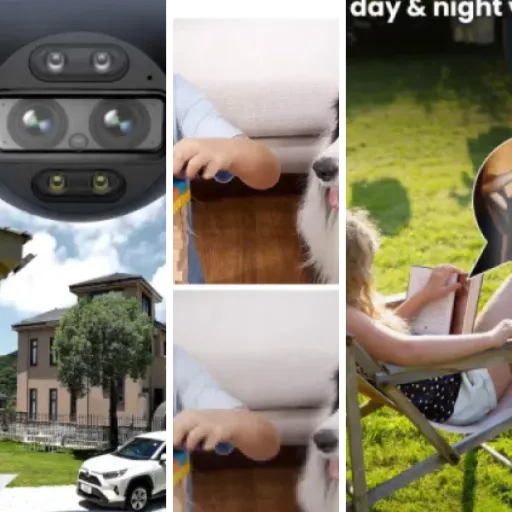
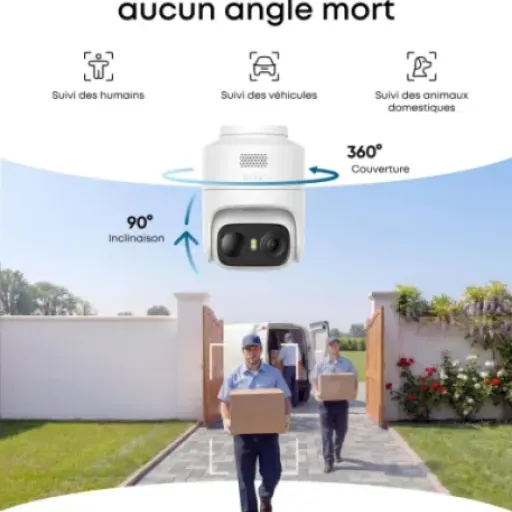
On paper, the Reolink TrackMix WiFi is a 4K outdoor PTZ camera with dual lenses and Wi‑Fi 6. In practice, what that means is: you get one wide‑angle 8MP lens that gives you a big overview in 4K, and a second telephoto lens that zooms in up to 6x hybrid zoom. The camera can pan about 355° horizontally and tilt 90°, so once it’s mounted, you can pretty much cover an entire front yard or driveway without needing a second camera.
The standout feature for me is the dual view. In the Reolink app, you see both the wide shot and the zoomed‑in shot at the same time on one screen. For example, when someone walks up to my gate, I still see the whole driveway but I also get a tighter view on that person’s face. Compared to my old single‑lens camera, that’s a big difference: before, if I zoomed in, I lost context. Now I get detail without losing the big picture.
It also supports smart detection: people, vehicles and pets. You can choose which ones trigger alerts so your phone doesn’t go crazy with every leaf or shadow. It records to a microSD card (up to 512 GB) or to a PC/NVR on the same network. No cloud yet on this model, which is either a plus or minus depending if you want subscriptions or not. I personally like the local recording, but it does mean you’re responsible for backing up anything important.
Day to day, I use it mostly for three things: checking on deliveries, keeping an eye on the cars, and reviewing motion events at night when the spotlights kick in. For that, it does the job well. Where it feels a bit rough is the app experience: motion zones and sensitivity need some trial and error, and the interface feels a bit clunky when you dig into advanced options. It’s usable, but if you’re expecting super slick, you won’t get that here.
How well it actually works as a security camera day to day
Forget the spec sheet for a second – as a daily security tool, the TrackMix is mostly solid but not totally “set and forget”. The good part: when something happens, I usually have a clear recording of it. Delivery at the door, someone turning around in the driveway, neighbour’s cat wandering through at night – it’s all there, and you can actually see what’s going on. Continuous recording to SD or PC helps a lot here; if an alert fails or I miss a notification, I can scrub back through the timeline and still find the footage.
The smart detection (people, vehicles, pets) is useful but needs tuning. Out of the box, it was too sensitive for me. I got alerts for moving shadows and some light reflections on cars. After a few days of adjusting the detection zones and sensitivity, it calmed down, but it took more tweaking than I’d like. I’ve had some cases where it flagged a passing car as a “person” or missed a person at the very edge of the frame. It’s not a disaster, but if you want 100% reliable, you won’t get that with this, or honestly with most consumer cameras.
The notifications are okay but not the smoothest. On my phone, alerts usually come through quickly, but opening the clip can sometimes take a few seconds to load, especially on mobile data. Also, the app UI makes it a bit clumsy to jump between the live dual view and the recorded clips. It’s all there, just not as streamlined as it could be. I found myself using the PC client sometimes because scrubbing the timeline there is less annoying.
Bottom line: as a security camera, it gets the job done. It records what I need, the footage is usable, and the smart detection cuts down a big chunk of noise once tuned. But it’s not a perfect, zero‑maintenance system. You’ll spend some time at the start shaping motion zones and fiddling with settings, and you’ll still get the occasional weird alert or missed detection. If you’re okay with that and just want strong video with decent smarts, it’s fine. If you want a totally hands‑off, polished experience, this may feel a bit rough.
Pros
- Very sharp 4K image with useful dual‑lens wide + zoom view on one screen
- Solid build quality and full PTZ coverage for large areas
- Continuous local recording to microSD or PC, no forced cloud subscription
Cons
- App and motion detection need tuning and feel a bit clunky
- Installation is more involved than small battery or stick‑on cameras
- No cloud storage option yet for off‑site backups
Conclusion
Editor's rating
Overall, the Reolink TrackMix WiFi is a strong choice if you prioritise image quality, coverage and local recording over app polish and ultra‑simple setup. The dual‑lens design with 4K wide view plus telephoto zoom actually makes sense in daily use: you get both context and detail at the same time, instead of constantly choosing between the two. Night performance with the built‑in spotlights is also solid, and the build feels tough enough for long‑term outdoor use.
On the downside, the software and app experience don’t fully match the strength of the hardware. Motion detection and alerts work, but they need tuning and can still be a bit inconsistent. The interface feels a bit clunky in places, and there’s no cloud option yet if that’s something you rely on. Installation also isn’t a five‑minute job; you’ll probably be up a ladder, drilling a decent‑sized hole and routing cables properly.
I’d recommend this camera to people who are done with battery cams missing recordings, want continuous local storage, and are happy to spend some time configuring zones and settings. It’s also a good fit if you want to cover a big area (driveway, garden, front of house) with one device instead of two or three fixed cameras. If you’re more into plug‑and‑play, don’t care about 4K or zoom, and want a super polished app above all, you might be happier with a simpler, more mainstream option, even if the picture quality is lower.