Summary
Analysis score
Average of the criteria rated below
Is the INFIYA K1 good value for money?
Compact, magnetic, but with fixed viewing direction
Build, reliability and 24/7 use expectations
Image quality, night vision and AI alerts in real use cases
What the INFIYA K1 is trying to do
How well it works as a practical security tool
Pros
- Designed specifically for window use with anti‑glare and anti‑reflection optics
- 2K (3 MP) resolution, dual‑band Wi‑Fi, AI human detection and full‑colour night vision at a budget price
- Very easy peel‑and‑stick magnetic installation, suitable for non‑DIY users and rented properties
Cons
- Fixed viewing direction with no tilt adjustment and only a 105° field of view
- No microSD card included and optional cloud storage requires a subscription

Specifications
View full product page →| Brand | INFIYA |
A camera made for watching through glass
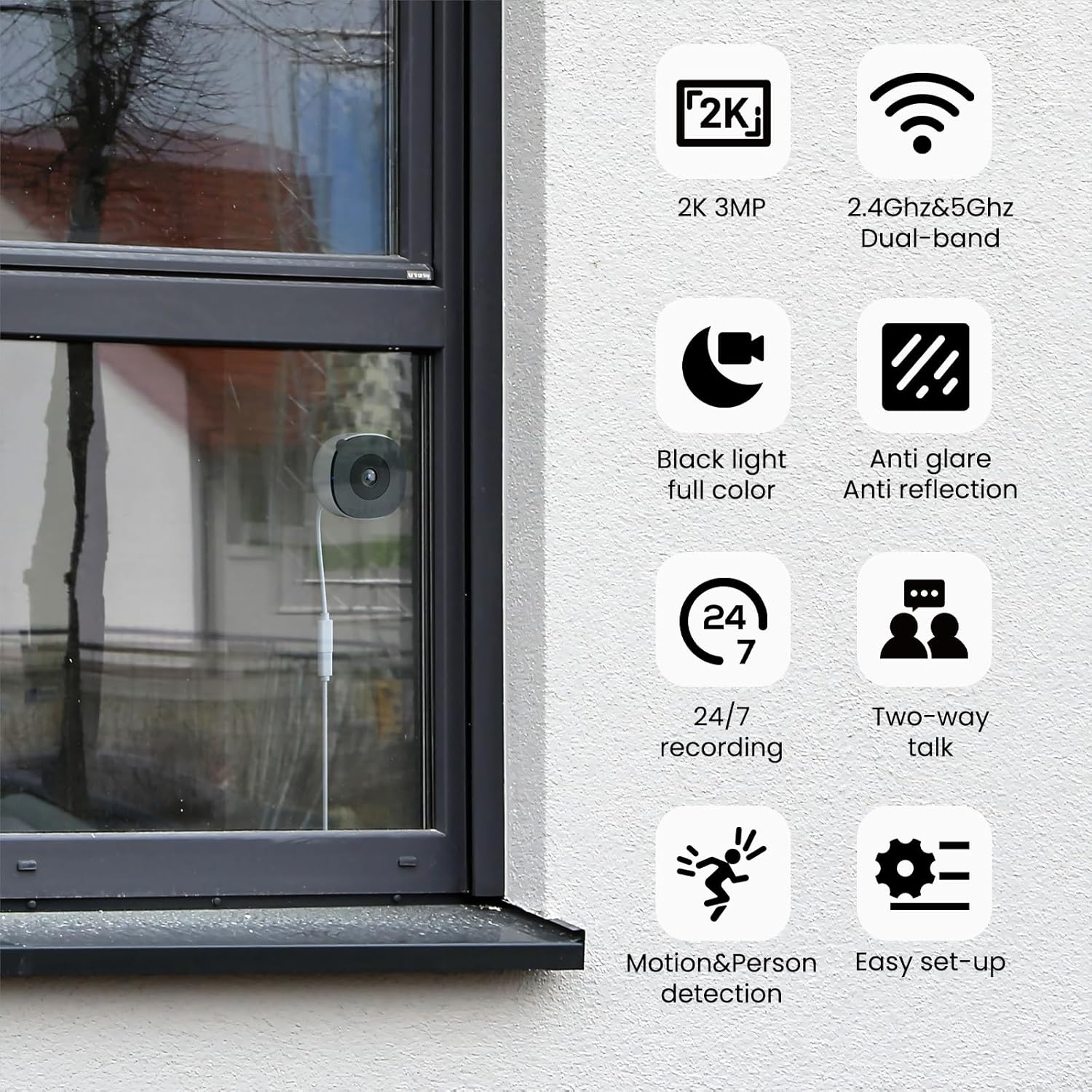
The INFIYA K1 2K Window Camera targets a very specific need: monitoring the outside without mounting anything outdoors. It’s an indoor, peel‑and‑stick camera designed to sit directly on a window and look out at your garden, driveway, entrance, or car park. On paper, it tries to solve the classic problem of reflections and glare you get when you point a normal indoor camera through glass, especially at night with infrared LEDs.
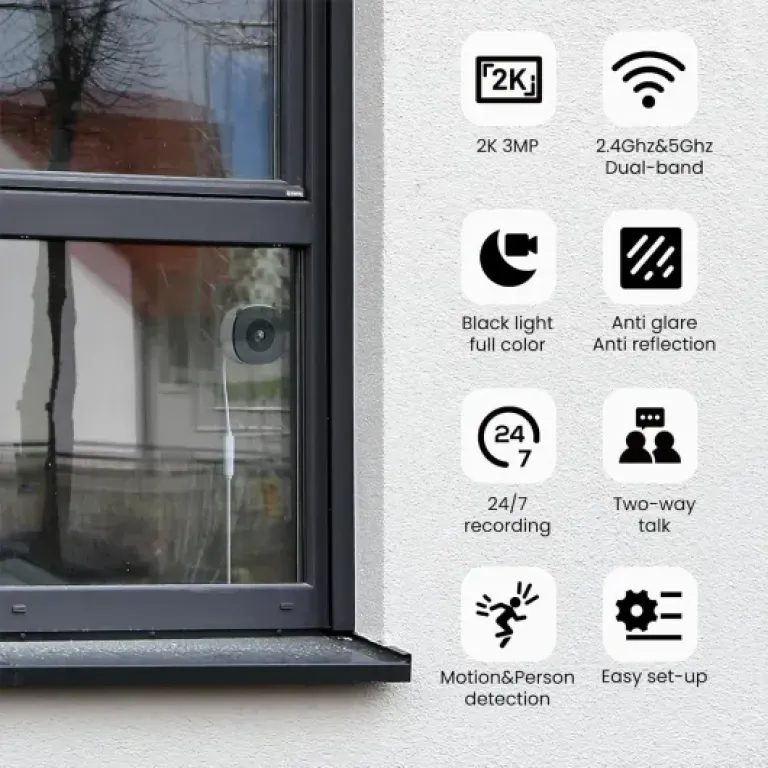
The spec sheet is fairly straightforward: 2K (3 MP) resolution, dual‑band Wi‑Fi (2.4 and 5 GHz), 24/7 recording to microSD (up to 128 GB, card not included) or paid cloud, night vision without visible IR glow, and AI human detection to reduce useless alerts. There’s also two‑way audio and app control on Android, iOS, and desktop/tablet. Power is via a 5 V, 5 W corded connection, so this is clearly meant as a fixed, always‑on camera rather than something you move around.
In the published Amazon reviews, the camera sits at 4.6/5 from a small base of 16 ratings. That’s not a huge sample, but the comments are fairly consistent: buyers highlight the ease of installation, the fact that it actually works behind glass, and the picture quality, including at night. Some limitations also come up, especially around viewing angle and the lack of mechanical adjustment once it’s stuck to the window.
In my opinion, this product is aimed at people who want a low‑effort, wired, “set and forget” view of a specific spot outside, without drilling holes or dealing with weatherproofing. It won’t replace a full outdoor system with wide coverage and flexible mounting, but on paper it looks like a practical niche tool: simple, reasonably smart, and tailored to the window use case instead of pretending to be a generic indoor cam that just happens to face outside.
Is the INFIYA K1 good value for money?
The K1 sits in the lower price bracket for smart cameras, with one review explicitly mentioning a cost under forty pounds. For that amount, you get 2K resolution, dual‑band Wi‑Fi, AI human detection, full‑colour night vision, two‑way audio, and 24/7 recording. On paper, that’s a fairly complete feature set for the money, especially compared with many budget indoor cams that are 1080p, 2.4 GHz only, and often rely heavily on cloud subscriptions.
Buyers repeatedly describe it as good or great value, mainly because it solves a specific problem—seeing clearly through glass—without requiring external installation or expensive hardware. Several comments point out that using a standard indoor cam behind a window usually fails due to reflections and IR glare, whereas this one is designed to avoid those issues. If that’s the problem you’re trying to fix, paying roughly the same as a generic indoor cam for something that actually works in that scenario is reasonable.
There are, however, a few cost‑related trade‑offs. First, no microSD card is included, so if you want local recording you need to add that cost. It’s not huge, but it’s an extra line item. Second, there’s an optional cloud subscription, which is standard in this market but still an ongoing cost if you decide you need it. Third, the lack of adjustable angle or included tilt adapter is a way to keep the product simple and cheap, but it does limit flexibility; some competing models at a similar price throw in more adjustable mounts.
In my opinion, the value proposition is solid if you specifically want a window‑mounted, indoor‑only camera. Against full outdoor cameras with IP ratings, floodlights, and motorised pans, it will look basic—but those are different products and usually cost more, plus installation can be a hassle. If your use case is a flat, rented property, or anywhere you’re not allowed to mount outdoor gear, the K1 offers a relatively low‑cost way to gain useful visibility outside. I’d call the value good, with the main caveat being that you accept the fixed angle and buy a decent microSD card on top.
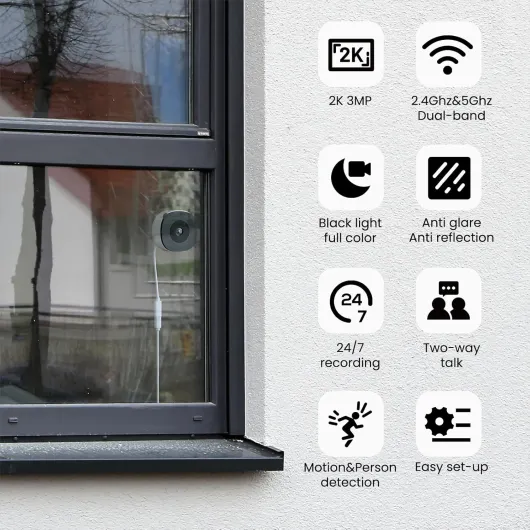
Compact, magnetic, but with fixed viewing direction
From the information provided, the INFIYA K1 has a rectangular plastic body designed to sit flush against glass via a magnetic mount. Buyers repeatedly mention the camera being compact and discreet, which matches its intended role as an indoor‑only device that doesn’t draw attention from outside. There’s no mention of any bulky external antennas; Wi‑Fi is built in, and power comes from a straightforward 5 V cable, which should be easy enough to route to a nearby outlet.
The standout design choice is the peel‑and‑stick magnetic mounting system. You stick a magnetic pad to the window, and the camera attaches to it magnetically. Several reviews say this works well and makes repositioning on the same pad easy. Because the camera sits right up against the glass, reflections are reduced, and the anti‑glare/anti‑reflection optics can actually do their job. This is a clever way to avoid the classic “indoor cam facing the window” problem where you see your own room instead of the outside.
However, multiple buyers point out a clear downside: there is no built‑in tilt or swivel adjustment. The camera basically looks straight out, perpendicular to the window. One reviewer specifically says you should check the view before fully committing to the placement, because you can’t angle it higher or lower, and they would have liked an angled adapter. Another review also mentions that the viewing angle isn’t very wide, so you’re not covering a huge horizontal area either. The combination of a 105° field of view and no mechanical adjustment means you must choose your window and spot carefully.
In my opinion, the design is honest: it optimises for easy window mounting and reduced reflections rather than flexibility. That makes sense for the target use case, but it does limit scenarios like mounting high and pointing down sharply at a doorstep. For someone who knows exactly which spot they want to watch and has a suitable pane of glass in front of it, the design looks practical. For more complex angles or wide coverage, it’s a compromise you need to be aware of.
Build, reliability and 24/7 use expectations
The K1 is an indoor‑only, plastic‑bodied camera made in China, powered via a continuous 5 V corded connection. There’s no claim of weatherproofing, IP rating, or rugged construction, which makes sense given that it’s meant to live behind glass. The housing material is listed as plastic, and reviews describe it as a neat, well‑made little unit, but there’s no detailed long‑term reliability feedback yet, which is normal for a product with only 16 reviews so far.
From a design standpoint, continuous 24/7 recording is officially supported via microSD, and the low 5 W power draw is typical of always‑on cameras. H.265 compression helps keep storage usage down, which reduces how often the card is overwritten. That’s good for card lifespan, though like with any system that constantly writes to microSD, you should assume cards will eventually wear out and need replacement. There’s no mention of a specific endurance rating or included card, so picking a decent‑quality microSD from a known brand would be sensible.
In the comments, there are no repeated complaints about overheating, random shutdowns, or physical breakage. Buyers focus more on functionality and setup than on problems, which is a positive sign, but the dataset is small, so it’s too early to call it rock‑solid. Since the camera is stuck to glass using an adhesive magnetic mount, one potential concern over time is the adhesive’s grip, especially on windows exposed to big temperature swings. None of the reviews report the mount falling off, but it’s something to keep in mind if the window gets direct sun all day.
In my opinion, durability here is mainly about protected indoor placement and simple mechanics. There are no moving parts like motorised pans or tilts, which usually improves reliability. As long as you treat it as an indoor appliance, avoid tugging on the cable, and occasionally check the adhesive and card health, it should handle 24/7 duty reasonably well. If you’re looking for gear that can survive rain, dust, and vandalism, this is the wrong category; for “behind‑glass” use, the design looks adequate, just not battle‑hardened.
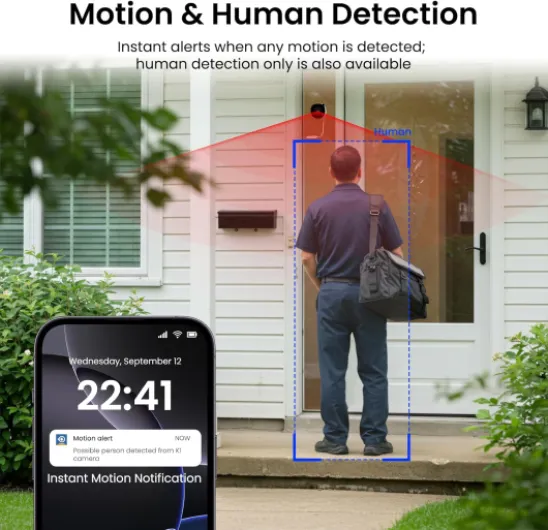
Image quality, night vision and AI alerts in real use cases
On paper, the INFIYA K1 offers 2K (3 MP) video with H.265 encoding and a 105° viewing angle. That’s above basic 1080p indoor cams, though not at the level of some 4K outdoor systems. Several buyers comment that the picture is clear and detailed enough to monitor a garden, driveway, or front door, and one specifically notes being pleased with the clarity when used in a city‑centre block to monitor the communal car park and building entrance. For a sub‑£40 device (one review mentions this price range), that aligns with the spec sheet: good but not high‑end.
The camera’s through‑glass performance is the real differentiator. Reviews repeatedly say that it handles reflections and glare much better than a normal indoor camera pointed out of a window. One review explains that other indoor cams suffer badly from reflections, especially if room lights are on, while this one is designed to be mounted on the glass itself and uses anti‑glare/anti‑reflection tech to maintain a usable image. Another buyer using it as a video doorbell alternative on the inside of a front door says the picture is fine and the anti‑reflection behaviour does what they expected.
Night vision is handled differently from classic IR‑based systems. The manufacturer highlights full‑colour night vision with no visible red LEDs. Several reviews back this up in broad terms: they describe the night image as bright and detailed for low‑light conditions and appreciate that there’s no tell‑tale red glow to reveal the camera from outside. That’s especially useful if you want discreet surveillance or live in a shared building where you don’t want to advertise that you’re recording.
On the smart side, AI human detection seems to be doing its job reasonably well. Buyers mention that alerts focus on people rather than every random movement, which is what you’d want for monitoring deliveries or suspicious activity. The ability to trigger a siren or recording when someone lingers near a window, porch, or driveway is there in the spec sheet, though reviews focus more on reliable notifications and app access than on the siren itself. In my view, performance here looks solid for a budget‑friendly camera: not packed with advanced analytics like high‑end systems, but competent where it matters for a simple home setup.
What the INFIYA K1 is trying to do
The K1 is not a generic dome or bullet camera rebranded as a window model. Its whole pitch is: indoor placement, outdoor view, through glass, with minimal setup. It’s powered by a 5 V corded connection (5 W), connects over Wi‑Fi (2.4 GHz and 5 GHz), and records in H.265 at a stated 3 MP resolution, which corresponds to 2K video. The viewing angle is listed at 105°, so it’s more focused than many 130–150° indoor cameras, which fits the idea of monitoring a specific area such as a front door, gate, or a particular car parking space.
On the software side, the camera offers AI human detection, motion alerts, and options to trigger a built‑in siren or automatic recording when something relevant happens. Reviews mention that alerts are mostly tied to people rather than pets or passing cars, which is the point of the AI filtering. There’s support for 24/7 continuous recording to a microSD card up to 128 GB (card not included), and an encrypted cloud subscription if you prefer off‑site backups or want easier access to older clips.
One key part of the pitch is the Black Light Color Technology, which is essentially full‑colour night vision under low light, without the usual glowing red IR LEDs. For a window camera, that’s important: IR light bouncing off glass is normally a disaster. Here, the manufacturer claims an anti‑glare, anti‑reflection design plus a different night‑vision strategy to stay usable behind glass while staying discreet from the outside.
In my view, the K1’s positioning is clear: it’s for people who either can’t or don’t want to install an outdoor camera or video doorbell. Several reviews explicitly mention using it as a discreet alternative to a doorbell, or in flats and city‑centre buildings where you’re not supposed to put hardware outside. If you need flexible coverage of a whole property, this is not the right tool. But if you just want “eyes out the window” with minimal effort, the feature set lines up fairly well with that goal.
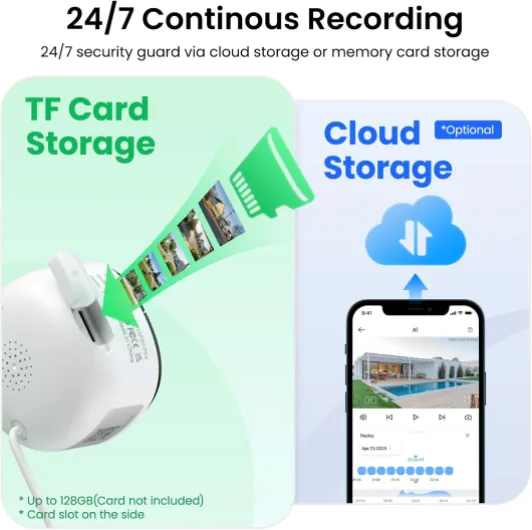
How well it works as a practical security tool
Effectiveness here means: does the K1 actually help you keep an eye on what matters without driving you crazy? From the published comments, the answer is broadly yes, with some clear boundaries. Multiple buyers highlight that installation and configuration are quick—several mention setup taking just a few minutes, and one calls it a good fit for less tech‑savvy in‑laws thanks to the straightforward app. That ease of use is important for a device that might be installed by people who don’t want to mess with wiring, drilling, or complex network settings.
As a security tool, the K1 is especially suited to a few scenarios that keep coming up in reviews: monitoring a front door from the inside as a video doorbell substitute, watching a car in a communal car park, and generally tracking who comes and goes in a shared building or near a house entrance. The AI human detection and motion alerts mean you can get notified when someone is actually at your window or entrance instead of every passing shadow. One buyer using it at their building entrance mentions it’s useful for delivery disputes and general block security, which is exactly the kind of simple, focused use case this camera seems built for.
The storage options support that role. You can run 24/7 recording to a microSD card (up to 128 GB), with automatic overwriting of old footage, or subscribe to the encrypted cloud service. Several reviews remind potential buyers that a microSD card is not included, so you need to budget for that if you want continuous local recording. For many people, local storage plus push alerts will be enough; cloud is more for those who want redundancy or easier off‑site access if the camera is stolen or damaged.
Where the K1 is less effective is in covering complex areas or multiple angles. The 105° field of view and lack of tilt mean you’re really focusing on one scene: a doorway, a gate, a single parking spot. If you need to watch a wide front garden or both a driveway and a side path, you’d likely need more than one camera or a different design. In my opinion, as long as you accept that it’s a single‑scene, fixed‑angle watcher, it’s quite effective at doing that job, especially for flats, rented properties, and places where outdoor installation is a problem.
Pros
- Designed specifically for window use with anti‑glare and anti‑reflection optics
- 2K (3 MP) resolution, dual‑band Wi‑Fi, AI human detection and full‑colour night vision at a budget price
- Very easy peel‑and‑stick magnetic installation, suitable for non‑DIY users and rented properties
Cons
- Fixed viewing direction with no tilt adjustment and only a 105° field of view
- No microSD card included and optional cloud storage requires a subscription
Conclusion
Analysis score
The INFIYA K1 2K window camera is a niche product that owns its niche. It’s built for one job: giving you a clear, reliable view of the outside while the hardware stays safely indoors, stuck to a window. The combination of 2K resolution, dual‑band Wi‑Fi, AI human detection, and full‑colour night vision without visible IR glow lines up well with that mission. Comments from buyers back this up: installation is quick, the app is straightforward, and the camera does a better job than generic indoor models when it comes to handling reflections and glare through glass.
It’s not without limits. The 105° field of view and lack of tilt or swivel adjustment mean you’re really monitoring a single scene, not an entire frontage. There’s no included microSD card, and cloud storage is paid. It’s also strictly indoor‑only, so if you want rugged outdoor coverage or wide‑angle monitoring, you should look at a different category of camera. But if you live in a flat, a rented place, or a building where outdoor installations are complicated or forbidden, the K1 looks like a sensible, budget‑friendly option.
In my opinion, this camera suits people who want a simple “stick it on the window and forget it” solution for watching a front door, driveway, or parking spot, with minimal DIY and a reasonable feature set. Those who need flexible angles, multi‑camera coverage, or advanced analytics should skip it and invest in a more sophisticated system. For its intended role as a through‑glass watcher, though, it offers solid performance and good value.