
Summary
Editor's rating
Is it good value or should you look elsewhere?
Boxy, basic, and clearly built more for function than style
Weather, 24/7 recording, and how it holds up over time
4K image quality, decent night vision, and motion detection that mostly makes sense
What you actually get in the box and how it works in real life
Storage, 24/7 recording, and how far 4TB really goes
Pros
- Sharp 4K image quality with solid night vision for real identification, not just vague silhouettes
- PoE wired setup is stable and powers cameras over a single cable, no Wi‑Fi dropouts or batteries
- Local 4TB storage with no subscription fees and flexible 24/7 or motion‑only recording modes
Cons
- Cameras only work with Reolink NVR and have no Alexa/smart‑home integration
- NVR and apps feel a bit clunky, especially with multiple NVRs or user switching
- Installation requires running Ethernet cables, which can be time‑consuming or require an installer

Specifications
View full product page →| Brand | REOLINK |
A wired 4K system for people who are done with Wi‑Fi drama
I went for this REOLINK RLK16-800B8 kit after getting tired of random Wi‑Fi camera disconnects and cloud subscription nonsense. This is a proper wired PoE system with 8 cameras and a 16‑channel NVR, so it’s clearly not a casual gadget. It’s more for someone who’s okay running cables and wants 24/7 recording without paying a monthly fee. I’ve been using similar Reolink NVR kits at work and at home, so I’m basing this on a mix of real-world use and what’s in this specific bundle.
The first thing to understand: this is not a Wi‑Fi kit, and the cameras only work with a Reolink PoE NVR. So if you’re dreaming of just pairing them to your router or Alexa, that’s not how this works. You plug each camera into the NVR with Ethernet, the NVR powers them (PoE), and records to the built‑in 4TB hard drive. Once it’s up, though, it’s pretty hands‑off. You can leave it running 24/7 and just check the app when something happens.
In day‑to‑day use, the system feels pretty solid: picture is sharp, night vision is decent, and the person/vehicle detection cuts down a lot of junk alerts compared to older motion‑only systems. Is it perfect? No. The software has some quirks, and you need to be a bit handy or patient for the install. But compared to cheaper “all Wi‑Fi” kits that drop off the network every second day, this feels more like a proper install‑and‑forget setup.
If you’re expecting slick smart‑home integration and super polished apps, you might find some rough edges. If you mostly care about reliable recording, good image quality, and no subscriptions, this kit gets the job done pretty well for the price. That’s basically the trade‑off: a bit of DIY and some software annoyances in exchange for a stable, local 4K system.
Is it good value or should you look elsewhere?
In terms of value, I’d say this kit sits in a pretty solid middle ground. It’s not dirt cheap, but you’re getting 8 true 4K PoE cameras, a 16‑channel NVR, and a 4TB drive ready to go. If you price out buying cameras, NVR, and drive separately, it’s usually more expensive or about the same, and then you have to worry about compatibility. Here, it’s all matched and tested to work together. For someone who wants a full wired system without overthinking every component, that counts for something.
Compared to big brands like Lorex or Swann, this Reolink kit is often cheaper for similar specs, and the apps are actually usable. Reviewers who’ve used multiple brands tend to rank Reolink slightly ahead on ease of use and remote access. You don’t have a subscription fee, which is a big difference from a lot of consumer Wi‑Fi cameras. Over a couple of years, that alone makes a wired local system like this look a lot better financially, especially if you want more than two or three cameras.
On the downside, you are trading some polish and some smart‑home integration. The cameras in this kit only work with Reolink NVRs, not directly with Alexa or other platforms. The software has quirks—like awkward multi‑NVR handling and some user management annoyances. You also need to factor in the time and cost of cabling: buying Cat5e or Cat6 spools, clips, maybe a crimping kit, and spending a weekend crawling through the attic. If you’re not comfortable with that, either budget for an installer or consider a simpler setup.
So, value‑wise: if you’re okay running cables and you want reliable, local, subscription‑free 4K recording, this is good value for money. If you just want one or two easy indoor cams and deep smart‑home features, this is overkill and not the right product. It’s more of a “small business / whole‑house coverage” kit than a casual plug‑in camera.
Boxy, basic, and clearly built more for function than style
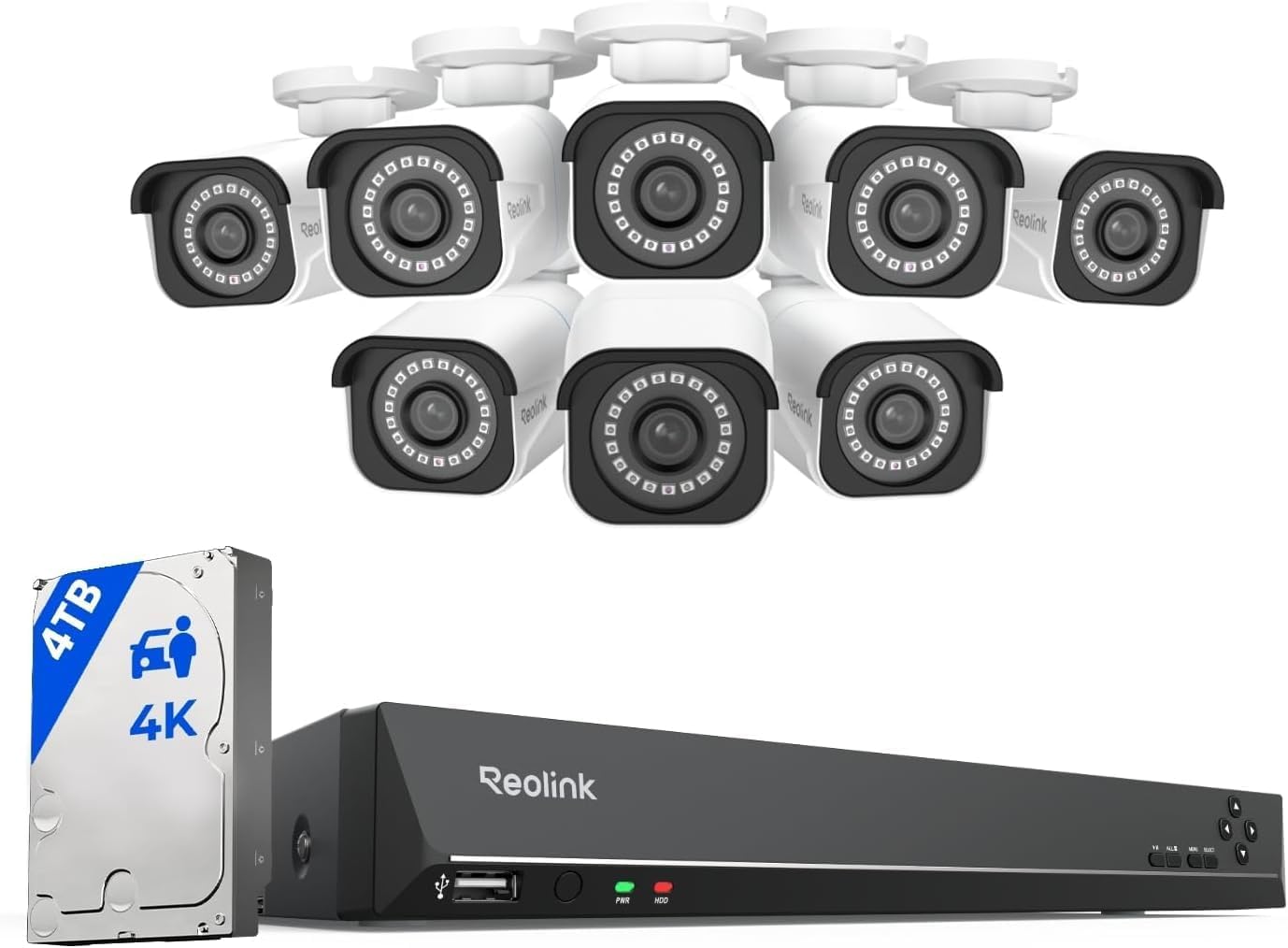
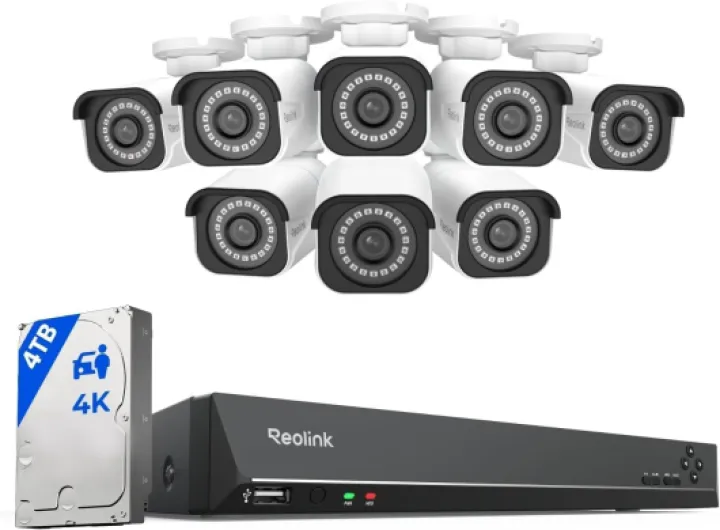
Design‑wise, this kit is more "security installer" than "living room gadget." The NVR is a plain black box with a few LEDs on the front and ports on the back. It looks like a budget network switch or an old DVD player. It’s not ugly, it’s just completely utilitarian. That’s fine for a basement or network closet, but if you’re planning to keep it in the living room, be aware it doesn’t blend in like a modern media box. There’s also a small fan inside, so you’ll hear a constant hum if it’s near where you sit.
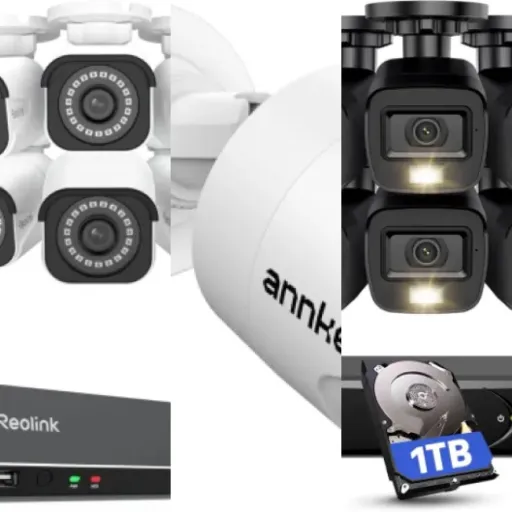
The cameras are white bullet‑style units with a fixed lens and a simple mounting bracket. They’re not tiny, but they’re not huge industrial monsters either. They look like what they are: visible deterrent cameras. If you want them to be discreet, these are not the best option. If you want people to see them and think twice, they do that job well. The viewing angle is around 87 degrees, so it’s more focused than a super wide‑angle fisheye, which is good for detail but means you need to think about placement.
Mounting is pretty standard: three screws into the wall or soffit, then you adjust the angle with a simple joint. You’ll have to deal with the Ethernet connector at the camera end, which is a bit bulky. Reolink includes weatherproof connector sleeves, but if you’re using thicker direct‑burial cable, those can be tight or not fit, so some people end up using heat‑shrink or junction boxes. That’s not really a design flaw of the camera itself, more something to think about when planning.
In day‑to‑day use, the physical design gets out of the way. Once the cameras are mounted and pointed, you don’t really touch them again. The NVR’s front USB port for the mouse is handy, and having HDMI + VGA outputs is nice if you have an older monitor lying around. Just don’t expect any fancy touches or modern design language. It’s clearly built to be practical and cheap to produce, and in that sense, it’s fine. I’d give the design a passing grade: not pretty, but it works.
Weather, 24/7 recording, and how it holds up over time
Durability is always the big question with these systems, because installing 8 cameras and a bunch of cable is not something you want to redo every year. The Reolink cameras are metal‑cased, weatherproof units, and from what I’ve seen on other Reolink setups, they hold up reasonably well outdoors. I’ve seen them run through hot summers and freezing winters without fogging up or filling with water. The white paint can get a bit dirty or slightly faded over time, but that’s cosmetic. The important part is they keep recording and don’t die after the first storm.
The NVR itself is basically a small computer with a spinning hard drive inside, running 24/7. The fan runs constantly, which is a bit noisy but also keeps things cool. Heat is the main enemy for electronics running all day, so if you stick it in a well‑ventilated area (basement, utility room, etc.), it should be fine. I’ve seen these Reolink boxes run for years with no major issues, aside from the occasional dud port like one reviewer mentioned. That’s why I’d always recommend testing every port and camera on a table before you mount anything permanently.
The hard drive is a standard point of wear, since it’s spinning non‑stop. Reolink usually uses surveillance‑grade drives, which are designed for 24/7 use, but no drive lasts forever. I’d mentally budget for a drive replacement after a few years, depending on how hard you push it (24/7 recording on many channels vs motion‑only). The nice thing is it’s just a regular HDD you can swap yourself, not some proprietary thing.
In terms of long‑term stability, the wired PoE approach is a big plus. You don’t rely on Wi‑Fi, so you don’t get random dropouts every time someone microwaves lunch or your router hiccups. Once the cables are in and crimped properly, the system is usually boring in a good way: it just runs. The main durability risk is really the install quality—cheap outdoor connectors, badly sealed holes, or cables bent too sharply. If you take your time and do a half‑decent job, this system should last several years without you babysitting it every week.
4K image quality, decent night vision, and motion detection that mostly makes sense
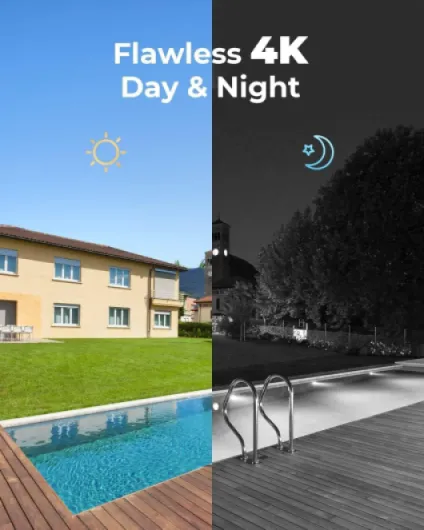
On performance, this is where the kit actually feels worth the money. The 4K (8MP) image quality is clearly better than older 1080p systems I’ve used. You can pause footage and zoom in enough to read license plates at reasonable distances or recognize faces without everything turning into a blurry mess. It’s not movie‑level sharp, but for a security system, it’s more than enough to actually see what happened instead of just guessing. During the day, the picture is clean and colors are decent, even if it leans a bit towards the typical security‑camera look.
At night, the IR night vision is solid up to the advertised ~100 feet in open space. In real life, that means driveways, yards, and front doors are covered fine, as long as you’re not trying to light up a football field. You obviously lose color in pure IR mode, but contrast is good enough to see people and cars without squinting. If you have some ambient light (streetlights, porch lights), it looks better. I’ve seen cheaper systems where night footage is a noisy mess; this one is clearly a step above that.
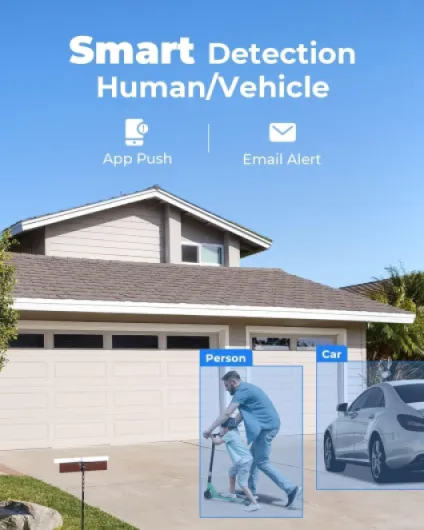
The person/vehicle/animal detection is one of the stronger points. Compared to older motion‑only NVRs, this cuts down a lot of random alerts triggered by shadows and moving trees. You can set it to only care about people or vehicles, which is handy if your camera faces a busy road and you mainly want to know when someone walks up your driveway. It’s not perfect: occasionally it will mislabel something or miss a fast‑moving person at the edge of the frame, but overall it’s usable and doesn’t spam your phone like crazy.
On the NVR side, playback is responsive enough. Scrubbing through the timeline is okay, not super smooth but not painful either. Frame rates are up to 20fps on the main stream, which is fine for this kind of system. Network streaming to the app works well in my experience, as long as your upload speed at home isn’t terrible. There is a bit of delay (a few seconds) on remote live view, but that’s normal. Overall, the performance is pretty solid for a wired 4K kit in this price range: good detail, decent night vision, and AI detection that actually helps instead of just being a buzzword.
What you actually get in the box and how it works in real life
This RLK16-800B8 kit is pretty straightforward on paper: you get a 16‑channel NVR with a 4TB hard drive pre‑installed, plus 8 PoE 4K (8MP) bullet cameras. There’s room to add more cameras later (up to 16 total) and also to expand the storage up to 16TB if you want more than a week or two of history. Reolink includes the basic stuff: Ethernet patch cables (short ones), mounting hardware, a mouse for the NVR, and the power cord. If you’re doing a proper install around a house, you’ll almost certainly need to buy extra Ethernet cable rolls and maybe some RJ45 connectors or longer premade cables.
Functionally, the system offers three main recording modes: 24/7 continuous, motion‑only, and scheduled recording. Most people I know either go full 24/7 on key cameras (like driveway and front door) and motion‑only on the less important ones to save space. With 4TB, expect roughly a week or so of 24/7 recording for multiple cameras at full quality, which matches what other users report. If you tweak bitrate and stick to motion‑based recording, you can stretch it more, but don’t expect months of history out of the box.
The cameras support person/vehicle/animal detection, which is a step up from dumb motion detection. In practice, it’s not magic, but it’s noticeably better than older systems that alert on every shadow or branch. You can have it only alert for people or only vehicles, which is handy if your cameras face a busy street. The NVR connects to your TV or monitor via HDMI or VGA, and you can also access it through Reolink’s app on iOS, Android, Windows, and Mac. Remote access works over the internet without a subscription, assuming your home network is set up reasonably.
Overall, in terms of what you’re getting, it’s a complete wired surveillance kit aimed at people who want local storage and control. It’s not very fancy in terms of smart‑home tricks, but it covers the basics well: plenty of channels, decent storage, good image quality, and remote viewing. You just have to be ready to deal with cabling and a slightly old‑school NVR interface.
Storage, 24/7 recording, and how far 4TB really goes
Storage is where expectations and reality often don’t match, so it’s worth being clear. The kit comes with a 4TB hard drive pre‑installed, which sounds huge, but with 8MP 4K cameras, that space goes faster than you’d think. Users report around 7–9 days of history with 3TB on similar Reolink systems at decent quality and mostly continuous recording. With 4TB, figure roughly a week to maybe 10–12 days, depending on how many cameras you run 24/7, your bitrate settings, and whether you use motion‑only on some channels.
The good part: you can choose between 24/7 recording, motion‑only, or scheduled recording per camera. In practice, what works well is: continuous recording on critical views (driveway, front door) and motion‑only on less important angles. That way, you still have full coverage where it matters, but you don’t burn disk space on an empty backyard all night long. You can also lower bitrate or resolution slightly if you want more days of history and don’t need max quality on every single camera.
The system supports up to 16TB of total storage, so if you’re serious about keeping weeks of 4K footage, you can add or swap in a bigger drive. That’s one of the nice things about a local NVR vs cloud cams: you control the storage, and you’re not paying a monthly fee just to see footage from last week. Pulling video off the NVR (to USB or over the network) is straightforward enough, though the interface is a bit clunky compared to modern apps. It works, it’s just not pretty.
Overall, storage performance is fine as long as you’re realistic: 4K eats space. The pre‑installed 4TB is a decent starting point, but if you want long retention at full quality on many channels, expect to tweak settings or budget for a bigger drive later. For most home users who mainly need the last few days of footage handy, the default setup is okay, but it’s not a long‑term archive out of the box.
Pros
- Sharp 4K image quality with solid night vision for real identification, not just vague silhouettes
- PoE wired setup is stable and powers cameras over a single cable, no Wi‑Fi dropouts or batteries
- Local 4TB storage with no subscription fees and flexible 24/7 or motion‑only recording modes
Cons
- Cameras only work with Reolink NVR and have no Alexa/smart‑home integration
- NVR and apps feel a bit clunky, especially with multiple NVRs or user switching
- Installation requires running Ethernet cables, which can be time‑consuming or require an installer
Conclusion
Editor's rating
This REOLINK RLK16-800B8 kit is basically for people who are done messing around with flaky Wi‑Fi cams and monthly cloud bills. You get 8 wired 4K PoE cameras, a 16‑channel NVR with a 4TB drive, and decent person/vehicle detection that actually reduces junk alerts compared to old motion‑only systems. Image quality in both day and night is good enough to identify faces and plates in most normal situations, and once it’s installed, the system is pretty boring in a good way: it just keeps recording.
It’s not perfect. The NVR interface feels a bit old‑school, the PC/mobile apps have some quirks (especially with multiple NVRs or user switching), and 4TB doesn’t give you weeks and weeks of 4K history unless you tune settings or upgrade the drive. The cameras only work with Reolink NVRs and don’t tie into Alexa or fancy smart‑home scenes, so if you’re chasing deep integration, this isn’t it. And you absolutely need to be okay with running Ethernet cable or paying someone to do it.
If you’re a homeowner or small business owner who wants reliable 24/7 coverage, local storage, and no subscriptions, this system is a solid choice for the money. If you live in a small apartment, want just one or two simple cameras, or care more about smart‑home tricks than raw recording reliability, you’re better off with a simpler Wi‑Fi solution. Overall, it’s a practical, no‑nonsense wired system that gets the job done without being fancy.