
Summary
Editor's rating
Value: you pay more upfront, but you stop bleeding on subscriptions
Design: not tiny, but looks fine on a house
Battery and solar: almost ‘forever’, but placement matters a lot
Performance: good image, decent AI, a few quirks
What you actually get with the SoloCam S340 2-Cam Kit
Effectiveness as a security tool: does it actually make you feel safer?
Pros
- No monthly subscription fees thanks to local storage on the HomeBase S380
- Good 3K image quality with clear day video and solid night vision
- Solar panels keep batteries high if placed in decent direct sunlight
- Useful AI detection (people, vehicles, motion) and pan/tilt tracking
- Longer motion clips (up to ~60 seconds) included without extra cost
Cons
- App sharing and multi‑user management are clunky and confusing
- Limited to 2.4 GHz Wi‑Fi and sensitive to weak outdoor signal
- Mounting hardware is not ideal for ceiling/rafter installs and solar arm is a bit short
- Night motion detection range is weaker than daytime, especially beyond ~30–40 feet

Specifications
View full product page →| Brand | eufy Security |
Solar cameras that you mostly forget about… in a good way
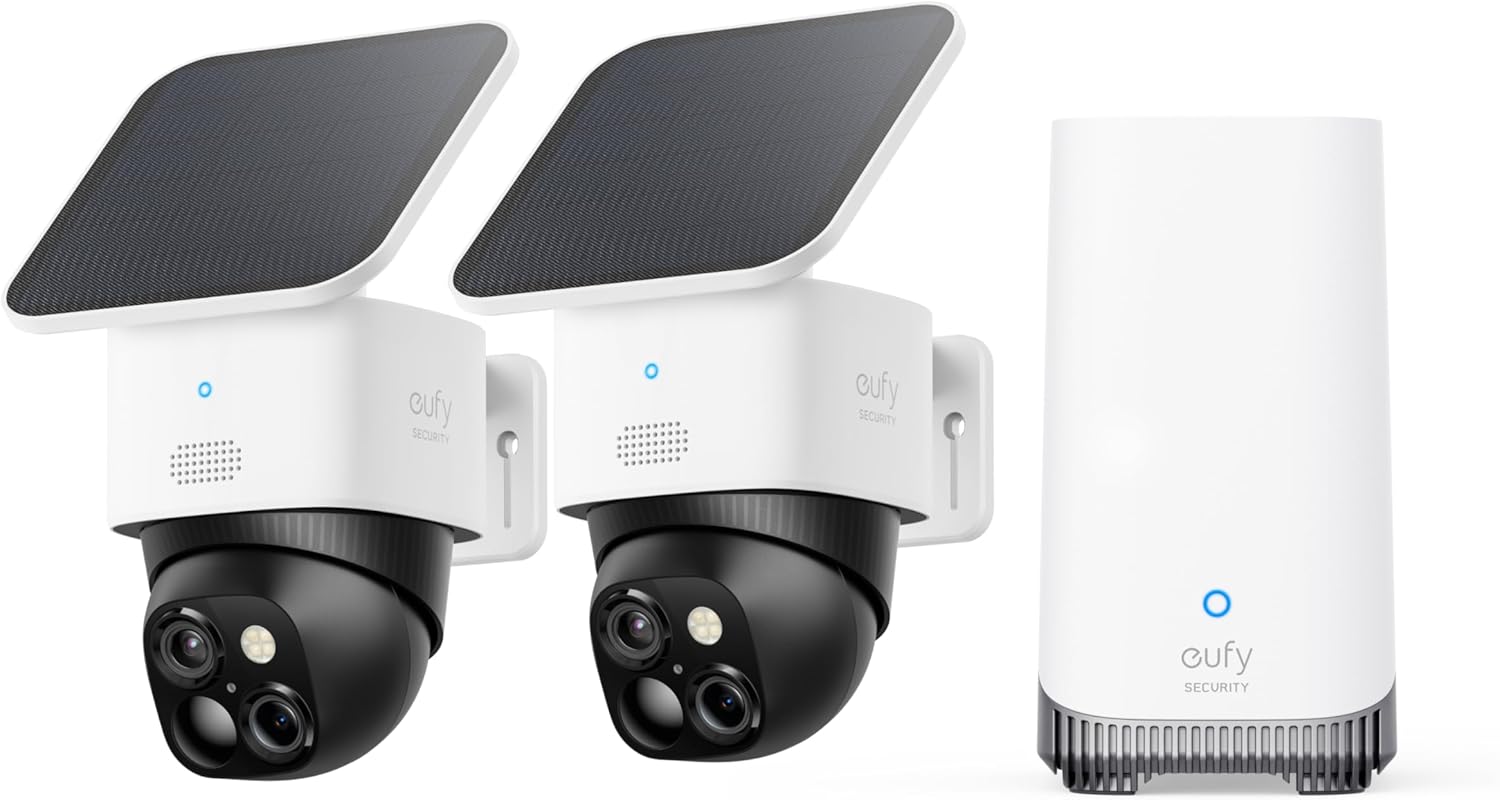
I’ve been running the eufy SoloCam S340 2-Cam Kit with the HomeBase S380 for a few weeks now around my house. One camera is covering the driveway, the other is watching the backyard gate. I switched to these from a mix of Ring and Blink cams because I was tired of subscriptions and dead batteries at the worst moment. So this is coming from someone who already had a messy setup and wanted something a bit more “set it and leave it”.
The big promise here is solar power + local storage + pan/tilt. In theory, you mount them once, they charge from the sun, record to the HomeBase, and you stop thinking about it. In practice, it’s mostly true, but only if you place the solar panels smartly and you’re okay living with some app quirks and the 2.4 GHz Wi‑Fi limitation. If your Wi‑Fi is weak outside, you’ll notice it.
What stood out right away: the image quality is genuinely good, especially during the day, and the AI detection is more useful than I expected. It actually tells the difference between people, cars, and random motion pretty well, so you don’t get pinged every time a leaf moves. At night, the black-and-white view is clear, and the spotlight helps when it turns on. It’s not some sci‑fi gadget, but for normal home security, it gets the job done.
It’s not perfect though. The app sharing is clunky, the cameras only work on 2.4 GHz Wi‑Fi, and you need to think about where to mount both the cam and the solar panel. Also, the whole system isn’t cheap. But if you’re done paying monthly fees and you want cameras that don’t need a ladder every two weeks for charging, this kit is honestly pretty solid. I’ll walk through what worked well for me and what annoyed me so you can see if it fits your place or not.
Value: you pay more upfront, but you stop bleeding on subscriptions
On value, this kit sits in that “not cheap, but not outrageous” category. You’re paying for two motorized solar cameras plus the HomeBase, so the upfront cost is higher than grabbing a couple of basic Wi‑Fi cams. But the key thing is: no monthly fee. If you’re coming from Ring, Arlo, or similar brands, you already know how those small monthly charges add up, especially if you have multiple cameras. With this eufy kit, you pay once, and that’s basically it unless you choose to expand or buy accessories.
From what I’ve seen, the feature set justifies the price pretty well: 3K resolution, pan/tilt, solar, AI detection, local storage, spotlight, siren, and a fairly mature app. One Amazon reviewer said it’s a bit pricier than other stuff but you get what you pay for, and I mostly agree. Where the value takes a small hit is on the software side: the app sharing experience is clunky. Another user described how sharing via email didn’t work as expected, and when someone tried to connect the HomeBase to their own account, it “stole” the system from the original account. I ran into similar confusion trying to share access with my partner. For a product at this price, that kind of thing feels sloppy.
If you compare it to cheaper, no‑name cameras, yes, you can save money going budget. But then you usually sacrifice either image quality, app stability, or you end up with cloud‑only storage and sketchy servers. Compared to big names like Ring/Blink, I’d say eufy’s value improves over time because there’s no subscription drain. After a year or two, the total cost can actually be lower even if the upfront price was higher.
So in my opinion, the value is good but not mind‑blowing. If you just need one cheap camera for a small balcony, this is overkill. If you’re trying to cover a whole property with a couple of reliable cameras, want solar, and absolutely don’t want to pay monthly fees, then the price starts to make sense. Just go in knowing you’re paying for a more complete package, not for perfection in every little detail.
Design: not tiny, but looks fine on a house
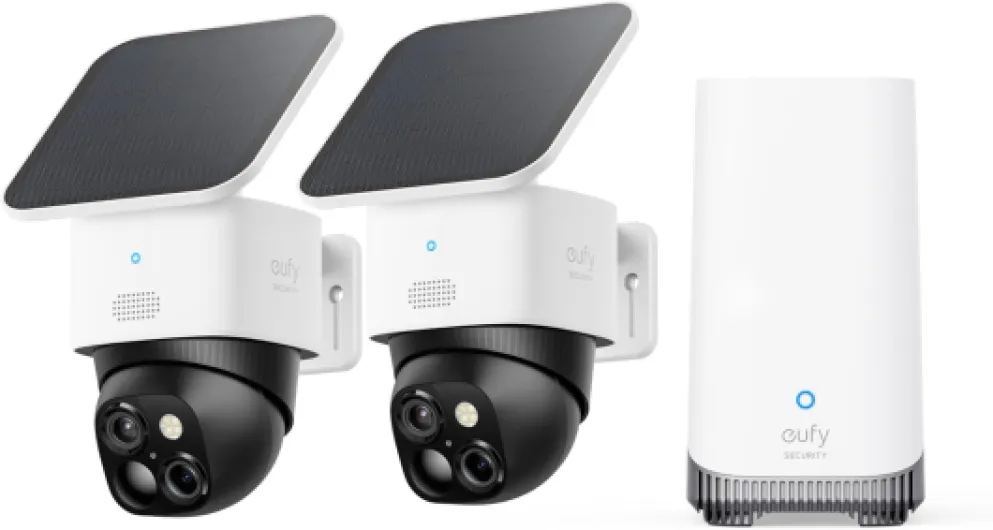
Design‑wise, the SoloCam S340 sits in that “serious camera but not ugly” zone. It’s a black-and-white dome‑style unit with a motorized head inside. It’s not as discreet as a tiny cube cam, but it doesn’t look like a giant industrial dome either. Once it’s up on a wall or under an eave, you stop noticing it after a couple of days. The mixed black/white color helps it blend with most exteriors; on darker brick it stands out a bit more, but nothing crazy.
The pan/tilt housing looks solid. When it rotates, it makes a small mechanical noise, but you only hear it if you’re close and it’s quiet outside. From the street, no one will notice. The lens area is well protected and doesn’t feel flimsy. The solar panel attaches on top with a small arm. This is where I think the design could be better: the arm is a bit short. If you mount the camera under an overhang, the panel can sit too much in the shade, and then the whole “solar forever” thing drops off. One reviewer mentioned this and I ran into the same thing in my backyard spot.
The mounting base is mainly designed for wall mounting, not for hanging straight down from a ceiling. You can technically hack it to work on a horizontal surface, but it’s not as clean or adjustable as a dedicated ceiling mount. Someone on Amazon complained about that, and I get it: if you want to mount under rafters or on a porch ceiling, you’ll be wishing for a more flexible bracket. For standard wall mounting though, it’s straight‑forward and holds tight once you screw it in properly.
From a usability point of view, the design is practical enough. The removable solar panel is a plus, and the size is manageable. It’s not a “design object”, but for a security camera, that’s fine. My only real design gripes are the short solar arm and the limited mounting angles out of the box. If eufy sold a cheap extended bracket and a real ceiling mount, this part would be much easier to recommend without hesitation.
Battery and solar: almost ‘forever’, but placement matters a lot
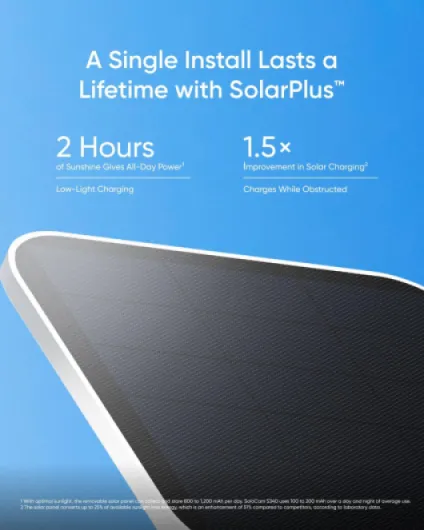
The whole selling point for me was “install once and it runs forever” thanks to the solar panel. In reality, it’s close to that, but only if you give the panel decent sun. On my driveway camera, which gets a few hours of direct sun per day, the battery basically just stays between 90–100%. One Amazon reviewer said theirs stays above 90% most of the time too, and that’s exactly what I’m seeing. The camera records several events per day, plus a few live checks, and the battery level barely moves.
My backyard camera is a different story. It’s under an eave and the solar panel gets much less direct light, especially in the afternoon. There, the battery slowly drops over weeks. It’s not dramatic, but I can see the difference. Another user mentioned having one cam that only gets good sun in summer and needing to manually recharge it every 6 months or so. That sounds about right for my worse‑placed one too. So yeah, solar works, but it’s not magic—you still need to think like a gardener and check how much sun that wall gets.
The good thing is that the built‑in battery is not tiny. Even without solar, in a normal‑traffic area, it should last weeks to months depending on how many events you record and how long your clips are. One user pointed out that you get up to 60‑second videos without paying a subscription, which is nice, but obviously longer clips use more power. If you put the camera in a busy area with lots of motion and constant live viewing, you’ll drain it faster, solar or not.
Overall, I’d rate the battery and solar combo as reliable if you mount smartly. If you can’t give the panel at least a couple hours of real sun, expect to pull the camera down once or twice a year to top it up. That’s still better than climbing a ladder every month like some non‑solar cams, but it’s not completely maintenance‑free for everyone. Just don’t buy it thinking it will magically charge in deep shade—that’s not how it works.
Performance: good image, decent AI, a few quirks
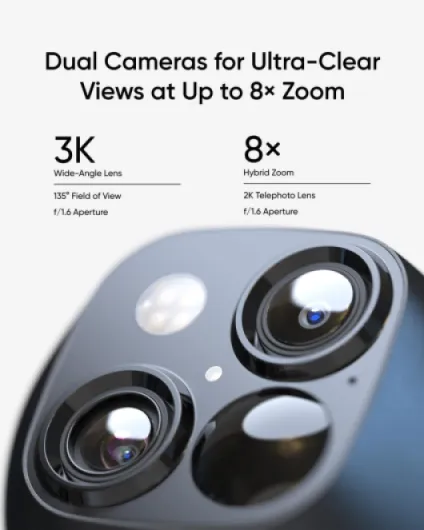
On performance, the SoloCam S340 is pretty solid for a consumer camera. During the day, the 3K image is sharp enough to clearly see faces, license plates at reasonable distances, and small details like packages on the porch. The 8× zoom is digital, so don’t expect miracles, but it’s still useful to check a plate or see what someone is holding. When you enable AI tracking or dual view, it drops to 4K max across the two lenses, which is still more than enough for normal home use.
At night, you get two modes: black‑and‑white infrared and color with the spotlight. The black‑and‑white mode is cleaner than I expected; one reviewer mentioned being surprised, and I agree. Faces and shapes are clear up to around 30–40 feet in my setup. Beyond that, it’s still visible but you start losing detail, which is pretty standard. With the spotlight on, you get color, but obviously that makes the camera more noticeable, so it depends if you want discreet recording or a more obvious deterrent.
The motion detection and AI are the main things that make this feel better than cheap cameras. You can pick if it should react to people, vehicles, or any movement. In my driveway, I turned off “all motion” and left only people and vehicles. That cut down on false alerts from trees and shadows a lot. One Amazon reviewer did note that motion detection range is better in daylight than at night, and that lines up with my experience. At night, it does miss some motion if it’s far out, especially if the person isn’t walking directly toward the camera.
The pan/tilt tracking is actually fun to watch. When someone walks by, the camera can follow them automatically. In my cul‑de‑sac, it tracks people and cars across most of the visible street. It’s not perfect—sometimes it overshoots or loses the subject—but for a home camera, it’s more than good enough. The downside is that all this intelligence relies on decent Wi‑Fi and the HomeBase. If your Wi‑Fi signal is weak where you installed the camera, you’ll get lag, slower loading of live view, and sometimes missed notifications. Also, it’s locked to 2.4 GHz, so no 5 GHz if that’s what you were hoping for. In summary: performance is strong when your network and placement are good, average if your Wi‑Fi is sketchy or your expectations are “pro CCTV level”.
What you actually get with the SoloCam S340 2-Cam Kit
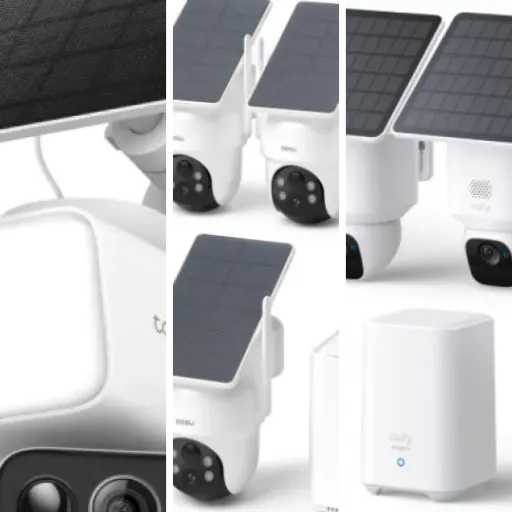
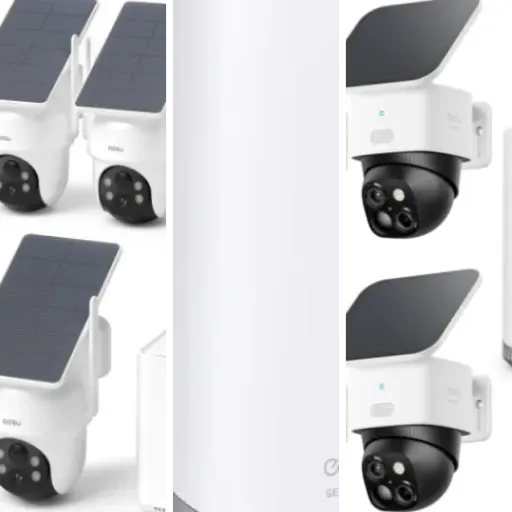
This kit is basically two SoloCam S340 cameras plus a HomeBase S380. The HomeBase is the brain and the storage; the cameras are wireless, solar‑assisted, and do the pan/tilt thing. Everything connects to your 2.4 GHz Wi‑Fi and you control it through the eufy Security app on your phone (Android or iOS; there’s also a desktop option if you like checking from a PC). The cameras are rated for outdoor use and are clearly meant to stay outside year‑round.
Each camera has 3K resolution, a built‑in battery, a removable solar panel, and can rotate horizontally and vertically, so you can cover a wide area with just one unit. There’s motion detection with AI categories: people, vehicles, and general motion. You can pick what you want it to trigger on, which is way better than just “something moved, good luck”. The kit is sold as having no monthly fees because storage is local on the HomeBase, which is honestly the main reason I tried it. I’m tired of cloud upsells.
In daily use, the system works like this: motion is detected, the camera wakes up, records a clip in MPEG‑4, and sends you a notification with a thumbnail. You can open the app, see live video, pan/tilt, zoom up to 8×, turn on the spotlight or siren, and talk through the two‑way audio. The HomeBase sits inside, wired to your router, and handles the storage and some of the AI processing. If it goes offline, your cameras pretty much lose their brain, so you do want that box on a decent UPS if your power cuts often.
Overall, the kit feels like a mid‑to‑high range consumer setup: not pro‑grade like wired PoE cameras, but clearly above the cheap “no‑name Wi‑Fi cam” level. It’s aimed at people who want fewer wires, no subscription, and enough intelligence so the camera isn’t just spamming clips of shadows. If that’s your situation, the feature set makes sense. If you want full-on enterprise security or super fine‑tuned user management, you’ll hit limits pretty quickly.
Effectiveness as a security tool: does it actually make you feel safer?
In terms of actual security, this kit does its job pretty well. I mainly care about three things: catching package thieves, seeing who comes into my yard, and having clips if something happens near my car. On those points, the SoloCam S340 setup has been reliable so far. Notifications come in quickly enough that I can open the app and see the person still on camera most of the time. The combination of motion alerts, spotlight, and siren gives you both monitoring and a bit of deterrence.
The AI filters are what keep the system usable day to day. With my older cameras, I eventually turned off a lot of alerts because they pinged for every cat, bug, or swinging branch. Here, setting it to just people and vehicles seriously cuts the noise. One reviewer said they don’t even see a reason to pay for a subscription because the free features already cover motion detection and decent clip length. I agree: for normal home use, the built‑in features are enough. The AI tracking that follows people and cars isn’t just a gimmick; it actually helps keep them in frame so your clips are more useful.
Where it’s a bit weaker is night motion detection at longer distances. Like one user mentioned, detection is strongest in daylight and drops off at night beyond roughly 30–40 feet. If your driveway is long or you’re trying to catch stuff at the edge of your property, don’t expect the camera to trigger on every distant movement in the dark. Also, keep in mind that if your Wi‑Fi is flaky, the effectiveness drops fast: late notifications and slow live view make it less useful in real time.
Still, compared to Ring/Blink and other mainstream options, I’d say this kit stacks up well, especially because there are no monthly fees. You get clear video, decent alerts, and local storage, so if something happens, you have the evidence. It’s not a magic shield for your house, but as a practical piece of a home security setup, it’s strong enough that I’d keep using it rather than go back to subscription‑heavy systems.
Pros
- No monthly subscription fees thanks to local storage on the HomeBase S380
- Good 3K image quality with clear day video and solid night vision
- Solar panels keep batteries high if placed in decent direct sunlight
- Useful AI detection (people, vehicles, motion) and pan/tilt tracking
- Longer motion clips (up to ~60 seconds) included without extra cost
Cons
- App sharing and multi‑user management are clunky and confusing
- Limited to 2.4 GHz Wi‑Fi and sensitive to weak outdoor signal
- Mounting hardware is not ideal for ceiling/rafter installs and solar arm is a bit short
- Night motion detection range is weaker than daytime, especially beyond ~30–40 feet
Conclusion
Editor's rating
After using the eufy SoloCam S340 2-Cam Kit with the HomeBase S380, I’d sum it up like this: it’s a solid, no‑subscription security setup that works best if you have decent Wi‑Fi and good sun exposure. The image quality is strong, the AI motion detection is genuinely useful, and the solar panels can pretty much keep the batteries topped up if you mount them in the right spots. The pan/tilt and tracking aren’t just for show; they actually help cover more area with fewer cameras.
It’s not perfect though. The app sharing is awkward, the cameras only work on 2.4 GHz Wi‑Fi, and the mounting hardware could be more flexible, especially for ceiling or rafter installs. Night detection range is decent but not amazing, so if you need long‑distance coverage in the dark, you might want something more specialized. Also, the upfront price is on the higher side, even if you save money later by skipping subscriptions.
Who is this good for? People who want reliable outdoor coverage with no ongoing fees, who are okay tweaking placement for good sunlight and Wi‑Fi. If you’re already sick of paying Ring/Blink every month, this is a realistic alternative. Who should skip it? If your Wi‑Fi is weak outside, you can’t give the solar panels any real sun, or you need advanced multi‑user management for a big household, you’ll probably be annoyed. For most regular homeowners who just want decent security, clear video, and to stop thinking about battery swaps, it’s a pretty sensible buy.