
Summary
Editor's rating
Is the S330 kit good value or are you better off elsewhere?
Chunky but discreet: design and build in real life
Solar charging and battery life: when it works and when it doesn’t
Weather, signal, and long-term reliability (plus support issues)
4K image, night vision, and AI: how it actually performs
What you actually get in the box and how it all works
Pros
- Strong daytime 4K image quality with useful zoom in recordings
- No mandatory subscription fees thanks to local encrypted storage and expandable HomeBase
- Built-in solar panels keep batteries topped up in sunny locations, reducing manual charging
Cons
- Customer support and replacement handling can be slow and inconsistent
- Battery can drain fast on busy or shaded cameras despite solar, may require wired power
- AI face recognition and motion filtering are decent but not fully reliable yet

Specifications
View full product page →| Brand | eufy Security |
4 cameras, no subscription – worth it or headache?
I’ve been running the EufyCam S330 (eufyCam 3) 4‑cam kit around my house for a while now, and I’ll be blunt: this thing is not perfect, but it’s a pretty solid setup if you care more about local storage and zero subscriptions than having the slickest cloud ecosystem. I installed two cameras in full sun (driveway and backyard) and two in more shaded spots (front porch and side alley), all tied into the HomeBase in my hallway. I’ve used Arlo and Ring before, so I’ve got some basis for comparison.
What jumped out right away is the whole pitch: 4K video, built‑in solar panel on every cam, no monthly fees, and face recognition on-device. On paper it sounds almost too good, especially for people tired of paying 10–15 bucks a month just to see their own recordings. In practice, some of that promise holds up really well, and some bits are a bit rough around the edges or still feel like a work in progress.
During the first week I mainly watched how often the batteries dropped and how the solar panels recovered, plus how many useless alerts I got. With default settings, the busy driveway cam was pinging my phone constantly, but once I dialed in the activity zones and sensitivity, it became manageable. The quiet porch cam barely notified me at all, which was nice. The app is fairly straightforward, not pretty, but it gets the job done without too many taps.
Overall, this feels like a good fit if you want to own your data and hate subscriptions, and you’re okay dealing with some quirks and occasional software weirdness. If you want flawless support and a completely polished app experience, this is not the top of the pile. I’ll break down what worked for me and what annoyed me, so you can see if it matches how you’d actually use it.
Is the S330 kit good value or are you better off elsewhere?
Price-wise, the EufyCam S330 4‑cam kit sits in the mid-to-high range for consumer security systems, especially once you compare it to cheaper 1080p Wi‑Fi cameras. But you have to factor in the lack of subscription fees. With Ring or Arlo, by the time you pay for 4 cameras plus a year or two of cloud storage, you’re often spending the same or more overall. Here, once you buy the kit, you’re basically done unless you want to add a hard drive for huge storage.
For what you pay, you get: 4K video, built‑in solar, local face recognition, expandable local storage, and a decent app. That’s a pretty solid package. There are corners cut: no super-polished app design, some rough edges in AI features, and mixed stories about customer support. If you’re very sensitive to that kind of thing, you might prefer a more established ecosystem even if it costs more long-term. But if you’re mainly focused on owning your recordings and not paying a monthly bill, this kit starts to look like good value after the first year.
Compared to my old wired DVR system, this is way easier to live with and check from my phone. Compared to Ring, I like that I’m not renting my own footage from them every month, but I miss some of Ring’s more polished notifications and ecosystem integration. So it’s a trade-off: Eufy gives you more control and no subscription, but you accept that the support and software might be a bit less mature.
If you’re on a tight budget and just want basic monitoring, there are cheaper 1080p options that will absolutely do the job. But if you want 4 cameras, decent 4K quality, solar, and local storage in one package, this kit actually lines up pretty well against rivals. I’d call the value good but not insane – worth it for the right user, overkill or slightly risky for someone who just wants something simple and never wants to think about it again.
Chunky but discreet: design and build in real life
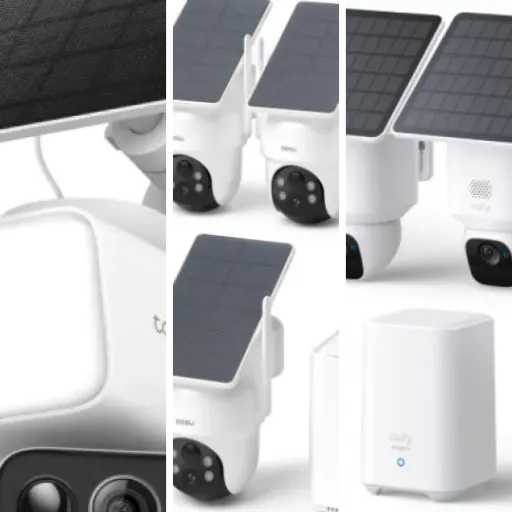
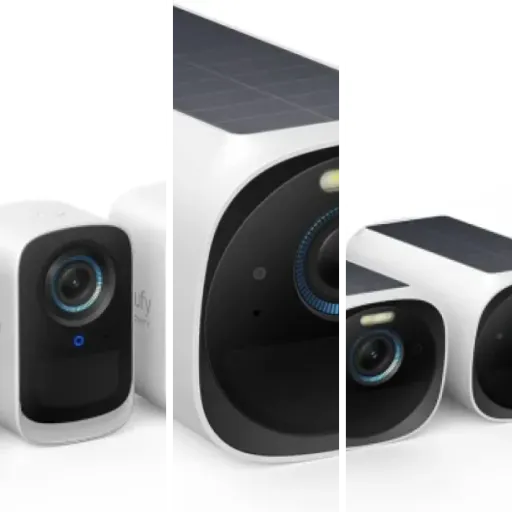
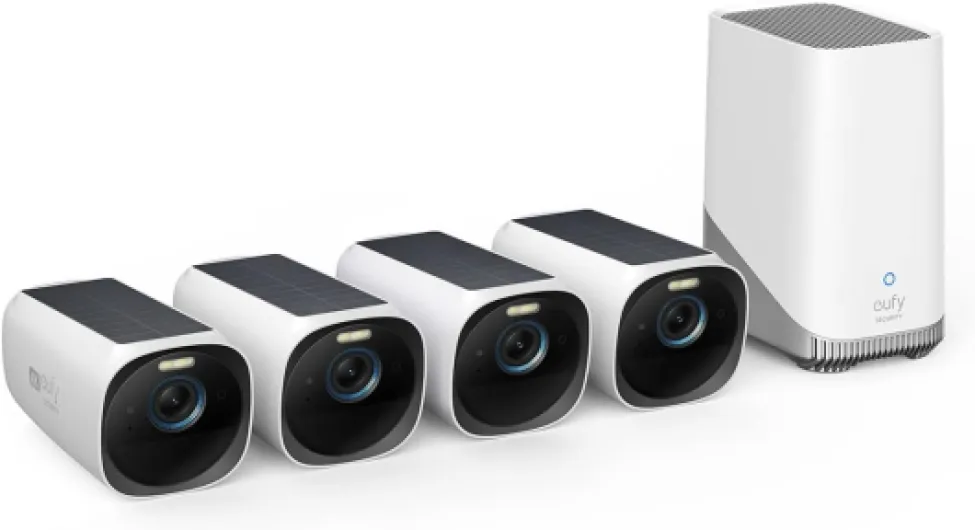
The cameras themselves are medium-sized white bricks with a black front, not tiny but not huge floodlight monsters either. On the wall, they’re noticeable but not ugly. The built‑in solar panel sits on top of each camera, so you don’t have wires hanging everywhere. In my case, on a white exterior wall, they blend in okay. On darker brick, they stand out more, so if you’re picky about looks, just be aware of that.
The mounting system is simple: wall plate plus a ball‑joint style mount you screw the camera onto. You can angle it pretty much any way you want. One thing I noticed after a couple of weeks is that you really have to crank the mount tight if the camera is in a windy spot. One user review mentioned this and I can confirm – my backyard cam slowly drooped over a week until I tightened it more than I was comfortable with. Once I did that, it stayed in place, but the design could be a bit more robust here.
Build quality feels decent. The cameras are IP65 rated, and I’ve had them in rain and some pretty nasty wind with no issues so far. No water inside, no condensation on the lens. They’re plastic, not metal, but they don’t feel super cheap either. The HomeBase is a basic white box that lives near your router or somewhere with good Wi‑Fi reach. You don’t really see it once it’s placed, so I don’t care much about how it looks. It runs quietly; I don’t hear any annoying fan noise.
In terms of design annoyances: there’s no real tamper-proofing. If someone can reach the camera, they can yank it off the mount pretty easily. That’s normal for most consumer wireless cams, but just know this is not some industrial-grade setup. Also, the field of view is 135°, which is pretty wide but not ultra-wide. For corners, you may need to play with the angle to cover exactly what you want. Overall, design is functional, not pretty, but it serves its purpose.
Solar charging and battery life: when it works and when it doesn’t
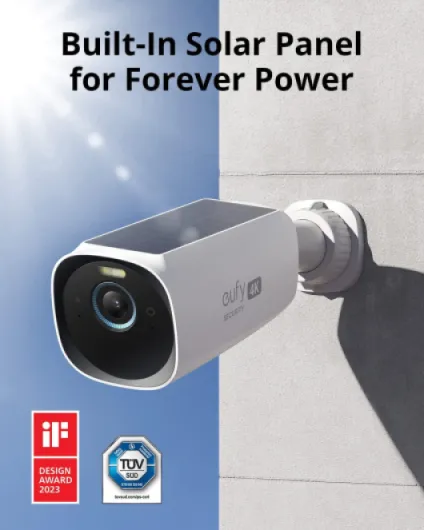
This is probably the most important part for a lot of people: does the solar panel actually keep the cameras charged? Short answer: in decent sun, yes; in shade with a lot of motion, not really. On my driveway cam, which gets several hours of direct sun and around 10–20 motion events per day, the battery hovers between 70–90% without me ever plugging it in. That matches what one Amazon reviewer described – even going into fall, the camera still kept a healthy charge.
On the front porch cam, which is under a roof and only gets indirect light, it’s a different story. There, I see the battery slowly dropping over days if motion is heavy, especially when I leave the detection sensitivity high. The solar panel still helps, but it’s more of a slow top‑up rather than true “set it and forget it.” One Spanish review basically said the same: great system, but if there’s a lot of activity, run power if you can. I ended up lowering the recording length and setting stricter zones to keep that camera from draining too fast.
In terms of pure battery life with minimal solar input, you can stretch several weeks easily if motion is low and settings are conservative (short clips, no constant live viewing). But if you’re in a busy area – street-facing, lots of people walking by – and you insist on long recordings and high quality, expect to either plug in a cable or take the camera down every now and then for a recharge. Eufy’s “two hours of sunlight for continuous operation” line is optimistic and assumes pretty ideal conditions.
For my use, the solar works well enough on three of the four cams that I don’t think about it anymore. On the shadier porch one, I treat solar as a helper, not the main power source. As long as you’re realistic about placement – put these where they actually see the sky – you’ll probably be happy. If your whole exterior is shaded or under deep eaves, you may be better off planning for wired power or looking at a different style of camera.
Weather, signal, and long-term reliability (plus support issues)
In terms of physical durability, I don’t have many complaints so far. The cameras have gone through rain, wind, and a couple of temperature swings, and they still look and behave like new. No yellowing, no cracked seals, no visible moisture behind the lens. The IP65 rating seems realistic. They’re not meant to be pressure‑washed, but for normal outdoor use, they’re holding up fine.
Signal reliability has also been decent in my setup. The HomeBase is in a hallway closet, and one camera is going through two interior walls plus one exterior wall and still maintains a stable connection. That lines up with the review from the person with 12‑inch concrete walls who said their garage cam still had a good signal. I did a few tests walking around the house with live view open – the feed occasionally stutters, but not to the point where it’s unusable. It’s similar to what I had with Arlo, maybe slightly better.
Where things get shaky is brand reliability and support. Some users, including one of the reviews you shared, report very poor follow-through from Eufy support. In that case, they were promised a replacement camera, sent the broken one back, and then waited months with no replacement. That’s bad, and it’s the kind of thing that would annoy me a lot if it happened. On the other hand, you also see people saying support handled their replacement quickly. So it seems inconsistent, which is not reassuring for a security product you might rely on for years.
From a long-term perspective, I’m slightly cautious. The hardware feels solid enough to last several years, but if Eufy decides to change their app, drop support, or keep shipping buggy firmware, there’s not much you can do. Also, if the HomeBase dies outside of warranty, you’re basically buying a new brain to keep all the cameras useful. Durability of the physical product: good. Durability of the ecosystem and support: more of a question mark. If you’re the type who keeps tech for 5+ years, factor that into your decision.
4K image, night vision, and AI: how it actually performs
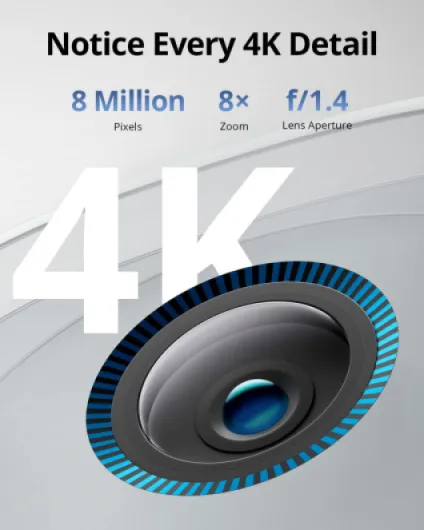
On the performance side, the daytime video quality is genuinely strong. You can clearly read license plates at a reasonable distance if the car isn’t flying by, and faces are easy to recognize. The 4K resolution does help when you zoom into recordings in the app – it doesn’t turn into a blurry mess like older 1080p cams. The frame rate is 30 fps, so motion looks smooth enough. Just keep in mind that your upload speed and Wi‑Fi quality will affect how the live view feels on your phone.
At night, you’ve got two modes: standard IR black‑and‑white or color with the help of the spotlight and the Starlight sensor. In my tests, the night vision is good but not mind-blowing. Within about 20–25 feet, faces are clear, and general movement is easy to see. Beyond that, details drop off. The built‑in spotlight helps a lot near doors and driveways, but if you’re trying to cover a very large yard, you might want extra lighting. One Amazon reviewer mentioned adding IR repeaters; I didn’t go that far, but I can see why you’d do it in a big dark area.
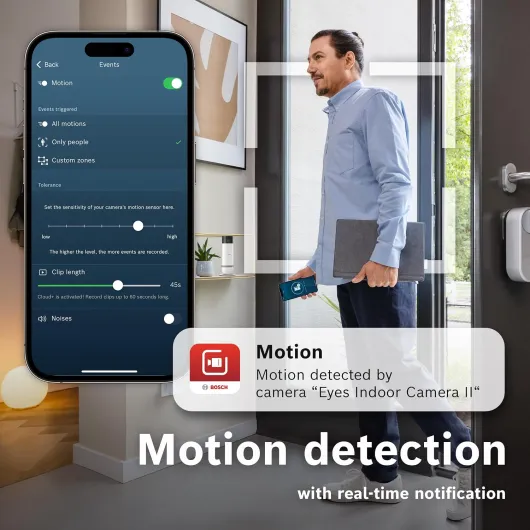
Motion detection is decent once you tune it. Out of the box, I got a lot of false alerts from tree branches and cars in the background. After drawing custom activity zones and lowering sensitivity on the busy driveway cam, it became much more usable. The BionicMind AI that’s supposed to tell people, pets, and vehicles apart works fairly well most of the time, but it’s not magic. It mislabels people as “unknown” regularly if they’re side-on or wearing a hat, and it took several days of me tagging faces before it felt even somewhat reliable.
The big plus for me is local processing: no lag from sending everything to the cloud first. Alerts come in reasonably fast. The downside is that features depend heavily on Eufy’s firmware stability. I haven’t had crashes, but others online mention occasional glitches. Also, alert customization is a bit limited – I’d like a more advanced schedule or per-camera quiet hours, similar to what one review requested. Overall, performance is strong for the price bracket, especially the daytime image, but the AI still feels like version 1.5, not version 3.
What you actually get in the box and how it all works
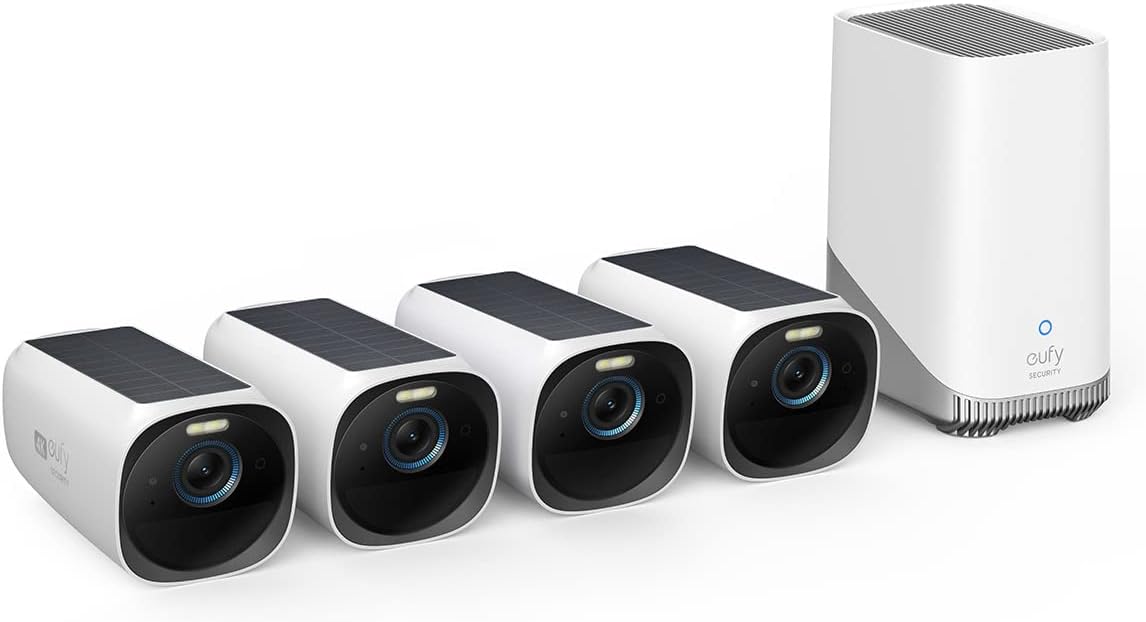
Out of the box, the EufyCam S330 kit is pretty straightforward: 4 wireless 4K cameras, the HomeBase 3 hub, power adapters, Ethernet cable, and wall mounts with screws. No surprises, which I like. The HomeBase is the brain of the system – it handles local storage, the AI stuff, and the connection to your phone. Each camera connects wirelessly to the HomeBase over Wi‑Fi (not directly to your router), so placement is limited by where the hub sits in your house.
Setup took me roughly an hour for the whole kit, including drilling and mounting. The app walks you through pairing each camera to the HomeBase, updating firmware (which took a bit longer than I wanted), and then you can start placing cameras and testing signal strength. Compared to my old wired DVR system, this was way less painful. Compared to Ring, it’s slightly more fiddly because you’re also dealing with the HomeBase location, not just Wi‑Fi from the router.
The headline features in practice are: 4K video recording, onboard BionicMind face recognition, solar charging built into every camera, expandable local storage (up to 16 TB, though you only get 16 GB internal by default), and no mandatory cloud plan. Motion alerts are the usual push notifications with thumbnails, and you can live view, talk through the cameras, turn on the spotlight, and tweak zones from the app. There’s Alexa and Google Assistant support, which I tested briefly – it works, but it’s slower than just opening the app on your phone.
From a user point of view, the system feels like a middle ground between old-school DVR kits and super-cloudy systems like Ring. You get the benefit of local control and storage, but you still rely heavily on Eufy’s software and their HomeBase. If the hub dies, your whole system is dead, so that’s something to keep in mind. Also, the face recognition and some of the smarter filters need a few days of use to actually get useful, so don’t expect magic on day one.
Pros
- Strong daytime 4K image quality with useful zoom in recordings
- No mandatory subscription fees thanks to local encrypted storage and expandable HomeBase
- Built-in solar panels keep batteries topped up in sunny locations, reducing manual charging
Cons
- Customer support and replacement handling can be slow and inconsistent
- Battery can drain fast on busy or shaded cameras despite solar, may require wired power
- AI face recognition and motion filtering are decent but not fully reliable yet
Conclusion
Editor's rating
Overall, the EufyCam S330 (eufyCam 3) kit is a solid choice if your priorities are no subscription fees, local 4K recording, and solar power. The cameras look decent, the daytime image quality is genuinely sharp, and the built‑in solar panels actually work well in spots that get real sunlight. Once you dial in the motion zones and sensitivity, alerts are manageable, and the app, while not fancy, is clear enough to use daily. For most home users who want four outdoor cameras and don’t want to rent cloud storage forever, the package makes sense.
On the flip side, it’s not flawless. Night vision is good but not outstanding, the AI face recognition is helpful but not perfect, and battery life in shaded or high-traffic areas can still be an issue if you rely only on solar. The bigger concern for me is the mixed feedback on customer support and replacements – when a security product fails, waiting months for a replacement is not acceptable. So if rock-solid support and a super-polished app are top of your list, you might be happier with Ring, Arlo, or a pro-installed system, even if it means ongoing fees.
I’d say this kit is best for people who are reasonably tech-comfortable, willing to tweak settings, and who really care about owning their footage and avoiding monthly bills. If you want to install something once and never think about it again, or if your house is mostly shaded and you can’t run power, I’d look at other options. For everyone else, this is a pretty good balance of features, control, and long-term cost, as long as you go in with realistic expectations.